A:AnswerHi,
The apps pre-installed on the 2025 U8000F are: SmartThings, Samsung TV Plus, Netflix, Prime Video, Disney+, Hulu, Apple TV, Peacock, Sling TV, YouTube, Bixby, and Internet.
~Samsung Advisor
A:AnswerHi Warranty,
The U8000F TV is backed with a limited 1-year Manufacturer’s Warranty when purchased brand-new from an authorized dealer. You can enter the model number to review the full warranty details here: https://www.samsung.com/us/support/legal/LGL10000312/#standard-limited-warranty
~ Samsung Advisor
A:AnswerHi CPK2001,
Please try these steps:
1. Power cord check: Ensure the TV’s power cord is securely connected at both ends and not visibly damaged.
2. Wall outlet check: Plug the TV directly into a working wall outlet (not a surge protector or power strip) and look for the red standby light near the bottom edge of the TV.
o Solid red light: Press the power button on the TV (underneath the Samsung logo) or use the remote.
o No light: The TV isn’t getting power.
o Blinking light: The TV may require service.
3. Test the remote: If the standby light is on but the TV won’t power on with the remote, try using the power button on the TV itself.
4. If the TV turns on but there’s no picture, try pressing the Home button. If the menu appears, check for correct source selection or potential external device issues.
If the issue continues, please reach out so we can help with further diagnostics or service. Call Samsung Support at 1-800-SAMSUNG, 8AM – 12AM EST, or chat with us online via the ‘Support’ link on our website.
~ Samsung Advisor
A:AnswerHi Cisco2kid,
To turn off Voice Guide, go to: Home > left directional key > Settings > All Settings > General & Privacy > Accessibility > Voice Guide Settings > Voice Guide = OFF
~Samsung Advisor
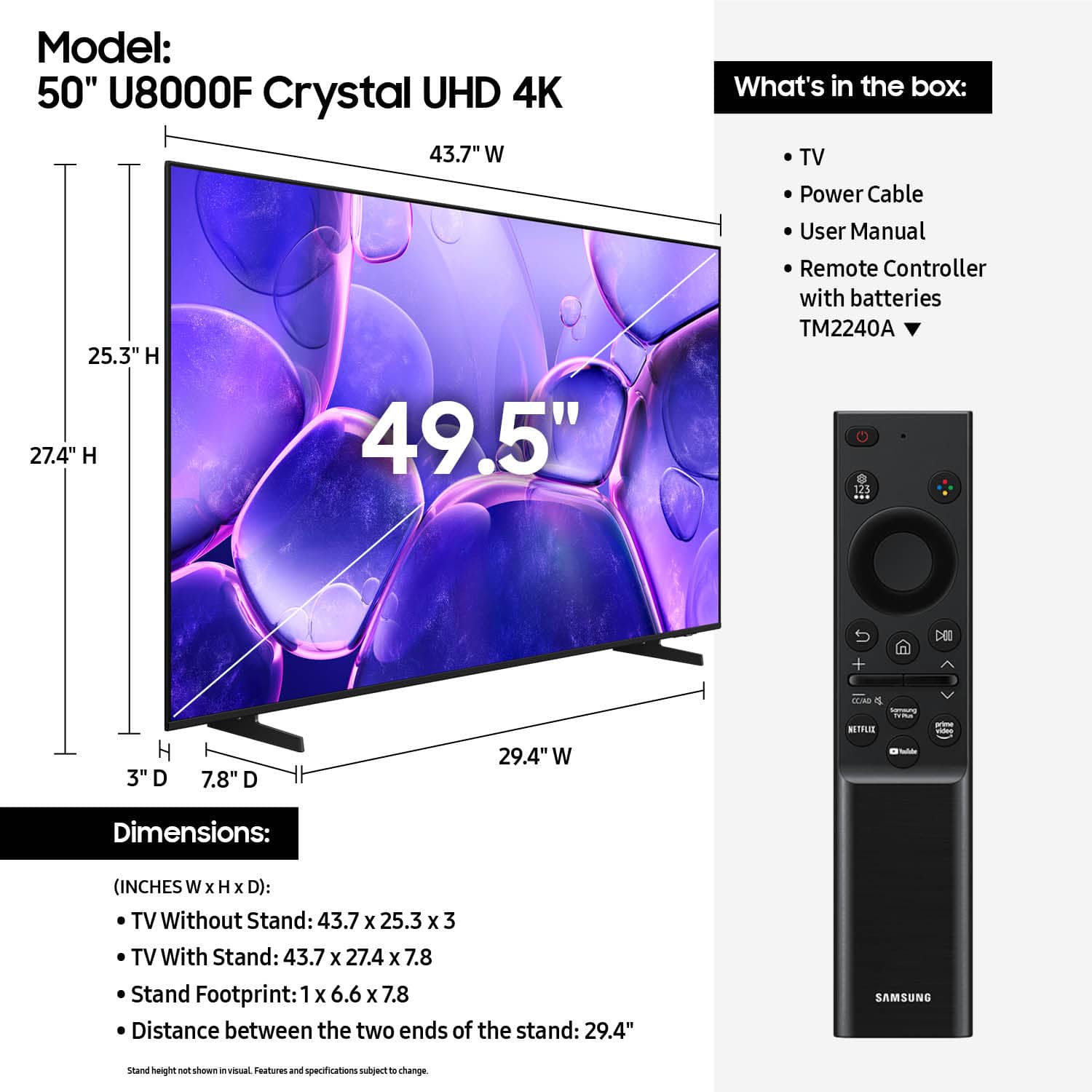
A:AnswerThe remote comes with the TV. The volume button takes some getting used to since it is a rocker arm. You don't press the button down but press the volume button at a oblique angle to get the volume to change.