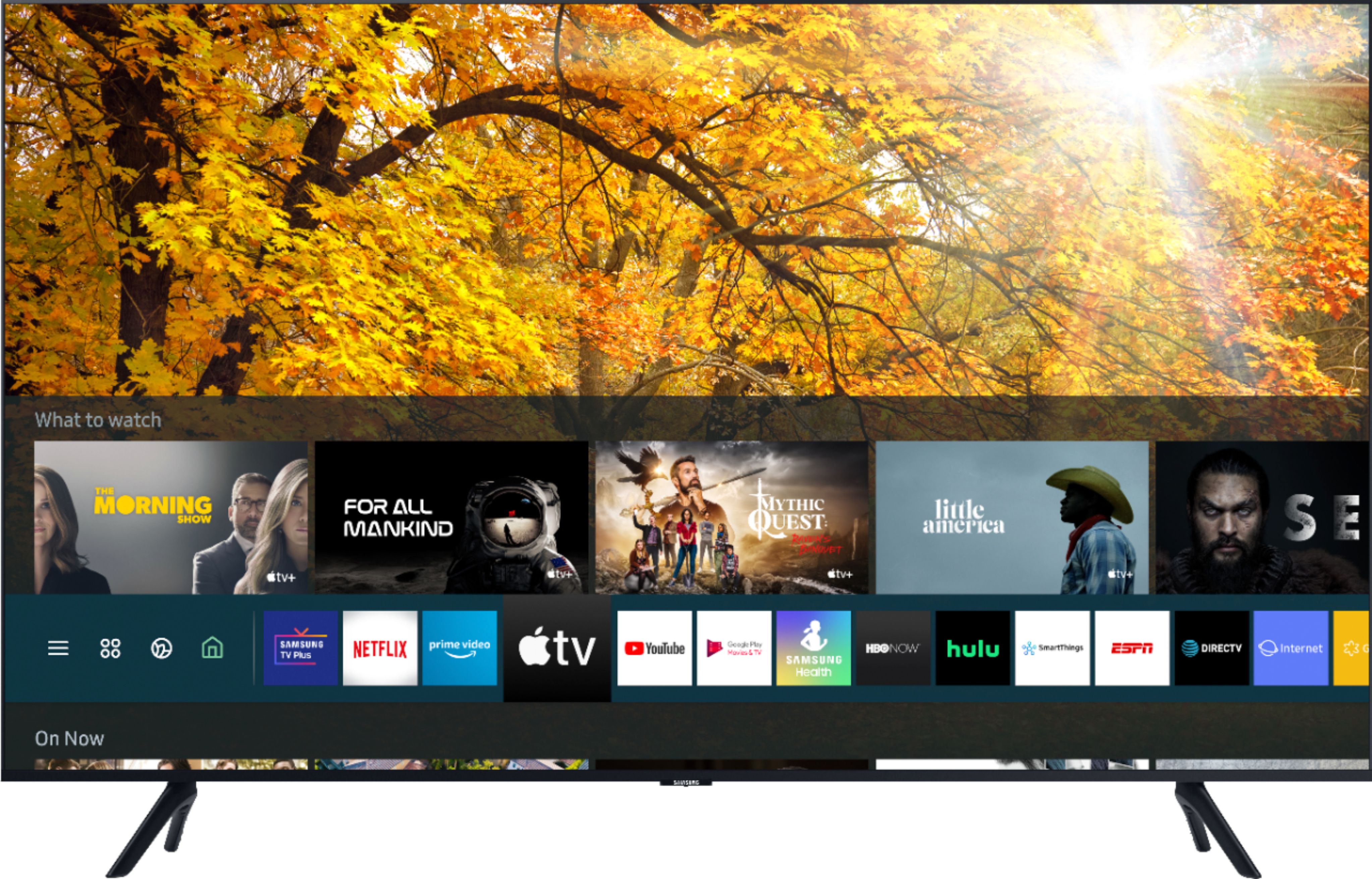
A:Answer Not sure about Sling TV but pretty much every app is up there. The majors ones are installed -Amazon, Netflix, HboMax, Hulu, Disney Plus, and I think Peacock. The others (maybe HBOmax isn’t pre-installed - can’t recall) but Apple+, Cinemax, showtime et al- they’re part of what’s called the smart hub. You click on that and they appear and you scroll and choose what you want. They tend to appear the minute you turn on the tv as well You can also go into the App Store in Samsung on your tv and download those that are not pre-installed. Then you have to activate and log into all of them whether you are already subscribed separately (get out your login info for each) or if you want to subscribe you can do that as well from your tv. If you’ve subscribed to premium cable/streaming services via Apple+ or Hulu, then just sign in to those accounts and it will all be there for you. Very easy. But it takes time if you are subscribed to as many accts as I have. BTW I believe sling tv is offered on Samsung. You just go into the apps and search for sling tv and download it onto your tv. Hope this helps. I’m pretty happy with this tv.