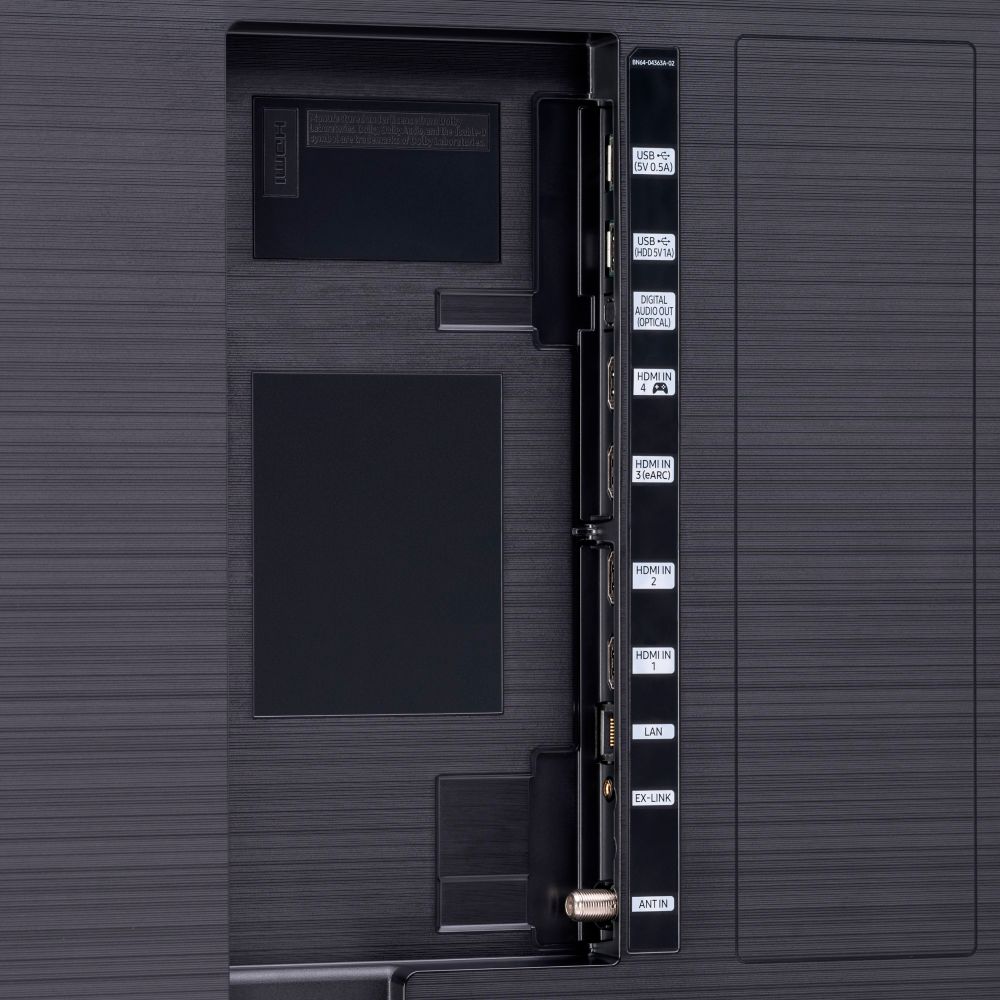
A:AnswerIt should be a 2.1. I would check the other ports as well as your hdmi 2.1 cable before swapping out tv. I have had faulty 2.1 cables in the past. I would also suggest going to a Best Buy if possible and try to hook up your hdmi 2.1 to their display or they may possibly have a display with the new PlayStation hooked up via hdmi 2.1. Hope you are able to get resolved and have a great week.
A:AnswerHi! The screws required to attach the base to the TV are size M4 x L14. Refer to the quick setup guide at the following support page from Samsung for more information: https://www.samsung.com/us/support/owners/product/qled-tv-q90t-2020
^Tim
A:AnswerHi Sammie! The Q90T sure does have Closed Captions. To turn captions on, go to HOME > Settings > General > Accessibility > Caption Settings. Set Caption to "On" to watch programs with the captions displayed. ^Gina
A:AnswerHi Vizsla! It is best to use a clean microfiber cloth first for basic cleaning, you may not need to use any additional solution to remove smudges. If the is a spot that cannot be cleaned with a microfiber cloth alone, it helps to use a screen cleaning solution from Best Buy which is designed to avoid damage and smearing. Check out this support article from Samsung on how to clean your screen:https://www.samsung.com/us/support/answer/ANS00046181/
^Tim
A:AnswerHi nancy! The 65Q90T does not support the No Gap Wall Mount. This TV will work with any universal wall mount with a VESA Standard of 400mm x 300mm. Check out some great wall mount options at Best Buy: https://www.bestbuy.com/site/searchpage.jsp?_dyncharset=UTF-8&id=pcat17071&iht=y&keys=keys&ks=960&list=n&qp=tvmountsize_facet%3DTV%20Size%20Compatibility~65%20-%2074%22&sc=Global&st=wall%20mount&type=page&usc=All%20Categories ^Gina
A:AnswerHi Oz! You can only connect one Bluetooth device at a time to Samsung TVs. You do, however, have the option to utilize Multi-output Audio, which will allow you to listen to your TV speaker and Bluetooth device audio simultaneously. ^Gina
A:AnswerHi Nancie! The 2020 Q90T does not utilize the One Connect Box. Last year, the 2019 Q90R included the One Connect Box. The 2020 Frame Series and the 85Q950TS are the only models that utilize the One Connect Box. ^Gina
A:AnswerHi Alex! The 65Q90T does not require a firmware update for eARC support. This feature can be enabled through the expert sound settings in the TV menu when connected to a compatible audio device. ^Tim