A:AnswerI had the same problem. What you need is a higher quality, higher speed capable HD cable and nothing more, but you might also need to adjust your cable box settings or the TV's settings. Make sure that your TV is set to the same video setting as your cable box and that your cable box is sending the correct frequency/size to your TV from the box.
A:AnswerHi Dennis,
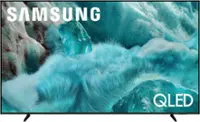
This will depend on your individual needs. If you are looking for Wide-Angle Technology, we recommend starting with our QN70F Series.
~Samsung Advisor
A:AnswerHi,
The apps pre-installed on the 2025 U7900 are: SmartThings, Samsung TV Plus, Netflix, Prime Video, Disney+, Hulu, Apple TV, Peacock, Sling TV, YouTube, Bixby, and Internet. Subscriptions are not included.
~Samsung Advisor
A:AnswerHi egnlsn,
The U7900 has a built-in ATSC 1.0/ClearQAM tuner; when stepping up to our Neo QLED 8K Series, you’ll gain a built-in ATSC 3.0 tuner for receiving digital broadcasts.
~Samsung Advisor
A:AnswerA TV with a microphone? I doubt it! Some modern cable systems have the mic built into the remote nowadays.. Trouble connecting to "google"? That has zero to do with a mic. Try setting up the TV correctly. Duh!
A:AnswerHi TurdBurglar,
To best assist you, please contact us at 1-800-SAMSUNG (available daily from 8 AM to 12 AM EST) or connect with us via live chat at Samsung Support: https://www.samsung.com/us/support/contact/
~Samsung Advisor
A:AnswerHi Doug,
While built-in Alexa isn't available directly on this TV, you can still control it by using external Alexa-enabled devices.
~Samsung Advisor