“Is it compatible with Toshiba Satellite L855-S5368?”
Answer This Question
1-2 of 2 Answers
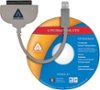
The official support site lists the Toshiba Satellite L855-S5368 as having a 640GB (5400 RPM) SATA hard disk drive. So this will be physically compatible and it will fit into your computer. However, the Samsung 860 EVO 500GB SSD has a little less storage space than the 640GB OEM drive, so you might have issues if your drive is very full and you're planning on copying all of the data to this new drive. If you're just replacing it with no concern for retaining the old data, or you aren't currently using too much space then this should work just fine. On that note, it will come with the right to use the Samsung Data Migration software tool to copy all of your existing data to the new drive. It works really well and is very easy to use, but only works to copy data from a drive to a Samsung SSD. To use it on a notebook computer you'll also need to have a USB to SATA cable to connect the drive externally allowing you to copy the data before the installation. I have linked a good example of the needed adapter that's sold here on BestBuy.com but do not use the software that comes with the cable. Just use the Samsung Data Migration tool that comes with the new drive or download it from Samsung's website. It'll be much easier and faster to use.
I would recommend:
Sorry, there was a problem. Please try again later.I just replaced the existing hard drives in two Toshiba laptops with this drive and it made a super slow laptop usable again. The difference in start up and operation was amazing. I would check the Toshiba web site to be sure your model supports a 2.5 in hard drive which most do. When you replace the hard drive depending on the Toshiba model you will need to remove the existing hard drive mounting hardware to use on the new SSD drive. I highly recommend searching for videos on replacing hard drives on your model. The videos can show you how to remove the bottom cover of the laptop as well as how to replace the drive.
Sorry, there was a problem. Please try again later.