A:AnswerYou would need to reach out to the manufacturer (Samsung) not the reseller (Best Buy). Reach out to Samsung customer service, they should be able to help. What I would do is just return it to Best Buy, if possible.
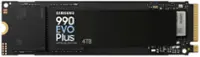
A:AnswerPlease Consult the manual of your model and see if the motherboard can support a "M.2" or "NVME" drive and length does matter as well when mounting it (there is options for shorter drives if needed)
Having issue as in it's not detecting? you have to open Control Panel and create a windows partition to activate a new clean drive
A:AnswerDepends...
If your emulating it on a PC? Yes.
If your saying for the console? No.
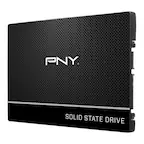
They Take 2.5 SSD's look at the Samsung 850 Pro if you looking for awesome performance like this one
A:Answerfor the lifespan i say do it to be safe because it may be one of them or take a chance and hope it isn't and just RMA it if it happens since you're using it for ps5 and not pc so no big worry for sensitive data loss as for the speed maybe someone else can answer that question
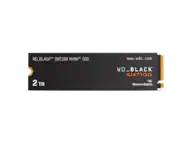
A:AnswerYou can it's not going to hurt anything but it's also not really going to help anything. Unless you're console sits in a very hot spot that doesn't have quality access to Fresh Air or cooler air you don't really need it. I kept the metal plate off mine after installing it and I haven't had a single problem as far as throttling issues or anything like that out of it. But again mine's also got plenty of access to cooler fresh air all the way around it's not enclosed it is covered from the top but not enclosed all the way around and I have left that metal cover plate off
A:AnswerNo, that laptop does have an extra slot, but from what i read it only fits a 2230 sized M.2 not a 2280 (which is now the standard size). you can still find an M.2 that will fit that though.