A:AnswerI have gone a couple of days with the unit holding battery life. I will come home from work and use it for an hour or so. Then back on the shelf it goes until the next day. I leave Wi-Fi on all the time without issues. What I have noticed is the Ant-radio service kills the battery faster then anything else and will quickly drain the tablet over night. I removed that app and the tablet is doing much better. Also I have started putting the tablet into Battery saver mode when I put it down for the day and it really helps. 2 or 3 hours of watching youtube only brought the battery life down to 70%.
A:AnswerYes ... An Open Box Special Is So Much Better Than A Used Or Refurbished One ... Mine Was A Returned But Not Used Tab , So I Didn't Mind The Missing Wrap Or Torn Box ...
A:AnswerI bought a case from Gumdrop, Inc which makes cases that also have a screen cover to fully enclose the tablet while giving easy access to the various ports on the tablet.. Touch screen functions are not hindered at all by the screen cover and a stand is also provided on the back of the case. I really like the level of protection the case provides and no, I am not an employee of Gumdrop, just a very satisfied user. Furthermore I also purchased a Gumdrop case for my wife's Galaxy Tab S.
A:Answeryes you can. I have mine attached via Wi-Fi to my HP printer and it works as intended. also you can send or share it with your printer if your printer has a e-mail address.
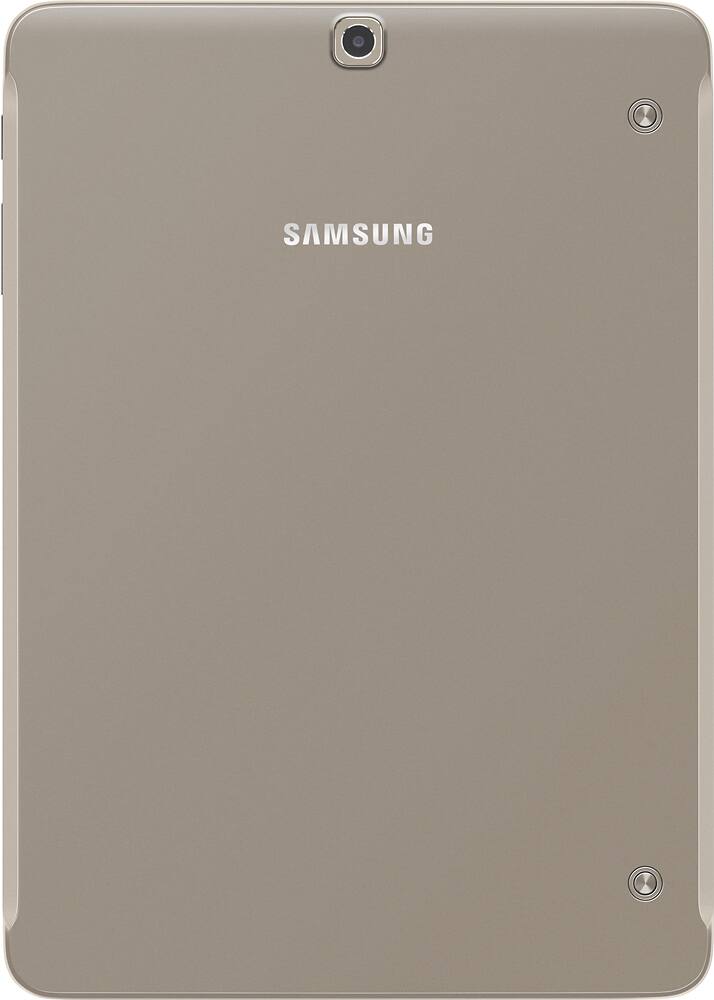
A:AnswerThe second generation of S2s do not have a camera flash. The following is a copy and paste of the product description:
The Galaxy Tab S2’s 8 MP camera and f / 1.9-apperture lens allow you to take brighter and crisper pictures and videos than ever before, even in low-light conditions.
* Pics I haken are very clear even in low light.
A:AnswerNot necessarily a big difference for E-Books, you will need a free app like Kindle or Kobo but magazines, on an app like Zinio, will be in full color. (never used a Kindle tablet so might be the same)
Today's color E-Reader/tablets are more robust and have better features than yesterday's E-Ink readers but that's because they are really just Android tablets with an OEM launcher on top specifically tuned for their products. Tablets, and more recently E-reader tablets, can also have more storage added in the form of micro SD cards. (S2 and newer Kindle HD tablets can have up to a 128 GB micro SD card)
Pros of a tablet over an E-Reader: (E-Ink type)
* You can generally do more on a tablet.
* You can listen to music while you read (and access the controls
from a drop down menu)
* Resolution is usually higher (Not always so check!)
* It is not locked to a specific site (IE: Amazon for Kindle, Barnes
& Noble for Nook) so you can use any reading app like Kindle, Kobo or Nook
* Generally has more powerful CPU if you play games
* You can change launchers if you don't like the stock one
* Most come with note, writing, spreadsheet and other software
* Usually shows as a drive when plugged into a computer
Cons of a tablet over an E-Reader: (E-Ink type)
* Not as good in bright sunshine (My S2 is OK with the brightness turned up)
* Generally the battery doesn't last as long as an E-Reader
(especially if the brightness is high)
* Need to be charged more often (E-Ink readers can go weeks on a single charge)
* A bit more expensive depending on size and memory
* Tablets are generally larger (8" to 12") so can be a bit more cumbersome.
(Although my 9.7" S2 fits in my jeans pocket with a slim case on it!)
I have been using tablets for years and have been through seven different types and sizes. My first was a Nook color (which I still have and probably still works) My last three were Samsung's Tab2 7", Tab S 8.4" and now my Tab S2 9.7" which I adore!