“Why does one of the pictures show it on the computer desk with no cords plugged into the electricity nor a laptop so other devices can wirelessly access it? The only cord is charging something.”
Answer This Question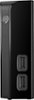
1-6 of 6 Answers
Let's start by reiterating that this is NOT a wireless device but a device being displayed without wires. Welcome to the wonderful world of promotional advertising where things need to look as appealing as possible regardless of functionality. In this case, the photo is selling you on the fact that you can plug your phone into the front of the drive to charge or interact with it via the built-in USB (*feature*). Cables running out the back and disappearing behind the desk would draw your attention away from this feature and remind you that, yes, this DOES, indeed, cause desktop clutter and that you'll need an open plug on a power bar or outlet to power it and a USB plug on your computer for data. Honestly, I'm surprised they didn't cut the power cable off of the lamp, too.
Sorry, there was a problem. Please try again later.This unit requires a power connection, a 12vdc power supply & UBS 3.0 cable that comes with the purchased unit and a USB 3.0 wired connection to your computer. It is not a wireless unit.
Sorry, there was a problem. Please try again later.The Seagate BACKUP PLUS HUB 8TB has two USB ports on the front that are used as a hub, where you can plug in external devices such as a charging port or external hard drive. The ports for connection to the computer and power on the backside. This is not a wireless device.
Sorry, there was a problem. Please try again later.Q. I assume this will work with a PC that only has USB 2.0 ports. Is this correct? A. Yes, “Universal Serial Bus” USB 3 is backward compatible with USB 2, and USB 1.1, as long as the OS “Operating System” supports it. Link: http://techterms.com/definition/usb Stands for "Universal Serial Bus." USB is the most common type of computer port used in today's computers. It can be used to connect keyboards, mice, game controllers, printers, scanners, digital cameras, and removable media drives, just to name a few. With the help of a few USB hubs, you can connect up to 127 peripherals to a single USB port and use them all at once (though that would require quite a bit of dexterity). USB is also faster than older ports, such as serial and parallel ports. The USB 1.1 specification supports data transfer rates of up to 12Mb/sec and USB 2.0 has a maximum transfer rate of 480 Mbps. Though USB was introduced in 1997, the technology didn't really take off until the introduction of the Apple iMac (in late 1998) which used USB ports exclusively. It is somewhat ironic, considering USB was created and designed by Intel, Compaq, Digital, and IBM. Over the past few years, USB has become a widely-used cross-platform interface for both Macs and PCs. Link: http://techterms.com/definition/usb-c “Stands for "Universal Serial Bus Type-C." USB-C is a type of USB connector that was introduced in 2015. It supports USB 3.1, which means a USB-C connection can transfer data up to 10 Gbps and send or receive up to 20 volts or 100 watts of power. Unlike the previous USB Type-A and USB Type-B ports, the USB-C port is symmetrical, which means you never have to worry about plugging in the cable the wrong way. The USB-C connector is the most significant change to the USB connector since the USB interface was standardized in 1996. USB 1.1, 2.0, and 3.0 all used the same flat, rectangular USB-A connector. While there have been several variations of USB-B, such as Mini-USB and Micro-USB, they are all designed for peripheral devices, which connect to a Type-A port on the other end. The Type-C connector introduced with USB 3.1 is designed to be the same on both ends. There is no mini or micro version of USB-C, since the standard USB-C connector is about the same size of a Micro-USB connector. This means it can be used in small devices like smartphones and tablets. Since USB-C supports up to 100 watts of power, it can also be used as the power connector for laptops. In fact, the first laptops to include USB-C ports – the 2015 Apple MacBook and Google Chromebook Pixel – do not include power connectors. Instead, the power cable connects directly to the USB-C port. A USB-C connector will only fit in a USB-C port, but USB-C cables are backwards-compatible with other USB standards. Therefore, a USB-C to USB-A or USB-C to USB-B adapter can be used to connect older USB devices to a USB-C port. However, the data transfer rate and wattage will be limited to the lower standard.”
Sorry, there was a problem. Please try again later.I seriously appreciate all the time and effort in the answers. However, Shadowfax is the only one that caught the true meaning of my question. In a world that is changing to cheap junk and less and less information about items, why take a deceiving picture making it look wireless? It clearly says you must plug it in. At least they told you that much. I have bought a couple of tech things only to get home and find that it wasn't what I needed at all. Sadly, this was after talking to sales personnel. I can't imagine trying to buy tech online unless you are an expert.
Sorry, there was a problem. Please try again later.Hi, there is a power chord and it is linked to other devices by USB 3.0 connection.
Sorry, there was a problem. Please try again later.