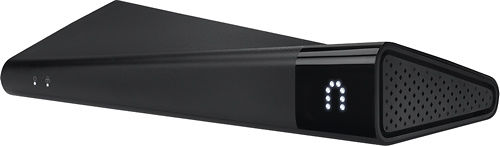
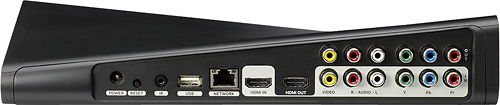
A:AnswerAs long as you have a signal (wifi,3G,4G, LTE) you can watch anything off of your cable service at home. Works awesome. I'm a truck driver. When I get a break I pull out my iPad and watch TV. The only thing I didn't like was an addition $15 for an app. Other then that it works as described and I love it.
A:AnswerThe Slingbox sends out the cable box output on the internet, and to view it you connect to a website, log in and view. This wont work to extend the TV signal from one room to another. Cheaper solution would be to get a TV cable splitter and connect a cable from one room to another.
A:AnswerNo. In fact, you can invite people to view your slingbox, and they can get their own user account for free, and then be allowed to view your Slingbox. However, only one person can receive the stream at a time. So if your "friend" is watching your TV via the Slingbox, you won't be able to watch the stream yourself. You will, as the owner, be able to "boot" the other person off, which will allow you to watch.
If you are watching the Slingbox, and your guest tries to login, they will get a message stating that your Slingbox is currently in use, and is therefore not available for them to watch at that time.
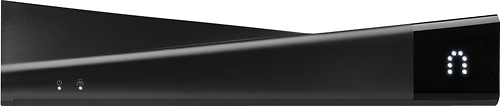
A:AnswerRight now, from what I understand, you would have to have a Roku box, which will allow you to stream from you ipad to the Roku (i.e. to you TV). I have a Roku, and this works very well. However, I'm not certain if there are other ways to do that.
If you have a PC you are watching on, you can always output via a cable to your TV.
A:AnswerYou can set her up as a guest user, or just give her the username and password for the account. Just note that if you are watching the TV that's hooked up and she logs on, she can disconnect you form what you are watching and vice verse.
A:AnswerIt all depends on your upload speed where the SlingBox is located. If you have 1MB or faster upload speed I think the quality is just like seeing it on your TV at home, pretty close to full HD if not full HD. If your upload speed is less (say 500k or 384K) it gets choppy and blurry. Too much data for that speed, which is a typical DSL upload speed. Hope this helps.
A:AnswerThe PS3 does not support slingbox playback.. your best alternative is a tablet/laptop/desktop with a hdmi out port to hook up to your tv...... the download speed isn't nearly as important as your upload speed from the location your slingbox is physically at..... you will get a great picture at and broadband connection (even slow DSL) as long as your upload speed from you slingbox is good.
A:AnswerI cannot answer about Verizon Fios, but we have Windows 8 and it works great. You know that the Geek Squad folks are great and can help. We got Geek Squad with one product and it covers everything we buy as long as it is within the time frame of the coverage. We plan to renew because they stay on the phone with you until your problem is solved. And we have had to use them on a couple of occasions so well worth it.
A:AnswerIf the TV you want to use to watch programming can connect to the internet and you can operate and view a web browser (Internet Explorer, Chrome, Firefox, etc.) you can sign into your slingbox account and watch the transmitted programming, change channels at the transmitting location, etc.