Refund Refresh 4-Day SaleEnds Monday. Limited quantities. No rainchecks.Shop now

Main Content

Questions & Answers

$569.99
Save $30
Comp. Value: $599.99
Page Showing 21-40 of 74 questions
  • Questionis the stand adjustable? can the feet be brought closer to each other? my cabinet is 28"...too tight for the stand as shown in your ad...m

    Asked by mikess.

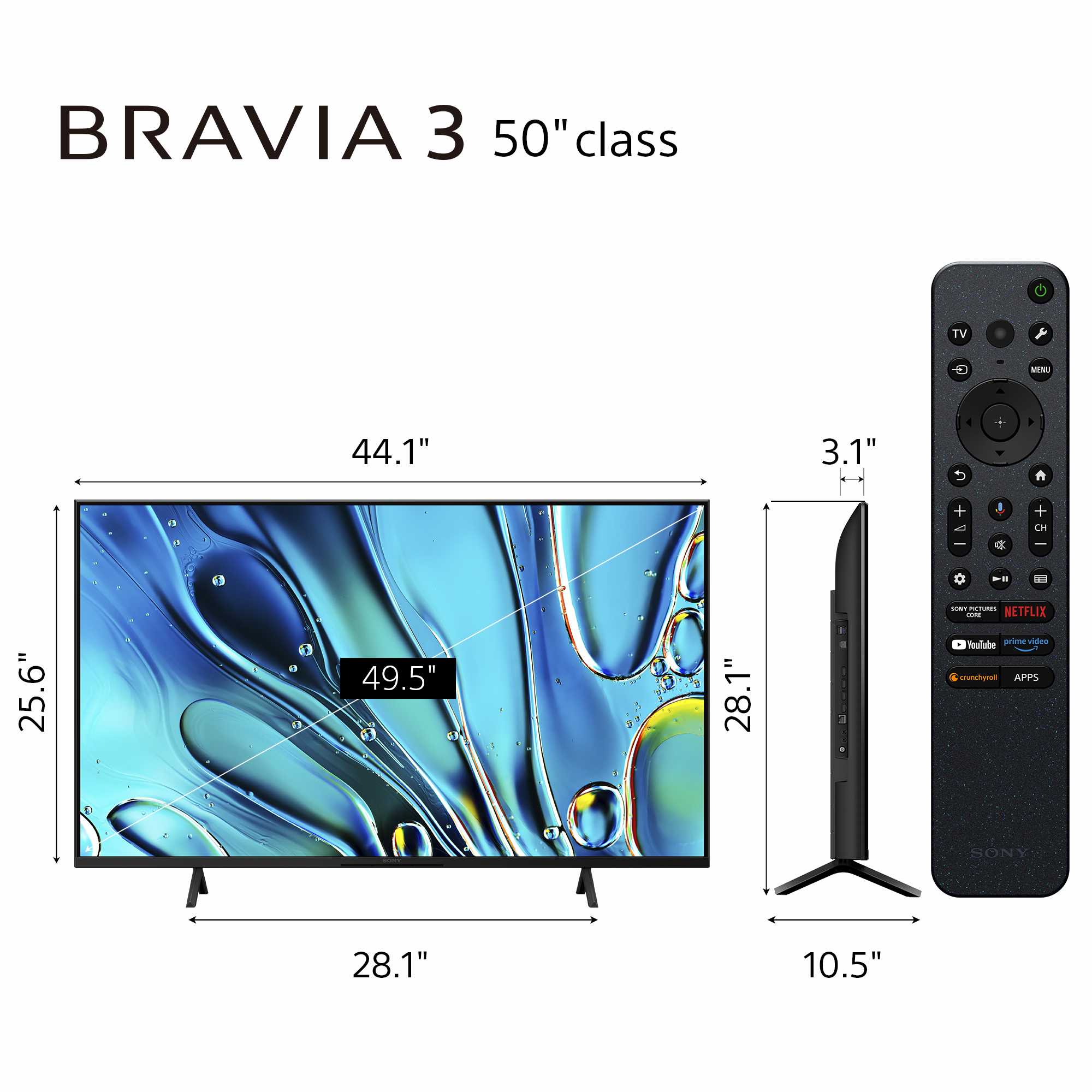
    • Answer Hi Mikess, Thank you for your question! Regarding the Sony BRAVIA 3 (K50S30), the stand is not adjustable. The fixed width is 28 1/4 inches, which would unfortunately be slightly too wide for your 28" cabinet. If you require a model that fits a smaller surface, we have other options that offer adjustable stands: Sony BRAVIA 5 (K55XR50): This model features a narrow position setting that reduces the stand width to 16.13" (408 mm), which would fit comfortably on your cabinet. Sony BRAVIA 7 (K55XR70): This model also offers a narrow position setting, reducing the stand width to 17.25" (436 mm). We hope you find this helpful, and thanks for considering Sony! Regards, Dominick

      Answered by SonyListens

  • QuestionHow do you disable channel announcements?

    Asked by Anonymous.

    • Answer Hi there, Thank you for your question. It sounds like an accessibility feature, such as the Screen Reader, may have been accidentally activated, causing your TV to announce channels and other on-screen text. To disable this feature, please use your Sony remote and follow these steps: Navigate to Settings > System > Accessibility. Within the Accessibility menu, please ensure the following options are all set to "Off" or "Disabled": TalkBack Screen Reader Audio Description Once these three features are disabled, the TV will stop announcing channels and reading out menu items. However, if the issue persists, we recommend contacting our technical support team so they can investigate the matter further. You can contact them here: https://us.esupport.sony.com/support/s/support-contact?language=en_US&category=tv Thank you for considering Sony! Regards, Dominick

      Answered by SonyListens

  • QuestionDoes this Sony TV have Bluetooth. So, I can watch My Lap top o

    Asked by stav7.

    • Answer No

      Answered by Rock

  • QuestionIf you watch you tube videos, can you run them on this tv?

    Asked by Samoyed.

    • Answer Yes you can

      Answered by AbbasJ

  • QuestionIs this tv compatible with Hulu+?

    Asked by PAT.

    • Answer Hi PAT, Thank you for your interest in the Sony - BRAVIA 3! Yes, this TV is compatible with the Hulu app. You can easily download and install it from the Google Play Store directly on your TV. We hope this information helps, and thank you for considering Sony products! Regards, Dominick

      Answered by SonyListens

  • QuestionWhy won't my fire stick fit in the HDMI port

    Asked by Anonymous.

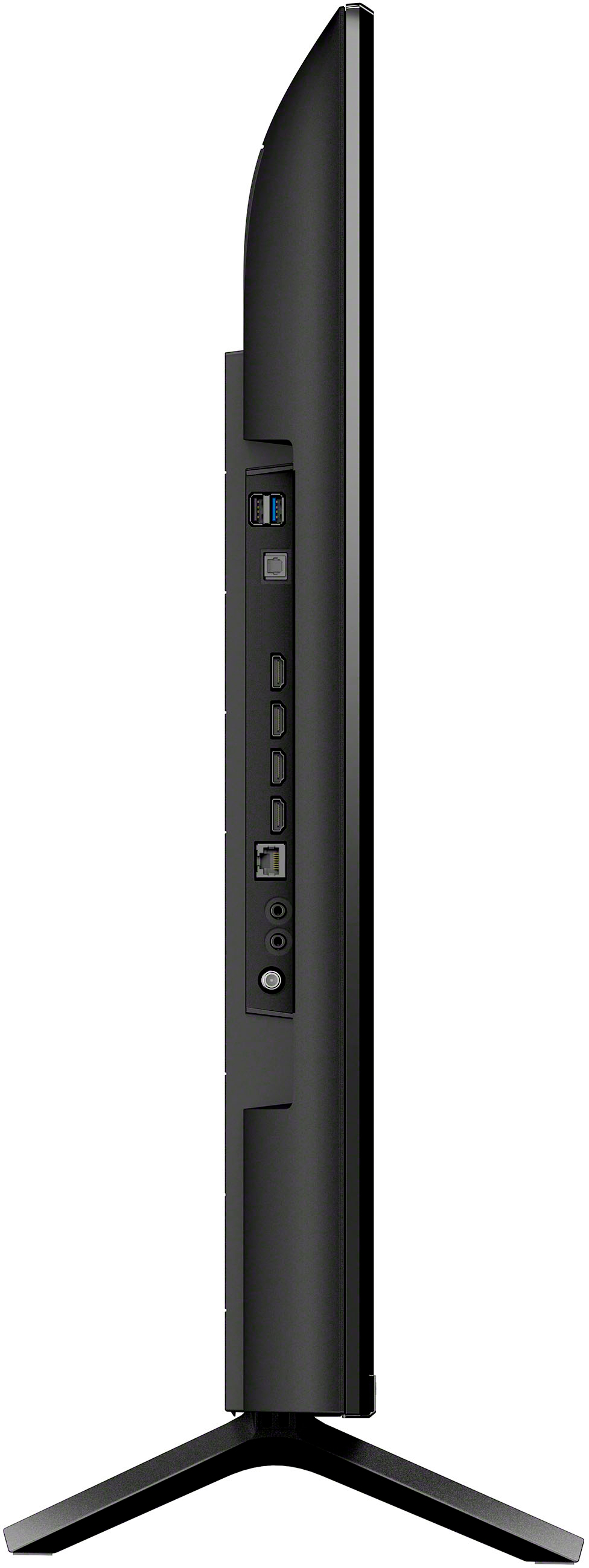
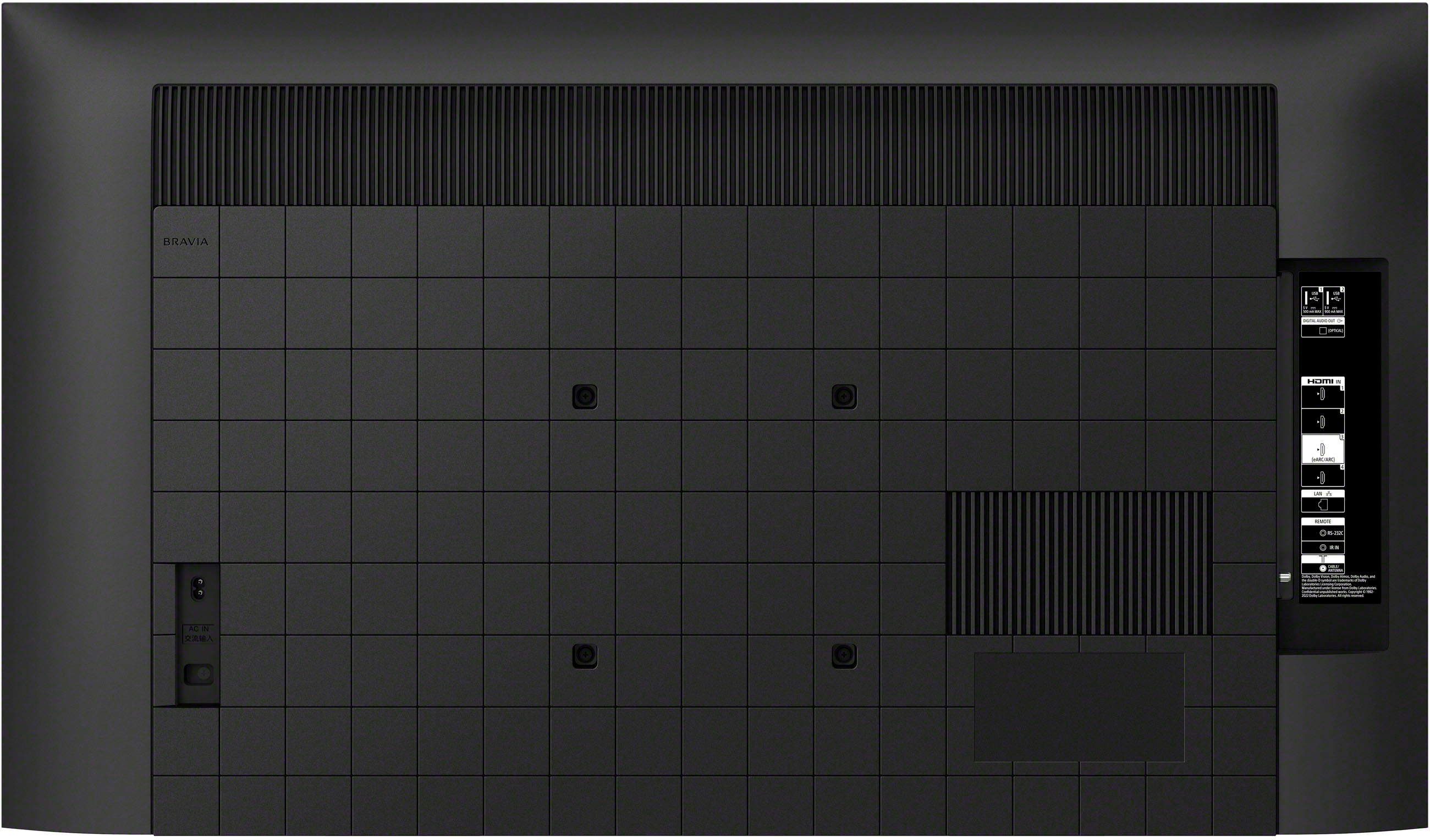
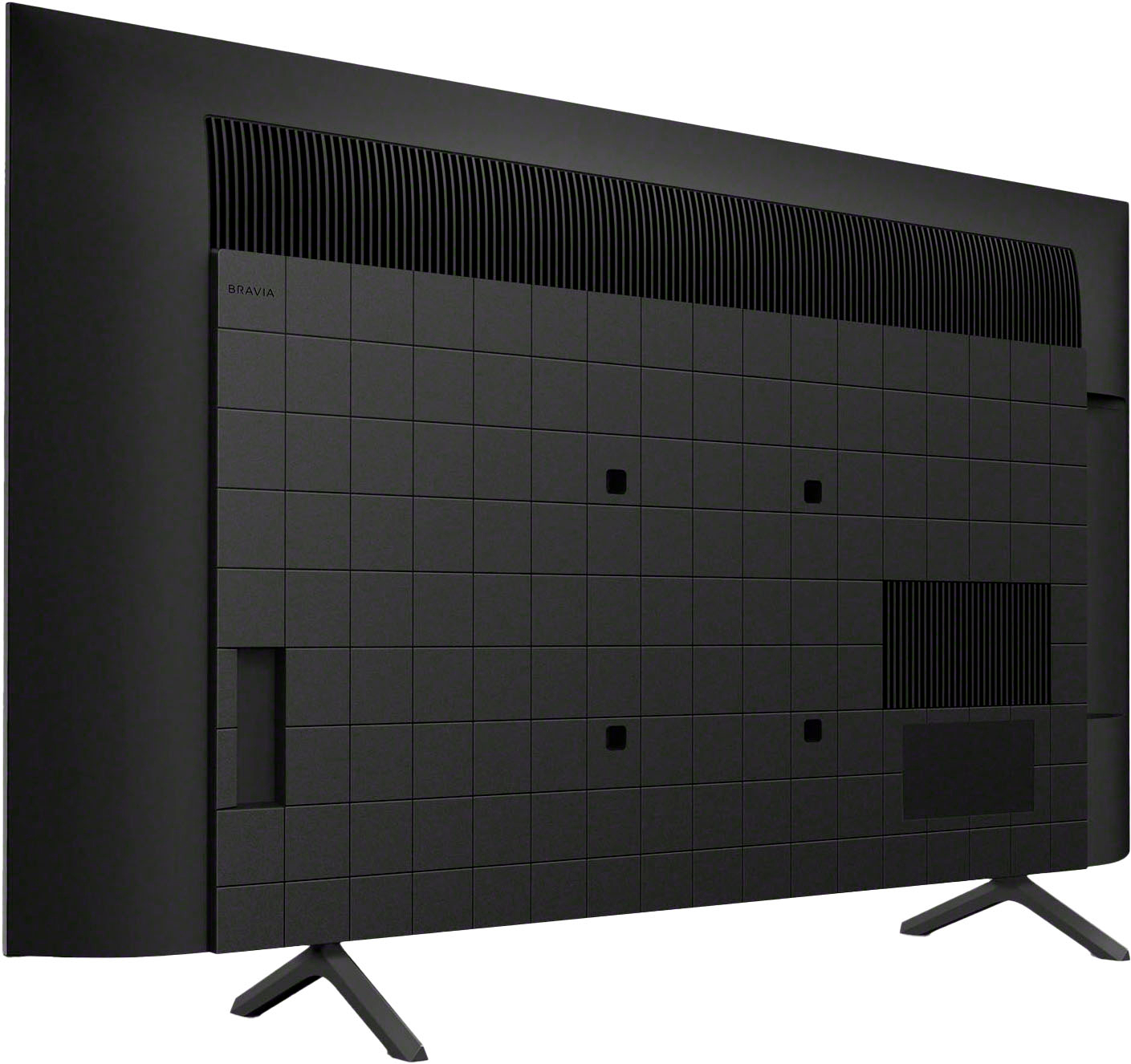
    • Answer Hi there, Thanks for your question! The Fire stick should normally fit into any of the HDMI ports on your Sony - BRAVIA 3, since both use the same standard HDMI connection. If it doesn't seem to fit, here are a few things to check: 1. Make sure you're plugging it into a port labeled "HDMI" at the back of the TV, since the USB ports are right next to them and can look quite similar. 2. Try a different HDMI port—your BRAVIA 3 has four HDMI ports, so testing another one can help. 3. If the space around the ports is tight, use an HDMI extender cable that usually comes included with the Fire Stick. It gives you a little extra room and it helps it fit more comfortably. If you still have trouble after trying these steps, feel free to reach out to our technical support team at: https://us.esupport.sony.com/support/s/support-contact?language=en_US&category=tv We'll be happy to take a closer look and help you get it working. Thank you for considering Sony products! Best regards, Dominick

      Answered by SonyListens

  • QuestionIs the remote control that comes with the Bravia 3 K-50S30 backlight capable?

    Asked by Jackson.

    • Answer Use UVerse remote

      Answered by Rock

  • QuestionDoes this Sony TV have a California warning label on it.

    Asked by gina.

    • Answer No

      Answered by Rock

  • QuestionCan this television be secured to the stand it is located on to prevent falls?

    Asked by BobCat.

    • Answer yes

      Answered by GaryS

  • QuestionCan I add two different bluetoothe devices to this TV? My wife and I live in a small aparment and the AC is loud. Was thinking of adding two different bluetoothe headphones. Is this possible?

    Asked by ZainRizvi.

    • Answer Hello Zainrizvi, Thanks for the question. Regarding your concern, the TV will only be able to establish connection with 1 Bluetooth device at a time. Therefore, it is not possible for two headphones to be connected simultaneously. Thanks for the interest in Sony Products, have a great day! DiegoV

      Answered by SonyListens

  • QuestionCan this tv connect to wifi 6 technology?

    Asked by Kshin.

    • Answer Hi TinaB, thanks for asking! Yes, the Sony K50S30 supports Wi-Fi 6 (802.11ax). This allows for faster and more reliable wireless streaming compared to older Wi-Fi standards. The TV also supports other Wi-Fi standards like 802.11a/b/g/n/ac and operates on 2.4 GHz, 5 GHz, and 6 GHz frequencies. This provides flexibility in connecting to your home network. For detailed information, you may check: https://www.sony.com/electronics/support/televisions-projectors-lcd-tvs-android-/k-50s30/specifications Thanks for considering Sony products! Best regards, Gus Sony Social Media Team

      Answered by SonyListens

  • QuestionDoes this tv have a cinema or movie mode where the refresh rate is lower?

    Asked by CinemaMode.

    • Answer Hello CinemaMode, thanks for your question! The Sony BRAVIA 3 does have a Cinema/Movie mode, which aims to display film content authentically. While it doesn't "lower" the TV's native 60Hz refresh rate, it will process 24fps movie content in a way that is standard for 60Hz panels (using 3:2 pulldown) rather than artificially increasing the frame rate with motion smoothing. So, you won't get a true lower refresh rate in the sense of the panel physically refreshing fewer times per second, but the way film content is presented aims for a more cinematic experience by avoiding motion interpolation. Hope this answers your concern! Sincerely, Jenn.

      Answered by SonyListens

  • QuestionFor the TV to fit on a table, what is the distance between the legs? Something like 24 inches, 36 inches or ??

    Asked by will5419.

    • Answer Hi will5419, thanks for your question regarding the Sony - 50" Class BRAVIA 3! The distance between the legs or the Stand Width for this TV is 28.25" (715 mm). We hope this answers your question, and thank you for considering Sony products! Best regards, -Dominick

      Answered by SonyListens

  • QuestionWHAT IS TIME PERIOD ON MANUFACTURER'S WARRANTY

    Asked by BILL.

    • Answer Hi BILL, thanks for your interest in the Sony - 50" Class BRAVIA 3! All brand new units come with a 1-year manufacturer's warranty which covers any internal defect or failure under normal use. If you have any other questions or need help with anything else, fell free to ask! Thank you for considering Sony products. Best regards, -Dominick

      Answered by SonyListens

  • QuestionDoes this TV have a "picture off" function?

    Asked by Question.

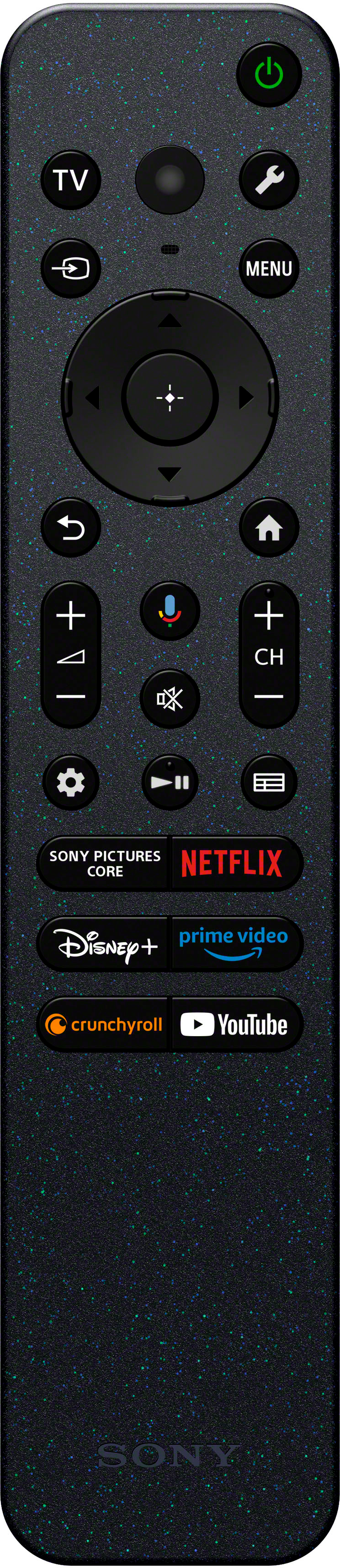
    • Answer Hi Question, thank you for your interest in the Sony - Bravia 3. Yes, this model does include a "Picture Off" function, which is useful when you simply want to use the TV to play music. In order to access this option you need to use the Sony remote and press the Quick Settings button (wrench icon) and then scroll to the right until you find [Picture off]. We hope this answers your question and thank you for considering Sony products! Best regards, -Dominick

      Answered by SonyListens

  • QuestionCan this TV be mounted on a wall?

    Asked by Mimi.

    • Answer Hi Mimi, The BRAVIA 3 series, can indeed be mounted on the wall. The compatibility for wall mounting includes a specific screw hole pattern that conforms to certain wall-mount brackets. Best regards, Eliab

      Answered by SonyListens

  • QuestionCan this tv be used with the Zoom app?

    Asked by Tinkerbell.

    • Answer Hi Tinkerbell, thanks for your question and interest in the Sony - Bravia 3! Yes, the Zoom app can be used with this TV, you can download it from the Google Playstore. Here are instructions on how to do it: https://www.sony.com/electronics/support/articles/00345447 Thank you for considering Sony! Best regards, -Dominick

      Answered by SonyListens

  • Questionmeasurement from one leg stand to the other.

    Asked by Anonymous.

    • Answer 28.25 inches

      Answered by KennethD

  • QuestionDoes this TV have a shut off timer with a light?

    Asked by Anonymous.

    • Answer Yes it has automatic timer to shut off. Not sure about a light?

      Answered by Gamerdad

  • QuestionThis tv is described as being 3.0 tuner capable. So I take that to mean it does not have an internal 3.0 tuner for Next Generation tv but could have one connected after another 150 dollars is spent. What say you

    Asked by Mackdriver.

    • Answer It doesn't support 3.0 Next Gen TV because it lacks an integrated ATS 3.0 tuner.

      Answered by AbbasJ