A:AnswerHi MusicLover, Thank you for the inquiry! Great News! The KD50X80J supports the MKV Files. Refer to this link for details of the supported files and formats of this TV: https://helpguide.sony.net/tv/iusltn1/v1/en-003/04-01-03.html
I hope this helps! Jay
A:AnswerHi Bob, Great News! Thank you for the inquiry! Some apps can change the text size and color. Whether a given app supports the Closed Caption feature depends on the app. Some apps, such as Netflix, enable Closed Captions by using their own setting menu instead of pressing the CC (Subtitle) button on the TV remote control. Closed Captions may not be available for some TV broadcasts. Refer to this link for more details: https://www.sony.com/electronics/support/televisions-projectors-lcd-tvs-android-/kd-50x80j/articles/00260887
I hope this helps! Jay
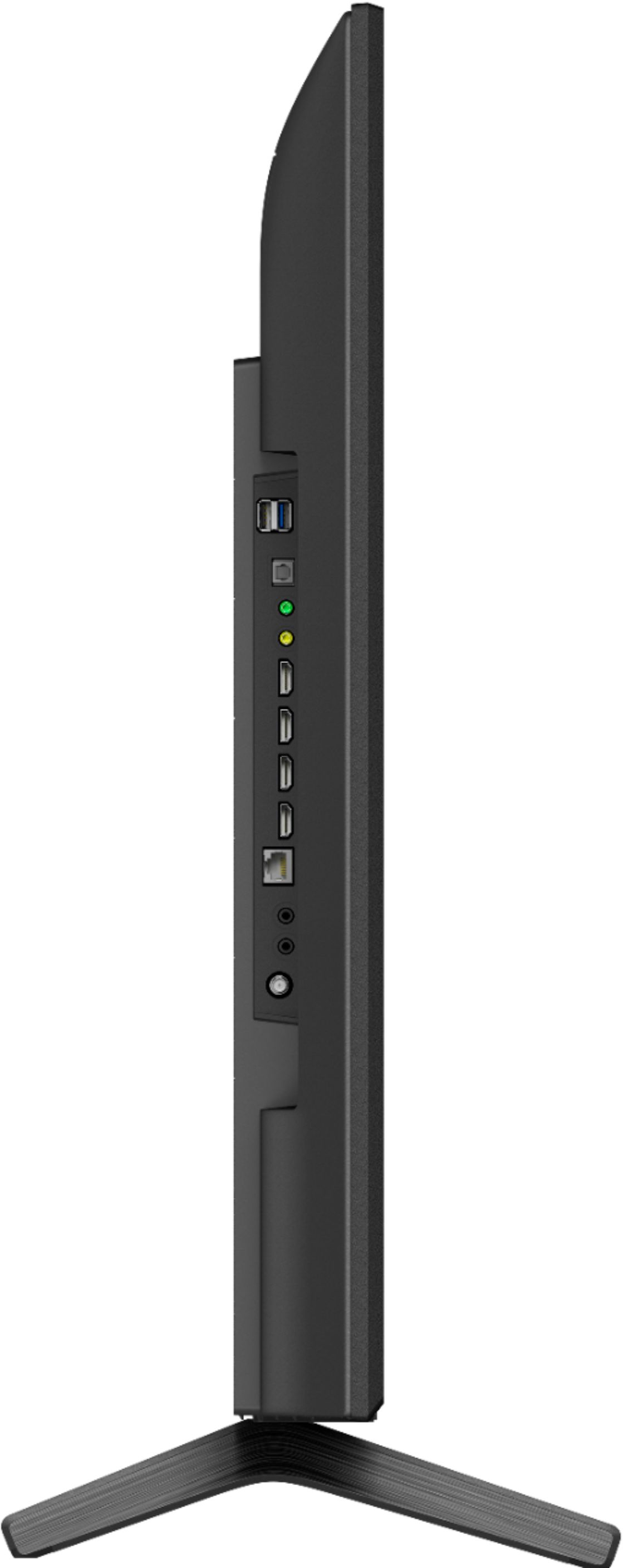
A:AnswerHello, Thank you for the inquiry! The input source of the TV can be changed either through the supplied TV remote or physical buttons located on the TV itself.
https://www.sony.com/electronics/support/televisions-projectors-lcd-tvs-android-/kd-50x80j/articles/00166735
I hope this helps! Jay
A:AnswerHi gerimay, Thank you for inquiring about the differences between the X80J, X85J, X90J and X95J. The picture processor of the X95J series and X90J series is Cognitive Processor XR
while the X85J and X80J is 4K HDR Processor X1. The Backlight technology of the X95J series and X90J series is Local Dimming while the X85J and X80J is Frame Dimming. The color technology of the X95J series and X90J series is XR Triluminos Pro™ while the X85J and X80J is TRILUMINOS PRO™. Please check your TV model at our support website (www.sony.com/esupport) for product updates and announcements. I hope this helps! Jay
.
A:AnswerHello there!
Thank you so much for your inquiry.
Please refer to the following:
1. Does the OTA tuner get its EPG info from the station's PSIP or internet?
• ATSC1 EPG data is coming from Sony CSX, raw data from GraceNote
• ATSC3 get its ESG (Electronic Service Guide) data from station’s “PSIP like” information
2. Can OTA channels be tuned directly by entering ch. # on the remote keypad?
• Yes.
3. Is the switching between ATSC 1.0 & ATSC. 3.0 seamless, or are they separate tuning modes?
• Yes, it is seamless in that you can direct tune ATSC 1.0 alongside 3.0. And yes, they are indeed separate tuning modes.
I hope you find this information to be helpful!
- Romeo
A:AnswerHello Nell,
Thank you so much for your inquiry!
The biggest difference between the two models (X80J & X85J) is the refresh rate. The X80J has Motionflow™️ XR 240 (Native 60 Hz) while the X85J has Motionflow™️ XR 960 (Native 120 Hz). Additionally, the Sony 2021 TV model X85J supports the features that are specified in the HDMI 2.1 standard (4K 120/ALLM available at launch, and for VRR- this feature will be available after installing the latest firmware update) via HDMI inputs 3 & 4.
For the X80J - Enjoy an intuitive smart TV experience with natural color and clear sound with the BRAVIA X80J LED TV. The powerful 4K HDR Processor X1 reduces digital noise and boosts details for lifelike picture quality. Google TV gives you access to all your favorite streaming apps, while Google Assistant easily searches for content and controls your smart home simply by using your voice.
And for the X85J - Smart, powerful, and beautiful, the BRAVIA X85J 4K HDR LED TV is designed for all your favorite content. Powered by the 4K HDR Processor X1 and TRILUMINOS PRO, picture quality comes to life with vivid color and realistic contrast. With enhanced Motionflow refresh rate technology and Google TV, your favorite content just found a new home.
You may visit your local retailer for side-by-side comparison or you may check out their specifications and features on the links below to see which one will suits your needs:
X85J - https://www.sony.com/electronics/televisions/x85j-series
X80J - https://www.sony.com/electronics/televisions/x80j-series
I hope you find this information to be helpful!
- Romeo
A:AnswerHello, Thank you for the inquiry! The KD50X80J Bluetooth Profile is version 4.2; HID (mouse/keyboard connectivity)/HOGP (Low Energy device connectivity)/SPP(Serial Port Profile)/A2DP (stereo audio) /AVRCP (AV remote control). You can pair some wireless headphones, speakers, or soundbars to this TV through a Bluetooth® connection, however, the devices must be compatible. The models listed from this link are compatible with Bluetooth connections.
https://www.sony.com/electronics/support/televisions-projectors-lcd-tvs-android-/kd-50x80j/articles/00159290
I hope this helps! Jay
A:AnswerHi Oki, Thanks for your inquiry. The bundled remote control (RMFTX520P) of this TV does not have a backlight. If you're looking for a compatible backlit remote control, I'd suggest checking out the Sony RMF-TX621U. Hope this helps! -Sam