Early Black Friday DealsNew Doorbusters through SundayShop now

Main Content

Questions & Answers

Your price for this item is $649.99
The comparable value price is $699.99
Page Showing 21-40 of 88 questions
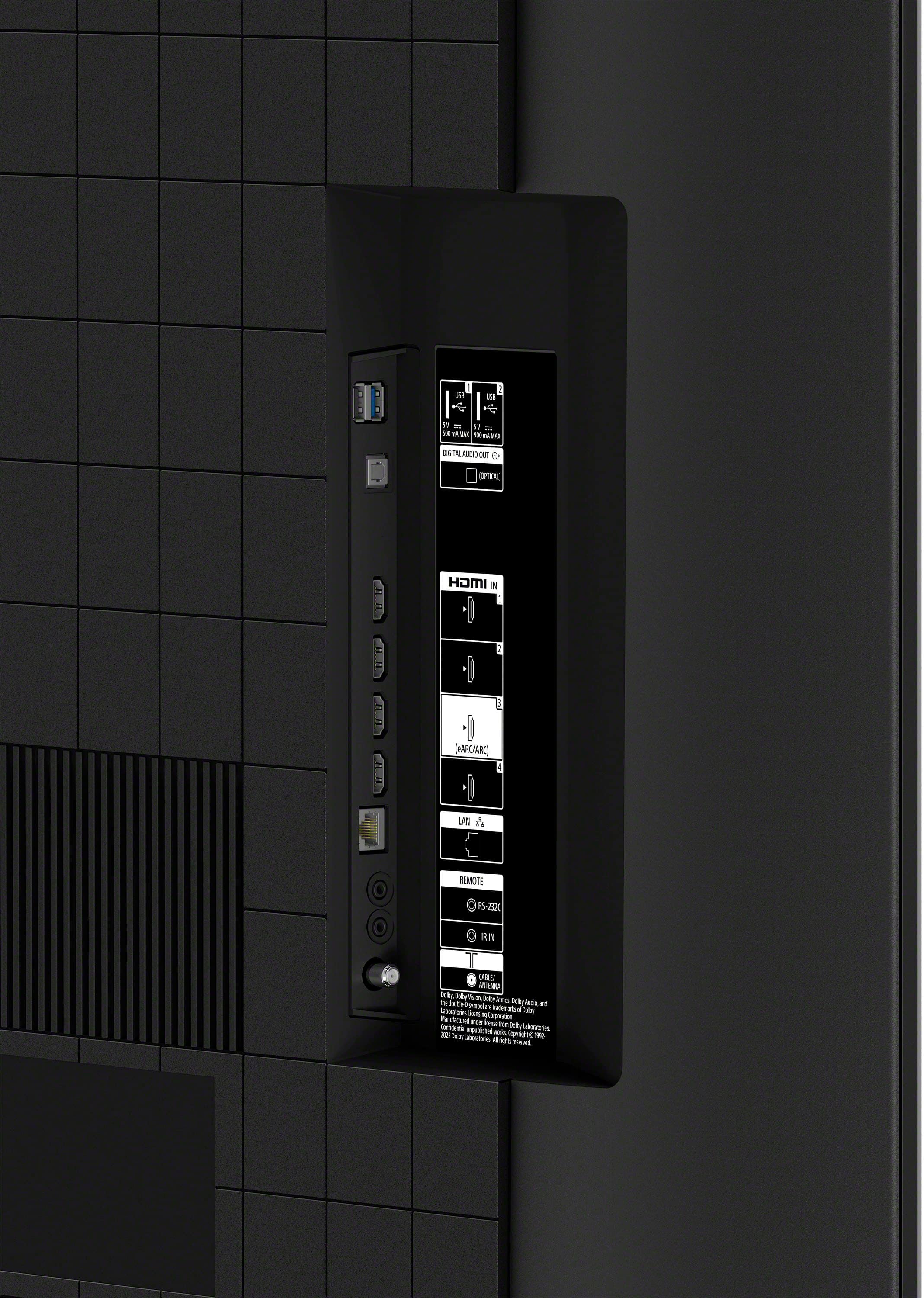
  • QuestionDoes it have a digital optical outlet?

    Asked by Paula.

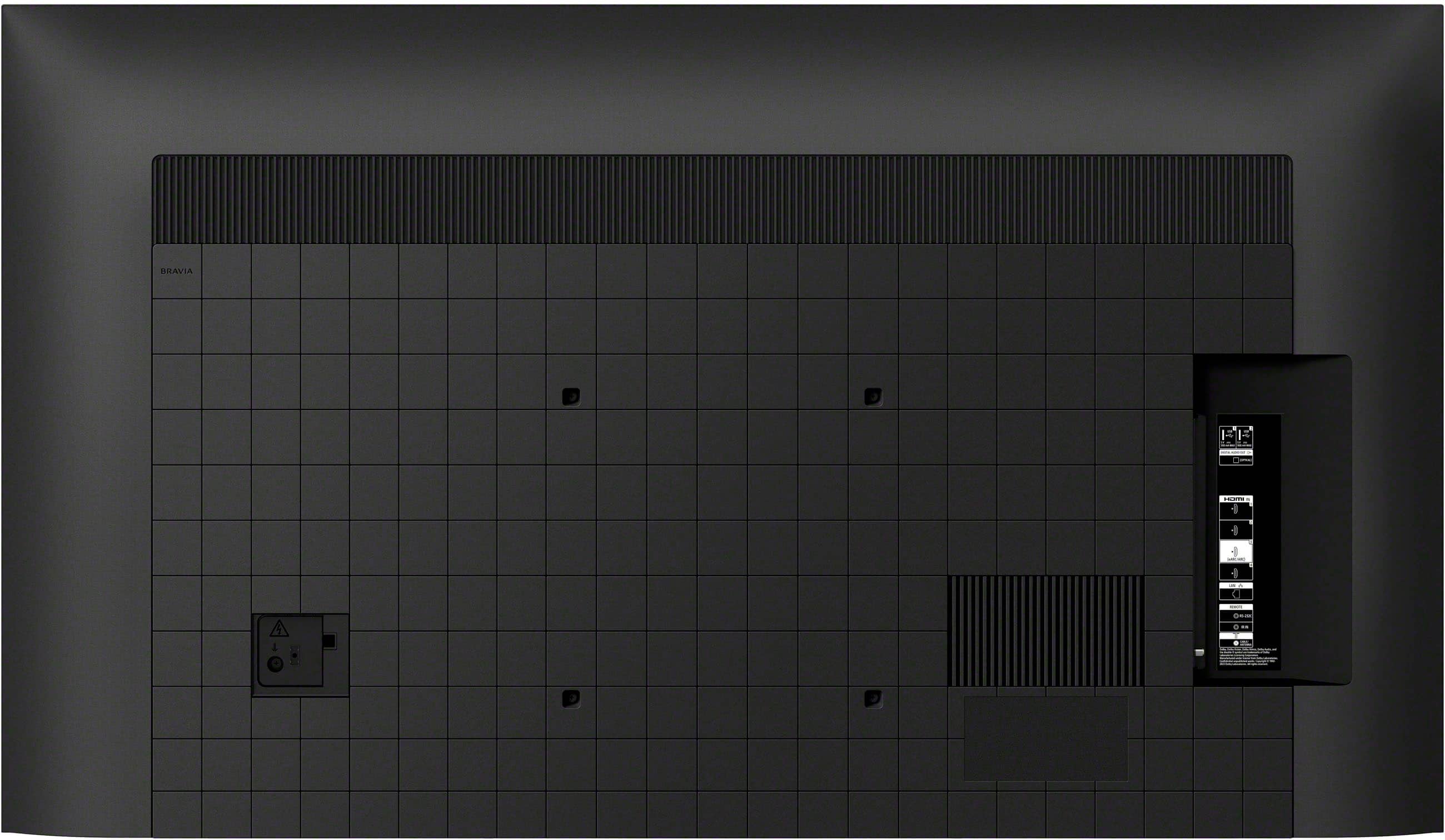
    • Answer Hi Paula, Thanks for your question! Yes, the BRAVIA 3 TV does have a digital optical audio out port. It's designed to let you connect the TV's audio to a soundbar, home theater system, or AV receiver using an optical cable. This is a great way to get high-quality digital sound from all your TV's sources, including built-in streaming apps and connected devices. You can see where it is located on the BRAVIA 3's Reference Guide: https://www.sony.com/electronics/support/res/manuals/5057/6f886eab7672aa25d76333080e2acd6f/50579301M.pdf Thanks for your interest in our Sony televisions. Sincerely, Jenn | Sony Social Media Team.

      Answered by SonyListens

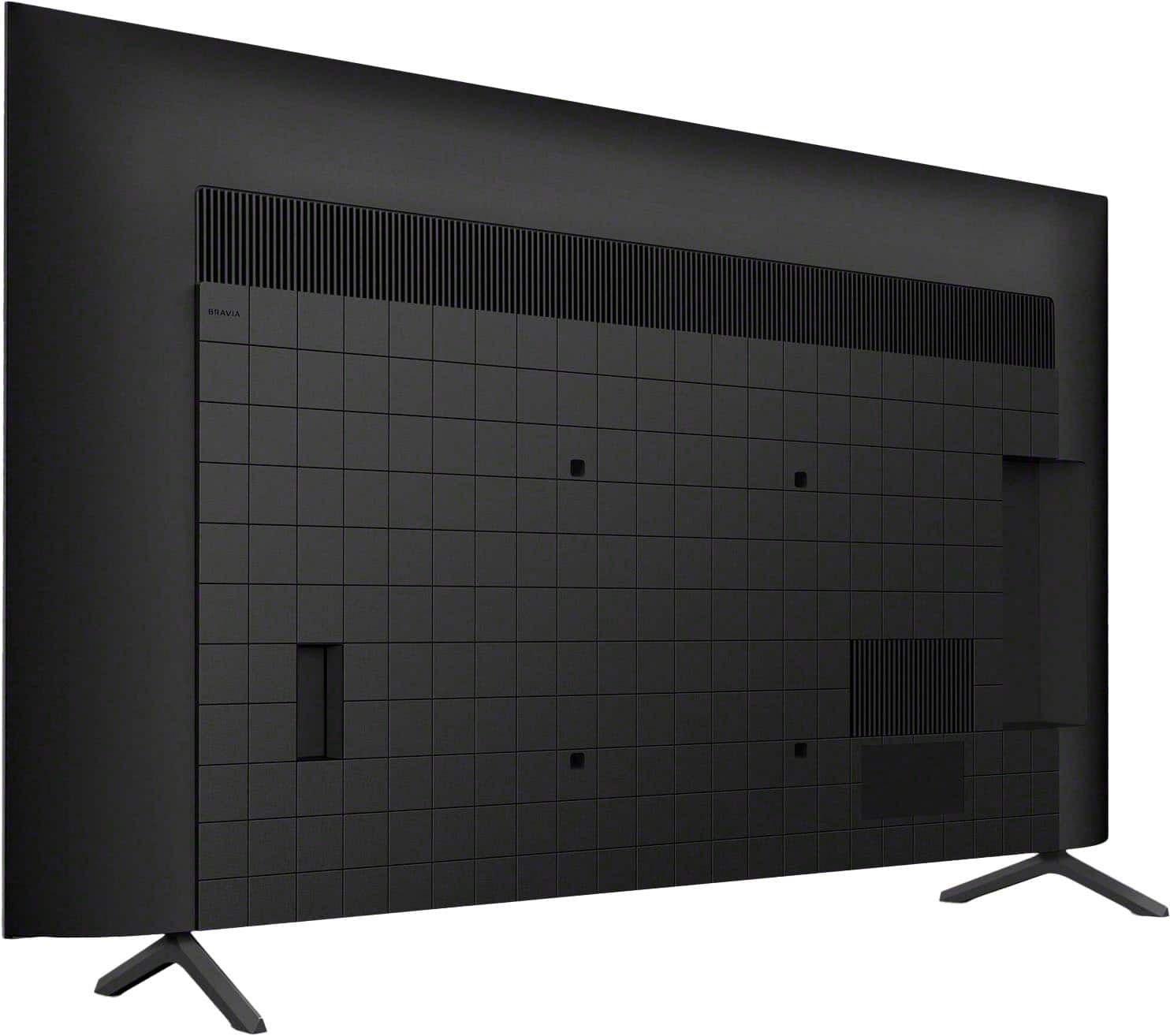
  • QuestionCan I attach a different type of stand to it?A base as opposed to legs.

    Asked by Anonymous.

    • Answer Yes, this is available for this TV.

      Answered by PattyCakes

  • QuestionIs the tv 220/240 volt compatible?

    Asked by Bill.

    • Answer Hello Bill, Thank you for your question. That's a great thing to check on before setting up your new TV—the Sony BRAVIA 3 is designed with power compatibility in mind, but it's crucial to use the correct voltage for your specific region. The power requirements for the BRAVIA 3 are 110 V - 240 V AC, 50/60 Hz. Models sold specifically in the U.S.A. and Canada are rated for 120 V AC, 60 Hz. We highly recommend checking the official manual. You can find detailed information in the online reference manual here: https://www.sony.com/electronics/support/res/manuals/5057/6f886eab7672aa25d76333080e2acd6f/50579301M.pdf Thanks for your interest in our Sony televisions! Sincerely, Jenn | Sony Social Media Team.

      Answered by SonyListens

  • QuestionHow can I unfreeze the tv?

    Asked by Anonymous.

    • Answer Hi there, To unfreeze a Sony Bravia 3 TV, first try a soft reset by pointing your remote at the TV and holding its POWER button for about 5 seconds until the TV restarts. If that doesn't work, perform a power cycle: unplug the TV from the wall for at least 2 minutes, then plug it back in and turn it on. For more stubborn freezes where the remote is unresponsive, you can unplug the TV, then press and hold the physical Power button on the TV itself for 10-30 seconds while plugging it back in, releasing the button once the Sony logo or a white LED appears, which should force factory reset. Hope that helps. Thanks for considering Sony products. -Eliab

      Answered by SonyListens

  • Questiondoes this model have caller id

    Asked by gail.

    • Answer Hello Gail, Thanks for your question! The Sony Bravia 3 TV does not have a built-in "caller ID" feature in the way a phone does. Caller ID, when displayed on a TV, is typically a function of your cable or satellite box if your service provider offers that feature. The TV itself simply displays the information it receives from the connected source. So, if you want caller ID to appear on your TV, you'll need to check with your cable or satellite TV provider to see if they offer a caller ID on TV service and ensure your cable/satellite box is connected and powered on, and that the feature is enabled in its settings (often found in preferences or notifications). Thanks for your interest in our Sony televisions! Sincerely, Jenn | Sony Social Media Team.

      Answered by SonyListens

  • QuestionHOW DO YOU MEASURE THE SIZE OF THE SCREEN ON A TV?

    Asked by Anonymous.

    • Answer You measure by the angle, top left to bottom right!

      Answered by PattyCakes

  • QuestionWhere are the speakers located , in rear or front . How is the sound from 1 to 10

    Asked by Ray.

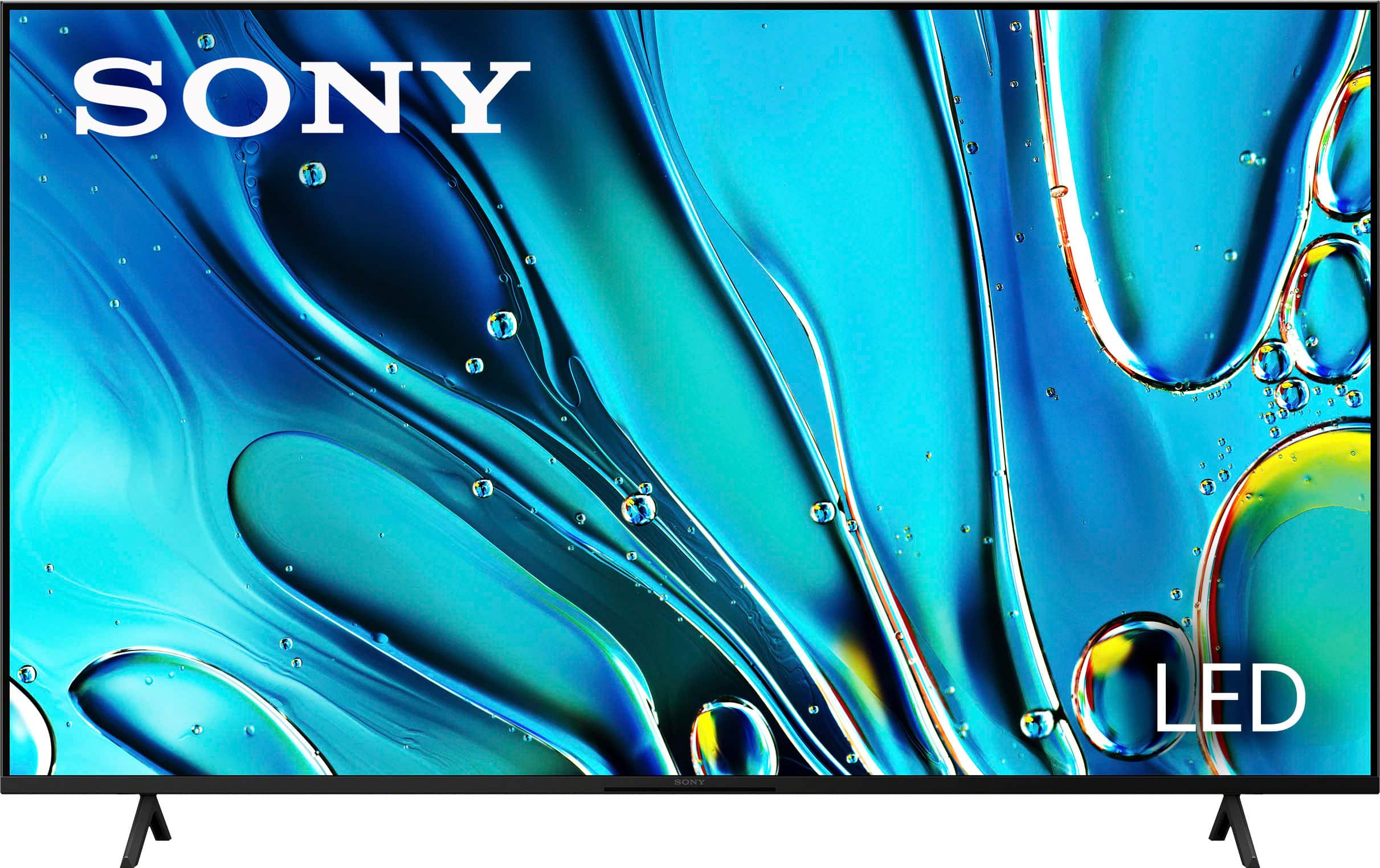
    • Answer Hi Ray, thanks for asking! The BRAVIA 3 55" is equipped with two speakers (left and right) positioned at the bottom of the television, facing downward to deliver optimal sound quality. While sound preferences can be subjective, the audio performance of the BRAVIA 3 is impressive. To further enhance your viewing experience, it features HDMI ARC/eARC connectivity, allowing you to easily connect a soundbar or AV receiver for an even more immersive audio experience. Thank you for your interest in Sony! Best regards, Gus Sony Social Media Team

      Answered by SonyListens

  • QuestionDoes this TV have good sound without a sound bar?

    Asked by JustMe.

    • Answer Hi JustMe, The Sony Bravia 3's X-Balanced Speaker design delivers clear and present audio with notable bass for daily viewing. While good for general use, an external sound system is recommended for those seeking a more expansive and dynamic audio experience, especially for movies and music. Thanks for considering Sony Products. -Eliab

      Answered by SonyListens

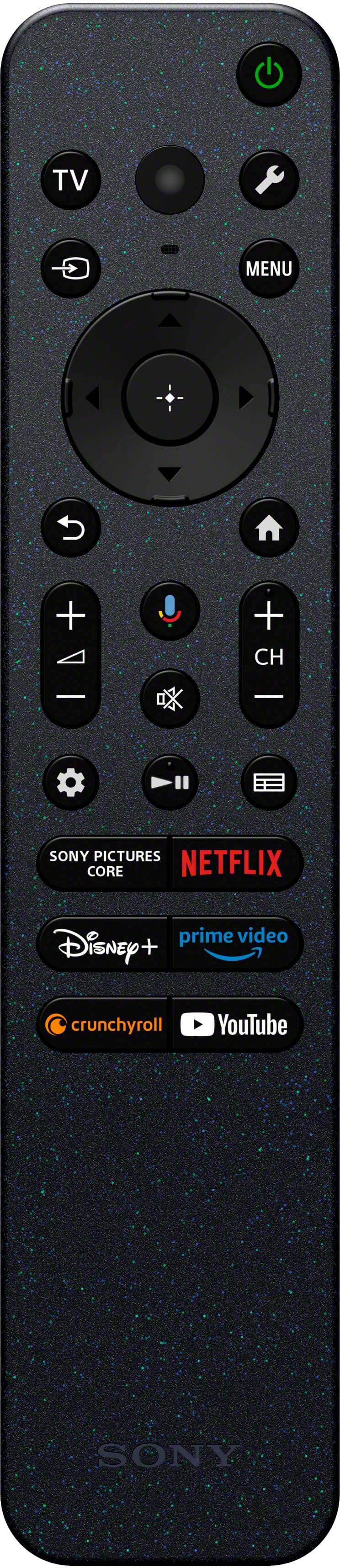
  • QuestionHow do you set up a universal remote to turn the tv on and off?

    Asked by Bob.

    • Answer Hi Bob, thanks for asking! If you are using a Sony® universal remote control, the control code for Sony products is either 01 or 001. However, we are unable to provide support for remote controls designed by other manufacturers. Manufacturers may assign different code numbers in their universal remote controls to identify the Infrared (IR) signal of a Sony product. Thus, the code number used for operating a Sony product in one remote control may be different from that used by another. For assistance with programming a third-party remote control, please reach out to the manufacturer of the remote. For detailed information, you can visit the following link: https://www.sony.com/electronics/support/articles/00024615 Here are the basic steps to follow: 1. Install fresh batteries in your universal remote. 2. Locate the Sony TV remote code in the documentation that came with your universal remote. 3. Activate programming/setup mode according to your universal remote's instructions. 4. Enter the Sony TV code and test the Power button function. 5. If it doesn't work, try using alternate codes or contact the remote's manufacturer for assistance. Please note that advanced features may not be supported on universal remotes. Best regards, Gus, Sony North America Customer Support

      Answered by SonyListens

  • QuestionDoes the 55:Sony flat screened TV have a center mounting post to fit on smaller stands?

    Asked by Ang.

    • Answer Smaller stands

      Answered by user606936

  • QuestionIs this model of Sony Bravo 55 inch TV compatible with our ROKU Stick?

    Asked by CRS.

    • Answer Hi CRS, Yes, the Roku stick can be connected to the BRAVIA 3 through HDMI. Best regards, Eliab

      Answered by SonyListens

  • QuestionCan we download the Directv app?

    Asked by Kris.

    • Answer Hi Kris, Thank you for reaching out! Unfortunately, the DIRECTV Stream app is not natively supported on Sony TVs, as it is primarily designed for specific devices that are not included in Sony's lineup. The most effective way to access DIRECTV Stream on your Sony TV is by using a compatible external device. Thank you for choosing Sony products! Best regards, Gus Sony Social Media Team

      Answered by SonyListens

  • QuestionDoes this TV have built-in wifi and bluetooth?

    Asked by Willow.

    • Answer Can I hook a wireless speaker to it

      Answered by Anonymous

  • QuestionIS THIS SONY THE MOST CURRENT 55" TV

    Asked by BENIE.

    • Answer Hi BENIE, thanks for asking! We do have some other 55" TV models: BRAVIA 7, k55xr70 — Mini LED BRAVIA 8, k55xr80 — OLED BRAVIA 9, k65xr90 — Mini LED (65") Those are our top of the line models, and you can check all the details on the links below: https://electronics.sony.com/tv-video/televisions/all-tvs/p/k55xr70?srsltid=AfmBOoqEWglLrWlVrmOLsrAs1OShvLODj2BxHyArnsdV2X8S7_ba_o8o https://electronics.sony.com/tv-video/televisions/all-tvs/p/k55xr80?srsltid=AfmBOooei-xhHAYYiRFzah2PWBexrxug0ewY0f-PPpPsvQ6-UhAxvPXM https://electronics.sony.com/tv-video/televisions/all-tvs/p/k65xr90?srsltid=AfmBOooBSVLMTZ_dHZdghr5updC_EqCu79sgPSCPdORp70rrZ-yVCHw8 Thanks for considering Sony! Gus

      Answered by SonyListens

  • QuestionHow far apart are the legs?

    Asked by Rob14214.

    • Answer Hi Rob14214, thanks for your question! The legs of the Sony K55S30 are 40 1/2 inches apart. We hope this information helps, thank you for considering Sony. Regards, - Dominick

      Answered by SonyListens

  • Questionif i purchase the tv online can i schedule an appointment with geek squad to mount the tv on the wall?

    Asked by Anonymous.

    • Answer yes

      Answered by BradS

  • QuestionHow can I get the internet on my Sony Bravia 3 Google TV?

    Asked by Wally.

    • Answer Hey Wally, you have an amazing TV! About your question, you only have to: - Go to the settings (by pressing the quick settings button, the one below power button, then the first option on the left, settings. - Go to Network & Internet > turn WI-FI on if it was off and then below WI-FI you will see a list of available networks - Click on your WI-FI network, enter your WI-FI password and there you go, WI-FI connection on your great BRAVIA 3. If you need further assistance, you can always contact us at 239-245-6354 Monday-Friday: 09:00 AM – 09:00 PM EST and Weekends: 10:00 AM – 8:00 PM Est. You can check for more information on the link below: https://www.sony.com/electronics/support/articles/00011597 Thanks for choosing Sony. Gus


      Answered by SonyListens

  • QuestionCan you connect a dvd player to this tv?

    Asked by Al.

    • Answer If it is HDMI possibly

      Answered by KatherynM

  • QuestionEnergy star?

    Asked by Zippycomputerscreen.

    • Answer Hi Zippycomputerscreen, Thank you for your question! The estimated annual energy cost for BRAVIA 3 in 55" is approximately $52, based on an electricity rate of 12 cents per kWh and an average usage of 5 hours per day. The expected yearly electricity consumption for this TV is 430 kWh. The cost range for similar models (55”-59”) varies between $8 and $34, meaning this model is on the higher end in terms of energy consumption. However, actual costs will depend on your local utility rates and personal usage habits. Although this unit does not explicitly state its Energy Star compliance, it is equipped with an Eco Dashboard. This user-friendly interface allows you to easily adjust energy-saving settings, and check the TV’s current and past power consumption. Hope this helps. Best, Maria

      Answered by SonyListens