FREE delivery to
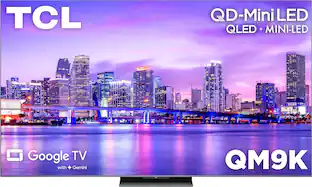
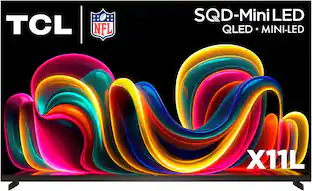
TCL QM9K Series Smart TV is The New, Ultimate Choice TV with Google Gemini to provide a smarter TV experience with more responsive voice control, contextual search, and seamless AI assistance. The Ambient Mode Sensor detects your presence, allowing the TV to automatically turn on or off and display a screensaver or widgets based on how close you are. TCL’s Halo Control System includes the New Super High Energy LED Microchip, Condensed Micro Lens, Micro OD Reduced Optical Distance, CrystGlow WHVA Panel, Enhanced QLED, Zero Delay Transient Response, Bi-direction 23-bit Backlight Controller, and Dynamic Light Algorithm for Stunning “Halo-Free” Images. With up to LD6000 Precise Dimming Series and up to HDR6500 Brightness, you’ll experience pure black levels and a great picture in virtually any room lighting environment. TCL's AIPQ PRO Processor, an advanced processor optimizing each scene provides an unrivaled cinematic experience. 144Hz native panel refresh rate with Motion Rate 480 focuses on best-in-class motion clarity producing smooth video playback. With TCL's Game Accelerator 288 and Auto Game Mode gameplay is blistering fast keeping you ahead of the competition. TCL QM8K TVs feature Audio by Bang & Olfusen as well as Dolby Atmos for accurate, immersive sound.
Q: Does this have a ATSC 3.0 NextGen tuner?
A: This TCL TV should support ATSC 3.0. Hope this helps! Thank you, TCL Customer Support
Q: Is earc in a 2.1 hdmi port? I want to get the full advantages of E arc.
A: HDMI 1&2 are capable of 4K/144Hz and HDMI 3&4 are capable of 4K/60Hz. Hope this helps! Thank you, TCL Customer Support

TCL QM9K Series Smart TV is The New, Ultimate Choice TV with Google Gemini to provide a smarter TV experience with more responsive voice control, contextual search, and seamless AI assistance. The Ambient Mode Sensor detects your presence, allowing the TV to automatically turn on or off and display a screensaver or widgets based on how close you are. TCL’s Halo Control System includes the New Super High Energy LED Microchip, Condensed Micro Lens, Micro OD Reduced Optical Distance, CrystGlow WHVA Panel, Enhanced QLED, Zero Delay Transient Response, Bi-direction 23-bit Backlight Controller, and Dynamic Light Algorithm for Stunning “Halo-Free” Images. With up to LD6000 Precise Dimming Series and up to HDR6500 Brightness, you’ll experience pure black levels and a great picture in virtually any room lighting environment. TCL's AIPQ PRO Processor, an advanced processor optimizing each scene provides an unrivaled cinematic experience. 144Hz native panel refresh rate with Motion Rate 480 focuses on best-in-class motion clarity producing smooth video playback. With TCL's Game Accelerator 288 and Auto Game Mode gameplay is blistering fast keeping you ahead of the competition. TCL QM8K TVs feature Audio by Bang & Olfusen as well as Dolby Atmos for accurate, immersive sound.

Our brightest 4K TV delivers remarkable picture quality and our most authentic cinematic experience. Expanded contrast and extreme brightness revitalizes every scene for a lifelike picture just as the creators intended. An array of multi-directional speakers produces expansive theater-like surround sound immersing you in the action.

Toshiba’s V35 series sets up a stunning, heart-shaking, smart world for your relaxing viewing experience, thanks to the consistent innovation of advanced technologies. True-to-life images jump off the screen with amazing HD resolution, ultimately beauty of details, and original natural color.

Discover a new level of visual and auditory brilliance with our next level smart TV. Powered by Pantone certified color accuracy, witness over one billion authentic hues burst forth in beautiful detail. Quantum HDR takes things further, elevating contrast for lifelike imagery. Add to that our advanced 3D audio system syncing flawlessly with on screen motion, all intelligently powered by Samsung Vision AI. And rest assured, Knox keeps your private info safe and secure.
| Pros for TCL - 75" Class QM9K Series 4K UHD HDR QD-Mini LED Smart TV with Google TV (2025) | |||
|---|---|---|---|
| Cons for TCL - 75" Class QM9K Series 4K UHD HDR QD-Mini LED Smart TV with Google TV (2025) | |||
| There were no cons for this product— |
The vast majority of our reviews come from verified purchases. Reviews from customers may include My Best Buy members, employees, and Tech Insider Network members (as tagged). Select reviewers may receive discounted products, promotional considerations or entries into drawings for honest, helpful reviews.

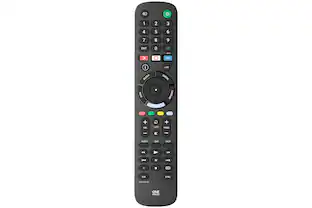
This is my 2nd ever TCL TV and I have to say, they know how to put in a Wow and Amaze factor to their products. This QM9K flagship is a serious contender in the TV market. While I did give it 4 out of 5, it is a really strong 4.5+. I'll state my reasons for this later. In the box ------------------------------------------------------------ I highly recommend other body helping you out as the TV is big! You will also get setup guide, remote with batteries, power cable, stand (if not wall mounting) cable clips and some wall mounting hardware. My friend came over to help me replace my older 75" Samsung with this new TCL and it was super easy. A few things to note if you are wall mounting! The VESA screw pattern is lower than I am used to on this TV because any higher, they will interfere with the built in B&O speakers. This means if you have a non-adjustable mount, it will sit higher than your previous TV (most likely). It was no issue for me as I got used to it pretty quick. Another thing is that you will need to buy 4x M6x20mm screws! The ones in the TV are too short and will not work with the included spacers. Setup ------------------------------------------------------------ After mounting and plugging in my devices and after the super satisfying peel, it was time to fire up this beauty. Here is where my 2nd gripe comes in (1st being no screws to wall mount). Setup is super simple and straight forward. It is an Android TV and has many great features at your disposal. During setup after connecting to the internet and downloading all the updates to the firmware, I was FORCED to either sign into my Google account or create another Google account. Why???? If I do not want to use the built in apps and use my PS5 or Series X instead, I should be able to. I tried for at least 30 minutes to see if there was a workaround to skipping this part, but the TV would NOT go past this part without a login. All buttons on the remote did not work for Input selection, settings etc. So I ended up creating a new login and then the TV was basically unlocked. Performance ------------------------------------------------------------ The TV itself is ridiculously beautiful. Not only did I watch 4k blurays, but other content was amazing and gaming was superb. Out of the box, the calibration was good, but not great. I spent about 20 minutes changing how I wanted by pictures to look like. After that, 10/10. You get 4 HDMI inputs, 2 at 4k 144 and 2 at 4k 60 with #4 being for ARC/eARC. I have my PS5 and Series X in 1 and 2 and my home theater system using the eARC. Colors pop out with HDR 10+ content and my phone pics do no justice on how it looks. Blacks are incredibly black to almost OLED levels (see my Final Fantasy Tactics gameplay as 1 level I was on is in pitch black) and with little no no glaring. Mini LED technology is super close to being my new go-to. The price to performance is crazy good (esp now with it on sale at the time of review) Gaming performance ------------------------------------------------------------ Not only did the TV display all the outputs correctly, but also the refresh rate including VRR. PS5/Series X tests ran at 4k 120, 1440 @ 144, 1080 @ 120 and 4k 60 all with no hitches. The game mode is really good for console gaming as it will go from 120+ms to about 6ms response (using 4k 120) so input lag is super low. Another gripe is how Game Mode when turned on, will change the Picture Mode and set all the color to Warm making it incredibly yellowish. This is remedied in the in setting menus where you can permanently adjust things to the way you want. I highly recommend when using Game Mode to change the color back to a neutral (middle/standard) to get a color accurate experience. Misc stuff ------------------------------------------------------------ For those worried about privacy since this is a Smart TV and you can use Google's Gemini assistant to basically use voice commands to control almost everything about the TV, there is a PHYSICAL mute slider on the bottom of the TV if you wish to turn it off. The remote is very simple, but great. If logged in, you can use shortcuts for Youtube, Netflix, Free TV and Prime Video. Also there is settings or the quick settings options as well. The remote does react to being held so it will illuminate the buttons so you can see in darker areas. Another option I did not like but can change is powering off. If you push the power button, the TV basically goes into a screensaver mode by default (for those that use Chromecasts, it is the pics that cycle through until you cast something) and instead you have to HOLD the power button down to turn off the TV fully. End thoughts ------------------------------------------------------------ Now if I am wrong about the forced login to use the TV, then ignore my previous rant and give the TCL QM9k a serious 11/10. If not, then it stands as is. The other things in my opinion should not be set as default BUT instead show a tutorial on the things the TV can offer and let people choose if they want those on instead of the other way around. The TV excels at doing whatever you want it to do and for me, gaming is my #1 use and it surpasses my expectations. I would not hesitate to tell all my friends and family to look at this TCL since it is at a great price point right now on sale.
Posted by Woo151
📦 UNBOXING: The unboxing experience is like most TV’s, and the instructions are printed on the top flaps of the box. Inside, you’ll find the TV, the setup guide, power cable, remote control, batteries, TV stand, and hardware for using a wall-mount. 🛠️ SETUP: You will want another person to help you perform the installation. I chose to set up the TV using the included stand, but will wall-mount it later. As indicated on the instructions, installation of the stand should preferably be done with the display face-down on a flat surface that is larger than the TV itself, to avoid causing damage to the display. As for the software setup, it was quick and easy to do with the included remote or QR code. There was a software update out of the box which didn’t take much time. 💪 BUILD: The 75QM9K weighs in at 67 lbs with the stand, and feels quite sturdy. Ignoring the stand, the TV measures 56.54" wide x 37.36" tall x 2.01" depth. On the left side of the TV is the power output. On the right side of the TV you’ll find 4x HDMI ports (2x supporting 4K@144Hz, 1x supporting 4k60Hz, and 1x supporting 4k60Hz with eARC/ARC. You’ll also find a 5V=0.9A Type-A USB 3.0 and 5V=0.5A USB 2.0 Type-A port which can be used for media or a TCL webcam for use with video calling apps. There’s also an ethernet port for internet connectivity, but you can also use the integrated Wi-Fi 6. There is also an optical audio output for those with compatible audio systems, and a coaxial output for an outdoor antenna cable TV feed. On the bottom front of the TV is the status LED showing the hands-free voice control, and just below that is the power/options button and a mic mute switch. The remote control is backlit, has tactile buttons, and can connect to the TV both via infrared and by bluetooth. So you don’t have to worry about being out of view of the IR sensor to control the TV. 📺 DISPLAY: The QM9K leverages TCL’s new system which involves up to 6000 local dimming zones via the Mini LED backlight. This passes light through the Quantum Dot (QD) filter, which then passes light through the Wide Horizontal Vertical Alignment (WHVA) LCD panel. TCL aims to compete with other Mini LED and even OLED TVs in the market with 6500 nits of peak brightness making it a great option for well-lit viewing spaces Both me and my partner noticed how easily it overcame glare from windows. While it’s unlikely to sustain that peak brightness for very long, it was never an issue when watching SDR and HDR content in daylight. I spent most of my time watching content across platforms like Netflix, YouTube, and Crunchyroll. In my experience, the QM9K gets closer to OLED-level blooming performance thanks to its local dimming zones. In practice, this meant that blacks were deep and inky even next to bright vibrant colors. So the typical “OLED HDR” demo videos you might find on YouTube look fantastic on this display. HDR content really pops on this display thanks to its brightness performance. Compared to my high-end OLED TV from 2021, the QM9K’s brightness performance makes me feel like I’m truly experiencing HDR for the first time, especially in daylight viewing conditions. And thanks to the ambient light sensor, it can optionally auto-adjust based on current lighting conditions so that you’re not blowing out your eyes in the darker viewing conditions. Additionally, the TV has several options for peak and dynamic brightness so you can configure it to your personal liking. One stand-out thing I appreciated about this TV was that it has “LED Motion Clear” which is also known as “black frame insertion”. This reduces persistence blur, but causes backlight strobing that some viewers might be sensitive to—especially in lower framerate content. However, enabling “Low” Motion Clarity reduced that strobing effect to my eyes by adding frame interpolation. While I’m not normally a fan of frame interpolation, I think a little bit on the QM9K can actually be helpful for reducing judder. For lower resolution content, the upscaling is good, but I don’t think it’s quite at the level of some other manufacturers. One thing I noticed quickly with the QM9K is that the picture seemed a tad softer than my OLED TV’s processing. Content from Crunchyroll seemed sharper on my OLED with better upscaling, while the QM9K delivered a slightly softer image but made brighter elements really pop out on screen against darker backgrounds. Colors really pop on the QM9K, so you can be sure the viewing experience is immersive. While I don’t have the tools to measure it, many outlets have shown that color accuracy is great on this display, but a proper calibration could take it to the next level for cinemaphiles. However, even with its newer WHVA panel, off-axis viewing angles will lead to some color shift, but it’s still significantly better than most VA panels on the market from competitors. For gaming, the TV does go as far as 4K@144Hz, 1440p@288Hz, or 1080p@288Hz for PC gamers, while 4K120Hz can be achieved on Xbox Series X and PlayStation 5. All the aforementioned options can also function with VRR enabled to eliminate screen tearing. The Nintendo Switch 2 can only do 1080p@120Hz docked. Game Master Mode starts automatically to reduce processing and latency. In my experience, latency was very good, so I’d have no qualms with playing games on this TV. 🔊 SPEAKERS: The speakers on the QM9K are pretty good for a built-in set. The audio is done by Bang & Olufsen. It’s unclear what wattage the speakers run at, but they get reasonably loud without distorting, and deliver decent bass performance for a built-in set. However, most folks paying this much for a TV really ought to get a separate sound system to get the most enjoyment out of it. 💿 SOFTWARE: The QM9K runs Google TV with Gemini. I am pleasantly surprised by the fluidity and responsiveness of this version of Google TV. Using the built-in microphone on the TV, I can simply say “Hey Google” and ask questions, have it navigate to my favorite apps, set reminders and timers, ask for recommendations, control my home’s IoT devices and so much more. Thankfully, you can also completely disable Gemini if it’s not for you, and you can mute the built-in microphone via the physical switch under the TV’s ambient light sensor. And of course, you can still use voice controls via the dedicated button on the remote control. Evidently, the QM9K leverages the MediaTek Pentonic 700 SoC, with 4GB of RAM and ~50GB of internal storage. In practice, this means that navigating through settings and apps is very snappy compared to any other TV I’ve used in the past that ran on Google’s OS. I also appreciate that the menu button on the remote control brings up a configurable ribbon menu that allows you to quickly change certain settings without having to navigate submenus. You can control visual and audio settings alike, along with some additional things including but not limited to a Sleep Timer, Bluetooth Settings and Networking configuration. Sometimes I like to wear ANC Bluetooth headphones while watching TV, and one thing I don’t like is that this TV doesn’t automatically output to my Bluetooth headphones as soon as they’re connected. I have the Audio Output setting set to “Auto”, but have to manually switch it to “Bluetooth” every time I want to use it, then switch it back to “Auto” when I want to use my speakers again. This is a minor inconvenience that could be fixed by software update, but I’m not getting my hopes up. Lastly, ambient mode is something I have come to enjoy. You can set detection range so when you walk in front of the TV, its sensor can turn on the ambient screensaver mode which can be customized with your own photos, Gemini-generated AI artwork, or a curated set of backgrounds. Double-pressing the power button on the remote at any time can switch the TV to ambient mode, as well. 🧐 CONCLUSION: Overall, the QM9K is a great TV that makes HDR brightness one of its major selling points compared to the competition, but its processing and upscaling algorithms still have a way to go to eclipse the best on the market. It gets significantly brighter than OLED TVs while having very good blooming performance. Its Google Gemini integration and ambient modes are also first-class features that make it both a useful tool and an art piece. For the price, there’s no denying that TCL’s own QM8K can get you most of the way there, but the QM9K is their best TV that is sure to impress.
Posted by Xephyroth
CONS: - Brightness IS impressive but not practical in real world use - Automatic picture settings like adaptive contrasts handled by software is noticeably slow to respond to a shot change - Picture adjustment settings cover 1/3rd of the screen. (entire left side) Good luck using color bars and other calibration screens - numerous bugs on google tv “home” input resulting in blinking screens and being unresponsive - no option to save custom picture settings - motion enhancements are bad - very noticeable vignette around the edges, especially on white screens - resolution enhancers actually makes picture worse PROS: - nice remote with physical buttons and soft back lit buttons activated by movement - assistant mics and options are allowed to be disabled by users for those concerned with privacy - very large screen looks good with the right footage - Gorgeous picture with the right content - Better than average built in sound - Google Gemini for those that like it - good calibration right out of the box. 90% of users won’t need to change a thing Ok, so I feel like I have to be the voice of reason here after seeing SO many reviews claim the qm9k is “just as good as” the top end OLEDs from big name TVs. That’s just not true. I’m sorry, I wanted it to be too, but the reality is, yes, the average person won’t notice the differences much, but if you are even slightly considered a TV or image enthusiast, you will notice. I have an OLED monitor that looks insanely better than the QM9K and it’s not a high end monitor. But if you want to avoid OLED downfalls and prices, the TCL QM9K is a decent option in the miniLED category. And that’s what I think most reviews should have focused on, stop trying to compete with OLED, but instead compare apples to apples. In the MiniLED category, this TV does hit a lot of the top marks. BUT is it practical? Do any of the stats matter in REAL WORLD situations? Sadly, no, not really. Who cares if it can go 10k nit brightness, does anyone actually enjoy staring into the high beam headlights on a dark country road equivalent of a TV screen? This TV isn’t all gloom and doom, but I do think it’s getting more hype from big time reviewers we’re supposed to trust than it should. So I’m going to try to break down only a few of the things listed in my pros and cons list because this review would be way too long otherwise. PICTURE I want to start with the picture quality because I think that’s what most people will notice. It is not bad by any means. But I was disappointed after replacing my 10 year old vizio mid range 65 inch tv with this 75 inch modern flagship and not seeing a huge jump in quality. Yes there were more bells and whistles and gimmicky settings, but when I set the picture to my liking and just sat and watched the same content I always watch, I realized there was nothing screaming “wow, this is so much better looking now.” Maybe that’s the reality of any TV now though, they have started to get to the point where most of them look the same in most situations. The software and user experience becomes more of a difference from brand to brand than the image quality. So at first glance, the TV looks great. And that’s probably all 80% of you need to read. You can buy it and move on. But those of us who live in the details will see things that bug us. The software is where brands differ so much. Half of them use the same panels, so how the data is processed by the software is what makes them different. The qm9k definitely suffers in this category in my opinion. The menu system is not fun or easy to navigate. It often covers large portions of the screen as well, making calibration nearly impossible. For as long as I can remember (which means more years than I would like to admit) TV’s have followed a very simple and logical display pattern; no matter how large the menu is, when adjusting brightness/contrast/tint/etc, the menu shrinks down to a small bar off to an edge so you can see the entire screen to make your adjustments. TCL (and possibly google/android tv) have instead decided to cover the entire left quarter of the screen when making adjustments. This means any calibration screen you choose to use; color bars, gradient scale, contrast bars, etc, will not be visible on the left side. Why?! It sounds dumb, but let me tell you, if you know you know. If you are someone who likes to dial in the image to your personal preference, you will constantly be annoyed by this giant menu. (as will others in the room who have to deal with your tinkering.) And yes, out of the box, the preset picture settings are decent, but honestly, they are way too “showy” for me. They’re trying to promote the high contrast and brightness capabilities of the TV instead of making a natural and enjoyable image to watch. Spoiler, most films aren’t actually made to be punchy and vibrant by the creators. Far more often you will find filmmakers prefer a more flat and even picture where less is more. Choosing to use contrast and saturation as an artistic tool not a sales pitch. So with that, you may have figured out that I had to do a lot of tinkering with the image to get it the way I preferred, which disappointed me when I found out I can’t save a custom preset picture setting. My much older tv allowed me to “save as” any picture setting I made which resulted in about 3 or 4 presets for evening/dark viewing, movies, daytime/bright and standard def TV shows. I really miss that option and can’t understand why it’s being removed from TVs these days. The good news about the picture, if you plan on watching a lot of HDR, 4K high res perfectly mastered content, this TV will perform very well. Its the SDR and 480p “old” content that suffers. Gaming is also going to benefit from the picture quality, although when I first plugged my PS5 in, I got the very handy game bar feature to pop up, but once it cleared off the screen I was unable to ever get it to return. This feels like user error or some kind of issue with my setup, but does feel like a negative mark if it’s that hard to find. SOUND: I have a professional home theater AVR surround sound system in my living room so obviously I didn’t buy this TV for the built in speakers. BUT I did a very short test with them and was decently impressed with the quality. Again, I think this suffers from overhype though. If you told me they were just ok speakers, I would have been more impressed, but when you tell me it’ll blow me away with high quality sound, I’m left questioning your credibility. That said, I do like the option to easily connect to TCL’s surround sound wireless speaker options and I think that would be a system a lot of people would be happy with. SYSTEM: 4 HDMI but only 2 above 60htz, but worse is that the eARC is only 60htz as well. Guess that means no passthrough from AVR or soundbar for video unless you only want 60htz. The android TV OS is unfortunately just as rough as it’s always been. The menu isn’t terrible, I do tend to find what I’m looking for easily, but the home screen is so full of ads and fluff. And bugs. One day I turned the TV on and it was just blinking a blank home screen with 0 response from the remote. I had to unplug the TV to fix the issue. Another time, I turned it on and every app was playing back with a flicker (see video). This happened on personal media playback, netflix, hulu, etc but NOT in the home screen menu. Only during playback. Again, a restart fixed this glitch. OVERALL: Since this is already getting too long, I’ll wrap it up here and try to give a TL;DR breakdown. Is this TV worth the cost and hype? No. Is it still a really good TV for the price? Yes (on sale, NOT original retail price over 3k!) The picture is still stunning and crisp and impressive for a budget TV brand, but I think the claims that they’re just as good as the top dogs is still a reach. It is, however, much more impressive than the old budget style TCL we may still picture when you hear the brand name. With the right source, this TV can reproduce gorgeous and vibrant picture quality that is sure to make you ooo and ahh in a show room. But when you put it in your living room and watch standard, low quality content most people watch these days (YouTube, streaming, old tv shows) you may notice it’s not standing out of the crowd as much. This will happen with most TV’s to be fair here. I could have gotten a big name TV for 4x the cost and told you SDR still looks like garbage, so please don’t take this review to be all negative, but I do think the recent hype has been skewed by how pretty everything can be, that they gloss over the negatives. So yes, it’s a big and beautiful TV with a stunning wow factor picture, but pop the hood and all that shiny glam doesn’t change the fact that there’s only a 4 cylinder rice burner powering it all while trying to run with the big dogs. But the bottom line is, once I get all the tinkering and adjustments done the way I like it and I can just sit back and watch TV, I will be very happy with the TCL QM9K. And if you’re just a casual viewer but don’t want to get the cheaper QM8K for some reason, then odds are when you take it out of the box, you’ll toss it up and go, “WOW, this is gorgeous, that guy on best buy was an idiot.” and I’m ok with that. This review is for people like me who want to hear the not so glamorous stuff because they already know about the good parts. I would still (and have already) recommend this TV to people in my life that I know won’t see the things I do. I love that TCL has made a high end flagship willing to push around the top dogs and force more competition in the market.
Posted by bTobin