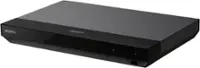
A:AnswerHi Louise, yes, the 3D feature of this Bluray player can be turned off/on. You may also need to turn off the 3D function of your TV. You may refer to page 29 of this link for the steps on how to disable the feature on this Bluray: https://docs.sony.com/release//Manual_4579669131.pdf Regards, -Mark
A:AnswerYou may want to try doing a factory reset then updating it again. What you are describing could also be impacted by your internet connection. You will typically want to have a 12 meg speed minimum for streaming content, 20 or more if multiple devices are connected to the network at once. If you haven't updated your wireless router in a while, using a wired connection may also help. If that still doesn't work for you, Best Buy does have a 15 day return/exchange period for most customers (https://www.bestbuy.com/site/help-topics/return-exchange-policy/pcmcat260800050014.c?id=pcmcat260800050014).
A:AnswerHi slick, the unit doesn't have speaker ports to connect wired speaker and wwe also do not recomment to use wi-fi speakers since we cannot guarantee 100% that it would work. However, if your speaker uses a coaxial digital cable then you can connect it directly to the digital out coaxial port of the blu-ray. Kindly check the next link for more details about connection: https://docs.sony.com/release//Manual_4579666131.pdf (page 9). Regards, ~Erin
A:AnswerWhile it works with a non-4K Tv, the quality will only be as good as the tv.
I bought this unit for my daughter, with her intent of getting a 4K tv within a year or two.
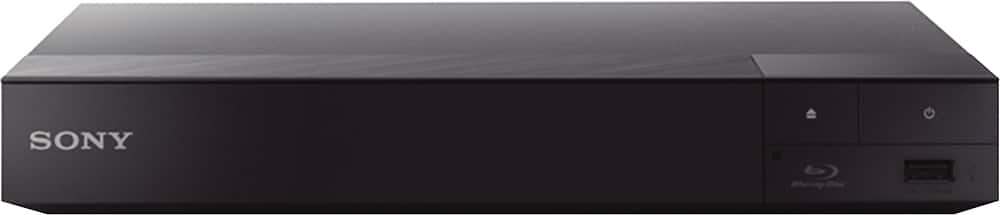
A:AnswerIs a standard CD ROM tray like you would find on computers, when you push the button the trio opens. It's not the auto feed type on let's say a Playstation 3 or Playstation 4.
A:AnswerIt should work fine as long as the stick is formatted with a compatible os file format. Be aware there will be two files with the name of the song. Only one will play. They are grouped together, so you should not have any issues once you select the correct file.
A:AnswerThis device doesn’t play UHD (4K) DVDs. It will accept standard and Blu-ray DVDs, and upscale them to play on a 4K TV. If you got it to play 4K DVDs, then you bought the wrong DVD player.
A:AnswerThis is a stand alone player that is plugged into a TV HDMI port. To play Blu-Ray on a computer, you need a USB Blu-Ray drive and a program on your computer that will play the Blu-Ray disc. The Blu-Ray drive can either be a drive installed in your Tower, or a USB plug in drive.
A:AnswerYes you can stream Netflix, Prime Video. It has VUDU however doesn’t work always shows time out error code 28. And No you can not download any new apps on this one. This unit does not have Hulu or Disney or Apple TV. Wish it did though.