
Questions & Answers
- Model:
- HTS60
- |
- SKU:
- 10562796
Highly rated by customers for: Sound Quality, Setup Ease, Bass
$798.00$798.00
Save $1.99
The comparable value is Comp. Value: $799.99
Page Showing 1-20 of 58 questions
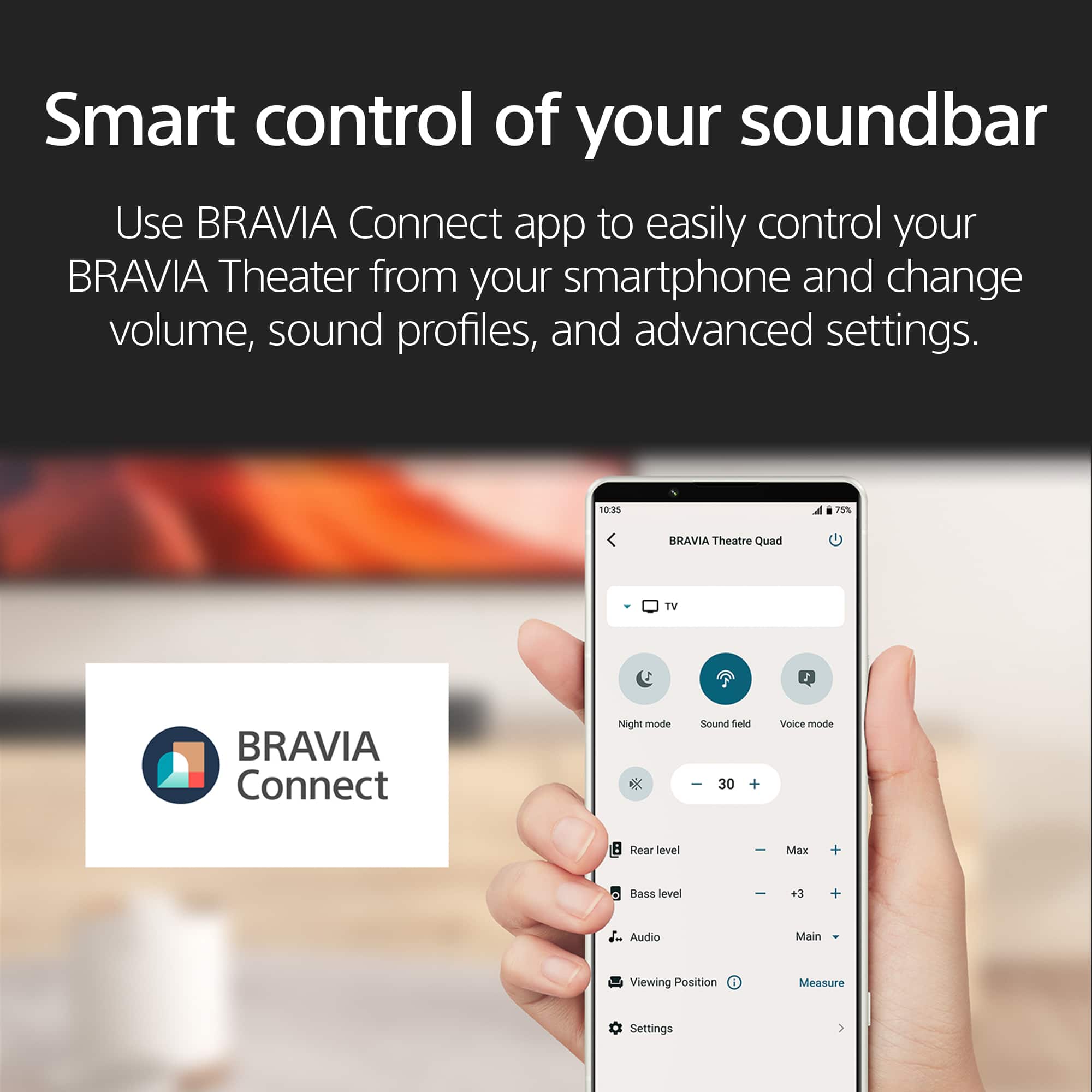
Q: QuestionCan I control this sound system with my smartphone?
- A:Answer Yes, you can easily control the BRAVIA Theater from your smartphone using the BRAVIA Connect app.
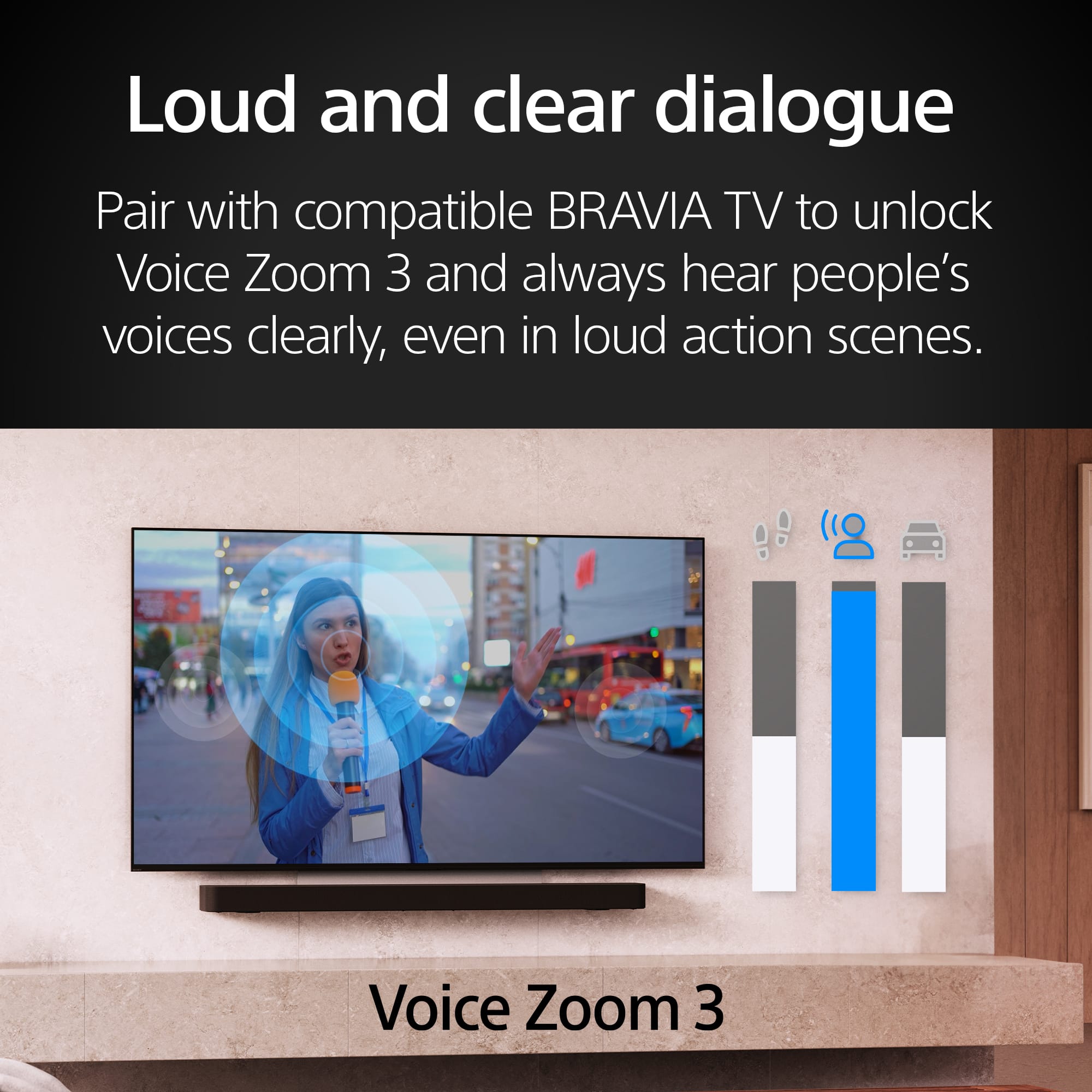
This question and answer was generated by AI based on customer and product data.Q: QuestionWhat is Voice Zoom 3?
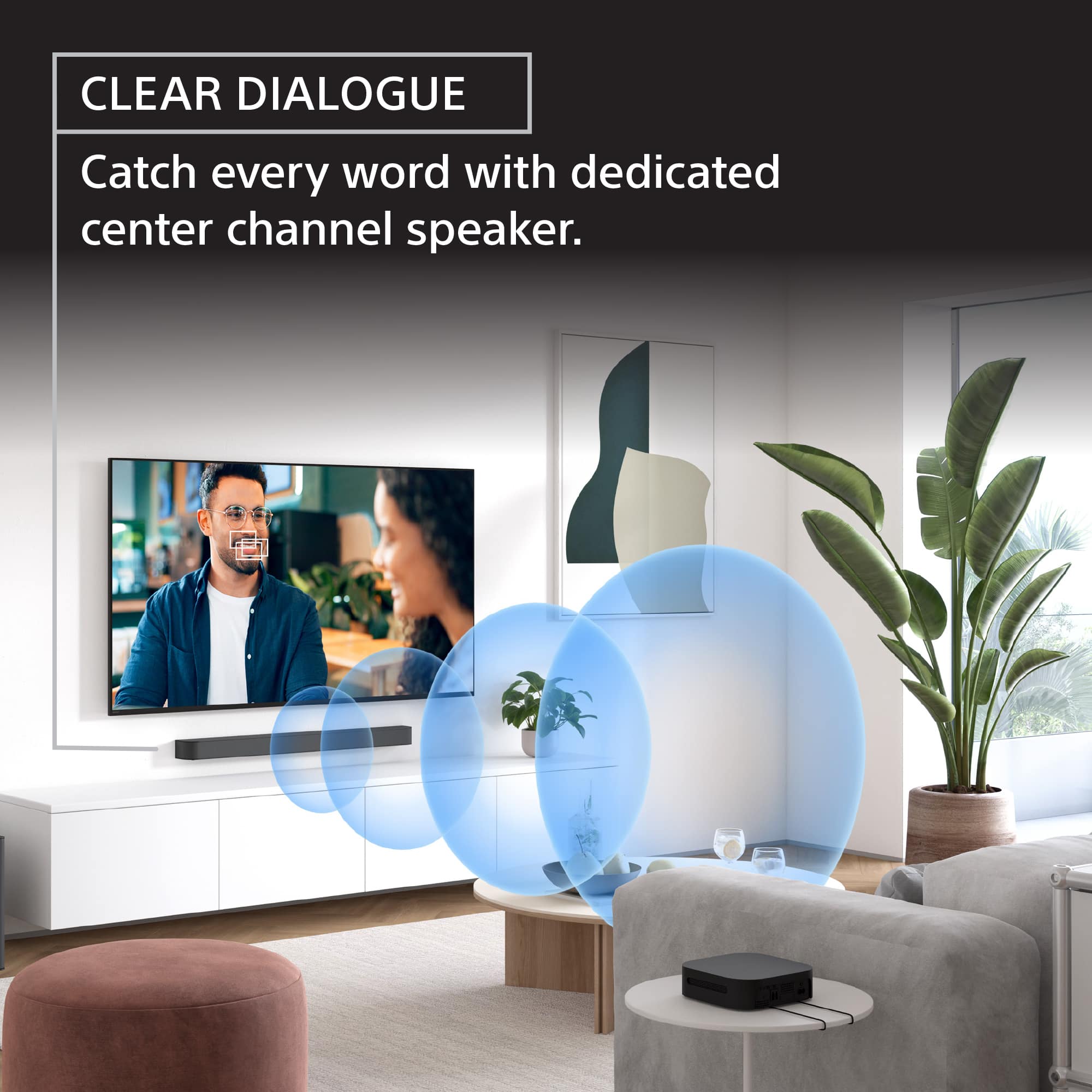
- A:Answer When paired with a compatible BRAVIA TV, Voice Zoom 3 uses AI to separate voices from other sounds, improving dialogue clarity.
This question and answer was generated by AI based on customer and product data.Q: QuestionHow many speakers does the BRAVIA Theater System 6 have in total?
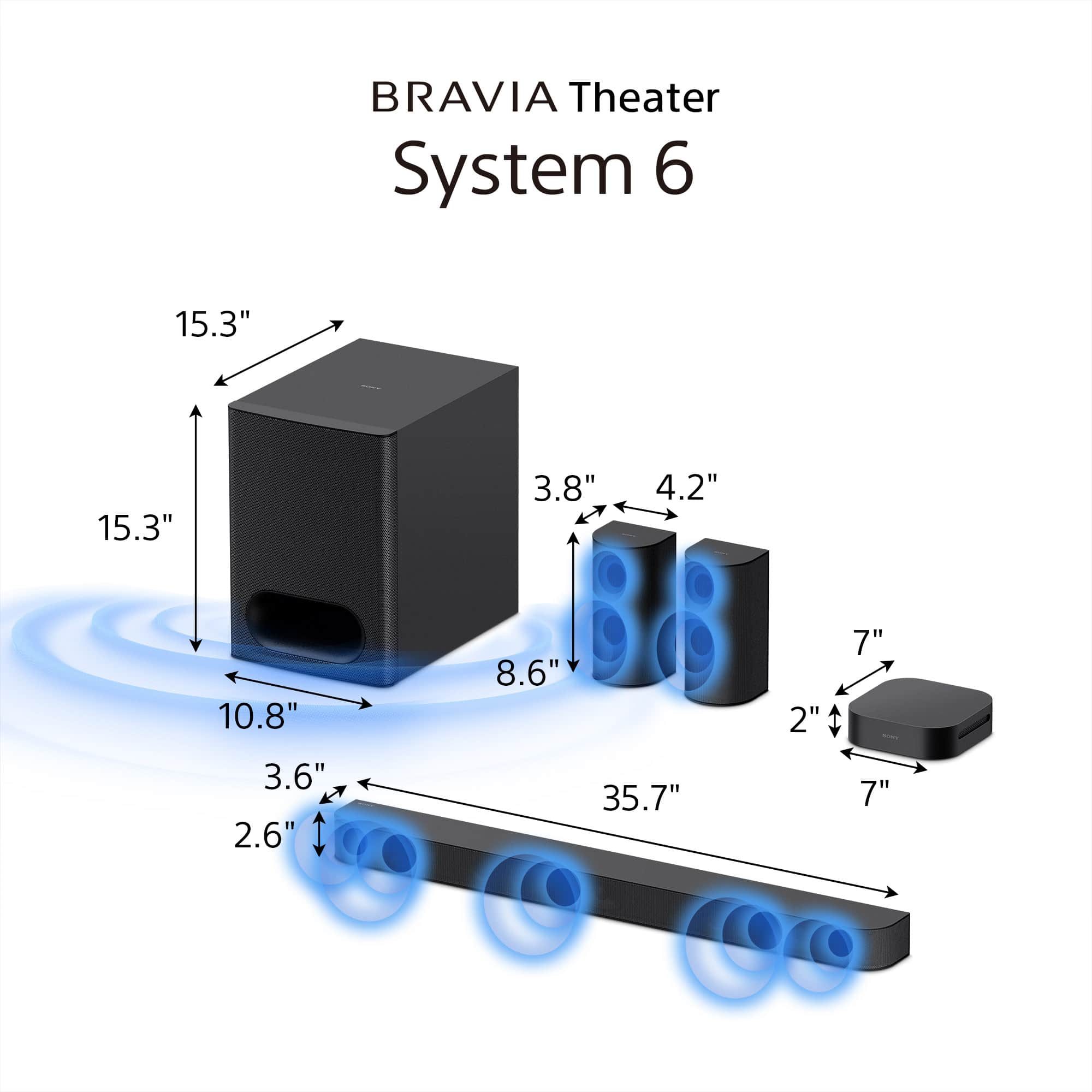
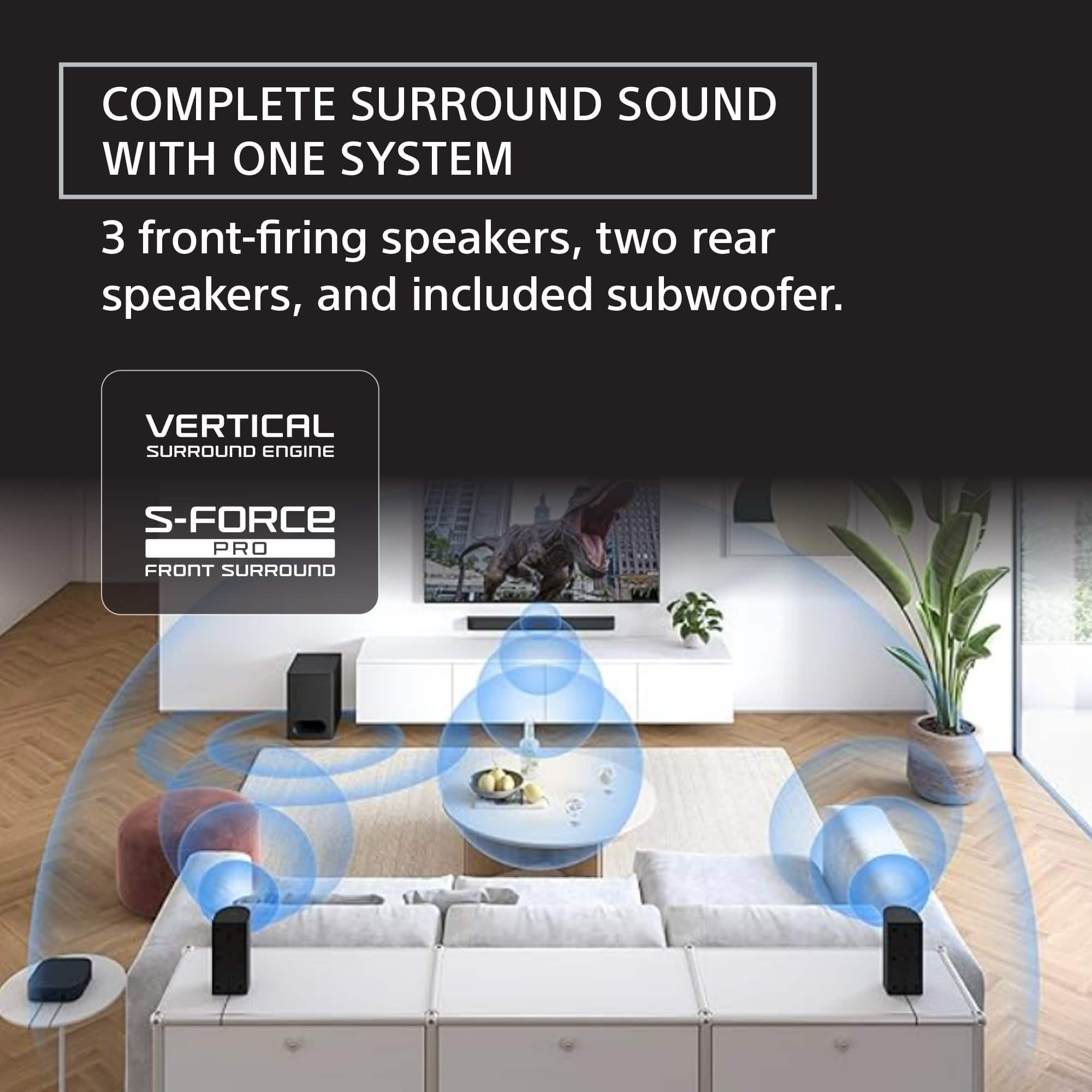
- A:Answer The BRAVIA Theater System 6 has 10 total speakers, including a subwoofer and rear speakers.
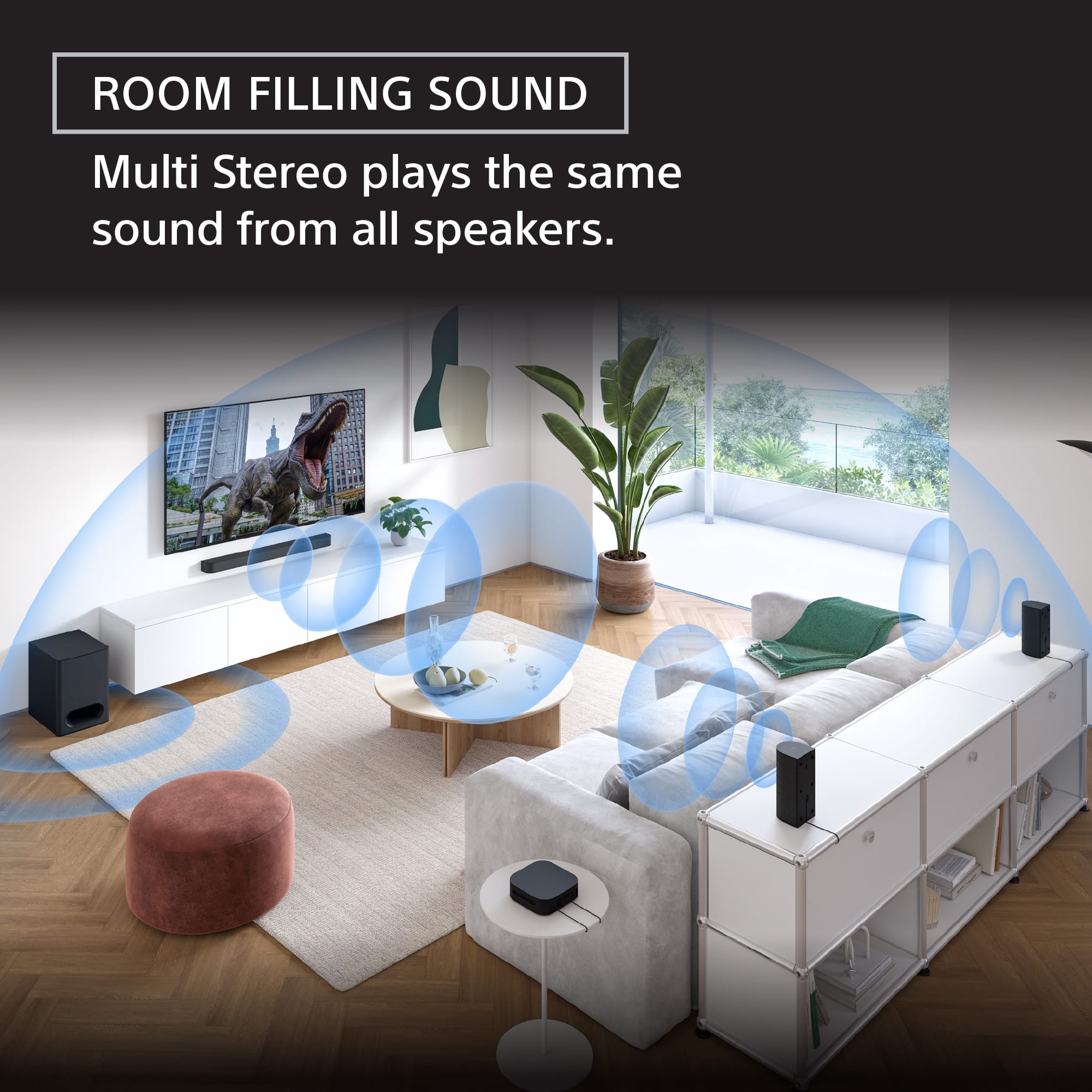
This question and answer was generated by AI based on customer and product data.Q: QuestionWhat is Multi Stereo mode?
- A:Answer Multi Stereo mode plays the same sound from all speakers, creating a room-filling sound boost, ideal for parties or casual listening.
This question and answer was generated by AI based on customer and product data.Q: QuestionDoes this system have Bluetooth?
- A:Answer Yes, it has Bluetooth for wireless music streaming from your smartphone and other devices.
This question and answer was generated by AI based on customer and product data.Q: QuestionWhat surround sound formats does this system support?
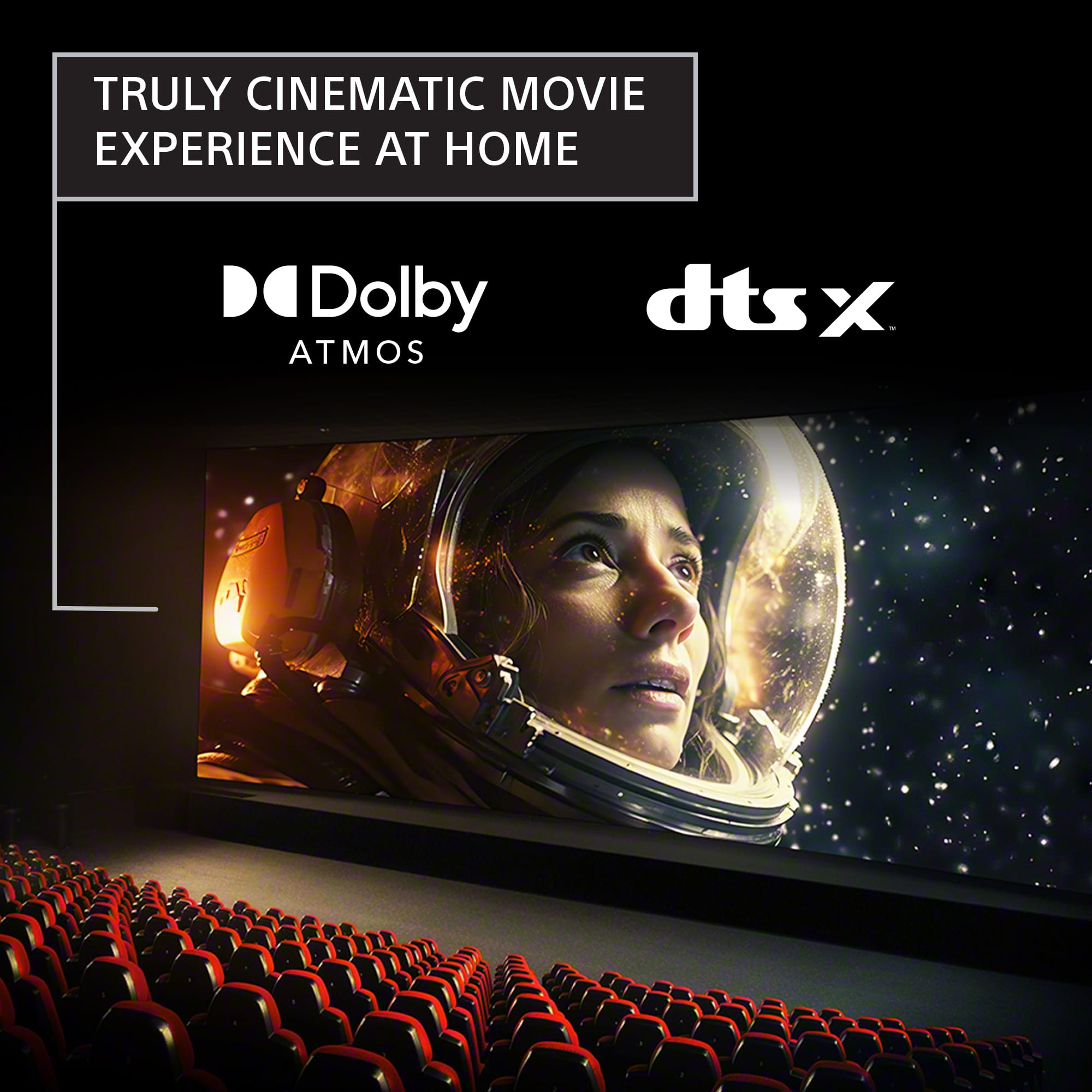
- A:Answer This system supports Dolby Atmos and DTS:X.
This question and answer was generated by AI based on customer and product data.Q: QuestionWhat is the function of the center speaker?
- A:Answer The dedicated center speaker ensures clear voice reproduction, making dialogue easy to understand.
This question and answer was generated by AI based on customer and product data.Q: Questionwhat powers the rear speakers in this system? are the totally wireless?
Asked by Anonymous.
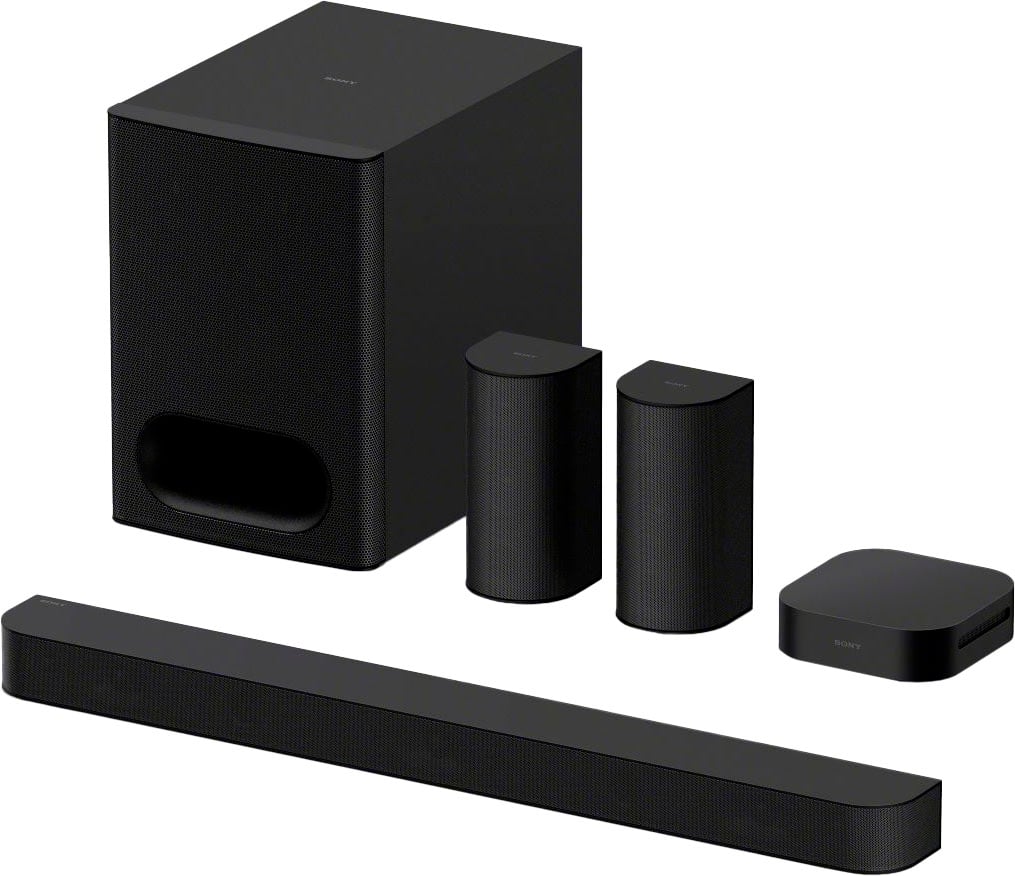
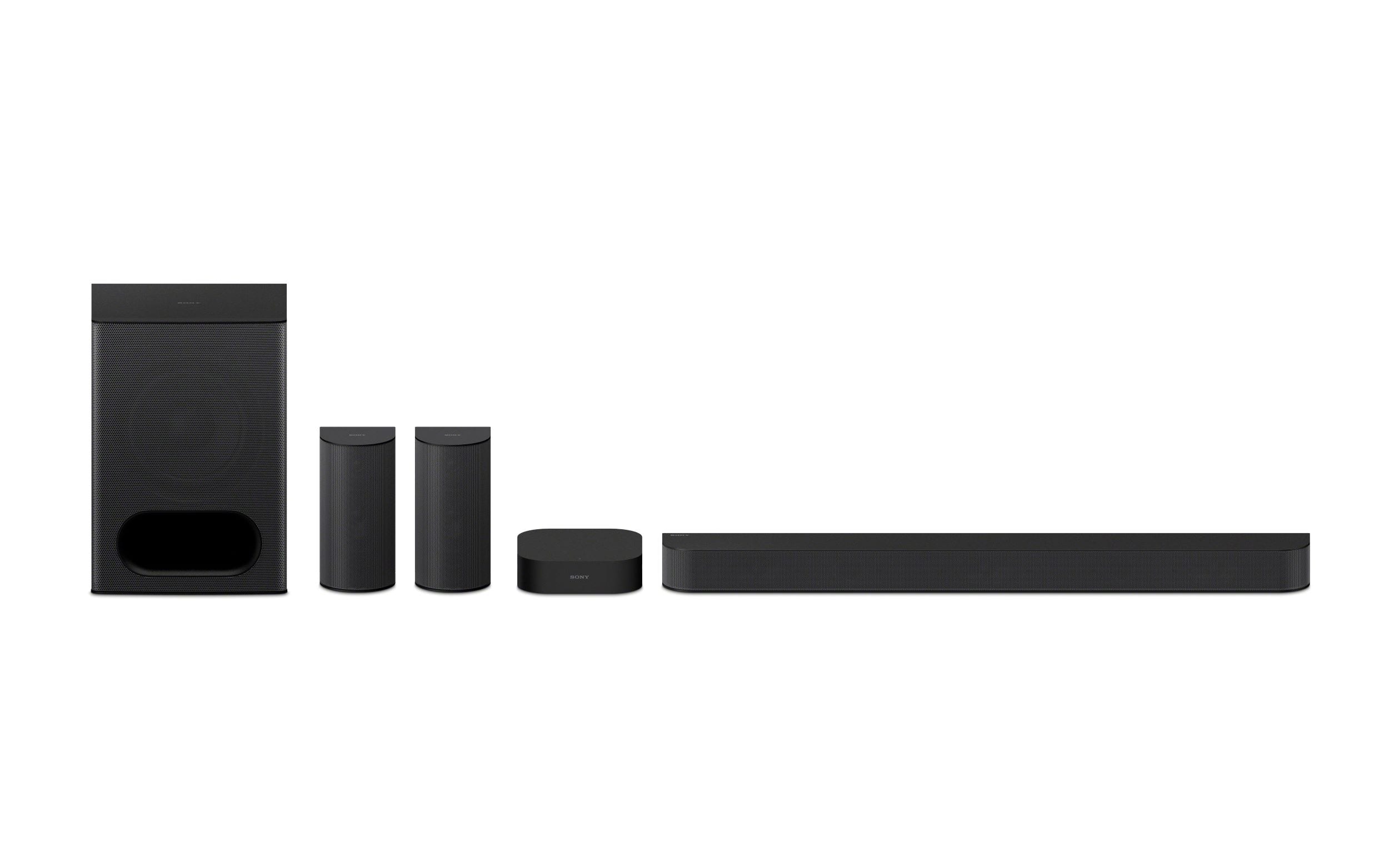
- A:Answer Hi there, Thank you for considering Sony products. We appreciate your inquiry and are happy to assist. Regarding your question about the Sony HT-S60 Theater System: the rear speakers are not completely wireless. They connect to a wireless amplifier box via speaker wires, which then communicates wirelessly with the main soundbar unit. This setup reduces the need for long cables while ensuring a neat and streamlined installation. For more detailed information, please visit: https://helpguide.sony.net/ht/2089/v1/en/contents/017_Connecting_to_the_AC_Outlet_2089.html Best regards, -Fred
Answered by SonyListens
Q: QuestionIf I were to purchase this sound system, would I be able to add two additional Sony Speakers to it? Looking to possibly have this sound system inside and then two deck speakers?
Asked by Jake.
- A:Answer Hello Jake, Thank you for considering Sony products! We appreciate your question and are here to assist you. Regarding your inquiry about the HT-S60 sound system: This model is a 5.1-channel home theater system that includes a soundbar, subwoofer, and two rear speakers. Regrettably, it does not support the addition of extra speakers beyond the components supplied. For a more versatile setup with the capability to expand your speaker configuration, we recommend considering the BRAVIA Theatre Bar 8 (HT-A8000) or BRAVIA Theatre Bar 9 (HT-A9000) soundbar systems. These models support wireless rear speakers and can be expanded with compatible Sony speakers to meet your specific audio needs. For further information on compatible optional speakers for Sony soundbars and home theater systems, please refer to the following resource: https://www.sony.com/electronics/support/articles/00345716 Best regards, -Fred
Answered by SonyListens
Q: QuestionHow to Bluetooth music from my cellphone (Apple Music app) to the theater system without connecting to through the TV? Is it an option?
Asked by AML7.
- A:Answer Hello AML7, Thank you for considering Sony products! We appreciate your question and are here to assist you. Yes, the Sony HT-S60 can play music directly from your phone via Bluetooth without needing the TV. Please follow these steps to connect your phone to the HT-S60 via Bluetooth: How to connect your phone directly to the HT-S60 via Bluetooth 1. Put the HT-S60 in Bluetooth mode: - On the soundbar remote, press the BLUETOOTH button. - The display will show BT for Bluetooth mode. - When ready to pair, the display will show BT PAIRING. If the display only shows BT and not BT PAIRING: - Press and hold the BLUETOOTH button for 3–5 seconds until it switches to BT PAIRING. 2. Pair your iPhone: - Open Settings and select Bluetooth. - Turn Bluetooth ON. - Look for HT-S60 in the list of available devices. - Tap HT-S60 to connect. Once connected, the soundbar display will show BT and you will hear a confirmation chime. You can now open your Apple Music app and play any song. The soundbar will play the audio even if the TV is turned off. For full details about pairing mode, please visit: https://helpguide.sony.net/ht/2089/v1/en/contents/026_Pairing_the_BLUETOOTH_Device_2089.html?search=pairing Best regards, -Fred
Answered by SonyListens
Q: QuestionWill the sub and rear speakers from this work with a Bravia 8 Model: HTA8000 sound bar?
Asked by TomL.
- A:Answer Hi Bravia8bar, Thank you for your question! Unfortunately, no, the subwoofer and rear speakers from the Sony BRAVIA Theater System 6 (HTS60) are not compatible with the BRAVIA Theater Bar 8 (HTA8000) soundbar. The HTS60 is an all-in-one system, and its components are proprietary to that specific model. The HTA8000 is designed to work only with its own range of optional accessories, such as the SA-SW3, SA-SW5 subwoofers, and the SA-RS5 or SA-RS3S rear speakers. We hope you find this information helpful, and thanks for considering Sony! Regards, Dominick
Answered by SonyListens
Q: QuestionEven though these can be wall mounted. Is there a floor stand that I can purchase that is compatible with the rear speakers? Such as SANUS Speaker Stands Pair 3.5lbs or Sanus Universal Speaker Stands 10lb? What the weight of the rear speakers?
Asked by Tiny.
- A:Answer Hi Tiny, Thank you for your question about suitable floor stands for the rear speakers. While the speakers are designed for wall-mounting, Sony does not offer or recommend specific third-party speaker stands, so we cannot comment on the compatibility of SANUS products. However, the official weight of each individual rear speaker for the BRAVIA Theater System 6 is approximately 0.89 kg (1 lb 16 oz), which will allow you to select a third-party stand that meets the required weight capacity. Thanks for choosing Sony. Best regards, Eliab
Answered by SonyListens
Q: QuestionWill this work on any tv
Asked by AnthonyG.
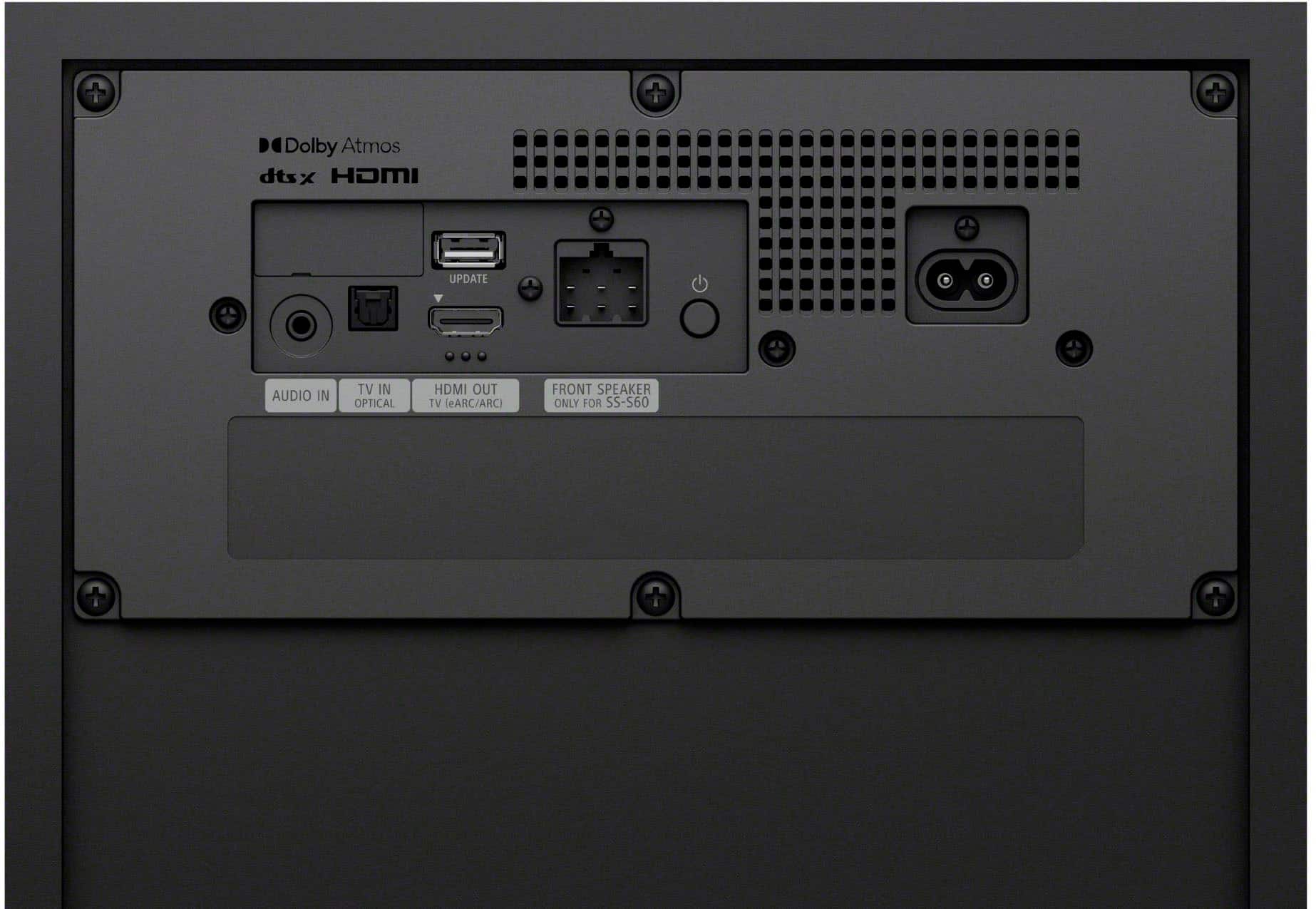
- A:Answer Hi there! Thank you for reaching out with your question. We can certainly help you with that. The HT-S60 BRAVIA Theater System 6 is built to work with any brand of TV. As long as your TV has an HDMI ARC/eARC port or an optical audio output, you'll be able to connect the system and get that fantastic cinematic sound. So, you can definitely use it with your current TV, no problem. If you’d like to learn more about this model, feel free to check out the following link, we put together extra details there that might be helpful: https://helpguide.sony.net/ht/2089/v1/en/contents/011_Connecting_to_a_TV_2089.html We really appreciate you thinking of Sony for your purchase! Best regards, Estefany
Answered by SonyListens
Q: QuestionWill this system be compatible with an Insignia smart tv?
Asked by Anonymous.
- A:Answer Hi there, Thank you for choosing Sony! We appreciate your question and are here to assist you. Yes, the Sony HTS60 soundbar is compatible with an Insignia smart TV. Connectivity is established through several common port types, with the optimal choice depending on the specific ports available on your Insignia TV. HDMI ARC/eARC: This is the best option because it allows audio to be sent from the TV to the soundbar through a single HDMI cable, and it can also enable control of the soundbar's power and volume using your TV's remote. Optical (TOSLINK) Audio Output: This is a great alternative if your TV doesn't have an HDMI ARC port. For a detailed visual guide on these connection types and setup instructions, refer to the Sony official support page: https://helpguide.sony.net/ht/2089/v1/en/contents/011_Connecting_to_a_TV_2089.html Best regards, -Fred
Answered by SonyListens
Q: QuestionMy surroundings sound speakers sometimes had a single popping noise when watching tv. How do I fix this? Is this something I have to take into best buy?
Asked by TylenaS.
- A:Answer Hi Lena, We’re sorry to hear about the popping noise coming from your BRAVIA Theater System 6. This is often caused by wireless interference or a minor software glitch rather than a hardware defect. Before considering a return or repair, we recommend trying these steps: Update Firmware: Open the Sony | BRAVIA Connect app to ensure your system is running the latest software, which often includes fixes for audio stability. Adjust Wireless Settings: In the app, go to Settings → Wireless Speaker Connection Settings and set the Wireless Playback Quality to Priority on Stable Connection. Check for Interference: Ensure the control box is at least 5 feet away from any wireless routers and that there are no large metal objects or other electronic devices directly between the speakers and the box. Reset RF Channel: In the app settings, try toggling the RF Channel to Off and then back to On to refresh the connection. If the noise persists after these steps, please let us know so we can assist you further: https://us.esupport.sony.com/support/s/support-contact?language=en_US. Thanks for choosing Sony. Best regards, Eliab
Answered by SonyListens
Q: QuestionIm old school I recon...Im used to dealing with Watts which translated to power and loudness...so can somebody give me a watts breakdown for this surround sound system??
Asked by Plugnickle64.
- A:Answer 1,000,000
Answered by BassDude69
Q: Questioncan you connect a blue ray player to the Sony system 6
Asked by norm.
- A:Answer Hi Norm, Thank you for your question! The BRAVIA Theater System 6 is designed to receive audio directly from your television via the HDMI eARC or Optical connection. Because the system features one HDMI output dedicated to the TV, you do not connect the Blu-ray player directly to the BRAVIA Theater System 6. Instead, you should connect your Blu-ray player to an HDMI input on your TV. The TV will then "pass through" the high-quality audio signal to the BRAVIA Theater System 6. This setup ensures that you experience the full audio fidelity of your Blu-ray discs, including spatial audio formats, while allowing the BRAVIA Theater System 6 to stay perfectly synced with your display. Thank you for considering Sony! Regards, Dominick
Answered by SonyListens
Q: QuestionAte the rear speakers wireless
Asked by Frank.
- A:Answer Hello Frank, Thank you for considering Sony products! We appreciate your inquiry about the wireless connectivity of the rear speakers in the HT-S60 system and are happy to assist you. The HT-S60 features a wireless amplifier box that connects wirelessly to the main soundbar unit, reducing cable clutter. However, the rear speakers themselves are not fully wireless—they connect to the amplifier box using speaker wires. This design offers a balance between convenience and high-quality audio performance. For additional information regarding the device connections, please visit the following link: https://helpguide.sony.net/ht/2089/v1/en/contents/002_Overview_of_the_Speaker_System_2089.html Best regards, -Fred
Answered by SonyListens
Q: QuestionCan i connect my components (DVD player, CD player, etc.) through my Sony STR DH-590, then with one HDMI cable to Vizio TV so that output sound flows through Bravia Theater System? Can't seem to make it work? Already using the one HDMI arc TV to Bravia.
Asked by UtahDave.
- A:Answer Hi UtahDave, Thank you for your question! The short answer is no, you cannot connect your components through the Sony receiver and expect the sound to flow into the BRAVIA Theater System 6. This is because both the receiver and the BRAVIA Theater System 6 are standalone audio systems. Your Vizio TV is designed to output sound to only one external audio system at a time via the HDMI-ARC/eARC port. When you have both connected, they essentially compete for control, and the TV cannot bridge the audio signal from the receiver over to the BRAVIA Theater System 6. To make this work, you must remove the STR-DH590 receiver from the setup entirely. The BRAVIA Theater System 6 is designed to be your primary sound system. You should plug your DVD player, CD player, and other components directly into the open HDMI ports on your Vizio TV. The TV will then act as the central hub, taking the audio from those devices and sending it down the single HDMI-ARC cable to your BRAVIA Theater System 6. We hope you find this information helpful, and thanks for considering Sony! Regards, Dominick
Answered by SonyListens
Page 1, Showing 1-20 of 58 questions
Most-viewed items
- $99.99$99.99The price was $119.99
- $249.99$249.99The price was $349.99
- $34.99$34.99The price was $39.99
- $1,599.99$1,599.99The price was $1,999.99
- $449.99$449.99The price was $649.99
- $329.99$329.99The price was $399.99
- $1,199.99$1,199.99The price was $1,499.99
- $499.99$499.99The price was $699.99
- $139.99$139.99The price was $159.99
- $799.99$799.99The price was $1,099.99
- $799.99$799.99The price was $899.99