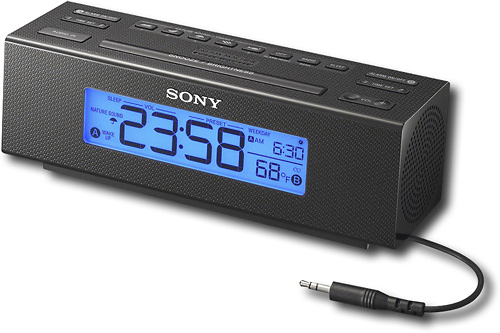
A:AnswerYes. Just the same as setting radio stations in a car. Find the station you like, then hold down the preset number until the station is accepted. Pretty simple.
A:AnswerThe dimmer has 3 steps. Very bright, bright and off, but..... the low bright position still very bright.
If that your problem, I don´t recomend you this device.
A:AnswerHello Buddy, thank you for your message. Audio In: Built-in audio cable with stereo mini plug (3.5 mm diameter). For more specs, check the next link: https://docs.sony.com/release//ICFC707.pdf. Oscar.
A:AnswerTo set the alarm on the clock radio, you may refer to the following link: https://us.en.kb.sony.com/app/answers/detail/a_id/38396/kw/alarm/p/46543,46560,46851/c/65,66/related/1
A:Answerit will not. The Built-in 3.5mm audio cable Allows connection of MP3 players or portable audio devices for listening to your music by plugging directly into the Headphones Jack. this clock radio cannot control the MP3 player, you must press play from the device.
A:AnswerTthe ICF-C707 Clock Radio requires AC power, and also has a terminal for an AC loop Antenna (also included) to improve AM radio reception. The ICF-C706 does however, include an
internal CR2032 battery as a backup power
source in the event of a power interruption.
A:AnswerHi there, When daylight saving time begins, the clock does not employ the daylight saving time automatically. You may need to press and hold the DISPLAY/CLOCK and SNOOZE /BRIGHTNESS simultaneously for at least 2 seconds to activate the Automatic DST function. -Jerome
A:AnswerHi! You can plug this unit into an AC power outlet. To maintain accurate time, this unit includes an internal CR2032 battery as a backup power source in the event of a power interruption. -Anthony