Questions & Answers
- Model:
- SWDVK-846804MQB-US
- |
- SKU:
- 6533190
Clearance
$224.99$224.99
Save $75
The comparable value is Comp. Value: $299.99
Page Showing 21-40 of 42 questions
Q: QuestionCan videos be downloaded to an external drive?
Asked by vnsp.
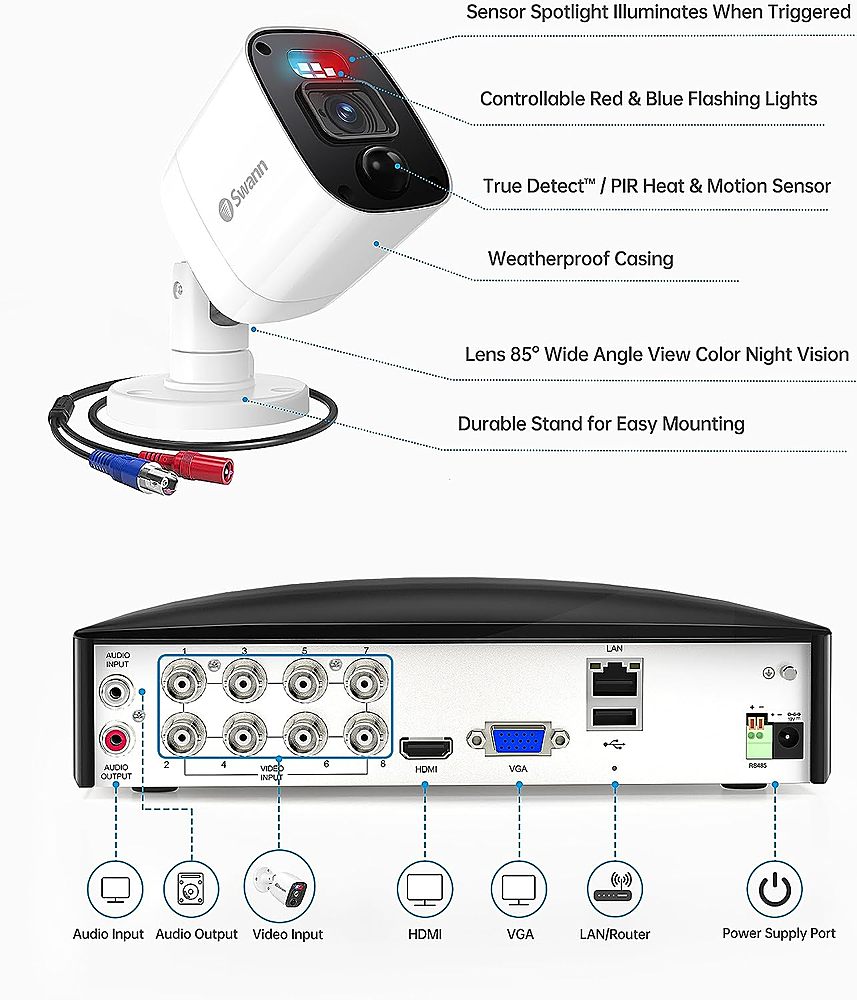
- A:Answer Hi Vnsp. No, the device has an internal hard drive where it saves the recordings by default. However, you do have the option to save those footages to an external USB thumb drive if needed.
Answered by Swann

Q: QuestionThis system says it comes with one way audio, how does that work?
Asked by stone.
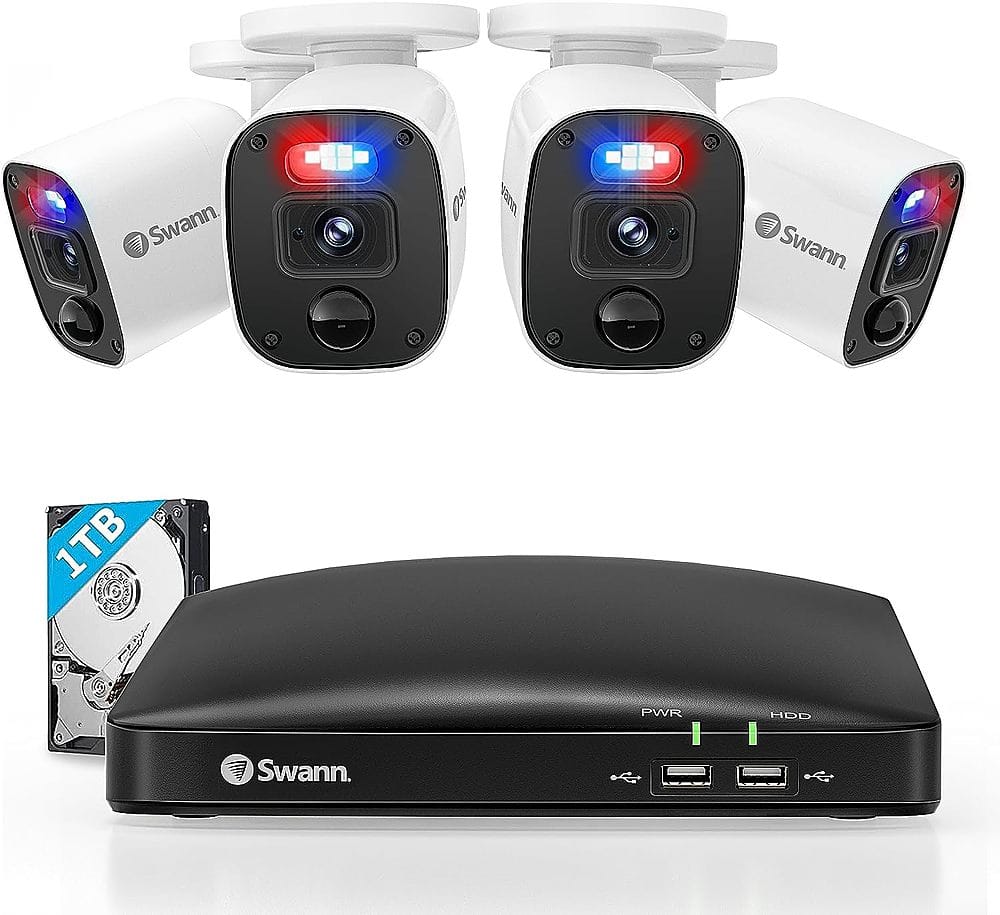
- A:Answer Hi Stone. Each camera has a microphone in it. This means that any clips that get recorded also have audio so that you can hear as well as see what happened. Similarly, if you live view your cameras from your phone or a monitor, then you will be able to hear what's happening near the camera. -SD, Swann Team
Answered by Swann

Q: QuestionWhy does that pesky little blue light keep blinking in our eyes all night long?
Asked by Margie.
- A:Answer it is recording
Answered by Anonymous
Q: Questionany over night shipping ?
Asked by samuel.
- A:Answer Hello samuel. Please check the shipping options available when placing your order. You can also contact BestBuy directly to inquire about their shipping options. LV - Swann Team
Answered by Swann

Q: QuestionDo you have an app that works with hardwired cameras?
Asked by Michelle.
- A:Answer Hello Michelle. Swann systems can be remotely accessed and controlled using the Swann Security application free of charge. You can download the app for Android and iOs devices. I hope this helps. LV - Swann Team
Answered by Swann

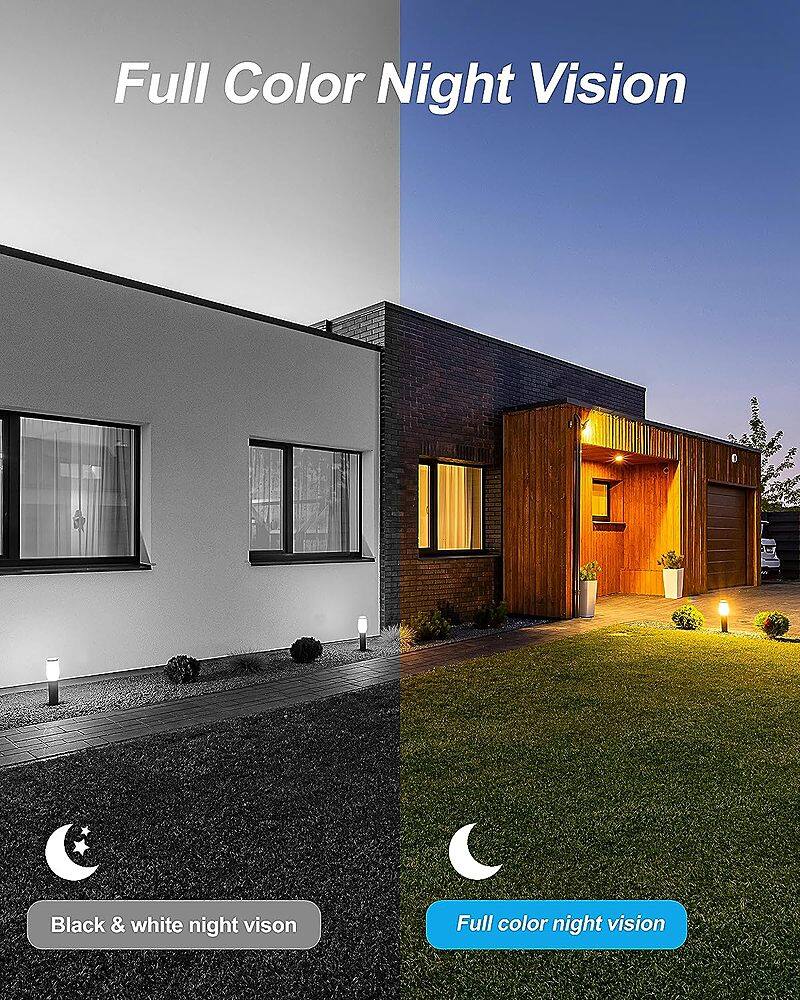
Q: Questionin the reviews it shows that the camera has 8 cameras but will support 16 cameras, however when received there is only 8 places for cameras, so how will it support 16 Night Vision Image number Of Cameras Included 8 Number Of Cameras Supported 16
Asked by suzy.
- A:Answer Hello suzy. Thank you for your question! We’d like to clarify that the system you received is an 8-channel system, which supports up to 8 cameras, not 16. We apologize for any confusion caused by the information in the reviews. If you have further questions or need assistance, feel free to email us at [email protected]. We're here to help! Your feedback is important to us. LV - Swann Team
Answered by Swann

Q: QuestionI already have Swann cams, will this DVR work with older cams??
Asked by Anonymous.
- A:Answer Thank you for your question! Whether this DVR is compatible with your older Swann cameras depends on the model and technology of your existing cameras. For specific compatibility details, please refer to the compatibility link below or contact our support team at [email protected]. Please include the exact model numbers of the camera you already own. https://cdn.swann.com/media/wysiwyg/docs/swann-camera-compatibility.pdf We're here to help ensure you have the right setup! Your feedback is important to us. LV - Swann Team.
Answered by Swann

Q: QuestionI shut off feed from my #6 camera. now, none of my cameras are working. how do I turn back on?
Asked by Duke.
- A:Answer Hello Duke. We’re sorry to hear about the issues you’re facing. Please send an email to [email protected] so our team can assist in resolving the problem. You can also find helpful guides and resources on our support page linked here: https://support.swann.com/s/ For real-time assistance, you can call our regional support numbers listed here: https://support.swann.com/hc/en-us/articles/8428093689881-Customer-Support. Your feedback is important to us. LV - Swann Team
Answered by Swann

Q: QuestionThe sisten is motion activated and can send videos to my iPhone?
Asked by Milton.
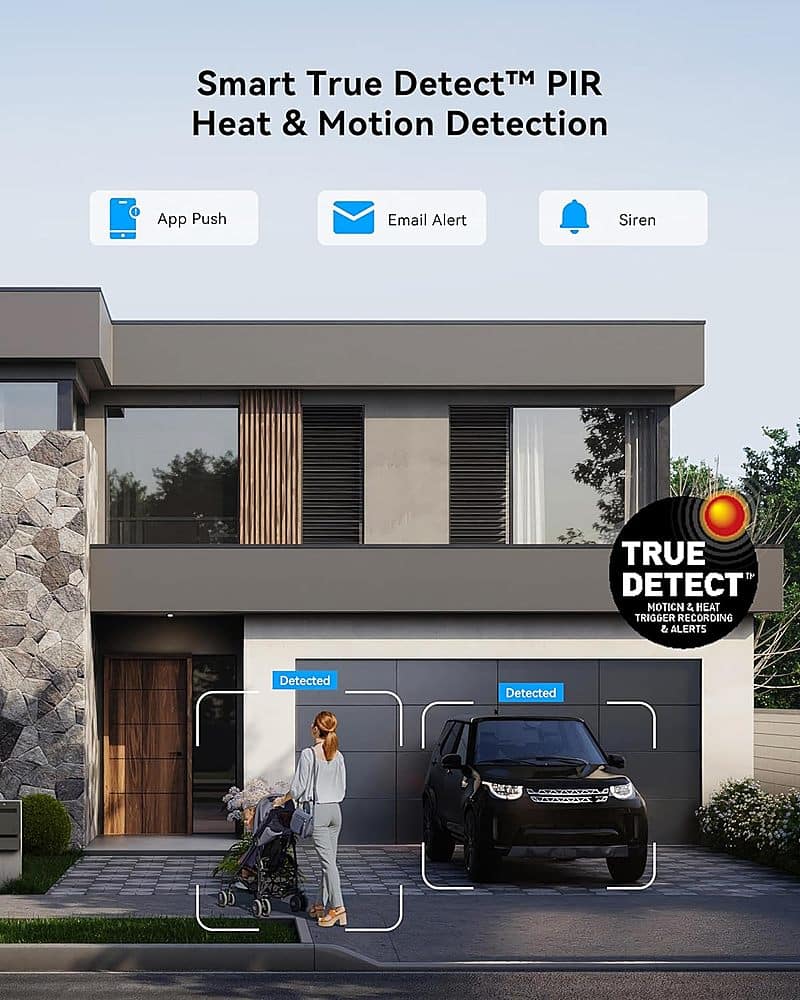
- A:Answer Hi Milton. Yes, motion of people or vehicles will trigger recordings and alerts to your phone. Once you receive the alert on your phone (via the Swann Security app), then you would open the app and you can then view the cameras live or see any recordings that have been saved. -SD, Swann Team
Answered by Swann

Q: QuestionI already have cat5 run, would I be able to just use a BNC to RJ45 to connect the cameras?
Asked by Anonymous.
- A:Answer Thanks for your question. What you're describing isn't commonly done, but I have heard of it being done successfully by other customers over the years. It should be fine. -SD, Swann Team.
Answered by Swann

Q: QuestionDo the cameras rotate or move side to side to capture images?
Asked by AM.
- A:Answer Hello AM. Thanks for question. These are fixed camera and do not follow movement. However, you can swivel the cameras to adjust them to your desired position. Hope this helps. LV - Swann Team
Answered by Swann

Q: QuestionCan you zoom in on the picture?
Asked by Petey.
- A:Answer Hello Petey. Thank you for your question. Yes, you can digitally zoom into the live video or recordings. Hope this helps. LV - Swann Team
Answered by Swann

Q: QuestionI'm replacing a system so my wires and A.C are already in place, one camera is 120 feet away what is the maximum distance
Asked by X.
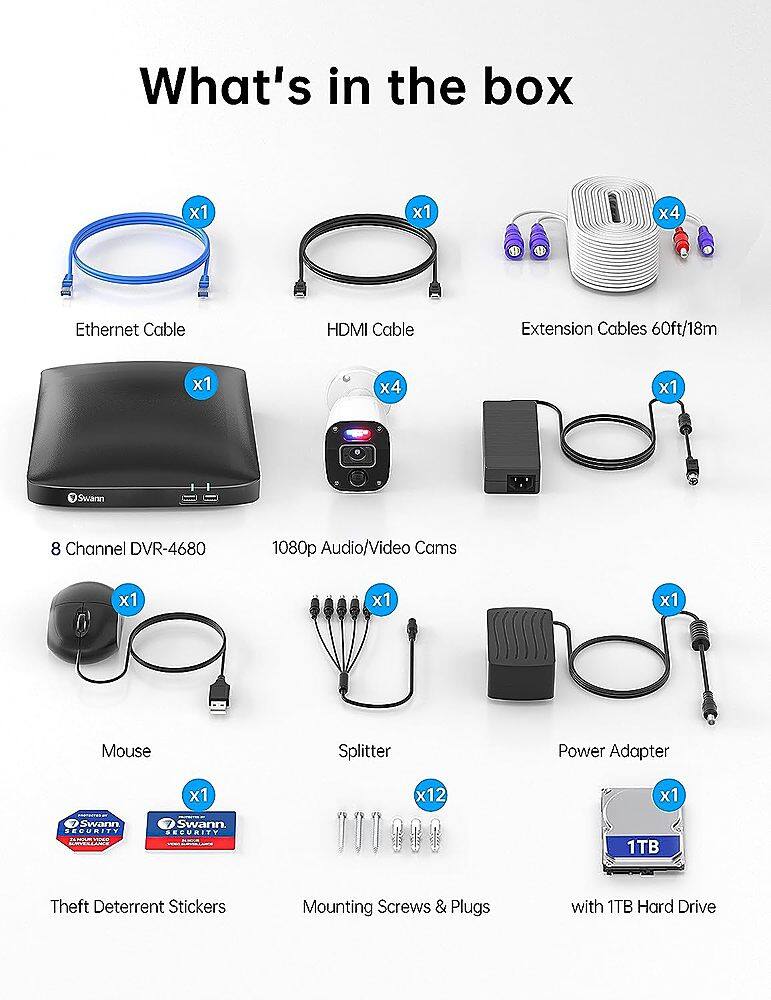
- A:Answer Thanks for your question. Analog Coax cables such as the ones this system uses are capable of working up to about 1000 feet away, so 120 feet will not be an issue. The cameras included with this kit are 60 feet each, however we also sell 200 foot cables as an accessory item. -SD, Swann Team.
Answered by Swann

Q: QuestionHello,Do you guys install these?
Asked by Ad1983.
- A:Answer Hello Ad1983. Swann does not offer installation services. We encourage you to contact your local BestBuy store for information on camera installation. Hope this helps. LV - Swann Team
Answered by Swann

Q: QuestionI bought the 8-channel Swann security system with 4 cameras. Can I add another camera to it?
Asked by South1234.
- A:Answer Hello South1234. An 8-channel DVR can take a maximum of 8 cameras. If your system only came with 4 cameras that means you can add an additional 4 cameras total. Hope this helps. LV - Swann Team
Answered by Swann

Q: Questiondo I need wifi to be able to access the app for the cameraS?
Asked by Anonymous.
- A:Answer Hello. Thank you for reaching out with your question. Although our wired systems do not require an internet connection to function you only need a monitor for the initial setup. It is important to note, that an internet connection is required if you will need to remotely access and control your device from the Swann Security App. For further assistance, please visit our support page or contact us over the phone. https://support.swann.com/s/ Please let us know how we may further assist you. LV - Swann Team
Answered by Swann

Q: QuestionI dont have a router or WI-FI in my house, just a modem to connect to the internet. Can I connect this system to my modem with a cable so I can get alerts and view the cameras with my smartphone?
Asked by Richard9.
- A:Answer Hrello Richard9. Thank you for reaching out with your question. Simply connect one end of the Ethernet cable to the Ethernet port on your DVR and the other end to an available Ethernet port on your modem. If you need further assistance, you can also visit our support page or contact us over the phone. https://support.swann.com/hc/en-ushttps://support.swann.com/hc/en-us Your feedback is important to us. LV-Swann Team
Answered by Swann

Q: QuestionWill I be able to see camera with my phone for recording
Asked by Anonymous.
- A:Answer Hello. Thank you for your question. The cameras will record onto the pre-installed 1TB hard drive. You can view your cameras, clips, etc from the convenience of your smartphone via the Swann Security app. -LV Swann Team
Answered by Swann

Q: QuestionIf I need extra cable we’re can I get it
Asked by Anonymous.
- A:Answer Thank you for your question. Each camera includes a 60ft (18m) video/power cable. Swann also sells longer extension cables that can be purchased separately and are also available through Bestbuy.com. If you require a longer distance. The extension cables are under codes SWPRO-30ULCBL & SWPRO-60ULCBL. Hope this helps. LV - Swann Team
Answered by Swann

Q: QuestionWill Q.See cables plug into swann DVR
Asked by Jesse.
- A:Answer Hello Jesse, Thank you for reaching out with your question. We are not able to confirm if these two products would be compatible. Swann only tests test our own brand’s products and their pertaining software. Please let us know how we may further assist you. Thank you, LV - Swann Team
Answered by Swann

Page 2, Showing 21-40 of 42 questions
Most-viewed items
- $394.99$394.99The price was $599.99
- $579.99$579.99The price was $859.99
- $299.99$299.99The price was $359.99