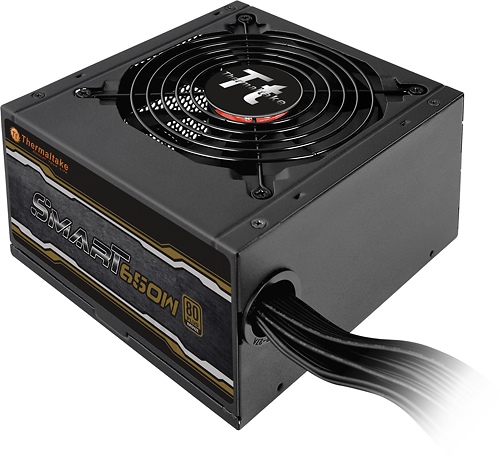
A:AnswerThis unit is 80 PLUS Bronze certified, With 82-88% efficiency at 20-100% load.
Connectors: Include one 24-pin, one CPU 4+4-pin, two PCI Express 6+2-pin, six SATA, four 4-pin peripheral and one 4-pin floppy
A:AnswerYes it should. The supply should fit in any ATX type case, tower, mid tower sized computer. I've installed these supplies in other Dell towers.
A:AnswerHighly doubtful, most lamps are 120v AC power, the output from this PSU is DC. Unless you intended on LED power strips this is not what you are looking for.
A:AnswerIt does have the video card 4 pin connections but they are both on the same line. Some video cards require separate lines. I couldn't find any info on whether your motherboard is ATX or not. If it is then the PSU should work
A:AnswerIf you mean by "fit" will the power supply fit inside the computer case....It probably would, but every computer is different and you will not be sure until you try. JFYI I did buy this model to put in my wife's Lenovo computer and although the Power Supply case fit into the computer case, it did not work as the Lenovo's have a different proprietary main power set up so the plug on the power supply would not fit the socket on the mother board. I did not return it and am keeping it in case my HP Envy ever needs a upgrade for the PS. Hope this helps.
A:AnswerGo to http://www.thermaltakeusa.com/psu.aspx . The filter options work. The 650W now comes with lights (mine is older). There are other ones as well. Find the PS and click on the Support tab for the manual.
A:AnswerIf the desktop conforms to the ATA standard then the case itself should be ATA and the Thermaltake PSU should have a designed place. Configuration of the screw holes in the case compared to the configuration of the screw holes in the rear of the PSU is the key.
A:AnswerThere are many things that could cause this. One of the most common is that there is something wrong with some hardware that is connected to it, not the power supply itself. You may also have not connected all of the power cables that your system needed.