A:AnswerYes. According to the owner's manual, which, surprisingly actually comes with the device, you can play audio CDs, although I have not tried it myself. It says it will play audio CDs and CD-RW/-R with MP3/WMA/JPEG files.
Anyway, the short answer is Yes.
A:AnswerYes, you can dub from DVD to VHS and from VHS to DVD using this unit. See page 50 of the User's Guide at http://support.toshiba.com/support/staticContentDetail?contentId=2842852 for all the details.
A:AnswerThe power specifications of the DVR620 call for 120VAC at 60Hz, per page 109 of the User's Guide at http://support.toshiba.com/support/staticContentDetail?contentId=2842852 .
A:AnswerSome VHS movies cannot be recopied because they are encoded. I did not realized that until I tried. You need the wires that they provided in order to copy VHS to DVSs
A:AnswerIf you mean on the Toshiba device itself, it can only be edited before finalizing the disc. Once that is done, you can no longer edit there. I haven't tried it, but once to transfer the video to your computer, I see no reason that you should not be able to edit. That is a function of the computer software, not the DVD.
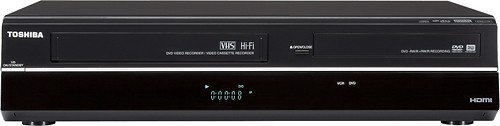
A:AnswerI checked the manual and this is what it said to do. Press (SETUP) button and use the arrow up and down buttons to select "General Settings", then press the (ENTER) button. Then press the up and down arrows to select " Video", then press (ENTER). Use the up and down arrows to select "TV Aspect", then press (ENTER). Use the up and down arrows to select desired options. If you select " 4:3 Letter Box" black bars appear on top and bottom of TV screen when playing back a wide-screen picture. Select "4:3 Pan & Scan" for full height picture with both sides trimmed when playing back wide-screen picture on Standard TV. If you have a wide-screen TV select "16.9 wide". I have a standard TV and I use the16.9 wide all of the time and never change settings. You will have to try both the 4:3 Pan Scan and the 16:9 wide to see what works best on your TV. The last step his to press the set up button again. I hope this helps.











