A:AnswerThere are many types of converter boxes on the market, so I don't have enough information to answer your question.
If a) your converter box has a Video or S-Video output and, b) you tune your TV channels using the converter, it should work by connecting from the converter to the recorder.
If you're not certain about the above, please re-post your question with details about the connections on your TV and converter.
A:AnswerUnfortunately, a tuner has become very rare in combo VHS/DVD units. Toshiba had one, the DVR670, that had a tuner but was discontinued about nine months ago. I just Googled that model and found a very few available from internet dealers. Maybe you can find one of those.
A:AnswerYou have to scour the copy for an indication that it RECORDS DVDs. If you see that, you can be sure it will record direct from VHS to DVD.
MOST of these combo units, however (and Toshiba makes one, so look out!) will only PLAY BACK DVDs, so they won't record your vhs cassettes to anything.
A:AnswerIn the case of THIS unit (the Toshiba DVR620KU, just to make sure) you need a TV that has a VIDEO OUTPUT: Either composite video (RCA jack), or S-video. You'll also need to make an audio connection (L&R RCA jacks) so you don't get silent movies. If you can make one of these connections, you can record either to recordable DVDs or videocassettes.
If you WANT to get an external tuner, you can connect its audio/video outputs to the DVR620KU, but it has no RF connector, so you can't make a direct antenna connection like an old-style VCR. But you won't need one as long as your TV has its own tuner AND VIDEO OUTPUTS.
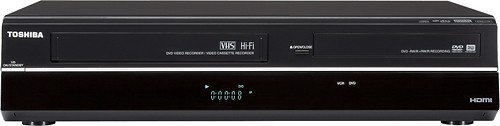
A:AnswerSure you can record, just set the Cable Channel that you want to record on the Cable Tuner Box and make sure the Recorder is set to Channel 3. Hit the Record Button, or set the Time Record Feature and you are good to go. Of course, make sure you have a Recordable Tape or DVD Loaded first.
A:AnswerI had the same problem with my original purchase. I had the Geek Squad come to my house and they determined there was something wrong with the system. I took it back to Best Buy and got a new one. I love it!!! I have copied some of my old recording from Video to DVD. I am very pleased with the product.
A:AnswerMine is the same light gray writing. I put my remote in freezer bag so that the oils on my hands to not rub off the lettering. I've had mine for 3 years and use daily with no markings being removed. Just a suggestion.
A:AnswerWhether or not the TV is turned on doesn't affect timer recording.
In order to record when you're not there, you'll set the timer for the time you want the recorder to begin and end recording and, most importantly, you must have your satellite box turned on and set to the channel you want to record.
A:AnswerThis model does not have a tuner, so it must be attached to a cable or satellite box to record TV programming. The channel selection is made on the cable or satellite box.
A:AnswerThe DVR620 has both S-Video and Composite video (yellow connector) inputs, so if your SVHS player has either of those outputs, you can transfer those videos to DVD.
A:AnswerDepending on your TV, HD or Analog, and where u connect the cables in the back of the TV will determine the selection. And no this DVR does not have a channel selector.











