“I bought this camera a year ago and it was working perfectly, however; since I've changed my wifi carrier now it doesn't work. The Best Buy I purchased it from is no longer in business...please help me I really need my camera!!!”
Answer This Question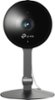
1-2 of 2 Answers
You need to take the back cover off and press the reset button with a paper clip in order to reset the camera to factory setting. Then, you can set it up again with the new WiFi.
Sorry, there was a problem. Please try again later.If you recently changed your WiFi or Internet provider, it is very likely that your router, and its WiFi settings, are changed. This means the camera will need to be connected to your new network. To do so, please follow the steps in our FAQ here: https://www.tp-link.com/us/support/faq/1954/ Regards, TP-Link Support
Sorry, there was a problem. Please try again later.