“The phone does not have camera settings. I have flash settings. I can swipe up or down to use selfie mode. Wondering if I need to activate something or add an app or if I have a phone defect? No other camera settings are available I can find.”
Answer This Question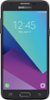
1-2 of 2 Answers
When you launch the camera app you should see a little gear symbol near the top right. If you press that it should bring up a page of settings where you can change picture size and other things. You can also swipe from left to right and from there you can change camera modes like "auto" and "pro" and "panorama".
Sorry, there was a problem. Please try again later.Hi. My name is Maria and I work with TracFone Wireless. We will need to check on this matter. You can contact us via chat at http://bit.ly/2gQCmUz?caseId=41023 for us to assist you.
Sorry, there was a problem. Please try again later.