Skip to contentGo to Product Search
Main Content

Questions & Answers

$814.99
Page Showing 1-20 of 36 questions
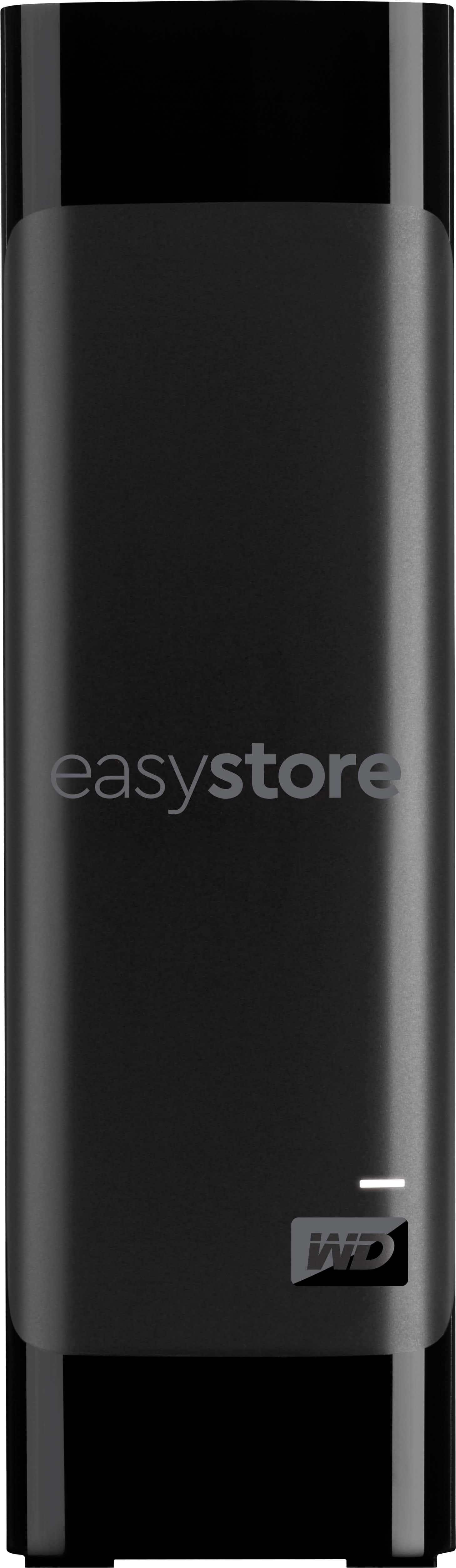
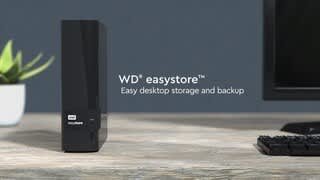
  • QuestionWhat is the storage capacity of this WD external hard drive?

    • Answer This WD easystore desktop hard drive has a storage capacity of 20TB.
    This question and answer was generated by AI based on customer and product data.
  • QuestionWhat is the warranty period for this external hard drive?

    • Answer This WD easystore desktop hard drive comes with a two-year warranty.
    This question and answer was generated by AI based on customer and product data.

  • QuestionHow fast is the data transfer rate on this WD drive?

    • Answer This WD easystore desktop hard drive offers data transfer rates up to 5 Gbps in USB 3.0 mode and 480 Mbps in USB 2.0 mode.
    This question and answer was generated by AI based on customer and product data.

  • QuestionDoes this WD hard drive come with backup software?

    • Answer Yes, this hard drive includes WD Discovery backup software for setting backup schedules.
    This question and answer was generated by AI based on customer and product data.

  • QuestionWhat kind of interface does this external hard drive use for connectivity?

    • Answer This WD easystore desktop hard drive uses a USB 3.0 interface for easy connection to devices and is backward compatible with USB 2.0.
    This question and answer was generated by AI based on customer and product data.

  • QuestionIs this WD external hard drive compatible with both Windows and Mac computers?

    • Answer This hard drive is compatible with both Windows and Mac computers, but reformatting is required for macOS.
    This question and answer was generated by AI based on customer and product data.
  • QuestionIs this 20 TB drive really a 18 TB drive ? What is a 18 TB hard drive at least 17 TB ? Sounds like a big waste of money.

    Asked by Hdminonsenseforapc.

    • Answer The 20 TB is 20 trillion bytes. Historically, memory size was generally some power of 2 because of the addressing scheme. When we got to 1024 bytes (2^10) that was called 1 KB. The metric prefix "kilo" means 1000, so we have this disparity of 1024 vs. 1000. You knew which was meant by the context: if it was memory size, then it was 1024. As we increase to MB, GB, TB and upward, each step up is a factor of 1024 rather than 1000. So 1 TB memory would be (1024^4) bytes. The other piece of information to know is with hard drives, your operating system reports the capacity in terms of memory size (i.e. factors of 1024, not 1000), but marketing departments sell their harddrives with sizes using the definitions based on factors of 1000. Therefore a 20 trillion bytes drive will have its capacity reported by your operating system as 20E12 / (1024^4) = about 18.2 TB.

      Answered by FreeTruth

  • QuestionWhat style power adapter (i.e. straight vs. angled-plug) is included?

    Asked by Ryan.

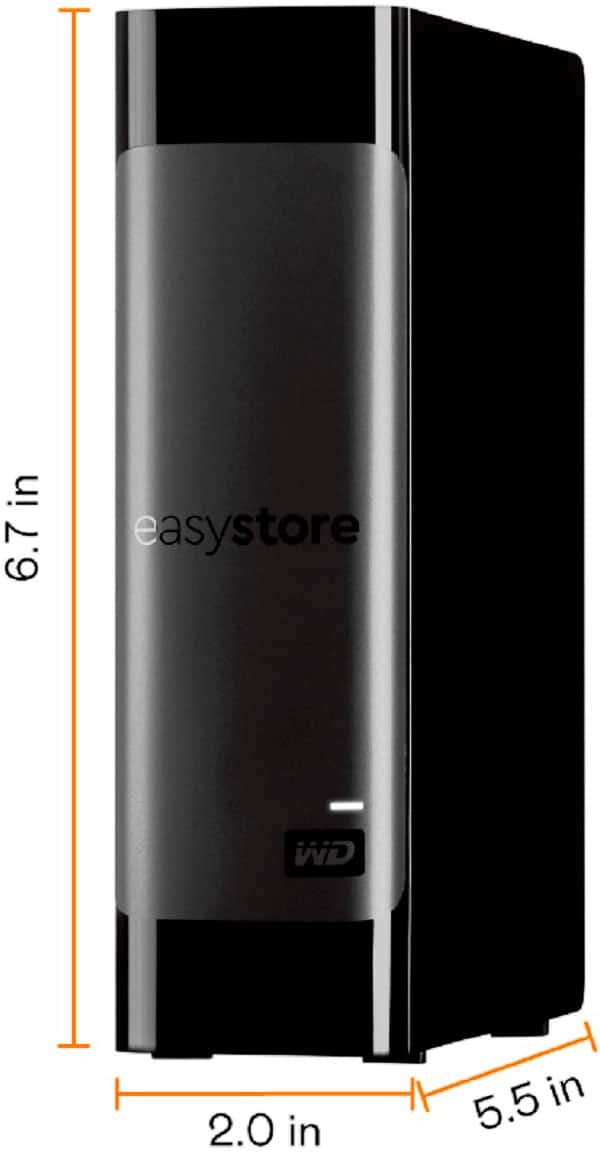
    • Answer It is at a 90 % angle from the power unit. Please see attached pictures.

      Answered by Daneader

  • QuestionIs this HD networkable?

    Asked by Jake.

    • Answer It is only a usb drive. You could use it on a router that has a usb on it to share that way. It’s only usb and not networkable on its own

      Answered by Johnthedj

  • QuestionCan this drive be shucked to be used as an internal drive?

    Asked by JoyCon.

    • Answer Absolutely I use them in my 24 bay server

      Answered by Mrpictureman

  • QuestionApproximately how many photos & documents can this drive handle? And will it work on Windows 10 & Windows 11 ?

    Asked by DeDe.

    • Answer How many rocks can you fit in a bucket? Depends on the size of the rocks, no? Size of photos and documents can vary considerably. Why don't you determine an average size of the files you store and then divide the drive's capacity by that size. Make sure you use consistent size, i.e. if you're using the "memory size" of the file that would be reported by your operating system, then use the same for this drive (which would be about 18.2 TB, where this TB is 1024^4 bytes rather than 1000^4 bytes) ). So, for example, if average size of your files is, let me randomly say, 50 MB, then 18.2 TB / 50 MB = 954,204 files. If the average size doubles to 100 MB, then of course you the number would be cut in half. This is only an estimate, as it depends on how the drive is formatted and the cluster size used.

      Answered by freetruth

  • Questionin my previous question you stated that desktop external drives typically require an external power adapter to operate. does said adapter come with the storage drive or do i have to purchase that separately? if so, where can i purchase it?

    Asked by storagehoarder.

    • Answer Hello, Thank you for your question. Please note that inside the box, you will find a desktop hard drive, a SuperSpeed ​​USB-A cable (5Gbps), an AC adapter, and a Quick Install Guide.

      Answered by Western Digital Team

  • Questionthe name of this is a "desktop" drive. is it also useable as an external drive and compatible with windows laptops?

    Asked by storagehoarder.

    • Answer Hello, Yes, although it's labeled as a desktop drive, it is an external USB drive and is fully compatible with Windows 10+ OS laptops. Please note that desktop external drives typically require an external power adapter to operate.

      Answered by Western Digital Team

  • Questionwill this 20tb wd drive work with windows 8?

    Asked by Ken.

    • Answer Probably yet windows accesses the hard drive frequently so I recommend an internal drive for that preferably a drive built for longevity or surveillance such as a purple black or red drive

      Answered by Matthew

  • QuestionDoes this hard drive work on the xbox series x?

    Asked by Andrue.

    • Answer Yes & No. Yes- OG Xbox, Xbox 360, Xbox One games can run off the hard drive. Series X games can be stored here. No- Series X games must be moved to Internal Storage or Expansion Card prior to playing. Cross gen games can run off of this external drive but will be limited to the Xbox One version.

      Answered by Robert

  • Questionwhat cable is used to plug in the computer

    Asked by dslldb.

    • Answer Hello, This desktop external hard drive connects to your computer using a SuperSpeed USB 3.0 cable (USB Type - A to Micro - B, 5Gbps), which is included in the box. To know more about the drive please refer to the link:https://products.wdc.com/library/UM/ENG/4779-705169.pdf

      Answered by Western Digital Team

  • QuestionIs this a NAS device?

    Asked by Shoppers.

    • Answer No, it connects directly to a PC via USB

      Answered by MattS

  • QuestionCan I back up photos from phones and iPad wirelessly?

    Asked by JRM.

    • Answer Hello, Please let us confirm that WD Easystore Desktop hard drive is a plug and play device which designed for windows and mac operating system. We have not tested the drive on mobile devices or an iPad. Therefore, we recommend you to move the data from phone to computer or vice versa using your computer. For more info about the drive, refer to the link: https://products.wdc.com/library/UM/ENG/4779-705169.pdf

      Answered by Western Digital Team

  • Questiondoes this drive come with has password protect as previous versions of WD external drive?

    Asked by Password.

    • Answer Hi, Please be informed that WD security software is not supported on this drive. You may need to use any third party software software to encrypt the drive. If you have any further questions or need technical assistance , kindly open a support ticket at https://support-en.wd.com/app/askweb

      Answered by Western Digital Team

  • Questioncan i save files from my ipad pro12.9, or will i need other cables

    Asked by Vettski420.

    • Answer Not sure what type of files I use Microsoft OneDrive for Media (Photos, Movies, etc) and have OneDrive app on my iPads and use this to backup OneDrive Media important to me. I can watch movies on my iPad from my OneDrive App. Not sure if that helps answer your question. I know you can connect to a Macbook as I have a 5tb WD drive connected to my Macbook Pro but I still prefer my Windows PC's to my Macbook.

      Answered by EliteBestBuyGuy