A:Answeryou could use the remotes that came with the tv and cable box to turn those by them selves. If everything is hooked up through the receiver nothing will work though until the receiver is powered up and on the right input.
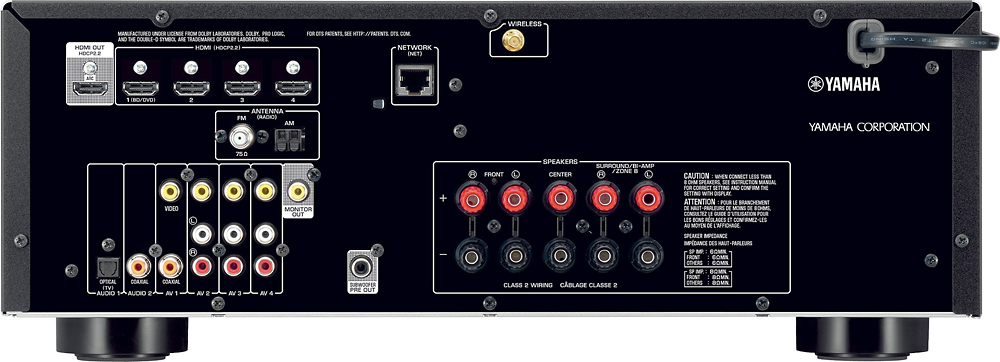
A:AnswerTo use your receiver as a surround sound device and your associated speakers you need to enable ARC. Depending on your HDMI cable you may or may not need to attach an optical cable. I've seen where an HDMI cable should provide audio, but I needed to attach an optical audio cable and mine works perfect. You'll also need to determine what audio setting to use. My normal all comes in on #1, but the Netflix with ARC and TV direct antenna comes into the receiver on audio 4. Hope this wasn't confusing.
A:AnswerThis receiver has a graphic equalizer built-in. First run the YPAO setup. If not satisfactory for sound, you may go into setup of the speakers and select the "GEQ" under equalizer.
Select channel for the speaker to be adjusted and then adjust the gain. You will need to do this for each channel. Press setup to exit from the menu. See page 82 or 83 in the product manual.
A:AnswerYou need to find out if your TV HDMI input is labeled "ARC". This allows you to only need one HDMI cable between the TV and the receiver (the receiver also has one HDMI connection labeled "ARC"). Everything else will plug into the receiver. ARC allows for your receiver video inputs to flow TO the TV and for audio to flow FROM the TV to the receiver. This is important when you have other inputs connected to (or embedded in) the TV (like an Apple TV, Roku, etc.)
Good luck!