Customer Ratings & Reviews








- Model:
- JCD543
- SKU:
- 6357396
Rating by feature
- Value
Rating 3.9 out of 5 stars
- Quality
Rating 4.1 out of 5 stars
- Ease of Use
Rating 4.1 out of 5 stars
Customers are saying
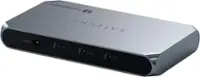
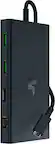
Customers appreciate the USB-C Triple Display Docking Station for its ease of use, USB-C connectivity, overall performance, and variety of ports. Many find the size and design appealing, and are satisfied with the display functionality and price. However, some customers have raised concerns about compatibility issues and the absence of a power supply.
This summary was generated by AI based on customer reviews.
- Pros mentioned:Ease of use, Usb-c
Perfect
||Posted . Owned for less than 1 week when reviewed.This reviewer received promo considerations or sweepstakes entry for writing a review.Most of the people leaving bad reviews have Macs. Take your compatibility gripes up with Apple... That's what you signed up for when you entered the Apple ecosystem lol. This device does exactly what it advertises it does... It functions as a docking station for your laptop that allows you to extend your display to two monitors and connect multiple USB (and other) devices to it at the same time. This was a godsend for me... Before getting it, i was connecting my two monitors to my laptop from two different USB-C dongles and it didn't work well (battery drain was intense and my laptop charged slowly/not all the way) and my cables were a mess. It was very easy to setup, just plug in and go. This docking station has allowed me to connect my 2 monitors via HDMI, two USB connectors for my wireless mouse and keyboard, my webcam via USB, and my computer speakers all in one device. Connecting my laptop cable to it means that there's sufficient power for everything connected to it. And my cables are all cleaned up and out of sight! So happy I grabbed this!
I would recommend this to a friend - Pros mentioned:Connectivity
Productivity Booster
||Posted . Owned for 3 months when reviewed.This reviewer received promo considerations or sweepstakes entry for writing a review.The j5create USB-C Triple Display Docking Station (Black) is an excellent productivity booster, providing seamless connectivity and reliable performance. It effortlessly supports up to three external displays, enhancing multitasking capabilities significantly. Setup is straightforward with plug-and-play functionality, and the compact design keeps the workspace organized. While slightly pricier than some alternatives, its robust build and consistent performance make it worth the investment for professionals and power users.
I would recommend this to a friend Docking Station
||Posted . Owned for 1 month when reviewed.This reviewer received promo considerations or sweepstakes entry for writing a review.This docking station is amazing! I needed one to support dual monitors, my laptop, printer, keyboard and mouse. This one is fast and able to support all devices and it will even support 3rd monitor if needed. Please be cautious looking for docking station, many say they will support and will not. Not enough power when connecting charger to docking station
I would recommend this to a friend- Pros mentioned:Ease of use, Overall performance
Good overall
||Posted . Owned for 3 weeks when reviewed.This reviewer received promo considerations or sweepstakes entry for writing a review.It work well and runs everything as it suppose very esay to set up.
I would recommend this to a friend - Pros mentioned:Ease of use, Ports
GREAT TO HAVE
||Posted . Owned for 1 week when reviewed.This reviewer received promo considerations or sweepstakes entry for writing a review.THIS DOCKING STATION IS REALLY EASY TO USE AND HAS PLENTY OF USEFUL PORTS !
I would recommend this to a friend Reliable, but not perfect
||Posted . Owned for 4 months when reviewed.This reviewer received promo considerations or sweepstakes entry for writing a review.It does the job, when I need it to work it’s reliable. That being said is this the best product on the market? I don’t think so, sometimes it has connection issues when I first plug in my laptop and I have to un plug and re plug it once or twice to get both monitors to work. Also the charger sometimes doesn’t work for my laptop when the laptop is dead it does some strange start charging then stop charging and so on. Two things that are minor since the other 99% of the time I’m using it it’s working fine.
I would recommend this to a friendBrand response from J5create Team
Posted .If you have more specific details about the issue, please reach out to j5create customer support team for troubleshooting. Thank you.

- Pros mentioned:Usb-c
Great Product - Solid Performance - Very Happy!
||Posted . Owned for 3 weeks when reviewed.This reviewer received promo considerations or sweepstakes entry for writing a review.FIRST - Register your product with j5Creat.com and create an account to get drivers and technical support. They are AWESOME!! I purchased the j5Create - USB Type-C Triple Display Docking Station since I changed jobs and had a Lenovo Laptop and Docking Station. I now have an HP x360 and needed to run dual monitors. One uses VGA and the other uses HDMI. When I first started using this docking it took a day or so getting used to adjusting monitors, etc in Windows 10. I also went to the j5Create website and downloaded the drivers. It updated the drivers perfectly. I had my wireless headphone USB pairing plug in the docking also. Everything was good. I thought I was good to go. I was also running my wireless mouse/keyboard unifying USB plug in the docking as well. I have an external HD plugged in to my laptop. BUT....My monitors kept freezing up about 5-10 times per day. Mouse and Keyboard would stop functioning. My headphones would stop working. I thought my laptop was freezing up but I could open it and it was working fine except for the keyboard/mouse. I kept having to unplug the USB-C connector from my laptop and then plug it back in. In essence I had to reboot the new docking station. This drove me absolutely nuts. I read somewhere that you should always contact j5Create if you have ANY issues. Instead of coming on here and bashing or returning the product. I contacted support via email and they responded within 5 minutes. FIVE MINUTES. They told me to download a new driver that just came out. It's called "JCD543 Upgrade Tool". You unplug everything from the Docking Station but keep your laptop connected to it. Run the upgrade tool, reboot, then WHAM!!! You now have a SOLID PRODUCT!! I'm using VGA, HDMI, 3 USBs and earphone plug sometimes. I also tested the micro and mini USBs and they work perfectly. Very happy and no more freezing up or any issues. BTW, I bought the USB power adapter a month later so now I can charge and use the docking without the laptop being on. You can charge different things but make sure to unplug the laptop power or have the laptop powered off or else the external power won't work. It either gets the power from the laptop or the external power.
I would recommend this to a friendBrand response from J5create Team
Posted .Hi Eubie!
That's fantastic news! I'm so excited that this has worked so well for you! With everything going on in the world being able to connect quickly and easily is vital and I'm happy to hear that my team was able to assist you with this.
Thanks,
j5create
- Pros mentioned:Ease of use, Overall performance
new tech tool
||Posted . Owned for 1 month when reviewed.This reviewer received promo considerations or sweepstakes entry for writing a review.this I like....easy to install and use and works great
I would recommend this to a friend - Pros mentioned:Ease of use
Great size and easy access
||Posted . Owned for 8 months when reviewed.This reviewer received promo considerations or sweepstakes entry for writing a review.Perfect size for my little work station. Easy to unplug my laptop and take it with me without affecting anything else on my station like 2nd acreen and telephone
I would recommend this to a friend - Pros mentioned:Ports
Overcoming Dual High Res Monitor Emulation Proble
||Posted . Owned for 3 weeks when reviewed.This reviewer received promo considerations or sweepstakes entry for writing a review.This “docking station” solved my problem. Was having problems with getting two external monitors connected to laptop to resolve properly with high definition resolution. I was using LogMeIn to connect remotely from my laptop to my work computer which had two high resolution monitors connected. From the remote laptop session, one monitor would look correct and the other was stuck in a 800x640 resolution mode. I tried changing display settings in windows and on the monitor itself, and worked with LogMeIn support to modify the settings within the emulation/mirroring software package, and even purchased other less expensive usb-c to hdmi adapters and splitters, but nothing would resolve the low resolution limitation seen on the second monitor connected to the remote laptop. Once I bought this docking station the resolution issue was immediately resolved. Besides this obvious win, the item is very sleek as well designed, and provides every type of new and legacy port I could ever need. Great product.
I would recommend this to a friend - Cons mentioned:Compatibility, Power supply
Meh
||Posted . Owned for 1 year when reviewed.This reviewer received promo considerations or sweepstakes entry for writing a review.Ive had this for about a year. I have it connected to 2 seperate monitors to display from my lenovo legion laptop and once every couple of months it stops working correctly. Either it only displays to 1 monitor, or none at all at times. Currently I have to have my laptop open in order for the 2 other displays to work. Overall save yourself the pain and hassle and find something better. For this price i shouldnt have these problems.
No, I would not recommend this to a friendBrand response from J5create Team
Posted .If you’re using Windows 11, system updates may be interfering with the MCT drivers that power the JCD543’s dual-display functionality.
- Try reinstalling the latest MCT drivers from j5create’s support page.
If your Lenovo Legion laptop's USB-C port is not providing stable power or video output, the dock may not be detecting both monitors properly.
This might be a Windows power setting issue, where closing the laptop lid puts the system to sleep or disables external displays.
- Go to Control Panel > Power Options > Choose what closing the lid does
- Set it to "Do Nothing" when plugged in.
- Pros mentioned:Ease of use, Overall performance
Split Screen for Laptop or PC...
||Posted . Owned for 1 month when reviewed.This reviewer received promo considerations or sweepstakes entry for writing a review.Great product, easy to install and works great! I used it to set up a 2 screen setup for my Desktop PC.
I would recommend this to a friend - Pros mentioned:Ease of use
Great idea, mediocre execution.
||Posted . Owned for 1 month when reviewed.This reviewer received promo considerations or sweepstakes entry for writing a review.Decided to purchase this dock for a new work from home job due to it’s price point and general advertised ease of use. Was fairly easy to setup and install the drivers. Worked great with BigSur OS on Mac, however I had to upgrade to Monterey OS about a month ago. Due to work related updates it was required. After updating, the dock sees a ghost display that isn’t connected, anytime I connect/disconnect power, reset, shut down, or even enter sleep mode I have to change the display arrangement. Contacted support and was advised this is a known bug and will be fixed with a future firmware update. I also bought this dock due to the advertised stand aspect that allows you to rest a device on it which was great for my desk setup. I’ve since discovered with my MacBook Pro, the dock causes just enough interference to the WiFi that a VPN connection can become inconsistent and at times the WiFi radio will struggle to remain connected as well. For these reasons I cannot recommend this product until at least a firmware update is released to address the ghost display issue.
No, I would not recommend this to a friendBrand response from J5create Team
Posted .All 13 ports are combined into one slim docking station, so you’ll have all the connections you need to stay productive. Thank you for your feedback and we apologize for this inconvenience. Cordially, j5.
- Pros mentioned:Connectivity
VERY PRACTICAL DOCKING STATION
||Posted . Owned for 2 weeks when reviewed.This reviewer received promo considerations or sweepstakes entry for writing a review.I have used this docking station for several computers and it is very practical since it has all the different types of connections needed.
I would recommend this to a friend - Pros mentioned:PortsCons mentioned:Power supply
Compact, works with any laptop that has a usb-C
||Posted . Owned for 2 months when reviewed.This reviewer received promo considerations or sweepstakes entry for writing a review.Bought this, to use with my work laptop, my work laptop came with a dock but it was too big. This one is perfect very slick and fits directly under my laptop. I am able to use all the ports without any noticeable issues or lag (mouse and keyboard). I have three monitors plugged in, keyboard and mouse, a stream deck and a usb mic. It can handle all these components with no issue. You just need to have power to your laptop when using this or you will get a notification that the dock needs more power to run everything.
I would recommend this to a friendBrand response from J5create Team
Posted .Hello,
I am glad to hear that everything is going well with your JCD543. To get the full functionality out of this dock your USB-C port will need to support display port alternate mode. Thank you for you for taking the time to post a review.
Cheers,
The j5create team
- Pros mentioned:Ports
Nice low profile design with plenty of inputs.
||Posted .This reviewer received promo considerations or sweepstakes entry for writing a review.Nice low profile design with plenty of inputs. I like that it has an SD card reader since newer laptops have eliminated that feature. Be aware that this docking station does not come with a power supply, so I purchased the j5create 100W super charger as well.
I would recommend this to a friend - Pros mentioned:Connectivity, Overall performance
Exactly What I Needed!
||Posted . Owned for 1 month when reviewed.This reviewer received promo considerations or sweepstakes entry for writing a review.I needed something to provide me with more USB options to plug in my mouse, keyboard and additional monitor. This was recommended by an employee at the Best Buy store and I couldn't be happier with it! This is exactly what I needed! :)
I would recommend this to a friend - Pros mentioned:Ease of use, Overall performance
Great addition for home office
||Posted . Owned for 10 months when reviewed.This reviewer received promo considerations or sweepstakes entry for writing a review.Works great with my home office equipment.It was easy to set up.
I would recommend this to a friend Could Not Use
||Posted . Owned for 2 weeks when reviewed.This reviewer received promo considerations or sweepstakes entry for writing a review.Purchased this thinking it would help free up ports on my pc but i had to return it. I returned this because i could only use 2 of my 3 monitors. I have 2 32in I tried different connections either both monitors connected to this device or one connected to the pic and this device but nothing worked.
No, I would not recommend this to a friend- Cons mentioned:Power supply
Check most boxes except being powered
||Posted . Owned for 1 month when reviewed.This reviewer received promo considerations or sweepstakes entry for writing a review.This USB-C Docking Station was more compatible with both a work PC and a personal MacBookPro than a HyperDrive model. The only drawback is that it is not powered, so when I'm using it, my laptop power is draining. I couldn't find a powered one quickly enough, so I settled for this after a new employer sent me a small laptop.
I would recommend this to a friend