Customer Ratings & Reviews
- Model:
- C11CK65201
- SKU:
- 6516132
Rating by feature
- Value
Rating 4.5 out of 5 stars
- Quality
Rating 4.4 out of 5 stars
- Ease of Use
Rating 4.4 out of 5 stars
Customers are saying
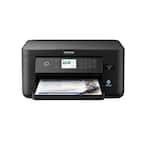
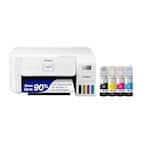
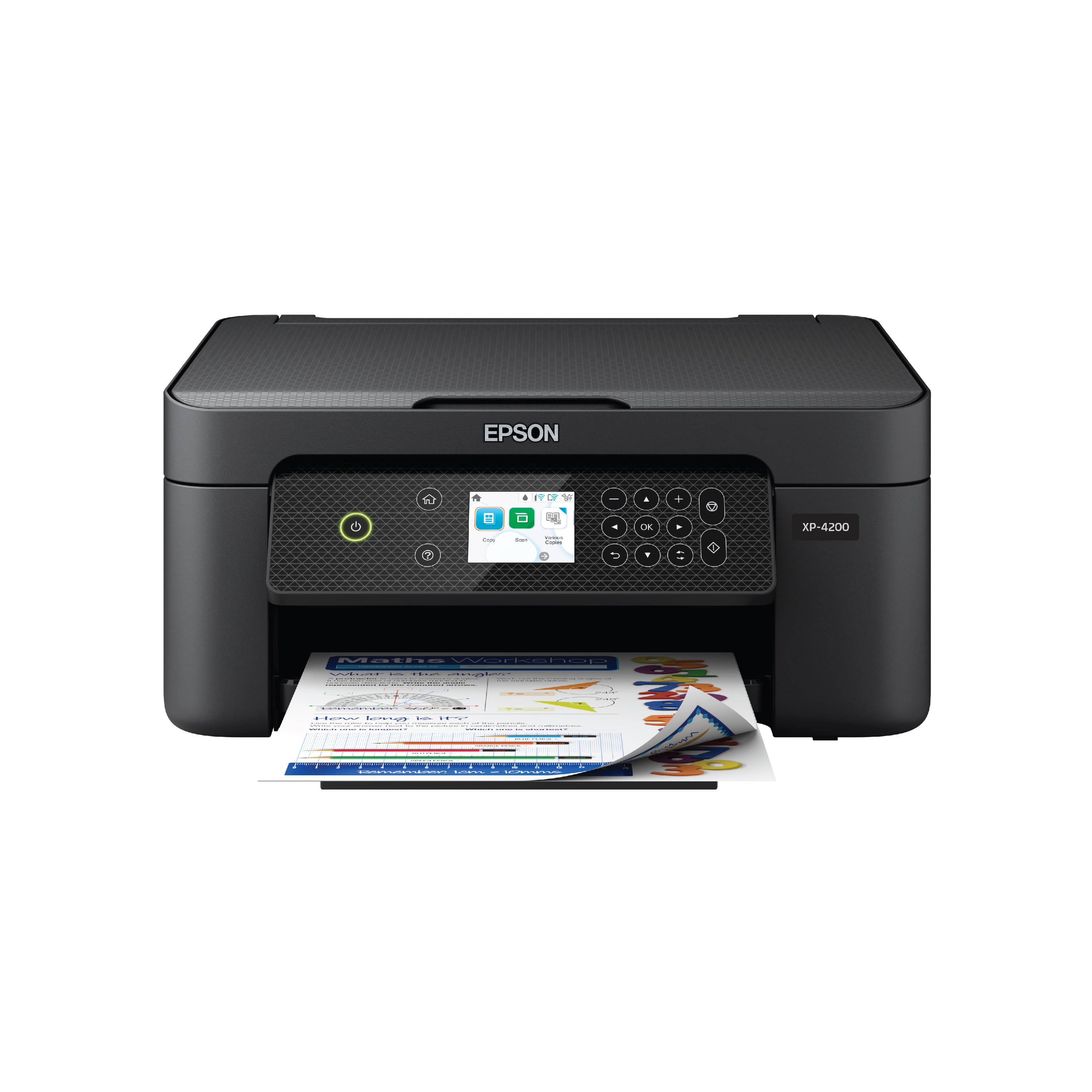
Customers appreciate the Expression Home XP-4200 All-in-One Inkjet Printer for its ease of use and good print quality. Many users find its overall performance satisfactory and like its size. Additionally, customers are happy with its wireless connectivity, reasonable price, and easy setup.
This summary was generated by AI based on customer reviews.
- Pros mentioned:Print quality, Size

Epson EXPRESSION XP-4200
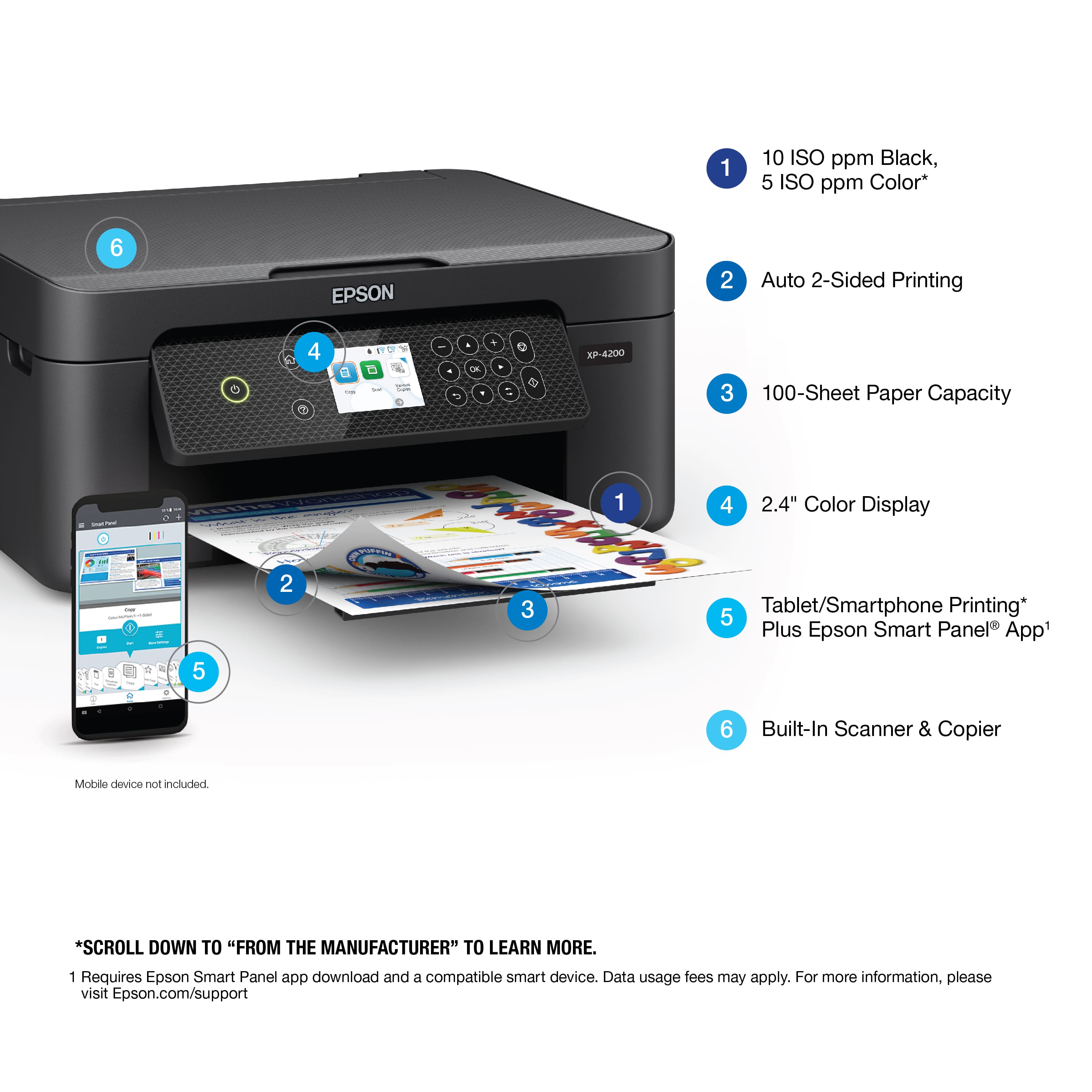
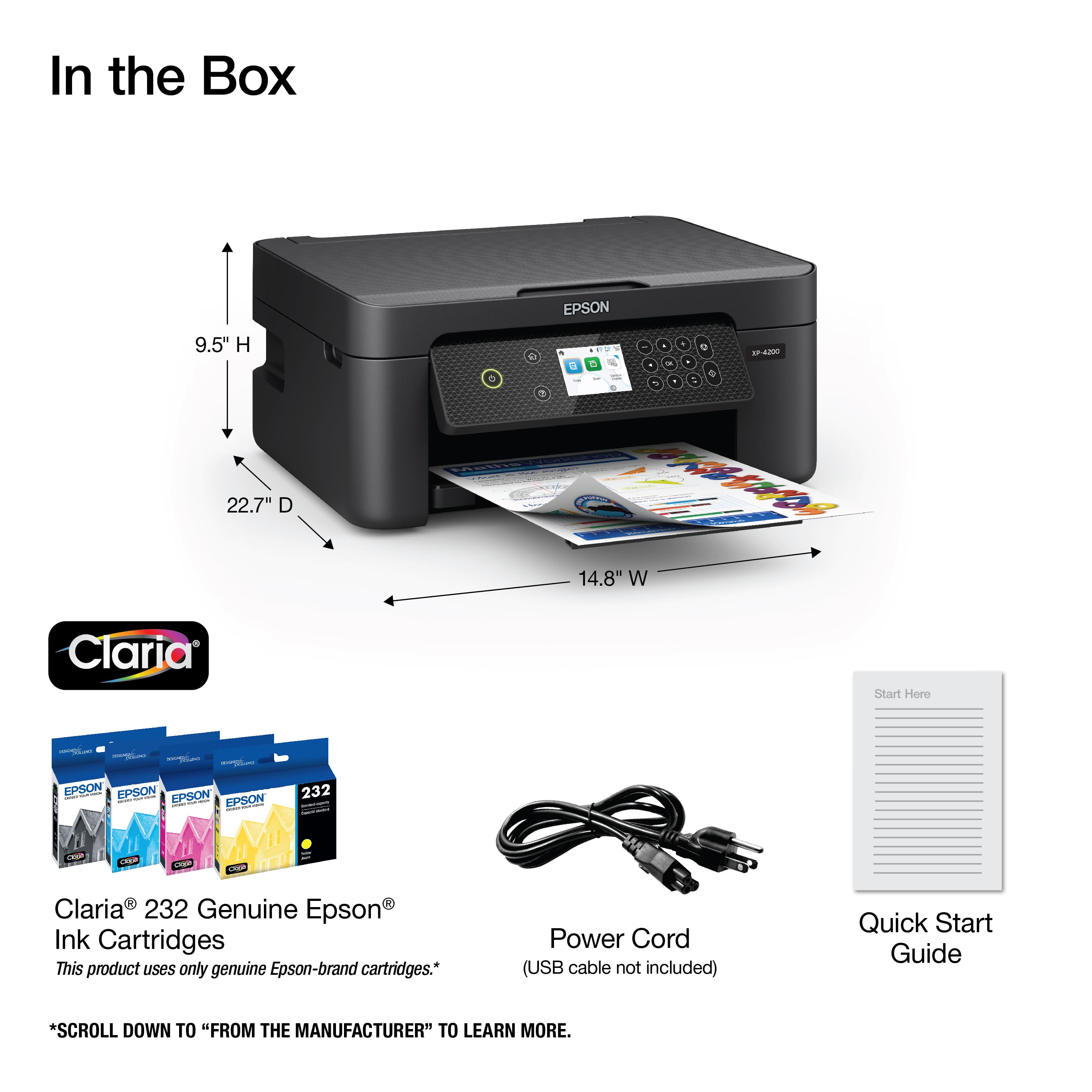
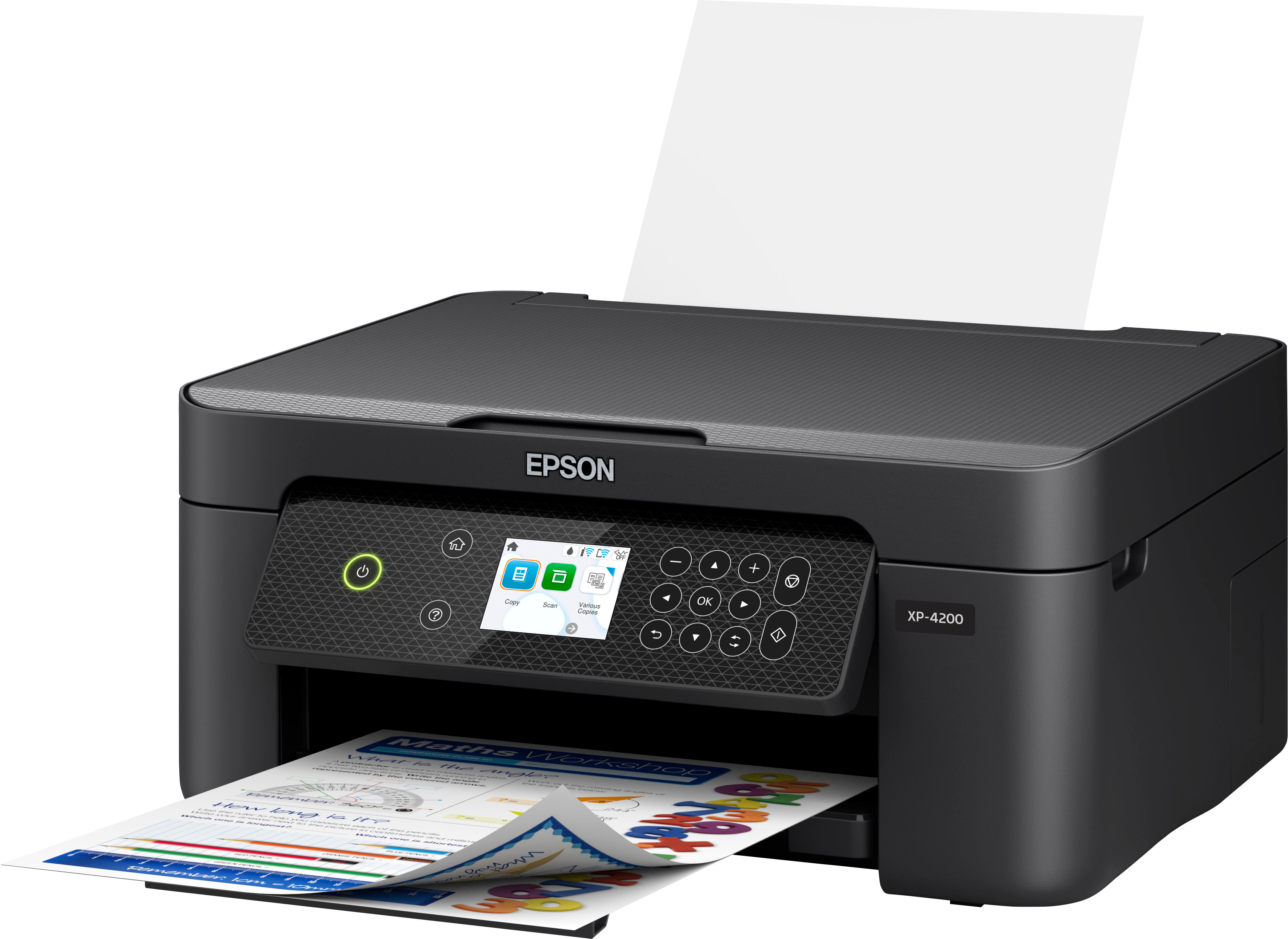
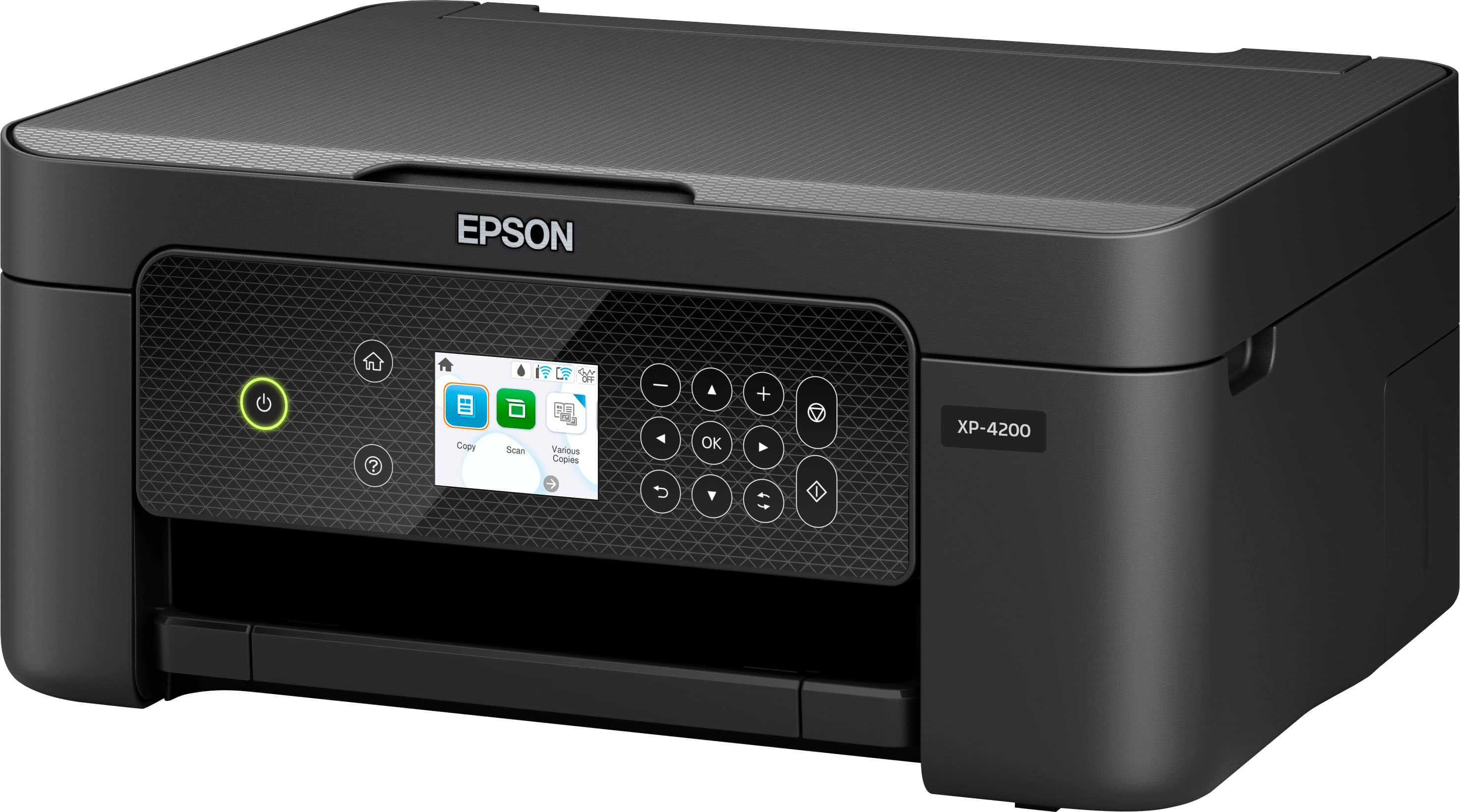
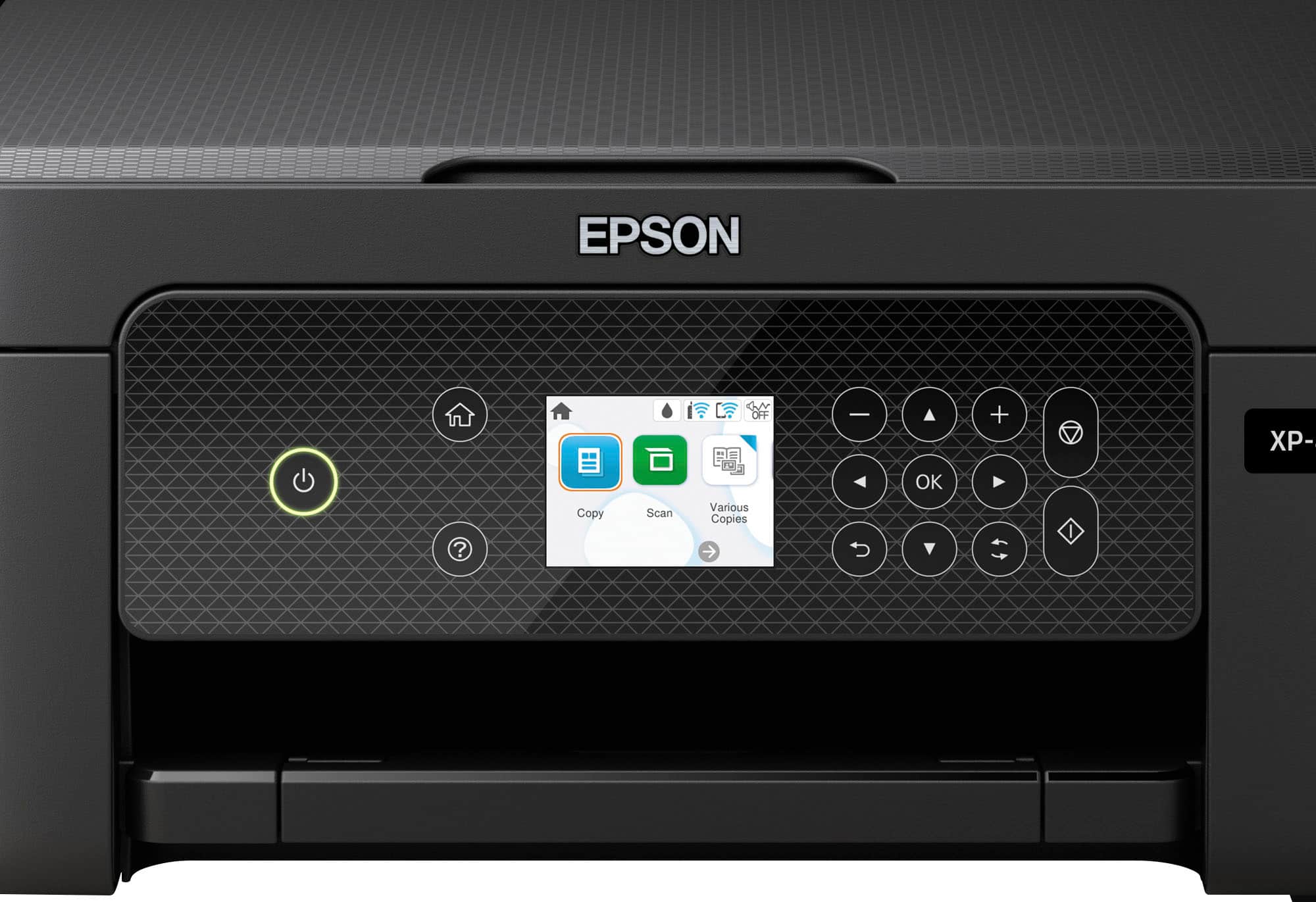
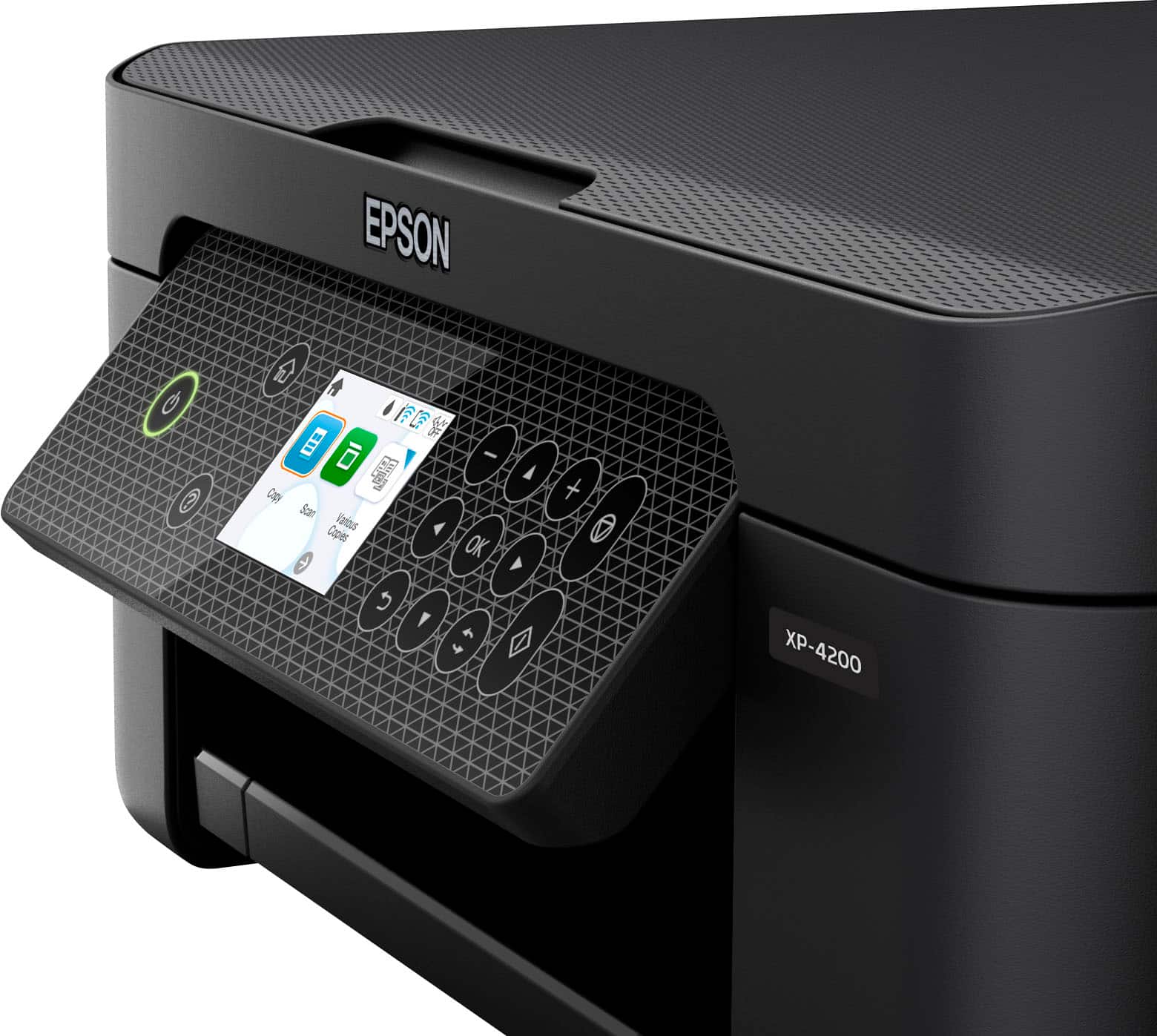
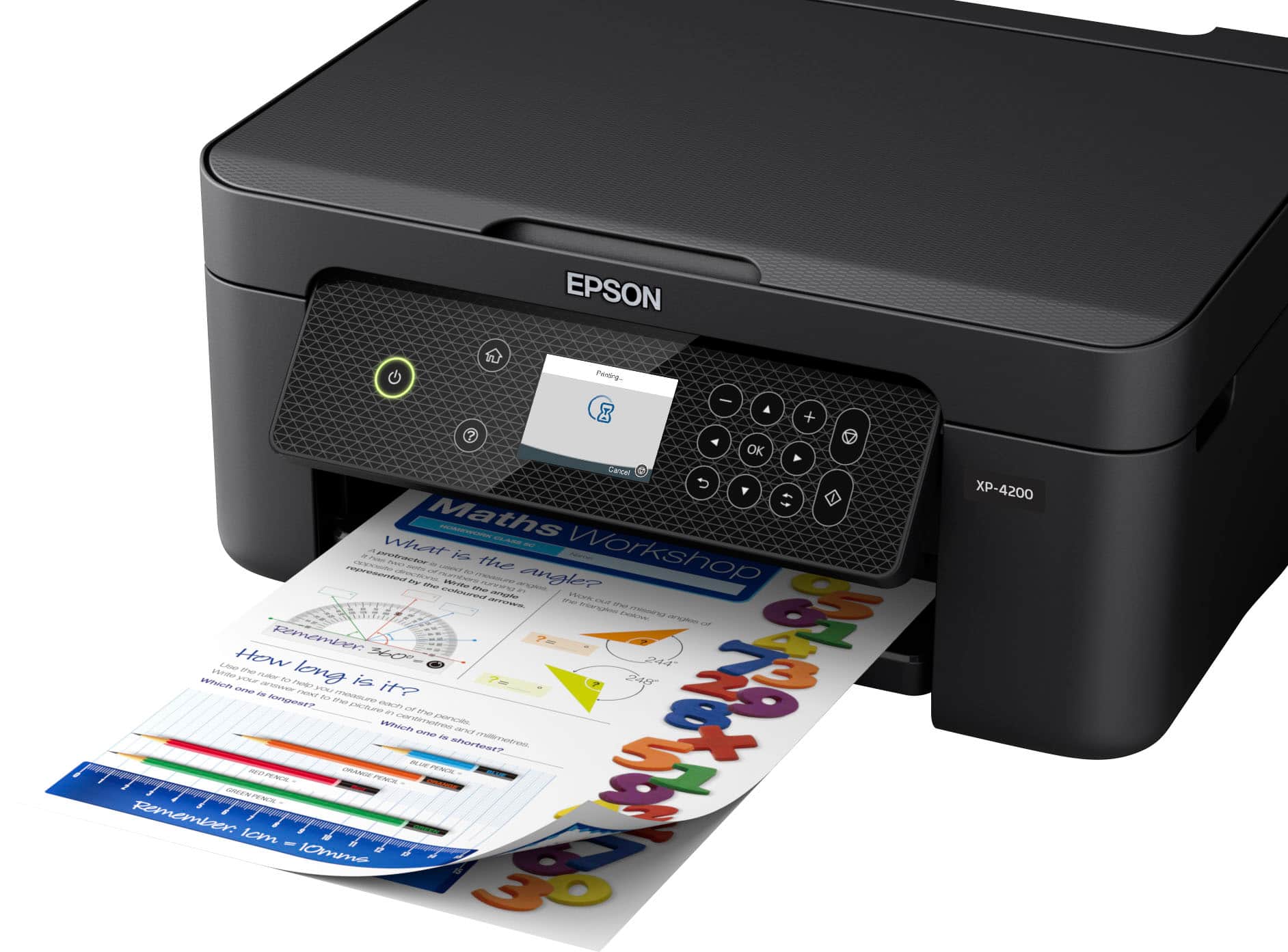
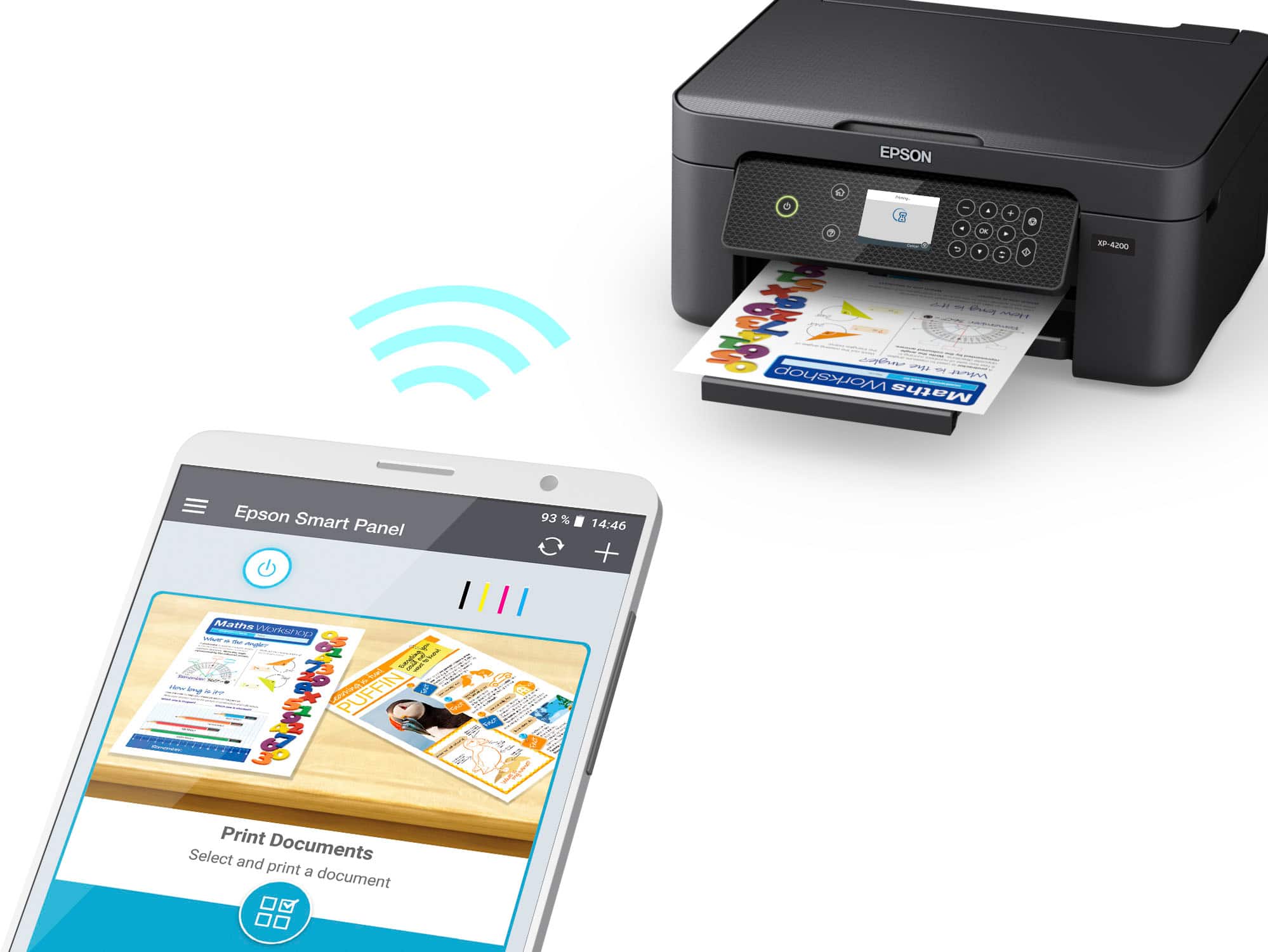
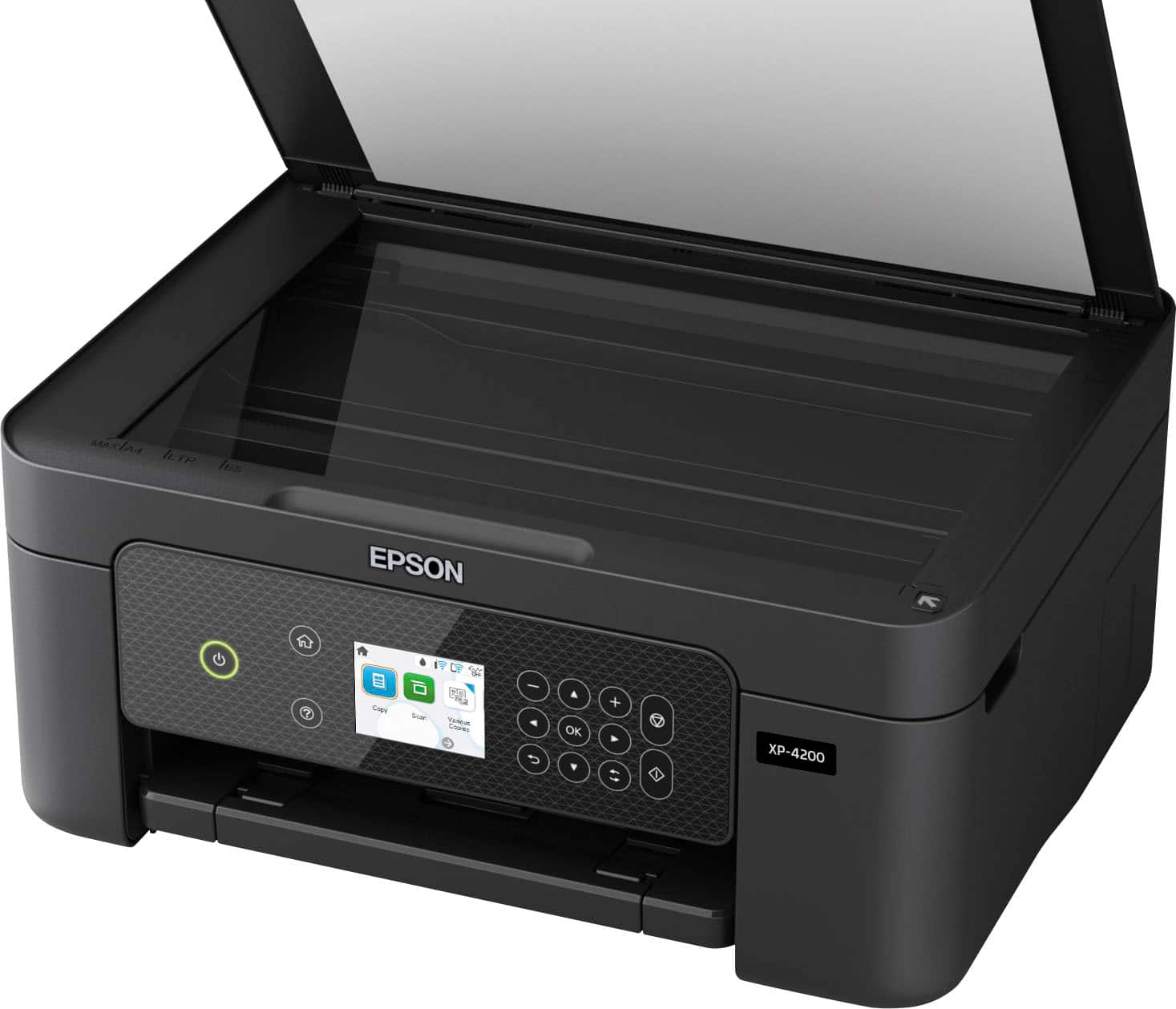
|Posted .This reviewer received promo considerations or sweepstakes entry for writing a review.It's an okay family printer. It does an ok job printing photo, and it has a flatbed scanner with high enough resolution and color depth to scan and copy all kinds of documents. However, its color accuracy is quite bad, and the cost of ink adds up quickly since the cartridges don't last long. Build Quality This printer has a passable design. The body is made of plastic that feels nice, but the output tray and extender are quite flimsy. The rear paper input also doesn't keep dust from accumulating on your paper. While the scanner lid can stay open on its own, the hinges don't extend to let you scan thicker documents on the flatbed. The printer also needs to be turned on to access the ink cartridges. It’s a compact multipurpose printer that's quite lightweight. This makes it suitable for use in a dorm room or small home office. Display Screen The display is adequate. The buttons around the screen are used to navigate within the menu, and the home button provides a quick exit back to the main display. The buttons are flush on the panel but aren't touch-sensitive, so they need to be pressed. The screen is responsive and easy-to-read when you're looking straight at it. The display panel can swivel up and down for better visibility at different vertical viewing angles; however, it's harder to see clearly when viewing from the sides. Cartridge It has a poor inkjet cartridge system. Its page yield is quite bad, and the printer stops printing entirely if just one-color cartridge runs out. The black page yield is especially terrible, so you'll likely need to change the black cartridge often. On the upside, it has multiple color cartridges, meaning you don't have to replace colors you don't use as often. Scanner Features This printer has mediocre scanner features. Since it doesn't have a sheetfed scanner, you can only scan one side of a single document at a time. On the upside, the scan resolution and color depth should be high enough for most uses. In The Box User manual Starter cartridges 1 - Black 1 - Cyan 1 - Magenta 1 - Yellow Power cable *USB cable not included Cost-Per-Print The cost-per-print is alright. The cartridges don't last very long, but they're also not too expensive, which helps keep the cost-per-print reasonable. That said, the more you print, the more you'll end up spending in total. Also, keep in mind that even if you print only in black, most inkjet printers continue using their color cartridges for servicing tasks, so they'll likely need replacing at some point as well. Printing Speed The printing speed is passable. While the first page of a black-only document doesn't take too long, it can still take a few minutes to print longer documents since the following pages don't come out much faster. The color printing speed is even worse, and you can expect to wait well over a minute for a single 4" x 6" photo. The input tray is also quite small, holding only 100 sheets of paper. Color Accuracy This printer has bad color accuracy. While it's unlikely to be a problem if you just print documents from time-to-time for personal use, it keeps professional documents like business reports from looking their best. Connectivity It has decent connectivity options. You can connect to it wirelessly either via Wi-Fi Direct or by setting it up with your home's wireless router. Mobile App When we tried to connect the printer, it prompted us to use the Epson Smart Panel app. This app is outstanding. It allows you to print many file types and scan documents directly to your phone. You can also check the printer's ink levels, initiate routine maintenance tasks like print-head cleaning, and order more ink, which is quite convenient.
No, I would not recommend this to a friend - Pros mentioned:Print quality, Size
The printer you might be looking for.
|Posted .This reviewer received promo considerations or sweepstakes entry for writing a review.The Epson Expression Home Printer XP4200 is just that: a decent at home printer with a (very) small footprint, which renders pictures and text clearly and fast. I will skip over the unboxing as there's really not much to tell: it's a box with a printer in it, along with a power cord and some documentation. There are also 4 (CMYK) cartridges of ink to start printing right away. Considering the size of the cartridges, we'll have to assume that they won't last and that printing could get costly over time. Setup was a breeze, but the time it took to initialize the unit, to calibrate the print heads and to get it on the network took a good half hour. Just be ready to wait a bit. Get yourself a hot cup of coffee. Let's have a closer look at the size of the printer as it amazed me quite a bit. It's barely longer and wider than a letter sized sheet of paper. The secret to the compact size is in the many little rails and tracks and flaps which can be folded in and out to accomodate your work space and what you want to print. Very nice engineering. To connect your computer or tablet or phone, you have options such as WIFI, USB and Direct. There's at least one way that will work for you. The controls are straightforward and clear. The companion app is informative and nicely done. As you can see on the picture I posted with my review, the prints are clean, no bleeding, no soaked spots. The colors could be a little more vibrant, but that may also simply be the paper, as I printed on plain paper to see how it would look for most people. Frankly, there aren't many bad things to say about this Epson printer. If I was a nag, I would point out that the printer is a bit on the light side and that the plastic doesn't look very sturdy. I haven't encountered any major issues and I believe it's a good printer as long as you don't plan on using it everyday or to print a lot. The XP4200 is a simple, quiet and fast printer for your home and family, in a very compact package. Recommended.
I would recommend this to a friend - Pros mentioned:Print quality
Nice AIO Printer - Good for Photos and Home Use
|Posted .This reviewer received promo considerations or sweepstakes entry for writing a review.The Epson XP-4200 printer is a new all-in-one (AIO) wireless printer geared towards the home user. It has the features I’d expect in an AIO – copy, scan, and print capabilities. The printer is an inkjet, and it uses multi-tank CMYK cartridges. The XP-4200 comes in an all-black finish with a glossy top and matte sides. This printer is a little larger (taller) than other AIO’s I have interacted with for reasons I’m not quite sure of. There is no paper feed tray on the 4200, which I would have expected to cut down the size. There’s also no secondary input tray for scans/copies. Its not overly large, but without those features I expected it to be a little thinner. The large control panel has a smooth glossy surface. The buttons appear to look like surface touch buttons, but they have a physical click/indent that registers the button push. The panel itself can angle up to make it easier to read/interact. The rear paper feeder holds up to 100 sheets and adjusts the width from 8.5” down to 2”. The output tray slides out from the bottom and is wide and long enough to comfortable support your prints. The scanner/copier bed is on top and just has a simple hinged. Scans/copies are done one sheet at a time, but the software does allow you to do doublesided copies. This is a WiFi only model, so there is no port for directly cabling to a computer or network device. Setup for the printer was straightforward, but like most things required an app (Epson Smart Panel). Total time to install and set things up seemed to take a decent amount of time. I didn’t run into any issues with setup or install, but it felt like it took anywhere from 15-30min to fully complete the setup and calibration process. Going through the app everything was recognized quickly, and without any hassle. Same goes for setting it up on my PC, which is wired to my network. I downloaded the software, installed it, and the printer was detected right away. This took all of 5 minutes to complete. It is made to sit on your network and not be tethered to any devices. The printer uses an older WiFi N network card, but that shouldn’t matter since network throughput is sort of irrelevant on a printer. With its network setup you can print from any device on the network uses the standard desktop app, or you can print remotely with the mobile app. You also have the option to email print jobs to the printer via a unique email address. You can also scan from the printer and have it sent directly to your phone which makes document transferring easier (no more scan to the computer, email to yourself, open the email on your phone, and download). Printing a normal text document on 8.5 x 11 paper was straightforward. The printer has some vibration to it, but not too bad. It rolls through a single side quicker than expected, so that was nice. I did a doublesided print for the fun of it. I was actually really surprised at how well it did. With AIO’s I am used to having to flip the paper over manually and then restart the print job. With the 4200 it pulls the paper back in, takes it through some rollers to flip it, and then prints it back out. Maybe 15 seconds to print a sheet doublesided. I now understand why the 4200 is a little taller than expected – that doublesided flipping must need a little extra space. Scanning images directly to my phone was easy to setup an navigate. The max scanning resolution is 1200 DPI, so you get a decent image, and it works well for photo scanning even. Copy input resolution maxes out at 600 x 600 DPI but can print up to 720 x 720. For text docs, the copy setting works just fine. Images start to get a little grainy though, so it might be best to scan an image, and then print it (separating the operation seems to give sharper results). Printing resolution tops out at 5760 x 1440 dpi, which can yield a fairly sharp image. I printed 4 x 6” and 5 x 7’s that turned out looking just as nice as those printed on my HP photo printer. I also did an 8 x 10 for each of my kids school pics and those looked great as well. I did all the prints on premium glossy photo paper – a mix of Epson and HP photo papers. Printer speed was OK. I’m used to laser printer speed, but I know inkjets runs a bit slower. This printer does 10ppm for text/B&W, and does 5ppm for color. Pictures are pretty slow – 4 x 6’s took about 30-40s to print on the high quality setting. My main concern with this printer going forward is the CMYK tank setup. I haven’t used an Epson printer before, but I have used Canon’s and Brother’s with the tank setup like this. They both had similar drawbacks. Like if the yellow was low the printer would block me from printing a black text document. Things like that. I haven’t looked into this behavior in awhile, but I do recall it being a very widespread issue that has always felt very anti-customer. The other issue is if you only print black and white, the printers use color ink in order to make the black “richer” or to get grayscale. This wastes ink in my opinion as I would rather save the color for color prints, and I don’t care if my black text looks dull. The best way around this for me is to have a color laser printer for my main printer, and to utilize the inkjet for photos and when nicer graphics are needed on a printout (school projects and whatnot). My other concern revolves around the rear paper feed. I have a very fluffy dog that scatters his fur everywhere. I am concerned with fur/dust/whatever landing or settling in this open slot and getting the print head dirty. My plan is to keep the tray empty unless I am printing, and to set something over the top to keep the fur/dust out. This could have been avoided with a pullout paper tray, but they may have affected other mechanical operations/reliabilty. Either way, it’s a tradeoff to consider. Overall I do think this is a nice printer setup. The print speed and quality is up to snuff and the doublesided feature is neat. The scanner provides a clear image, and the software to run it seems to work well. The app looks pretty good and it’s easy to use for even the least tech savvy individuals. The lack of the print tray and the multi-color tank are areas to look out for. Replacement cartridges aren’t outrageously priced – 20 for black, 20 for the all the colors, or each color is 7 individually. Just don’t let the tanks dry out by printing a couple times a month – I’ve wasted a lot of ink over the years by not doing this.
I would recommend this to a friend - Pros mentioned:Ease of use, Print quality
A nice little starter printer
|Posted .This reviewer received promo considerations or sweepstakes entry for writing a review.I purchased this printer after getting rid of an HP envy pro which was terribly complicated and problematic. This printer was 10x easier to setup. Took about 15min. Was very easy to follow the on screen prompts, and navigate the menus. Setting up the wireless connections was as easy as just plugging in my wifi info, downloading the computer drivers, and adding the printer to my device list by just selecting on the network. No snags, just very straight forward and smooth, which I very much enjoyed. I just starting using this today so my review is mainly based on the setup for now, but compared to many other printers I've setup before, this one was about as easy as it gets. The printer itself works exactly as expected, the color is nice and crisp, the scanning feature works well, and functionally the printer works great. I'm leaving this review before replacing any ink cartridges so, unfortunately, I can't speak to their lifespan. One word of warning, make sure you have a 2.4ghz wifi network available (which can run along side your 5.0). This printer requires a 2.4ghz network connection. All in all, I would say that this is a great printer that fits both desktop and mobile app needs. Easy from your computer chair and even easier from you mobile device.
I would recommend this to a friend - Pros mentioned:Ease of use, Print quality
Finally Got it
|Posted .This reviewer received promo considerations or sweepstakes entry for writing a review.Being on dyalsis & with limited budget I always wanted to get a printer .so I could keep my medical records copies which sometimes I have to submit to others. Plus other things like car related insurance and repair documents. I used to go to library where 20 pages are free to print on each visit. But after COVID libraries closed for long time and had to go to neighborhood grocery stores where they charged $0:10 cents per copy but now a days it's difficult to find the stores they offer this service as only few have them . every time save some money but suddenly a friend's or neighbors child birthday pops up and I spend that savings for the her/his gift .But God is great .Best Buy offer me this printer for a exchange of honest review .( My reviews hits 60000 on Google) .thanks for Best Buy I always find good deals with quality products in a very affordable price range . Let's go to the printer Epson XP4200 I received by FedEx .first two days I was busy in dyalsis and fixing broken car .third day I unpacked the box . In my thoughts I was expecting it very easy to hook it with my smart phone even it was the first time in my life to use a printer at home . First read the start sheet . Honestly the product manufacturer has to fix this start here four page sheet.. it's shows No1 how to unpack . Like remove all the protective material .( I left some blue color tape stripes but when had problem starting the machine called a friend and he said remove every single small thin blue tape stripes if u leave any one it will not work so I follow his advice) .lowering the scanner unit was displayed good so handling it was a piece of cake . connected the power cord to electric outlet . Now here comes the real hurdle chooseing a set up method was pain in the neck for me . Download the Epson smart panel app for my android phone .hold the power button until it lights up launch the app but could not start setting up .the problem is in this start sheet it's not mention how to use product's control panel .no picture illustration nothing.any way call the friend again but he couldn't and said it's not easy so should stop here and wait for him till Saturday he will come and fix it. I go to YouTube and got a vedio in which the gentleman showed perfectly step by step how to start Epson printer and how to use printer control panel manually ..I installed ink cartridges again in start sheet page 2 Step 4 install ink cartridges it's not clearly showed which side should stay upside of the catrige and which downword I open the first with the red label on it after gently trying to put in first slot I realized I am doing wrong the first slot is for black ink cartridge and in my hand is red .any way out all four following instructions.lower the scanner unit completely press ok .the printer starts charging ink took few minutes to charge .and the printer's LCD screen showed charging is completed .load paper . Now again the Install software step become the most confusing part .try to blue tooth phone with Epson printer it didn't work ..following the start sheet page 3 step 6 is very confusing .try Epson smart panel app but it didn't work as the app just keep on trying to find Epson printer 4200 .Go back to YouTube video find out how to connect with my wireless network using the product's control panel on LCD screen .now again problem pops up that password for my wireless router I had it I forget a little bit .after few attempts using words moving here and there manually took one hour for me but reward was good I was able to connect my Printer with my wireless internet . .Now I uninstalled Epson smart panel app go back to Epson page and down load again .this time it worked . After that with some effort I finally hook my smart phone with printer .print first page from Geico .it came super perfect .no page adjustments needs no ink quality adjustment was needed ...it was 2 am and I was tired . So just tried few more pages to print .printer worked super fine and easy with my phone I was tired but it makes me so happy that now I have my own printer I don't have to go outside find parking in conjusted street then pay for copy or printing . .To further check how color print quality of this machine is I have to go to staples to get glossy paper which I will do on Saturday I hope I will come back to put further light on the quality of color photos and also how the scanner performs .till then let me take a break for some times God bless all you reading this and bless every one a printer who find difficult to afford it .God bless Best Buy too .see u guys very soon
I would recommend this to a friend - Pros mentioned:Ease of use, Print quality, Size
PERFECT FOR ANYTHING
||Posted . Owned for 6 months when reviewed.This reviewer received promo considerations or sweepstakes entry for writing a review.Title: A Versatile and Reliable Printing Solution - A Top-Notch Printer Rating: ★★★★☆ I recently acquired a new printer, and I am pleased to share my experience with this versatile and reliable printing solution. From its impressive print quality to its seamless connectivity options, this printer has proven to be a top-notch device for all my printing needs. One of the standout features of this printer is its exceptional print quality. Whether I am printing text documents or high-resolution images, the clarity and sharpness of the prints are truly remarkable. The colors are vibrant and accurate, bringing my documents and photos to life. Even when printing at high speeds, the printer maintains consistent quality, ensuring professional-looking results every time. The printer's versatility is also worth mentioning. It effortlessly handles various paper sizes and types, including envelopes, photo paper, and cardstock. This flexibility allows me to print a wide range of documents, from professional reports to personal invitations, without any hassle. Additionally, the printer supports double-sided printing, which not only saves paper but also adds a touch of professionalism to my documents. Setting up and operating this printer is a breeze. The user-friendly interface and intuitive controls make it easy to navigate through the printer's settings and functions. The LCD display provides clear instructions and status updates, ensuring a seamless printing experience. Furthermore, the printer's compact design and quiet operation make it a perfect fit for any home or office environment. Connectivity options are ample with this printer. It offers both wired and wireless connectivity, allowing me to print from various devices effortlessly. Whether I am printing from my computer, smartphone, or tablet, the printer seamlessly connects and delivers quick and reliable prints. The mobile printing feature is especially convenient, enabling me to print documents on the go, directly from my mobile devices. In terms of speed, this printer performs admirably. It efficiently prints multiple pages within seconds, making it ideal for high-volume printing tasks. The paper tray has a generous capacity, reducing the need for frequent paper refills. Additionally, the printer's automatic document feeder saves time and effort when scanning or copying multiple pages. One area for improvement could be the cost of replacement ink cartridges. While the printer delivers exceptional print quality, the cost of replacing ink cartridges can add up over time. However, the printer's efficiency in ink consumption helps mitigate this concern to some extent. Overall, I highly recommend this printer for its versatile functionality, impressive print quality, and seamless connectivity options. It is a reliable and efficient printing solution that caters to both personal and professional needs. With its user-friendly interface and excellent performance, this printer has undoubtedly enhanced my printing experience and productivity.
I would recommend this to a friend - Pros mentioned:Ease of use, Print quality, Size
Good printer
||Posted . Owned for 1 year when reviewed.This reviewer received promo considerations or sweepstakes entry for writing a review.I purchased the Epson Expression Home XP-4200 All-in-One Inkjet Printer, and I’m extremely impressed with its performance! The setup was quick and easy, and I was printing in no time. The print quality is good, with sharp text and vibrant colors that make photos look amazing. The compact design fits perfectly on my desk without taking up too much space, which is a huge plus for me. I also love that it offers wireless printing, so I can print from my phone or laptop from anywhere in the house. The scanning feature works well too, delivering clear and accurate scans. The touchscreen display is intuitive, and navigating through the settings is simple. Overall, this is an excellent all-in-one printer for home or small office use, and I highly recommend it!
I would recommend this to a friend - Pros mentioned:Ease of use, Overall performance, Print quality
Small screen but it prints nicely
||Posted . Owned for 1 month when reviewed.This reviewer received promo considerations or sweepstakes entry for writing a review.Works well, simple setup, and prints nicely. Good value for the money. Screen is a little difficult to read.
I would recommend this to a friend - Pros mentioned:Print quality, Size
Great compact printer/copy combo
||Posted . Owned for 3 weeks when reviewed.This reviewer received promo considerations or sweepstakes entry for writing a review.This compact printer is very good. I don't need to print anything fancy, but the colours, including black, is crisp. The noise is minimum. The little screen tells you when something is wrong and how to fix it. I love this printer/copy machine. You can also print pictures but I haven't used that feature yet. You also can use your phone via bluetooth to print things. Very handy. If you need a functional space saving printer this is the one to buy. Don't let the compact size fool you.
I would recommend this to a friend - Pros mentioned:Ease of use, Print quality
Bring on the printing jobs!
|Posted .This reviewer received promo considerations or sweepstakes entry for writing a review.This is far and away the easiest to use, most effortless printer I have ever owned, and an overall really solid option for a home printer! While the plastic build quality (with a few parts feeling flimsy) is definitely not a highlight of the unit (which really only impacts the printer when, say, picking it up and moving it) the printer honestly makes up for it in it's convenience, ease of use and, honestly, some of the best printing quality I've ever seen, even over much higher end/more expensive printers. The setup process for the printer is done through the Epson Smart Panel app, and guides you through a beautifully easy to follow setup process and alignment configuring. This setup process also allows you to then print off your phone VERY easily and connect other devices, such as a pc or laptop, as well! The wifi connectivity has definitely proven to be the best part of the printer (besides the print quality of course). The interface for the printer is not touch screen like other printers, but I'd argue its simplicity with just copy, scan and settings buttons in the UI make it okay; it's ridiculously easy to use even still! The printer also has replaceable ink cartridges, a scanner/copier, and a resizable paper tray for printing different sized prints - it really does exactly what anyone needing a printer will need it to do, and extremely well for that matter!
I would recommend this to a friend - Pros mentioned:Print quality, Setup, Size
All in one
||Posted . Owned for 1 month when reviewed.This reviewer received promo considerations or sweepstakes entry for writing a review.The Epson Expression Home XP-4200 is a compact, budget-friendly all-in-one printer ideal for light home use. It delivers sharp text and vibrant borderless photos, supports wireless printing via AirPrint, Mopria, and voice assistants, and includes handy features like automatic duplex printing and a color display for easy navigation. Setup is simple with the Epson Smart Panel app, and the scanner offers good resolution for everyday tasks. However, print speeds are slow, ink costs can add up due to low-yield cartridges, and there’s no automatic document feeder, making it less suited for heavy workloads. Overall, it’s a solid choice for families or students who need occasional printing and scanning without breaking the bank.
I would recommend this to a friend - Pros mentioned:Ease of use, Overall performance, Print quality
Best Printer
||Posted .This reviewer received promo considerations or sweepstakes entry for writing a review.I love this printer. It works for everything I need. Super easy setup and connection, fast printing, and clear prints. Very compact for smaller spaces. It fits perfect on a bed side table or shelf. Would 100% recommend this Printer!
I would recommend this to a friend - Pros mentioned:Overall performance, Print quality, Setup
Affordable And Great Color
||Posted . Owned for 11 months when reviewed.This reviewer received promo considerations or sweepstakes entry for writing a review.I love my Epson printer, it was less than $99. Easy To Install, It prints good and it connects to my bluetooth and I can just print on the app. It hardly jams and it is reliable I recommend this one!
I would recommend this to a friend - Pros mentioned:Ease of use, Print quality, Setup
EPSON Ink Jet Printer 4200 XP review.
||Posted . Owned for 1 month when reviewed.This reviewer received promo considerations or sweepstakes entry for writing a review.Bought the Epson 4200 XP Ink Jet Printer. Set up is simple. The App is excellent and offers many features. The Scan, Print, and Copy features are easy to control through the App. The front panel is easy to navigate. There are only two options when printing and copying. Standard and high quality. The standard printing is alright. It is similar to a draft but saves ink. The High Quality setting is Excellent. Graphs and Charts are printed with extreme clarity. Scanning is good.
I would recommend this to a friend - Pros mentioned:Print quality
Full of features and great for home or school
|Posted .This reviewer received promo considerations or sweepstakes entry for writing a review.This Epson XP-4200 Expression Home Printer, Copier, and Scanner is full of great features for home or school use. Setup was super simple. I used it with my iPhone 12 Mini, my iPad Pro 11, and my sons Android phone. I connected it to WiFi, and directly to my phone via wireless connection. All were super easy to do. Printing, copying and scanning. It prints pretty fast for an inkjet printer. The speed is dependent upon several factors. The print quality, type of paper, whether you are in regular or quiet mode, and what you are printing. The scanner is a flatbed scanner that also doubles as the copier. The scan and copy quality are fantastic. The print quality is pretty good, but even after running all of the alignments and calibrations, the ink seemed to bleed onto the bottom edge of the paper, but only when I used presentation paper. When I used regular inkjet bright white paper, it was great. The second thing I printed on the premium presentation paper was a stationary page with lines, using the Epson Creative Print App that you can download for free. The main app, that I should have mentioned first, is the Epson SmartPanel App. This app helps you get set up, print photos, and so much more. I was able to do everything I wanted to do from my iPhone 12 Mini, but did use it with other things to make sure it worked great with all of the devices. Two sided printing is easy and saves paper! I love that feature. Ink The ink cartridges are individual, so you get Black, Cyan, Yellow and Magenta. You don’t have to replace them all at once, just the ones you need. The Black comes in a larger capacity too. Voice activated printing. This is a cool feature. You can talk to Alexa, Siri and Google to print. Photos This prints borderless photos. The printer isn’t that big, but it is bigger than the base footprint. The input paper is in the back and then it comes out that front. Both of those stick out some. All in all it’s a great printer. The only reason I didn’t give it 5/5, and gave it 4/5 stars, was because the ink was all over the bottom edge of the paper.
I would recommend this to a friend - Pros mentioned:Print quality
Simple to use and good quality printing
|Posted .This reviewer received promo considerations or sweepstakes entry for writing a review.Good all in one printer. It comes with a set of inks to start printing. They do not include an USB printer cable (I highly recommend you have one handy just in case, I'll explain later). Setting it up was easy for me as I am very computer savvy, however there was some extra steps I had to take to be able to print wirelessly using my computers at home. You have to download Epson's app to your phone and it will guide you step by step with the setup process. You first remove all the blue stickers holding the parts together. Then you turn the printer on and install all the ink tanks. It will print some pages and will do some tests to have the printer heads correctly aligned. Afterwards it will guide you on how to connect the printer to your wifi router. Here is where I encountered a hiccup. It did connect to my wifi using the setup app on my phone, however once moving over to installing the software on my PC, the software would not find the printer over the network, even though it was connected to my wifi (100% confirmed). I had to go back a few steps in the PC software and tell it to temporally do the setup using a printer USB cable (thank god I had one, and its not your regular USB cable, one of the ends must by for printers, its like a square end, if you need one, make sure you buy this type of USB cable). Using that cable it did detect the printer and I entered all my wifi credentials -again- and finally, the PC did find the printer over the network (once the setup using the printer USB cable is over, you can remove the cable). The driver/software combo installed quite a few free programs (like scanner software, photo software, drivers, monitoring etc). Print quality is good and the printer is fast (at least on standard mode) and its not that noisy (the settings do have a quiet mode, which is quieter but slower). I like that it can print two sided pages automatically (saves paper). The only two cons I can find about the printer is that it feeds itself paper on the back (you know, like old printers, paper is exposed to dust etc) and not thru an internal cassette/paper tray, also the scanner does not auto feed paper, it's just your good old scanner bed where you have to put one paper at the time manually. So it's a very simple all in one in those regards, but hey, quality is good and price is good too. Highly recommend it for home use or for a student.
I would recommend this to a friend - Pros mentioned:Ease of use, Print quality
Perfect for WFH!
|Posted .This reviewer received promo considerations or sweepstakes entry for writing a review.Printers really only have one job but they often times struggle... I cannot say that I've put this one totally through the wringer, yet, but I've printed (from my computer and my phone) and scanned and even copied something without any issues, so it's a win! This one took me about 20 minutes to fully set up, but it was mostly all through an app, on my phone, so it was much easier than trying to navigate the tiny screen and the process was really smooth. I feel like the interface is really easy to use, even for my not so tech-savy family members. Best of all, it is quite the workhorse which takes up very little space, considering. I work from home and space is a commodity that is vital. This little guy fits very nicely on a side cart and can do everything that I can possibly think that I could need, in a work from home situation. It's also a quick printer and the colors and nice and vibrant so you really can't ask for more... as long as it keeps working as trustily as it has for the past week!
I would recommend this to a friend - Pros mentioned:Overall performance, Print quality
This printer does it all and his very inexpensive
||Posted . Owned for 1 month when reviewed.This reviewer received promo considerations or sweepstakes entry for writing a review.Very inexpensive. It scans and prints in color. And it works great to print directly from our phones. The quality difference from my laser printer is very difficult to determine.
I would recommend this to a friend - Pros mentioned:Print quality, Size
"It's meh - but it works."
||Posted . Owned for 1 month when reviewed.This reviewer received promo considerations or sweepstakes entry for writing a review.Summary Epson XP-4200 performs as an average, general-use printer. It handles everyday documents, schoolwork, and tickets with acceptable speed and quality. It suits light home use, but its interface and ink policy reduce value. What works Text documents look clean, and color output is fine for casual use. The unit is compact, and wireless printing from phones, tablets, and laptops works once configured. Scanning and copying meet basic needs. What needs work The menu is difficult to navigate. Options sit in nested screens, the labels are not intuitive, and simple tasks, such as selecting paper type or checking ink levels, take too many steps. The user interface feels dated. The small display and button flow slow routine actions, such as connecting to Wi‑Fi, starting a scan, or canceling a job. Firmware prevents the use of third‑party ink cartridges, which locks the buyer into Epson-branded ink and raises ongoing costs. Bottom line For basic printing, XP-4200 delivers acceptable results. Buyers who value a simple interface, flexible ink options, and faster setup should consider alternatives. Three stars.
No, I would not recommend this to a friend - Pros mentioned:Ease of use, Overall performance, Setup
Great deal for money
||Posted . Owned for 1 month when reviewed.This reviewer received promo considerations or sweepstakes entry for writing a review.It works great! It was easy to set up and use. I had a little bit of trouble getting the internet connected but other than that it was was easy.
I would recommend this to a friend