Customer Ratings & Reviews
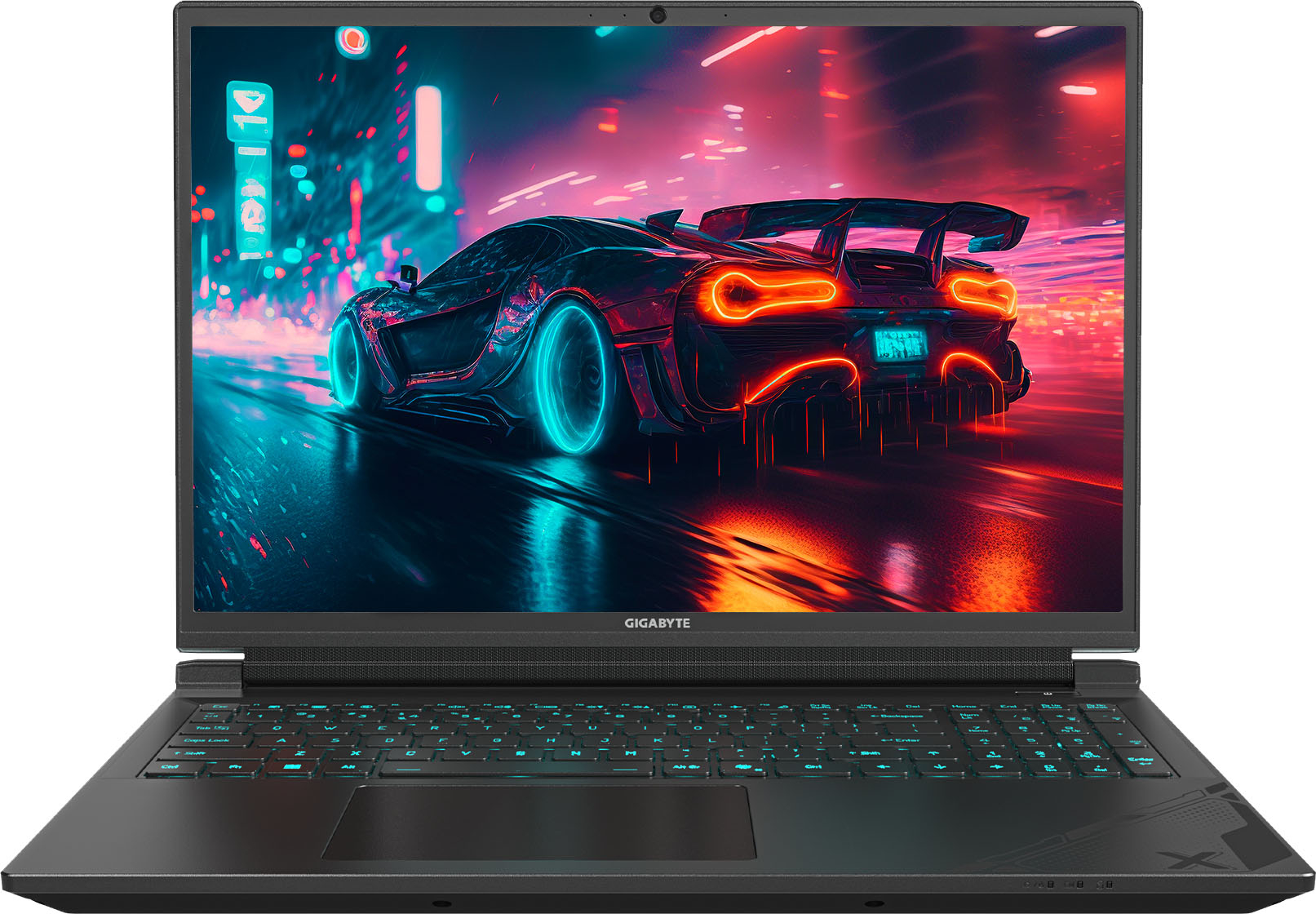
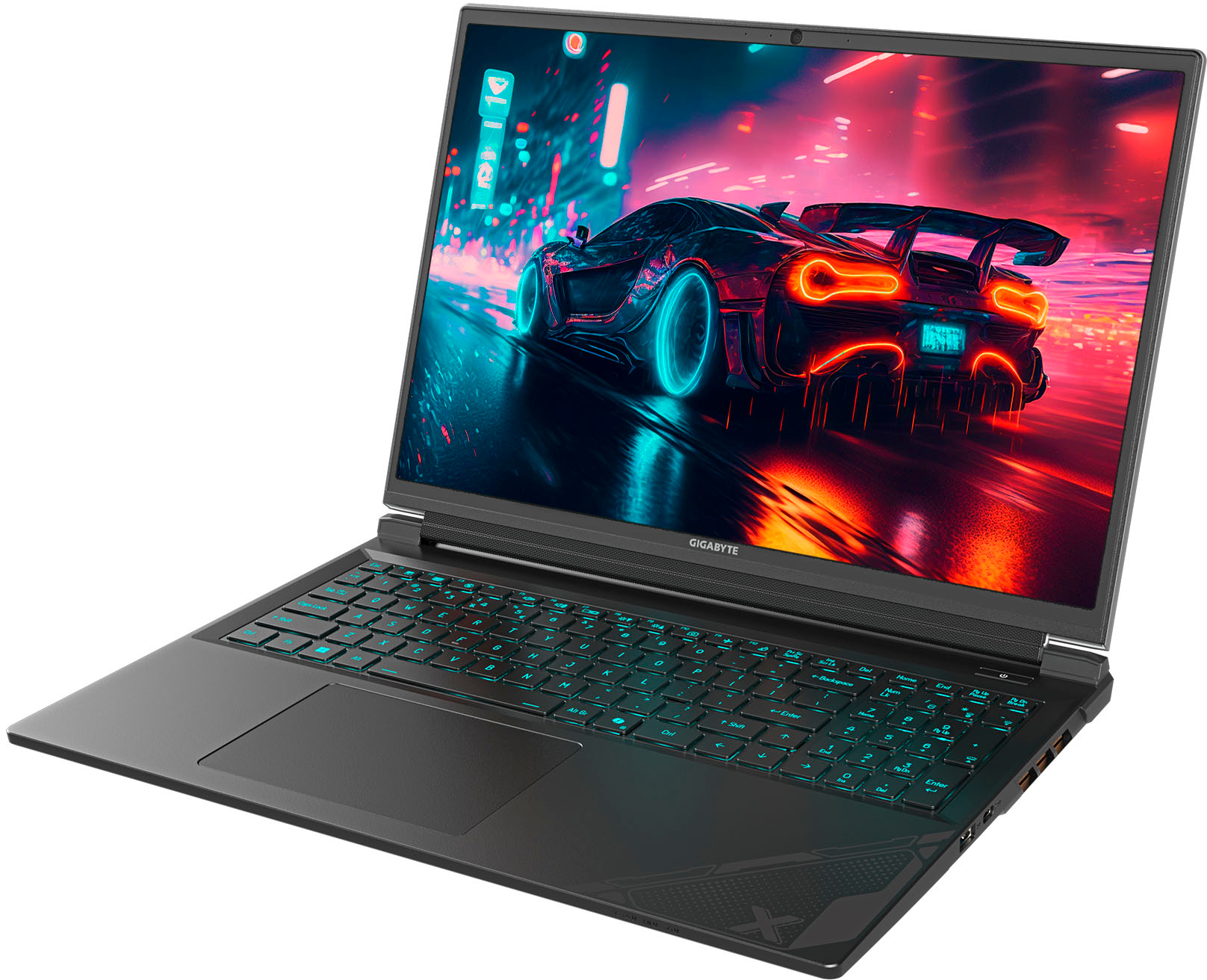
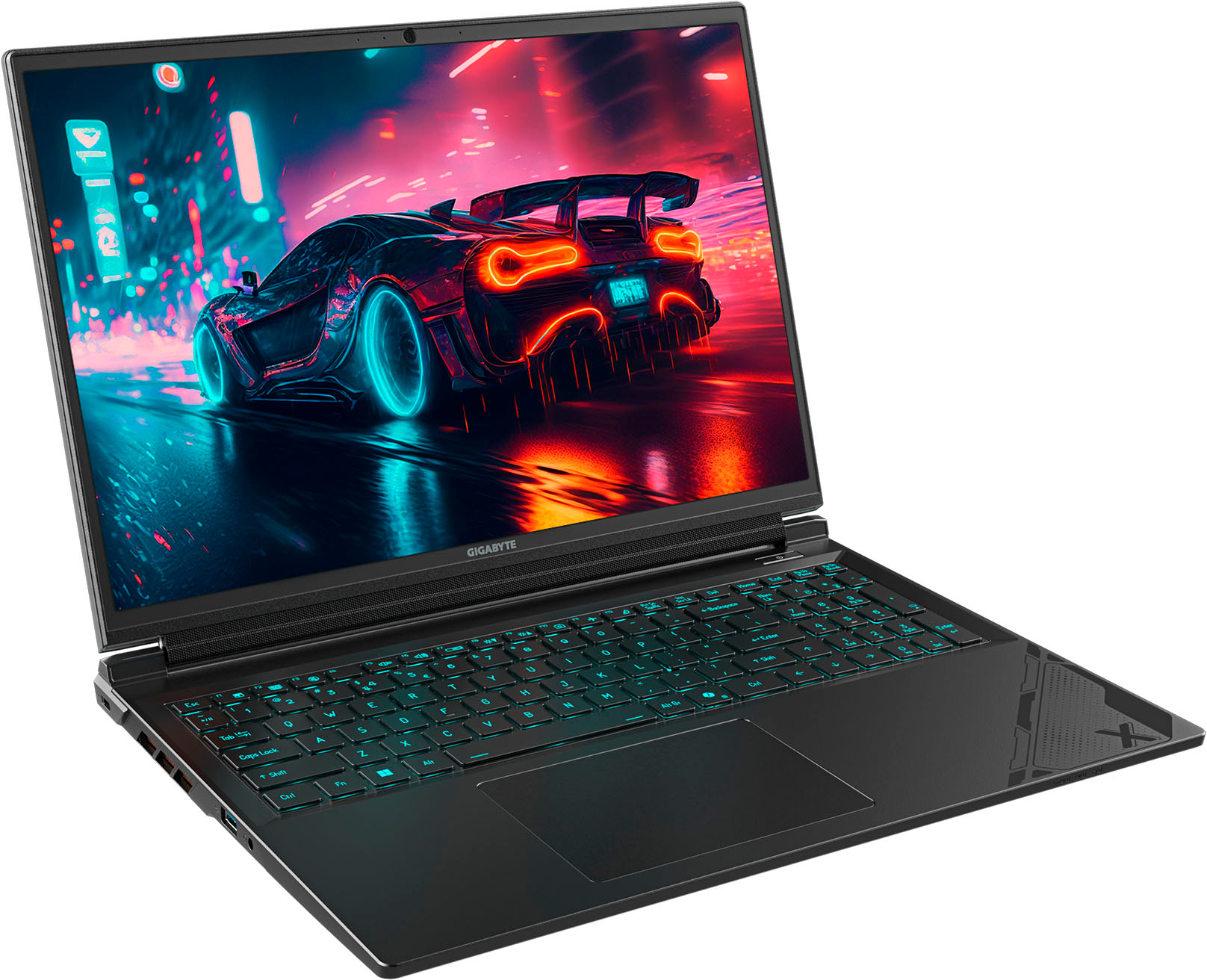

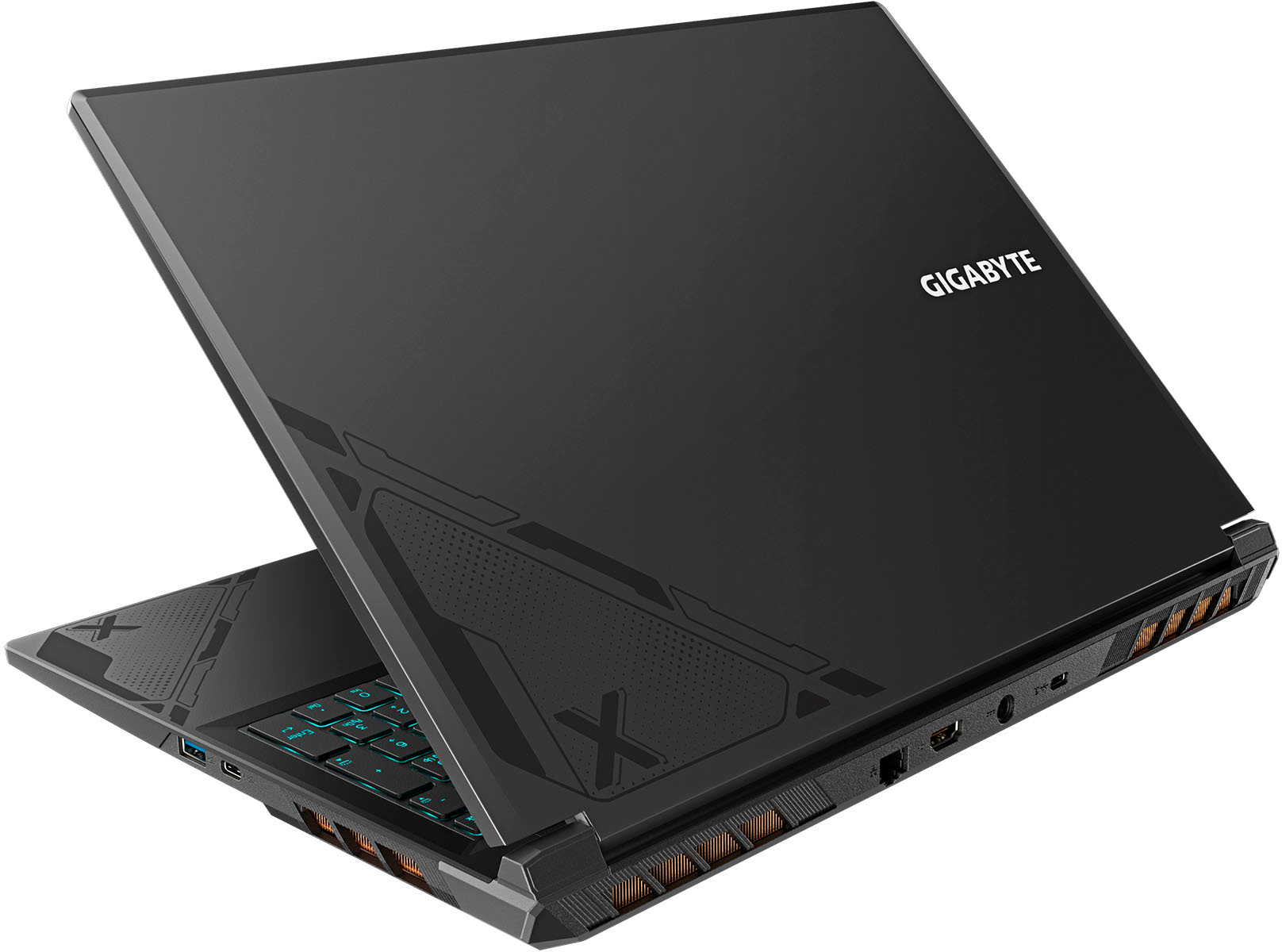
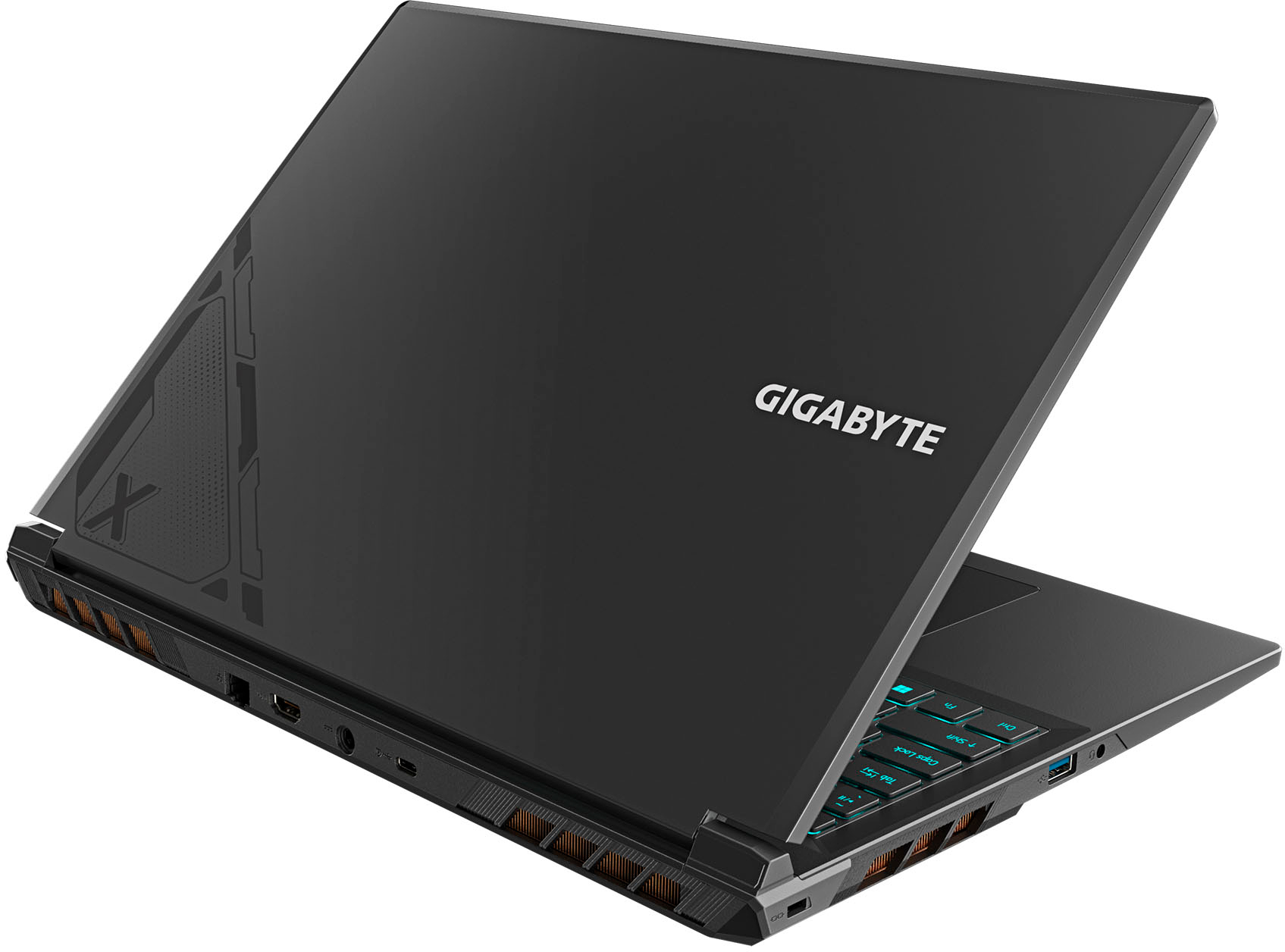
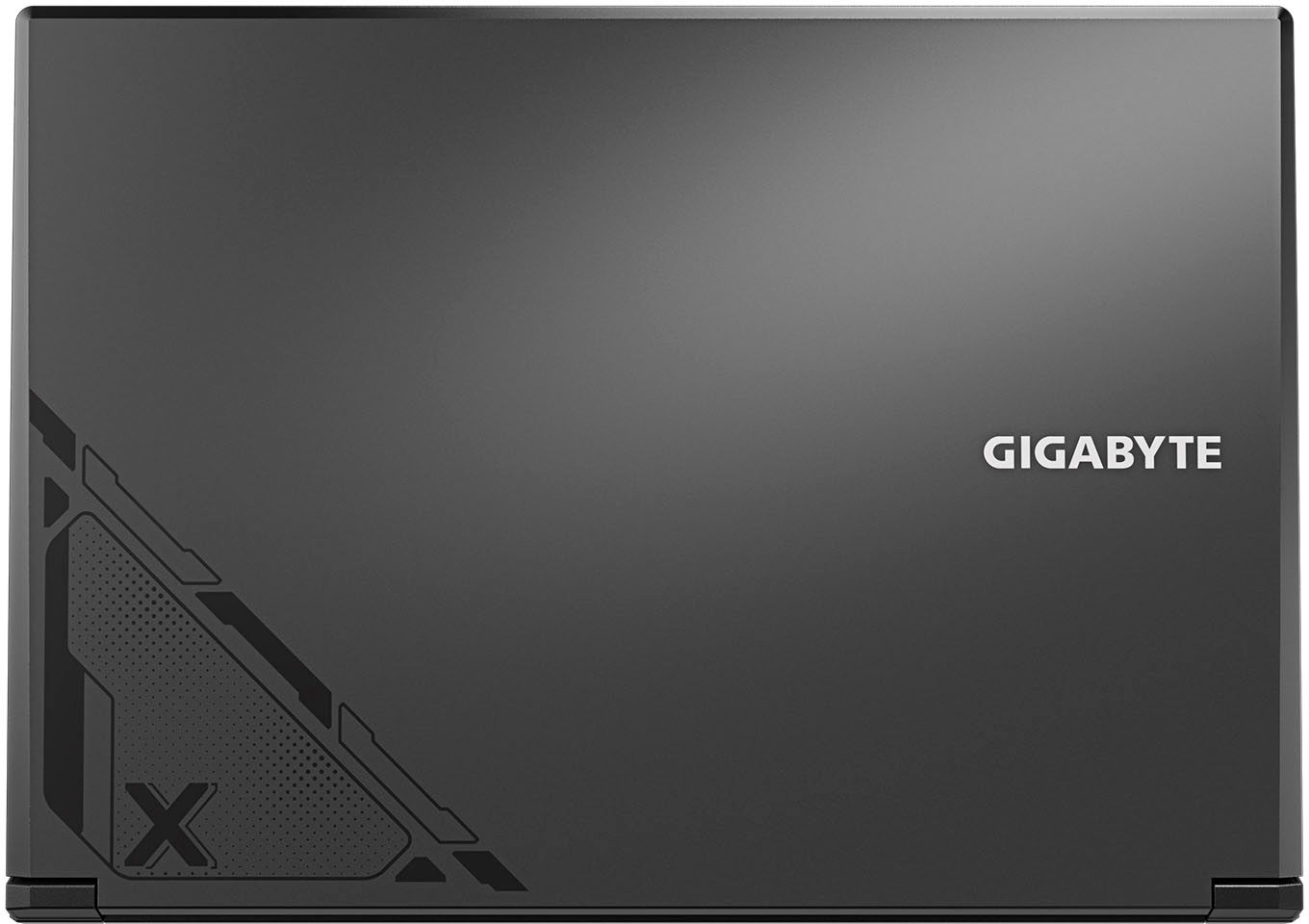



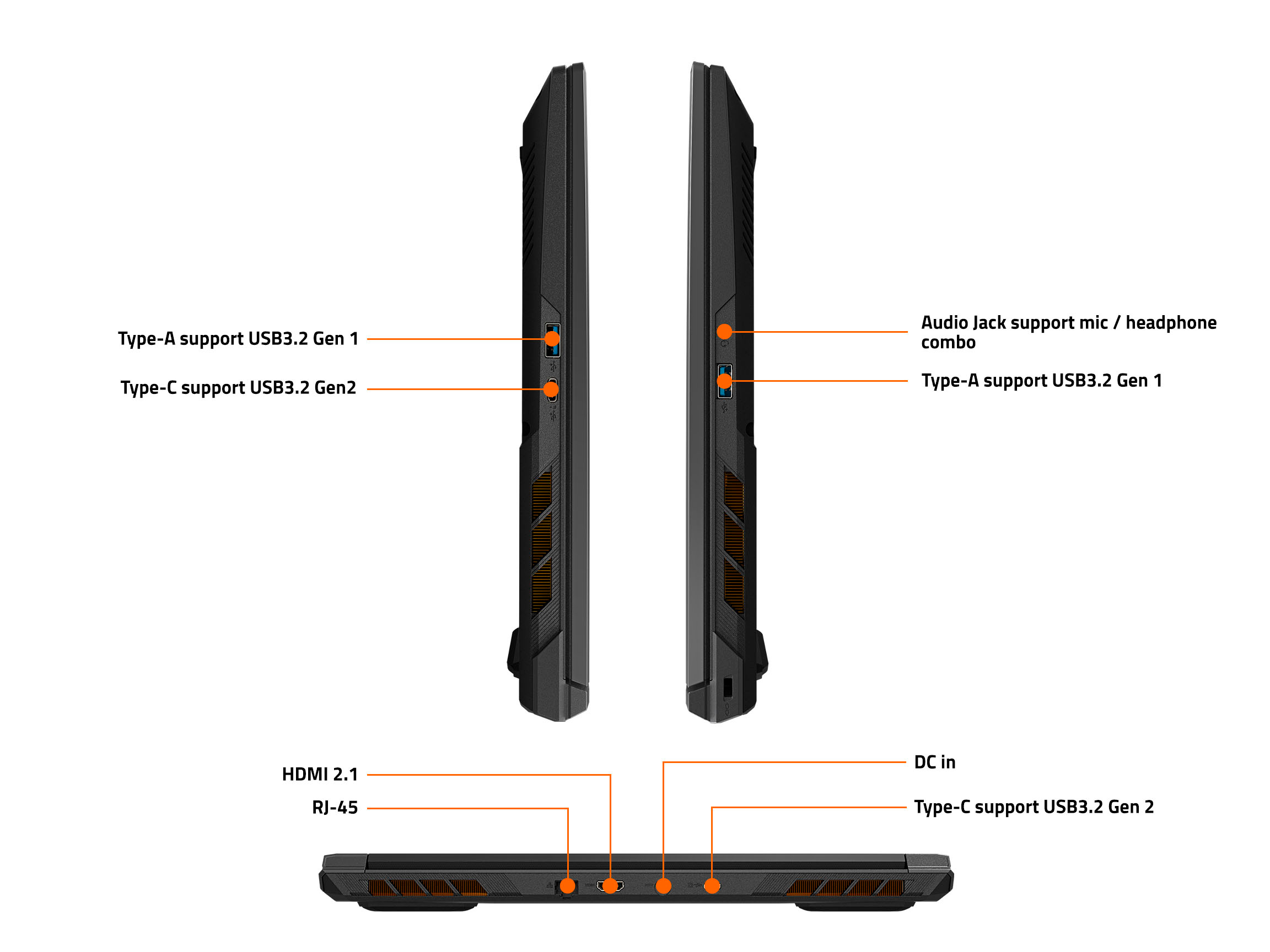




- Model:
- G6X 9KG-43US864SH
- SKU:
- 6576649
Rating by feature
- Battery Life
Rating 4.1 out of 5 stars
- Speed
Rating 4.8 out of 5 stars
- Display
Rating 4.8 out of 5 stars
Customers are saying
Customers enjoy the high performance and ample RAM of the G6X 16" gaming laptop, praising its ability to handle demanding games and multitasking seamlessly. The stylish design and effective cooling system also receive positive feedback. However, some users point out that the battery life could be improved and that the laptop's size and weight may not be ideal for portability.
This summary was generated by AI based on customer reviews.
- Cons mentioned:Battery life
Low Battery but Good
||Posted . Owned for 1 month when reviewed.This reviewer received promo considerations or sweepstakes entry for writing a review.The battery life on this thing is rather weak, so if you need to be on the go and working far from an outlet, not the choice for you. Luckily, I don't, so it works well for me otherwise. Processing power is handling games fairly well so far, construction is comfortable.
I would recommend this to a friend Powerful gaming laptop!!!
||Posted . Owned for 1 month when reviewed.This reviewer received promo considerations or sweepstakes entry for writing a review.I bought this laptop on sale and the specs are so powerful, the fan is a little noise but doesnt matter when you have the headphones, i played it for hours and i never encountered any lag or heating issues.. i recommend this product!
I would recommend this to a friend- Pros mentioned:Design, Ram

Sleek low-profile PC for gamers and power users
|Posted .This reviewer received promo considerations or sweepstakes entry for writing a review.I love how bloat free the PC is compared to some other brands (you can’t escape Microsoft bloat anymore and may not even want to depending on what you want anyway), no spending time figuring out how to completely uninstall an antivirus I don’t want and using figuring out how to disable automatic updates that want to reinstall the bloat I remove. I love the design of the laptop, simple minimal and looks great. No RGB on the outside to attract attention. It is also pretty light for it’s gaming chops. This isn’t a super thin forget its even in your backpack laptop, but it also fits nicely and is a lot nicer than other gaming laptops I’ve used. The white on the keyboard looks amazing in my opinion. There is a blue blacklight on the keyboard as well, but the white makes the keys stand out even without that in lowlight. There is a num pad as well. I would say the only disadvantage is that the keyboard feels cramped compared to other keyboards. If you have small hands this may not be a problem at all and I quickly adjusted to the travel between keys for typing but it isn’t the most comfortable to type on, an external keyboard of course fixes this so I think that if you have a monitor and keyboard you use at home this is a fair trade off, if this is the main keyboard your planning on using it may be worth it to try it in store to see if you really want to use this one 100% of the time. The touch mouse isn’t the best, but every gamer and high-power user should have a good external mouse anyway; it gets the job done for small tasks when you’re not gaming though. The specs: They look awesome, now if you’re really into all the specs around gaming, there are better and more expensive graphics cards out there that look better in every way. I compare it to looking at TVs in the store, there are a very small group of people that really want the OLED as it absolutely looks better than the other TVs when sitting right next to them, but if you didn’t see the OLED you’d think the other TVs looked fantastic. This makes games look great, it performs great, and overall is an awesome gaming PC. It is more than sufficient for my needs. The 32GB of RAM help it not stagger either if the I happen to have a few other applications or browsers open as I tend to us my PC for a few different tasks, I could be doing some programming, CAD work, or gaming, and sometimes I don’t always close things out. The RAM seems to be what limits me and stops my computers from fully functioning when I only have 8 or 16 so having 32GB has really opened up the ability of the laptop, I could even upgrade it to 64 if I wanted as taking of the back and swapping the memory is quite doable with the laptop. The screen is just over 1080, which I happen to think works great on a laptop especially for gaming and the refresh rate keeps the games looking their best. The sounds is loud and sounds good out of the laptop speakers which is nice if your sharing a movie with a friend or something, but a good headset is always more helpful than any speaker. The port density isn’t terrible but isn’t great either; on the left side it has an AUX and USB A port; on the right it has a USB C with power (I tested a 130W USB Charge which worked but a 30W one did not) and a USB A; on the back is a USB C with display port, charging port, HDMI, and ethernet port (I love that it has one built in). Pros: Excellent graphics value play 32GB RAM 1TB SSD Design Keyboard backlight and white outline USB C charging (this type of charger not included; other kind is) Ethernet port Num pad Bloatware is minimized Large screen for how compact it is Cons: Keyboard is cramped USB C missing on left side and USB A missing on back (just my preferences on where they should be) Touch mouse could be better Overall, this is an awesome gaming/engineering/programming machine that works allows me to work and play with ease. Bonus: This took me a min to figure out apparently so I’ll make it part of the review as it maybe something you may find the value to learn from. The sound wasn’t functioning properly, if I unplugged my USB wireless headset the sound would just fail until I restarted the computer, I was troubleshooting the computer trying to figure out why and I thought it was a computer problem… my headset was on the Xbox setting, changing it to PC made everything function perfectly… So, if you have a gaming headset that has an Xbox/PC setting, make sure to have it in the right setting otherwise the onboard sound can screw up once you unplug the headset, but a restart will also fix this issue.
I would recommend this to a friend - Pros mentioned:Cooling, Design, KeyboardCons mentioned:Battery life, Size
It's a beast!
|Posted .This reviewer received promo considerations or sweepstakes entry for writing a review.Several years ago, I purchased a high-end business laptop with a dedicated graphics card, intending to use it for work during the day and gaming in the evening. Unfortunately, my plan hit a snag because the laptop’s design didn’t align with its intended dual purpose. While my business laptop had the right components, it lacked the features typically associated with gaming laptops. Instead, my business laptop was sleek, lightweight with high battery life… none of which should be found in a gaming laptop, and none of which are present in this Gigabyte gaming laptop. Straight out of the box, this Gigabyte gaming laptop boasts a stunning semi-matte finish adorned with an intricately etched design on the case. The visible copper heat sinks flanking the sides are a reassuring sign of robust cooling. As for the display, it’s a beautiful IPS panel with an impressive dynamic color range. However, it retains that characteristic muted color feel often associated with IPS screens. Overall, the laptop’s aesthetics and screen quality make quite an impression! The laptop includes software for switching between the integrated GPU and the GeForce RTX. While this design feature aims to save battery life, the actual battery performance is disappointingly poor. Consequently, I’ve set my laptop to always use the RTX GPU. Additionally, I’ve observed instances where the GPU didn’t switch as expected, reinforcing the need to override this feature. Gigabyte provides its proprietary management software for the laptop, offering features like keyboard macros, customizable lighting settings, fan controls, power management, and even a ‘quiet’ mode. Additionally, I highly recommend opening the NVIDIA Control Panel for game optimization—it significantly enhanced my gaming experience while playing Diablo IV. When it comes to Diablo IV, this laptop performs exceptionally well. I consistently achieved 100 FPS even during intense battles with a screen full of mobs, and my GPU temperature never exceeded 76 degrees Celsius. However, I’ve noticed that playing Hearthstone for an hour each morning significantly impacts battery life. Despite Hearthstone’s occasional demands, I expected better battery performance. On the bright side, this laptop remains comfortable on my lap throughout extended Hearthstone sessions. The laptop uses a standard DC charging port, which is a familiar choice. However, I had hoped for a USB-C charging port. Unfortunately, the laptop requires a 180-watt charger, and while USB-C can carry up to 240 watts, finding a single-output charging brick which supplies that much power is challenging. In this case, the DC port is practical, but my initial hope for USB-C remains. This laptop not only supports HDMI 2.1, which is fantastic, but it also boasts the best sound quality I’ve ever experienced from a laptop. I was genuinely stunned when I first heard it. Additionally, I appreciate the inclusion of a dedicated Ethernet port—a feature that’s becoming increasingly rare but is essential for a gaming laptop. Regarding downsides, as I mentioned earlier, this laptop is quite large and heavy. Unfortunately, the battery life falls short—I’d be lucky to get 3 hours of use for similar tasks compared to my work laptop’s 6-8 hours. On the bright side, it doesn’t become unbearable in terms of heat unless you’re pushing the computer to its limits. Overall, I’m genuinely thrilled with this laptop, and that’s saying something. Considering my desktop boasts an RTX 4090, which sets a high-performance standard, I’m pleasantly surprised that this laptop has exceeded all my expectations.
I would recommend this to a friend Great
||Posted . Owned for 3 weeks when reviewed.This reviewer received promo considerations or sweepstakes entry for writing a review.Came quick in good condition, the anti virus ware that comes with it is invalid unfortunately. If I worked I’d give it five stars. Wasn’t hard to set up, and overall a good quality pc.
I would recommend this to a friend- Pros mentioned:Ram
Great gaming laptop for just about any game
|Posted .This reviewer received promo considerations or sweepstakes entry for writing a review.This laptop is a great way to play and experience all of the games you could want to play. With the 165Hz refresh rate it can run any of the latest games with crystal clear resolutions. I loaded up a few different games from my XBOX Gamepass account, Steam Account, and Epic Games account to test the different games I typically play. I was able to run Forza Horizon 5 on epic settings with a consistent 82 FPS. I also downloaded the latest Unreal Engine 5 game, Body Cam, from steam and the game looks absolutely amazing and this laptop ran it without any issues. It also ran Grand Theft Auto V benchmark at a solid 60 FPS and steadily ran Fortnite at 140 to 150 FPS while my kids were playing it. I played the latest updated verison of Quake 2 with the Raytracing effects and wow does that game look great, especially for those of us who remember playing it when it first came out. Audio is also very crips and clear and offers good simulated 3D surround sound. Pros - Lots of processing power with the I7 processor - Latest GeForce RTX will run pretty much any and every game - 32 GB of memory allows for faster loading of games and multi-tasking - WiFi was the fastest I have seen in my house when it connected to my newer WiFi6 router hitting 950 Mbps to 1 Gbps which is what my home fiber connection is rated at - Ran a FutureMark Time Spy Score of 10,744 and Gears of War 4 Benchmark of 158 FPS on Ultra Settings Cons - Larger laptop to accomodate the larger screen - Only 2 standard USB ports to plug in additional peripherals such as a Keyboard and Mouse - When gaming and the fans kick on it gets loud to keep all the internal components cool - Have to keep it elevated or off of any sort of surfaces that aren't a table or desk to allow for airflow or the laptop will get hot quickly Overall this gaming laptop is a great way to play any of the latest games as well as download them at blazing fast speeds if your ISP and router will support WiFi6. From out the box to setup and in Windows it only took 25 minutes and I was downloading apps and games to start playing!
I would recommend this to a friend - Pros mentioned:Cooling
Highly recommended - powerful mid priced beast
|Posted .This reviewer received promo considerations or sweepstakes entry for writing a review.Arrived safely double boxed. Opened, charged and did the usual Windows setup and updates. All went smoothly, and was soon up and running. The display has a lot to be said for it. A 16 inch narrow bezel display, at 165Hz and 1920 X 1200 resolution. There are some specs showing a brightness of only 350 nits, but I have brightness set at only 55, and is plenty bright enough for average room lighting. I did notice the slightest light bleed around bottom edges of the screen. Color rendition was fairly realistic, but not over saturated, and the black levels were not as deep as I would like. However, I think this is also a good screen for watching movies and videos. The screen shot shows the color abilities of the screen. The keyboard is RGB single zone backlit. I did find even at full brightness, is isn't overly bright. The keyboard has quite a bit of flex, and the key travel is shallow. Overall it is a but “mushy”, still, I had no trouble typing on it. The keyboard lighting is controlled through the Gigabyte Control Center, as well as other functions such as fan speed, etc. Touch pad worked well, and had positive tracking, and "clicks". Battery life was reasonable. With brightness set at 55, and doing usual surfing, updates, emails, the battery lasted 5 hours. Although don't expect more than a hour or two when doing heavy gaming. The sound is what it is from the small speakers. It gets loud enough, but certainly is tinny. Sound through headphones is excellent though. Now on to the gaming aspect of the laptop. I went to one of my old favorite (Doom) Steam games and started playing. The frame rate was excellent – low of about 155 up to 200 FPS. The video was smooth, no hesitation or jerkiness at all. This combination of hardware, with the 13th Gen I-7, NVIDIA GeForce RTX 4060 8Gb, and 32Gb DDR 5, makes short work of gaming demands. The fans kicked in audibly, but I never noticed any thermal throttling. The case bottom shows the fans and large air vents to keep thermals in check. The computer has a combination of 1 HDMI port, 1 USB-A 3.2, 1 USB-A 2.0, 2 USB-C 3.2, LAN port, and headphone jack. Although this has a 1Tb SSD, modern games can fill that up quickly. Even though this is listed as having a micro SD slot, there is none. Would have been good to have that extra storage. Overall, this is a gaming beast, and particularly at this price point, I would highly recommend for that gamer lurking inside you - and can blast through everyday tasks as well! This will not disappoint...
I would recommend this to a friend - Pros mentioned:Design, RamCons mentioned:Battery life
Great mobile gaming machine.
|Posted .This reviewer received promo considerations or sweepstakes entry for writing a review.Gaming laptops have continued to improve over the years and in my opinion are a great option for most people. If you want to build the top of the line gaming PC then most laptops are not the best option. However, if you are a casual gamer or someone who wants ultimate mobility gaming laptops are the way to go. Unboxing: The gigabyte gaming laptop comes in a minimalist package. It is simply a cardboard box and inside you will find some papers, the laptop, and the charger. It is easy to unbox and does not come with a bunch of extra unnecessary things. The laptop comes in a protective (recycled material) sleeve. In between the screen and the keyboard is what appears to be a microfiber cloth that can be used to clean the screen. Inside of the paperwork it also has thermal pads if you want to add an additional m.2 drive. Design: The laptop is made up mostly of plastic materials which is to be expected from a gaming laptop. This keeps the overall weight to a minimum and it has a pretty sleek design. I am a huge fan of the designs on the laptop because it gives it a gamer vibe. Considering this is a 16 in laptop, the bezels are thin, and the overall size of the laptop is similar to most 15 in laptops. The material does pickup fingerprints easily. The screen is not the worse screen I have ever seen but it is definitely not the highest resolution. If you are plugging it into an external display, it really will not matter. If you are gaming on the go, I think it is acceptable considering the price point and overall specs of this laptop. The keyboard is backlit with backlit, and I love that they included a 10 key numeric pad. However, since the body is somewhat compact it does squish the keyboard together making it somewhat unnatural to type on. The trackpad feedback is not the greatest, but it works. I don’t think any of these are extreme downfalls since most people will plug in a controller or external keyboard/mouse. As far as ports, this laptop comes with everything you need. I love that it has two USB-C ports and Two USB-A ports. This gives you the best of both worlds without having to carry around dongles. I also love that the ports are spread out between both sides and the back. I really love that the charging port is in the back. Being that it is a gaming laptop it is best to plug in while you are doing graphic intensive tasks. Having the chord in the back keeps it out of the way. Performance: The specs on this laptop are decent for most games you would want to play. I love that they included 32 gbs of RAM. 16gbs is enough for most games but having 32 gbs will ensure that no matter what you are doing you will not run out of memory. The 13th Gen I7 and RTX 4060 ensure that you will have plenty of power to play all the latest games. The 1TB hard drive is enough to get started and depending on how many games you play could be enough. However, I will talk more about upgradability in a later section. My favorite games to play are first person shooters like Modern Warfare 3 and Warzone. This computer is highly capable of playing these games without experience lag. Although I did not extensively test the battery life, it is just about the same as any other gaming laptop. If you are on battery power while gaming, you should only expect a few hours. I prefer to just plug in whenever I am gaming, and it is possible. However, the efficiency cores on the 13th Gen I7 will allow you to have much better battery life when you are doing nongraphic intensive things. Upgradability: The first thing I do whenever I get a new gaming laptop is pull off the bottom and find out how easy it is to upgrade. At the rate that technology advances it is always best to be able to upgrade your laptop than have to buy an entire new one. As a disclaimer, there are two stickers over two of the screws. I assume these might cause you to void your warranty if you open it up, but I am not 100% sure. I honestly have never seen this on a gaming laptop As in most cases these days the only things that you can easily upgrade is the SSD and RAM. It comes with one M.2 1TB stick ssd and it has an extra slot open that you could easily throw another 1TB or 2TB SSD. This should give you plenty of storage for all the games you might want to download. There are two 16GB sticks of ram for a total of 32gb. I personally think this is plenty but if you feel the need, you could add 64gbs. Conclusion: Overall, this is a highly capably gaming laptop for the price. If you are in the market for a highly capable laptop for gaming on the go than this might just be the one. It is capable of doing just about any task you might throw at it. With the latest and greatest from Intel and Nvidia this is a great gaming machine.
I would recommend this to a friend - Pros mentioned:Cooling, Keyboard, Performance
FANTASTIC!
|Posted .This reviewer received promo considerations or sweepstakes entry for writing a review.I really love this laptop. For a long time my favorite was made by a company that starts with a D and the model starts with an X, their top of the line laptop. This laptop is on par in performance but has some wonderful features that make it my new favorite. I ran my favorite performance test software on this, it rated in the 96th percentile. This was going against custom built desktops, etc. So I am very pleased with the performance test. The keyboard is backlit and you can chose the color or use preset options. The keyboard is a proper size with full sized arrow keys and full number pad. Very comfortable to type on with a large accurate touchpad. The screen is a 165 Hz IPS big beautiful display that performs well. Color reproduction is excellent like most IPS screens. You have ports on all sides. On the right you have USB Type C and USB 3. On the left you have USB 3 and a headphone jack. My favorite design option, and the best of any laptop is the rear, you have USB type C, Power, Full sized HDMI and RJ45 networking port. Excluding the front, all sides have large vents with what looks to be copper screen for excellent cooling. The underside also has large ventilation intake that you can see two large fans at each side. The cooling on this laptop is prenominal. The gaming I have done is beautiful and very responsive. There is no lag on even the highest video settings. No Mans Sky runs like butter. My FX pinball games run smooth and you get the feel of looking at the actual machines. I can not find a flaw with this machine. I like to point out bloatware, but this is minimal at worst. The Gigabyte control center can be opened with FN+/ (on the number pad). The laptop is not lightweight. The build quality is fantastic. Performance is insane. One of my favorite things is the rear panel, the fact that the power cord will not block the air ducts is awesome design. The way the machine is constructed and designed, especially the back panel, you really have no need for a docking station. IF I were to design a laptop, this is what it would look like. GIGABYTE G6X Specs: - 16" 165Hz IPS - Intel i7-13650HX with 32GB RAM - NVIDIA GeForce RTX 4060 - 1TB SSD
I would recommend this to a friend - Pros mentioned:Keyboard, RamCons mentioned:Battery life
Great display and performance, light on storage
|Posted .This reviewer received promo considerations or sweepstakes entry for writing a review.I’ve happily used many GIGABYTE PC components over the years, and this is the first time that I have used a prebuilt system so I was excited to try it out. Packaging and unboxing G6X was a relatively pleasant experience. Components were easy to find and minimal usage of useless plastic bags and wraps. There was a small baggie with a couple of peculiar foam strips with double sided tape that I have no idea what they are supposed to be used for. Quick start guide printed in about 20 different languages basically just shows how to plug in and turn on (Duh!) and describes the exterior ports and components. I did download the full user manual which describes Fn keys and other features in more detail. I did have to put in a bit of effort to find in on the GIGABYTE website. The case is handsome with slight beveled edges and some unobtrusive X branding graphic screen prints on the lid and base. There are large fan vents on back and sides with orange-colored grills that look nice. There are 2 USB-A ports on the sides and USB-C ports on the right and back. The power connector is in the back along with LAN and HDMI. I’m not a big fan of the power connector being in the center on the back of the unit with the right-angle power connector. For some reason it just seems to be in the way much of the time. As far as the specs go this is a very capable laptop. The i7-13650 is more than sufficient for gaming and could handle many other more demanding apps as well. 32GB of DDR5 is also very handy for running multiple things and not having to worry about maxing out memory usage. Only having 1TB of storage is rather disappointing and somewhat inadequate with many popular game titles easily using 100GB you’ll quickly run out of space. The specs state that there are 2 M.2 SSD slots so I guess you could add more, however, there is no documentation regarding how to do it. It looks like if you remove the 12 or so bottom plate screws it will give you direct access to where the drive slots are but I could not tell for sure. The graphics with the GeForce RTX4060 is great and I was able to run most games at max settings even when only on battery. The display is vibrant with great color reproduction and at 165Hz was super smooth on every game that I tried on it. The battery life is average for normal usage. I did not do any formal battery level testing but can say that it drains fast when gaming. After about 45 minutes playing the battery went from nearly full to about 35%. You will want definitely to be plugged in. With the Control Center app you can set a max charge level if leaving it plugged in most of the time to extend battery life. Was kind of disappointed with the camera quality, very grainy image and not Windows Hello Compatible so you’re stuck with only being able to unlock Windows with a PIN as there also is no fingerprint reader. The built-in speakers are nothing to really get excited about and are average. I guess most gamers will be using some sort of headphones anyway. I did really like the GIGABYTE Control center. It is one of the nicest tuning apps I’ve used. It is easy to use and gives you quick access to basic performance tweaking, fan control, lighting, and charging options. It also has a FlexKey section that allows you to assign keyboard and mouse macros that I did not have a chance to try out. When fan control is set to auto since there is lots of ventilation and good airflow, fans do not have to run that fast and there is minimal noise. I found that to be sufficient for everything that I ran. The keyboard layout is good, and I like having a number pad. It’s probably not going to be your main gaming keyboard anyway but when you must use it there is a pretty good responsive feel and adequate key travel. The backlight is RGB which adds a nice touch. There are many Fn keys to perform various tasks such as disabling the Touchpad among others that are not marked on the keys but documented in the manual Not sure why bundled apps included the Minecraft educational edition which you can’t log into unless you have a valid school account. The Xbox ultimate game pass 1 month trial included was nice and you can download the regular consumer version of Minecraft to replace the edu installed version. GIGABYTE could also do a little better job with English translations. There is a System Update progress status window that looks nice, but the text grammar was really poor.
I would recommend this to a friend - Pros mentioned:Cooling, Ram
Gigabyte takes huge chomp but not out of my Wallet
|Posted .This reviewer received promo considerations or sweepstakes entry for writing a review.I can right off the bat sat that Gigabyte has really impressed me on this one with the quality feel and amazing screen. I have been using this laptop for 5 days strong now for daily use but mainly testing gaming performace for a mid tier laptop. Gigabyte really knowcked it out of the park for performance and quality per dollar. The plastic feels thick and smooth texture for an almost metal feel. The weight of this laptop is heavy making it feel like it was properly built. Looking in through the vents at the 3 fans, you can see the thick and massive amount of copper used to keep the 4060 and CPU cool. Boasting a huge 32MB of Ram and 1 TB of SSD high speed space, this laptop moves and never overheats but the fans are definitely not quiet but expected for a laptop. After setting up the laptop and getting all the updated done and driver updates, I moved right into work apps and photoshop to do some quick photo changes from a wedding. The laptop was very quick and easy to edit on, never missed a beat and the screen never made my eyes tired with the blue filter on except when I need to check blues. Then came the gaming, attaching my favorite mouse and keyboard and time to let the 165HZ refresh rate i.press me. Fortnite was first, running all the graphics at my mod teir preference, i was easily holding 180 fps(my ser max) for hours on end. Onto COD same performamce, 180 to 190 fps all day and the graphics plus the screen never left me hanging. I am usually a AMD guy for graphics but this 4060 even being in a laptop has overly impressed me with the new Ai to help get those frame up. Battery life while surfing and emails, hours and hours while gaming, the best I have got is 2 hours with the battery boost off Unplugged the laptop definitely throttles performace vidually, plug it in and boom, it is right back to top tier performance. So some quick pros and cons Pros Quality feel Good battery Great graphics Large heat sink Screen is amazing Keyboard great for daily use Large amount of ram for a laptop 1TB of room Amazing packing Cons Fans are loudish Seriously for the money, this Gigabyte is a no brainer purchase for anyone, from a kid to and adult, I would definitely buy it sale or not.
I would recommend this to a friend - Pros mentioned:Ram
Good Gaming Laptop
|Posted .This reviewer received promo considerations or sweepstakes entry for writing a review.This was my first experience with the Gigabyte brand of gaming laptops, and I have to say that I was impressed with how it performed compared to others. I liked that it was sent with just the necessities being the power adapter, standard instructions, and warranty information along with a micro-fiber cloth. I noticed that it was bulky compared to standard laptops but was expected for a gaming laptop to house the cooling fans and necessary hardware to perform at an elevated level. The initial setup was fast with the typical options given for Windows 11 laptops. I liked that backlit RGB keyboard was bright enough for my preference and liked the color options for it. The trackpad worked well on it, but I always end up using a Bluetooth gaming mouse to navigate through options faster. I noticed right away that the Gigabyte control center program is a handy tool to tweak your settings for performance, entertainment, or quiet mode for the fans, configuration changes, and the LED keyboard options. I liked that the program is set as one of the main options in the taskbar setup. I got used to accessing it to change when I was playing a game or if I was streaming a movie instead to get the best graphics experience and to prolong the battery life. I found that I was able to get a little over five hours of battery life with my system set at fifty percent brightness for the screen which was good enough for my preference. I know that it would only last a couple of hours if I used it solely for gaming, but I normally keep it plugged in while gaming, so I do not have to worry about any performance issues. The 16” screen was bigger than I expected, and I liked how good the overall screen resolution was with the NVIDIA GeForce RTX 40 Series GPU. It consistently produced great graphics no matter what type of content I was using with it. I liked the13th Gen Intel Core i7-13650HX Processor 4.9 GHz. with 32GB of DDR5 RAM was able to work seamlessly with the GPU to perform well on various games I play. Regarding the sound, I liked Dolby Atmos Audio Technology, Built-in Microphone, 2x 2W Speakers which sounded average on the speakers but was even better with headphones on. The laptop came with 1TB Storage (Gen4 M.2 SSD) which was enough for the games I play but can add more through one of the USB options on it. It comes with 1x USB3.2 Gen2 Type-C (Supports Power Delivery), 1x HDMI 2.1, 1x USB 3.2 Gen2 (Type-A), 1x USB 3.2 Gen1 (Type-A), 1x RJ45, 1x Audio Combo Jack, 1x DC In. Overall, this is a good setup for most gamers needing a well-priced laptop and would recommend it to my friends.
I would recommend this to a friend - Pros mentioned:Cooling, Design, PerformanceCons mentioned:Battery life
Great Gaming Laptop
||Posted . Owned for 1 month when reviewed.This reviewer received promo considerations or sweepstakes entry for writing a review.great choice for gamers who want strong performance, a fast and vibrant display, and a stylish design. It handles modern games smoothly, making it ideal for both casual and competitive players. The cooling system does a good job of keeping temperatures in check, though the fans can get loud under heavy use. Battery life is decent for everyday tasks but drains quickly during gaming. If you’re looking for a powerful and well-built gaming laptop with a premium feel
I would recommend this to a friend 32 GB of DDR5 Stock!
|Posted .This reviewer received promo considerations or sweepstakes entry for writing a review.I recently received the GIGABYTE G6X 9KG 16” 165Hz Gaming Laptop IPS, and to be honest, I have positive but mixed emotions about my review of this device. To get going, I want to say out the door that this laptop is now my everyday computer, and I would highly recommend it to anyone. I love the upgrade to the NVIDIA RTX 4060 on an INTEL 13th Gen i7 from a 3060 on an INTEL 11th Gen i9, but more than that, I can feel and see the upgrade perks during the use of the G6X. Right out of the box, the GIGABYTE G6X impresses with its sleek design and top-notch build quality. The laptop boasts an excellent bevel to screen ratio and edges that draw inspiration from what seems to be luxury sports cars. While the exterior may not be as flashy as some other models, the G6X features tasteful etching-like markings and copper rear vent underlays. The build feels robust and well-crafted, a testament to its durability. Setup was quick and as easy as setting up any Windows device with updates and what not. Having a bit of knowledge on this, I was able to go and make some necessary changes to the NVIDIA processor and how Windows delegates activities between the internal Intel graphics processor and the NVIDIA GeForce RTX 4060. I would highly recommend watching an online video to set up yours as well for optimal performance. One major green flag that I cannot say enough wonderful things in favor of and worth five stars by itself is the fact that this unit came preinstalled with a 1TB SSD, which is pretty standard but also comes with 32 glorious GB of DDR5 RAM. In most cases these are both enough of each to get you by but both are expandable too. Like a high-quality display, most companies will find cheaper options and forgo frills items like RAM to keep the unit's overall cost down. The display is one area where GIGABYTE has clearly set a difference between its price ranges with regard to its current 2024 releases. I think the screen-to-bezel ratio of 90% provides an immersive experience on a big 16” WUXGA display. The darks, however, are dark, and it is a struggle to squeeze a decent brightness out without sacrificing something else, like saturation. The unit out of the box is silent while running. GIGABYTE offers internal monitoring, RGB controls, and an overclocking program. I typically run any game at as much max as a system will give me. This system does giveth! The 4060 rips every ounce of FPS possible, and then some. The 165Hz, as advertised, is a bit hard to maintain on modern games, which pull a lot of resources. However, it is achievable or almost there consistently on older games or operating at lower graphic output ranges. I ran a free benchmark software that I have been using for a while to see if my experience was from a place of actual impressiveness or if I was just driving a newer car than mine. The included pictures show that at 1080P Extreme, the only internally tweaked package boasts a 6248, putting it in the top-tier performance percentile for the configuration. But if you dial back output requirements, you will find the goldilocks of its operational configuration. For the record, the score, as I could tell for a 4060 on a 13th Gen i7, was a top-five score within the 1080P Medium field. The audio is another area where I would say that the G6X could be better, but I am not overly dissatisfied. The out is loud but not entrancing and does not travel over large areas well acoustically. For gaming, I recommend a headset. For sitting up in bed streaming a movie or series it is fine and amply loud enough. As for the battery, it is a gaming laptop, and to get high-end performance, you will suck down juice. I would suggest always having the cord handy. My cons are the cooling and keys. The top and side shells stay cool to the touch thanks to the aerodynamic and ergonomically designed WINDFORCE cooling system. The keys and the base are like ovens, though, which, combined with the sticky soft keys themselves, makes it a no-go for me for any extended session period, short of writing this. This is where my mixed emotions derive from. Again, I am impressed, amazed, and currently enamored with this computer. But I would recommend this unit as a fixed-placement desktop laptop that utilizes a cooling mat, extended displays, and aftermarket peripherals. Sidenote: I do like the inclusion of a ten-key since the display provides the board room. My concluding thoughts are that the GIGABYTE 16” G6X 9KG gaming laptop offers exceptional performance that anyone should be able to appreciate. With only minor tweaks, you can open the box and run a top-tier device from what I would call a budget gaming laptop. I do not think you can go wrong with this unit, and under the right circumstances, it could definitely be a differentiator in your gameplay.
I would recommend this to a friendSolid-performing well-built gaming laptop!
|Posted .This reviewer received promo considerations or sweepstakes entry for writing a review.The GIGABYTE - 16" 165Hz Gaming Laptop IPS - Intel i7-13650HX with 32GB RAM - NVIDIA GeForce RTX 4060 - 1TB SSD - Black is a solid performer for this category / price range. The 16" 1920 x 1200 (WUXGA) 165Hz fast refresh matte display looks sharp and bright and will not have any trouble with reflections. Windows 11 looks great on it and pretty much everything else! The laptop case feels quite sturdy and looks great in my opinion with the matte black finish and etched style designs. I believe the base is molded plastic construction and the monitor is some metal alloy. The base is heavy enough so you can one finger open the display. The display hinge feels smooth and solid. The backlit RGB keyboard isn't the brightest I've come across, but selecting a color like red helps. The keys have a bit of tactile feel and are fairly low-profile. It does include a number pad which I really appreciate! The trackpad is ample sized and feels and works great. The built-in 720p webcam does a decent job for meetings or recording yourself and the microphone picks up audio clearly. The included 32 GB of DDR5 RAM, Intel i7-13650HX processor and fast 1TB NVMe SSD makes this laptop very fast and responsive. It will breeze through everyday tasks like web browsing, video conferencing, editing photos and videos and running Microsoft Office applications. The system scored very good in the PCMark benchmarks with a score of 7259. Faster than 88% of all PC's tested. The 1TB NVMe SSD performed below average in the benchmark tests I ran. Granted it's still going to be much faster than a traditional HDD, but it's on the lower end of speeds that I've tested in previous NVMe SSD drives. Bonus is that there is an additinal NVMe slot inside the laptop for adding a second high performance SSD at some point. The cooling system handles the heat very well. Fan noise is noticeable while 3D gaming but very light compared to some gaming laptops I've owned. Plenty of airflow areas on the bottom, sides and back which is nice. During stress testing the GPU temp never got bove 72 degrees C and the CPU stayed below 60 degrees C. The built-in speaker audio quality is pretty good. The included Dolby software allows you to tweak the EQ to your liking. Volume is plenty loud and highs are bright. Lows could have a bit more thump, but it is a laptop. The NVIDIA GeForce RTX 4060 GPU 8GB GDDR6 did quite well in my tests. It's a mid-range GPU but will provide a smooth gaming experience for most games available today at 1080p or 2K resolutions. I tested the system with several games and all performed smoothly. Fortnite gameplay with the settings on EPIC was averaging between 100-140 fps. Borderlands 3 with all the settings cranked was averaging 140-160 fps. Tomb Raider was around 110 fps after running its built-in benchmarking. New World with the settings on max was around 90 fps average! The system also comes with software that lets you overclock the GPU as well as manage the keyboard RGB effects and macro editing. I did not attempt to turn the GPU settings up and the testing I did was at the stock settings. Battery life when not gaming is quite good. I was able to get about 6.5 hours of video playback with the system in power saving mode and the screen brightness at about 40%. For gaming, depending on the game, you can expect about 1.5-3 hrs. of battery life, which is normal for a gaming laptop. For ports the laptop includes 1x USB3.2 Gen2 Type-C (Supports Power Delivery), 1x HDMI 2.1, 1x USB 3.2 Gen2 (Type-A), 1x USB 3.2 Gen1 (Type-A), 1x RJ45, 1x Audio Combo Jack, 1x DC In. The laptop also comes with Intel Wi-Fi 6E and Bluetooth V5.2. The power adapter is slim and smaller than many gaming laptops I've had. The laptop itself is not too bulky for a gaming laptop, but not super thin either. The laptop is rated around 5.1 lbs. but is balanced well and feels comfortable when you must move it around. In my opinion this gaming laptop has enough power and capabilities to satisfy any gamer on a budget! It'll handle any day-to-day tasks with ease and run most modern games you throw at it with smooth framerates at 1080p or 2k resolution. Even though the NVMe drive was a bit slower than some I've tested the fact that it's 1TB and not 512GB and the included 32GB of RAM and ability to add a 2nd NVMe more than make up for that. This is an impressive machine in this price range and should put a smile on any budget gamers face for years to come!
I would recommend this to a friendMy new favorite gaming laptop
|Posted .This reviewer received promo considerations or sweepstakes entry for writing a review.My son loves to game and with students out of school, it seems like game time is all the time. The GIGABYTE arrived just in time to kick off the summer season of video gaming with his friends. He loves it and I have to admit I'm pretty impressed with all the features it offers. Unboxing It was incredibly easy to unbox the GIGABYTE and get it set up. The setup prompts quickly take you through the process so you are ready to game in no time flat. The laptop is well protected and even came with a dust jacket. Keyboard It's critical that the keyboard is intended for gaming and is properly set up to play well. The layout of a keyboard can make or break you in a game. The GIGABYTE's keyboard was up to the challenge. The arrow keys were readily available where expected. As an added bonus for gamers that are more familiar with using the arrow keys on the number keypad that's also available on the keyboard so it is flexible to best suit the gamer and their individual preferences. The backlighting on the keyboard is also a pretty cool feature. It changes to different colors and makes it a little easier to see in darker spaces. The font on the keys is also super easy to read compared to some other gaming laptops used in the past. Mouse The mouse pad is huge compared to other laptops. Although typically a separate mouse is used, the space of the mouse pad easily allowed game play when space didn't accommodate the use of a separate mouse. It's been great. USBs This laptop is absolutely loaded with USBs and if you are like me or my son, it's all about location, location, location. This device offers the flexibility of having a ton of ports - some on the sides and some in the back. This helps to keep the desk a little cleaner so you can focus more on the screen. The flexibility also worked out fantastically for travel by car and plane with getting setup with wire out the back instead of coming out of the side ports. As a non-gamer myself, this was absolutely my favorite feature. I always feel like I can never have enough ports but this laptop totally delivers. Audio You will really notice the Dolby Atmos Audio in this laptop. My son loves it for both gaming and watching movies, etc. And I can promise you the volume works well as I often have to encourage him to turn it down when needed. It works. Audio can make a big difference in the game when you are listening for the quiet sounds that can easily get lost in the background. You'll be surprised to discover what you might be missing in other games with a subpar audio laptop. Design The laptop is sleek and clean. There is some design that isn't overly flashy and really makes the laptop look super cool, It's on the keyboard and also on the lid of the laptop. Very cool in both of our opinions. This laptop offers a really nice 16" display but be prepared that it adds to the overall bulk of the laptop. I loved the bigger screen and think the tradeoff on bulk is totally worth it, but it did make traveling with it a little tougher due to it's size and weight. Processor Don't you hate it when your laptop gets overheated and the fan pops on and then you're struggling to hear your friends or whoever else you are gaming with…well, that's not a problem here. My son ran the processor hard with all his gaming and the laptop had no issues whatsoever. There's a lot of power in this laptop. Graphics Graphics make a big impact on gaming and the GIGABYTE totally brings it. Its clean, crisp and you feel like you're in the game. Misc. The laptop easily connects to other monitors for dual and triple screens. Not a huge fan of the location of the on/off button, but honestly the con list is super-short so I won't be picky. The variety of utility options is great and feels fresh and helpful compared to some other laptops. Overall, this is a great option for a gaming laptop. Technology evolves so quickly but the GIGABYTE is keeping up with the times and is feature-packed! It takes gaming to a whole new level.
I would recommend this to a friendPowerful and portable mid level gaming machine
|Posted .This reviewer received promo considerations or sweepstakes entry for writing a review.If you are looking for a decent, and somewhat budget friendly entry into laptop gaming and production, then I highly recommend the new GIGABYTE 16" 165Hz Gaming Laptop. It's an impressive piece of hardware that provides great mid-level gaming specs with high end graphics and power. The GIGABYTE G6X is sleek, with a matte finish plastic casing, with subtle graphic design. There's a minimalistic sense to the design, nothing too flashy, or added that would suggest needless spending for aesthetics or design. It seems robust without being bulky, and it feels durable enough to withstand the rigors of daily use. The matte plastic finish is a magnet for fingerprints however, but I am ok with that since it does lend to the weight reduction of the laptop. The screen, while not being the most breathtaking feature, is very suitable for the target audience of this laptop in my opinion. The 16-inch IPS display with a 165Hz refresh rate does hold up next to higher end screen for both gaming and general use. Colors are vibrant and accurate with minimal screen glare, and the high refresh rate ensures buttery smooth gameplay, especially when paired with the NVIDIA GeForce RTX 4060. The 90% screen-to-body ratio means you're getting more screen and less bezel, which enhances the overall viewing experience and desirability for this size of laptop. With a 1920 x 1200 resolution and 16 x 10 aspect ratio, you are actually getting more vertical viewing real estate. Whether you're gaming, watching movies, or working, the display delivers clear and crisp visuals. The keyboard is just okay for me. It does offer a comfortable typing experience with good key travel and responsive feedback. The backlighting is customizable, allowing you to tailor it to your preferences or match your gaming setup. It's a full-sized keyboard, so there's no compromise on functionality, and the keys are spaced well, which reduces typing errors. It has an unusually large track pad that could have been downsized a bit allowing for the keyboard to be moved further down the body for more comfortable use but is still responsive and gives plenty of travel space if you plan on using the onboard trackpad mouse. Port accessibility is well thought out. The laptop comes with a variety of ports placed on three sides, including USB-A, USB-C, HDMI, and an Ethernet port, ensuring you're well-equipped for any peripheral or accessory. The inclusion of a USB-C port with PD 3.0 charging capability of the laptop is a huge plus. It adds a layer of convenience, especially when traveling, as you can use a single charger for multiple devices. The rear USB-C doubles as a display port allowing connection of a second monitor or for mirroring. The Gigabyte Control Center is a handy utility that comes pre-installed. It provides comprehensive control over various aspects of the laptop, including fan speeds and performance modes. The fan control is particularly useful; you can switch between quiet and performance modes depending on your needs. I gamed on several games switching between modes, and of course with performance mode, the fans are ramped up to keep things cool. That being said, the fans were revved up pretty high causing a bit of excessive fan noise. The games did not appear to change in performance based on the fan speed and the temps remained within a suitable range on either mode for both the cpu and gpu. I chose to keep the laptop in Entertainment mode which appears to be an acceptable balance and kept things all within suitable specs. The included MUX switch allows you to toggle between integrated and dedicated graphics for better power management or enhanced performance. Just keep in mind that if you turn the MUX switch to Discrete gpu, it will alter the USB-C display port function a bit if you have a standalone second monitor. One of my favorite aspects of this laptop next to the power it packs is its portability. Despite its powerful internals, it remains relatively lightweight and thin. The laptop fits nicely into most standard laptop carrying bags, making it an excellent choice for on-the-go gamers or professionals. The 180-watt charging block, while not the smallest, is manageable and doesn't add too much bulk to your travel setup. In terms of performance, the combination of the Intel i7-13650HX and the RTX 4060 with 8GB of VRAM ensures that this laptop can handle almost anything you throw at it. Whether you're playing the latest AAA titles, streaming, or doing intensive tasks like video editing, it handles everything with ease. The 32GB of RAM ensures smooth multitasking, and the 1TB SSD provides ample storage space and fast load times. However, if you feel the need for upgrading, it has an extra M.2 slot to add another SSD for game storage. While gaming, I keep all settings at a minimum of high pushing to Ultra on some games with the extra push of the included NVIDIA DLLS ai frame generation software. Either way, I am able to game with high fps (avg. 70 – 90) on any game at high settings without issue. For cooling, GIGABYTE has included a dual fan Windforce technology that has plenty of air flow cooling. With copper cooling pipes, plenty of exhaust, and air intake that you can actually feel flowing from the top of the keyboard and out the sides and back, I do not worry about not enough or lack of efficient cooling. Overall, the GIGABYTE 16" 165Hz Gaming Laptop strikes a great balance between power, aesthetics, and portability at a reasonable price for the included internals. It's a robust machine that doesn't compromise on performance or design. Whether you're a hardcore gamer or someone who needs a powerful laptop for personal or professional use, this machine is worth considering. It manages to pack a lot of punch in a sleek and portable package, making it a versatile and reliable choice for a wide range of users. I am definitely impressed and would highly recommend GIGABYTES G6X to my closest friends.
I would recommend this to a friendWhat lag?
|Posted .This reviewer received promo considerations or sweepstakes entry for writing a review.The Gigabyte laptop offers your all in one gaming needs. And with the ability to upgrade some of the hardware the sky is almost truly the limit. With a solid price point this laptop is almost a must have for those looking for quality within a reasonable price range. For those of you that don't know Gigabyte is well known in the gaming community for putting out some power houses in the way of hardware. Their laptops are no different as they do not disappoint and is sure to offer everything you need. Starting with the basics you get about 4 to 6 hours of battery life all depending on hard your pushing your unit. Throttle down does tend to occur around 25% battery life unless plugged in to a power source. Full charge on a 10% life battery cell took about roughly a little over a hour. Heat? oh you know it. This thing has great cooling ability with 2 side fans and a hefty heat sink however temps were getting close to 80°C and got to the point where it was a bit uncomfortable to maintain on the lap. Not really a big deal for me as i tend to use aftermarket cooling platforms to help mitigate heat build up. Key strokes are nice and solid and have a mechanical type feel to it. The track pad is very responsive and is well placed and doesn't interfere with my gaming. Now getting in to the meat of the unit this laptop comes packed with some of the newest hardware out there. You are running the latest DDR 5 RAM and the latest gpu series. Load times are fast and coming from DDR 4 Ram to DDR 5 there was a noticeable difference in the way of load times. The first thing i was eager to try out was how strong the graphics card is which runs the 4060. For those of you that are not too familiar the RTX4060 is the budget friendly version of the latest GPU. I was very curious as to how well it would hold up against ultra settings. Testing the 4060 against Heaven Benchmark yielded a score of about 2980 with a average frame rate of about 105. I have currently been playing Elden Ring and at full max settings i was able to achieve a solid 60 frames with GPU loads never reaching 50% and CPU loads sitting around 70%. Never once got any screen tearing from the monitors refresh rate not being able to keep up which is a great thing to note. Temps hovered around 78°C and never really broke past that mark. All in all this a very solid buy for those looking to have a fair shot at some true AAA gaming without breaking the bank. The issues i have always had with gaming laptops is the ability to upgrade your hardware and temps reaching critically high marks. This laptop offers a smooth gaming experience for those looking to set there settings high or those looking for the immersion factor. The ability to keep the hardware upgraded is a big plus and with temps running at a somewhat decent temperature this unit is sure to last for a quite a few years. Truly with the hardware that is put inside of this unit this laptop should be future proof for at least 8 to 10 years in my opinion that is.But man, that Ray tracing from the RTX series is a must have for those of you looking to become immersed in your environment. Do yourself a favor and pick one up. It may not be the top of the line but its no weakling by any means.
I would recommend this to a friendGood Gaming Hardware Inside a Lackluster Package
|Posted .This reviewer received promo considerations or sweepstakes entry for writing a review.The Gigabyte G6X-9KG is a gaming laptop with decent hardware provided you can overlook some pretty significant defects in the overall package. A NVIDIA GeForce RTX 4060 GPU, an i7 13650HX processor, and 32GB of DDR5 4800MHZ RAM make for some decent gaming components. I evaluated a wide variety of games, most ran at 70FPS or higher with settings cranked up. However, the built-in monitor is just not that great. Colors look muted. The 165hz display is nice, but I still noticed mouse trails and ghosting while gaming. The built-in keyboard is disappointing. The keyboard is floaty and key presses are spongey and not near as responsive as I would like. Still, once I hooked the laptop up to an external keyboard and display, I have enjoyed my time with the machine. Whether you are “fighting for democracy,” want to see the “danger pretty up in Night City,” or wish to spend the afternoon in your T-51 power armor exploring the Fallout, the G6X-9KG will get the job done. Unboxing: Out of the box, I discovered that the keyboard was bulging out from the base of the laptop. I had to snap it back into place. To my surprise, it all worked once I had snapped the keyboard back into place, but this did not exactly leave me with a good first impression. Inside the box you will find a LiteON power adapter. Also, Gigabyte included thermal pads and an M.2 screw should you want to put another hard drive in the empty 2280 NVME slot inside the machine. I appreciate it when a developer takes my upgrade compulsions into account when designing a machine. Experience: This is a barebones experience but starting with the PROs this machine ran games well with good thermals. There are two USB-C ports (one with power delivery), two USB-A 3.0 ports, an ethernet port, an HDMI 2.1 port. The trackpad is responsive and does well. I evaluated Helldivers 2, Fallout 4, Battlefield 1, Marvel’s Guardians of the Galaxy, and Cyberpunk 2077. I got satisfactory performance on par with a desktop computer similarly equipped. From a performance standpoint, I thought the machine worked well. I let the NVIDIA GeForce Experience set my display options per game, and I was impressed. WiFI 6 speeds were good almost matching what I got on a wired CAT 5E network. I had good signal strength and speeds. The keyboard has a backlight, but you can barely see it. Even after getting the keyboard snapped back in place, it feels a bit elevated. The keypad is floating and the enclosure flexes with your key presses. Key presses themself feel spongey. There is no quick, snappy mechanical feel here. It is functional, but I ran in to problems while gaming getting the right keys pressed. The keyboard just does not feel particularly good to the touch. It works, but I would never use it as a first resort. The monitor is just meh. Image is sharp enough, and I appreciate the higher refresh rate, but I noticed ghosting while moving the mouse cursor and gaming. There is horrible light bleed on the four corners of the display making it difficult to see in games with dark environments. Colors never look quite right and there is a constant haze as though I could never get contrast adjusted quite right. Again, it is functional, but it just feels like an afterthought. There is a 720P webcam, but image quality was just “okay” in my experience. I should mention that there is no physical security toggle for the webcam. You can turn the webcam off via software, but I do not know that I get the point. If you can turn the webcam off via software, then someone else could theoretically just turn the webcam back on with software. There is no fingerprint reader. There is a Windows Copilot button on the keyboard. The casing itself is a fingerprint magnet. The downward firing speakers were dull. They work but will not wow anyone. There is DOLBY ACCESS with the laptop, but while the headphone jack recognized my headset when I plugged it in to the 3.5mm port, Windows would never show anything other than the built-in speakers and I never could get Atmos Spatial Audio to work with my 3.5mm headsets. But I had no stability issues or crashes. I did have several software updates out of the box. There is very minimal software installed. Gigabyte Control Center allows you to change the backlighting for the keyboard and to set fan profiles. This is a very spartan experience. Which is why I recommend keeping the laptop on a cooling stand and using your own peripherals if you intend to game with this computer. My experience improved immensely when I attached the laptop to one of my own monitors and my gaming keyboard and mouse. Perhaps this is what Gigabyte expected? Perhaps the display, keyboard, and webcam feel like after thoughts because they simply view those as accessories should you decide to take the laptop on the road? Battery life: I got about three hours if I was not gaming and had battery saving features turned on. I got about fifty minutes while playing an online FPS. I would have preferred more battery life while gaming, but I do not know how often I will be playing games on the battery. I am indifferent on the battery’s performance, but I could see some gamers hoping for something a bit better. Thermals (“I Don’t Want to Set the World on Fire”): The machine gets hot, but gaming laptops get hot. What surprised me was that the GPU did not get as hot as I expected. Cyberpunk 2077 pushed the thermals the most. In that game I saw temperatures around 70c while gaming. That is a bit higher than I would like, but things never got hot enough for artifacting, and that is still a rather good temp all things considered. Upgradeability: As said above, Gigabyte includes some pieces to add another NVME hard drive. There are currently two NVME slots. The 1TB drive occupies one of the slots. You could put an NVME with a capacity of 4TB in the other slot. The machine comes equipped with 32 GB of a DDR5 RAM. That is two 16GB SODIMM running in dual channel. If you wanted to upgrade the RAM in the future to 64GB, you could. Conclusion: This is a mixed experience. I wish the internal components of this laptop were placed in a more polished package. A better display and a better keyboard would have elevated this machine immensely and made it an easy recommendation. I appreciate that Gigabyte included materials to aid with upgrading the machine. The thermals are impressive. I get good performance. I have really enjoyed my experience while using my own monitor and keyboard. Battery life is not great, but gaming uses a lot of power. It is a loud machine, but it could be louder. I have some quality of build concerns especially with the keyboard. I have no way of knowing what software and driver updates will look like going forward. Still, for the moment, it works. It has been stable. I have been gaming for the last few days. I think this one just squeaks by for a recommendation, and even then, I think you need to know what you are getting. Anyways, back to the game. “For Democracy!” 3/5
I would recommend this to a friend- Pros mentioned:Performance
Great Gigabyte gaming laptop
||Posted .This reviewer received promo considerations or sweepstakes entry for writing a review.I got this laptop as an excellent open box,and was as i expected, great laptop running smoothly all applications of new generation, Gigabyte Gaming Laptop meets all specs, Gamers would be enjoy this kind of laptop price/quality,
I would recommend this to a friend