Customer Ratings & Reviews



- Model:
- PT516-51s-70TP
- SKU:
- 6463843
Rating by feature
- Battery Life
Rating 4.0 out of 5 stars
- Speed
Rating 4.7 out of 5 stars
- Display
Rating 4.6 out of 5 stars
Customers are saying
Customers praise the Predator Triton 500 SE's performance and graphics capabilities, frequently citing excellent gaming experiences and impressive visual quality. However, some users report issues with the laptop's fan noise and battery life, finding them to be louder and shorter-lasting than expected. Concerns were also raised regarding the device's tendency to overheat under heavy load and limited storage capacity.
This summary was generated by AI based on customer reviews.
- Pros mentioned:Graphics, Performance
Very impressed
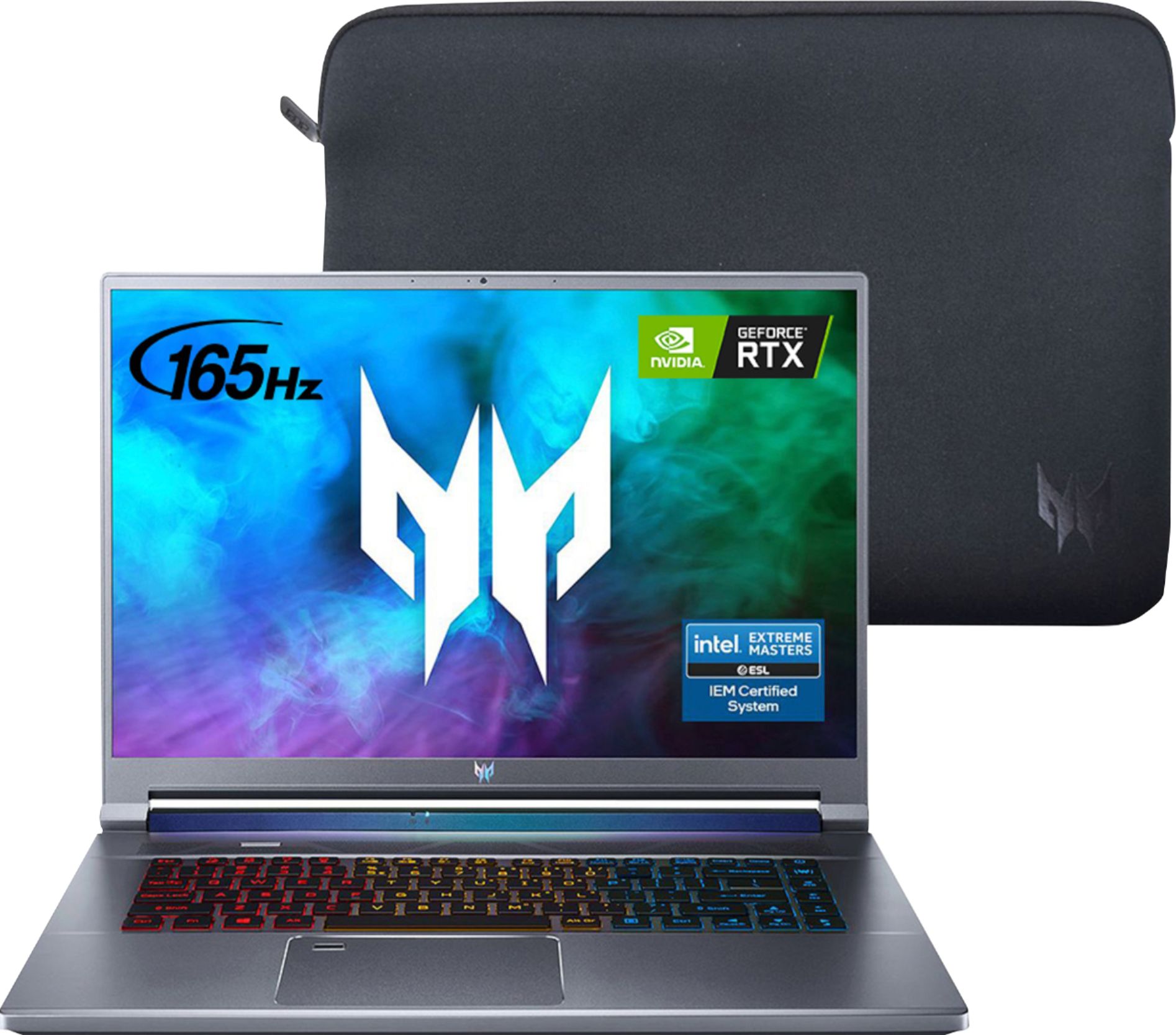
||Posted . Owned for 1 week when reviewed.This reviewer received promo considerations or sweepstakes entry for writing a review.I have very much enjoyed using this laptop in the time I have used it so far, in terms of specs, it is fairly future proof with features, PCIE 4.0 SSD, new RTX 3000 series GPU, and the new 11th gen 8 core intel Cpus. On top of that is a very bright and fast 165hz Qhd display, with a 16:10 aspect ratio. This screen measures at around 500 nits, which is much higher than the average gaming laptop, and the bezels are thinner than 16:9 aspect ratio laptops, especially the bottom "chin". Performance is excellent on this machine as you would expect with all the latest technology featured. Thermals are well in check with the base rtx 3060 and 3 fan cooling system. The laptop also comes with a rather convenient sleeve for taking it on the go.
I would recommend this to a friend - Pros mentioned:PerformanceCons mentioned:Upgradability
LOOK NO FURTHER, even you 3 linux folks :-)
||Posted .This reviewer received promo considerations or sweepstakes entry for writing a review.HOLY SMOKES, look no further for Linux compatible MODERN laptop at decent price, runs pop OS out of the box, wifi, video, sound everything just works, Linux native games run 90+ FPS EASY, only issue is BIOS settings are WEIRD, but once you disable secure boot, etc. install is easy. Make sure you have F6 driver for old windows install otherwise you won't see the drive LOL. GREAT build quality, fans run very quiet / off at idle, in game it's no better/worse than any other 3 series GPU lappy. Upgradability is biggest issue; ram and SSD require motherboard removal, voiding warranty! If you care about this, be warned, if not it's really good machine for $<1.5k. DISPLAY is incredible, better than $2.5k lenovo.
I would recommend this to a friend - Pros mentioned:Graphics, Performance, Processor speedCons mentioned:Fan noise

A Beast of a Machine!
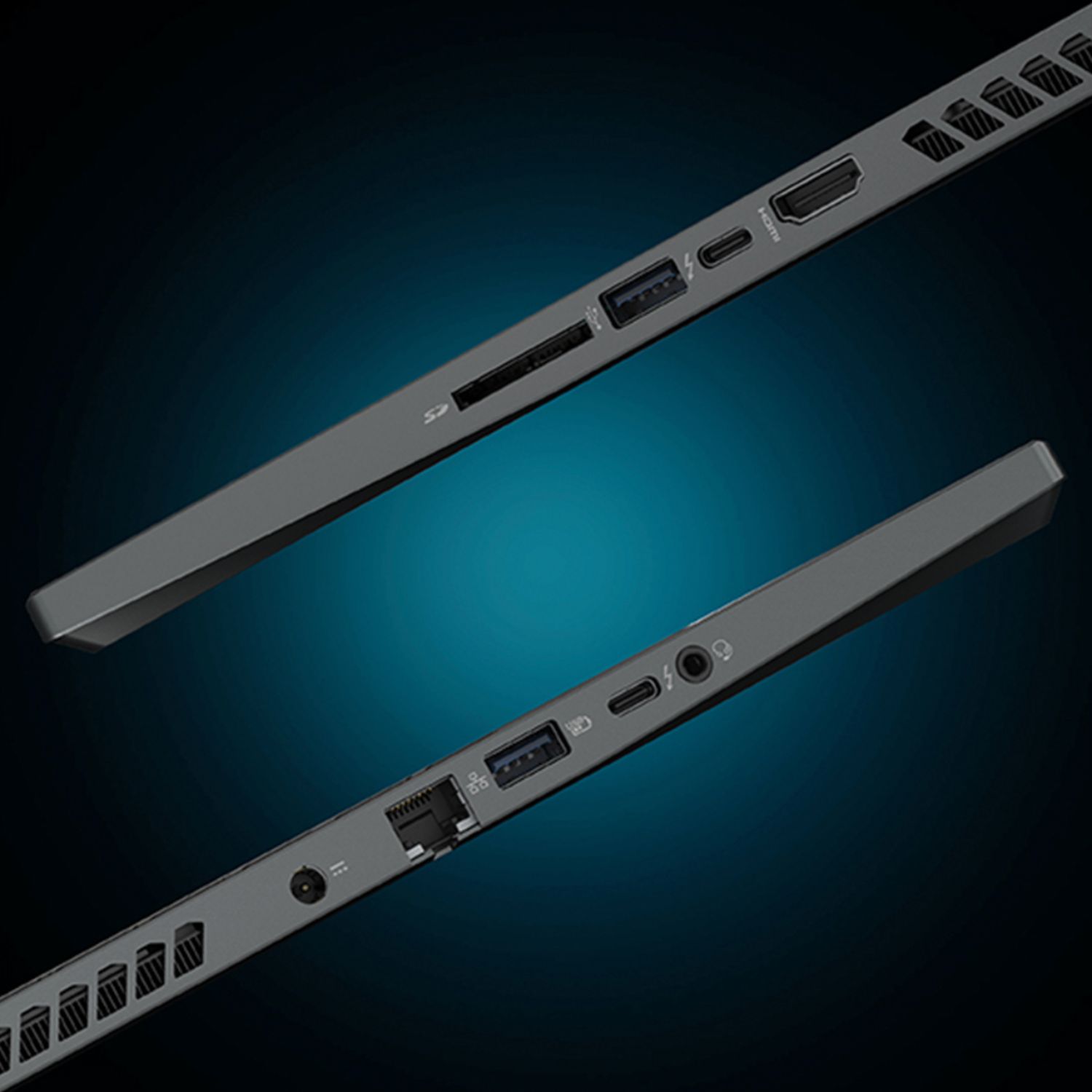
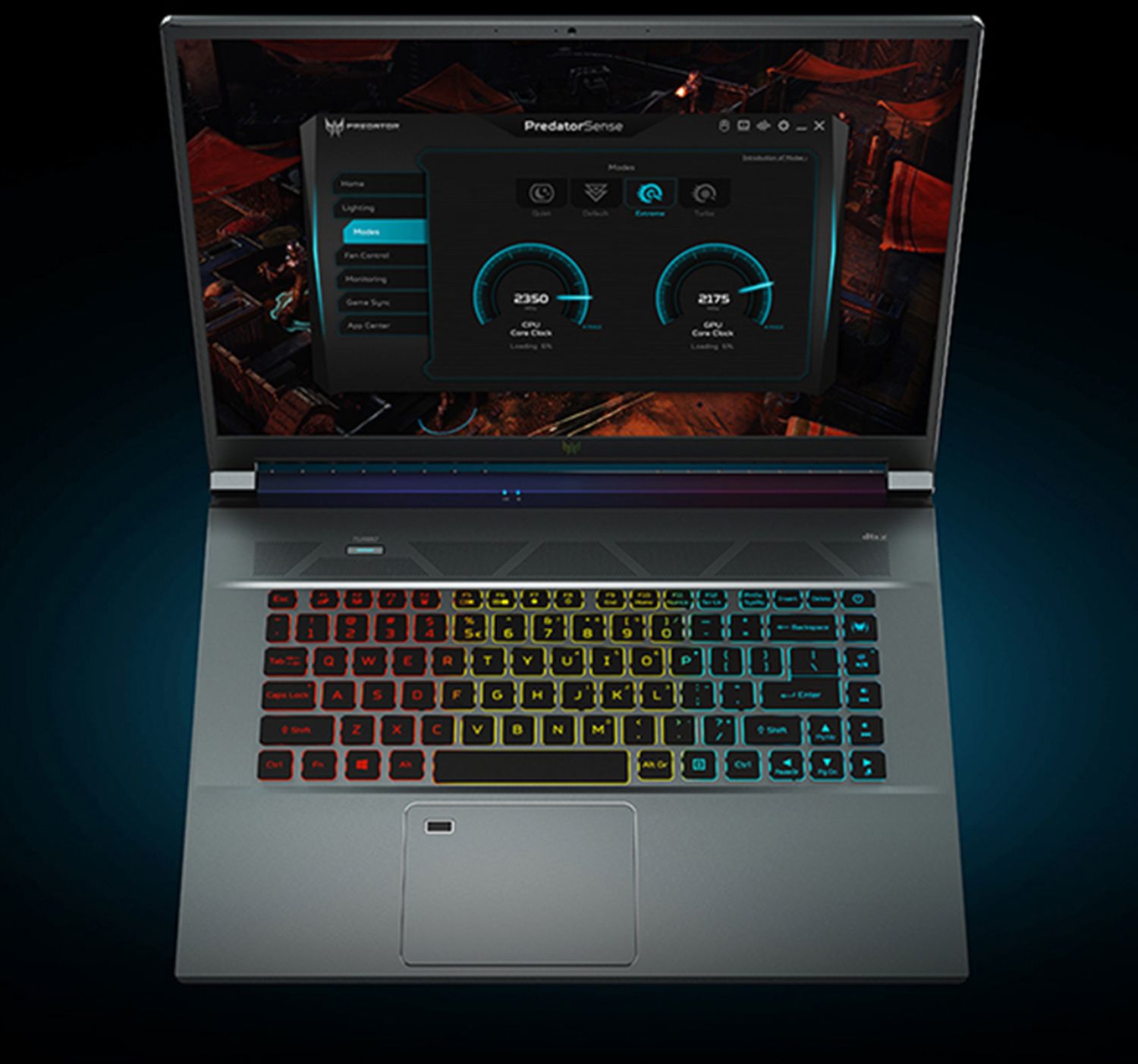
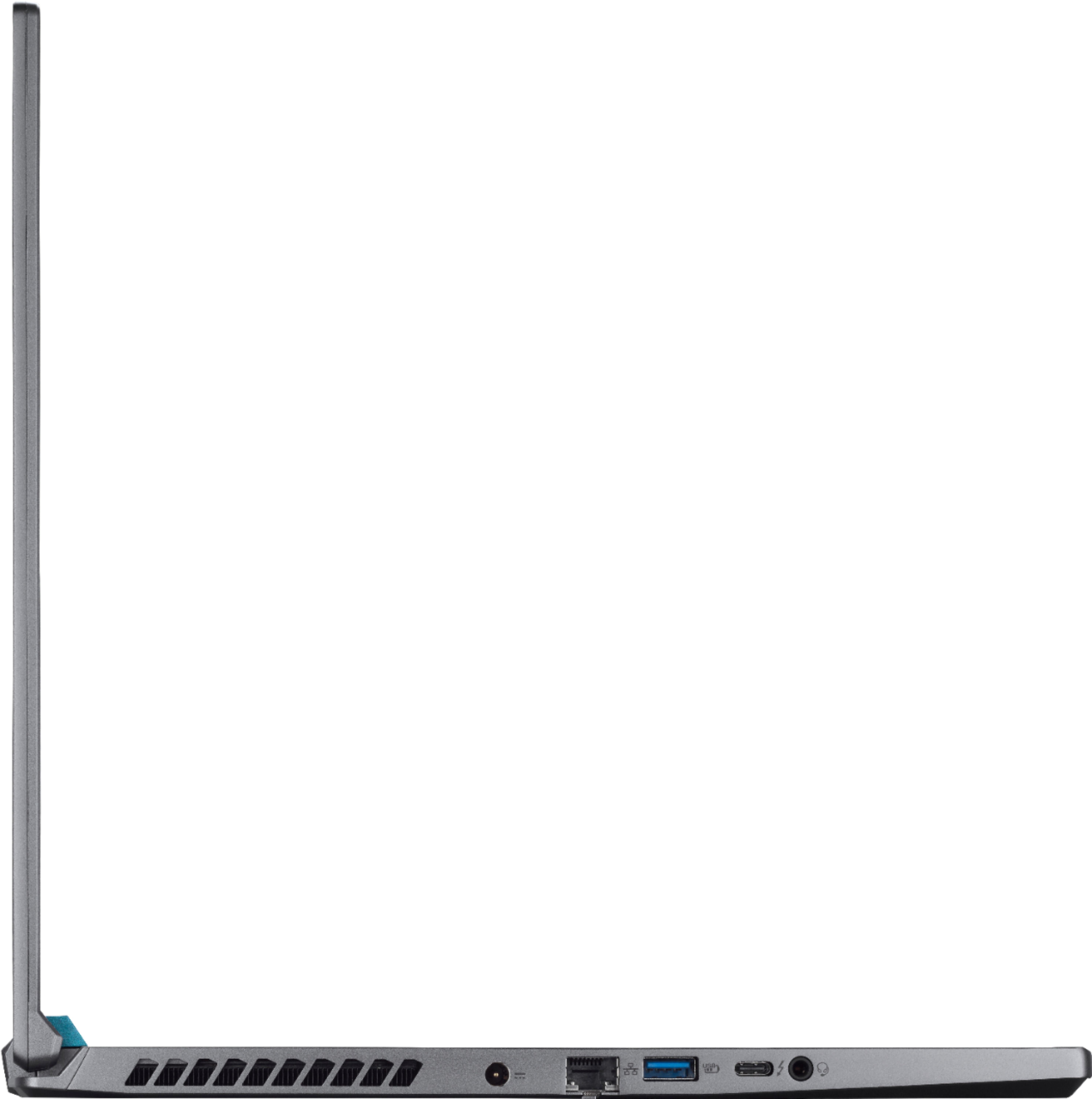
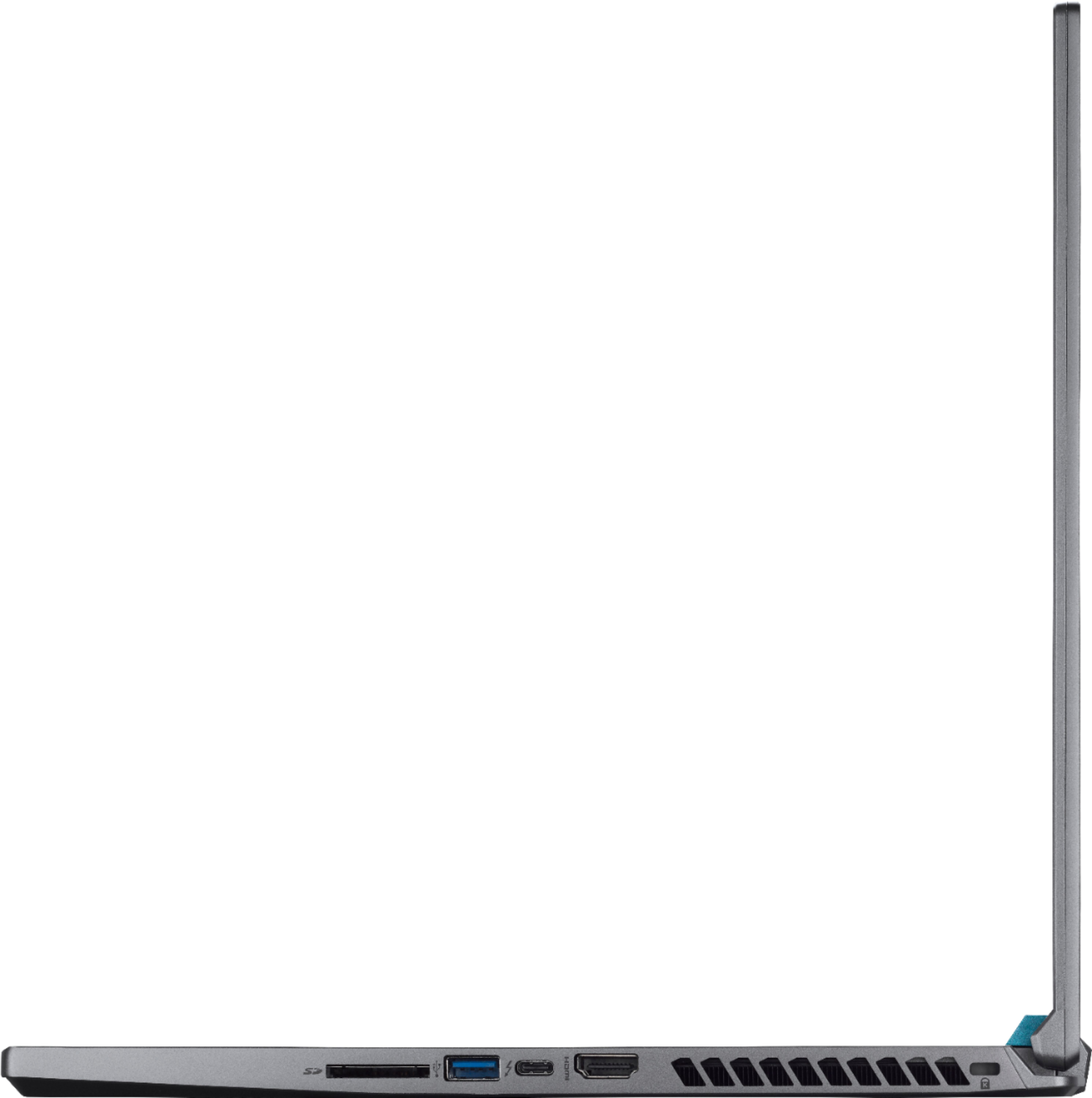
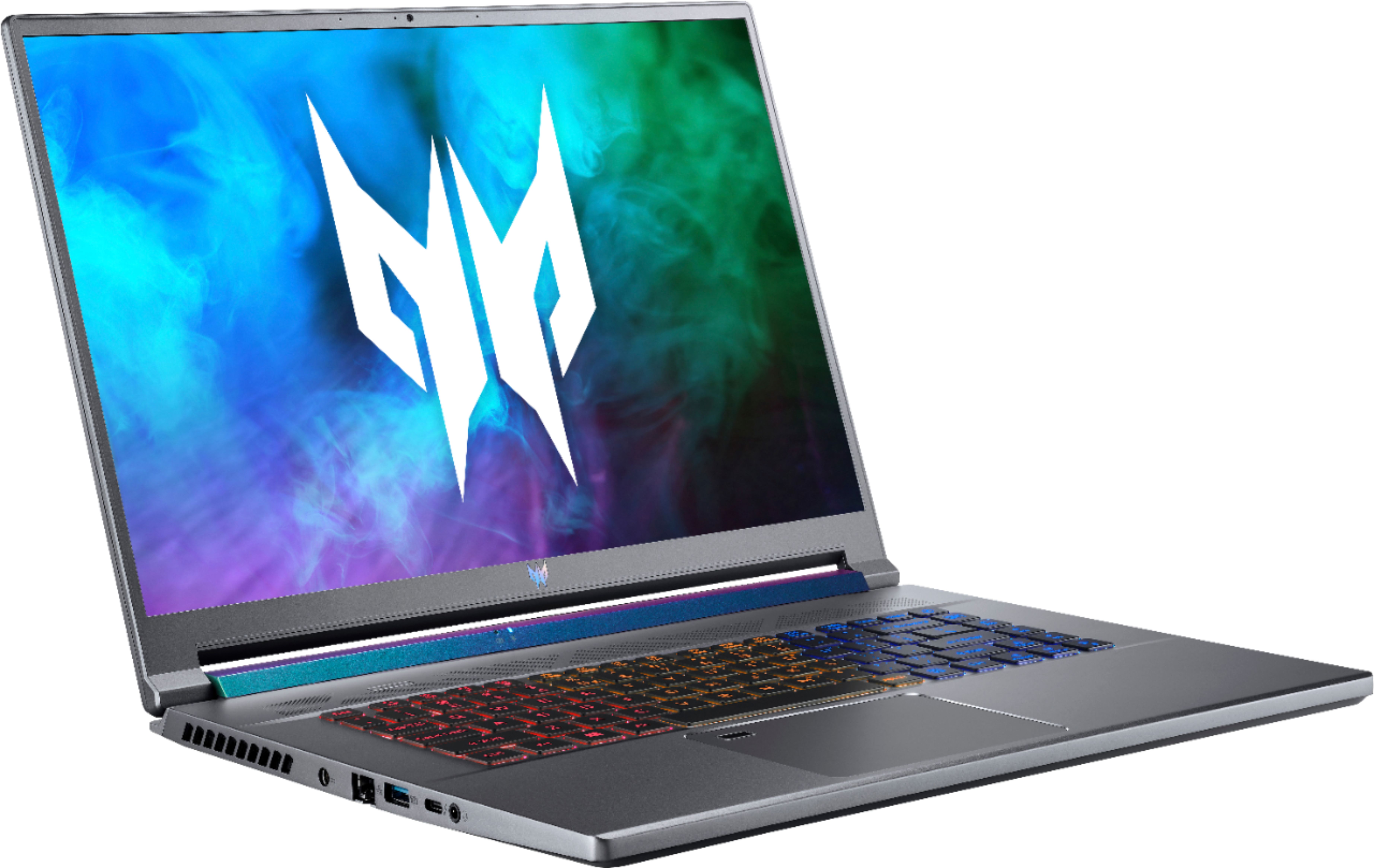
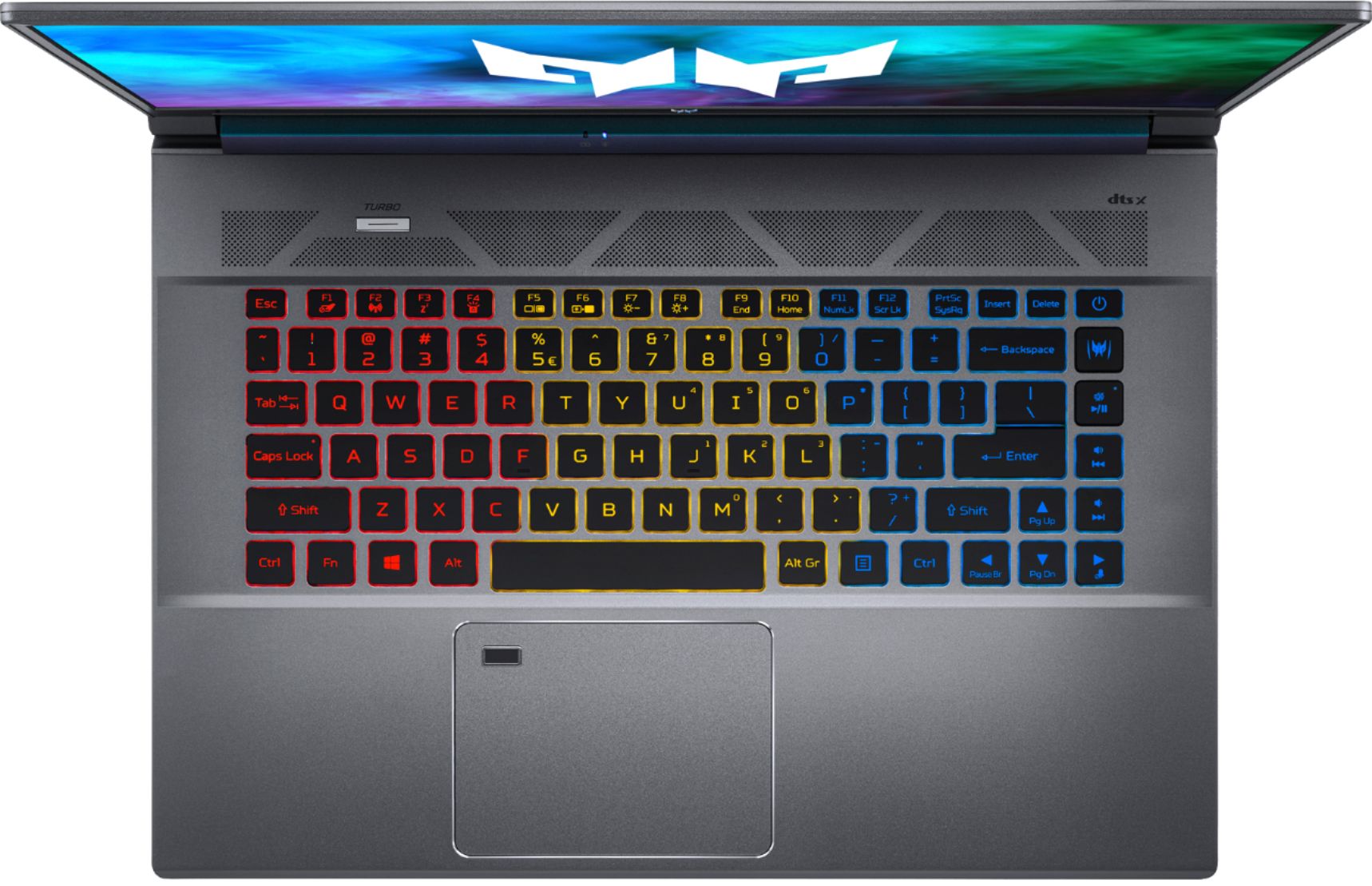
|Posted .This reviewer received promo considerations or sweepstakes entry for writing a review.When you think of Acer products, you think of excellent gaming gear. Acer’s new Predator Triton 500 is no different and provides some of the best specifications a gaming laptop can have. The Predator Triton offers many features that can visually improve your gaming experience as well as improve performance. In this review, I will go into my experience using this laptop. *TLDR at the bottom =========================== IN THE BOX/SET-UP: In the box, you get the Predator Triton which weighs a bit above 5lbs, a hefty power adapter, power cord, soft carrying case, and paperwork. Set-up is fairly quick if you do already have a Microsoft account. All you need to do is log in and Windows is all yours. Although, a bit of a warning, the Predator Triton 500 initially does come with a loud bootup sound that can be disabled with either the Predator Sense software or BIOS. Surprisingly, this laptop did not come with a lot of bloatware. Kudos to Acer for not poisoning the laptop. Once I was finished tweaking a couple of settings, I downloaded a couple of apps, and the laptop was ready to go! =========================== DESIGN: The Predator Triton 500 is designed brilliantly. Its made with both metal and plastic. I seriously love the steel gray color which I found lowkey and didn’t holler gaming laptop like some others. There is some weight to the laptop coming in at a little above 5lbs. The display is a 16:10 display and minimal bezels allow for the display to pop out more when open. Ventilation holes are all around the sides and back to allow for cooling. A small design addition that I noticed was that the laptop’s hinge (where the power/battery indicator is located) tends to change color depending on the light reflected onto it. The keyboard is a 3-zone RGB keyboard that can be completely customized using Acer’s Predator Sense software. The keyboard is not loud, and I found it incredibly satisfying when using it. The laptop’s trackpad is large and there is also a fingerprint sensor located on the top left which works extremely fast. There are plenty of ports on the Predator Triton 500 to allow for peripherals. They are DC-In, Ethernet, USB 3.2(2), USB-C Thunderbolt 4(2), Aux, HDMI 2.1, and an SD 7.0 card slot. Overall, the design of Acer’s Predator Triton 500 is incredible. Ports are well placed, the material used feels sturdy, and the steel gray color offers a low-key vibe for a gaming laptop! =========================== PERFORMANCE: The Predator Triton 500 should run pretty much all the games on the market. From running “Can You Run It,” the laptop received a score of 100% minimum and 95% recommended. This score shows the percentage of games that can run on the laptop at the minimum and recommended requirement levels. In short, this laptop is a beast of a machine. The 11th Gen Intel Core i7 processor allows for quickness all the way around. Whether you are gaming, rendering 3D models, viewing/editing your media; this gaming laptop is quite fast and should not slow down your daily tasks. I am also a student and doing some schoolwork on this laptop was all a breeze. I use Autodesk Inventor and the laptop handled it extremely well. My gaming experience was truly stunning. The GPU on the Predator Triton 500 is powered by NVIDIA’s new GeForce 3060. I tried out a myriad of games using this laptop. From fast-paced games such as Control to more casual/adventure-type games like Detroit: Become Human. This laptop handled them all well and I had all my graphic settings set on high. Overall, performance was as expected. I played my games on the highest settings and did not run into any issues. The Predator Triton 500 should not disappoint when it comes to performance. =========================== DISPLAY/SOUND The 2560x1600 display is indeed stunning. All my games appeared visually beautiful and the 165Hz refresh rate allowed for a seamless and smooth gameplay experience. The colors were accurate and overall, I have nothing bad to say about the display. It works wonderfully for gaming! Sound is powered by DTS X Audio. The external speakers are on the louder side and do sound splendid for the most part. I mostly used the laptop with over-the-ear headphones and all my games, media, music ended up sounding great as well. Games specifically contained 360 audio which was amazing and made my gaming more immersive! =========================== FEATURES: The following are some other notable features for the Predator Triton 500: - Fingerprint sign-in is located on the upper left of the touchpad. - Predator Sense software allows for system monitoring, overclocking, keyboard RGB customization, and more. - Fans are indeed quiet when in Quiet mode (great for Zoom meetings) but do get noisy in Turbo mode. - The DTS X: Ultra Audio software allows for EQ customization when external speakers or headphones are connected. - The laptop does allow for a customizable bootup. Be warned that the boot sound is on the louder side. You can enable/disable the sound by going into Predator Sense or BIOS. - Killer Control Center allows you to view network data, run network speeds, and prioritize network bandwidth to certain apps -The laptop does have an extra M.2 SSD storage slot and RAM is upgradable up to 32GB. =========================== CONCLUSION: Overall, using the Predator Triton 500 was a breathtaking experience. It can run pretty much any game in the current market. Performance-wise, it performs extremely well. The processor and GPU work is high-end and did end up running most of my games on the highest settings. Visually, the 16:10 display shows some incredible visuals whether you are gaming or watching movies. Who is this for? If you are a gamer needing a laptop that runs most games, this one is it. A student or professional who wants to use 3-D rendering modeling software, this laptop is also for you. In short, if you need to tackle tough tasks like heavy gaming, video/photo editing, and 3-D rendering; I wholeheartedly do recommend you try out the Predator Triton 500.
I would recommend this to a friend - Pros mentioned:Graphics, Performance, Processor speedCons mentioned:Fan noise, Upgradability
Excellent Gaming Laptop
|Posted .This reviewer received promo considerations or sweepstakes entry for writing a review.Overall, this is a great laptop. It lives up the price it commands. It has some of the latest CPU and GPU models for a laptop. At it’s 2560x1600 resolution it handled all the games thrown at it without having to lower resolution. Bloatware is minimal and easily removed. The screen is sharp, and the colors are good. The screen is 16:10 so some games or programs may display with bars, but anything modern should be able to show fine on it. The laptop has a sleek look to it and seems average weight for a gaming laptop. As a full laptop you have multiple USB ports, HDMI, Ethernet, and power connections. No need for a dock unless you need a lot of ports or a Display Port connection. It also has a good-sized battery. In normal modes it’s quiet, but the turbo can be quite loud with the fans at full blast. On start up, the logo, fans and sound all come up, it’s nice at first then not needed. You can easily turn it off in the Predator program. Turbo can be accessed with a physical button above the keyboard. The keys are backlit, and the keyboard is divided into thirds for the colors. So, you can have the keyboard in 3 different colored sections. There is also a Predator key for immediate access to the predator program. The keyboard is standard without a keypad, but the right-side keys can double as a keypad if wanted. The keyboard was a little tight space wise, but the keys were responsive and worked well. The trackpad is responsive and has the fingerprint reader on it which is convenient. Setting the default GPU to the RTX 3060 lets the laptop chew through games. It had no problems with ray tracing or intensive games. Star Citizen, and Doom ran great at the default resolution. Tried several games and benchmarks from Steam and the laptop had no issues. Boot up and time to open programs is short. The CPU crunches through everything fast. Speakers are average for a laptop, but Bluetooth headsets work great. There is a camera at the top of the screen, 720p, which worked fine for gaming or video calls etc. Upgrading is pain with this laptop though. The BIOS doesn’t offer many options at all. It’s designed for ease of use, not tweaking. I decided to upgrade the memory to 32GB, and add a 1TB M.2 to the laptop. The motherboard is in upside down, so you have to remove the cover (I used a knife to pop it, and then a plastic edge to open it up), and then the motherboard to access the memory and M.2 slots. Taking off the cover was easy, 9 screws, but to access the slots, you have to remove the battery, disconnect many ribbon cables, and unscrew the fans. Not too hard. Flip the motherboard over, and you can access the slots. Finding the right memory was not as easy as going to the Acer site. But, I used CPU-Z, got the memory specs and ordered a 32GB (2x16GB) module kit, Crucial CT2K16G4SFRA32A DDR4-3200 SODIMM 1.2V CL22. For the extra M.2, a Samsung 980. The 2nd M.2 slot has a screw in it already to use. The memory was easy to pop out and replace. Once reassembled, the BIOS saw the memory and M.2 with no issues. Windows also picked them up. I went to Disk Management and setup the M.2. The OEM 512GB M.2 is also a Samsung, so I went to install Samsung Magician which reported it couldn’t see the M.2s. After some research, I had to remove the Intel drivers which were putting the devices on a RAID (but not in RAID). Boot to safe mode, remove the Intel drivers, and reboot. Then in BIOS turn off the NVM option. Also, in the second, Main, BIOS screen if you hit control-S addition options appear (why is this needed?). After a reboot, the RAID controller is off, the NVM is off in BIOS and you can turn off the M.2s in the BIOS on the third screen if wanted. I believe this puts the M.2s in ACHI. Booted normally to windows, default Windows M.2 drives load, and Samsung Magician can see the drives and report on them. But, since the OEM drive is not consumer, it doesn’t report all information. So, if you are going to upgrade read up and look at some you tube videos on the previous model (same screws and removal process). I now have 32GB of RAM to handle anything from games to Virtual Machines, and 1TB more of M.2 storage for games or files. The Ethernet port is nice since it’s up to 2.5GB. The wireless at AX speeds worked flawlessly for me. Upgrading the OS to Windows Pro was simple and quick, and it connected to my server with no issues. The pictures show and prove it works with 32GB memory and the additional M.2 is working. Also, you can see the underside of the motherboard with the slots, fans, and heat pipes. The picture with the battery is what greets you on opening, then after removal and flipping you see the top of the motherboard. It’s a nicely put together laptop and fit back together perfectly after reassembling. If you just want a gaming laptop that’s easy to setup, use, and can run anything out there at 2560x1600 resolutions on the go, this laptop will meet your needs. The screen is big enough to better display a better resolution than 1080p and see the difference. You can upgrade the laptop, but it’s a bit painful even for a laptop and the BIOS tweaking abilities on nonexistent from what I could gather. But, it’s not a DIY machine, so I won’t count that against it, I just wanted to do it for more capability. If you want to, just know what you’re in for.
I would recommend this to a friend - Pros mentioned:Ram
GOOD BUY
||Posted . Owned for 3 weeks when reviewed.This reviewer received promo considerations or sweepstakes entry for writing a review.I have had it for a month now and I have to say that I really love it. I did not give it a full five stars because the keyboard is not that great but it's not the worst. For an intro gaming laptop this works great. The fan does get very loud when the GPU gets put to work. The RAM is upgradeable, but be warned it's not a simple open the bottom and replace kinda thing, you have to get under the motherboard for that but my version came with 16GIGs of ram, and that works fine for me for doing work and playing XBOX game pass. For the price of 1399.99 I think is a great buy.
I would recommend this to a friend - Pros mentioned:Processor speed
Good video processor!
||Posted . Owned for 3 weeks when reviewed.This reviewer received promo considerations or sweepstakes entry for writing a review.Loving it so far (only two weeks old). I just started recording videos on an Insta360 One RS camera and this computer boots up quickly and does a fairly quick job of downloading and processing the camera's videos. 4K videos and 20 meg pictures look gorgeous on this display.
I would recommend this to a friend - Pros mentioned:Processor speed
It's working great. Very fast.
||Posted .This reviewer received promo considerations or sweepstakes entry for writing a review.It's working great. Very fast. I thought it was funny that it came with stickers.
I would recommend this to a friend - Pros mentioned:Graphics, Performance, Processor speedCons mentioned:Fan noise, Heat
Great graphics and sound, no lag
|Posted .This reviewer received promo considerations or sweepstakes entry for writing a review.Nice laptop, thin not necessarily light weight. Graphics and sound are great. Very smooth when searching the web. Boots up very fast. Handled Neverwinter mmo really well. Came with a nice carry case. The lap top itself has a good look to it. It does get hot pretty quickly, both the laptop and the power adapter. The fan revs up when playing games but it isn't annoying.
I would recommend this to a friend Dead pixels
||Posted . Owned for less than 1 week when reviewed.This reviewer received promo considerations or sweepstakes entry for writing a review.Came in with discoloration and dead pixels not sure if shippings fault or what returned same day not purchasing again. Just going with a desktop instead.customer services said it would take 15 days for a replacement…
No, I would not recommend this to a friendBrand response from TeamAcer
Posted .Dear Mallah,
We are sorry to hear that you decided to return your newly purchased Acer Predator laptop. Our support team is always available to assist with getting your new product set up and configured, or assist with any other troubles you may experience with your purchase. If you should need assistance with an Acer product in the future, please contact our support team at 1-866-695-2237, chat or social media, and we will be glad to help.
We appreciate you taking the time to write this review.
Regards,
Acer America
Powerful, Modern, I/O You’ll Love
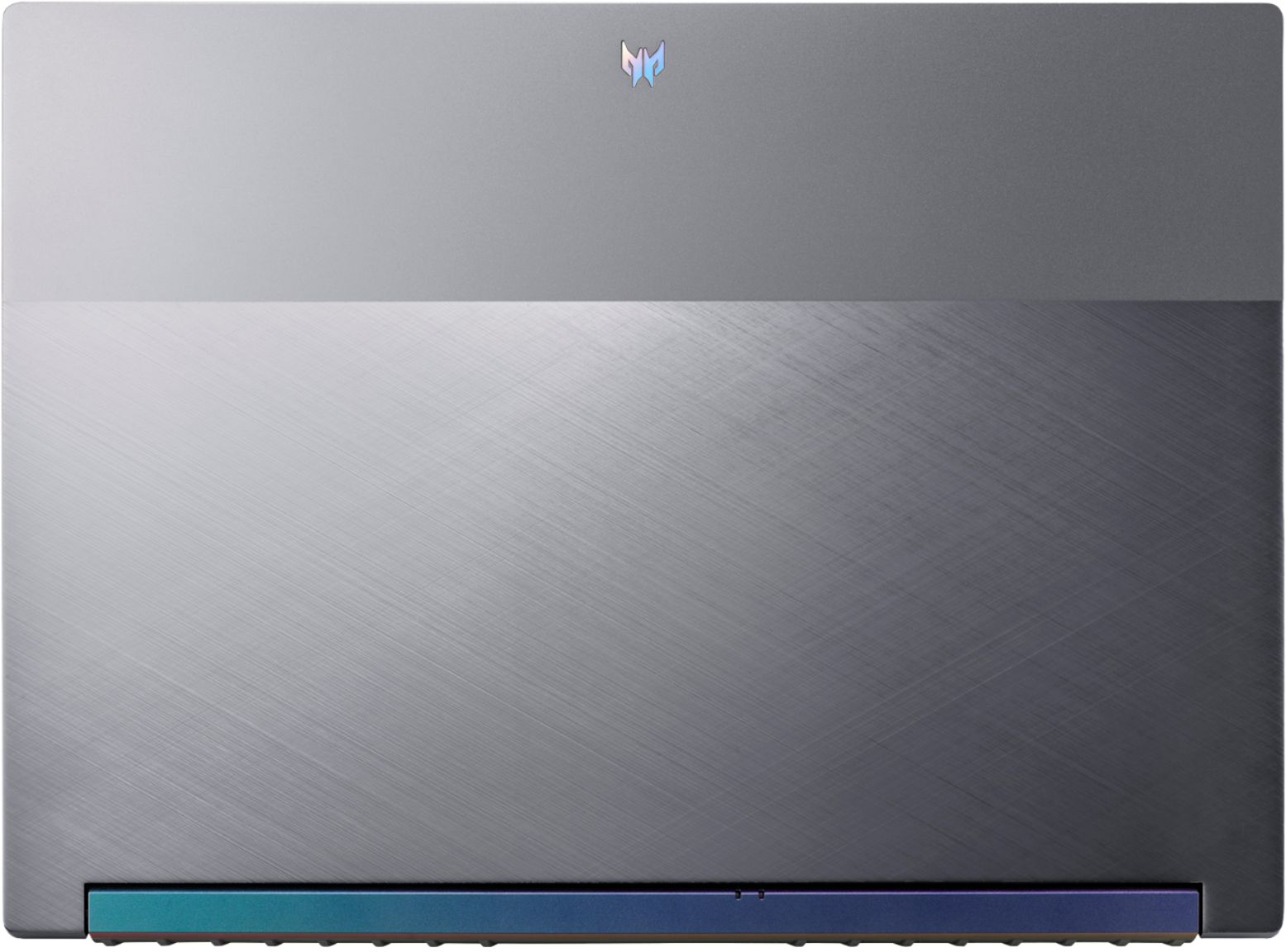
|Posted .This reviewer received promo considerations or sweepstakes entry for writing a review.Acer has managed to package an affordable gaming powerhouse into, let’s say, a medium body. Laptops come in all shapes and sizes. Netbooks, thin and lights are on one end of the spectrum while desktop replacement big boys are at the other. At 16” it’s hard for me to squeeze this into the thin and light category, but Acer did a great job making just a laptop and using what they’ve learned from thin and light chassis to cram it full of IO and Battery. What I like: - Design – If you’re going to appeal to a wider audience, make a design that might draw a glance in the conference table, but doesn’t distract from the conversation, while still giving edges and design cues of a modern gamer. The Triton SE does that. When closed, you can see the aluminum lid with two different textures, one being a diagonal, brushed styled texture, with the other being a flat matte with the logo centered at the top. Where the lid mounts to the chassis, there’s an iridescent bar that is either purple or green, depending on the position, which is a nice look. Build quality is pretty solid and the aluminum likely helps with heat dissipation. - Performance – Depending on your daily use and gaming preferences, your mileage may vary. CINEBENCH R23 is my go-to for processor performance. With all things being equal, I hover around the 13,300 mark, depending on running applications. Time Spy came in at 8308, which is around the average for 11800H and a 3060 RTX. My go to games however, Destiny 2 and Apex, didn’t sweat at all. I hover around 80 fps in Destiny 2, max settings. I can get higher frames if I optimize through GeForce Experience but it drops quality down a bit here and there to achieve this. Apex doesn’t have any issues, running around 100 fps. I would imagine most games would run smoothly on high settings and with some older titles, you may get away with ultra-settings. - Features – So there’s a few bells and whistles that come with this laptop and they ring and whistle well. o Windows hello through the fingerprint scanner built into the track pad works well. I thought at first, it’d stall the mouse as I moved my finger across it, but it will still track your finger without issues. o Turbo Mode – There’s a dedicated button on the chassis that will allow maximum power draw as well as turning the fans up to 100% constantly. This does make a performance difference as the PC is less likely to thermal throttle at the cost of fan noise. o Dedicated Predator Sense button for getting into the application to change power settings, fan speeds, sound settings, etc. - I/O – I love the options and flexibility you’re given on this laptop. Two type A USB 3.2 Ports, TWO Thunderbolt 4 ports, Headphone, Ethernet, HDMI, and SD reader. If you’re gaming on the move, you have the juicer 230 watt charger, if you’re packing light and have one to spare, a 65 watt and above wall adapter will allow you to charge via USB C, albeit at slower speeds. - Screen – The screen size and 165hz refresh rate allow gaming real-estate you don’t see on smaller form factors. At 2k resolution, games look crisp and smooth. The 16:10 ratio is a bit different than the 16:9 that I’m used to, but It’s close enough that I don’t seem to notice that much. - Largest battery you can fit and still get on a plane. In flight Skyrim? Sure. What could be better: - In this day and age of working from home and social distancing, it would have been nice to have something more than a 720p webcam. It’s better than nothing, and I’m glad it’s there, but wouldn’t complain if it was 1080p. - Speaker quality isn’t about to blow your socks off. Along with the webcam, I can only assume it’s a cost saver. You can adjust the profile in Predator Sense, and I’ve found that movie mode works best. - Upgrade access is not for the faint at heart. I would like to upgrade the storage and it appears the motherboard is installed “upside down”, meaning, you have to remove the bottom panel, then remove enough screws and cables to get the underside of the motherboard to get to the ram and M.2 slots. Final Thoughts TLDR: You’re getting close to a desktop experience with this laptop. You can play popular games at high settings at 165hz 2k resolution. I/O is a dream. The design affords some luxury you can’t get with thin and lights, at the cost of being a bit larger and a bit heavier while remaining portable. I love this laptop and look forward to using it years to come.
I would recommend this to a friend- Pros mentioned:Performance, Processor speed, Screen sizeCons mentioned:Fan noise, Heat
Portable Productivity Beast
||Posted . Owned for 3 weeks when reviewed.This reviewer received promo considerations or sweepstakes entry for writing a review.After using this laptop for about a month, I can say I'm extremely happy with it! The 16:10 ratio is one of the main reasons for getting this, along with the 2k resolution. Very helpful for productivity, and very powerful for music production. In terms of gaming, I have no issues running the likes of Cyberpunk 2077 on Med-High with RTX on, and the 165Hz display makes it buttery smooth. It's also significantly more portable than my previous laptop (Asus TUF ~2018), and overall just a joy to use. My only nitpick is that it can get very hot when running any intense graphical processing, but if you can get past the fan noise set very high, it becomes a non-issue. Overall a very useful laptop, with enough power for just about any use.
I would recommend this to a friend A Monster In Disguise
|Posted .This reviewer received promo considerations or sweepstakes entry for writing a review.I am in love with this laptop! Acer is a big name in PC gaming and the new Predator Triton 500 SE lives up to the brand’s reputation of designing and manufacturing quality products. If you’re seriously considering purchasing this laptop, you already know its specs. You also know that with those specs, you can run pretty much any PC game currently available at its recommended settings. I’ve had mine for about a week now and here are the things that I’ve come to like and dislike about this device: Likes/ Pros: - Build quality is superb. This is one of the first things you notice when you unbox this laptop. The laptop body is metal with rubber feet and plastic keys. It feels very solid with no bending when you pick it up. The plastic keys are nice and quiet. - Color choices. I like that Acer went with a more subdued color for this laptop. Many gaming laptops on the market have bright colors letting everyone around you know what it was built for. The slate-like gray and dark blue accents are beautiful, but also nice so that if you want to use this computer for work or other tasks on the go, it isn’t so flashy. - Acer gives you a carrying/storage sleeve that matches the color and logo on the laptop. This is actually a standout feature for me because so few brands do this. I just like that I don’t have to go guessing when buying one from Amazon on whether or not the laptop will actually fit. Acer gives you one made specifically for this device. Much appreciated. - Having a fingerprint scanner for login is quite nice. It’s also fast. - Plenty of ports for gaming accessories. I appreciate the dedicated headphone jack and SD card slot reader so I can edit photos. - Integrated 720p camera is nice to have if you would like to use this laptop for Zoom calls or other video chat software. Definitely not the best resolution, but it’s nice that it was included. - PredatorSense has a hotkey and allows you to play around with laptop settings easily. Want to change modes? Go to PredatorSense. Want to change up the RGB backlighting on your keyboard? Go to PredatorSense. I appreciate the one stop shop for these things. - Not a lot of bloatware. Norton Security is a little annoying, but is also easy to remove. - Speaking of RBG backlighting, it’s solid. Three zones are customizable and I haven’t noticed any fading along the edges like you get with some cheaper devices. - The nearly 100W battery lasts a long time, especially when doing work. Doesn’t last quite as long when gaming on battery power alone. - Storage is expandable with an additional PCIe slot so you don’t have to compromise or choose which games to keep on your computer. You will need the right tools to access the motherboard. I’m sure there are DIY videos on YouTube if you don’t know how to do this. - The monitor tho. She’s beautiful. The 2560x1600 resolution is crisp and 165 Hz refresh is smooth for FPS games. I haven’t noticed any backlight bleed at minimum or maximum brightness. 500 nits is blinding in low light conditions, but really nice to have in your back pocket when there’s lots of sunlight in the room. - And finally, performance. It’s REALLY good. The 11th gen i7 blazes through everything you throw at it and the 16gb of DDR4 ram lets you do a lot at once. Of course the dedicated NVIDEA GeForce RTX 3060 also needs a mention here. Combined, I’ve been able to run both games like Stardew Valley and poorly optimized games like Warzone with no problems whatsoever. Dislikes/ Cons: - 720p camera resolution isn’t amazing, but it does the job for normal Zoom calls or to video chat friends and family. Again, just nice that it was included. - I love the fingerprint scanner, but would have liked to see it integrated into the power button. Feels a bit weird reaching across the trackpad (as a right hand dominant person). - While portable, it’s also heavy. But you already knew that. - One of the biggest drawbacks to gaming laptops of all shapes and sizes is noise and cooling. This laptop is no different. When you’re in the middle of playing even smaller games, things get hot and loud quickly. I always personally recommend a cooling pad while gaming on a laptop. - Price is definitely up there, but with many things in life, you get what you pay for! As you can probably tell, there are far more things I like about this laptop than dislike. And even those things that I dislike are kind of negligible/ things I knew when I got myself into this computer. All in all, the new Acer Predator Triton 500 SE is a solid performing device for just about anything you throw at it. At a glance, you’d never expect what’s under the hood. I highly recommend this laptop!
I would recommend this to a friend- Pros mentioned:Performance, Screen sizeCons mentioned:Battery life, Storage
Graphic Design Student who Games
||Posted . Owned for 1 month when reviewed.This reviewer received promo considerations or sweepstakes entry for writing a review.I don't have much experience with laptops, but this has been a great purchase! The laptop runs faster than most of my friends' desktop set ups at least gaming wise. The 165 hz display is also super quick and really looks great. I've had no issue of running high graphic games, but I tend to turn on the turbo mode to attempt to keep the computer cool. The wifi 6 is really great (seriously), but I'm unsure about the ethernet port. The wifi is faster than my ethernet, but I don't know if it was because my ethernet cord is too old or if the laptop just has a low grade port (but still works decently). The computer does get hot and loud, but it is manageable as I use it mainly in a closed off room. As a graphic design student and occasional video editor, this runs really great! The screen size is also a huge plus and the resolution is wonderful. I wish I could've got the 1TB storage, but since I have a dropbox with 2TB, I don't really have to worry too much about space. Just so you know, the speakers are really bad and you'll definitely will need an external speaker or earphones. To be able to comfortable listen to the speakers, you have to have it at around 50-60 out of 100 volume. I've had the experience to use all of the ports, including the hdmi, and they all work pretty well. I appreciate the number of ports as well, especially since I tend to have to use a lot of them. As I don't usually take my laptop out of my work space, I don't have to worry too much about having it unplugged much, but it doesn't last very long (~2-3 hours) with the work I use it for as a graphic designer. For gaming, you'll really want to make sure it's plugged in if you're playing a more demanding game. Games I've played and had it run smoothly on high graphics: Phasmophobia, TC: R6S, Rocket League, Overwatch, Devour, HollowKnight, and Splitgate. It's bit heavy and the screen doesn't feel super durable (still is especially for it's screen size and thickness), but the weight makes it at least feel durable. The complimentary bag doesn't really protect it from anything other than smudges, scratches and/or very short falls. I'd recommend getting another bag to put that into if you want a more protective case and/or easier time transporting. I did run into an issue one night where the colors were off (like a split rgb effect), but it was fixed with a simple restart. Overall, I've really enjoyed it!
I would recommend this to a friend - Pros mentioned:PerformanceCons mentioned:Fan noise, Upgradability
I’m happy with it
||Posted . Owned for 2 months when reviewed.This reviewer received promo considerations or sweepstakes entry for writing a review.I already owned a Dell Inspiron 17R that was several years old but still met my needs after minor upgrades. I purchased this Acer Predator Triton to begin training as a video editor. When that fell through, I chose to simply keep it and gift the Dell Inspiron 17R to a relative. At this point I have four main comparisons to the Dell. Firstly I love the Acer’s sharper display, but there are times when elements on the screen such as text or icons will be replaced with black boxes, flicker in-and-out, or disappear entirely for several seconds. It’s a little off-putting but not enough to bother with a return. Secondly, by default the Acer’s sound isn’t as deep as it was on the Dell. Opening PredatorSense and selecting the [RPG] option under Acer TrueHarmony helped. Third, the fans get much louder when playing video games on the Acer compared to the Dell and I’m still getting used to the noise. I also experienced overheating when playing and eventually found a YouTube video that showed how to lower the processor’s maximum state from 100% to 98% to keep the temperatures at safer levels. Lastly, I was able to upgrade the Dell myself quite easily but will likely have to hire a professional to upgrade the Acer when I want faster speeds and/or more storage because of how its inner parts were designed (I didn’t realize this until after receiving the laptop). Again, not enough of an inconvenience to bother returning it. Besides these issues, I like the look and feel of the Acer Predator Triton and have transitioned from the Dell Inspiron 17R to it pretty smoothly.
I would recommend this to a friend PC Review
||Posted . Owned for more than 2 years when reviewed.This reviewer received promo considerations or sweepstakes entry for writing a review.I purchased this PC for gaming and personal purposes. It is very good quality and loads everything very quickly. The only downside is how heavy weighted it is and I recommend getting a cooling fan due to how it overheats a lot when running games.
I would recommend this to a friend- Pros mentioned:Graphics
Great laptop
||Posted . Owned for 1.5 years when reviewed.This reviewer received promo considerations or sweepstakes entry for writing a review.Is it loud? Yes. Does it run hot? Yes. But is it amazing? I’m going to give that another resounding yes. This has been an excellent value for the money. The screen is beautiful, the refresh rate is top notch. The GPU has been great for doing video encoding (and the occasional video game). I love it. The bad: 1) the speakers are awful. Just awful. Know that going into it. 2) They built the motherboard upside down so there is no access to upgrade the RAM OR SSD without voiding the warrantee. I haven’t tried to, but I understand the RAM is soldered on and you can’t upgrade it anyway. 3) the screen feels a little flimsy and unsupported. I’m always worried I’m going to break it. Never have, though, and I have 3 small kids.
I would recommend this to a friend - Pros mentioned:Performance, Processor speed, Ram
Great gaming computer
||Posted . Owned for 1 month when reviewed.This reviewer received promo considerations or sweepstakes entry for writing a review.Great display fast computer and ability to add more memory. However it is a bit complicated to add more ssd memory since the memory location is located upside down due to the fan placement. You have to remove various cables to access it.
I would recommend this to a friend - Cons mentioned:Heat
Gaming PC
||Posted . Owned for 1.5 years when reviewed.This reviewer received promo considerations or sweepstakes entry for writing a review.Laptop is great for gaming on the go, but does get very hot and fans are loud. I'd recommend a headset if plugged in and running fans at max to keep cool. I got it on sale so the price and spec were fine for what I needed.
I would recommend this to a friend - Pros mentioned:PerformanceCons mentioned:Fan noise
Amazing laptop
||Posted .This reviewer received promo considerations or sweepstakes entry for writing a review.Very good for gaming, can play the majority of games at max settings on its 2k screen. Only complaint is that the fans get a bit loud, but can be solved with a cooling pad.
I would recommend this to a friend - Pros mentioned:Performance, Screen size
Great laptop
||Posted . Owned for 1 week when reviewed.This reviewer received promo considerations or sweepstakes entry for writing a review.Screen is very bright and i like the 16:10 much more than i thought i would. Performance is great. Fans only get loud while gaming and they stay quiet during normal office tasks. Im averaging about 5 hours on normal use. I keep it plugged in for gaming. Be aware that the different modes that come with predator sense can only be changed while plugged in and over 40% battery. Unplugged is always default mode. You can control fan speed anytime though.
I would recommend this to a friend