Customer Ratings & Reviews








- Model:
- LAA18250 -9383BLU-PUS
- SKU:
- 12219806
Rating by feature
- Battery Life
Rating 3.4 out of 5 stars
- Speed
Rating 4.7 out of 5 stars
- Display
Rating 4.3 out of 5 stars
Insane Performance!
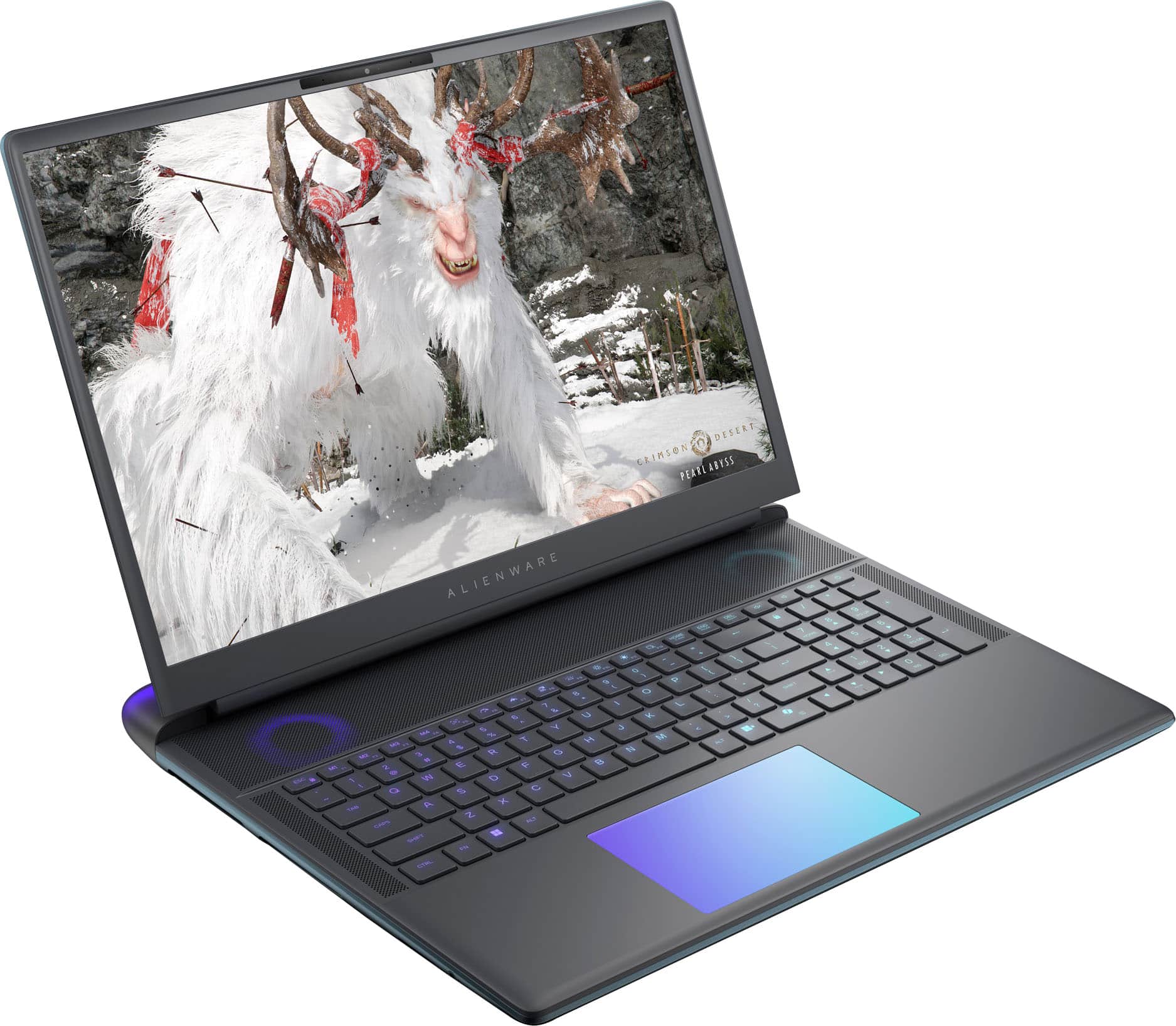
||Posted . Owned for 1 week when reviewed.This reviewer received promo considerations or sweepstakes entry for writing a review.Super easy to upgrade. Fairly quiet for the amount of performance you get (It comes with a 360-watt power brick!), and the 300hz screen looks beautiful. Dell driver support is also outstanding. During the short time I've owned it, it's already done 2 automated BIOS updates. It's also built like a tank, but it has an otherworldly "alien" look to it. It's so cool! Definitely recommended if you can afford the hefty price.
I would recommend this to a friend
Best Priced 5090 Laptop
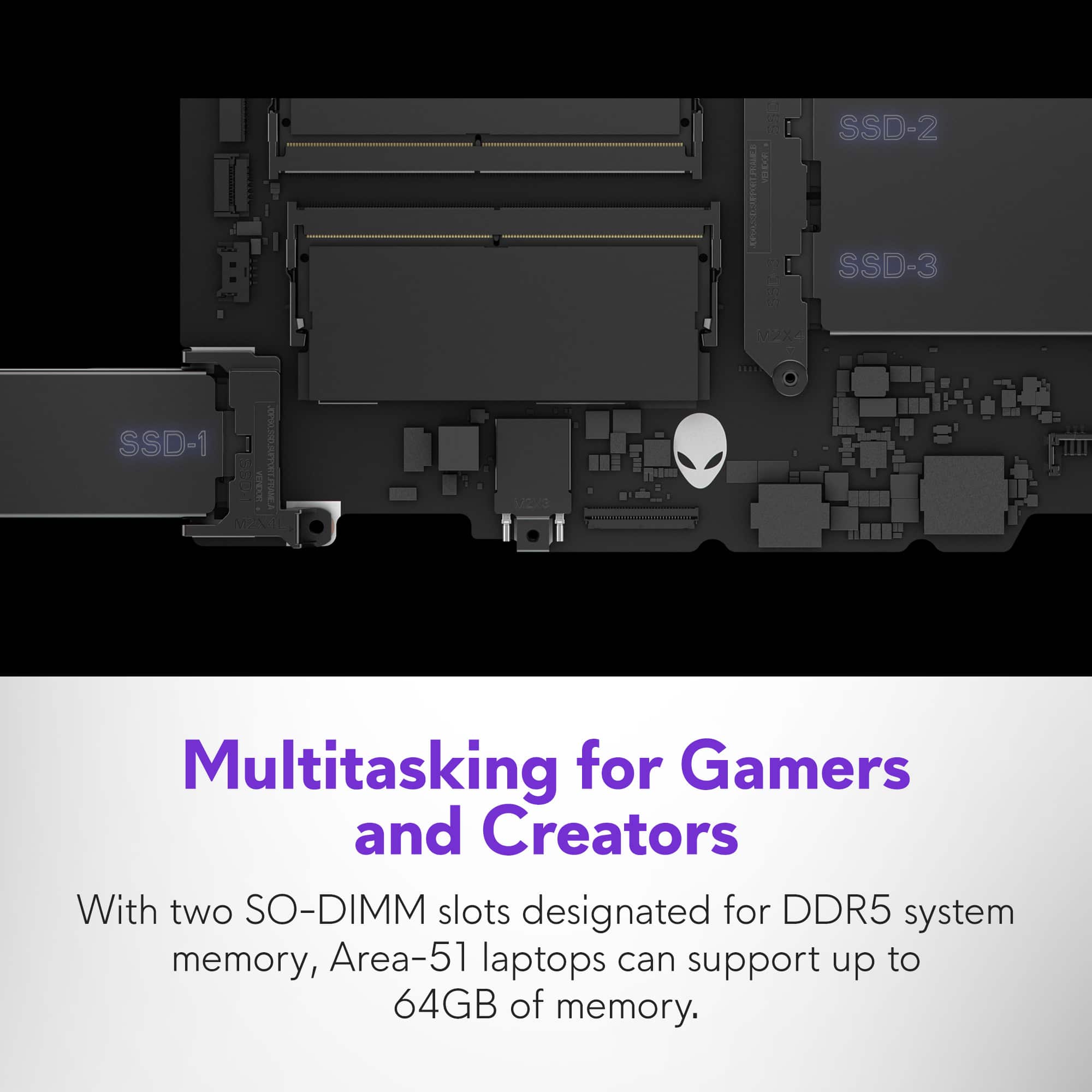
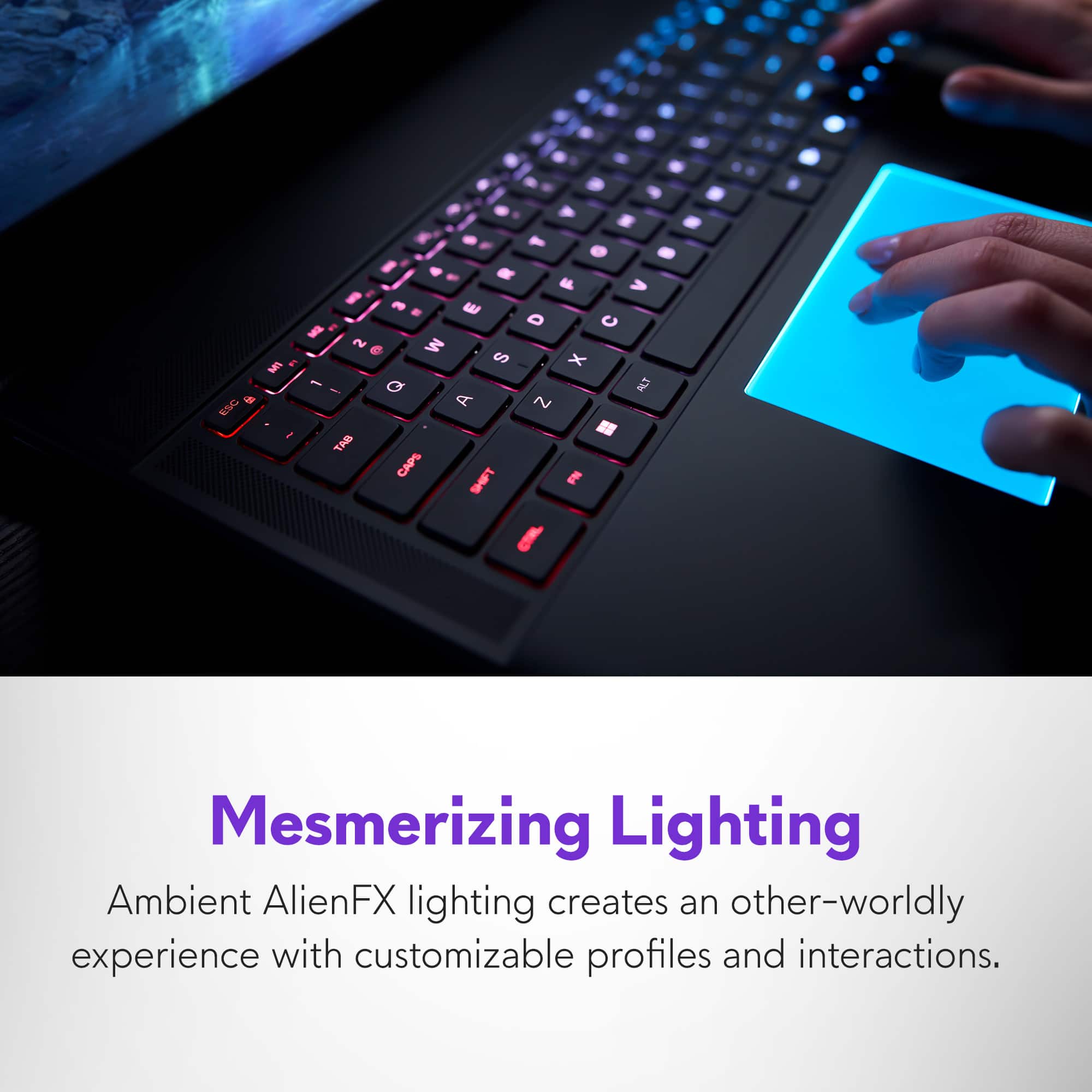
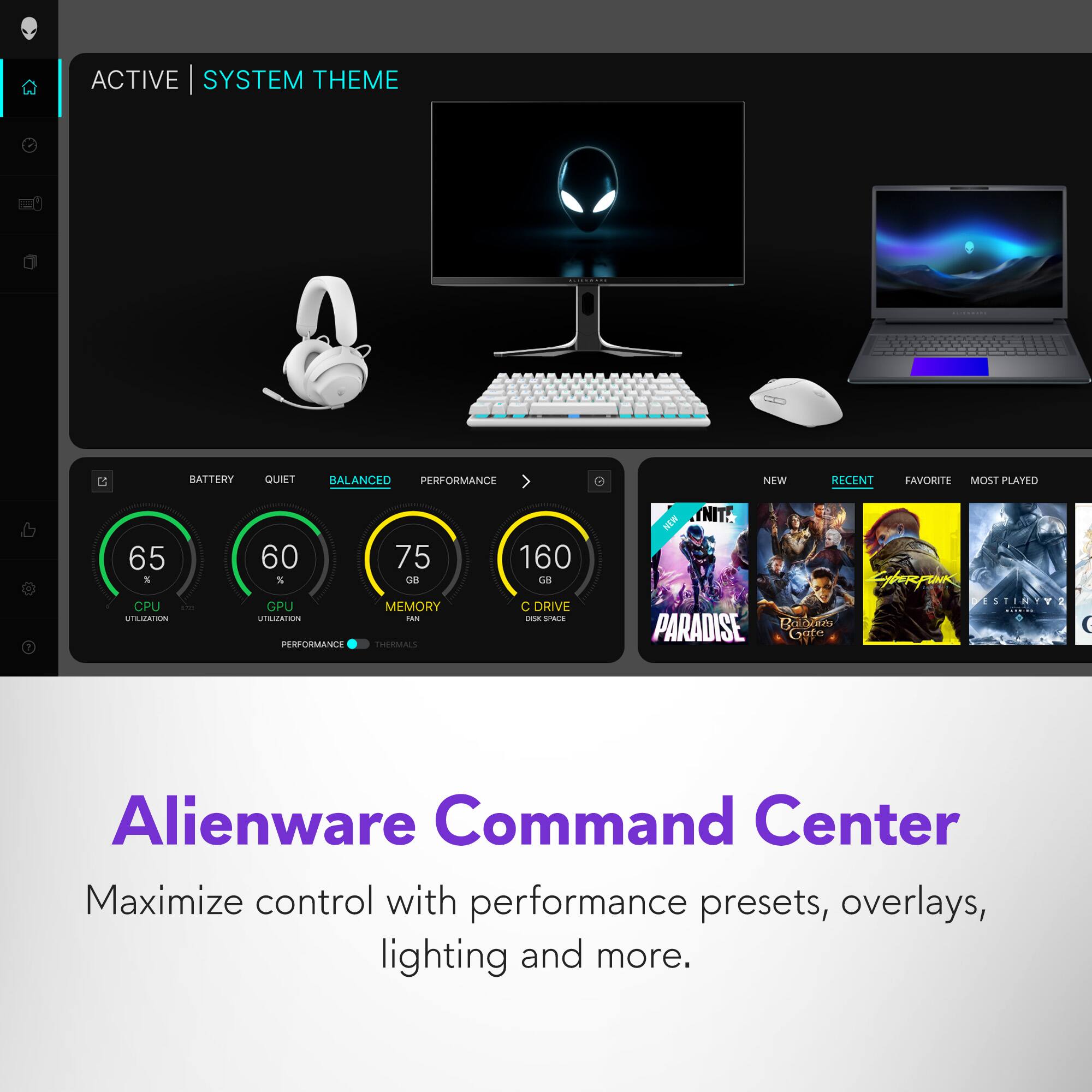
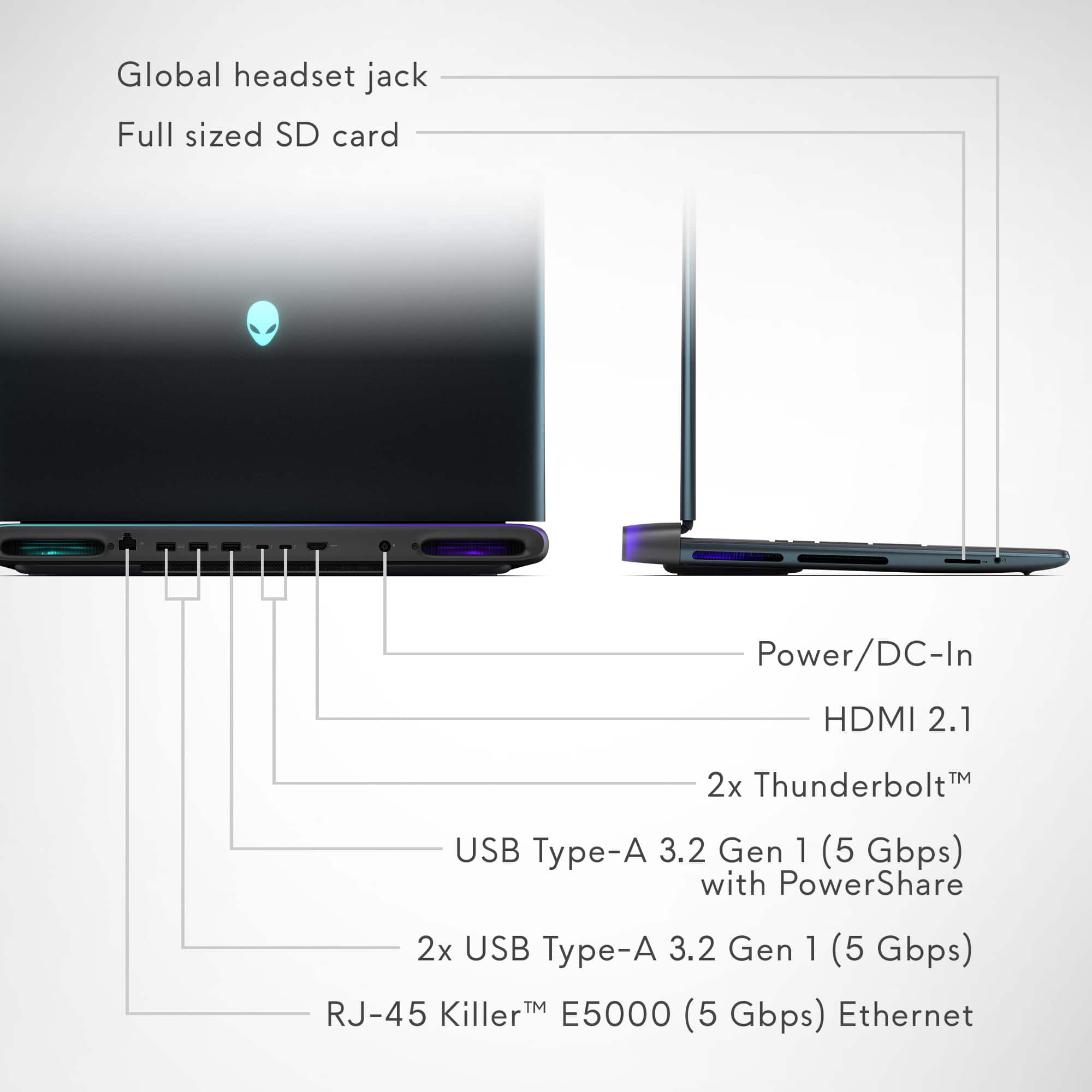
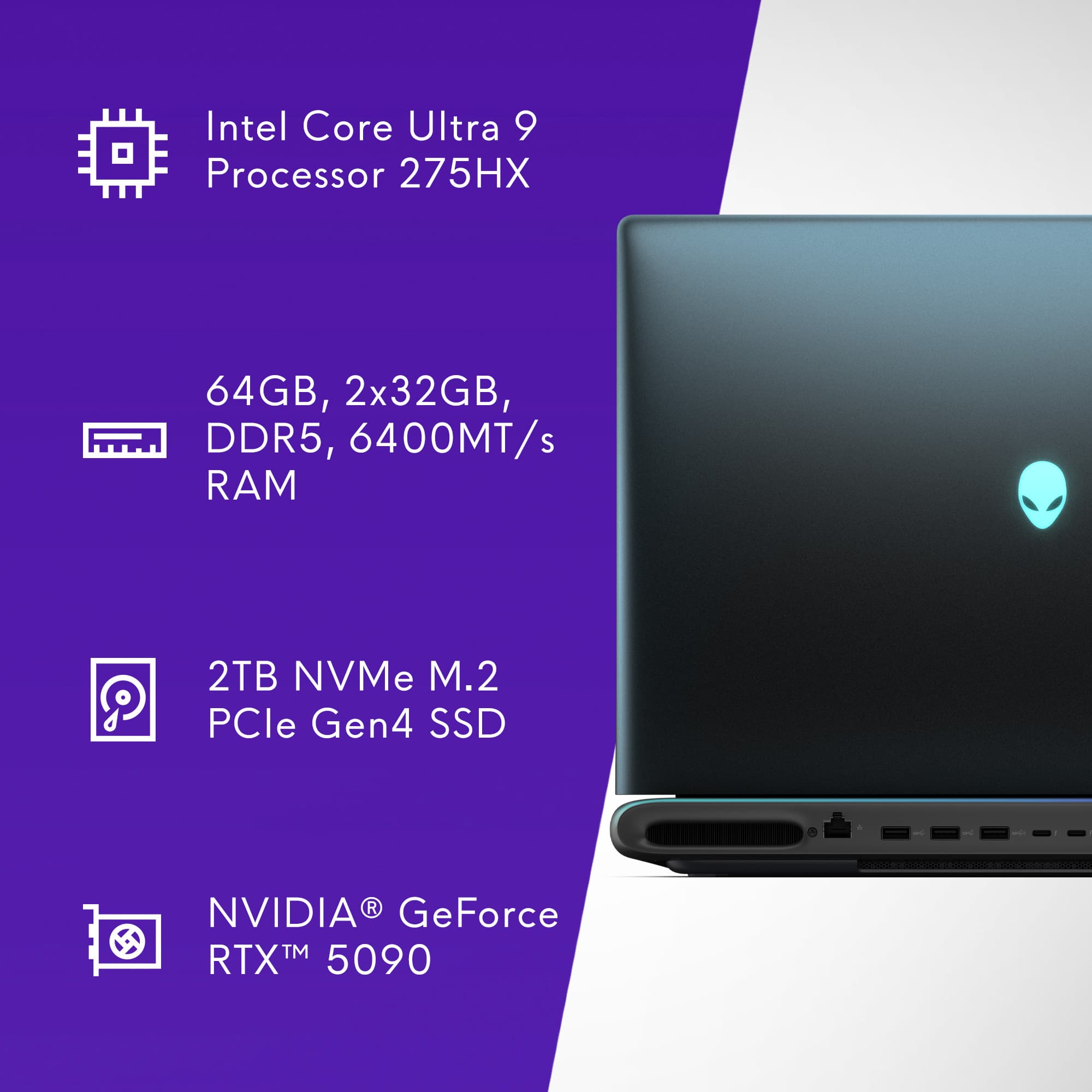
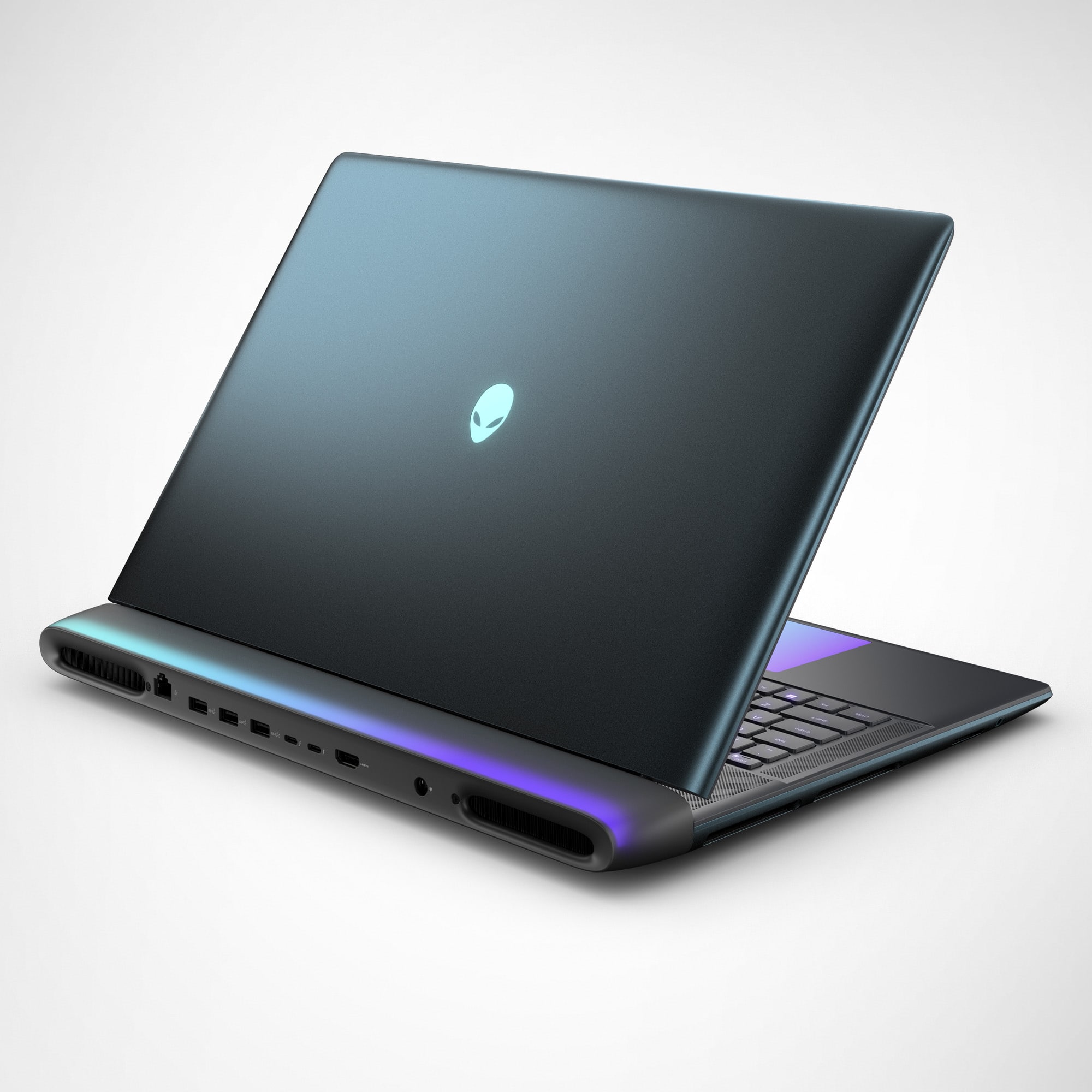
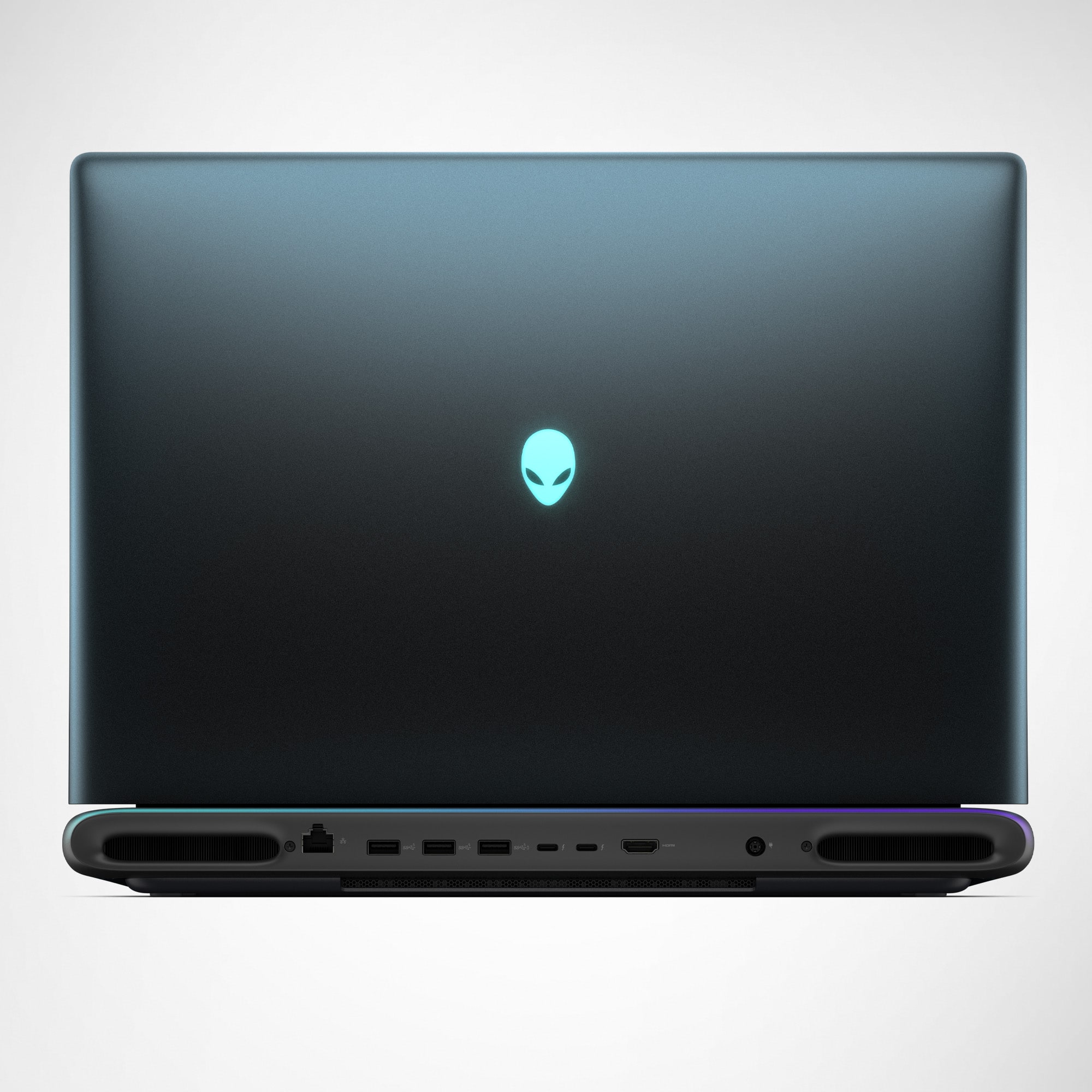
|Posted . Owned for 3 weeks when reviewed.This reviewer received promo considerations or sweepstakes entry for writing a review.I've gone through the Scar 5090 and Gigabyte Aorus 5090 laptops and found the Alienware is the best desktop replacement of the three. The Alienware has great expandability with the three NVMe slots, cable management with rear ports, 4 internal fans to help cool the internals, and 64GB 6400mhz RAM stock compared to the 32GB 5600 standard of the previous two I mentioned. I feel the Area-51 only falls short in two areas. The display is an IPS as opposed to OLED or Mini LED and having all the ports in the rear for cable management makes it the largest 5090 laptop as the rear ports protrude another inch. This makes it difficult if you ever want to take it travelling and an on-paper downgrade to the many mini LED and OLED offerings of its contemporaries. If you use the laptop as a stationary desktop replacement as its intentioned, those two issues are negligible. Personally, I keep it docked at all times and hooked up to an external 4k display anyways and I find the IPS display to still be pretty bright. My only complaint is that the Alienware Command Center software has a terrible UI. Navigating through the tabs to find overclock settings feels awkward and clumsy. Also, for whatever reason, Dell removed the feature to keep your touchpad RGB powered on at all times in BIOS. So now the touchpad only powers if you've touched the pad within the last 15 seconds. This is a shame since RGB lighting is part of the Alienware identity. It ends up being something you will never see outside of booting up if you have an external mouse/keyboard, which most people will.
I would recommend this to a friendTHE BEAST!
||Posted .This reviewer received promo considerations or sweepstakes entry for writing a review.This gaming laptop has all the power you will ever need and most definitely future proof for years to come. I can play any game at ultra high settings with no problemo! Love this BEAST!
I would recommend this to a friend30 day BRICK, NO support or customer care
||Posted .This reviewer received promo considerations or sweepstakes entry for writing a review.Died at day 28, last day to return, but naturally I couldn't get to Best Buy immediately. Went in today and they were jerks about it. PC is a brick. Unbelievable how terrible the help has been. Avoid Dell, Alienware, and Best Buy!
No, I would not recommend this to a friendTruly a desktop replacement, great performance.
||Posted .This reviewer received promo considerations or sweepstakes entry for writing a review.The laptop is very nice and feels well built, it is HEAVY but I knew this when I bought it. The performance is great, does not feel sluggish at all, very snappy and 'instant' when doing things. Gaming performance is also very good, does not compare to my desktop 5090 but you can't except that when using less than a 3rd of the power. The default power setting (was set to performance) allowed the cpu to max out and thermal throttle at 105C (in Cinebench), which I do not like, I set a custom power/fan curve to max the cpu out at 90C. The gpu runs well at default settings, max I saw was around 70C. The screen is the main reason for a 4 star instead of a 5. For this price point I am not sure why the screen is not a mini led or oled (mini led preferred), the light bleed is pretty bad on the screen. The colors and screen looks nice typically but you do get a lot of light bleed on dark scenes. I put in a 2nd 4tb nvme drive to dual boot Linux Fedora, but there are issues with the nvidia drivers and the sound card as of now, hopefully with future Fedora updates or releases this will be resolved. Admittedly I have not put a lot of time into trying to resolve the issues yet, this is something I will be doing soon though as I prefer to daily Fedora over Windows.
I would recommend this to a friendthis computer definitely computers
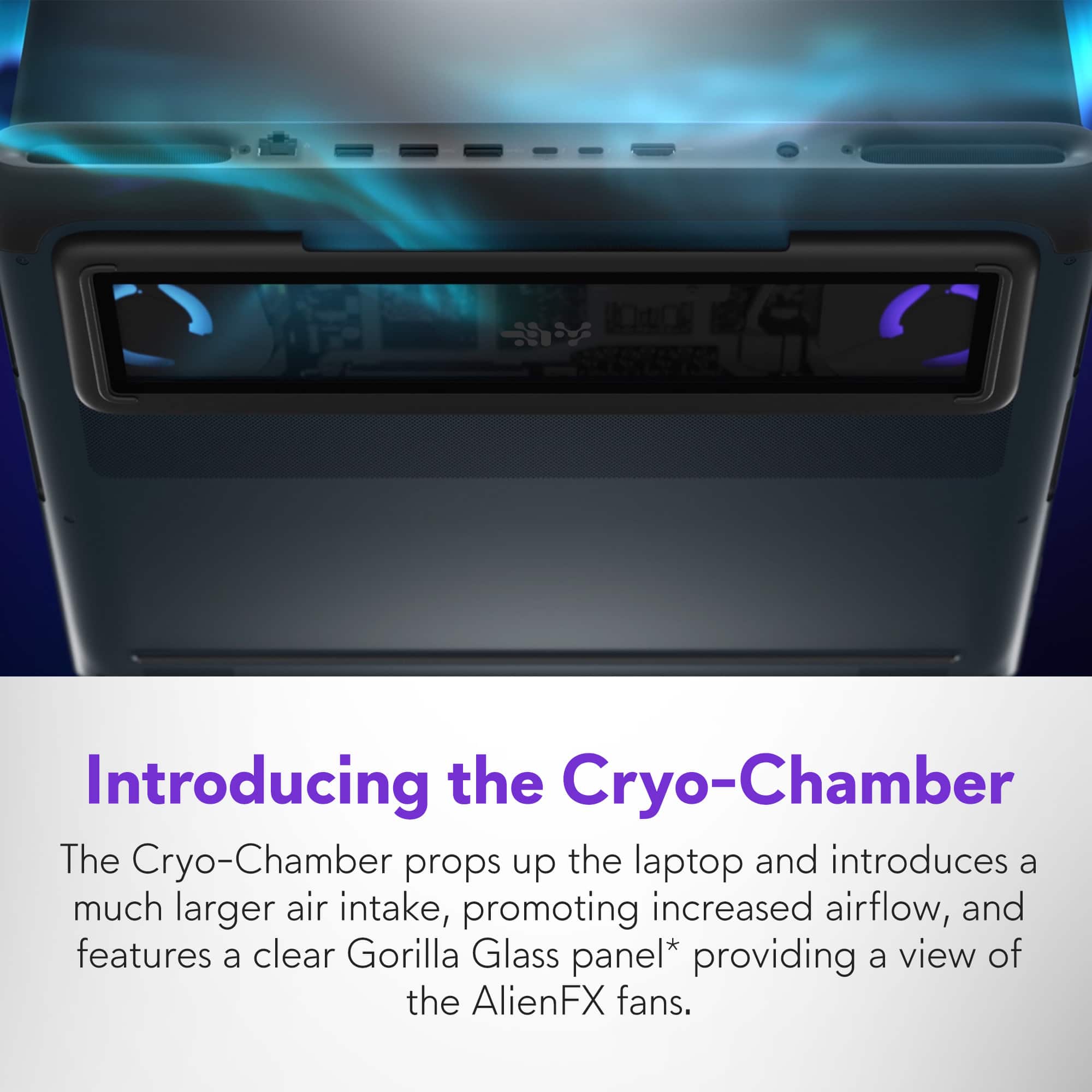
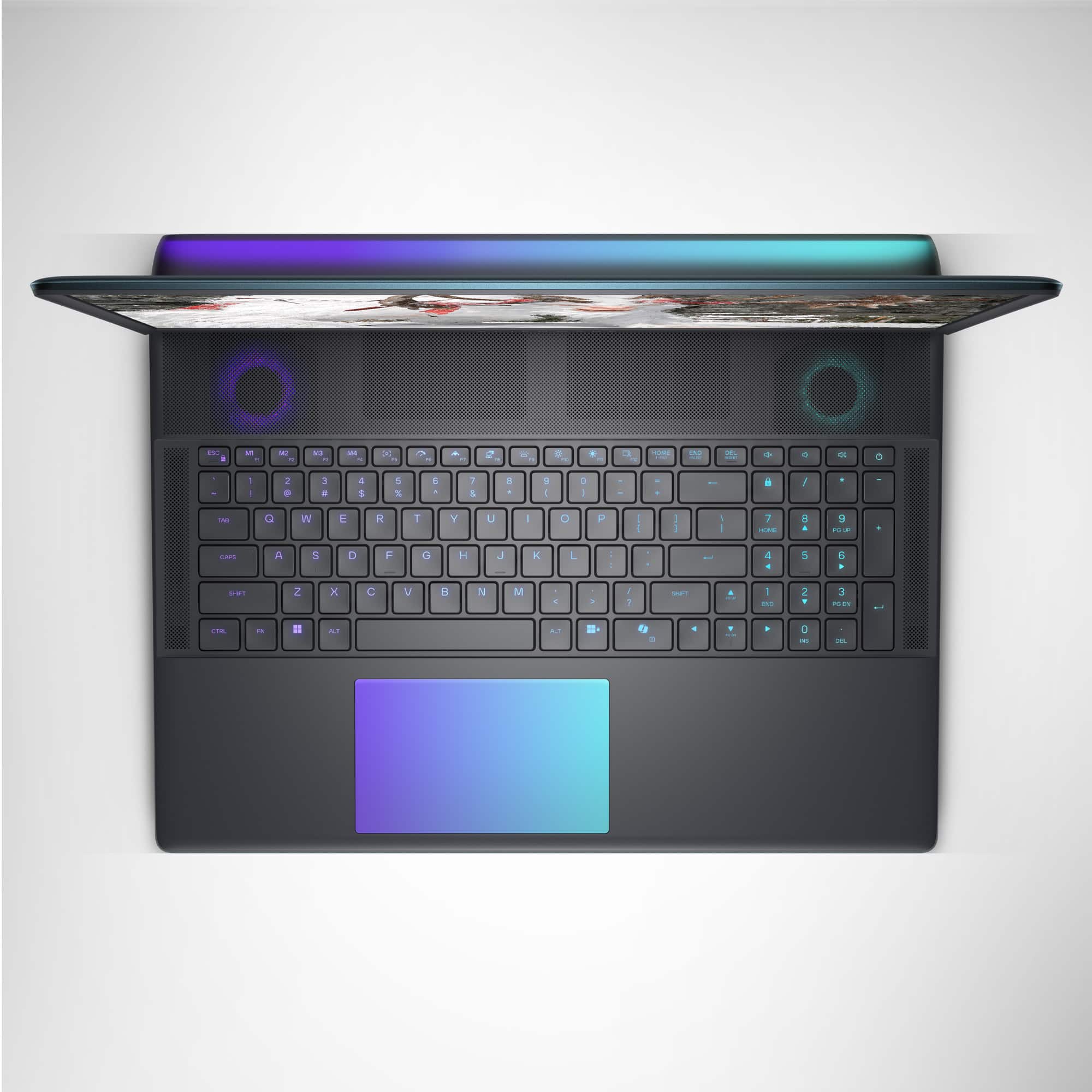
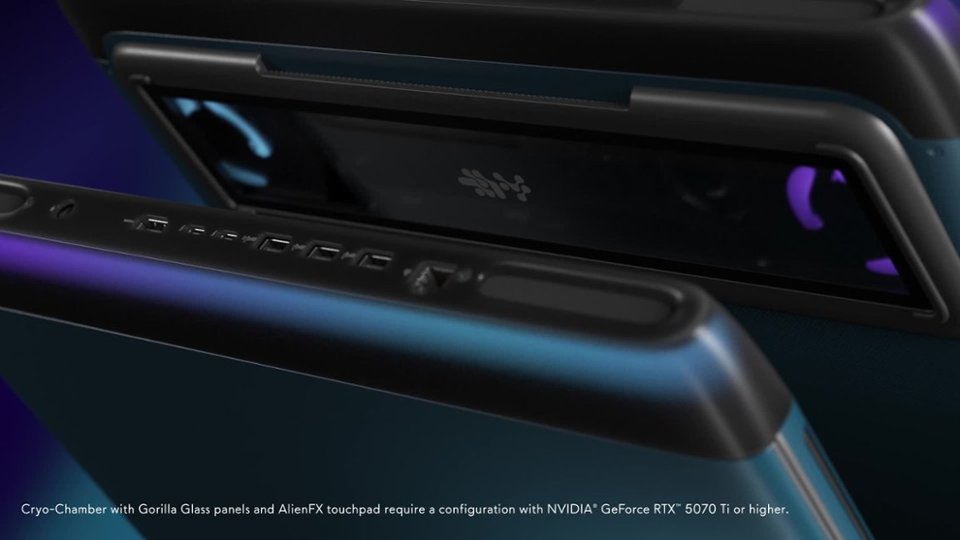
||Posted .This reviewer received promo considerations or sweepstakes entry for writing a review.this was not the laptop i was originally planning on getting but i found it on a significant sale price so i went with this instead of the scar 18. i was originally concerned about the ips panel vs the miniled offered by other brands but the screen is more than adequate for any gaming needs. this laptop has been able to handle everything i have thrown at it and the cooling is exceptional. i have never had a laptop that i could run at full power without a stand to facilitate better airflow, but i did a 1 hour stress test using 2 synthetic workloads pushing the cpu and gpu both to 100% with the laptop flat on a desk mat and the laptop did not thermal throttle at all according to hwinfo, which i found astonishing. the keyboard and trackpad are more than acceptable, responsive and accurate. the only negative experience i have had is the direction key position requires the 0 on the numpad to only be half width which will take some getting used to but it seems most laptops are doing this now to make room to add the windows ai key(which i hate). i would absolutely recommend this laptop for anyone looking at laptops in this price range....especially if you see it on sale like i did(the sale was so significant the 5090 version cost less than the 5080 version lol)
I would recommend this to a friendGreat laptop - with a few small issues
||Posted .This reviewer received promo considerations or sweepstakes entry for writing a review.Overall - this is a fantastic laptop. It runs cooler than my previous Alienware laptop - even when gaming at the highest settings. After purchase, I was able to add 2 4TB SSDs, bringing total storage to 10TB across the 3 SSDs. However, I encountered three issues with the laptop. The first was with my Alienware backpack - that worked with my previous AW 17" laptop. The Area 51 18 laptop is slightly larger, and just barely didn't fit into the backpack - so I purchased a new Alienware 18 backpack - which works much better. The second is with the addition of the two SSDs. The users manual recommends using a heat shield over the SSDs. But the laptop did not come with a heat shield for slots 2 and 3, and also did not have the mounting bracket for the heat shield. The Dell website did not have this part - but I was able to order the heat shield, mounting bracket and screws from Amazon. The third issue is more frustrating. Alienware advertises the laptop has two Thunderbolt 5 ports - and can support 2 4K external monitors and provide up to 120GB/s throughput. I purchased Dell's TB5 docking station - and it works great as a USB hub - with 4 USB 3 type A ports and 4 USB-C ports (which can also support TB). The dock also has two DisplayPort and one HDMI port. I connected my old Alienware monitor (that requires using a DisplayPort connection to get the full resolution at rates of 60Hz or 100Hz) using a DP cable. And when the laptop went to sleep or restarted, often the monitor would be detected but no signal sent to the monitor. I contacted Alienware support - who confirmed that NO TB DOCKING STATIONS ARE OFFICIALLY SUPPORTED for this laptop, and recommended I connect my monitor using the HDMI 2.1 port on the laptop. Since the old AW monitor only supports HDMI 1.4 - it would only run at 50Hz - and I ended up buying a new AW3425DW monitor from Best Buy which supports HDMI 2.1 - and can run at full resolution and refresh rates up to 240Hz. I'm still using the Dell TB5 dock as a USB hub - with 8 ports plus a 2.5GHz wired ethernet port, making it easier to dock and undock - and hope that at some point Dell and Alienware will work out the incompatibility between the laptop and dock. Other that these issues (which I've resolved), the laptop has been great. It's a true "desktop" replacement - especially with the addition of the TB5 dock. It's frustrating that Alienware and Dell haven't tried to validate AW laptops with Dell docks - and if more customers complain about this, maybe they'll fix this...
I would recommend this to a friendBest Software Engineering Laptop
||Posted . Owned for 3 weeks when reviewed.This reviewer received promo considerations or sweepstakes entry for writing a review.Alienware 18 Area-51 (Intel Core Ultra 9, RTX 5090) Review: A Monster Workstation in Laptop Form I recently picked up the Alienware 18 Area-51 with the Intel Core Ultra 9, the RTX 5090 GPU, a dedicated NPU, 32GB of VRAM, and 64GB of system RAM. Let me be clear: this laptop is an absolute beast. I’m a software engineer, and this is my daily driver. I’m not using it for light browsing and a couple Chrome tabs. I’m running: Docker containers Virtual machines Multiple IDEs at once (usually 4+) SSMS Visual Studio Visual Studio Code Postman Multiple servers and local environments running simultaneously On a normal day, I’m sitting around 45 to 55GB of RAM usage, consistently. So for me, this isn’t a “nice-to-have” machine, it’s a system that’s actually built for what I do. And on that front, it delivers perfectly. Performance: Exactly What I Needed This laptop handles everything I throw at it, including newer workloads like: AI coding workflows Blockchain development Heavy multitasking with real-world dev stacks It doesn’t struggle, it doesn’t choke, and it doesn’t feel like a laptop pretending to be powerful. It feels like a real workstation that just happens to fold shut. The Important Part: This Isn’t a Normal Windows Laptop Now, here’s the part people need to understand. Even though this machine ships with Windows Pro, it doesn’t behave like your standard everyday Windows laptop in all situations. Because it’s such a high-powered system, certain common applications can act strangely, especially ones that make assumptions about “normal” GPU configurations. A perfect example is Zoom (Zoom Workplace). Yes, Zoom runs. No problem. But if you try to do something basic like change your background locally, you may run into an issue where the GPU essentially blocks it or won’t accept it correctly. You can force Zoom to use the Intel graphics instead of the RTX GPU, but that tends to cause other problems. It’s not a great solution. Zoom Workaround (That Actually Works) The reliable workaround is: Go to Zoom.com Log into your Zoom account on the website Upload your background images or videos there Configure your background settings online Log out of the Zoom app on the laptop Log back in, and let it sync Once you do that, the Zoom app pulls those settings correctly and behaves normally. Final Thoughts This laptop is not a standard consumer machine. It’s a high-powered mobile workstation disguised as a gaming laptop. The 32GB of VRAM alone is more than what most people even have as total system memory. It’s powerful enough that some everyday software just doesn’t know what to do with it. So if you’re buying this system, understand what you’re getting: It’s not a toy It’s not “just a gaming laptop” It’s a serious machine built for serious workloads But because it’s so extreme, you may run into odd compatibility quirks with normal apps Bottom Line If you’re a developer, engineer, or power user who actually needs this level of performance, this laptop is incredible. Just be aware: when you run workstation-level hardware in a consumer Windows ecosystem, you may occasionally need workarounds for programs that were never designed with a system like this in mind.
I would recommend this to a friendPowerhouse unit
||Posted .This reviewer received promo considerations or sweepstakes entry for writing a review.Huge unit that performs as an absolute unit. Elegant design, runs cool, as was a reasonable deal.
I would recommend this to a friendPowerful Gaming Laptop
||Posted . Owned for 1 month when reviewed.This reviewer received promo considerations or sweepstakes entry for writing a review.Powerful and handles high end games very well. Does not overheat at all!
I would recommend this to a friendalienware area 51 18 home run
||Posted .This reviewer received promo considerations or sweepstakes entry for writing a review.this by far is one of best laptops ive ever had graphics, speed, everything is great, no fan noise, no real issues with over heating that ive seen, only con: is weight
I would recommend this to a friendUnreal power in a sleek beast
||Posted . Owned for 1 week when reviewed.This reviewer received promo considerations or sweepstakes entry for writing a review.This laptop is an absolute powerhouse. The 300Hz refresh rate makes FPS gaming buttery smooth—no screen tearing, no ghosting, just raw responsiveness. I run heavy applications like Premiere and COD while streaming with zero lag. The 64GB of RAM is complete overkill for most people, but if you’re like me and demand performance, it’s perfect. The design is futuristic, and the RGB keyboard is a great touch. Worth every penny.
I would recommend this to a friendVery awesome laptop
||Posted . Owned for 1 month when reviewed.This reviewer received promo considerations or sweepstakes entry for writing a review.Always wanted an Alien wear laptop so glad that I finally got one. The Alien area 18 it’s a very nice machine. I would recommend it to anyone that wants to play high end games!!
I would recommend this to a friendGreat for AI developers
||Posted .This reviewer received promo considerations or sweepstakes entry for writing a review.Expensive, but this computer is well built, great speakers, fast, easy setup, and the RTX5090 is perfect for anybody who is doing local AI, like local LLMs or local image creation. Great for gaming as well.
I would recommend this to a friendVarmint
||Posted .This reviewer received promo considerations or sweepstakes entry for writing a review.Very nice computer! And fast, I use it for my desktop!
I would recommend this to a friendGreat laptop
||Posted . Owned for 2 weeks when reviewed.This reviewer received promo considerations or sweepstakes entry for writing a review.One of the best laptops that I have bought. Great screen, great for gaming, and great for work.
I would recommend this to a friendNICE PC
||Posted .This reviewer received promo considerations or sweepstakes entry for writing a review.GOOD PC I WANT BUY IT AGAIN NICE PC , BEST GAMING LAPTOP AROUND
I would recommend this to a friendThe best Alienware yet.
||Posted .This reviewer received promo considerations or sweepstakes entry for writing a review.Has to be the best Alienware laptop to date. The only thing that could be better is a better screen but all in all I am really happy with my purchase.
I would recommend this to a friendNice Gaming Laptop Delivered With Care.
||Posted .This reviewer received promo considerations or sweepstakes entry for writing a review.I purchased this for my grown child who is quite picky. She loves it and it was delivered with care!!
I would recommend this to a friendGreat gaming laptop
||Posted .This reviewer received promo considerations or sweepstakes entry for writing a review.Awesome laptop play all AAA games on ultra settings
I would recommend this to a friend