Customer Ratings & Reviews
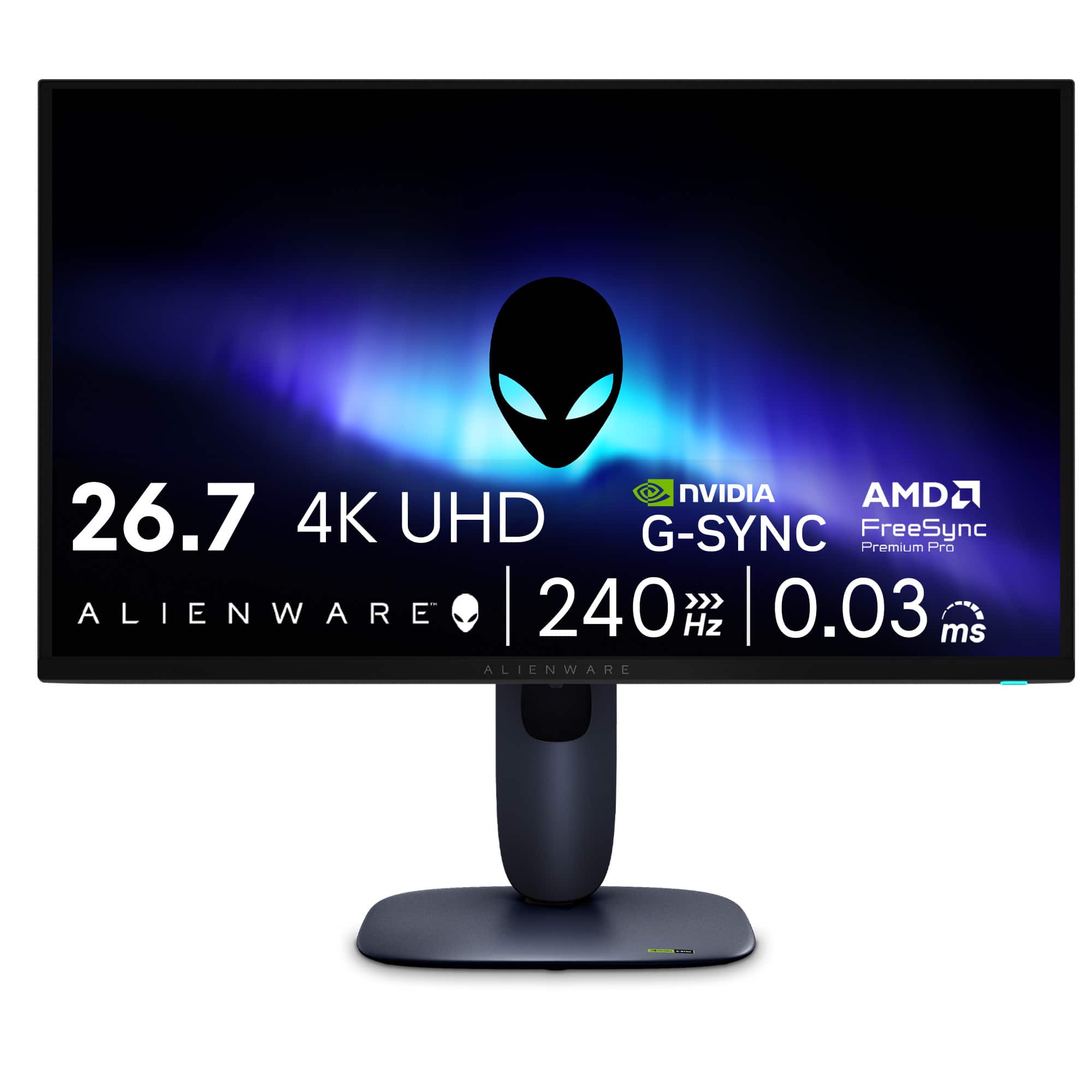

- Model:
- AW2725Q
- SKU:
- 6640501
Rating by feature
- Display Quality
Rating 4.9 out of 5 stars
- Ease of Use
Rating 4.8 out of 5 stars
- Features
Rating 4.7 out of 5 stars
Customers are saying
Customers highly value the AW2725Q 27" QD-OLED monitor for its exceptional image quality, rapid refresh rate, and impressive OLED quality. The monitor's stand design and connectivity options are also well-received, with users appreciating the easy-to-reach controls. Furthermore, the monitor's deep black levels, intuitive menu navigation, and adjustability contribute to a positive user experience.
This summary was generated by AI based on customer reviews.
- Pros mentioned:Color quality, Refresh rate
100% Worth it
||Posted .This reviewer received promo considerations or sweepstakes entry for writing a review.This Monitor Blew my mind with how good the colors are and the speed of it. I’ve tried other oleds and the 4k resolution is the way to go! As long as you check your panel health every couple hours I don’t think i’ll have burn in ever.
I would recommend this to a friend - Pros mentioned:Color quality
Best Budget 240 hz 27 inch 4K OLED monitor
||Posted .This reviewer received promo considerations or sweepstakes entry for writing a review.I've been wanting this monitor for a good while. Waited for the early holiday sale and I missed it, but thankfully my local Best Buy had it available on early holiday sale too. Pulled the trigger immediately and I couldn't be happier. It's not the best 4K OLED monitor on the market but on sale, the value is great, and it's amazing. Love the colors, the deep blacks... It just really pops. Absolutely love gaming and watching videos on this monitor. Highly recommend this if you can get it on sale like I did.
I would recommend this to a friend Oled beauty 240 HZ
||Posted .This reviewer received promo considerations or sweepstakes entry for writing a review.I was in the market for a brand new monitor— i did notice the quality of Alienware laptops when I went into Best Buy, here at Chicago in the South Loop location. I decided on an Alienware laptop back in October 2025 and I decided to score this nice Alienware, oled, and most importantly not that big. A medium, nice range at 27 inch monitor. There is a price tag on this thing, but I mainly focused on the same hardware that I’m using at the moment. Perfect for playing Claire Obscure, Expedition 33. Such a great game; glad it won 2025 GOTY.
I would recommend this to a friend- Pros mentioned:Color quality
Awesome monitor
||Posted . Owned for 1 month when reviewed.This reviewer received promo considerations or sweepstakes entry for writing a review.This monitor is so nice. The colors pop and my games look great.
I would recommend this to a friend Amazing
||Posted . Owned for 2 weeks when reviewed.This reviewer received promo considerations or sweepstakes entry for writing a review.Best monitor i ever owned oled is no going back you will not regret this, i buy alot of unnecessary tech,this is necessary
I would recommend this to a friend- Pros mentioned:Color quality, Connectivity, Refresh rate

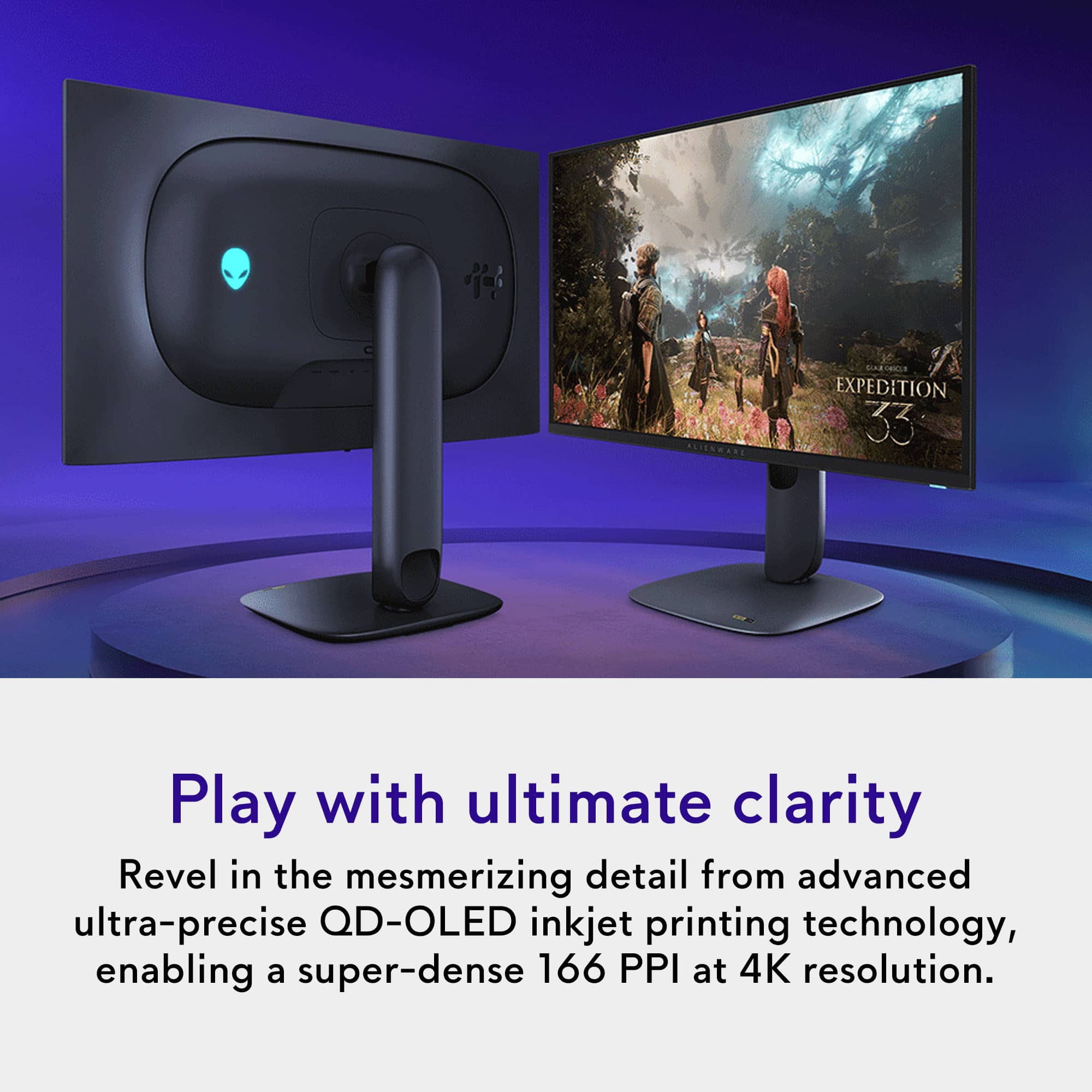
27" QD-OLED 4K UHD 240Hz Monitor - Great Addition
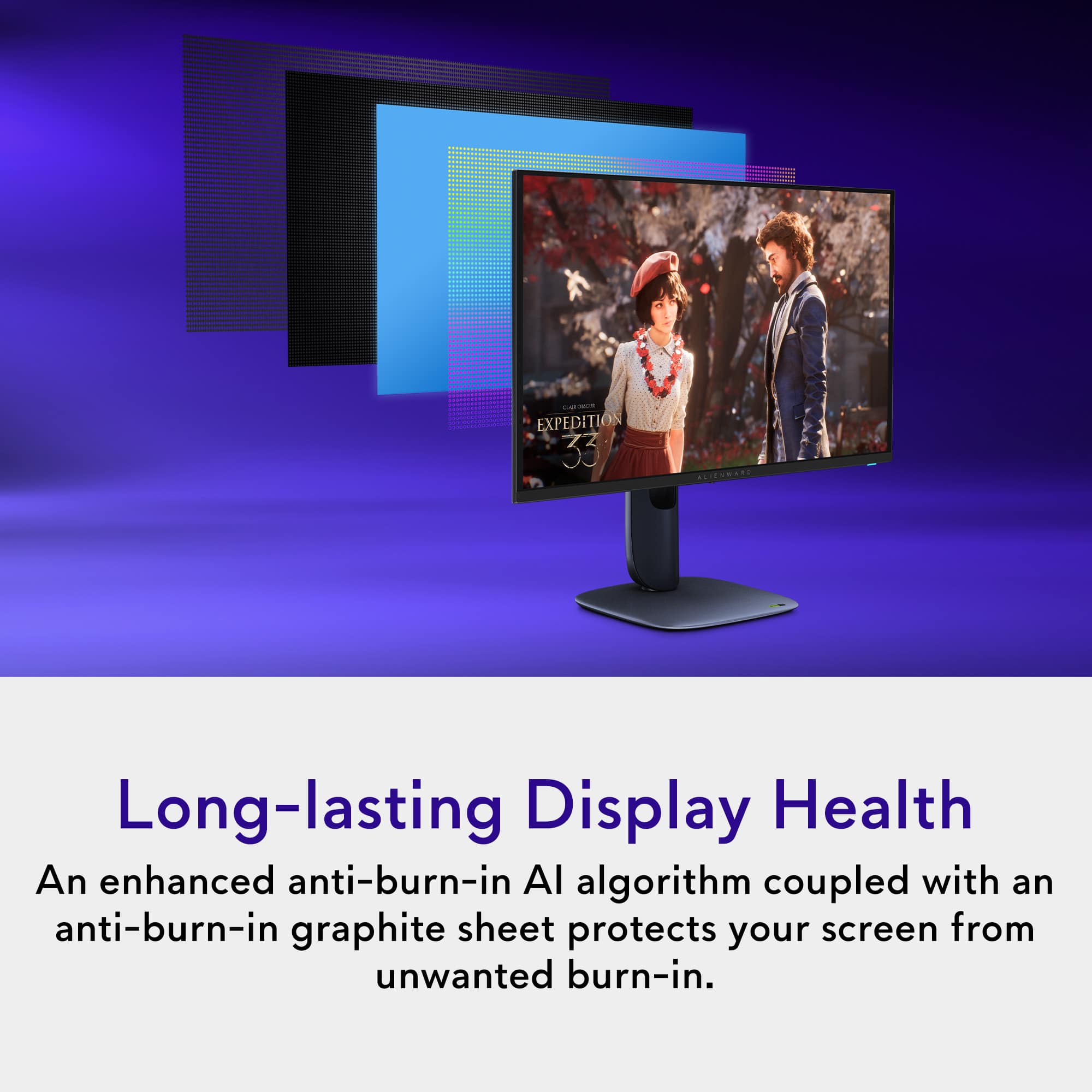
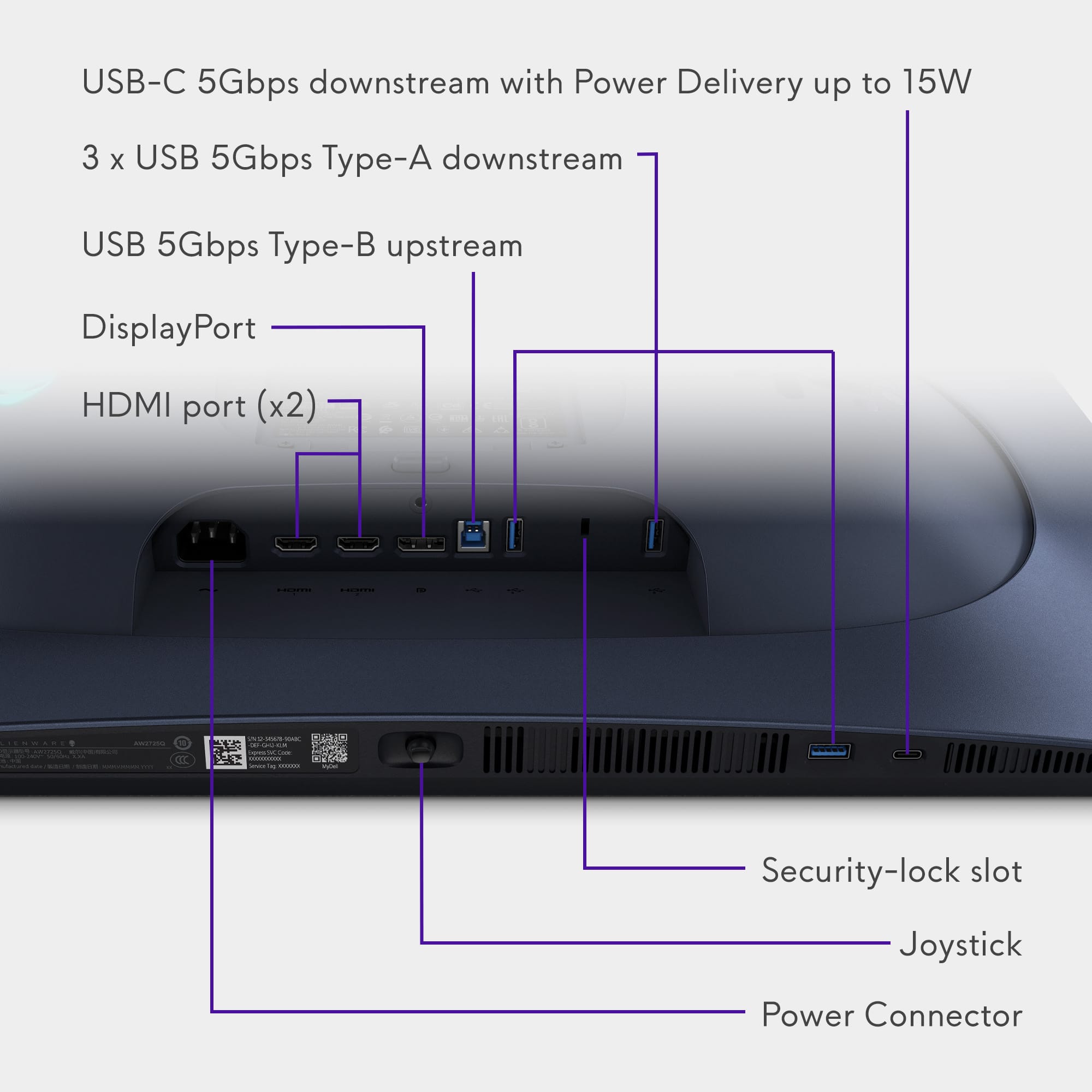
|Posted .This reviewer received promo considerations or sweepstakes entry for writing a review.Alienware / Dell - AW2725Q 27" QD-OLED 4K UHD 240Hz 0.03-ms FreeSync and G-SYNC Gaming Monitor with HDR (HDMI, DisplayPort) The Alienware / Dell AW2725Q Monitor has a 26.7″ viewable screen with a 4K UHD resolution, which results in a high pixel density of 166 PPI (pixels per inch). As a result, you get plenty of screen space with sharp details and text. It has a maximum refresh rate of 240Hz, which provides a significant boost in motion clarity compared to standard 60-75Hz displays, and a slight but noticeable increase in responsiveness compared to a 144Hz display. With a low input latency of around 0.03 ms, there is an imperceptible delay between your actions and the result on the screen. The 4K resolution delivers detailed and crisp images, and it has very good reflection handling if you want to use it in a bright room. However, it doesn't get bright enough to combat intense glare. Delivering remarkable picture quality with deep, inky blacks in dark rooms, no blooming, and small highlights that stand out against the rest of the image. This is not only a great Gaming monitor but it is excellent for content creation and everyday use. Alienware has overcome one of the most significant problems with some OLED monitors: its text clarity is fantastic. The Case comes in Interstellar Indigo, which looks black unless the angle is just right, with the lighting just so. A joystick is located underneath the center of the bezel, controlling the display settings, including various RGB setups, and a power button is positioned on the right side. The provided connectors include a Power Connector with a standard computer 3-prong plug, an HDMI 2.1 FRL port with eARC, an HDMI 2.1 FRL port, a DisplayPort, a USB 5Gbps Type-B upstream, three USB 5Gbps Type-A downstream ports, a Security Lock slot, and a USB-C 5Gbps downstream port with Power Delivery up to 15W. The Monitor stand has ample tilt, height, and swivel adjustments. It's easy to adjust to your preferred position, and it stays in place well once you do. Under where the stand mounts to the monitor are (100x100mm) VESA mounting holes. The monitor was easy to put together; it took me less than 10 minutes with no external tools. It is lightweight, weighing in at 14.9 pounds with the stand. The plastic casing feels solid and premium, with no obvious issues in its construction. I compared the same OLED test video between the Alienware monitor and my other 4K gaming monitor, and you can see the richer colors and basically no glare by comparison. The color vibrancy and refresh rate make it nice for games like ARC Raiders, since it feels easier to spot things from a distance. And the horizontal viewing angle is very broad, allowing good guest views. It also feels more relaxing on my eyes to watch videos from the new Alienware monitor. The Monitor has a graphite-film heatsink within its panel layers to help dissipate heat and prevent burn-in, and it has a hump to the back of the monitor where the stand mounts with a silent fan inside to help keep the monitor cool. Alienware also injects the monitor with some AI functionality; an enhanced AI algorithm regulates the electrical current on a per-pixel basis to maintain image uniformity and extend display health over time. The Pixel Refresh cycle helps reduce the risk of burn-in. You can start it manually or it runs automatically after every four hours of usage or when you put the monitor to sleep or turn it off. Included with the monitor are: • DisplayPort cable • HDMI cable • USB-A to USB-B cable • Power cable • Cleaning cloth • Alienware sticker Alienware / Dell - AW2725Q monitor is a very nice Gaming monitor that will also fulfill your other computer needs.
I would recommend this to a friend - Pros mentioned:Color quality, Connectivity, Refresh rate
Sumptuous, fast, ultra-detailed; outstanding 4K!
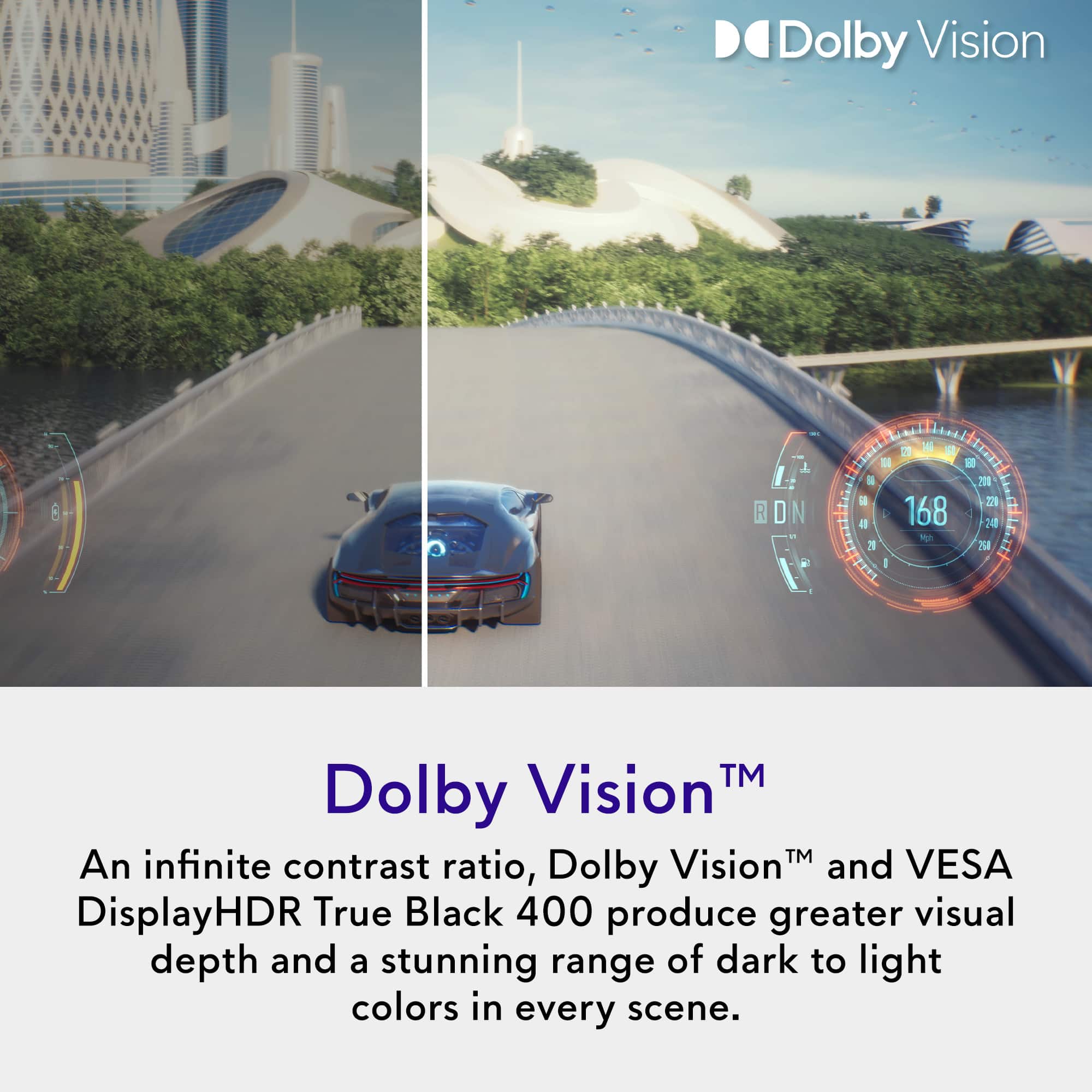
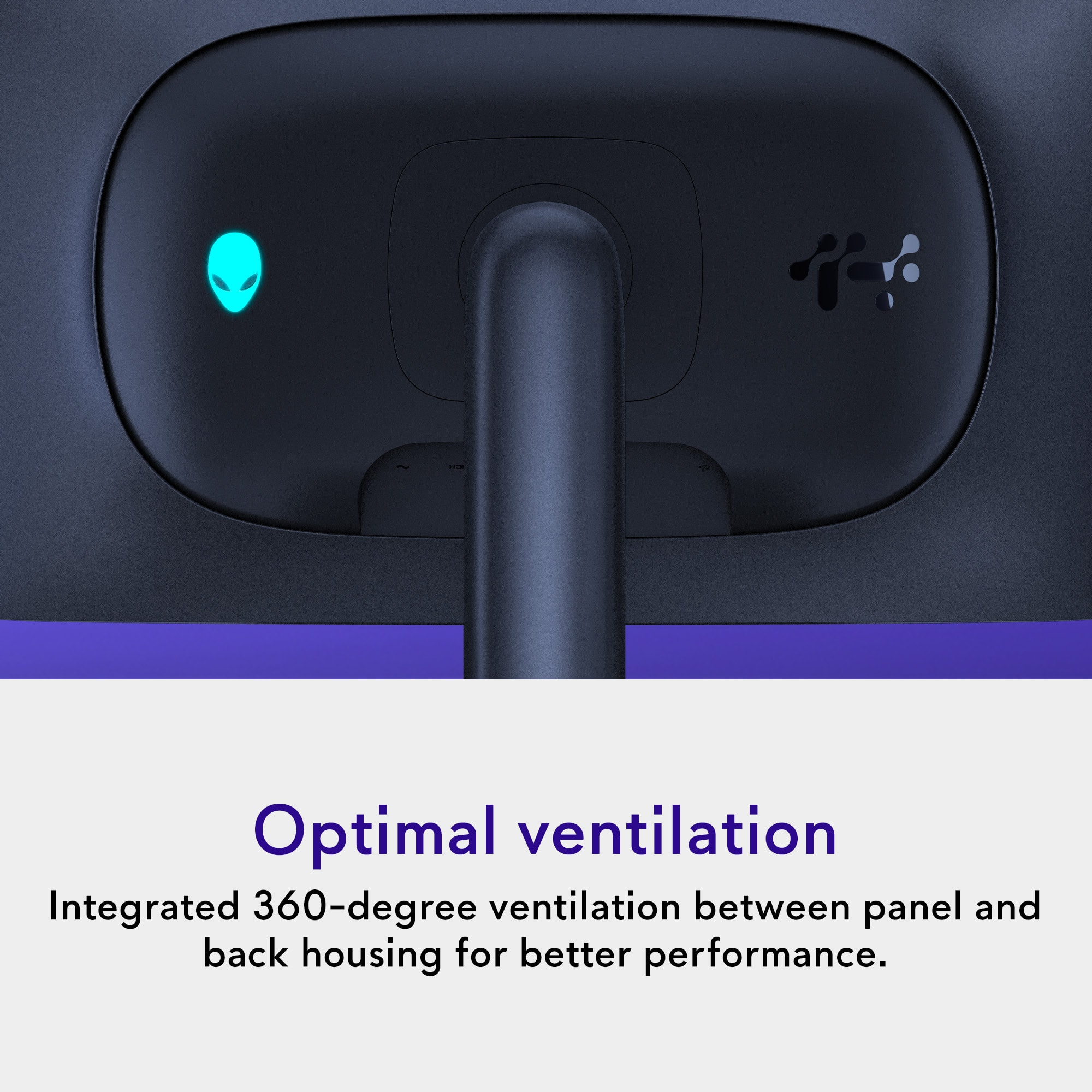
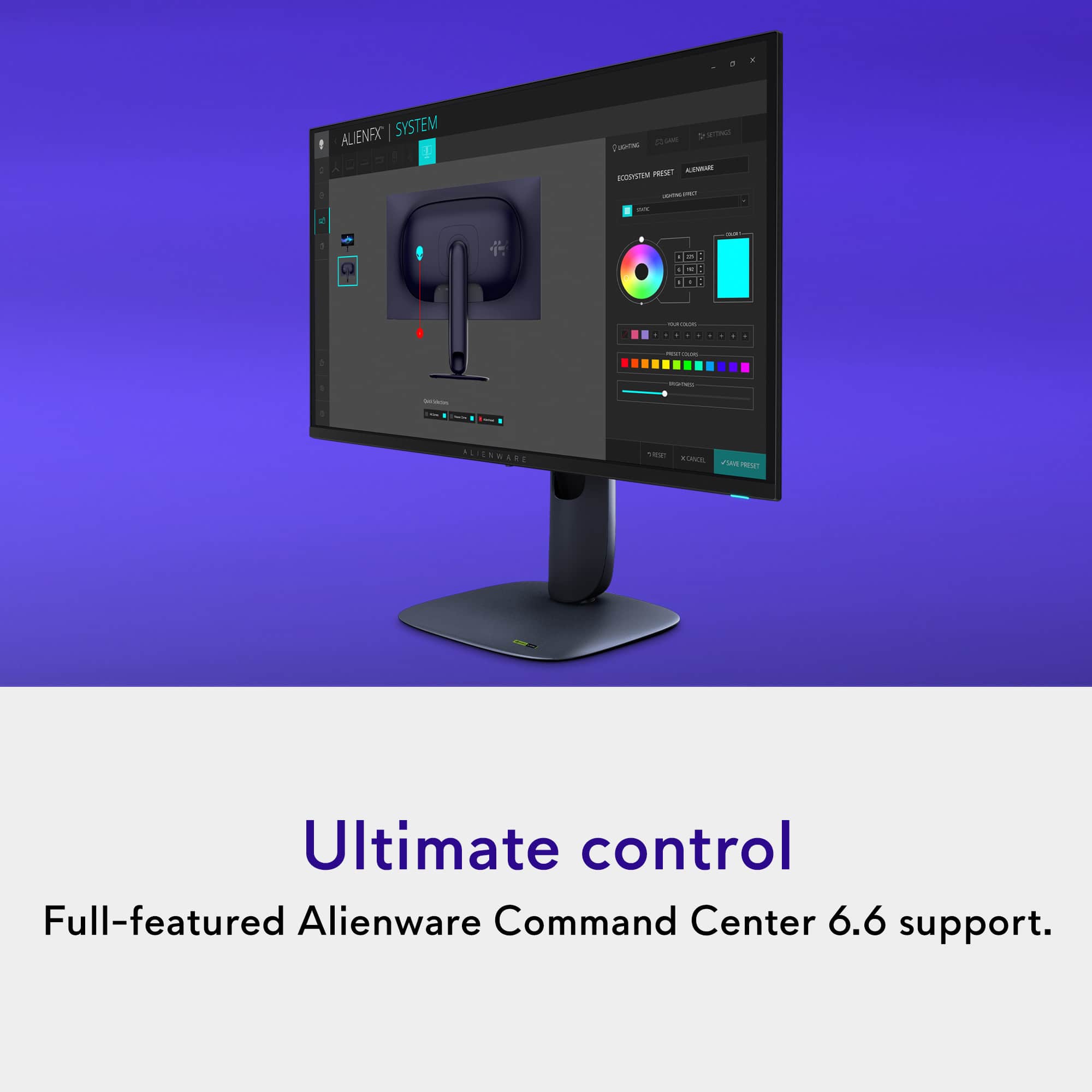
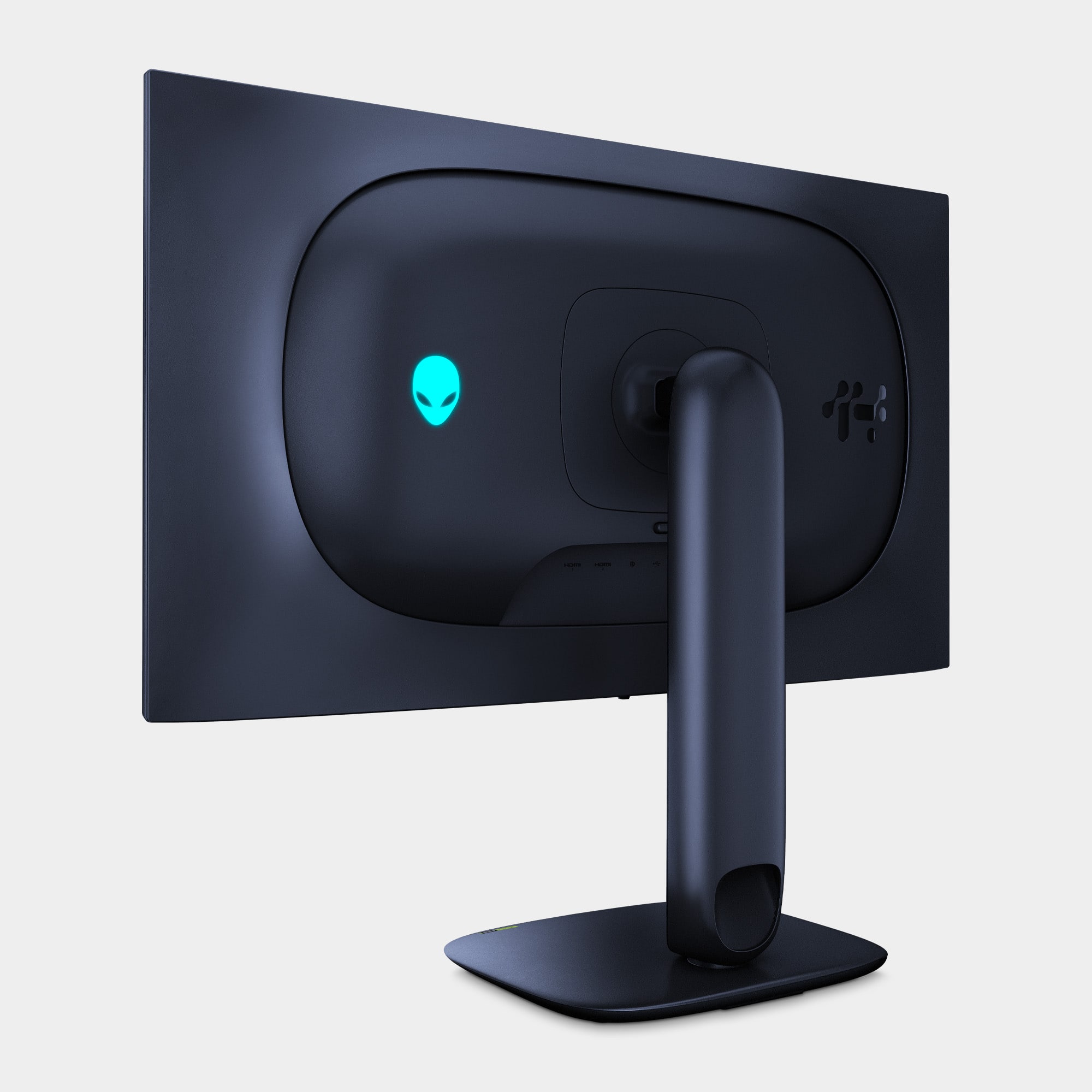
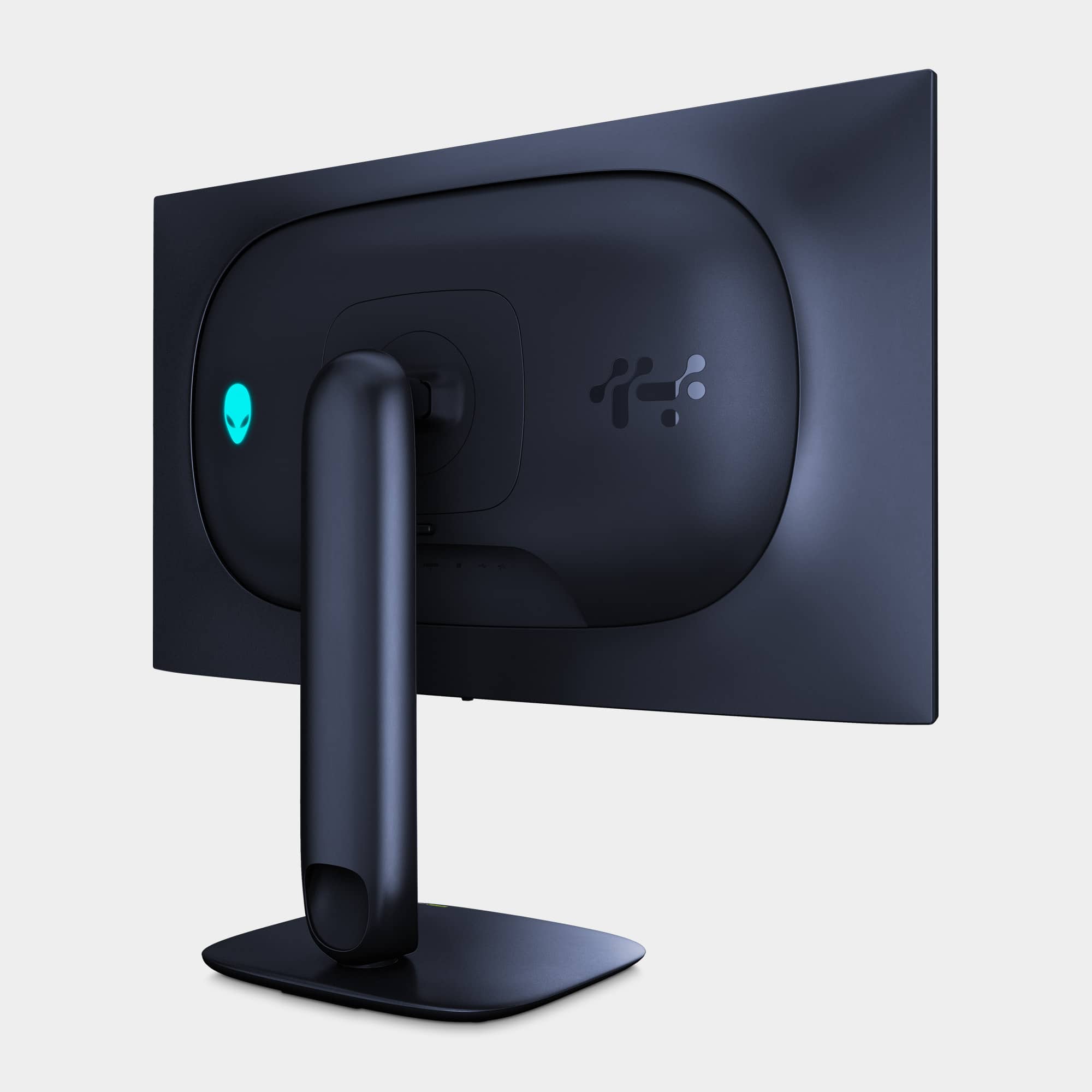
|Posted .This reviewer received promo considerations or sweepstakes entry for writing a review.Usually, I’d lead up to the big reveal by going over all the other features of this monitor before jumping to PQ and gaming performance…but why not just get the good stuff on the table right away? Bottom line: the Alienware AW2725Q provides a drop-dead gorgeous 4K image and will run all the way up to 240Hz–presently, you’re going to have a hard time finding any graphics card that can push that many pixels at 240+ FPS clocking in at south of $2000. A minor issue may reduce the degree to which this monitor is future-proofed for advances in video card hardware, but overall, the Alienware AW2725Q knocks just about everything out of the park in what you would want from a 4K gaming monitor. For the more in-depth discussion…I already have two other Alienware monitors on my desk, a 38” curved 3840x1600 IPS at 144Hz and a 27” 1080p IPS at 240Hz. Presently, I run both off an MSI RTX 4090 via DP. Both monitors provide exceptional performance and, IMO, stunning picture quality. Then the AW2725Q comes along…4K OLED running at 240Hz without giving up G-Sync? Yes please! Other gaming-oriented and premium specs include super-fast 0.03ms grey-to-grey response time, Free-Sync Premium Pro and VRR, 99% DCI-P3 color space coverage, and a staggeringly dense 166 pixel per inch. It took me a while to get used to a flat gaming monitor again--the curve of the Alienware AW3821DW has me spoiled for in-your-face immersion. BUT, at close range, the super-dense 3840x2160 image of the AW2725Q was simply incredible--decidedly more detailed, more vibrant, more colorful, crisper and more refined than the much larger 38” monitor, and of course, MILES ahead of the picture on the 1080p unit. So…what about the OLED panel technology…is it worth the hype? Based on my experience, if you care about image quality and vibrant colors that leap off the screen, picture detail, and liquid-smooth onscreen action; incredible color reproduction that seems to exceed what you can find in nature; and inky, infinitely dark black levels--where ‘black’ actually means the total absence of all other light and color—yes, in my opinion, the OLED-based picture of the AW2725Q is almost indulgently outstanding. As an added bonus, the panel is not only certified for DisplayHDR400, but Dolby Vision as well, making it suited for use as a small 4K video monitor as well as for a gaming PC or console. Now, some might fault the OLED panel for its inability to hit higher brightness levels. For example, my 38” Alienware monitor is rated HDR600, routinely producing about 640 nits peak brightness. The AW2725Q is rated at HDR400 and turned in around 465 nits peak brightness. There is a higher “HDR Peak” mode that can supposedly hit 1000 nits, but it uses the panel’s automatic brightness limiter which can sometimes go a little schizoid with frequent brightness changes depending on how many bright elements are on the screen at any one time. Personally, I found the frequent brightness changes at the HDR Peak setting to be distracting. BUT, it’s important to remember that high screen brightness is basically like a flashlight shining in your eyes, especially in a darkened room. To my eyes, the OLED-based AW2725Q set at HDR400 or Dolby Vision picture reproduction had a FAR more vibrant image than my other Alienware monitors despite not being quite as blindingly bright as either of them…something I personally found appealing when using the monitor at very close range. The screen itself is reflective rather than matte-finished…this adds to the sense of color “pop” on screen, but glaring overhead lights or nearby lamps will be reflected quite dramatically in the panel’s glass, so take stock of where you plan to use the monitor for your rig. In terms of physical design and connectivity, I’m actually fond of the deep blue colorway; it’s a nice departure from the lunar white of most of Alienware’s lineup over the past few years. Other branding is minimal except for the showy RGB alien logo on the back. The RGB lighting can be adjusted (or even turned off) using the monitor’s own controls, or via the AlienFX lighting app. The stand has a nice small footprint that is far more desktop real estate friendly than the HUGE boomerang-shaped stands of my other two Alienware monitors. The mount supports swivel, pivot, and tilt, and you can raise it high enough to run the monitor in portrait mode. The back panel sports a VESA 100 mount pattern so you can use it with a monitor arm or other wall mount if you want. On-monitor connectivity is plentiful. There is one DP port and two HDMI ports, probably for a use case like two consoles, or a console and a UHD player. One of the HDMI ports has eARC/ARC passthrough for a Dolby Atmos signal so you could conceivably use the monitor with a receiver or Atmos-ready soundbar. There are also USBs-a-plenty with 1 type-B 5Gbps input and 3 5Gbps type-A outputs…there is also a 5Gbps USB-C port that can provide up to 15W of power delivery and data transfer, but it doesn’t support video over USB-C. Bezel size is mercifully thin; they are visible along the top and sides of the screen. There is a single RGB-lit power button in the lower right and a 4-way joystick under the middle of the frame that makes menu navigation SOOOOO much more intuitive than trying to translate a row of horizontal buttons into vertical up/down navigation actions. This is fortunate because there are a LOT of menu options to pick from. You’ve got the basics like input switching, picture-in-picture or picture-by-picture controls for viewing two sources at once, various controls for sharpness and different levels of HDR and Dolby Vision enhancement (bright, dark, game, etc.), and an all-important OLED-panel maintenance function that can run automatically during standby or can be started manually at any time if you’re concerned about preventing burn-in (there’s also a 3-year warranty and some other anti-burn-in technologies built-in to help ease your mind). Picture quality and color controls are plentiful with preset modes for various contexts (FPS, MOBA, RGP, Sport, Digital Creator mode, a “warm” setting for a bit more reddish tint, and other usable memory slots for custom color profiles), as well as “Alienvision” enhancements for things like gunsight or FPS overlays, on-screen timers, and dark stabilization that improves visibility in low-light scenes. Overall, there really isn’t much here that should give you pause. I did notice just a HINT of (typical) OLED flicker when using variable refresh with a few games that proved a bit too taxing for my 4090 to maintain a steady framerate, but using a framerate limiter or turning off VRR eliminated the issue entirely, and if you’re not sensitive to the flicker (it can be very subtle), you might not even notice it at all. It IS a shame that the monitor is limited to DP1.4 rather than sporting a more future-proof DP2.1 port; this technical design choice hobbles potential 4K performance to a maximum of 120Hz, so you can only make use of that 120Hz of additional overhead for gaming at lower resolutions. That issue aside, I am a believer–the Alienware AW2725Q produces a remarkably dynamic, detailed, and ultra-smooth OLED image that should satisfy anyone with modest to even reasonably high 4K gaming aspirations; the vibrancy and pop of the colors, crispness of text reproduction, all measured against the fidelity of a truly black background is a simply beautiful thing to see. DEFINITELY RECOMMENDED!
I would recommend this to a friend - Pros mentioned:Color quality, Connectivity, Refresh rate
Smooth, Vivid, Beautiful
|Posted .This reviewer received promo considerations or sweepstakes entry for writing a review.This is a gorgeous screen. It is just the right size, has tons of inputs, is easy to use, and pairs wonderfully with my other Alienware monitor I already had. It has a semi matte finish to prevent glare but doesn’t go so far as to mute the color palette. I’m using it as an external screen for my 5080 equipped gaming laptop, and it is perfectly suited for my wants and needs. My laptop doesn’t have many usb ports so the hub capabilities make a big difference in keeping my other accessories plugged in and working. It has 3 USB-A inputs and a power delivery USB-C and includes an upstream type B cable to connect to the computer. Alongside that are the ultra high-speed HDMI2.1, DP 1.4, and power cables, and the fully adjustable stand. I have a monitor arm in my desk already and was able to quickly attach to that with the VESA 100x100 mounting point. G-Sync compatible makes it so I can take full advantage of the 240hz variable refresh rate with no tearing. It is genuinely incredibly smooth. It doesn’t have built in speakers but that’s okay with me as they are usually subpar anyways and I already have good speakers and a headset for sound. The OLED HDR panel is flawless, putting up perfect blacks, bright, full colors, and not a single dead pixel or bloom effect anywhere to be found. The build quality is impeccable. The controls for changing inputs or customizing settings are a toggle under the center of the screen, and a power button lives on the bottom right corner. It auto sleeps when there is no input signal and wakes right back up as soon as I open up my laptop, so once all the settings I want are in play, I don’t have to ever touch it again. Games and desktop functions all look incredible on this screen and text is crisp and clear. Immense detail and the colors pop. This monitor is well worth your consideration if you are looking for the best quality in this size and don’t want to bother with internal sound. I’d highly recommend it.
I would recommend this to a friend - Pros mentioned:Color quality, Connectivity
Best picture I've had on a monitor - punchy
|Posted .This reviewer received promo considerations or sweepstakes entry for writing a review.PROS: Picture quality is exceptional (deep blacks and popping colors) Anti-reflective coating works well (without being distracting) Excellent connectivity options 0.03-ms response time makes for smooth gameplay Excellent stand that doesn't take up a massive footprint Text, whether writing or surfing the net, is not pixelated (an OLED con) SO-SO: USB-C is limited to 15W (better than some of my other monitors, but still a bit disappointing with today's gadgets' fast charging capabilities) $900 price tag (for a QD-OLED, not too bad compared to others) CONS: No major cons In 2002, Dell, known for its value-centric PCs and hardware, acquired Alienware. Over the years, Alienware has evolved into one of the most respected computer gaming subsidiaries. In 2025, they will now produce some of the highest-quality PCs, laptops, and monitors, as well as accessories. I own a few gaming laptops from them, and I've never been disappointed with their quality or longevity. With that being said, the AW2525Q 27-inch monitor lives up to the brand's reputation. It is well-suited for high-performance setups, particularly those utilizing advanced graphics cards like the RTX 5070+. OLED is still the type of screen that produces the best quality picture, with incredibly deep blacks and punchy, accurate colors. This is my first QD-OLED monitor, as my current LG OLED monitor was purchased in 2023. It still looks outstanding, but I was excited to upgrade to a QD to see exactly what the hype was about. I like the monitor stand that comes with the monitor. Often, stands are bulky and take up valuable desk space, but this one has a minimal footprint. It is both sturdy and adjustable, allowing users to easily modify the height. Connectivity options include HDMI ARC, which supports Dolby Atmos signal passthrough, along with two HDMI ports and one DisplayPort. This versatility allows users to connect multiple devices, such as a PC via DisplayPort and a laptop through HDMI. We have an Xbox Series X set up in our downstairs office, and everything was connected easily. In terms of USB connectivity, the monitor includes several ports, including a USB-C port that supports 15W power delivery. It's sufficient for charging devices, but not as fast as a standalone fast charger. The QD-OLED panel is capable of 4K resolution with a refresh rate of 240Hz and an impressively low input latency of just 0.03 ms. If you have a capable PC or laptop, these stats will look incredible on the screen. It also supports HDR imaging and Variable Refresh Rate (VRR), which is perfect for an XBOX or PlayStation Pro. With our XBOX, we were able to get a Dolby Vision signal, which looks incredible. Additionally, streaming movies through platforms that include content in Dolby Vision showcases the monitor's excellent performance. The difference between this QD-OLED and my "normal" OLED isn't huge, but it is noticeable. It makes this monitor the most beautiful visual experience I've ever had. The exceptional visual quality is a key highlight, with the QD-OLED panel delivering outstanding black levels and vibrant colors. It boasts a maximum brightness of 1000 cd/m² in HDR mode, and the anti-reflection coating works effectively in various indoor lighting conditions. Prepare to be blown away if you're coming from an LED or LCD monitor. Whether you play at 1080p, 2K, or 4K, the screen will adapt to provide a smooth experience. With a 27-inch screen, you'll be able to see the difference between 2K and 4K if you play closer to the screen. But that's the beauty of a 27-inch. It's adaptable. For larger screens, you can tell the difference more clearly between low-pixel and high-pixel displays. With a 27-inch screen, you get so many pixels that it really makes the colors come to life. One aspect I really appreciate about this monitor is its exceptional clarity for text. This has been a common weakness with OLED monitors in the past, but it is entirely absent in this case. Whether I'm writing or browsing the internet, the text remains sharp and free from pixelation.
I would recommend this to a friend - Pros mentioned:Color quality, Refresh rate
Stunning Display - Inky Blacks and Vivid Colors
|Posted .This reviewer received promo considerations or sweepstakes entry for writing a review.The Alienware AW2725Q is a 27” 4K OLED with a 240Hz refresh rate. This entry into Alienware’s OLED lineup is a flat panel 16:9 OLED gaming monitor. This monitor comes with a solid 3440x1440p resolution in a 21:9 aspect ratio and a tight 800R radius. It has a super fast 0.03ms response time (GTG). The panel is also DisplayHDR True Black 400 certified, and covers 99% of the wider DCI-P3 color space. The I/O panel features (1) HDMI 2.1 port with eArc, (1) HDMI 2.1 port, (1) DisplayPort 1.4a, (3) USB 3.2 Gen 1, (1) USB-C 3.2 Gen 1 with 15W power delivery. The monitor stand tilts (up/down) -5/+21°, swivels ±20°, and has 3.9” (99mm) of vertical travel. If you want to use a mount instead, the stand is removable and you can use a 100x100mm VESA compatible mount. There are minimal controls on the display with the standard monitor joystick under the middle of the screen and the power button under the right side of the screen. The packaging includes an HDMI (Ultra High Speed), DisplayPort 1.4, and USB-A to USB-B cables. The monitor comes with the expected suite of gaming features like VRR (Freesync/GSync), on-screen crosshair, and an FPS counter. There are picture adjustments that can be made to tweak the presets – brightness/contrast, dark stabilizer, hue, gain, offset, and saturation. A number of these features are disabled when Smart HDR or Dolby Vision is activated. There’s different menu controls for input switching, aspect ratio, and a picture-in-picture (PIP) or picture-by-picture (PBP) mode. There is also the OLED maintenance setting, which is the Pixel refresh. You can use this utility manually or it can be set to automatically run after the screen has been on for 4 hours or more. I would highly recommend using this feature, and leaving it to automatically run. It unfortunately doesn’t have some of the maintenance features my other OLED has like pixel shifting, and an automatic screen saver. This is my second OLED monitor, but my first 4K panel that’s not on a laptop. This OLED is a QD-OLED, which differs from my other panel (WOLED). QD OLED’s are known for their richer colors and deeper blacks. I can verify this first hand. I was blown away 2 years ago with my first OLED and its image reproduction (Ultrawide 2K). This display is a step up in both color, clarity, and accuracy. I paired the display with an AMD 6900XT TOP liquid cooled GPU. This is my stepson’s computer that I just built for him. I originally had him set up with a 27” 1440p 180Hz display, which his system ran just fine in all of his games. The jump to 4K @ 240Hz seemed risky, but the 6900XT handled it just fine. My stepson mostly plays TF2, Geometry Dash, and Minecraft. Minecraft with some texture mods at 4K/240 really pushed the card to ramp its fan up, but it handled things well. I loaded Halo Infinite to play the campaign, and the GPU did start to throttle things, but I was still able to keep my FPS over 100 (lowered the settings a bit). Going up to the upper 7000 series or upper NVidia 5000 series will likely be necessary to hit 4k/240 in AAA games. Build quality of the panel is excellent. The screen has a low reflection coating that even a bright light behind you is barely reflected. The casing is a softer touch plastic that doesn’t look very gamery. The stand has a smaller footprint but feels very stable. The tilt of the stand is very easy to adjust without losing its position from minor bumps or shifts. The stand also allows for vertical orientation. It’s a nice stand and better made than most that I have come across. The bezels around the screen are not overly thick either – right at 10mm. That is thin enough if you want to double up the display with a second one. Gaming on the panel has been a really positive experience so far. I had been hesitant for years to make the jump to 4K for a number of reasons. Panels with good refresh rates (above 144Hz) were pretty expensive, and my hardware couldn’t utilize it. Then I got a 1440p Ultrawide OLED and realized that I couldn’t go back to a regular IPS/TN/VA panel. I jumped at the opportunity for a 4K/240 OLED panel once I had the hardware to drive it. It has been such a huge upgrade over the 1440p/180Hz IPS it replaced, which was already a good monitor. Colors on this panel are so much more vivid and accurate. The contrast is amazing – the blacks are as inky dark as I have seen out of a panel, which makes anything on a black background pop right out. This panel is bright enough at 250nits on a 100% white window, and up to 1000nits on a 3% white window (gives a boost for those bright highlights). The input lag on the display is imperceptible at 2ms. The 240Hz refresh completely cuts down on any ghost trails from fast moving action. My stepson loves Geometry Dash, so the low input lag and zero ghosting was a boon for him. The IPS panel this replaced had some slight ghosting even at 180Hz, but coming up to the 240 on this monitor eliminated it. Playing content on this panel is fantastic. Literally everything looks better, and is an improvement over my other OLED. I watched 4K high refresh test videos from Dolby, and the colors just POPPPED. The motion was so smooth – it looked amazing. For games like Halo Infinite I was stunned at the improvement of the black levels in the environment. Dark details showed up better, and the colors looked great. Gameplay was smooth – I turned down the settings to pump the FPS up and got fairly high framerates (170ish). Fast actions scenes stayed smooth, which was the goal. For something faster paced I played a little Forza Horizon 5. The scenery whipping by just looked better. I was maxxing out the framerate with my settings, so I could take advantage of full 240Hz refresh. There was less visual blurring in the cockpit view, and there was more sharpness/detail in the surroundings. I am legitimately jealous that this panel is on his gaming station and not mine. I also took the opportunity to play some videos and selections from movies as well. I pulled up my 4K copy of Tron: Legacy. That movie has never looked so good. The contrasting colors, bright visual highlights, and dark backgrounds were handled so well. It was visually striking on this display. I also loaded up my 4K copy of the Fellowship of the Ring and jumped to the Moria scenes. The goblins crawling in the dark, and the glow of the Balrog looked even better. The inky blacks contrasted with that red fiery glow made the scene even better. I’ve watched this scene on my other OLED, so I had a reference to compare it to. Overall, this is an amazing OLED 4K panel. I couldn’t find anything wrong with it. Games looked amazing. Videos and movies popped. Once you jump to an OLED you won’t ever want to go back. They look that good.
I would recommend this to a friend - Pros mentioned:Color quality, Refresh rate
A phenomenal monitor from Alienware!!
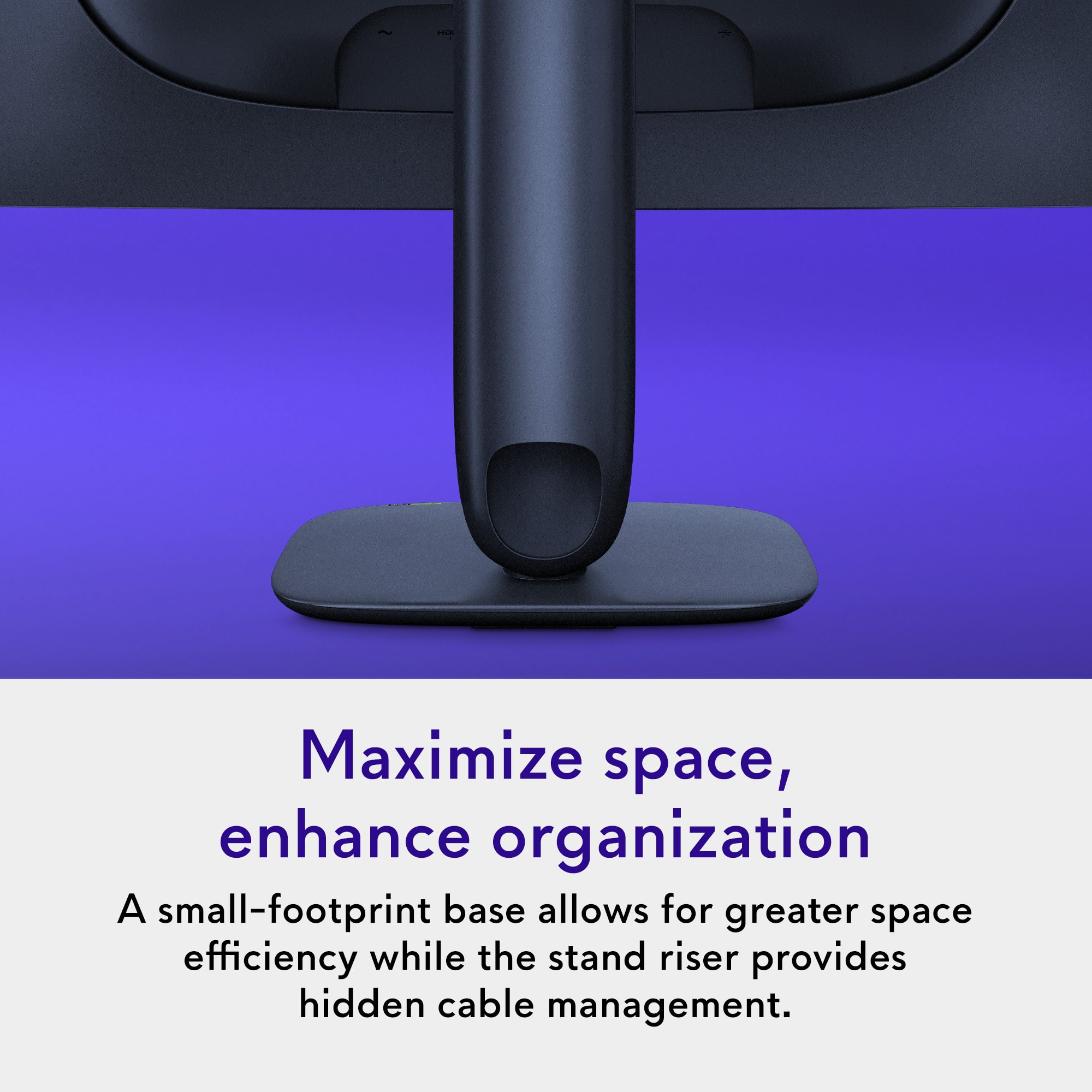
|Posted .This reviewer received promo considerations or sweepstakes entry for writing a review.The Alienware AW2725Q 27” display is amazing! This product is capable of reproducing some stunning visuals, and is one of the most shockingly easy products to assemble I have ever come across. This Alienware monitor is packaged exceptionally well, and everything is nicely laid out when you open the package. What I was blown away with, was how simple it was to remove the base, stand, and screen, and connect them all in just a couple of minutes. There are hardly any instructions, but you really don’t need them, since everything just sort of locks into its proper place. In the box, you also get paperwork, a power cable, 2 HDMI cables, and one USB-A to, well, some sort of connection I’m not familiar with. There is a slot on the bottom of the stand, and you can run your power and monitor cable through there to help with cable management. I ended up using the power cable (of course), and the high-speed HDMI to plug directly into my computer. Once the cables are routed through this stand, it looks super clean and organized. The build quality of the monitor, stand, and base is amazing. Every material feels and looks great, and the stand/base is sturdy enough that I never worried about the monitor’s stability. Additionally, it is incredibly easy to adjust the height and angles of the monitor, with just some intuitive titling and maneuvering. Alienware really focused on making this a user-friendly experience, and it is one of the best designed tech products I’ve used in some time. Once you power up the screen, there’s a couple set up questions, which are answered via a little control knob on the underside of the screen. Connection to your computer of choice is plug and play, just adjust whatever you need on your computer and you’re good to go. And wow, when this screen is running, it looks beautiful. Since it’s a QD-OLED 4K display, the visuals are just stunning. Combine that with a 240Hz refresh rate, and this is the perfect screen to play fast paced, action heavy games, watch movies, or work on editing photo and video content. I played Cyberpunk 2077 and a few other less powerful games, and it is simply amazing what this display is capable of. While playing Cyberpunk, the visuals were crisp, well defined, and vivid, with the details and colors popping out of the screen. The action during frenetic gameplay stayed consistently smooth, and with the high refresh rate and 0.03ms response time, I felt like the only constraint is how powerful your computer is, not the monitor itself. Movies and streaming content also looked impressive, with fine details being visible in every scene. With the OD-OLED display, the blacks were dark and deep, and as I mentioned before, the colors are just stunning. The 27” screen size feels plenty large enough for me, since I have this sitting on my desk. And speaking of size, I found that I could easily split my screen into 2 separate windows, and work on different projects at the same time. This monitor is a beast at games and videos, but also pretty handy when you’re just using it for daily productivity and work tasks. When you consider the build quality, the impressive specs, and the absolutely breathtaking visual performance, the Alienware AW2725Q proves to be an exceptional gaming monitor in every regard. I truly can’t think of anything wrong with this product, and I’m still amazed at how easy it is to set up and assemble. Right out of the box you can have this set up and running with your computer in about 5 minutes, and everything you need is included in the package. If you’re looking for a super high-quality display that can easily handle all of your gaming and content needs, look no further. Alienware has done a phenomenal job, and I wholeheartedly recommend this product. Final Score: 5 Stars all the way!
I would recommend this to a friend - Pros mentioned:Color quality, Refresh rate
An Amazing 4K QD-OLED 27in Monitor
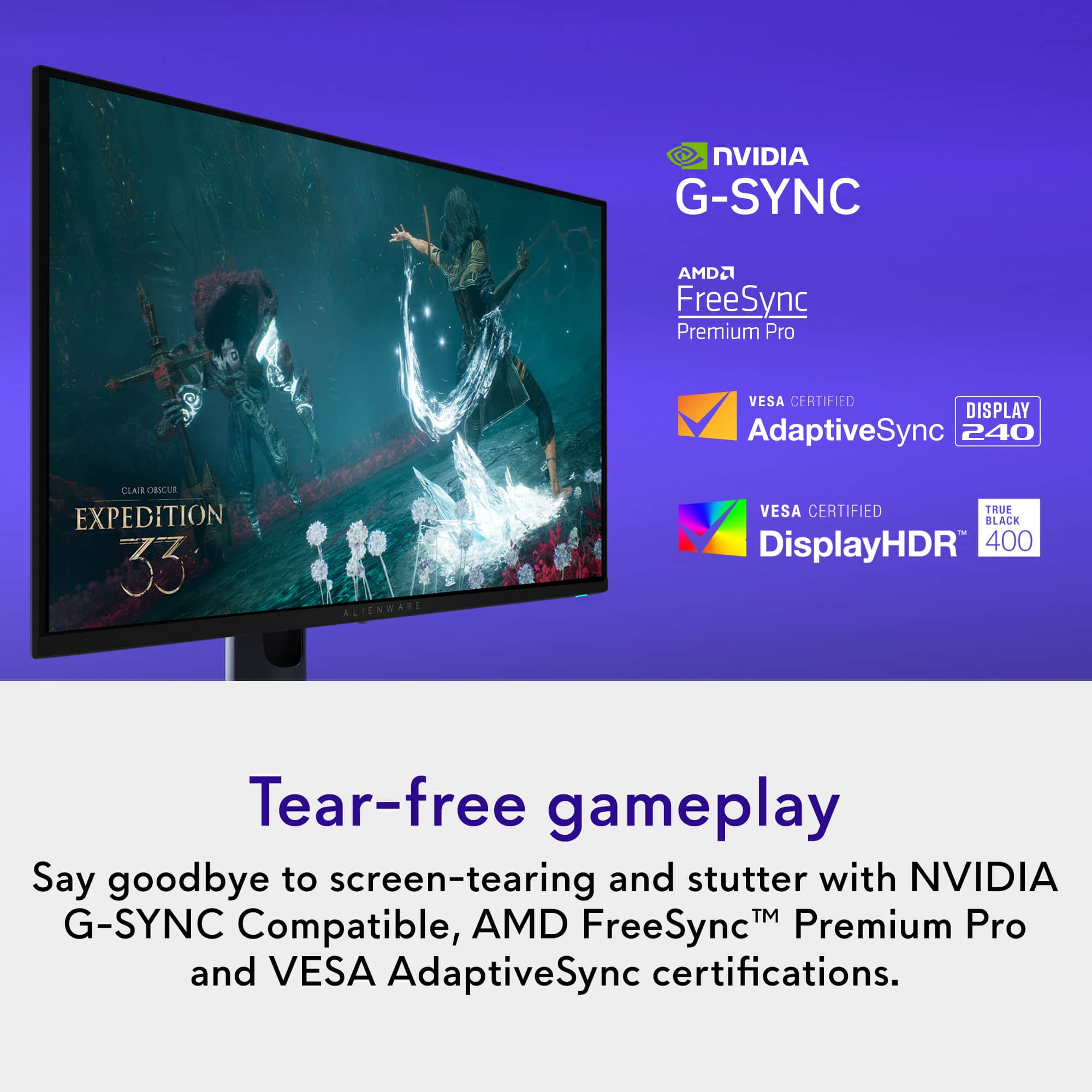
|Posted .This reviewer received promo considerations or sweepstakes entry for writing a review.As someone who’s owned several OLED TVs and OLED monitors over the years, I have to say the Alienware AW2725Q 27" QD-OLED 4K UHD 240Hz Gaming Monitor has really impressed me and in some cases, it even outperforms my OLED TV when it comes to gaming visuals. Right out of the box, it’s clear that Alienware has nailed the balance between image quality, responsiveness, and design. The QD-OLED display itself is stunning. The QD-OLED panel delivers true 4K resolution at 240Hz with an ultra low 0.03ms response time, and it supports both AMD FreeSync Premium Pro and NVIDIA G-SYNC for tear-free gameplay. The combination of those specs gives an incredibly smooth experience especially when I’m playing the new Battlefield 6. At 240Hz at 4K, the motion clarity is insane, and I was spotting enemies so much easier compared to my old 1440p OLED monitor. Of course, to get those high frame rates, you’re going to need a serious GPU, something like the RTX 5080 or 5090 GPU. Then I had to boot up Cyberpunk 2077 and I was blown away at just how great the game looked, especially in the city at night, with all the neon lights, the colors just popped off the screen. The panel’s coating is another standout detail. Coming from a full matte OLED monitor this is so much better. It's not fully matte, but it’s not overly glossy either and has an Anti-reflective coating. The screen strikes this perfect middle ground that keeps reflections minimal while still letting the image “pop.” Colors are rich and deep without any of that washed out look that some matte screens can cause. The screen’s super dense 166 pixels per inch make everything look razor sharp, from text to tiny details in 4K games. Dolby Vision support is a nice addition in that it really adds extra depth and contrast when watching movies or playing games that support it. Port selection on this monitor is solid, it has 2x HDMI 2.1 ports, 1x DisplayPort 1.4, and 1x USB-C port, 3x USB-A 5Gbs ports, and 1x USB-B port. The only slight letdown is that the USB-C is limited to 15W charging and doesn’t support video output or data transfer for a laptop, and there’s no KVM functionality either. Which is not a deal-breaker, but something to be aware of if you were hoping to use it as a hub for multiple devices. It also comes in the box with 1x Display port 1.4, 1x HDMI 2.1 port, 1x USB-B port and a cleaning cloth. Aesthetically, this might be one of Alienware’s best looking monitors yet. With this design Alienware went away from that over the top “gammery” aesthetic. The stand design is excellent, very stable, takes up minimal desk space, and includes thoughtful cable management integrated into the back. The color of the monitor is also really unique and looks amazing. Alienware went with like a space blue but it mostly looks black until the light hits it at just the right angle, where you can see a subtle dark blue shimmer. It’s a nice touch that feels premium and unique. This monitor does have some gamer RGB but its tasteful RGB, in that it’s the Alienware logo that lights up and changes color, but that can be turned off in the settings. Pros: Stunning QD-OLED 4K panel with deep blacks and vibrant colors 240Hz refresh rate and 0.03-ms response time for buttery-smooth gameplay Dolby Vision support enhances compatible games and content Excellent balance between matte and glossy screen coating Stable, compact stand that doesn’t clutter desk space Both FreeSync and G-SYNC support Cons: USB-C port is limited to 15W, no video output No KVM functionality Requires a powerful GPU like the RTX 5080 or5090 to fully get 4K at 240Hz Overall, the Alienware AW2725Q has become my new go to monitor and I will be retiring my 27in 1440p OLED monitor to the second monitor for chat. Between its incredible picture quality, smooth motion, and great design, it’s easily one of the best 4K 27” monitors I’ve used to date. And if you want a monitor with a high refresh rate at 4K with a QD-OLED screen, I highly recommend this monitor.
I would recommend this to a friend - Pros mentioned:Design
A Beautiful Display
Posted .This reviewer received promo considerations or sweepstakes entry for writing a review.So Alienware has great design, software, and general capabilities. This thing is awesome. I bought this for $700 on sale, and you get such a genuinely nice QD-OLED display at these dimensions. I had to go back to a 32in 4K for sheer immersion, but you can't beat that price for this quality. What this monitors is missing to beat its contemporaries in price: no speakers nor headphone jack; no DP-alternate mode through USB-C, only 15W charging; no KVM switches. It has a FANTASTIC on-screen display (OSD), which could have better scaling for those with eyesight compromises. It's missing the high-en features to really zero in on a killer display that looks great for standard desk usage. It even comes factory calibrated, I really only had to adjust brightness! The HDR quality was so nice, and it just works fantastically,
I would recommend this to a friend - Pros mentioned:Color quality, Refresh rate
Deep Blacks & Buttery Smooth Video
|Posted .This reviewer received promo considerations or sweepstakes entry for writing a review.This Alienware monitor may not have the largest real estate, but it is an absolute dream to use. OLED is an absolute delight! And, when paired with 240Hz / 0.03 ms refresh, it is a game changer! My son recently passed along his PC monitor to his aunt when she needed more screen space to start doing some more serious work from home. We snagged this Alienware monitor as a replacement and the whole house has fallen in love. The black levels are astounding! The blacks are so dark that it looks as though pixels are completely turned off in the darkest areas of the screen. They are so rich that my son frequently complains about smudges or dust on the screen. Typically, you cannot see a smudge while a screen is on, but when the image goes dark, more smudges are visible. Luckily, the monitor actually comes with a microfiber cloth. We clean the screen quite often, but my son really seems to be bothered by how often he notices smudges. So, if you are a meticulous perfectionist, just know you may be compelled to clean this screen more often than others. We love that the bezels are small, the monitor is light enough to move, but feels solid. It is easy to adjust the height and the tilt in order to find the absolute perfect position. Menu controls are simple to use and the joystick style input is easy to find below the center of the screen. There are plenty of inputs, although they can be difficult to locate by touch alone - it would be nice if Alienware put a visual indicator or some tactile ridge to help feel the location of the inputs under the screen. Also interesting is that the monitor is actually a midnight blue color. This will never be on display as it is the back of the monitor, but it is a cool and very unique style. Take a look at the attached pictures to get a better idea of what the monitor actually looks like. Ultimately, my whole family loves the richness of the OLED screen and the smoothness of high refresh rate. OLED is simply another level. The price really isn't half bad either. ...And, because it comes with a 3-year warranty, there is no need to plunk down any extra cash to an in-store extended warranty. This is an easy recommendation. Although now the whole family wants OLED monitors.
I would recommend this to a friend - Pros mentioned:Color quality
Does it get better than this?
|Posted .This reviewer received promo considerations or sweepstakes entry for writing a review.I'll start off by saying this is the first flat monitor I've used as a daily driver for a little over 5 years. My work, workstation (both 3000R), and gaming rigs (1800R) have all had curved setups. I mention this as it took nearly a week or two of using it to really acclimate and be able to give an honest review of this QD-OLED offering from Alienware. Initially things felt warped, out of focus, almost like the screen was bending *away* from me. This led me to making mental notes on a few things I thought I didn't like. But, after adjusting and those little optical tricks my brain and eyes were playing on each other subsided, I quickly realized just how great of a monitor this is. There will be any number of reviews that simply regurgitate specs and data that you can find anywhere. I'll sum it this thing up with one word; crisp. Everything I throw at it just looks CRISP. Games, movies, just browsing around...every single image, video, detail, color looks crisp. Sure, you can elaborate on that and go into any number of market specific lingo to try and sell something. But, that one single word perfectly encapsulates the image you'll be greeted with. Buy this thing; completely worth the price.
I would recommend this to a friend Amazing for work and play
|Posted .This reviewer received promo considerations or sweepstakes entry for writing a review.This has been a great, reasonably sized monitor for both work and play. I enjoy the fast refresh rate, OLED blacks and color accuracy for gaming while I love the 4K resolution, connectivity and monitor brightness for work. Pros: - Size - QD-OLED - Refresh rate - Dolby Vision support - Portrait mode Cons: - Plastic non-premium build - Wobbles while typing - No auto-rotate (that I could find) Unboxing: Upon first impression. I was surprised that the monitor is not all black as stated in the description. Most of the monitor is black, but the rear central portion is more of a midnight blue. I captured this in a picture for this review, it is fairly obvious in sunlight. Overall, it is not a huge issue unless you are not a fan of any color in the monitor frame. The material is pretty much all plastic with only two buttons, a power button on the bottom right and a control stick/button in the middle. The two lights are the Alienware logo in the back and the power button on the bottom. Both can be configured with effects and colors within the Alienware Command Center application. Setup is very easy with just a power plug and a video input required (HDMI 2.1 or DP 1.4). I do recommend you install the optional USB cable to your PC for the ability to update the monitor firmware and customize monitor settings and colors. Of random note, there is a pretty nice microfiber cloth that comes with the device that feels more like a thicker material but works very well. Nice touch. Gaming: Outstanding. I am a huge fan of high refresh rate monitors but even 240 Hz is overkill for me with my limitation of a RTX 3070. I did a lot of testing in Overwatch 2 at 1440P to get about 180 Hz. The game is buttery smooth with not a single frame drop. The monitor supports G-Synch and AMD Freesync to ensure no issues there. Response time is amazing at .03 ms gray-to-gray (GTG). Playing something which ran at a bit lower frame rate and had lots of dark areas in some missions is COD Black Ops 6, the OLED shines here with everything being easy to see. With lower frame rates in some areas, there is still no tearing with G-Sync. The screen is also anti-reflective to add to the immersion by reducing reflections in most scenarios. Work: I do various programming tasks and documentation so the high refresh rate and 4k resolution is very easy on the eyes. Text appears extremely crisp here with long sessions causing no eye strain. You likely would be good with a 120hz setting for work since 240hz is highly overkill here, but it is up to the user of course. The best feature is that the monitor can rotate 90 degrees for portrait viewing. This is a killer feature for any productivity, especially as a second monitor for document viewing and programing. The only downside to this monitor I could find for work is the monitor tends to wobble a bit when typing Connectivity: There are plenty of options here. As mentioned earlier, I recommend you hook up the USB cable to the PC to both enable setting updates from the PC and opens the USB port options. There are two HDMI 2.1 ports, one of which supports ARC/eARC which is handy if needed. The DP port is ideal for most users in my opinion, but both options support slightly different features. Per Dell, the DP supports 4K resolution, 240 Hz, DSC and HDR. But, you might want to use HDMI if you need 4K, HDR, Display Stream Compression (DSC), Variable Refresh Rate (VRR), Fixed Rate Link (FRL). Additionally, the one with eARC also supports Dolby Atmos passthrough. The 5Gbps USB-B port to PC enables access to 3 USB-A ports at 5Gbps and 1 USB-C port at 5Gbps with Power Delivery (PD) at 15W if you want to charge a phone. One USB-A port and the USB-C port on the front lower left of the monitor.
I would recommend this to a friend- Pros mentioned:Color quality, DesignCons mentioned:Hdr performance
Great Monitor but it has some issues
||Posted . Owned for 1 month when reviewed.This reviewer received promo considerations or sweepstakes entry for writing a review.So i want to start by saying, i liked this monitor(yes, I returned it). It has a sleak clean design and looks super minimal from the front with a cool alienware rgb logo on the back for some gamer esthetics. The panel has nice slims bezels with just a bit of leeway for the pixel shift technology. The panel itself is also good with nice punchy colors and good looking blacks. However, i did feel the brightness wasnt where I would like it to be. I mainly had this connected to my Xbox Series X and my macbook pro m3 pro and using both sdr and hdr, I noticed an oddity with this brightness. SDR was great, everything looked punchy and right in your face. HDR on the other hand felt off, almost dim. It felt like the brightness was at 80% and I just wanted to crank it to 100% but it already was already at max. I tried each and every HDR mode and just couldnt get the right mix of what I had hoped from my first OLED. The two that I used was true black hdr 400 and peak 100 hdr. The true black gave the most punchy colors and obviously best looking blacks but wasn’t bright enough. The peak 1000 felt bright but could be brighter and I noticed it looked a tad bit washed out. And yes, I calibrated each accordingly. But the main issue that I had and was the real reason for the return was the functional issues. On multiple occasions, I had this monitor just turn black. The screen would display an image and all of a sudden…go black. Or I would switch inputs and it went to a black screen. No input missing message or something like that. The power light was on. I had a heart attack the first time. I did some research online and saw other people reporting the same, with some having their monitor bricked. After about 5-6 of these happening within the two weeks i had it, I decided to just return it. Spent $700 for something, I atleast want to look good. To people who are planning on purchasing, I wouldnt shy away from this but I also wouldn’t recommend it.
No, I would not recommend this to a friend The One for 4K AAA Games Worthy of Top Range GPU
|Posted .This reviewer received promo considerations or sweepstakes entry for writing a review.Can’t go wrong with an Alienware, and this monitor surely represents the brand really well. I got an RTX 5080 setup so it would do so much injustice if I don’t use an OLED 4K monitor. Setting up the Alienware monitor only took several minutes. The monitor stand’s color is deep blue, and I like it a lot. The monitor stand is sturdy, and I can easily adjust the monitor’s height. The monitor supports HDMI Arc with Dolby Atmos signal passthrough, and of course DisplayPort connection. Connection wise there’s two HDMIs and one DP. I’ve connected my PC through DP and a Mac desktop through HDMI. Will connect my XBOX to the open HDMI port in the future. There are several USB ports available including USB-C that supports 15W power delivery. The monitor uses QD-OLED panel capable of outputting 4K resolution with 240hz refresh rate and a very low 0.03 ms input latency. It is capable of outputting HDR images and it supports VRR. The monitor comes pre-calibrated from the factory, so this monitor should be great not just for gaming, but also for photo and video editing. Visual quality is the main highlight of the monitor. The QD-OLED panel outputs outstanding black and dark scenes, and colors are vivid. The monitor is bright with maximum output of 1000 cd/m2 in HDR content. The anti-reflection coating performs effectively under indoor lighting. I played Helldivers 2 and everything looked just great. My previous monitor was an OLED QHD monitor and the Alienware as expected beat it in terms of resolution. I’m seeing details previously just wasn’t there on my QHD monitor and in a game like Helldivers 2, these fine details matter. I was surprised by how much better the Alienware's black level and color performance were compared to my QHD monitor, thanks to its advanced QD-OLED technology. I have not dialed in much with all the settings of the monitor but I’m getting great results out of the box. I changed game mode setting to FPS and have been very pleased with the results. The QD-OLED panel performs really well in FPS games, and the 240 Hz supports is awesome for a QD-OLED panel. There’s a trade-off between getting a 4K panel that supports only up to 240fps or a QHD panel that can go up to 360fps. I go for finer details than opt for more FPS supports. While 360 FPS on paper is awesome, it’s unachievable in any recent AAA games even with the best graphics card available anyway. So, the Alienware QD-OLED with the 240 FPS support is already future proof enough for many years to come. I played several Netflix movies including the one that supports Dolby Vision and all these movies looked great. This monitor is a winner. Like: Visual Quality 240FPS supports Plenty of Ports Anti-Reflective Coating Pre-calibrated, should be great for photo and video editing Don’t Like: Can’t really think of any that matters.
I would recommend this to a friend- Pros mentioned:Color quality, Refresh rate
Alienware absolutely hit it out of the park!
||Posted . Owned for less than 1 week when reviewed.This reviewer received promo considerations or sweepstakes entry for writing a review.As someone who has owned the last two generations of Alienware gaming monitors, I came into the AW2725 with high expectations—and it still managed to exceed every one of them. Alienware absolutely hit it out of the park with this model. This 4K, 240Hz QD-OLED panel is simply stunning. The combination of ultra-high resolution and blazing-fast refresh speed gives you crisp detail and unbelievably smooth motion at the same time—something you rarely get in a single package. The blacks are truly black, not the washed-out dark gray you see on lesser displays. Every scene feels deeper and more immersive, especially in darker games where contrast really matters. Performance isn’t the only standout. The controls designed to keep the Q-OLED panel healthy are easy to use, quick, and responsive, giving you peace of mind without adding hassle. Alienware’s on-screen menu system is equally impressive—simple, clean, and free of ambiguity. Adjusting settings is straightforward and fast, so you spend more time gaming and less time fiddling. All in all, the AW2725 doesn’t just improve on its predecessors—it leaps ahead of them. If you’ve enjoyed Alienware monitors before, this 4K 240Hz QD-OLED display will surpass your expectations just like it did mine. It’s one of the most complete and well-executed gaming monitors Alienware has ever produced.
I would recommend this to a friend - Pros mentioned:Color quality, Design
Calibrated out of the box!
||Posted . Owned for 2 months when reviewed.This reviewer received promo considerations or sweepstakes entry for writing a review.Good anti-reflective coating, good resolution, slight fringing (not a deal breaker for daily use), magenta hue from bright lights in room (expected from QD OLED panel). Calibration of colors were pretty good out of the box. HDR is really good (especially peak 1000 mode), Dolby Vision makes it even better! Though it is not compatible on Mac. Industrial Design is also nice and clean, none of that “gamer” lool that you get with other monitors.
I would recommend this to a friend