Customer Ratings & Reviews









- Model:
- AWM16-7025BLK-PUS
- SKU:
- 12301437
Rating by feature
- Battery Life
Rating 4.2 out of 5 stars
- Speed
Rating 4.7 out of 5 stars
- Display
Rating 4.6 out of 5 stars
Good product
||Posted . Owned for 3 weeks when reviewed.This reviewer received promo considerations or sweepstakes entry for writing a review.Good product. Have not had any issues with the laptop.
I would recommend this to a friendAlienware - m16 R2 QHD+ 240Hz Gaming Laptop
||Posted . Owned for 1 week when reviewed.This reviewer received promo considerations or sweepstakes entry for writing a review.the computer works really well. It is an excellent product.
I would recommend this to a friendLovely9
||Posted . Owned for 1 week when reviewed.This reviewer received promo considerations or sweepstakes entry for writing a review.Nice laptop for a gaming even is very heavy but is normal
I would recommend this to a friendGreat pc
||Posted . Owned for 2 months when reviewed.This reviewer received promo considerations or sweepstakes entry for writing a review.Awesome pc work beyond expectations recommend to anyone
I would recommend this to a friendVERY HOT on the lap, need a cooling laptop tray
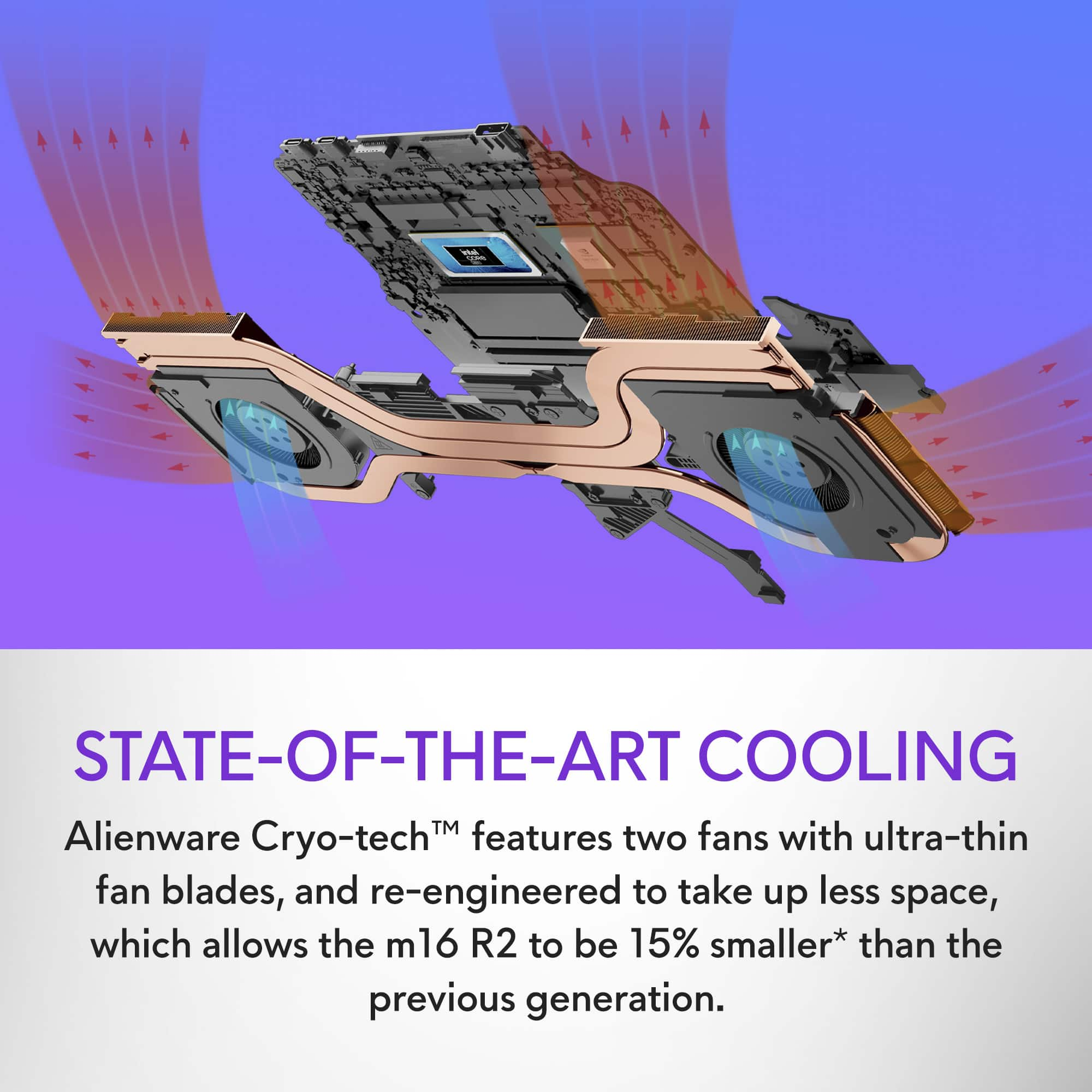
||Posted . Owned for less than 1 week when reviewed.This reviewer received promo considerations or sweepstakes entry for writing a review.Bought the m16 R2 that was on sale for $1299 Mandatory 30 minute installation of "upgrades", unbearably hot on lap while laptop is "upgrading". 75% through the process the Fans kick into high gear and starts to get very hot to the touch. VERY HOT. This is designed as a desktop replacement and not to be used on laps without a laptop tray (the kind with fans built in). I'm coming from a 16" MacBook M1 Pro that died. Never really used it for heavy workloads but when gaming it did occasionally get "warm". But normally it's very cool to the touch. Fans are on the sides and back of the unit. The Alienware 16r2 has huge fans underneath the back 30% of the bottom of the laptops surface. And there is a little ridge so that it makes an air gap for airflow underneath the Alienware. If it’s on your bare legs or clothed legs. Those bottom holes are gonna get clogged and make the laptop even hotter. The LED control software is garbage. The default behavior for the Alienware is to have a color strobing alien head above the keyboard when you get into a game. VERY DISTRaCTING. The led software adapts to each new game so you can to reconfigure each one manually. Additionally if you are charging the logo on the keyboard will be blinking the whole time. I thought this would be a cool upgrade vs the broken MacBook but I'm returning the Alienware and sending the m1 MacBook to the Rossman Group for repair. The HEAT is a deal killer for me and the LEDs are the cherry on top.
No, I would not recommend this to a friendBrand response from YourDellTeam
Posted .Hello David,
Thank you for taking the time to us your review. We sincerely apologize for the trouble you have encountered with your Alienware m16 R2 QHD+ 240Hz Gaming Laptop. We can assure you that Dell takes pride in manufacturing quality products. This is certainly not the experience we like to hear from our valued customers.
We always strive to get better and reviews like yours help us develop products our customers love. Your feedback will be shared with our quality team for consideration in future enhancements in products.
To help you with the heating issues that you are having, I have provided troubleshooting steps with the full article below that can resolve the issue.
1. Update the system BIOS.
2. Configure Alienware Command Center.
•Open Alienware Command Center
•Set the Active System Theme - Thermal as Performance Mode
3. When the system boots up, using the preinstalled software Dell SupportAssist run the stress test.
•Dell SupportAssist > Hardware Checkup > CPU > CPU stress test
4. Launch the Alienware Command Center and go to Fusion and monitor the CPU frequency. Ensure that the CPU frequency is within the range during the first 5 minutes under performance mode.
5. Monitor the CPU temperature on the Fusion page
•The CPU peak temperature should be less than or equal to (≤) 100 ℃
•When under high stress, the system average temperature can be expected to be less than (≤) 100 ℃
•Note: The CPU average temperature can be expected to reach 95 ℃ under cool mode for the Alienware m15, m15R2, m17, and m17R2 systems
Resolving a high temperature or overheating issue on Alienware : https://dell.to/3F25rqN
If you are still experiencing issues, we will need more information to help you resolve these problems to your satisfaction. Please do not hesitate to get in touch with Dell using the information provided below.
Chat or call: https://bit.ly/DellSupportTeam
Phone number to Dell 1-800-624-9896
Best,
Minhaj@Dell

eh
|Posted . Owned for 4 months when reviewed.This reviewer received promo considerations or sweepstakes entry for writing a review.great laptop, but starts to fail after 4-6 months of use, not good for constant gaming
No, I would not recommend this to a friendIntel Core Ultra 7 Alienware
||Posted . Owned for 1 month when reviewed.This reviewer received promo considerations or sweepstakes entry for writing a review.I am very pleased with the "out of box" purchase of an Alienware laptop so new that it is not even available from Alienware. The Passmark 11 benchmark places it at 99% of all PCs. One caution, BestBuy had left the dealer demo software on the machine which needed to be removed. This is a minor problem, but might baffle a new user.
I would recommend this to a friendAlienware m16, great joice for a gaming laptop.
||Posted . Owned for 2 weeks when reviewed.This reviewer received promo considerations or sweepstakes entry for writing a review.I recommend buying this at BestBuy for sure. Great store and products
I would recommend this to a friendAccounts Payable
||Posted . Owned for less than 1 week when reviewed.This reviewer received promo considerations or sweepstakes entry for writing a review.Great laptop, really light and good technology. Loved it.
I would recommend this to a friendGood laptop
||Posted . Owned for less than 1 week when reviewed.This reviewer received promo considerations or sweepstakes entry for writing a review.Good overall computer. A little bit heavy but gets Job done.
I would recommend this to a friendW laptop
||Posted .This reviewer received promo considerations or sweepstakes entry for writing a review.Pretty Goated laptop. Had it for a month now and works perfectly.
I would recommend this to a friendGreat laptop
||Posted . Owned for less than 1 week when reviewed.This reviewer received promo considerations or sweepstakes entry for writing a review.Loving it so far. I can play all my fallout games on it
I would recommend this to a friendAlienware m16 r2 (2024)
||Posted . Owned for 1 week when reviewed.This reviewer received promo considerations or sweepstakes entry for writing a review.It very good and it run any game perfect, I loved it!
I would recommend this to a friendm16 r2
||Posted . Owned for 1 week when reviewed.This reviewer received promo considerations or sweepstakes entry for writing a review.excellent purchase with all the bells and whistles
I would recommend this to a friendlaptop
||Posted . Owned for 4 months when reviewed.This reviewer received promo considerations or sweepstakes entry for writing a review.good but is hard to resell once I bought a PC for better use
I would recommend this to a friendAmazijg
|Posted . Owned for less than 1 week when reviewed.This reviewer received promo considerations or sweepstakes entry for writing a review.Amazing screen and speed and power mustvbuy buy buy buy
I would recommend this to a friendI wanted to like this laptop
||Posted . Owned for 1 month when reviewed.This reviewer received promo considerations or sweepstakes entry for writing a review.I'll give it 2 stars instead of 1 because when it works it works well. Whether it's worth the pain and misery that accompany making work at all is debatable. Some tips if you chose to get this laptop. 1. After turning it on and jumping through the hoops that let you actually use it, get rid of all the bloatware you can find. Use a google search to help with that if you're not sure about it. "Killer" software should be the 1st thing to go. 2. After installing the updates from the Windows Update center, go to intel and Nvidia sites and update directly from there. Dell updates are pretty much a joke and you will need the latest graphics and wifi drivers for sure. 3. Keep all graphics and wifi drivers updated frequently. Weekly if you can. I know it's a pain, but it seems to be worth the effort. 4. I wouldn't pay full price for this unless I won a large lottery and just didn't care about money at all. It goes on sale for like $500 off, get it then if you really think you want it. 5. If possible, get something else. If you're in a bind and this is the best available and on sale, follow steps 1, 2 and 3.
No, I would not recommend this to a friendSuper Computer
||Posted . Owned for 1 month when reviewed.This reviewer received promo considerations or sweepstakes entry for writing a review.Wonderful computer, super fast and what a gamer!!!
I would recommend this to a friendGood laptop
||Posted . Owned for 2 months when reviewed.This reviewer received promo considerations or sweepstakes entry for writing a review.When I bought it, I didn't have high expectations. But now that I use it daily, it is a good laptop for games, I recommend buying a fan so it is a gamer.
I would recommend this to a friendBrand response from YourDellTeam
Posted .Hello RafaelH,
Thank you for taking the time to leave us your review. We appreciate your kind words and are happy to know you're satisfied with your Alienware m16 R2 QHD+ 240Hz Gaming Laptop.
We always strive to get better and reviews like yours help us develop products and services our customers love.
If you come across any concerns or questions, we would be glad to help you resolve any issues you may be facing to your satisfaction. Please do not hesitate to get in touch with a Dell representative using the information provided below.
Chat or call: https://bit.ly/DellSupportTeam
Phone number to Dell: 1-800-624-9896
Best,
Minhaj@Dell
Very Happy
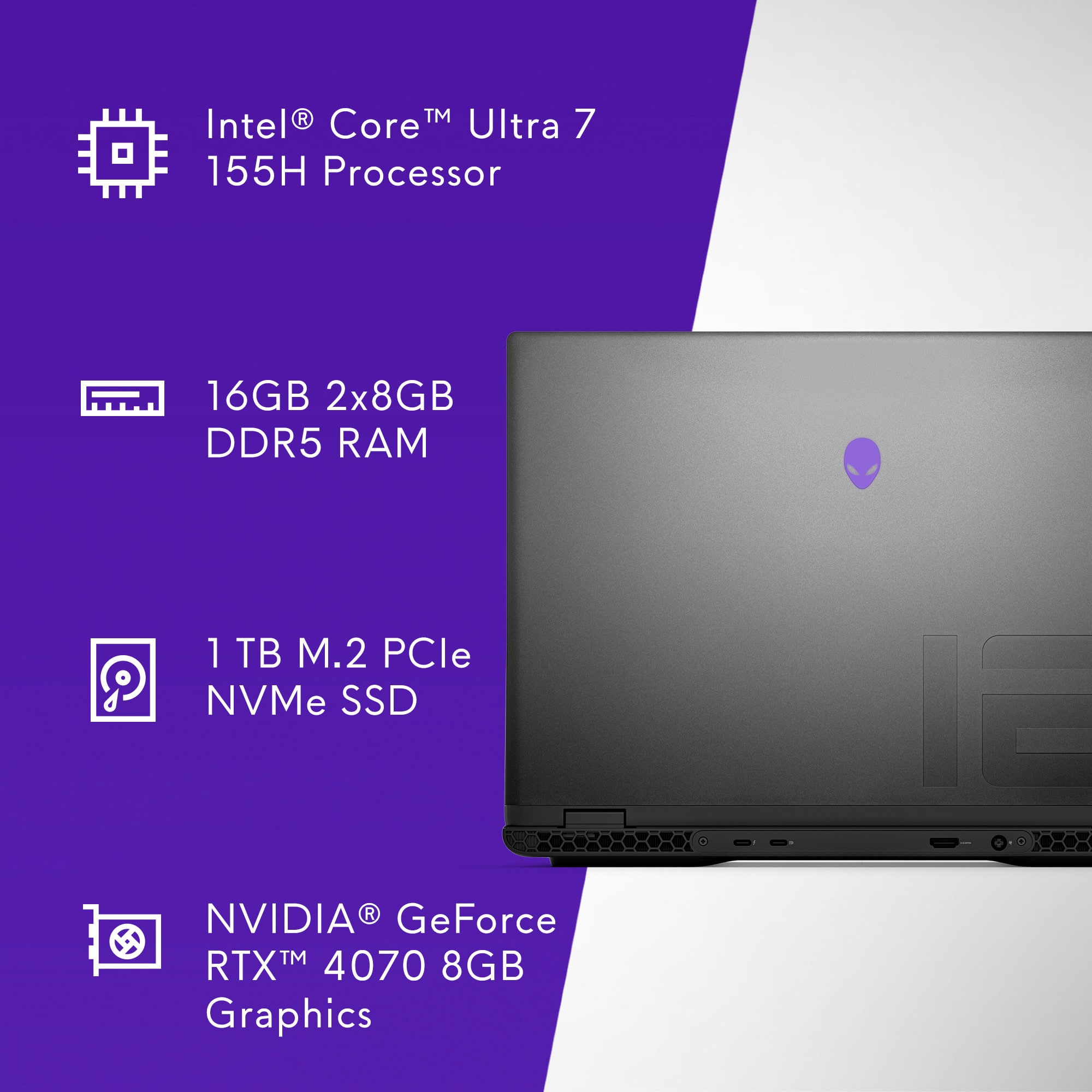
||Posted . Owned for 4 months when reviewed.This reviewer received promo considerations or sweepstakes entry for writing a review.Very solid gaming laptop. Bought it for school and for personal use as well. Heat and noise is manageable. Upgraded the ram because 16 isn’t enough nowadays.
I would recommend this to a friend