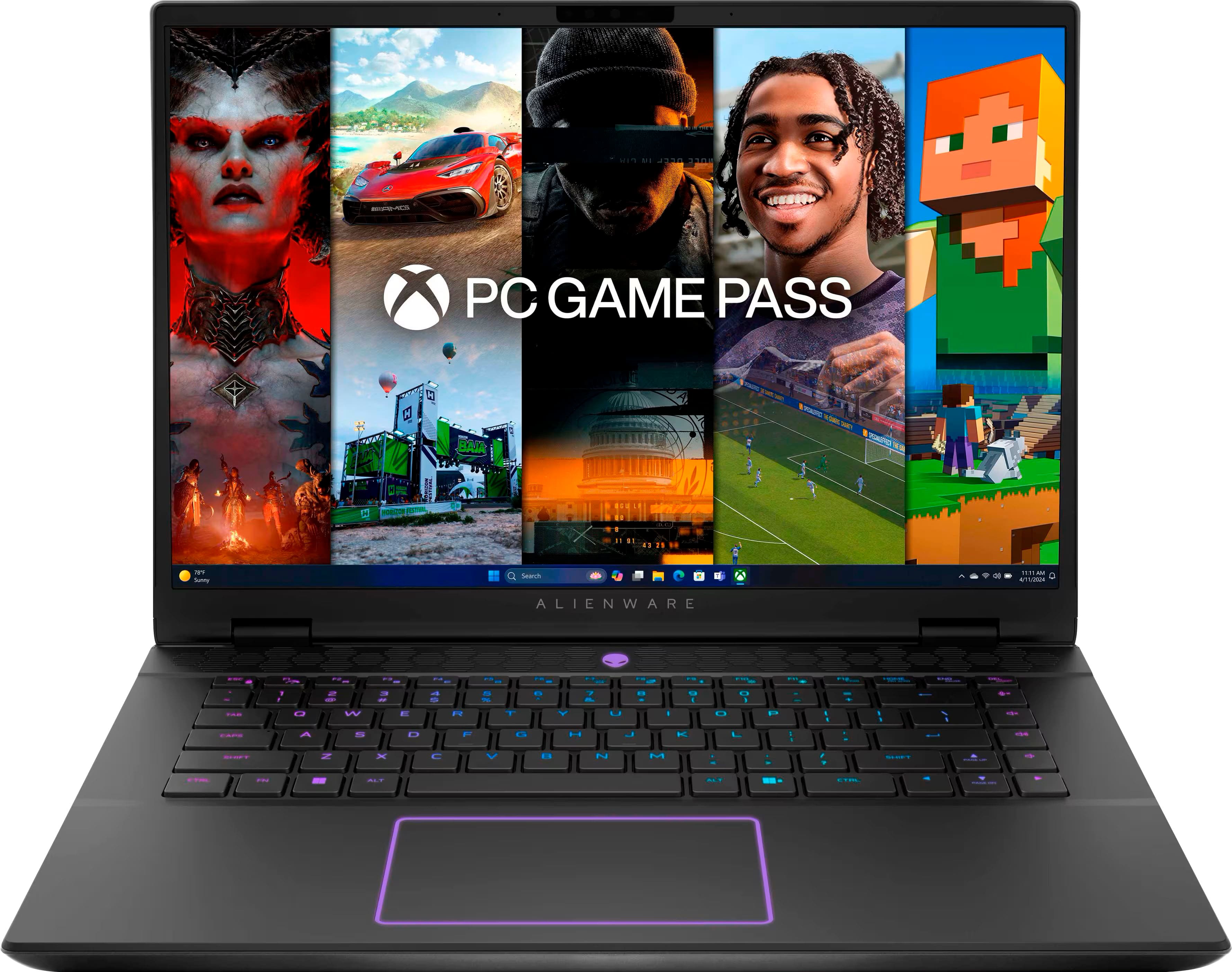
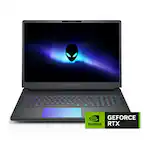
Customers love the m16 R2 gaming laptop for its outstanding performance and excellent build quality. The laptop's speed, upgradeable RAM, and high refresh rate are also appreciated, along with its portability. However, some customers have expressed concerns about fan noise, battery life, screen brightness, and heat. Some customers also feel the laptop is heavy for its size.
This summary was generated by AI based on customer reviews.
The vast majority of our reviews come from verified purchases. Reviews from customers may include My Best Buy members, employees, and Tech Insider Network members (as tagged). Select reviewers may receive discounted products, promotional considerations or entries into drawings for honest, helpful reviews.
Page 23 Showing 441-460 of 471 reviews
Pros mentioned:
Build quality, Speed
Cons mentioned:
Heat
Rated 5 out of 5 stars
Awesome Gaming Laptop without budget breaking.
|
Posted .
This reviewer received promo considerations or sweepstakes entry for writing a review.
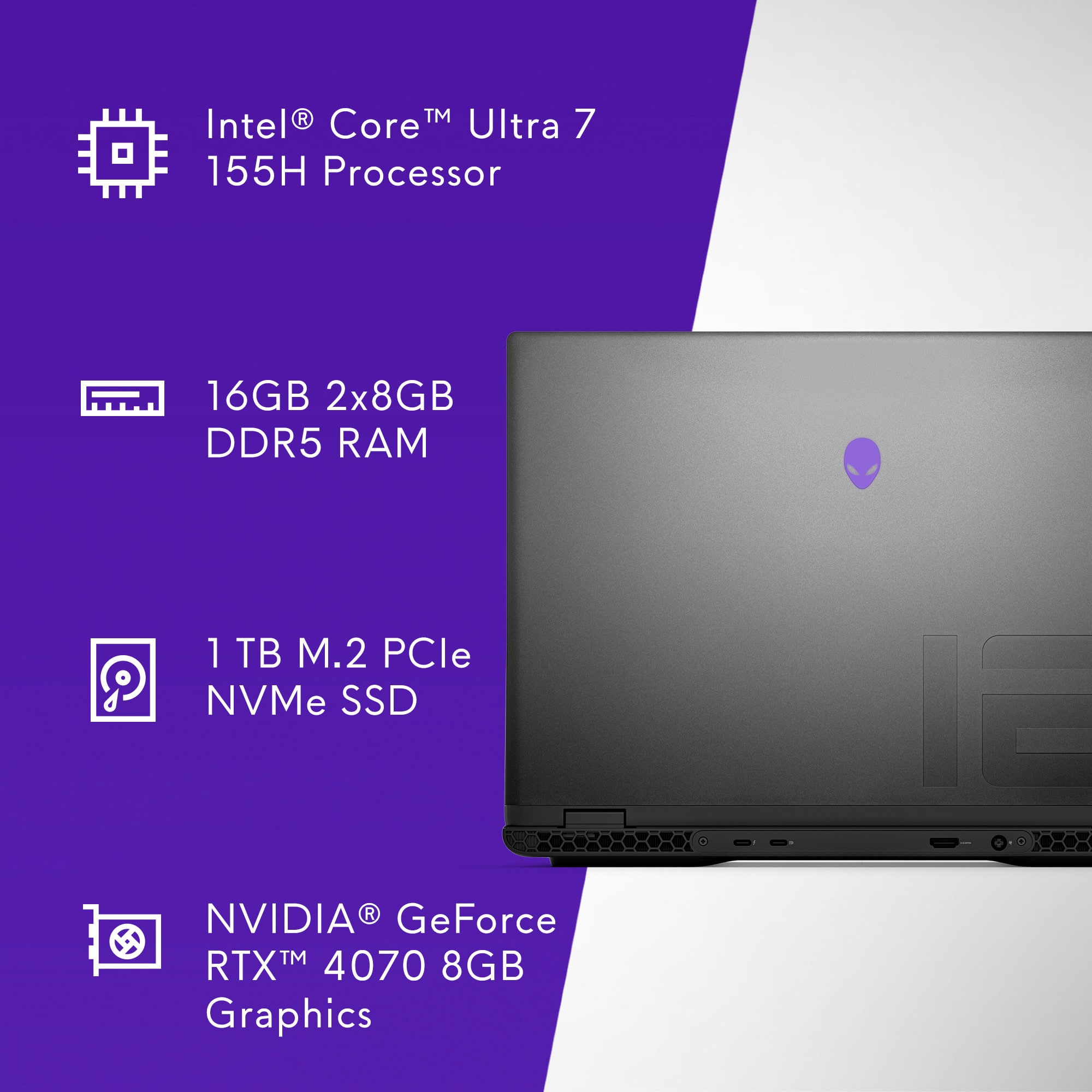
I was very excited to receive this awesome gaming Dell Laptop described by the manufacturer as “Alienware - M 16 R2 QHD+ 240Hz with Intel Core Ultra 7 - 16GB Memory - NVIDIA GeForce RTX 4070 - 1TB SSD”. Overall, this is a very decent gaming laptop, has awesome capabilities with a nice price point. As with all computers nowadays, it was preloaded with Microsoft's operating system which upon receipt needed to be updated. That's pretty much so standard and the update ran smoothly. The laptop is lightning fast and boot-up times are snappy and quite responsive. The laptop is slightly weighty and offers the user the feeling of a really solid build.
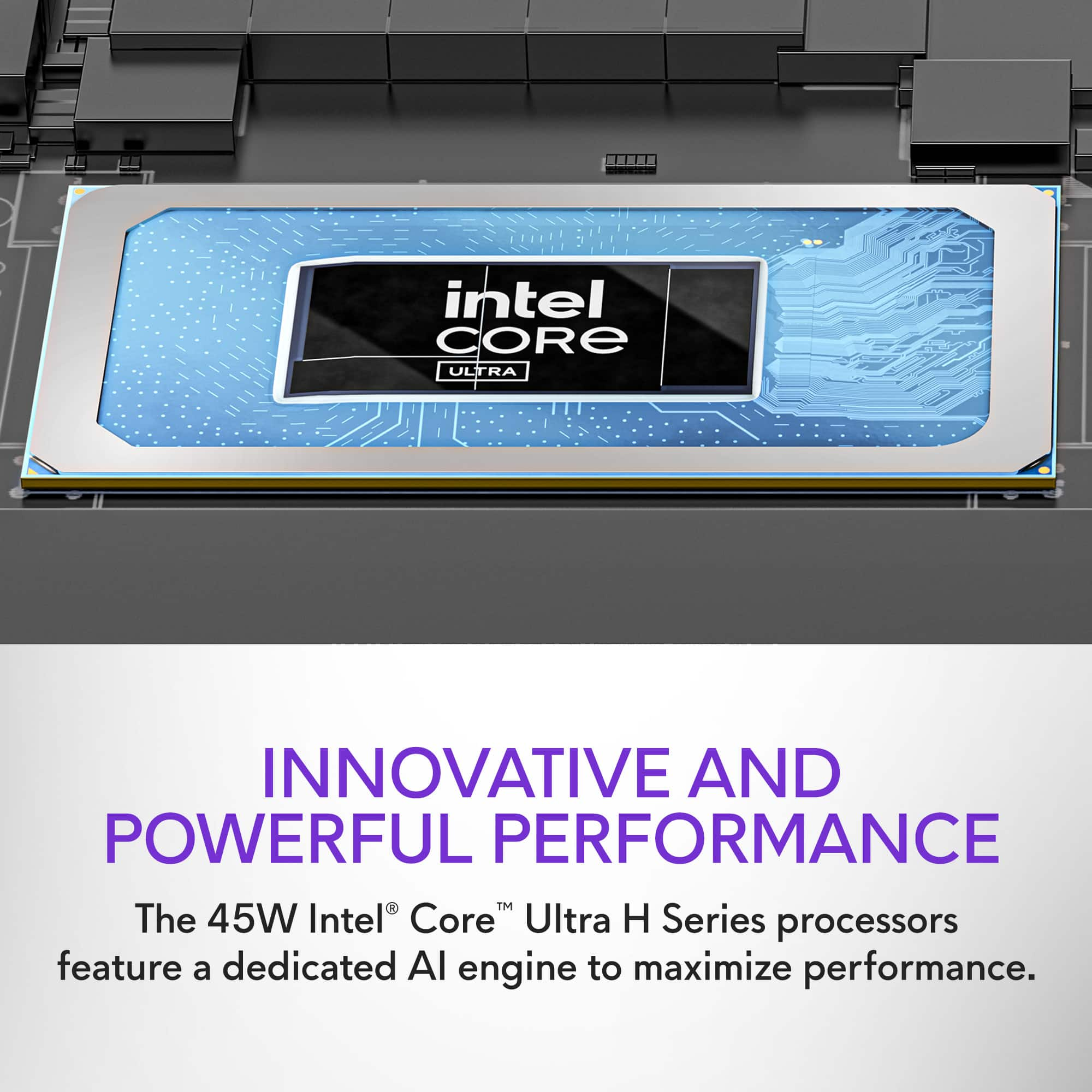
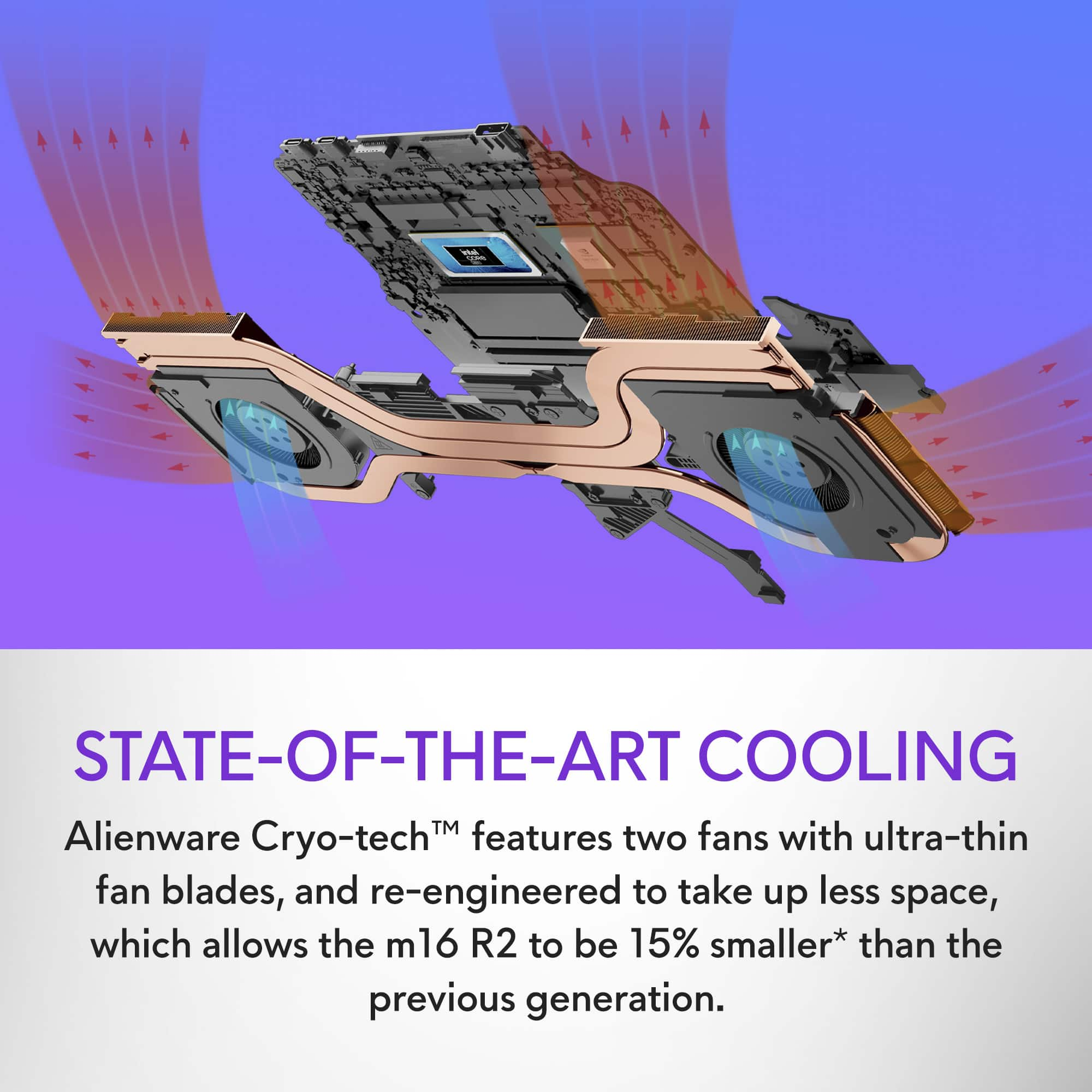
Overall performance of the laptop was great. Boot up time is fast, as this product meets the mark with a 1 TB SSD. Program launches were snappy and quick which is totally expected with a solid-state drive. Multitasking is superb as the computer uses an Intel Core Ultra 7 155H Processor. There is no noticeable bog down during computing and it handled my word processing and Photoshop programs quite easily. The model has a customizable backlit RGB keyboard which I always enjoy, especially if I'm working in a dimly lit room. The overall feel of the keyboard was responsive, and the trackpad operations are smooth. Operational temperature of this laptop was acceptable. Temperatures did rise significantly with settings maxed out and fan noise was definitely noticeable. The screen is bright and beautiful, and screen colors really pop. The computer meets my expectations for everyday usage and is fast and responsive.
Playing some of my favorite games was an no brainer, as I experienced no real issues. My gaming experience was pleasant with no complaints. Screen colors are vibrant, no screen tearing at “my” desired settings. Frames per second were “pushed”, and the overall visual quality was still excellent. Sound quality is superb for a laptop, as it's just about the best that I have ever encountered so far (and I own quite a few laptops).
Pros:
Intel Core Ultra 7
240Hz
Semi-Cool running laptop.
Vibrant screen colors
NIVIDA GeForce RTX 4070
1 TB Solid State Drive
Cons:
No CD Drive
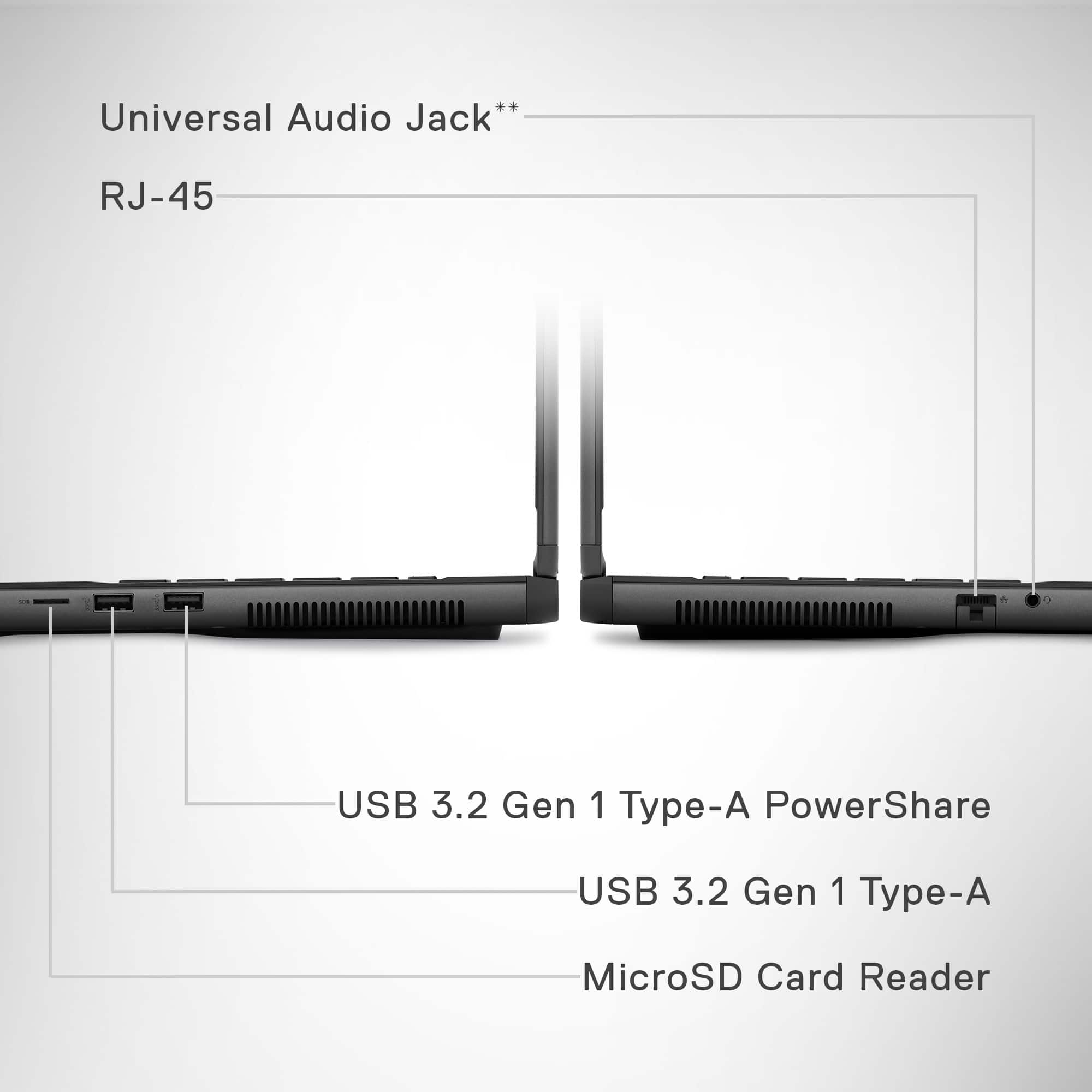
This laptop has the following ports:
1 Type-A USB 3.2 Gen 1 Port
1 Type-C Port (Includes Thunderbolt™ 4.0, USB 3.2 Gen 2, DisplayPort 1.4 (iGPU) and 15W Power Delivery (3A/5V) capabilities)
1 Type-C Port (USB 3.2 Gen 2, DisplayPort 1.4 (dGPU))
1 HDMI 2.1 (dGPU) Output port
1 RJ45 Ethernet port
1 Headset Jack
Slots
1 MicroSD card slot
I'm definitely enjoying this product so far. The screen is bright and beautiful, and screen colors really pop. It is not the best that I have ever seen, but as far as the cost ratio, it certainly holds its own! The computer meets or exceeds my expectations for everyday usage and my gaming needs. It is fast and responsive and has a decent amount of storage. Furthermore, for my level of gaming, this laptop performed very well. That being said, I am recommending this fantastic computer. In the future, I will revisit this review with any updates if warranted. Purchase one and be happy!
I would recommend this to a friend
Rated 3 out of 5 stars
One issue
|
|
Posted . Owned for less than 1 week when reviewed.
This reviewer received promo considerations or sweepstakes entry for writing a review.
Only issue I have is that it’s performance is very slow.
I would recommend this to a friend
Brand response from YourDellTeam
Posted .
Hello Tpit90,
We would like to thank you for taking the time to leave us your review. We regret to hear that you are not completely satisfied with your Alienware m16 R2 QHD+ 240Hz Gaming Laptop. This is certainly not the type of feedback we like to hear from our valued customers, or the type of product Dell intends to deliver. We always strive to get better and reviews like yours help us develop products our customers love. Your feedback will be shared with our quality team for consideration in future enhancements in products.
There are several ways to help improve the performance of your computer if it is running slower than you expected it to. We'd recommend the following steps to help improve your computer's overall performance and speed: 1. Restart your computer regularly. 2. Run the automated tools provided in the SupportAssist Tool. 3. Run a complete hardware diagnostic test. 4. Scan your computer for malware. 5. Restore your Dell computer using Windows System Restore. 6. Reinstall Microsoft Windows.
You can read the full steps associated with each of these recommendations here: https://dell.to/3n29QjE.
If you are experiencing any issues or have any questions or concerns, we would like to help you resolve issues you may be facing to your satisfaction. Please do not hesitate to get in touch with a Dell representative using the information provided below. Chat or call: https://bit.ly/DellSupportTeam Phone number to Dell: 1-800-624-9896
Best, Minhaj@Dell
Pros mentioned:
Build quality, Portability, Speed
Rated 5 out of 5 stars
Best gaming laptop I’ve owned
|
Posted .
This reviewer received promo considerations or sweepstakes entry for writing a review.
The Alienware m16 R2 QHD+ 240Hz Gaming Laptop with Intel Core Ultra 7 and NVIDIA GeForce RTX 4070 is an absolute powerhouse. The QHD+ display delivers stunning visuals, with crisp details and vibrant colors, while the 240Hz refresh rate ensures smooth gameplay. The Intel Core Ultra 7 processor, coupled with 16GB of memory, provides lightning-fast performance, handling multitasking and demanding tasks effortlessly. The NVIDIA GeForce RTX 4070 graphics card delivers exceptional gaming performance, with smooth frame rates and stunning graphics. The laptop's design is sleek and futuristic, with customizable RGB lighting adding a touch of personalization. The keyboard is comfortable to use, with responsive keys that are perfect for gaming sessions. Despite its high performance, the laptop remains relatively lightweight and portable, making it ideal for gaming on the go. Overall, the Alienware m16 R2 is a top-of-the-line gaming laptop that offers exceptional performance, stunning visuals, and sleek design. Highly recommended for serious gamers and power users alike.
I would recommend this to a friend
Pros mentioned:
Performance
Cons mentioned:
Weight
Rated 5 out of 5 stars
Does not disappoint!
|
Posted .
This reviewer received promo considerations or sweepstakes entry for writing a review.
I’m a long time PC gamer, and even though gaming is my primary reason for high-end computers, I like something responsive for regular use, especially since I’m constantly shuffling between applications and maxing out my ram like its 1998 again. I wanted something that can hold up to the power user I am for daily tasks since I’m on the computer most the day AND can provide a great gaming experience. Alienware is notorious as a computer gaming manufacturer leader, so here are my thoughts on it.
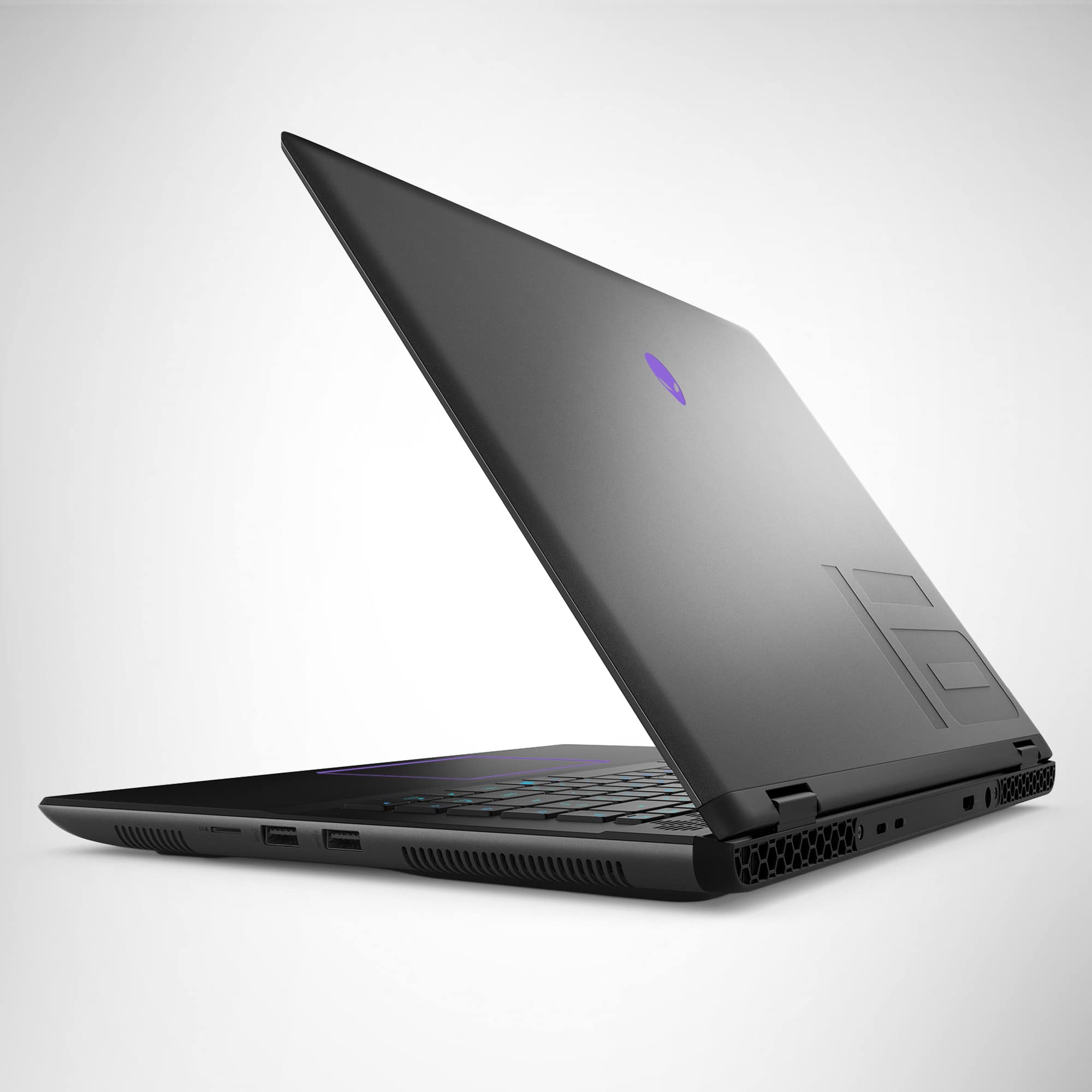
Starting with the laptop itself, I like the design. It’s a simple and sophisticated look. Its reminds me of a minimalist design while still supporting the essentials. Lighted Alienware logo on the lid as you would expect, lighted keyboard without numpad, and dedicated volume/mic buttons added to the keyboard which I do like. I’m not a fan of using F buttons to control volume, and even though I like having a numpad, for a 16” screen it makes sense to not have due to space availability. Great design IMO.
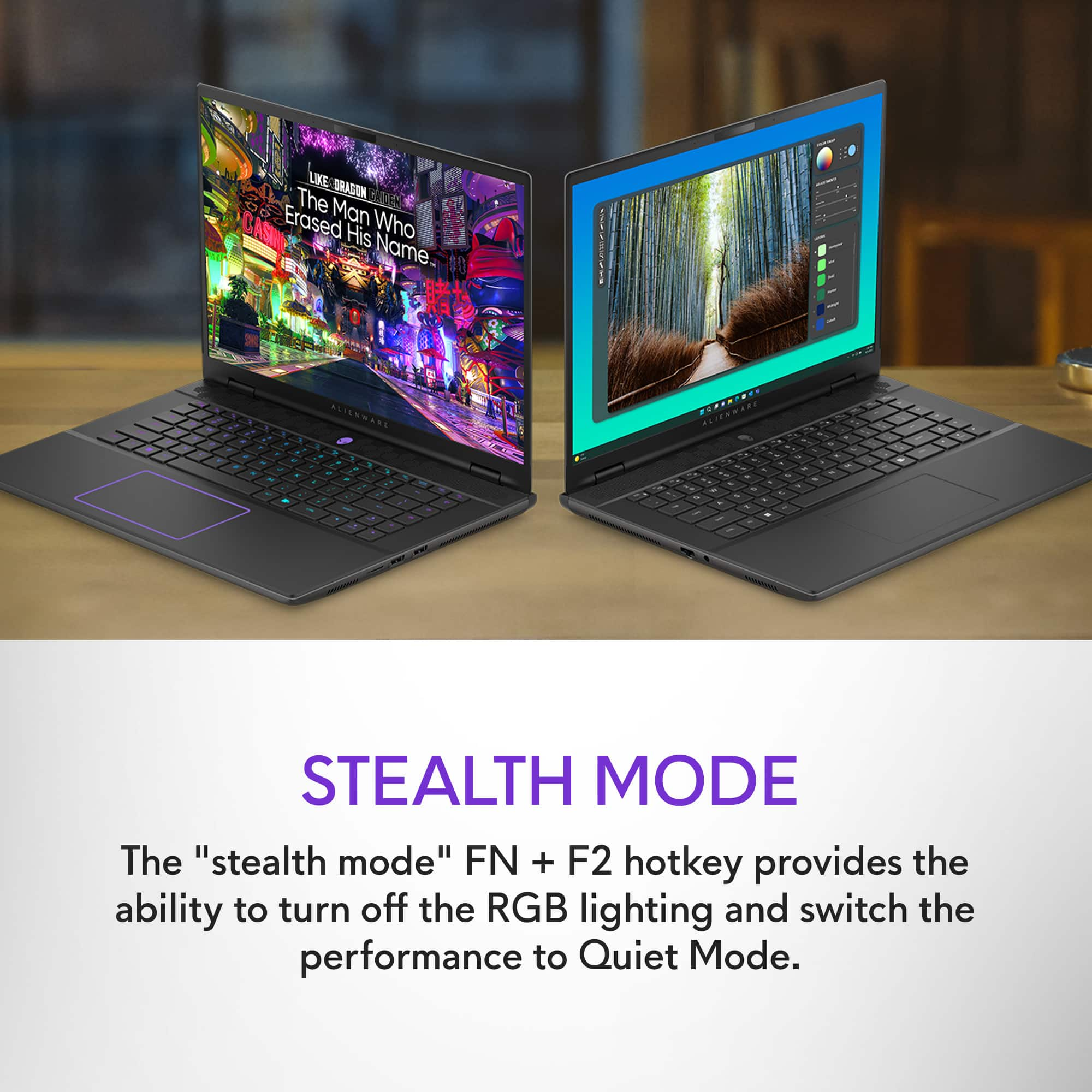
After booting it up I ran all the updates for Windows and Alienware/Dell software and drivers. It also updated the bios firmware by itself, with no extra work from me which is great to see, especially because bios firmware can be a little more technical to install. There are options for controlling the backlit keyboard colors and activity, along with a nice lighted outline of the touchpad which I really like. You can control all colors with the command center software. Certain keys will change colors when activated such as the F1 Performance Mode (I’ll talk about shortly) and mute, so you know they are on.
Now for the gaming, I played God of War, Modern Warfare 2 (new one), and Diablo 4 so far, and it performed very well. No lag or stutter on some of the highest quality settings, stability is really important especially in a FPS like MW. The 240Hz display was a very nice change for me and just felt so much smoother playing my games, however I will say the display does lack in color quality. First the brightness wasn’t very good, and when I tried to turn up the brightness the colors would saturate, so I would have to choose between brightness and color quality. Now this is expected on most laptops as you usually won’t get top notch display quality built-in to a laptop unless you are paying a usually significant premium. Still could have improved it some, great refresh rate but sacrificing quality. When home, I’ll hook up to my 32” monitor for quality but lose the refresh rate. I gamed with High Performance mode on and off, both with positive results, so I’d recommend not using High Performance if you don’t need it because of the heat and fan noise. See below for more about High Performance….
In the Alienware Command Center there is also a nice dashboard that shows your resource usage and allows you to switch between the different power modes. There is also two function buttons, one for High Performance mode and one for Stealth mode. High performance mode does exactly what it sounds (turns CPU and GPU speed to max), and turns the fans on full blast. Stealth mode goes into a minimal usage and changes the keyboard and touchpad lights to a minimalist white to extend the battery life. There are also other modes in Command Center which is a bit confusing since there aren’t really any instructions available. For instance, the difference between Overdrive mode setting in command center and High Performance mode when you hit the F1 button. I’m pretty simple, so I just hit the High Performance for gaming and turn it off when not, the computer runs smooth without it for your average tasks. You don’t need to trigger the High Performance button to game, its only if you really want to max your settings out or possibly try and play in 4k. Plays fine with default settings in my games and setup.
I will say that I am disappointed that these machines only come with 16GB of memory, while 16GB is good enough for most games currently, I think something with an RTX 4070 should come with 32GB of memory in 2024, but you see that often with many mid-high range gaming laptops. A decent set of 32GB sticks only cost around $100-150. The built-in speakers are pretty good and get to reasonably high levels, I was able to hear my games just fine in my office, but if you have High Performance on, you might want headphones. I will also say I’m a bit disappointed that there aren’t more bells and whistles with this Alienware computer. I owned another Alienware gaming laptop a few years back, and it would have tons of bonus features such as eye-tracking software and different Alienware programs that would give you more options for gaming and productivity. The only one I’ve found so far is the Command Center, which controls your performance modes and lights, and shows your resource usage along with some game catalogue.
Here is a summary of my Pros and Cons:
Pros
- Design
- Premium hardware
- Software Mux Switch
- Screen opens all the way flat
- CPU has built-in AI capabilities
- Keyboard does not get hot during gaming, a little warm though
- High speed video and data ports (HDMI.21, USB 3.2) for interconnectivity
Cons
- Display Quality
- Low memory but should be upgradeable (Has 2 memory slots)
- No Alienware extras (bells and whistles)
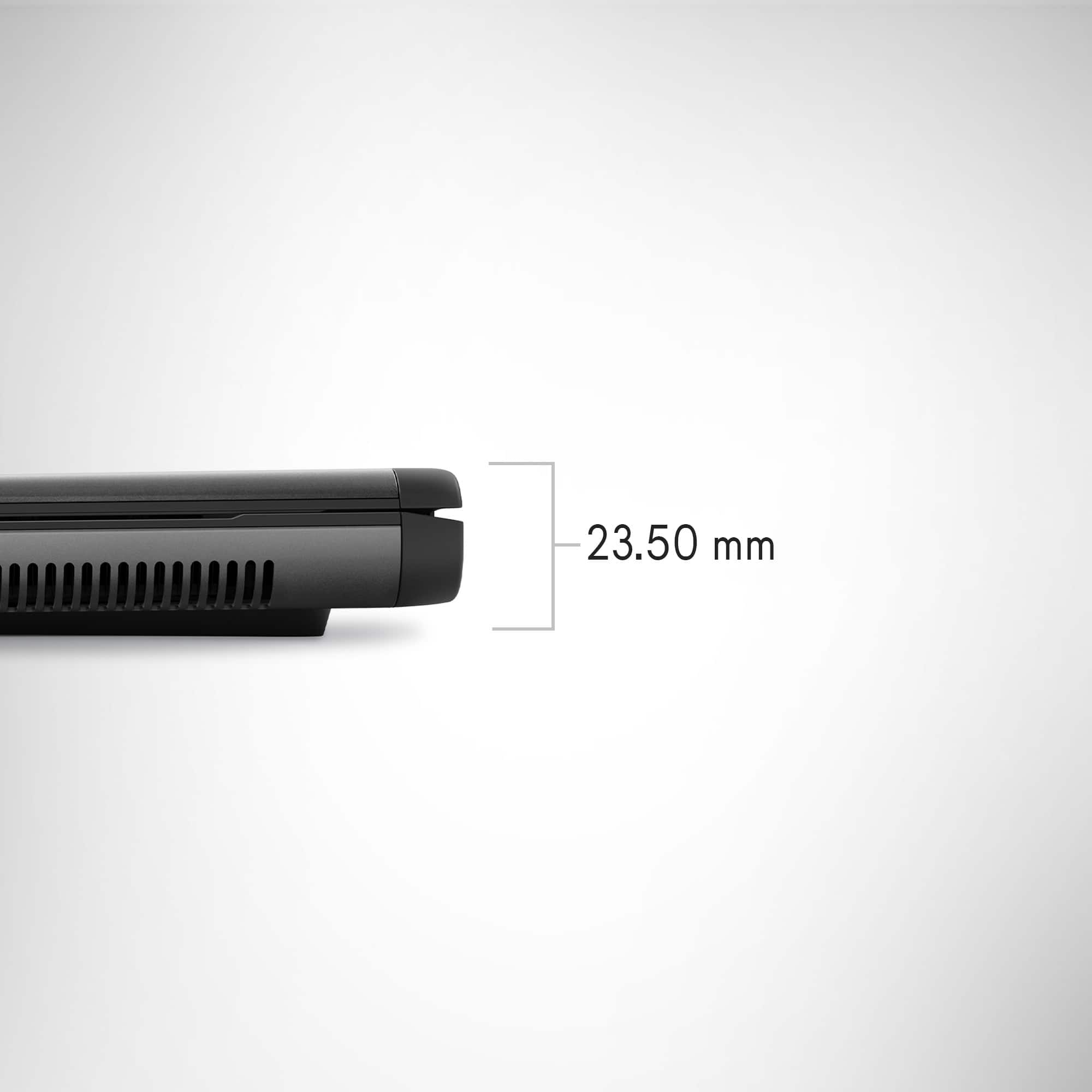
- Heavy laptop for its size
Overall, I think it’s a great gaming computer. It’s a nice balance with power/portability, even with it being on the heavier side, but that’s the tradeoff for having high end hardware. Another thing I like about the form factor is that the screen opens up all the way flat with the laptop. Many people may not take advantage of this, but when I sit in bed with my laptop against my knees, it is a nice option to have. Updates and setup were simple and quick. I will say I wish they invested a little more into the display, would have really topped it off, but the high refresh rate was great! I didn’t think there would be that big of a difference with it, but it just felt more realistic playing. The RTX 4070 is a solid GPU and should play most your games at high quality settings on at least a 2k monitor, I don’t have a 4k monitor but I imagine you’ll be pushing it.
I would recommend this to a friend
Cons mentioned:
Heat
Rated 1 out of 5 stars
Nope
|
|
Posted . Owned for 2 weeks when reviewed.
This reviewer received promo considerations or sweepstakes entry for writing a review.
It overheated within 5 minutes of turning it on. Nope. Thats why I returned it.
No, I would not recommend this to a friend
Brand response from YourDellTeam
Posted .
Hello Kristen,
We would like to thank you for taking the time to leave us your review. We are sorry to hear you're not totally pleased with your Alienware m16 R2 Gaming Laptop owing to the heating issue that forced you to return it. This is certainly not the experience we like to hear from our valued customers or the type of product Dell intends to deliver. Moreover, we are continually aiming to improve, and customer reviews such as yours are invaluable in developing products that our adore. Your feedback will be forwarded to our quality team for potential consideration in future product improvements. We really hope that you would give Dell an opportunity when making your next purchase.
If you are experiencing any issues or have any concerns or questions, please do not hesitate to get in touch with a Dell representative using the information provided below so that we can help you resolve the issue to your satisfaction. Chat or call: https://bit.ly/DellSupportTeam Phone number to Dell: 1-800-624-9896
Best, Minhaj@Dell
Rated 2 out of 5 stars
Its a dog for gaming
|
|
Posted . Owned for 1 month when reviewed.
This reviewer received promo considerations or sweepstakes entry for writing a review.
It's a dog. With all the Alienware tsr's with a bare minimum apps it runs okay. However when more are added it has real difficulties running them.
No, I would not recommend this to a friend

Brand response from YourDellTeam
Posted .
Hello theewukid,
We would like to thank you for taking the time to leave us your review. We regret to hear that you are not completely satisfied with the performance of your Alienware m16 R2 QHD+ 240Hz Gaming Laptop. This is certainly not the type of feedback we like to hear from our valued customers, or the type of product Dell intends to deliver. We always strive to get better, and reviews like yours help us develop products our customers love. Your feedback will be shared with our quality team for consideration in future enhancements in products.
There are several ways to help improve the performance of your computer if it is running slower than you expected it to. We'd recommend the following steps to help improve your computer's overall performance and speed: 1. Restart your computer regularly. 2. Run the automated tools provided in the SupportAssist Tool. 3. Run a complete hardware diagnostic test. 4. Scan your computer for malware. 5. Restore your Dell computer using Windows System Restore. 6. Reinstall Microsoft Windows.
You can read the full steps associated with each of these recommendations here: https://dell.to/3n29QjE.
If you are still experiencing issues or have any questions or concerns, we would like to help you resolve issues you may be facing to your satisfaction. Please do not hesitate to get in touch with a Dell representative using the information provided below.
This reviewer received promo considerations or sweepstakes entry for writing a review.
I bought this in July and I’ve only had it for 3 weeks of total use because the charging port does not want to charge my device at all. I’ve sent it to Dell & Geek Squad and they have not been able to fix my problem & I can’t return it either!
DO NOT BUY!
No, I would not recommend this to a friend

Pros mentioned:
Ram
Cons mentioned:
Battery life
Rated 5 out of 5 stars
Beautiful, reliable gaming laptop
|
Posted .
This reviewer received promo considerations or sweepstakes entry for writing a review.
Gaming laptops adapt to their gaming owners, and the Alienware M16 gaming laptop is no different. Combining its minimalistic design with high performance parts and technology, Dell's latest gaming laptop makes sure it is up to your standards, whichever kind of gamer you are.
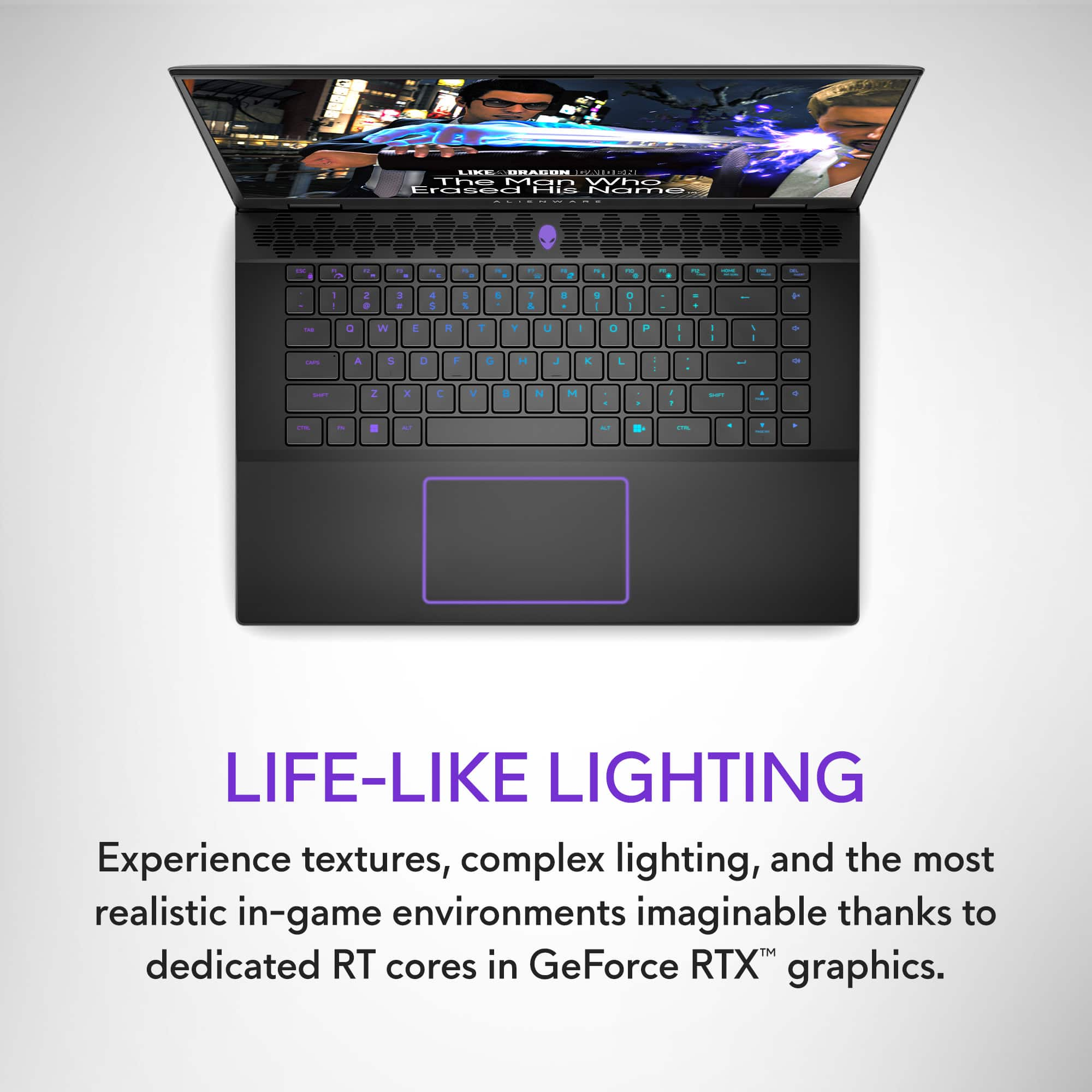
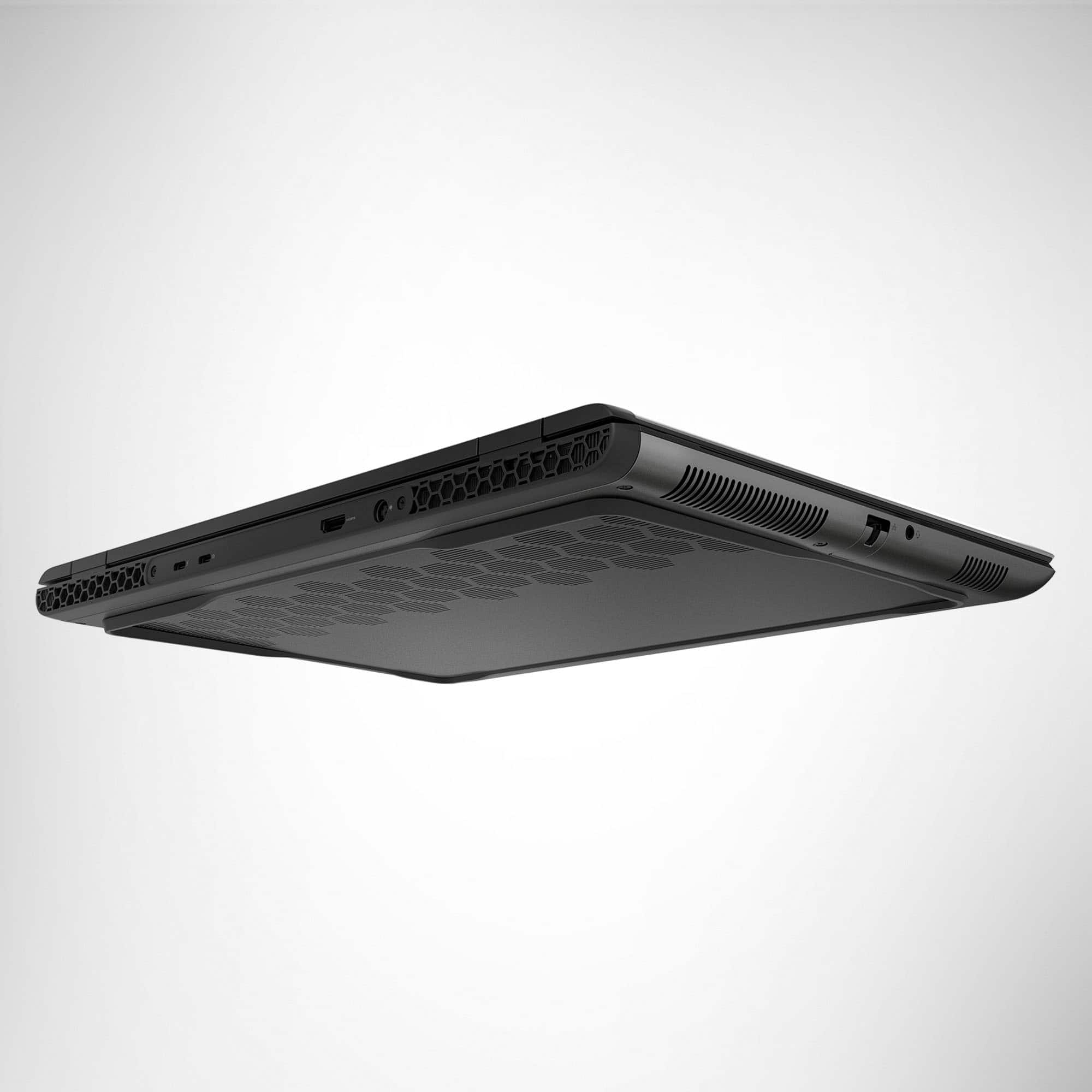
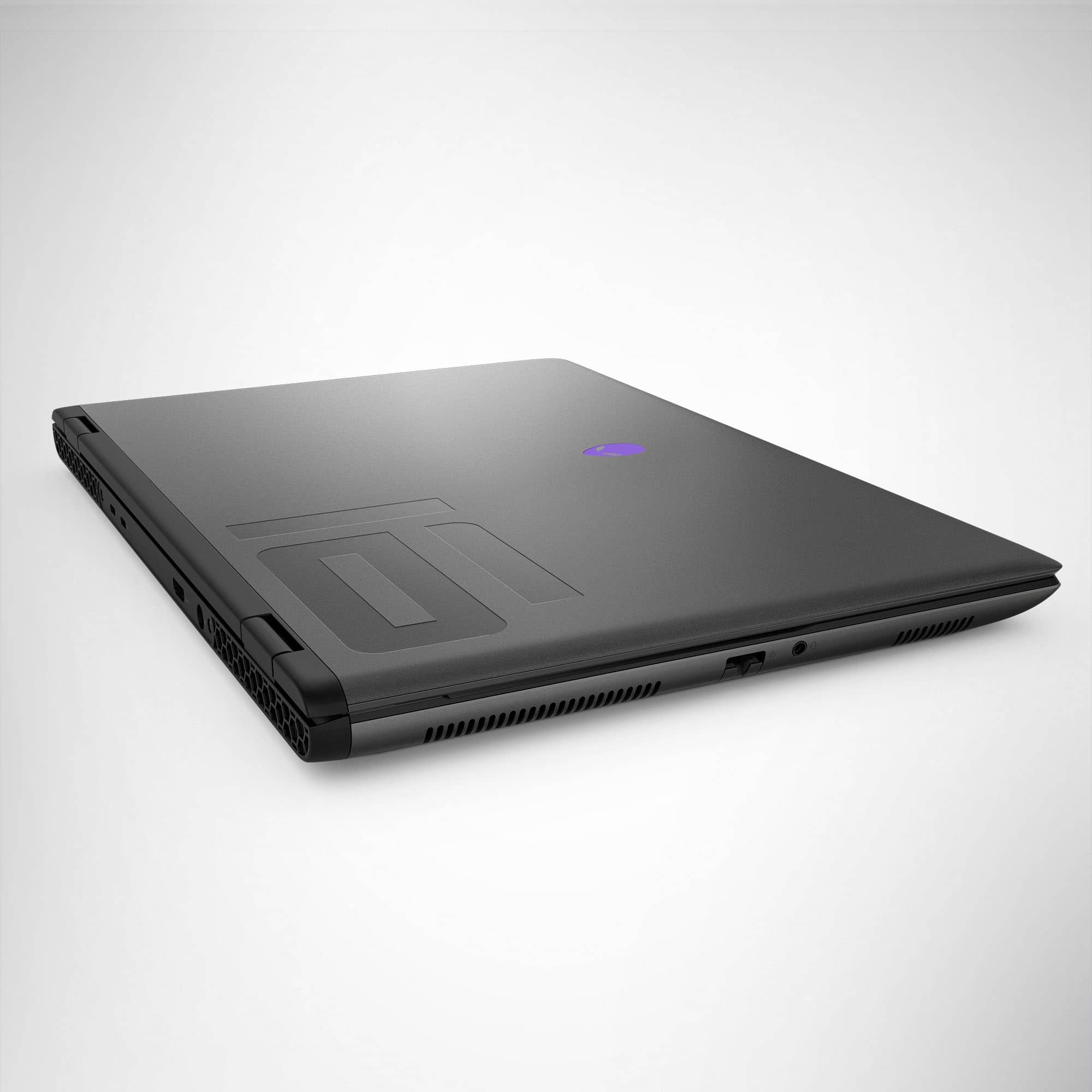
With an inviting, blue backlit keyboard and its customary alien logo glowing brightly when you open the shell, the M16 presents a very modern, yet simple, design for its users. I especially like the honeycomb-shaped air vent and speaker areas. The outer shell is a glossy, metallic black shade, while the interior surrounding the keys has a durable, rubberized surface that feels nice with your palms resting on the sides of the trackpad. The shell opens to a full 180-degrees, accommodating all viewing angles, and the laptop has an elevated design that helps airflow. Two USB-C ports and a single HDMI port line the back, while two USB-A ports and a MicroSD slot line the right. An ethernet port and headphone jack sit on the left side. The power cord connects from the back, and it cuts off the charge at 100% to preserve the battery. The keys are excellent, large and bright with the RGB LED on full display. Responsive and accurate, typing on the M16 feels flawless. Finally, while there isn't a dedicated numeric pad, I love the column of volume keys on the far right side that is easy to access.
The display is big and bright with plenty of screen real estate and a high refresh rate. It comes on fairly quickly upon opening the laptop, and you're off and running to get your game on. The M16 is more than capable to play all the latest games, either cloud-based or downloaded. My machine is the minimum 1TB in storage and 16GB of memory, but it supports up to 8TB and 64GB, respectively, for all your multitasking needs. Working and playing on battery power can range from 90 minutes to 2.5 hours depending on your energy settings. This is a little underwhelming for my liking, but the fast-charging cable gets the M16 filled up pretty fast if you're on the go, and applying the "Stealth Mode" settings increases that off-power cord usage even longer. And one last thing I appreciate is its relative quiet of the machine. Compared to most of my gaming laptop experiences, the M16 is surprisingly less noisy, fan and all.
As a gamer that is pretty much glued to my screen, this computer is everything I want in a gaming laptop. Its eye-catching yet sleek design reflects the modern gamer, and inside the shell it can handle any and all games you want it to tackle. Alienware has another winner in its gaming lineup with its brilliant, reliable M16. Highly recommended.
I would recommend this to a friend
Rated 1 out of 5 stars
Can’t run a game
|
|
Posted . Owned for 3 weeks when reviewed.
This reviewer received promo considerations or sweepstakes entry for writing a review.
Crashes, laggy and not a gaming laptop in any world
No, I would not recommend this to a friend
Rated 1 out of 5 stars
Alienware
|
|
Posted . Owned for 3 months when reviewed.
This reviewer received promo considerations or sweepstakes entry for writing a review.
Very disappointed in my product this company everything. I bought this computer not too long ago already starts giving me problems software problems so Alienware won’t take it back this bestbuy drops won’t give me price match just disappointed won’t be buying from here ever again just letting you know best buy won’t help you out.
No, I would not recommend this to a friend
Brand response from YourDellTeam
Posted .
Hello Connor,
Thank you for taking the time to leave us your review. We sincerely apologize for the trouble you have encountered with your Alienware m16 R2 QHD+ 240Hz Gaming Laptop. This is certainly not the type of feedback we like to hear from our valued customers.
Your feedback will be shared with our quality team for consideration in future enhancements in products and services.
With a little more information from you, we would like to help you resolve issues you may be facing to your satisfaction. Please do not hesitate to get in touch with a Dell representative using the information provided below. Chat or call: https://bit.ly/DellSupportTeam Phone number to Dell: 1-800-624-9896
Best, Minhaj@Dell
Rated 1 out of 5 stars
faulty
|
|
Posted . Owned for 3 weeks when reviewed.
This reviewer received promo considerations or sweepstakes entry for writing a review.
computer is almost $2k and it would not restart after it requested to updating
No, I would not recommend this to a friend

Rated 2 out of 5 stars
Okay
|
Posted . Owned for 2 months when reviewed.
This reviewer received promo considerations or sweepstakes entry for writing a review.
It’s okay. Lots of bloatware out of the box which basically uses up half of the ram.
No, I would not recommend this to a friend
Brand response from YourDellTeam
Posted .
Hello Lion,
We appreciate you taking the time to write a review for us. We apologize if your experience with your Alienware m16 R2 QHD+ 240Hz Gaming Laptop has not been 100% satisfactory. It is important that we gain knowledge about discrepancies in our products so that we can share them to our quality team for further betterment. We would need more additional information in order to assist you in resolving this issue to your satisfaction. Please reach out to Dell Support directly by using the information provided below. https://bit.ly/DellSupportTeam. Chat or call: https://bit.ly/DellSupportTeam Phone number to Dell: 1-800-624-9896
Best, Minhaj@Dell
Rated 1 out of 5 stars
Very disappointed
|
|
Posted . Owned for 2 weeks when reviewed.
This reviewer received promo considerations or sweepstakes entry for writing a review.
I understand that it’s not a fully top tier gaming laptop but this thing just kept crashing when trying to game. I optimized it just as I have with my previous gaming laptops and still kept crashing. Tried fresh install of windows and just kept doing it. Unfortunate honestly
No, I would not recommend this to a friend

Brand response from YourDellTeam
Posted .
Dear CharlesC,
We value your feedback and want to thank you for taking the time to leave a review of your Dell Alienware m16 R2 QHD+ 240Hz Gaming Laptop. We sincerely apologize for the performance issues you have encountered with your gaming laptop. This is not the type of feedback we like to hear from our customers, or the type of product Dell intends to deliver. Feedback like yours helps us improve our current and future products. Below I have provided troubleshooting instructions with the full article that can help resolve this issue. 1. Search for Windows Error Codes. 2. Run a Computer Diagnostic. 3. Run Routine System Maintenance. 4. Update Drivers and BIOS. 5. Check Air Vents. 6. Check Safe Mode Symptoms. 7. Update Windows. 8. Uninstall, Reinstall and Update Software. 9. Look for Multiple Anti-Virus Programs. 10. Check for Malware. 11. Use System Restore. 12. Factory Install or Reinstall Microsoft Windows.
You can read the full article on solving freezing issues here: https://dell.to/33Y2KFn We would love the opportunity to help you but will need a little more information. Please take a moment to call or chat to speak with a Dell representative at your earliest convenience using the information provided below so that we can help you resolve the issue to your satisfaction. Chat or call: https://bit.ly/DellSupportTeam Phone number to Dell 1-800-624-9896 We look forward to making this right for you!
Best, Minhaj@Dell
Rated 1 out of 5 stars
Defective
|
|
Posted . Owned for 9 months when reviewed.
This reviewer received promo considerations or sweepstakes entry for writing a review.
Burnt up the gpu after 2 days of usage. Questionable quality control from alienware.
No, I would not recommend this to a friend

Rated 1 out of 5 stars
Failed out of the box
|
|
Posted . Owned for less than 1 week when reviewed.
This reviewer received promo considerations or sweepstakes entry for writing a review.
Within first hour of turning on, got a video fan not working error. Been on with Alienware several times but problem still exists, works fine if on internet. Fails when trying to play a game. Getting frustrated, still waiting for Alienware to help me fix it.
No, I would not recommend this to a friend
Brand response from YourDellTeam
Posted .
Hello MichaelH,
Your feedback is highly valued, and we appreciate the time you took to review your Dell Alienware m16 R2 QHD+ 240Hz Gaming Laptop. We sincerely apologize for the numerous issues you have encountered with your gaming laptop. Hearing that kind of feedback is not what we aim for from our customers, nor is it reflective of the quality Dell strives to deliver. However, feedback such as yours is invaluable in helping us enhance our existing and future products and services.
We would be delighted to have the opportunity to assist you. Please take a moment to call or chat to speak with a Dell representative at your earliest convenience using the information provided below so that we can help you resolve the issue to your satisfaction. Chat or call: https://bit.ly/DellSupportTeam Phone number to Dell 1-800-624-9896 We look forward to making this right for you!
Best, Minhaj@Dell
Rated 1 out of 5 stars
Not a good computer
|
|
Posted . Owned for 1 month when reviewed.
This reviewer received promo considerations or sweepstakes entry for writing a review.
Constant issues with Bluetooth headphone drivers. Build quality that is reminiscent of E-Machine or Compaq computers.
No, I would not recommend this to a friend
Rated 1 out of 5 stars
Must have bought a lemon. :-(
|
|
Posted . Owned for less than 1 week when reviewed.
This reviewer received promo considerations or sweepstakes entry for writing a review.
Maybe I got a lemon but almost nothing worked right on this laptop. 5G wouldn't connect and the USB-C ports were a mess.
No, I would not recommend this to a friend

Rated 1 out of 5 stars
Bad
|
|
Posted . Owned for 1 week when reviewed.
This reviewer received promo considerations or sweepstakes entry for writing a review.
It was always freezing and i cant even play cs go with more than 150 fps. I returned.
No, I would not recommend this to a friend

Brand response from YourDellTeam
Posted .
Hello YusufK,
Thank you for taking the time to leave us your review. We sincerely apologize for the trouble you have encountered with the performance issues of your Alienware m16 R2 QHD+ 240Hz Gaming Laptop due to which you opted to return it. This is certainly not the type of feedback we like to hear from our valued customers, or the type of product Dell intends to deliver.
Furthermore, we always strive to get better and reviews like yours help us develop products our customers love. Your feedback will be shared with our quality team for consideration in future enhancements in products. We really hope that you would give Dell an opportunity when making your next purchase
If you are experiencing any issues, we would like to help you resolve issues you may be facing to your satisfaction. Please do not hesitate to get in touch with a Dell representative using the information provided below. Chat or call: https://bit.ly/DellSupportTeam Phone number to Dell: 1-800-624-9896
Best, Minhaj@Dell
Rated 5 out of 5 stars
Excellent Option
|
Posted .
This reviewer received promo considerations or sweepstakes entry for writing a review.
I have been a little underwhelmed with some of the gaming laptop options on the market so I was a little wary about how this Dell Alienware M16 R2 Gaming Laptop was going to perform. I have had previous experience with Alienware systems, most have been positive so I felt like this one would be a great way to find out if Alienware would still be a great choice for most gamers.
Setup was a breeze. Although it did take awhile to go through all of the process including all of the updates it was a typical and problem-free process that I have come to expect from most similar systems. I was able to easily install the items I wanted to and customize everything to my liking without needing to consult the online owners manual. The customizable RGB lighting for the keyboard, logo, and trackpad is always a fun add in my opinion. The Alienware Command Center Program gives the expected ease of further customizing everything to your preference and so far has worked perfectly for me with no issues.
The display looks excellent for various uses even those outside of gaming. Gameplay has been smooth for me making it a comfortable experience to use without opting to use an external monitor. For those that are a bit more demanding they may feel like the external monitor is still a better choice but for most users I think they will be more than satisfied with this laptops display. The Intel Core Ultra 7 processor and the RTX 4070 Graphics card handles every thing I have thrown at it so far like a champ despite only having 16GB ram. It would be nice if it had come with 32GB but so far it doesn't appear to be an issue. The speakers are more than adequate producing nice rich sound for a laptop. I can safely say that they sound better than most I have used in the past. Battery life seems to be on par with most similar systems so there are no complaints there. Lastly, the keyboard keys have feedback and feel for my expectations so I don't have the urge to use an external wireless keyboard.
Overall, I feel like this is a great option for most gamers that want a little more than an entry level system but don't want to break the bank going for a more robust setup.
I would recommend this to a friend
Rated 1 out of 5 stars
Seriously limited
|
|
Posted . Owned for 1 week when reviewed.
This reviewer received promo considerations or sweepstakes entry for writing a review.
The system is so ram hungry that it eats up the 16 gigs almost just idling and the gpu is way underpowered
No, I would not recommend this to a friend

Brand response from YourDellTeam
Posted .
Greetings James,
Thank you for taking the time to leave a review of your Alienware m16 Gaming Laptop. We are sorry to hear that you are not satisfied with the amount of ram availiabitly on your device. That is not the type of feedback we like to hear from our customers, or the type of product Dell intends to deliver. We have noted the details of your statement and will use them to improve current and future products.
If you continue to experience issues, please reach out to Dell Support directly by using the information provided below.