Customer Ratings & Reviews



- Model:
- R5360Z11
- SKU:
- 6327774
Rating by feature
- Value
Rating 3.8 out of 5 stars
- Quality
Rating 4.0 out of 5 stars
- Ease of Use
Rating 3.5 out of 5 stars
Customers are saying
Customers express satisfaction with the Bolt Charger's Bluetooth connectivity and microphone quality, frequently praising its ease of use. However, negative feedback centers on the Google Assistant functionality, with comments citing slow response times and compatibility issues, particularly with iPhones and other non-Android devices. Some users also reported difficulties during the initial setup process. The overall experience appears mixed, with strong positive feedback on certain features offset by significant concerns about others.
This summary was generated by AI based on customer reviews.
- Pros mentioned:BluetoothCons mentioned:Google assistant, Setup
Trash - Microphones are totally useless
||Posted .This reviewer received promo considerations or sweepstakes entry for writing a review.This appeared to be the perfect car solution for me. I have a Honda CR-V with an aux port, but a "dumb" car stereo. Letting me upgrade to add google assistant and be able to use it even if my phone is in my pocket sounded perfect. I own tons of google assistant devices and know what to expect. This falls short in every category. Set up I have a galaxy s9+ running Android Pie. Setup cannot complete with the aux cable. It just says "Preparing your Roav Bolt This should take a few seconds to set up AUX." It then times out and is in an infinite loop of "Try Again." Finally I gave up and decided to hook up a bluetooth adapter to pair via bluetooth. In order to do this, you have to unpair the Roav Bolt, factory reset it (which instructions do not indicate how to do, but you push and hold the button on the Roav Bolt until the lights turn blue). Afterwards, it seems to work fine. Awesome. Not what I wanted, but still it works. Using the Device While parked, it had trouble hearing me. Parked. No background noise of any kind and it still struggles. Instructions indicate you can also tap the button to activate the voice assistant, but isn't the point to be hands free? While on the freeway, I found myself screaming "HEY GOOGLE" at the top of my lungs to get it to respond. Horrible. It cannot hear well at all. I have two cigarette lighter adapters in my car. Below the console in front of me towards my feet and in the center console next to the cup holders of the car. Neither location works for it to hear me, though while parked it can sort of hear me next to my cup holders. How is it as a google assistant? When using Google Home, you can easily switch around between music services with ease. With this device, you have to be very specific of what to play. I have a free tunein account I listen to radio shows on and a paid spotify subscription. While at home, I can easily play specific songs without saying "from spotify" even when tunein is running. WIth this, "I cannot find _________ from tunenin." This wouldn't be annoying, but since it can barely hear me as is, repeating myself is infuriating. Similar issues happen across other apps that are not standard for the google home experience. I'm sure it can be patched, but it's annoying at launch. Bottom line Many of the issues I have with this can be patched. The aux issue certainly will be fixed for Samsung phones if they expect to sell any of these. Unfortunately, the microphones are so bad. Soooooo bad. It would be less drama to just use my phone's built-in google assistant. This solves exactly zero of my issues and I don't see who could benefit from using it. Even if this were at a price point of 1/5 of what it retails for, I still would not recommend it to anyone.
No, I would not recommend this to a friendBrand response from Anker Team
Posted .Thanks for sharing your experience with us. Give us a call so we can look into some of these issues in more detail. 800-988-7973

- Cons mentioned:Google assistant
It's ok
||Posted . Owned for 1 month when reviewed.This reviewer received promo considerations or sweepstakes entry for writing a review.It works great 60% of the time. You must press the button to activate the Google Assistant. Unfortunately, voice activation doesn't really work well. Also, beware of the status your device is in. One day, not sure how and why it happened, my Anker Bolt wasn't syncing to my Bluetooth. It was working before this issue, but somehow it wasn't booting up. I restarted it and went through the activation process and still didn't work. Then I noticed the status on my device says it is disconnected. It was plugged and connected to my car bluetooth so I didn't understand why it saying disconnected. I ignored for about a week and it started working again out of nowhere. When I went to my Google app, the status changed to Connected. For now, it works fine. Hopefully the same issue won't come up again.
No, I would not recommend this to a friend - Pros mentioned:Bluetooth, Microphone quality

iPhone users beware…
|Posted .This reviewer received promo considerations or sweepstakes entry for writing a review.With the age of smartphones and smart homes, it was only a matter of time before we have smart cars. No, this won’t make your car self-driving per se, but it does free your hands to do more important things…like driving. Pros: • Awesome mics • Smallish profile • 2 USB jacks Cons: • Does not play well with iPhones • Not much for instructions First and foremost, you will most likely have a more positive experience with an android/google phone. I have an iPhone and find that the cross-platform use has some wrinkles that needs to be ironed out. For iPhone users, one would need to download the “Assistant” app by google. I luckily already have this app installed on my phone. Setting up the device can be easy but I wished the box packed more printed instructions on what to expect. The setup solely relies on the Assistant app and not a “Roav” app. Upon launching the app on your phone, the app passively looks for new devices to setup and this Roav did pop up on its own. Following the onscreen prompts leads you down a path of using Bluetooth or the included 3.5mm output for sound. I tried both and I’ll list the pros and cons of both in a later section. The entire setup process took me about 20 minutes as the new software/firmware update took over 10 minutes to complete (with wifi too). After the initial setup, I found the microphones were so awesome that I was able to place the Roav in the cigarette lighter found in my center console. The microphones are that amazing. The Roav can pick up the “Hey Google” through my armrest with road noise and windows down. Which worked great since my 3.5mm aux jacks are also located in the armrest too. The downfall is the cross-platform support between a google device and my iPhone. It was a hit or miss if my voice commands will play iHeartRadio or Pandora on the first try. The Roav “heard” my commands and knows what I want to do…it was the phone trying to execute opening the music apps via the “Assistant” app that was buggy. After the 9th time of asking Google to play a radio station, I manually opened iHeartRadio app on my phone and it plays through my car speakers. Which indicates the complexity of having a Google product work with an Apple product. When it comes to selecting the 3.5mm vs using Bluetooth, that will be based on how new your car is. My 2010 car doesn’t support Bluetooth music (just phone calls) and im stuck using the 3.5mm in that car. The 3.5mm works fine for sound quality but that means you are stuck listening to streaming or MP3s in your car if you want the “hey google” to work. My newer 2017 supports Bluetooth streaming and that allows a better listening choice. With Bluetooth streaming and a setting that allows the google commands to come in as a “phone call”, I can listen to the car’s radio and when I ask google something, the car’s radio will silence like im accepting a phone call and answer my command. Once the command is done, the radio comes back on. Much better than the 3.5mm option. In summary, I can’t fault the hardware as the mics are amazing. It’s the software that’s buggy on an iPhone. Asking google questions like “whats the weather” or “whats on my google calendar” works great. Asking it to play music can be a hit or miss. My luck increases that the music will play the first time if I had recently opened the music app and is running in the background. Another software and not a hardware issue. With that being said, I want to split the reviews with 5 stars out of 5 for the hardware and 2 out of 5 stars for the iPhone integration software. But since I cant, the rating is 4 out of 5. And BTW, most phones have a “hey siri” or “hey google” already built into their phones so why have this Roav bolt? Good question…
I would recommend this to a friend - Pros mentioned:Charging speed, Microphone quality
Tough Sell
|Posted .This reviewer received promo considerations or sweepstakes entry for writing a review.I like the Roav Bolt. I think it’s a good product that does what it’s supposed to do very well. It’s a tough sell because it doesn’t do anything in your car that your phone can’t already do, but it does do those things much better. I have some issues with it, but overall I think it’s a worthwhile purchase, especially for older stereos. What the Roav Bolt is is basically a Google Home for your car. It plugs into the 12V outlet connects to your car’s audio through an aux cord that’s included in the box. You can also make the connection via Bluetooth, but the aux connection is more reliable and doesn’t introduce the delay that you hear a lot of the time when trying to do voice commands over Bluetooth. Setup via the Google Assistant app is dead simple and I was up and running in about 5 minutes. There’s 2 microphones on the top of the of Bolt for receiving voice commands and they work great in that department. The response is just about instantaneous and it does an excellent of picking me up saying ‘Hey Google’ even with the stereo cranked up. There were a few moments where I would give a command and it seemed to need to think about for a few seconds, but in general most of my interactions via voice command went off without a hitch. You can do all the standard Google Assistant stuff: play music, launch navigation (which unlocks your phone and starts Google Maps), read notifications, make calls, etc. There’s also an Assistant button that you can use to start talking to Google, as well as answer and end phone calls, but it doesn’t have any play/pause/skip functions for music, which seems like a big miss to me. Of course you can control playback through voice, but it gets a little tiresome having to say ‘Hey Google, pause’ and ‘Hey Google, next song’ all of the time. While the microphones worked great for voice commands, my experience using them for phone calls was less than stellar. There was a ton of background noise on the other side of the call and my wife told me it just sounded like I was on speakerphone. I have a feeling this has more to do with the placement of the Bolt in my car though; my 12V outlet is in front of the shifter and kind of tucked into the center console. If that outlet was more out in the open I suspect my voice would come through a lot clearer on calls, but it’s something to keep in mind if your 12V outlet is tucked away like mine is. The Bolt also has 2 built-in USB charging ports. There’s no fast-charging on these ports, but they do each put out 2.4A of current for decently fast 12W charging. At the end of the day, the Bolt doesn’t do anything that your phone can’t already do on its own with an aux cord hooked up. Most Android phones have Google Assistant built-in and can do all of the same commands that the Bolt can. There are also less expensive chargers out there too. I can say that using voice commands with my phone’s built-in microphone has never been reliable experience for me and the Bolt completely flips that. I think that’s worth something to people who spend a lot of time in their cars.
I would recommend this to a friend - Pros mentioned:Bluetooth, Microphone qualityCons mentioned:Response time
Don't Bolt out to buy this.
|Posted .This reviewer received promo considerations or sweepstakes entry for writing a review.“Hey Google, is there a car adapter I can get to bring you with me?” " Yes, there is, but it's still a work in progress.” Roav makes car devices which work with both Amazon Echo (Viva) and with Google (Bolt). The Roav Bolt packs a lot into its compact size. There is a small button on the top which you can use to initiate a conversation or for the device to read out your notifications. This is a neat little feature which works well to help you keep your eyes on the road. Unfortunately, that's the highlight. It may be that the device is still in beta. it consistently took a significant amount of time to respond to even simple commands. I've used Roav’s Alexa device (Viva), and that one respond as much more quickly. I also had a hard time getting the Bolt to connect to my phone, a Samsung Galaxy S9. The problem was eventually solved after I contacted technical support, and they suggested I install Google’s Beta software. If you're not using the voice assistant the device works well as a Bluetooth receiver for older cars. My 2010 Nissan does not have Bluetooth audio, so I used the Bolt to connect with the aux input. Music sounded great and my son reported no lag when he was watching a video. The Bolt also has to USB power outputs at 2.4A each. It does not support QC 3.0 or USB C power delivery. If you are already in bed with Amazon or Google Music Services, that is the voice assistant device you should choose. However, functionality, the Alexa powered device is much more polished at this point. It's likely that Google will continue to iterate and the device will get better over time, like many of their products. If you can get this cheaply on sale, it may be worth purchasing and waiting for those improvements to come.
No, I would not recommend this to a friend - Pros mentioned:BluetoothCons mentioned:Google assistant
"Smart" USB charger....NOT for me!!
|Posted .This reviewer received promo considerations or sweepstakes entry for writing a review.THE BREAKDOWN: To start off, I found this product to be packaged very nicely. The only thing that I would complain about is the 3.5mm cable box is tough to get out if you have big hands. The setup was pretty simple. I have an iOS phone and unlike those that have android my app did not automatically download. Not that it was an issue, I easily found it and downloaded it. The setup was quite simple and took only about 2 minutes. The first time I set this up using only the AUX port. It worked as intended. The only downside was you can only play music using your phone. If you change your car to FM or AM or CD you cannot use this device. While making calls the person said it sounded as if I was in a barrel. The second time I set it up using the Bluetooth function. It worked as it should but when on a call the other side said it sounded as if I was in a barrel. I also noticed that it switched between using my vehicle mic and the mic on the device itself. While trying to use the Google Assistant it was very laggy. I felt as if sometimes it took up to 10 seconds to get the listening tone and after I gave it a command it took upwards of 20 seconds to respond. The charging ports are not fast chargers they are only 2.4 amps per port. I tried both ports and they worked as intended. PRO’s: -It does have charging ports…..but they are not fast charging -If you have a vehicle that does not have Bluetooth capabilities you do not have to plug in the 3.5mm jack every time you get in -Fairly easy setup -Packaging was very well done CON’s: -No fast charging ports -Delayed response -Cannot listen to CD or Radio while using -It is basically a middle man that is not needed….If you have a smartphone..just use that it is the same thing SUMMARY: I really don’t think that this product is worth the money. You can do everything just using your smartphone without the need for this middle ware if you will. The idea of a “Smart” charger really doesn’t even make sense if you ask me because you can just use your phone. Overall, I’m not impressed but I look forward to seeing what happens in the future!
No, I would not recommend this to a friendBrand response from Anker Team
Posted .Thanks for your feedback. This product is much more useful for those that are completely embedded in the Google ecosystem but we see why you had this experience. Give us a call if you have any questions/concerns: 800-988-7973
- Pros mentioned:Microphone quality
I want to love it....
|Posted .This reviewer received promo considerations or sweepstakes entry for writing a review..... but it just doesn’t work very well.... yet. The microphone struggles to pick up what I say. When I get the device to hear me, it cuts off or the app doesn’t register my command. I don’t know how much of that is a problem with the Google assistant app or with the device, but it just doesn’t work as advertised. The few times it does work, the volume is really low compared to the Bluetooth music I am streaming. So I play a game of turning the audio up to listen to Google, but then turn it back down before the music comes back on. There’s a toggle that is supposed to let the device stream commands through the Bluetooth for phone calls as opposed to streaming media, but that toggle didn’t work for me. The interface is unintuitive. I can hear Google tell me I have notifications, but it just keeps flashing lights. If I pressed the Google button, it just told me again I had notifications. There’s an almost Morse code guide to button presses and I never seemed to be in the sweet spot to have anything work. The “instructions”, available with the device and online, are bare minimum. You get a small foldout with the device and the extra steps online were pretty useless in my experience. I can get the device to dictate a text message, but I still have to press send on the phone. About the only thing that has worked well is when I ask it for a sports update or for it to give me the weather. Getting the device connected to the Google assistant app was pretty easy. I set it up in two cars, one with AUX and the other with Bluetooth with two different iPhones. The problems were pretty universal. I think audio quality is better over AUX, but then you have an additional cable to worry about. But if your car lacks Bluetooth audio streaming, this does provide a pretty reliable way to stream your music. I really hope it gets better. I think this is a great idea and I want to see this product work. Hands free commands seems like a great idea, but a weak microphone makes no sense on a device like this as the device has to compete with the car stereo and road noise to work. This device just isn’t ready, yet. I oddly would still recommend it for the right person. If nothing else it provides some functionality and good Bluetooth streaming and I really hope the other stuff gets better with time and my own practice with the device. But as it is, most people I know would just get frustrated and stop using it and I can’t really blame them.
I would recommend this to a friend - Cons mentioned:Response time
Promising device but not ready for prime time
|Posted .This reviewer received promo considerations or sweepstakes entry for writing a review.This device is useful if you have a car that is not “smart” enabled. In my case, I have a car (2018 Honda Fit) that only has Bluetooth for making calls and media playback from a device such as your phone (such as my LG Stylo 2). I wasn’t completely happy with just using Bluetooth and my phone because on my long commute to work, I like to listen to both podcasts and my music library. I usually download a podcast to my phone and listen it to during my morning commute. A lot of times my podcast would end in middle of my commute and I would suffer in silence during the rest of the drive. If I wanted to listen to another podcast or switch to my music library, I would have to get out my phone and fiddle with it. That’s not something I want to do while driving. If only there was a way to use voice commands to tell my phone to play a new podcast or switch to my music collection while I’m busy driving. Well, this is such a device! Installation was pretty easy. Just plug it into the car’s 12v charger and connect the ROAV Bolt to your phone using Bluetooth. Then you use the phone’s Google Assistant app to complete the setup. My only complaint was that the firmware update took a really long time (over 8 minutes for me). I’ve been using the Anker ROAV Viva (the Alexa version) for a few months before getting this so I’ll be basing some of my review of this unit on how it compares to the Alexa version. The ROAV Bolt works similarly to the Google Home where you use the wake word “Hey Google” or “Okay Google” to give it commands. I thought the time to respond was laggy compared to the Viva. While the ROAV Viva works almost exactly the same as my Echo devices, the ROAV Bolt does not behave the same as my Google Home devices. I think the reason for the difference is that the ROAV Bolt uses apps on the phone while the ROAV Viva is more server based. For example, I asked ROAV Bolt to listen to a radio station using TuneIn and it responded that I needed to install TuneIn on my phone. With the ROAV Viva, it doesn’t need the app to be installed on the phone as long as the skill has been enabled. When I ask the ROAV Bolt to play my music, it will use Google Play to play random music with short ads. I could not figure out how to get it to my music from my Google Music library. With my Google Home devices, this command will play music from my library with no ads. The best I could do was to use my phone’s Google Music Play app to customize the music selection so it now plays random music that is catered to my musical tastes along with short ads. This is acceptable to me since it provides a benefit where I can discover new artists but I prefer being able to listen to my music library. The ROAV Viva with Alexa does allow me to play music from my Amazon music library so the ROAV Viva is better for playing music. Playing podcasts works great on both the ROAV Bolt and Viva but with the Viva I am able to pick up where the podcast left off on my Echo devices and vice versa. When I tried navigation, the ROAV Bolt brought up Google Maps on my phone and turn by turn directions seemed to work okay. However, I was not successful in making calls using the ROAV Bolt. I tried calling my home phone and leave a message but I didn’t hear anything in my car. When I got home, I did have a message on my answering machine but it was unintelligible. So, I think the voice quality seems to be very poor so making calls is currently not viable for me. I also experience one weird incident with the ROAV Bolt where it just suddenly said, “Boo! Gotha!” during my commute. I have no idea why it did that. The ROAV Bolt has also given me notifications that are basically ads. My Google Home devices have never done this. Overall, I like the ROAV Bolt as it allows me to drive safely while being able to listen to music or my podcasts but I would like it better if it behaved more like my Google Home devices. I prefer the ROAV Viva as it is a little bit less laggy, can play my music library, and behaves exactly like my Echo devices at home.
No, I would not recommend this to a friend - Pros mentioned:Microphone quality
Good in-car digital assistant.
|Posted .This reviewer received promo considerations or sweepstakes entry for writing a review.I wanted to like the Anker Roav Bolt more than I did. I have always had excellent experiences with Anker products and I loved the concept of a more voice-interactive digital assistant in my car to keep my eyes more on the road. For that purpose, the Roav Bolt does a good job. I was able to plug my phone in to charge and leave it off, screen hidden so as not to tempt me. I was able to issue voice commands reliably, the audio quality of calls was said to be good and my phone (a Galaxy Note 9) did charge. Another good thing to note: If your car stereo is not Bluetooth capable, I would expect the Roav Bolt to be a big improvement - the audio jack on the side will allow you to effectively connect your phone to your car stereo like a big Bluetooth adapter. Unfortunately, both issues I had with the Roav Bolt could be attributed to one word: slow. My previous car charger (a relatively inexpensive 2-port plug) was quick-charge capable whereas the Roav Bolt delivers only 5v/2.4a - respectable but not quick. I also found the responsiveness of the voice assistant unusually slow. There was a log lag between activating the assistant and hearing the "ready" tone and another long lag between making the request and getting a response. I found I could eliminate the second wait by speaking my question without waiting for the "ready" tone, but that overall lag was still there compared to speaking directly with the Google Assistant on my phone. Otherwise, the Roav Bolt performs as advertised - if somewhat slower than I might have expected. It's possible Anker will fix the lag in a software update and charging was ultimately adequate if not speedy.
I would recommend this to a friend - Pros mentioned:BluetoothCons mentioned:Google assistant
Doesn't work on Samsung J7 and J3, Android 6.0 but
Posted .This reviewer received promo considerations or sweepstakes entry for writing a review.It won't work on my Samsung J7 and J3, Android 6.0.1 Phones, but... The Anker Roav Bolt will not work on my Samsung J7 and J3, Android 6.0.1 Phones, but will work (set-up and operate as promoted) on my Samsung Tab A tablet (Android 8.1.0), all running the critically important, latest version of the Google app: 9.66.5.21. During set-up, on the phones, a blip, too fast to read, races by on the phone's Bolt set-up screen, reporting that the Google app has stopped. (I captured it using a screen recording app during one of my many failed set-up attempts). According to Roav tech support, version 9.66.5.21 of the Google app "fixes" the installation failures on Samsung phones -- at least on the S series and Note series phones. I'm not sure what's going on. Is the Bolt the problem? -No, the product Can work, with the Right Combination of pieces in place. Is it a problem with all Samsung products? -Apparently not (witness the success with my tablet and Roav's claim that the set-up problem was fixed by Google's release of the app updated on April 18, 2019). Could it be the Android version (6.0.1)? -Despite claims that the Bolt will work with Android versions back to 6, I'm now suspecting that not to be the case. In fact when I try using the Assistant app (which heavily relies on the Google app), without the Bolt, just bare phone, the fact is the Google Assistant does not work well in my experience. It would be interesting to see whether non-Samsung, Android 6.0.1 phones can successfully set-up a Bolt. So, good or bad, when you post a review of the Bolt, please consider including the following in your review: 1. Manufacturer of your phone ("Samsung", for example). 2. Android or iOS version (like "Android 6.0.1", for example) 3. Version of the Google app (like "9.66.5.21", for example). If that's too difficult to figure out, just mention whether you updated to the latest version of the Google app before attempting the set-up. 4. Year, make, and model of your car ("2017 Toyota Corolla", that's the car I used for this, for example). By the way, I tried both aux cable and Bluetooth connection methods. The end results were the same. My recommendation to buy the Anker Roav Bolt is conditional: IF you have 1. A compatible version of Android, and 2. A compatible make and model of phone, and 3. Updated to the latest version of the Google app, and 4. A car with a speaker system you can plug the Bolt into with the supplied "aux" cable or successfully connect to over Bluetooth, then, Yes, I would recommend the Bolt to you.
I would recommend this to a friend - Pros mentioned:Bluetooth
Great car infotainment
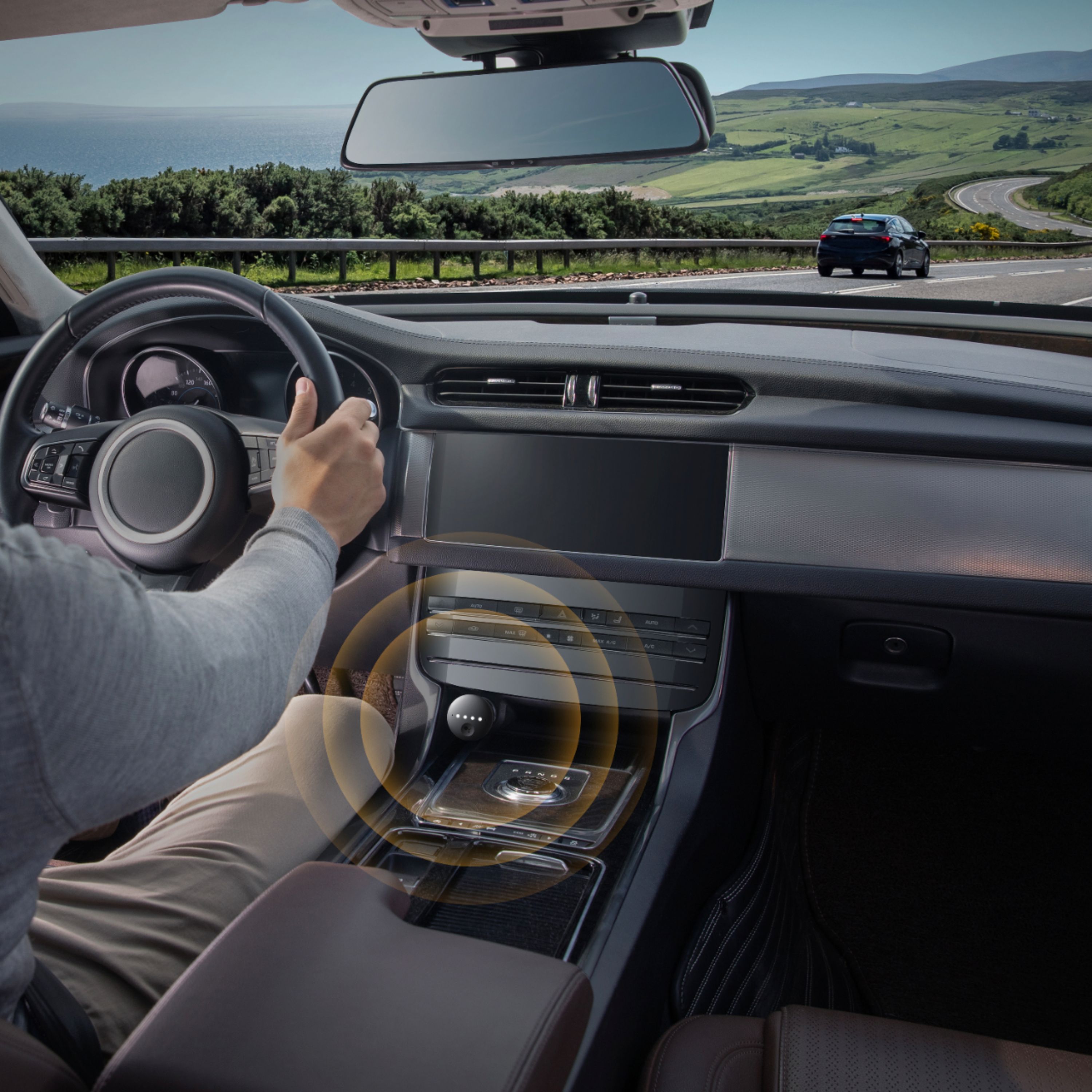
|Posted .This reviewer received promo considerations or sweepstakes entry for writing a review.I like to use this device a lot. My car is a slightly older car, 2007, and the radio only has an Aux connection (No Bluetooth). The Roav Bolt Charger upgrades my vehicle to the latest and greatest infotainment system with Google Assistant. It is similar to a Google Home Mini, but now, it is in the car, performs mostly what a regular assistant. It essentially connects to your phone as the central hub. The device also functions as a charger with two fast-charging USB ports. It is simple to use; plug it into your car’s cigarette lighter and then connect it to your car’s audio system via Bluetooth or Aux port (for older cars). Unless you have a fast/strong cellphone signal, I recommend doing the first setup near an area (home) when your phone is connected to a Wi-Fi because the device will request a firmware update. I also recommend this for future updates. There are four light indicators to show that it is working. Activating the device is hands-free, this keeps your hand on the steering wheel and your eyes on the road. What I use the most is the navigation system (Google Maps); for example, I ask “Okay Google. Take me home,” and the map will pop out. With voice activation, I can make calls, listen to messages, hear music, listen to notifications or know your latest appointment on your calendar. To change some options, open the Assitant app on the connected mobile device and go to setting. In settings, there is the option to change the language, your nickname (how you want the assistance the pronunciation), home/work address locations, edit shopping list, music options, calendar and more. The device does an excellent job at detecting a voice command, even over loud noise/music. What is great is that it automatically connects to my phone once I turn on my car; of course, phone’s Bluetooth must be “ON.” I haven’t had any connection issues. Overall, I am satisfied with this device. It is a simple method to upgrade a vehicle to the latest infotainment system.
I would recommend this to a friend Decent Bluetooth Adapter w/ Google Bonus
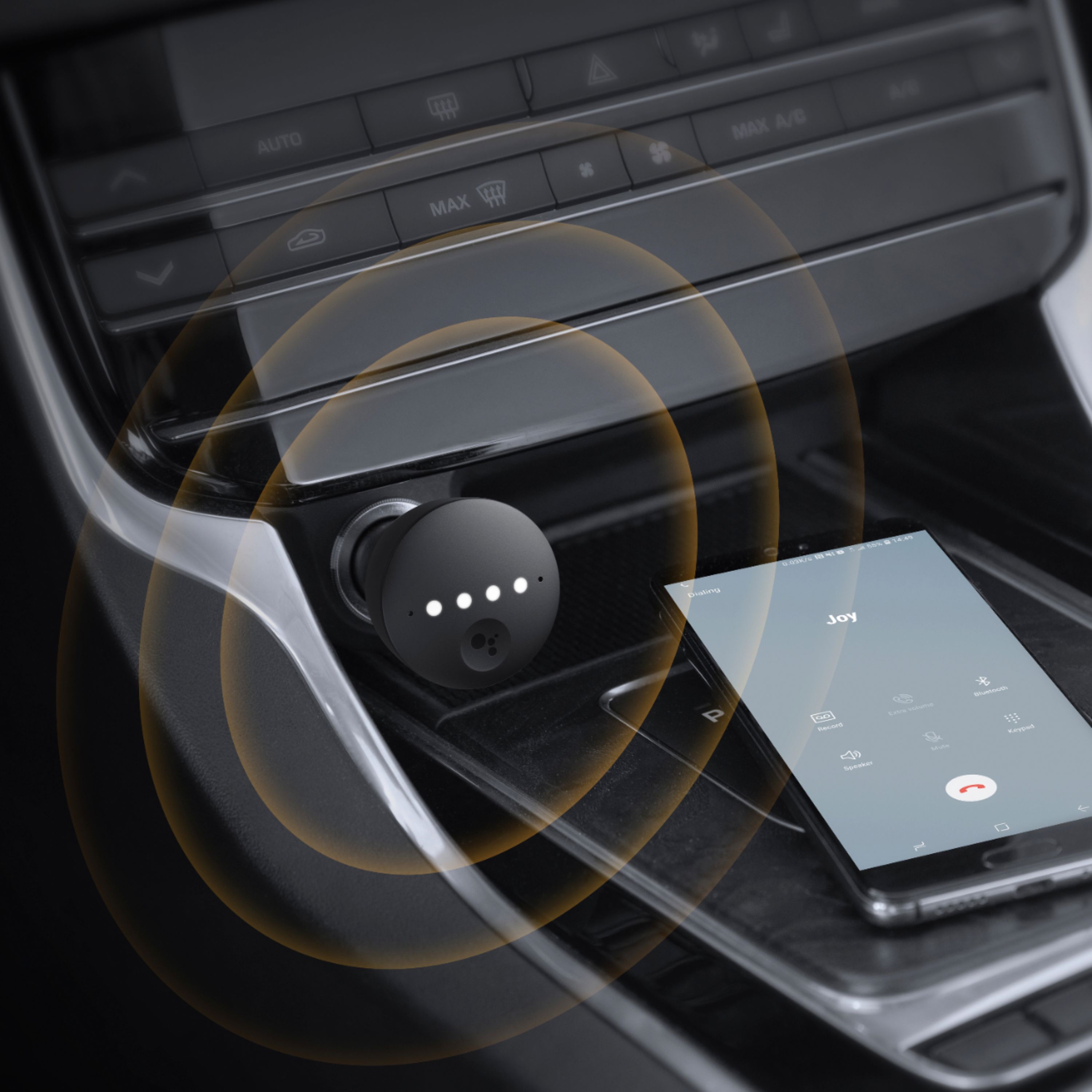
|Posted .This reviewer received promo considerations or sweepstakes entry for writing a review.I have owned a few older cars and tried different Bluetooth integration methods, some of which were hundreds of dollars and required pulling the dash apart. If you have an aux port and want an easy Bluetooth connection for streaming music or making calls this might be right for you. I tested this using a Sony Xperia 10 running Android 9. Pros - Easy install and portable (move it from car to car with no need to re-pair with your phone or remove your info after returning a rental) - Bluetooth integration and two USB ports. - Audio on phone calls was good on my end and acceptable on the receiver's end (they could tell I was on speaker, but I was clear). - Streaming music volume and clarity was great (better than FM). - Google worked well for basic functions like reading notifications, responding to text, and making calls. - Aux cable included. Cons - Instructions aren’t that great. - You really need an Aux port unless you already have Bluetooth and just want the Google Assistant features (in this case you might do better with a phone mount and the Google Assistant App on your phone). - How well this works depends on the placement of your 12v port and your phone. If it the 12v port is low in the dash, not facing you or next to a noise source, the built in microphones might not work well. If you can’t get the Google Assistant app to install and function then you are limited to basic Bluetooth functions (you really need a newer phone mid-range phone or higher). - I experienced some reverb on my first speaker phone call, but adjusting the volume on the phone and lowering the radio volume corrected the issue. - Google Assistant just plays a weird tone if it can't understand you or can't find what you asked for, rather than telling you about the error. This is a handy Bluetooth adapter and USB charger, with Google to help you do most everything you need while driving. I would recommend trying it; if it doesn’t work for you haven’t committed a lot of money or time like some other integration methods require.
I would recommend this to a friendAwesome! Should be called "Google Car"!
|Posted .This reviewer received promo considerations or sweepstakes entry for writing a review.Google I'm sure has the trademark on that, but the Roav Bolt Charger essentially brings your Google Home into your car! Pros: Having had Google Home in the house for quite a while - you really get used to asking it questions. Now with this simple and small device you can have virtually the same "home" experience in your car. All hands free - just say, "Hey Google" and it will answer all your questions, change music, make/answer calls, give you directions (via voice through car stereo and displays on your phone), and so much more. As a real test while I was on my way home I said: Me: "Hey Google, how long will it take me to drive to Michael Angelo’s Pizza?" Google: "By car it will take 25 mins" Me: "Hey Google, directions to Michael Angelo’s Pizza" Google: (Turned on navigation and directions to the pizza place) Me: "Hey Google, remind me to order pizza in 5 minutes" (5 minutes later) Google: Reminder to order pizza Me: "Hey Google, call Michael Angelo’s Pizza" Google: "Calling Michael Angelo’s Pizza" Me: Awesome... all with both hands on the wheel! Works seamlessly with the Google assistant app (I have an iPhone X and it worked perfectly). Plays through your car's Bluetooth or an Aux 3.5mm port (cable included). Took about 5 minutes to set it all up - very easy. Also has 2 pass-through USB ports, so actually powers itself and lets you still charge 2 devices! Cons: Only thing that was a bit tricky was I had to say 1 thing differently than I usually do with Google Home. I couldn’t just say “Hey Google play some music” (which I have connected to Pandora). It said it couldn’t do that. Instead I had to say, “Hey Google play some music ‘from my library’ ” – not sure why, but I had to add “from my library” and then it opened Pandora and played fine. Overall, love this thing!
I would recommend this to a friendGood concept but average execution and pricey
|Posted .This reviewer received promo considerations or sweepstakes entry for writing a review.I have had ROAV charger for few months now. Before this I used to use Google Assistant on my phone for similar functions. ROAV is definitely a good improvement over the assistant. Here are my observations after using it with Samsung Galaxy S9+ Good stuff: 1) Easy setup. I tried the setup via Bluetooth and it was quite simple and straight forward. 2) Faster charging than my previous car charger but not as fast as QuickCharge (USB ports are not QuickCharge capable). 3) Dual mic works better even with relatively loud music/background 4) Good and sturdy design but the usability will depend on the placement of charger in a car. For example, in my car (Acura RDX 2019), the charger is way too far. Thus, I can never press the button on the charger while driving. 5) Understands most of the voice commands. I primarily use it for directions, texts and calls. It mostly understands the commands and is able to execute them. Not so good stuff: 1) Takes quite long (3-5 seconds) to respond over bluetooth (I haven't tried Aux mode) 2) The volume is very low, I have to always turn up my car stereo volume. But then music becomes very loud. So, I keep changing the volume level all the time. So, overall I think the device works as expected but I think it is priced on the higher side for the features that it offers. I don't think I will recommend this to my friends.
No, I would not recommend this to a friendClever AI
|Posted .This reviewer received promo considerations or sweepstakes entry for writing a review.At this point we are mostly all familiar with assistants. I'll just say that Google does a good job with the types of requests that the assistant is able to respond to. This device steps that up for my car. I drive a 2012 Nissan Altima SL. My infotainment system doesn't come with full Bluetooth functionality, meaning I can only do phone calls but not music streaming. This device allows me to use music streaming directly into my aux cord, all the while still retaining all my original phone connections with my car. The placement in my car isn't the best but it's my car's fault for having poorly accessible outlets. I am unable to easily push the assistant button. See my pics to show what I mean.
I would recommend this to a friendGreat Concept, Unstable Software
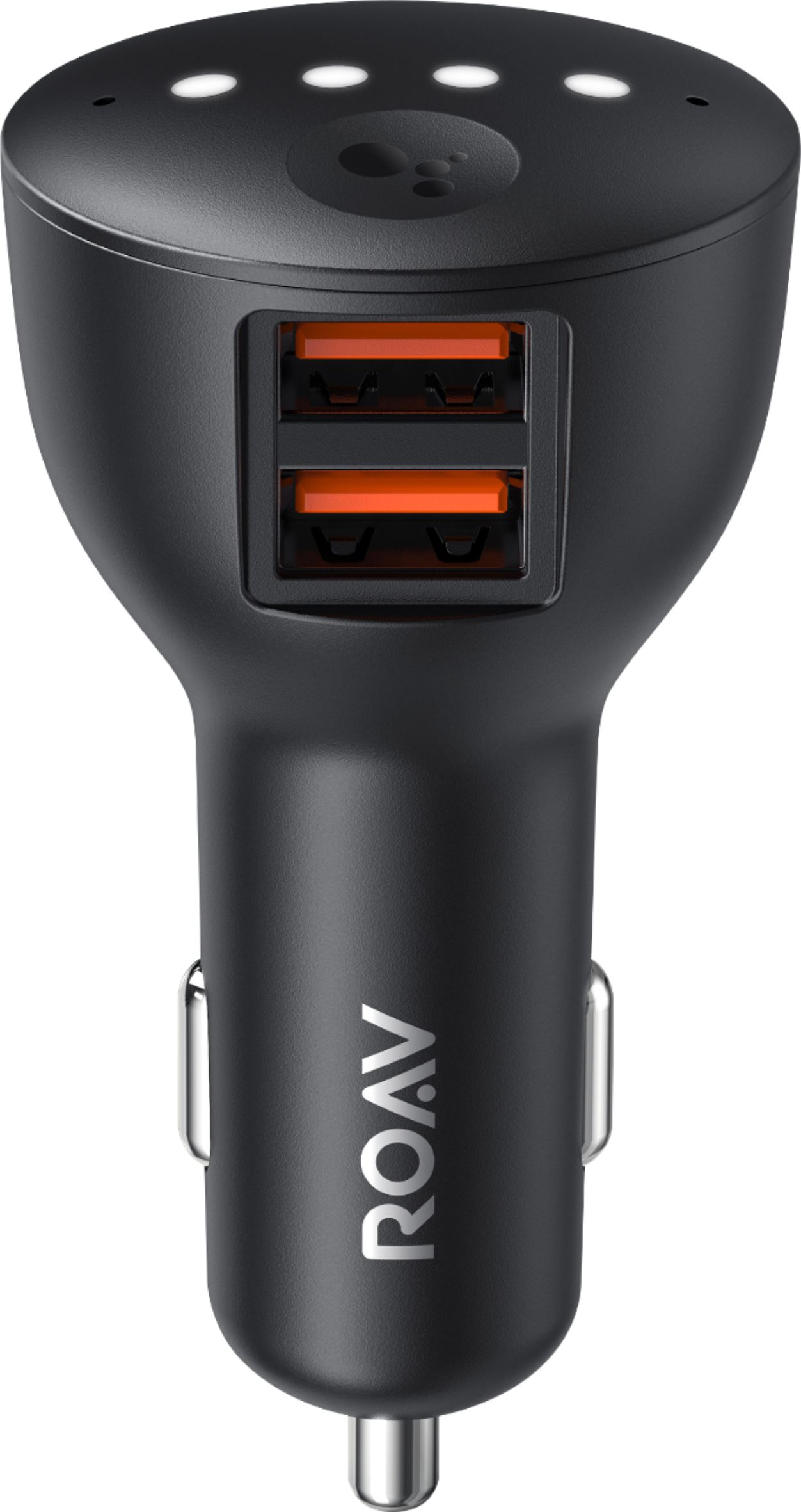
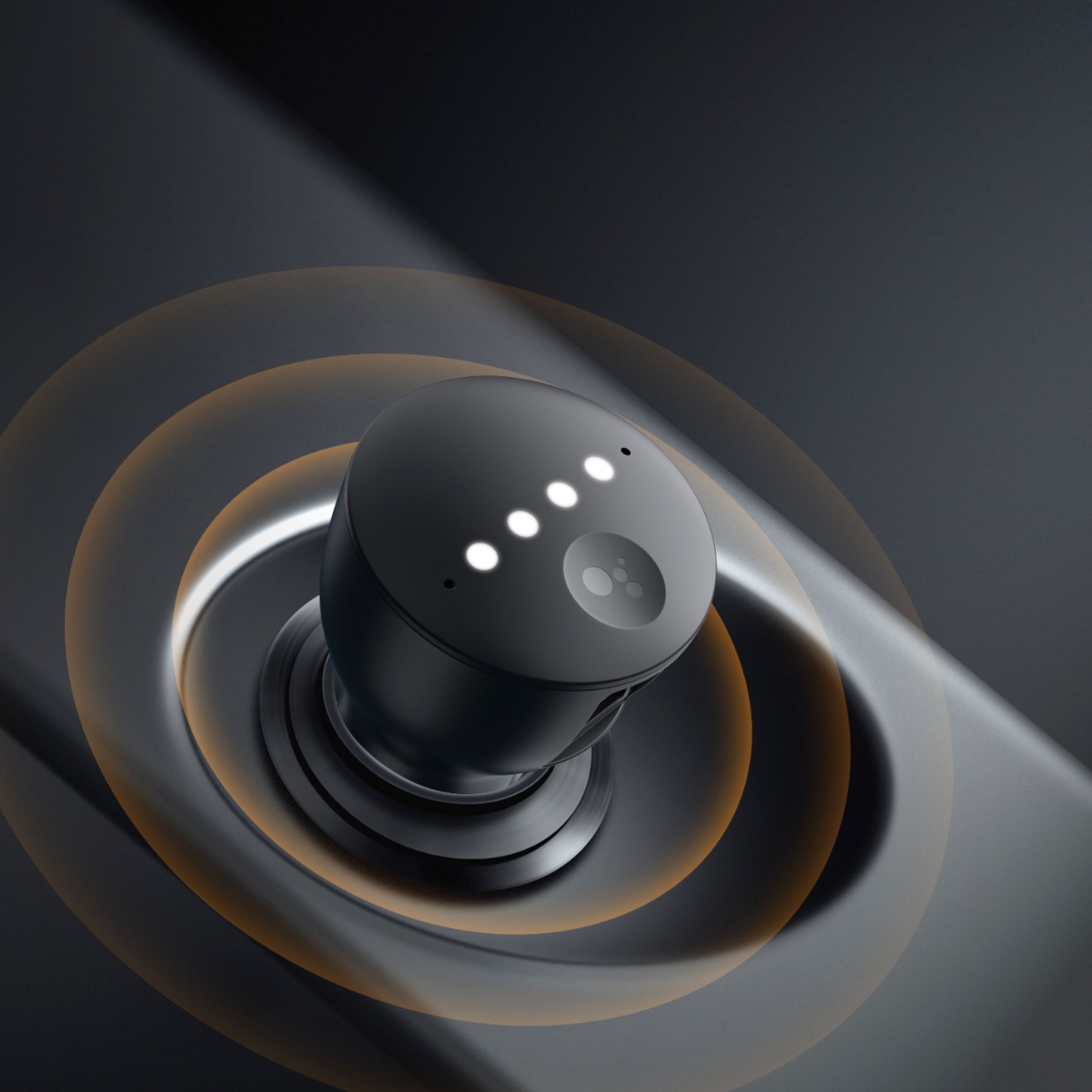
|Posted .This reviewer received promo considerations or sweepstakes entry for writing a review.Pros Adds Google Assistant to older cars Includes two USB charging ports Dual mics greatly reduce background noise Clean design blends in with interior Cons Charger ports are not QuickCharge capable Wake phrase takes a long time to respond Wake phrase works inconsistently Newer cars don’t allow ROAV to turn off automatically Line out doesn’t work Initial pairing takes multiple attempts Firmware updates took multiple attempts Commands to play music by genre usually don’t work Commands to text someone rarely work The Anker ROAV is a great idea. Do you want smart features in your car but don’t want to bother installing a new stereo in your car? Just plug the ROAV into your power port, pair with your phone, connect to your stereo and you have a smart stereo with little effort and little money. Even better, you get a real assistant. Design The overall design is very clean and easily blends into most car interiors. It has four hidden lights on the front that are near invisible when not lit, two charging ports on bottom, and a line out port on the right side. In what seems like a missed opportunity, the charging ports are not QuickCharge capable. Included in the box is a stereo cable for direct connection to your stereo. When waiting for a connection to a phone, the front lights flash amber in series. When it is listening from the wake word, the lights turn white in sequence. There is a single action button which is fixed to trigger Google Assistant to read off your latest notifications. Pros Adds Google Assistant to older cars Includes two USB charging ports Dual mics greatly reduce background noise Clean design blends in with interior Cons Charger ports are not QuickCharge capable Wake phrase takes a long time to respond Wake phrase works inconsistently Newer cars don’t allow ROAV to turn off automatically Line out doesn’t work Initial pairing takes multiple attempts Firmware updates took multiple attempts Commands to play music by genre usually don’t work Commands to text someone rarely work The Anker ROAV is a great idea. Do you want smart features in your car but don’t want to bother installing a new stereo in your car? Just plug the ROAV into your power port, pair with your phone, connect to your stereo and you have a smart stereo with little effort and little money. Even better, you get a real assistant. Design The overall design is very clean and easily blends into most car interiors. It has four hidden lights on the front that are near invisible when not lit, two charging ports on bottom, and a line out port on the right side. In what seems like a missed opportunity, the charging ports are not QuickCharge capable. Included in the box is a stereo cable for direct connection to your stereo. When waiting for a connection to a phone, the front lights flash amber in series. When it is listening from the wake word, the lights turn white in sequence. There is a single action button which is fixed to trigger Google Assistant to read off your latest notifications. Usage Setup This is where the ROAV starts to show weakness. The instructions say connecting the ROAV to your stereo via line in is best. When you pair your phone and choose Line-In, it keeps attempting to set up via Line-In and repeatedly fails. This then requires you to connect to your phone via Bluetooth. Strangely, you must still have your phone connected to your car via Bluetooth as well or the process won’t work. After repeated attempts to set it up via line-in and finally reverting to Bluetooth it came to the process of updating the firmware. This process seems straightforward as the only option is to update, but in practice it took multiple failed attempts before the firmware would update. With the new firmware one might think maybe the line-in issue is fixed. Strangely, to switch to line-in once in Bluetooth mode you have to factory reset. It doesn’t say in the instructions but if you hold down the action button until all lights are on, it will factory reset. After a firmware update and factory reset, line-in still would not work. Performance A troublesome setup process could be forgiven if, after setup, the ROAV worked as intended. Unfortunately, the software woes continue. Launching via the wake phrase works inconsistently and very slow, usually taking about 15-30 seconds to respond. Ruling out phone speed issues the delay is still present, even with a Galaxy S9+ connected directly to Wi-Fi, meaning the ROAV is the cause of the delay. Sometimes it can take long enough to launch that you wonder if it launched at all. Other times it just seems to lock up requiring it to be unplugged and plugged back in. The noise cancellation works reasonably well for a such a small device, but even in a very well insulated vehicle commands are sometimes heard wrong. It also seems the noise cancellation doesn’t benefit the ROAV hearing it’s wake phrase as light road noise could require yelling the wake phrase. This means if you have a louder car, which most older cars are that you would likely buy this for, then you are going to have more trouble with reliable activation. Mileage may vary on this so if you have an older, louder car, just be prepared to take advantage of your return policy. This is understandable as noise cancellation technology is inconsistent and depends on the type of noise. What is confusing is commands that normally work for Google Assistant directly on the phone often don’t work on ROAV. Want to text someone using your voice? Often you will be greeted with, “I don’t know how to do that yet.” Want to call someone on mobile? At random times you might have to interchange between saying call mobile or cell as it just seems to not work with one or the other and respond with, “No mobile number found for …” Want to play music by genre? You might find that randomly it will either not be able to find the genre or simply say it’s playing but do nothing. A workaround when it plays nothing is to skip to the next track, at which point it will stutter and then start playing. It almost seems to be a connectivity issue as you will notice the voice changes from the offline Google assistant voice to the one you have chosen. Testing directly on the phone does not exhibit such behavior suggesting it has something to do with the way the request is routed through ROAV. Final Thoughts Anker has a great idea with the ROAV and hopefully software updates could make it work as intended. The hardware itself seems solid, with the only real blemish being the lack of QuickCharge. Hopefully with future software and firmware updates they can improve the speed, reliability, and accuracy. Until then, if you wish to try out the ROAV just be prepared to experience inconsistent behavior. Otherwise, you might be better served waiting a few more months for the issues to be worked out and patched.
No, I would not recommend this to a friend- Pros mentioned:Bluetooth, Charging speed, Ease of use
Multi functional
||Posted .This reviewer received promo considerations or sweepstakes entry for writing a review.Sturdy construction. Charges well. Easy to use. Just plug it in to the cars 12 volt charger, then connect it to your phone using Bluetooth and the final install is to use the Google Assistant on your phone. Google Assistant has picked up my voice for navigation (even with the music streaming). The features I like most is the two USB charging ports and when making a call the person receiving the call has mentioned that my voice has more clarity with less background noise.
I would recommend this to a friend Good USB Charger, Aweful BlueTooth support
|Posted .This reviewer received promo considerations or sweepstakes entry for writing a review.Unboxing the Anker Roav yielded quick excitement as I marveled at the high quality rubbery feel of the unit as I removed it from it's bright orange foam accent packaging. The device just screams quality and well thought out craftsmanship. Unfortunately, in the case of the Anker Roav, looks can be deceiving. I plug the unit into my 2013 Audi A4 and wait for the quad indicator lights to flash blue indicating it's ready for me to move on. I open up the Google Assistant app on my iPhone which immediately sees, and prompts me to "begin setup". I do so, which first has me connect the device via BlueTooth as Roav Bolt-632C - Done. Next it asks if i want to use the Aux cable (for better audio) or try bluetooth. Since I don't have an Aux in the Audi, (it uses some garbage proprietary crap in the glove-box) I elected to "try bluetooth". I am told to "now connect phone to car" - This was already done and does not let me proceed. So i remove the BT connection from my car to my phone and reconnect. Still nothing. I am then presented with a new Roav Bolt-632C-LE device which I am prompted to connect my phone to. I do this. So I am now connected to 3 devices (1 car and 2 Roav). Roav refuses to let me click "next" as it doesn't understand i am connected to my car. I reset everything, forget all BT connections and start over. Same issue. I figure, "must be the Audi". So I take the unit into my older, 2008 BMW 328i. Same issue. So I figure "my cars BT modules must be too old as neither pass audio through BT. I try a coworkers brand new Honda Accord. Same issue. Then I thought I must be doing it wrong. I work in a company of 26 IT professionals. after a few hours of 5 of us cursing at how awful this thing is, and attempting on multiple android and iPhones, we gave up. I cannot vouch for this product as it cannot seem to achieve a simple setup via BT. I don't care there is an AUX ability, the car I would use this in don't have an AUX port. I am using it as a cell phone charger, which this does a fine job of. It is a waste of extra tech as the "Assistant" cannot function due to garbage execution of BT technology on behalf of Anker. I've reached out to Anker support and will update if I find a fix. The forums I've scoured indicate this is not a unique problem to me.
No, I would not recommend this to a friendBrand response from Anker Team
Posted .Thanks for sharing your experience with us. Send us an email so we can look into this in more detail with you: support@anker.com
- Pros mentioned:BluetoothCons mentioned:Compatibility
Not recommended for use with iPhones
||Posted . Owned for 1 month when reviewed.This reviewer received promo considerations or sweepstakes entry for writing a review.I bought this off a blurb from The NY Times’ site “The Wirecutter.” Not mentioned there, and not mentioned in Best Buy’s product description, is that this item, relying on Google Assistant, is NOT recommended for use with an iPhone. And, keep in mind, it does not have an FM transmitter to use alone with an older car. I had only purchased it to enhance the Bluetooth experience in my car without built-in BT connectivity. I already had a BT receiver/FM transmitter. So, I opened the box & the paper instructions flat out indicate the device is NOT intended for use with Phones! Now, the setup procedure for Google Assistant does walk you through connecting with your iPhone. My complication is that I simply wanted to use the audio cable to connect the ROAV to my BT/FM device. But, the ROAV paired with the BT/FM device. I could not find a way to unpair those so now I had an unusable triangle of devices paired with my iPhone. Even had the software setup worked, I needed a 12V splitter to power both. All in all, it did not work for me so I returned it.
No, I would not recommend this to a friend My car has a new tech life ;)
Posted .This reviewer received promo considerations or sweepstakes entry for writing a review.I recently received a Bolt to test (thanks Anker) and its help build some tech life into our 12 year old car and our iPhone 6S Plus running iOS 12 IMG_7785.JPG1512x2016 843 KB We have a 07 Acura MDX with Rear Seat ent unit (unused for over 7 years since the kids are now older). The fit for the plug was a little tight due to the location of the 12V port in the MDX and had to angle it just right to get the headphone jack in. IMG_7786.JPG1512x2016 889 KB Had to use a AUX cable (bluetooth audio is not supported on our car) to the back of the center console where the Aux input is and gets in the way of the rear passengers leg room.. -- update bought a right angle RCA cable from Amazon and its reduced the issues with the cables getting stuck in passenger legs. Paired both the ROAV Bluetooth devices on our iPhone IMG_7788.JPG966x1288 262 KB For the most part, i can use Google to play messages, call for directions... Have to initiate music directly on my phone and then it plays through the ROAV/AUX in on the car (which is a huge bonus as i had never used the AUX in on this Car in the last 10+ years of ownership) and used to listen to Radio or the few CDs i had in the changer.. Can't launch Pandora or apple music using voice commands (will be useful), have to launch the app, play the music and then i can use OK google to skip tracks. Also had to delete my Bluetooth Paring between the phone and car so the phone calls can be answered through the same setup, just have to figure out the best way to answer the call as if i answer on the phone, it always pops up with a selection of what to route audio too (phone, speaker or Bluetooth..) Like it a lot. unfortunately we have another older car (08 Mercedes E350) which does not have an AUX in (only iPhone 30 pin) and it would be a challenge to get this unit installed in there.. Wish someone made a plug in CarPlay / Android Auto adapter for the older cars :wink:
I would recommend this to a friend