Customer Ratings & Reviews
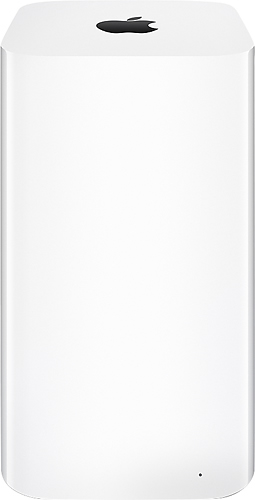
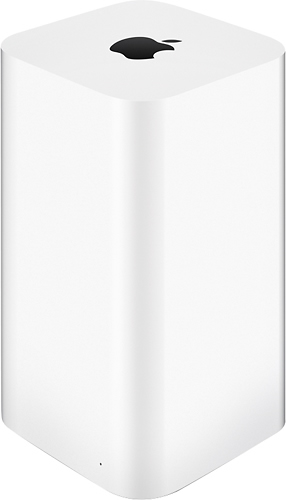
- Model:
- ME182LL/A
- |
- SKU:
- 4854512
Customer reviews
Rating 4.7 out of 5 stars with 587 reviews
(587 customer reviews)Rating by feature
- Ease of Use4.7
Rating 4.7 out of 5 stars
Customers are saying
Customers often highlight the ease of use, ample storage, and strong Wi-Fi signal as major advantages. Many appreciate the straightforward setup process and attractive design. While some find the product expensive, positive feedback on performance and reliability is also prevalent.
This summary was generated by AI based on customer reviews.
- Pros mentioned:Ease of use, Performance, Setup
Rated 5 out of 5 stars
Minimalist & Simple
||Posted .This reviewer received promo considerations or sweepstakes entry for writing a review.Airport WiFi stations have always costs more than other brands but they do last. I finally got this new Airport Time Capsule after my previous Airport Extreme of 7 years "died" on me. (Apparently it didn't. Time Warner Cable's modem was the problem.) Anyway, since I wanted a more integrated backup solution, I opted for the Time Capsule. Once it was plugged it, and using the free Airport Utility app, a few simple clicks and it was ready to go. So far, it has been running without problems and as great devices go, this is one of those that you simply don't think much of, but take it for granted that it is running efficiently.
I would recommend this to a friend - Pros mentioned:Storage, Wi-fi
Rated 4 out of 5 stars
An "All Things Apple" Essential
||Posted .This reviewer received promo considerations or sweepstakes entry for writing a review.I am an artist, photographer, videographer, and aerial videographer , so editing takes up a lot of room on my MacBook Pro. 3 terabytes of storage has barely a dent in it, even with my wife backing her MacBook up as well. We both love the security and extended wi-Fi capability with our Apple TV,i Pads, iPhones, MacBook pros, printer,nest thermostat, and wemo lights. We are able to use our wi-Fi outside by the pool and even down the street,( about three houses away.) Apple - AirPort Time Capsule 3TB Wireless Hard Drive & 802.11ac Wi-Fi Base Station really brings an " all things Apple" household together seamlessly.
I would recommend this to a friend Rated 4 out of 5 stars
Easy to setup but the Disks don't always appear
||Posted .This reviewer received promo considerations or sweepstakes entry for writing a review.The Wireless Router is very simple and works great, excellent speeds. However i continually have to "find" my AirPort Extreme disk. Time Machine appears to work properly and is an excellent backup utility. Everything seems to work properly if you are able to navigate your way to the disks afp://10.0.1.1 but as the picture shows the utility can't find it. Even when fully connected and streaming video over the internet and copying files to the AirPort. In any event great apple product just in need of a software update which hopefully will come soon.
I would recommend this to a friend- Pros mentioned:Ease of use, Wi-fi
Rated 4 out of 5 stars
Great machine...but...
||Posted .This reviewer received promo considerations or sweepstakes entry for writing a review.I've had to reset this twice already, and I've had it only a short while. If it doesn't act up down the road, I'd give it 5 stars. Setup was fairly easy for even beginning users in setting up Wifi. Also eliminated clutter with only a router and the time capsule on my desktop. So far, pretty good but we'll see down the road.
I would recommend this to a friend Rated 5 out of 5 stars
Amazing Product
||Posted .This reviewer received promo considerations or sweepstakes entry for writing a review.This is my 3rd Apple Time Capsule, I bought this 3TB for my Recording Studio. It's just as consistent as my other 2, and as usual, the wireless router is lighting fast, consistent, and very powerful.
I would recommend this to a friend- Pros mentioned:Setup, Wi-fi
Rated 5 out of 5 stars
Using with Windows 10
||Posted .This reviewer received promo considerations or sweepstakes entry for writing a review.Updated a 5th Gen AirPort Extreme with this ATC. Super easy to setup. Make the connections, Power it up, Open Wifi settings on your iPhone (not sure about Android) Click on the device and it'll walk you through the setup. Type in your wifi name, password and in two clicks it'll setup everything automatically. I kept all the default settings. I'm using the new ATC in Bridge Mode with my Comcast gateway modem with Blast 105 service. (With wifi turned off on the Comcast device of course). The Wifi seems ok (125 Mbps wifi with my iPhone 6s near the unit and fluctuating ~40-60 Mbps on another floor in my two story residential home). Also using the 3TB drive with Windows 10 File History and had no problem automatically updating documents. As the hard drive hibernates with no use, it can sometimes take a few seconds for it to spin up to retrieve data. Not sure if this is an issue with Mac computers. But if the drive had been recently accessed it's quick. Also backed up a Windows 7 desktop without issue. Tip for Windows users: The hard drive is accessible in Windows Explorer by mapping a drive to the devices IP address\Data (Ex. \\10.0.0.1\Data). I do not think you will see it in Explorer by just Browsing the Network. I did it by installing the Apple Airport utility for Windows (downloaded from Apple), after installation open Windows Explorer and browse to C:\Program Files(X86)\Airport and click on APDiskPrefs.exe. Click Automatically Discover Airport Disk, then click Show Airport Disk in the System Tray. Go to the system tray in Windows (bottom right near the time) click on Airport Base Station Agent, in the menu click the name of your time capsule, choose connect with password, type in your password and the device should now by visible in Explorer / My Computer under Network Drives (no mapping required). Hope this info helps someone as it took me a ton of research to find the simple answer of "Can the drive be used in Windows?". Yes it can and no reformatting was needed. It's been almost two weeks and so far so good.
I would recommend this to a friend - Pros mentioned:Ease of use, Performance, Storage
Rated 5 out of 5 stars
Fast, quiet, easy to set up
||Posted .This reviewer received promo considerations or sweepstakes entry for writing a review.Improvement over the last model. Faster speed is great. Larger capacity is very helpful. So easy to install and set up. New design is attractive, practical. Smaller footprint is handy . I read other reviews that said it is noisy, but I think it's quieter than the last model. Great value as a two-in-one device that includes both a top-notch 802.11ac Wi-Fi base station and a large, effortless backup drive that is so easy to use. The backup feature is remarkably simple to set up and use, and it doesn't interfere with overall performance when it's running a large backup. Set it and forget it.
I would recommend this to a friend - Pros mentioned:Ease of use, Performance, Setup
Rated 5 out of 5 stars
Wonderful so far!
||Posted .This reviewer received promo considerations or sweepstakes entry for writing a review.Easy setup. Replaced an old Time Capsule. I have a couple devices that can operate on "ac" rather than just "n". Amazing speed difference! Time Machine seems to work great too. I have no complaints to date with this device and would recommend it.
I would recommend this to a friend - Pros mentioned:Setup, Wi-fi
Rated 5 out of 5 stars
Simple set up
||Posted .This reviewer received promo considerations or sweepstakes entry for writing a review.Was incredibaly simple to set up. Improved wi-fi signal throughout the house. impressed how quickly and seamlessly it backs up the entire computer.
I would recommend this to a friend - Pros mentioned:Ease of use, Setup, Storage
Rated 5 out of 5 stars
Mega storage
||Posted .This reviewer received promo considerations or sweepstakes entry for writing a review.This works great for all of our needs. Storage galore, easy to use. Fast set up to get you going quickly.
I would recommend this to a friend - Pros mentioned:Ease of use, Setup, Wi-fi
Rated 5 out of 5 stars
Best wifi network to date!
||Posted .This reviewer received promo considerations or sweepstakes entry for writing a review.Great out of the box. Good range, easy to use backups, easy to setup. I expanded this with 2 airport expresses to provide additional coverage and add airplay capabilities to my sonos system. I have lots of different wifi enabled devices from OSX to Linux to Revolv hub & thermostat. All work flawlessly and notably better then my previous wifi networks.
I would recommend this to a friend - Pros mentioned:Storage, Wi-fi
Rated 5 out of 5 stars
never thought wireless routers mattered too much.
||Posted .This reviewer received promo considerations or sweepstakes entry for writing a review.i never thought that wireless routers mattered too much. as in, i didn't think they differed much. but imo, and others i've read, it does. after going through numerous routers over the years, i finally broke down and bought an apple one. everything seems better. it seems faster. the range is definitely better. plus, i like the built in drive for backups and storage.
I would recommend this to a friend - Pros mentioned:Ease of use, Storage
Rated 5 out of 5 stars
My mother-in-law could have set this up
||Posted .This reviewer received promo considerations or sweepstakes entry for writing a review.I'm a network engineer by trade and this is replacing my dd-wrt based unit that the radios died on. I decided to go this route since I really didn't "need" all of the features that the dd-wrt software allowed and the hassle of setting anything up with that outside the basic router/firewall features was getting old. Having a mix of Windows, Mac, and Linux PC's, I almost skipped over this unit thinking it was designed to integrate with Apple products only. Windows PC can take advantage of the internal storage as well with ease. The setup was extremely simple as most modern day router/firewall units are, but the interface and setup wizard made it simple enough that my mother-in-law could have done it (no offense to mother-in-laws, mine just doesn't happen to be computer literate). Out of curiosity, I downloaded and installed the AirPort Utility for Windows and that is just as easy to use as the Mac version and it allows to add your Homegroup to the router. While the interface and wizard look simple at first glance, there are plenty of advanced options that can be set. By default, the radio's have the channel selection set to Auto (which seemed to really mean channel 1) and if you live in an area with multiple wifi routers around, you can select a less commonly used channel to reduce interference and get better speeds. The only thing that was tricky to find was the setup of the 5Ghz radio. Other useful options that I was glad to see where DHCP reservations, Time based access control, ability to set your own DNS servers, and port-forwarding/mapping. If you have a Mac, you get the bonus of using Time Machine to backup your computers, but you can use the built-in hard drive for storage with Windows as well. Back to My Mac works flawlessly as well as accessing your files stored on the internal hard drive, if you decide to enable that (your own personal Dropbox without limits), without having to use DynDNS like service. The wireless range is fantastic. I haven't run into an issue with signal quality inside my house (2000 sq ft), and I have the unit in the basement and still have excellent signal strength on the second floor of the house. I really like the design. This could be a center piece on the dining room table if it wasn't for the fact that you have to connect the power cord, 1 Ethernet cable, and the wife ;) Hope this was helpful as I tried not to be too technical or use too many technical terms.
I would recommend this to a friend - Pros mentioned:Ease of use, Storage, Wi-fi
Rated 5 out of 5 stars
Perfect home network and storage!
||Posted .This reviewer received promo considerations or sweepstakes entry for writing a review.This is the best solution for anyone that needs a lot of storage and ultra fast Wi-Fi! It's easy to set up and looks really nice around the house. Super sleek. I love the range and it just works. It's got a big price tag, but it's worth it!
I would recommend this to a friend - Pros mentioned:Ease of use, Setup, Wi-fi
Rated 5 out of 5 stars
Great product - Easy to install
||Posted .This reviewer received promo considerations or sweepstakes entry for writing a review.I am very pleased with how easy this product was to set up. I had it out of the box and connected in 15 minutes. It has improved our Wi-Fi connection and we are able to have several networks - supporting all our Apple products.
I would recommend this to a friend - Pros mentioned:Ease of use, Performance, Storage
Rated 5 out of 5 stars
Nice expansion
||Posted .This reviewer received promo considerations or sweepstakes entry for writing a review.I purchased this to upgrade my wifi and capacity from an older 1TB Airport Time Capsule. Very easy to install and setup as my primary, and expand my capacity from 1TB to 4TB, and also improved my range and performance. Updating all my backups to the new storage location wasn't necessary but easy to do.
I would recommend this to a friend - Pros mentioned:Setup, Storage
Rated 5 out of 5 stars
Much improved from the last version of TC
||Posted .This reviewer received promo considerations or sweepstakes entry for writing a review.In typical Apple fashion, the design of the 3TB Time capsule is solid. I upgraded from my last time capsule (500GB drive) which was starting to show signs of end of life... the router portion worked, but when I reset it, sometimes it wouldn't come back up. I try to be forward thinking in my purchases looking at what can help me the most for the longest possilble time - more bang for my buck so to speak. I had my eye on this and the opportunity came up and I'm glad I purchased it. It was easy to set up. Since I came from using my previous time capsule, I already had my configuration of all the settings saved in a file. I imported just what I needed and I was back in business with minimal set up. The guest network is awesome too, so when others come over you can simply give them a password to join and they are on without getting all up in your home network business. Overall great product. I would recommend anyone looking for a back up solution to get this!
I would recommend this to a friend - Pros mentioned:Performance
Rated 5 out of 5 stars
Fantastic and reliable.
||Posted .This reviewer received promo considerations or sweepstakes entry for writing a review.As always, Apple has done it again! Fast, effective and aesthetically pleasing.
I would recommend this to a friend - Pros mentioned:Ease of use, Setup, Storage
Rated 5 out of 5 stars
Saves memories!
||Posted .This reviewer received promo considerations or sweepstakes entry for writing a review.I’ve had no trouble with, easy to set up, stores many backups.
I would recommend this to a friend - Pros mentioned:Ease of use, Storage
Rated 5 out of 5 stars
Good coverage--Reliable Backup
||Posted .This reviewer received promo considerations or sweepstakes entry for writing a review.I purchased this primarily to serve as a Time Machine server for all of the Mac's in the house. I had the previous generation with a 2TB HD but it would often fill up. 3TB will give me the space I need for a while. Even with my most important need already met, I began to explore the WiFi features. Having the 802.11ac technology it's definitely faster than my previous. Performance is on par with the unit supplied by my ISP. But their box in located in the basement so often if I went into the garage or outside, my signal would drop off rapidly. Since I have this located on the 2nd floor of my house, outdoor and garage coverage is now much stronger and more reliable. But, as I said, my primary use is for Time Machine backups. To that end it's a wonderful device. Recently, I discovered that I needed some files that were previously on my desktop but I had deleted them 3 months prior. I had moved them to external storage, but then had a mishap that wiped them from the storage drive. Ok, Time Machine, now's your chance. I opened Time Machine on my Mac, clicked a period in time that I knew the files still existed, viola they were shown there. I selected the folder, clicked Restore and within a minute that folder was back on my Desktop as it was before. Thanks TM, you saved my butt. Setup is easy also. Plug in the power, run a cable from your router/switch to the lower Ethernet port and then launch AirPort utility from your Mac or iOS device. Run through the configuration and you're in business. Then to setup Time Machine to continuously backup your machine you just enter Time Machine preferences, select the unit, enter your password and you're all set. Every hour it will backup your files with ease. For most people this will handle all of your networking needs without a lot of configuration hassle. There are several advanced options that even I don't use. But for some, the primary complaint is configuration. It does not provide for many of the advance configuration options that other dedicated WiFi routers do. But you're also not spending an additional $300 for a special router. Since I have an ISP supplied router already I'm using this as more of a bridge/switch so it's irrelevant to me. Another use I found is that I can connect my USB printer to share across the network with all computers. That is an added benefit that allowed me to remove the USB print server that I had been using and was rather flaky. I did try connecting a USB hub and connecting both my printer and an external drive. It worked rather well. This function is not officially supported and a few folks have reported issues, but in a pinch it can also serve as a NAS. Though I didn't intend to use it as my Ethernet switch, I would up doing so in the end. So this one piece of equipment has now replaced three and is using far less energy. Pros: * Easy setup * Reliable backups * Strong, fast WIFI * Printer sharing * Small footprint--you can stash it anywhere. Cons * May not provide the level of config you require
I would recommend this to a friend