Customer Ratings & Reviews
- Model:
- MJYR2LL/A
- |
- SKU:
- 4539100
Customer reviews
Rating 4.5 out of 5 stars with 2120 reviews
(2,120 customer reviews)Rating by feature
- Value4.0
Rating 4.0 out of 5 stars
- Quality4.4
Rating 4.4 out of 5 stars
- Ease of Use4.4
Rating 4.4 out of 5 stars
Customers are saying
Customers value the Smart Keyboard for 12.9-Inch iPad Pro's high-quality keyboard, ease of use, and lightweight design. Many appreciate its convenient size and long battery life, along with the added protection it offers the iPad. However, some customers find the price to be high and have experienced occasional connection issues. A few also noted concerns about the magnet's strength and compatibility with certain iPads.
This summary was generated by AI based on customer reviews.
- Pros mentioned:Keyboard quality
Rated 5 out of 5 stars
Great new tool for my iPad Pro
||Posted .This reviewer received promo considerations or sweepstakes entry for writing a review.I was weary of spending so much money on a keyboard, so I read reviews and several websites about this new tool, I also read about cheaper keyboards and looked at them in stores. I finally decided to dig deep into my shallow teacher pocket and buy this tool designed just for my expensive iPad. If I'm going to invest in this nice computer thingy, well, I might as well get the keyboard thingy to go with it. I now work at a Title I school. All breakfast and lunch is free. Kids are very poor in this neighborhood, but they are great! Being new, I'm setti g up my room. I just got a stapler, staples, tape and a hand held plastic tape dispenser, but no student scissors as we're all out. I went to Staples and bought 10 pairs of Fiskar scissors myself. So, I have no computer yet and I'm just using my own iPad and handy dandy keyboard for the time being. It's very nice. I carry my iPad in a small bag I bought to protect my iPad and hide it. I wrap the keyboard around the iPad when storing it and when I need to use the iPad I unwrap it to just slide touch or set it up on a table or flat surface to type. I am fluent in Spanish and I translated a parent letter for a teacher using Pages and emailed it to her all from my iPad Pro. The Pages program asked me if I wNted PDF, or Word and other things. The iPad was able to sync my program with the other teacher's program so all she had to do was print her letter. No sync problems. I'm still waiting on my 5 reams of precious copy paper. A fellow teacher gifted me two packs of paper until I can get my "fair" share of copy paper. I'm grateful to Apple for how you have helped improve my teaching and my ability to help others using these tools. This keyboard also protects my iPad screen when folded up.
I would recommend this to a friend - Pros mentioned:Ease of use, Weight
Rated 5 out of 5 stars
APPLE KEYBOARD
||Posted .This reviewer received promo considerations or sweepstakes entry for writing a review.Easy to use, light weight, absolutely love that it charges itself through the IPad.
I would recommend this to a friend Rated 5 out of 5 stars
Works fine
||Posted .This reviewer received promo considerations or sweepstakes entry for writing a review.Really appreciate the security the cover gives my iPad
I would recommend this to a friendRated 5 out of 5 stars
i like the keys
||Posted .This reviewer received promo considerations or sweepstakes entry for writing a review.i like the size of the keys. and the color of keys
I would recommend this to a friend- Pros mentioned:Battery life, Keyboard quality
Rated 4 out of 5 stars
Works well with a slim profile.
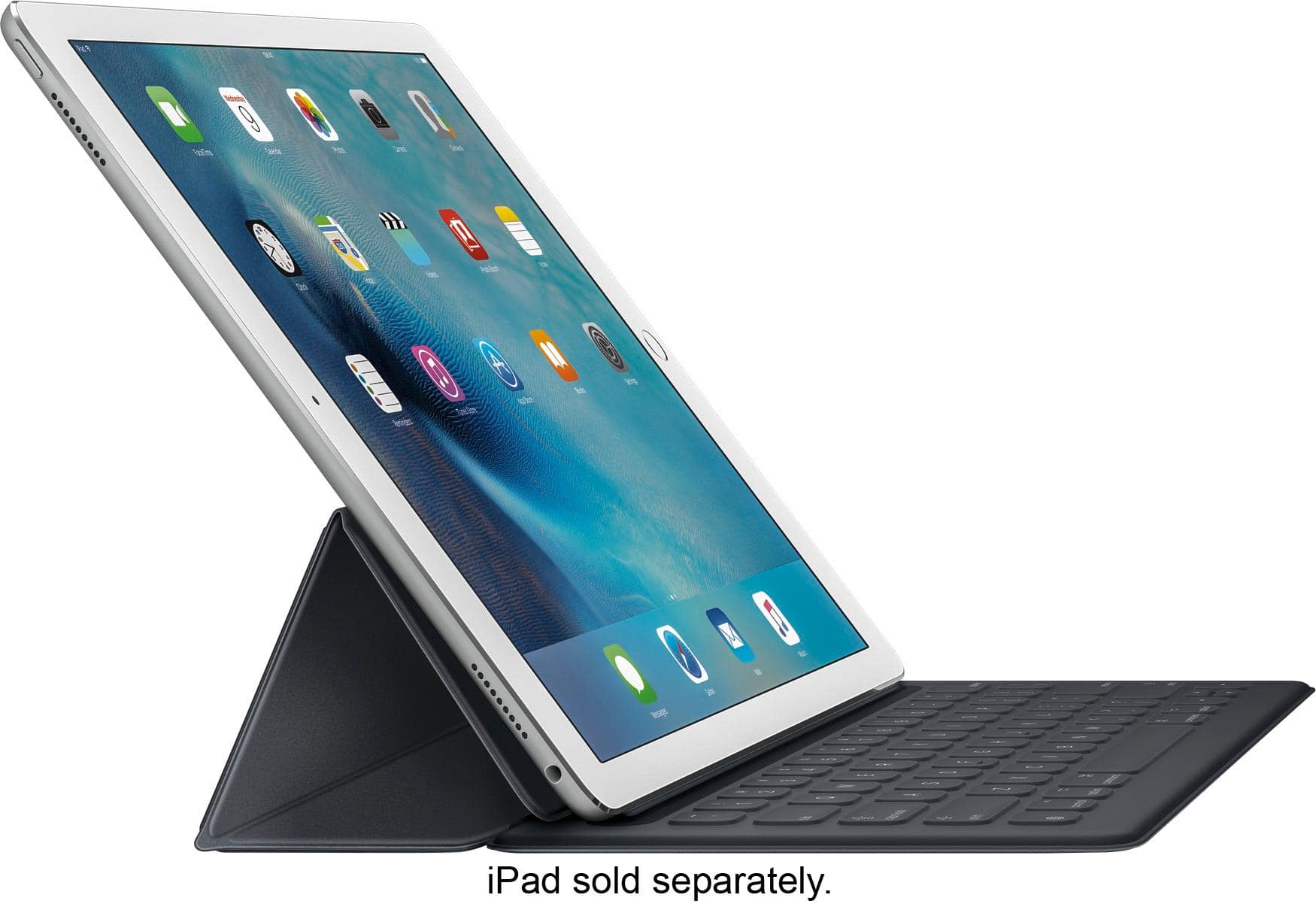
||Posted .This reviewer received promo considerations or sweepstakes entry for writing a review.When I purchased my iPad Pro, I initially acquired the Logitech keyboard. I returned the keyboard within a couple days... It was too bulky. Then I tried Apple's Smart Keyboard. This keyboard is not perfect, but it works better than I would have originally anticipated. One of the negatives is that the keyboard is not backlit. This is not too bad as I am a touch typist, but sometimes in a dark environment, I miss the backlit keys which are an option on some other keyboard. What I like, however, is that the keyboard does not need charging... It is charged directly from the iPad Pro. The keyboard is also much studier than I would have thought. It is slim and does not add much bulk to the iPad Pro, which is great, yet it I can also use it on my lap without a problem. (It is not as sturdy as an actual laptop, mind you, but I am able to type with it on my lap on a plane or in bed without any issues.) Having to fold the keyboard several times to actually work is somewhat awkward and is a much less elegant solution when compared to the Microsoft Surface Pro. On the other hand, I am not sure how well the Surface would work on a lap. The Smart Keyboard also provides a "kickstand" for viewing or using the iPad in landscape orientation. The magnets hold well and the iPad does not dislodge from the Smart Keyboard when I am using it, which is good. The feel of the keyboard is not bad and kind of reminds me of the new MacBook, which a very short travel distance in the keys, which have an almost cloth-like feel to them (they do not feel plastic, like a typical keyboard). In comparison, however, I like the feel of the keys on the Microsoft Surface Pro better, which gives you a more traditional "keyboard" like feeling with a little more movement on the keys. The Smart Keyboard is a full-size keyboard, however, and includes an emoji button, which is nice for an iOS device. The iPad does sense when the keyboard is attached and removes the on-screen keyboard, which really lets you use the entire 12"+ screen to work, play, or do whatever you want. Unfortunately, neither the Smart Keyboard nor the Apple silicone case accommodates the Apple Pencil. Such a feature is probably best reserved for a case as opposed to the Smart Keyboard, but this is an oversight that seems odd for a company with such an eye for detail and the user experience. The Smart Keyboard can be flipped directly over and placed under the iPad Pro so that I can use the iPad Pro on my lap or a flat surface, which works well (better than the Logitech keyboard). Because the keyboard itself adds a little bulk and is only about 2/3rds of the width of the iPad, however, this results in the iPad Pro being able to tip back and forth when using it on a flat surface. The movement is very small and not a huge inconvenience or a deal breaker for me. I can see how some may find it annoying, however. I am still convinced that the iPad Pro with a Smart Keyboard (or any other keyboard, for that matter) is not necessarily a laptop killer. Aside from limitations with iOS, however, it comes close and the Smart Keyboard is one of the best options out there right now. It is sturdy and works well. I think Apple did a good job of balancing utility with minimal bulk and, of all the keyboard options out there right now for the iPad Pro, I think this is a very strong option.
I would recommend this to a friend Rated 5 out of 5 stars
Best Keyboard Design
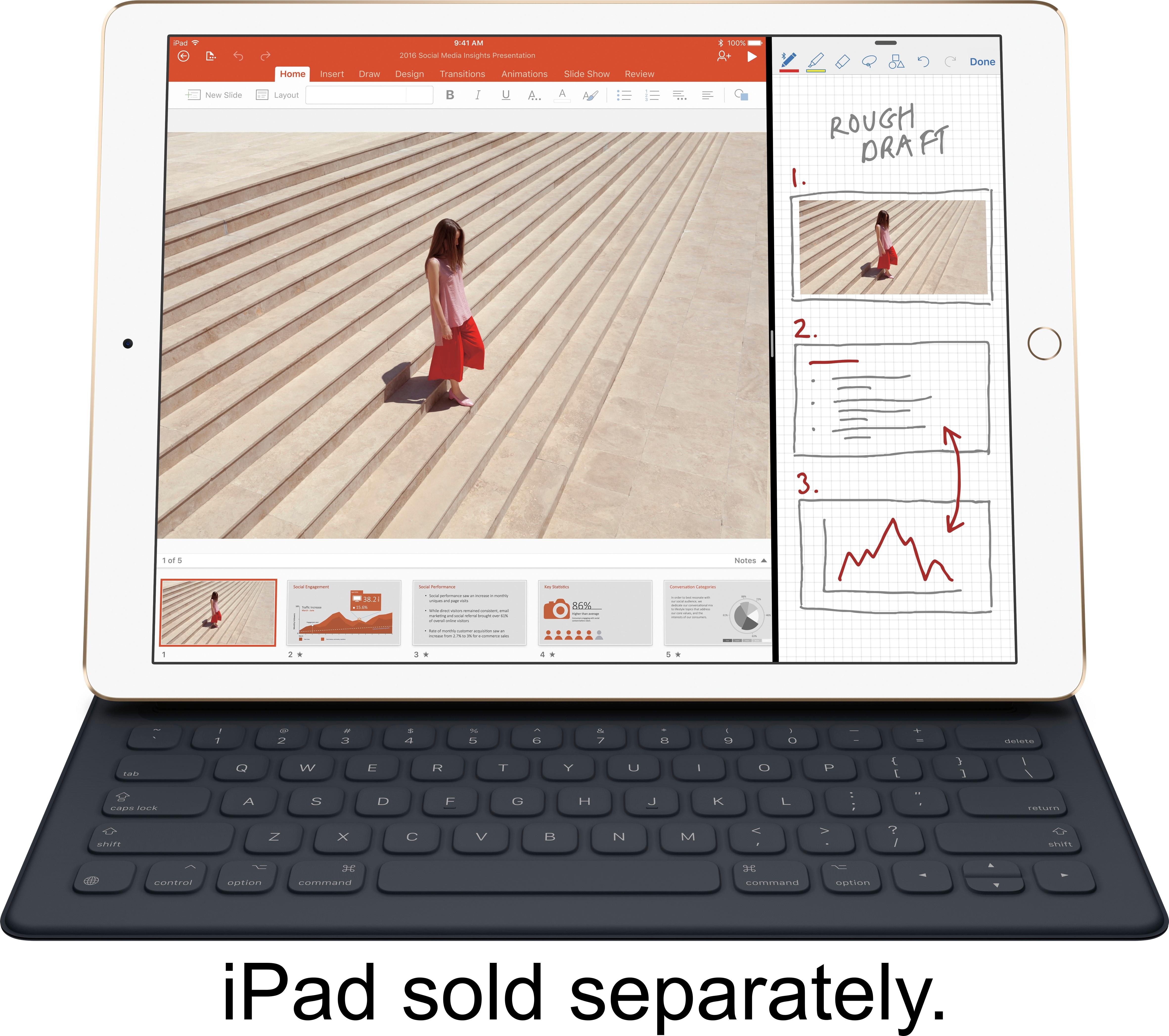
Posted .This reviewer received promo considerations or sweepstakes entry for writing a review.I read a lot of mixed reviews and watched a lot of videos and was afraid to buy the keyboard but like the fact that it was thin and added very little weight to the device as compared to the alternatives. So I took the leap of faith and ordered the keyboard once it was finally in stock on the Best Buy website. I must say I am extremely impressed and can't understand what all the negative reviews were complaining about. I find that I type at the same speed as I do on a regular computer keyboard and the response its just enough to confirm that I pressed the key. I also found that with extensive typing my hands did not get tired. The keyboard not having a backlight is not a concern unless you type in a pitch dark room. The screen on the keyboard illuminates the keyboard enough to compensate for it not having a backlight in the keyboard itself. I have typed while watching a moving and on an airplane at night without turning on the overhead light. I just did not have an issue with seeing the keys. Then again I am a person thats able to type fast without even looking at the keyboard so take that for what its worth. The keyboard just simply works and I am glad I bought it over the heavier alternative which took away from the slim profile of the iPad Pro!
I would recommend this to a friend- Pros mentioned:Keyboard quality, Weight
Rated 4 out of 5 stars
Thin, light and a "good" keyboard
||Posted .This reviewer received promo considerations or sweepstakes entry for writing a review.The Pros: Thin and light mostly comfortable to type on designed by apple works with Apple Case The Cons: feels flimsy because its so light no “function keys” like on the Logitech CREATE Keyboard thin and doesn’t feel like it will protect the device from a drop Overall i this is the type cover i have chosen to use after trying the CREATE keyboard. For me the biggest reason was that it was think and lite. i didn’t like the bulk of the CREATE. It took me a little while to get used to the limited depth of the keys and the fixed angle the of the display to keyboard. I also didn’t like that the back of the iPad is not protected. You can buy Apple’s Case to protect the back of the device but like the type cover you feel its is protecting more from scratches and light dings than drops. Since the cover is light it doesn’t really add a lot of weight to the device like the CREATE does which i enjoy as for me the Pro goes from bag to desktop most of the time or from meeting to meeting. For me the light weight is nice because i am always crying it with me but i understand that i am giving up the added protection from drops to keep it light. Typing on the keyboard is good. i still prefer my desktop’s keyboard or my macbook Pros but once i got used to the new feeling of the keys which are slightly textured and shallow. But i would say after a few day i stopped noticing it and just was able to type like a normal keyboard. For me that means that i can type with out looking at they keys and focusing on the presenter in a meeting or the person i am talking to. One big thing i didn’t like was that i payed $150 for the cover and another $80 for the cover that protects the back of the Pro. Thats $230 USD for a case and keyboard that protect the back and the front of the Pro when not in used give me a good keyboard when i need it. But when compared to the CREATE that is $150 US that is a better all around case and has a more traditional keyboard. But its also heavier and bulkier which are the things that really drove me to the Apple Smart Keyboard Cover.
I would recommend this to a friend - Pros mentioned:Ease of use, Size, WeightCons mentioned:Price
Rated 4 out of 5 stars
Not perfect but....
||Posted .This reviewer received promo considerations or sweepstakes entry for writing a review.Better than Logitech, which put a forever dent on my $1,000 + iPad Pro screen. I think they should be responsible for replacing it, but I'm not gonna waste my time trying. Lacks the light up keyboard, but other than that...it's lighter, slimmer and easier to carry around. The dark gray gets smudges on it, but it fits well on the iPad Pro. Logitech case was cracking after one month. My only issues are the price to buy the cover and the keyboard $200+, and the fact that the keyboard doesn't light up. Apple needs to come out with some better colors (that don't get dirty so easily) and a one piece case and keyboard.
I would recommend this to a friend - Pros mentioned:Ease of use, Keyboard quality, Weight
Rated 4 out of 5 stars
Nice keyboard, helps with writing letters
||Posted .This reviewer received promo considerations or sweepstakes entry for writing a review.This was the keyboard that I had originally wanted for my iPad Pro since the beginning, but it was nice to get it at a little bit of a discount through the Best Buy preowned selection. It’s easy to use very light and goes great with the iPad Pro case, because even with the keyboard on it slides into the case very well, as well as the pencil being able to fit there. The keyboard is easy to type on and also very light
I would recommend this to a friend - Pros mentioned:Keyboard quality, WeightCons mentioned:Price
Rated 5 out of 5 stars
A must for the workplace
||Posted .This reviewer received promo considerations or sweepstakes entry for writing a review.Very slim and very convenient to have. The keys on the keyboard type so fluidly. A bit pricey but it was awesome accessories.
I would recommend this to a friend - Pros mentioned:Ease of use, Keyboard quality, Size
Rated 5 out of 5 stars
Fantastic Product!! Too bad there's not a 10
||Posted .This reviewer received promo considerations or sweepstakes entry for writing a review.The Apple keyboard is so much fun. So easy to use. It's attach to the iPad Pro and get to work. The slim sleek fit allows your iPad pro to be stuck in small places which is what I like most about it. The only thing they don't tell you unless you research it first, is that you have to buy the back cover separately. Pricey but there again, you have Apple and it's at its finest. Love this product!!!
I would recommend this to a friend - Pros mentioned:Keyboard qualityCons mentioned:Price
Rated 4 out of 5 stars
Great keyboard cover
||Posted .This reviewer received promo considerations or sweepstakes entry for writing a review.This is a great keyboard option when used in conjunction with the Apple silicone back cover. You get full protection and you can easily remove the keyboard cover when not needed or just fold it back out of the way. It's less bulky than other options out there and feels higher quality and doesn't look or feel cheap. I like that it doesn't require blu-tooth charging. Yes, blu-tooth batteries last a long time and syncing is usually pretty good on other blu-tooth keyboard options out there but it's nice piece of mind knowing it's always going to work not having to worry about that stuff. Some people complain about not having illuminated keys. I could care less about that. I'm not using the keyboard in the dark anyway. The only con I have is that it's overpriced but the quality is top notch. If money isn't an option then go for it.
I would recommend this to a friend - Pros mentioned:Ease of use, Keyboard quality, WeightCons mentioned:Connection
Rated 4 out of 5 stars
Great keyboard
||Posted .This reviewer received promo considerations or sweepstakes entry for writing a review.I love this keyboard! Almost bought the Logitech Create and instead opted to go first-party for this accessory and I definitely don't regret it one bit. Typing on it is a breeze; the keys are so quiet; and the cover is pretty light for what it does. I had pulled out the Create out of the box and plugged it into the demo iPad pro and found it to be very clunky, a bit loud, and felt cheap to the touch. The Apple iPad Pro Keyboard feels and performs like a quality product. My only complaint is sometimes the keyboard seems to disconnect from the iPad and I have to keep adjusting the position of the iPad on my desk / lap desk until the keyboard works again. A minor issue since it doesn't happen frequently but it's pretty annoying.
I would recommend this to a friend - Pros mentioned:Keyboard quality, WeightCons mentioned:Price
Rated 5 out of 5 stars
Apple Smart Keyboard for 12.9" iPad Pro
||Posted .This reviewer received promo considerations or sweepstakes entry for writing a review.Bought this at the same time as my 12.9" iPad Pro II. The keyboard is excellent and combined with the iPad makes it a very lightweight laptop. No need for pairing it is automatic and derives its power from the iPad. This is the best of the iPad keyboards despite it being the highest cost
I would recommend this to a friend - Pros mentioned:Keyboard quality
Rated 5 out of 5 stars
Completely changed how I use my iPad
Posted .This reviewer received promo considerations or sweepstakes entry for writing a review.I can’t say enough good things about this keyboard. I’ve had my iPad since around Thanksgiving of 2016 and I was hesitant to invest in this keyboard. I tried a bluetooth keyboard but it had a spotty connection and just didn’t feel natural. Almost a year later, I finally invested in this keyboard and it has been a complete game changer. It works perfectly with the iPad. No spotty connections. It feels natural to type on and makes using the iPad feel more like a laptop replacement. This may sound silly, but I was also really excited to find out that with the push of a button, you can see the emoji keyboard as well. That’s something I could never figure out how to do with the bluetooth keyboard. Pros: - Very thin and light weight - Easy to type on - Truly turns your iPad into a laptop replacement Cons: - None I noticed that some people complained that the keyboard wasn’t backlit. Most times I can sufficiently see the keyboard from the light put off by the iPad. I’m also a touch typist, so I rarely look at the keyboard anyway. I can’t speak to durability since I’ve only had it for about a week. I’m curious how the material that is over the keyboard will hold up to constant typing. I try to always have clean hands, but I know I get oils on my hands from touching my face and things like that, so I don’t know if/how that will eventually effect the material. This keyboard is such a natural fit with the iPad that it almost feels like a necessity for anyone who wants to do any sort of word processing or if you just don’t like typing on the touch screen. I just wish it wasn’t so expensive. But such is the nature of Apple products.
I would recommend this to a friend - Pros mentioned:Battery life, Keyboard quality
Rated 5 out of 5 stars
iPad Pro Keyboard
||Posted .This reviewer received promo considerations or sweepstakes entry for writing a review.If you've ever used a Bluetooth version then you will love this one not ever having to worry about if the battery is charged or not because it does not use any. Covers the screen when your carrying it from point to point and doubles as a stand when you just want to sit back and watch.
I would recommend this to a friend - Pros mentioned:Ease of use, Keyboard quality, SizeCons mentioned:Compatibility
Rated 5 out of 5 stars
Nice feel to keys
||Posted .This reviewer received promo considerations or sweepstakes entry for writing a review.This is very small and fits nicely in my iPad case. The keyboard has a nice feel to it. It pairs via Bluetooth to the iPad & Apple computer. I have found it very helpful when using my iPad because I can type faster when using both hands. I previously bought a non apple keyboard for less money that claimed to work with the iPad. I returned it in 2 days because it was inconsistent. Sometimes it didn't recognize the iPad.
I would recommend this to a friend - Pros mentioned:Keyboard quality, Weight
Rated 5 out of 5 stars
The Gift That Keeps Your Fingers On The Keyboard
||Posted .This reviewer received promo considerations or sweepstakes entry for writing a review.This was a gift for a relative and they wanted the keyboard. While the Apple Stores were sold out, this was the last one available in the area. The keyboard does a great job of protecting the screen and providing a typing area when the iPad Pro is angled properly. In addition, it's much lighter than other keyboards and doesn't have a mechanical feel to the keys. They're much softer than one would expect on a keyboard, but that also helps when you're on the go because it covers the screen. One gripe is that it doesn't integrate with the iOS operating system for providing media function keys or a home button, meaning you have to take your fingers off the keyboard to go home or use Siri. Also, it's not backlit so good luck typing in the dark. Overall it is a great keyboard, but could be better.
I would recommend this to a friend - Pros mentioned:Ease of use, Size, Weight
Rated 5 out of 5 stars
Very convenient for a student!
||Posted .This reviewer received promo considerations or sweepstakes entry for writing a review.This compact keyboard is just the thing to handle the massive keyboarding requirements for a student! Term papers never had it so good! The keyboard is easy to set up, very light, compact, and capable!
I would recommend this to a friend - Pros mentioned:Ease of use, SizeCons mentioned:Price
Rated 5 out of 5 stars
Great keyboard
||Posted .This reviewer received promo considerations or sweepstakes entry for writing a review.Great keyboard but pricey. Hooks up easily. The keys feel great when typing and not too big. Adds a little bulk but not a lot. Wish it was back lit in dark. Seems durable.
I would recommend this to a friend