Customer Ratings & Reviews

- Model:
- SRT-AC1900
- |
- SKU:
- 4588401
Customer reviews
Rating 4.4 out of 5 stars with 51 reviews
(51 customer reviews)to a friend
Customers are saying
Customers are enthusiastic about the OnHub Wireless-AC Router's ease of use and strong signal, with many praising its simple setup and reliable connection. The router's extended range is also frequently highlighted as a positive aspect, enabling better Wi-Fi coverage throughout homes. While some users noted that performance could be improved, the overwhelmingly positive feedback centers on the user-friendliness and reliable signal strength.
This summary was generated by AI based on customer reviews.
Rated 2 out of 5 stars
Good router best buy annoying
||Posted .This reviewer received promo considerations or sweepstakes entry for writing a review.Works good way to many emails from best buy about reviewing this product
No, I would not recommend this to a friend- Pros mentioned:Ease of use, Range
Rated 4 out of 5 stars
Set it and forget router.
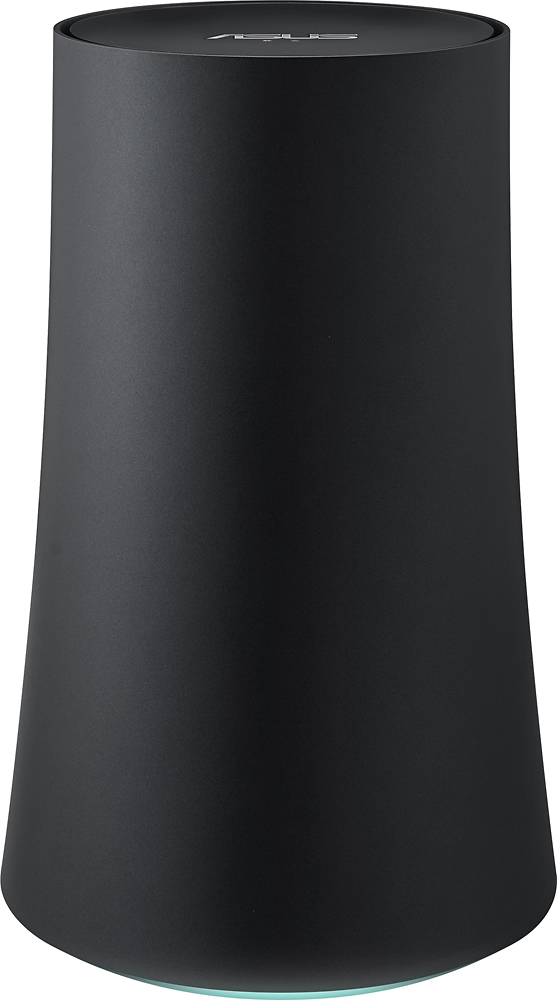
Posted .This reviewer received promo considerations or sweepstakes entry for writing a review.After shopping around for months I came to the conclusion that I would be buying the Asus OnHub router. This router is super slick let me tell you, once out of the box you need to connect the power supply and Ethernet cable from your existing modem. Open the companion OnHub app and let the app walk you through the set up. Once you set it up you literally can forget it! It's unique design and automatic updates make it feel like it's not even there, it requires no upkeep what so ever. I've own mine for about 3 months and haven't had to touch it, reset it or even think twice about it. The Asus OnHub router features 7 triangle wifi antennas for great range, a proximity sensor for wave control which once you have activated by waving your hand over the device can provide 2 hours of priority internet to a selected device. All and all this router is a great choice for someone who doesn't want to bother with a bulky and not very pleasing look of a normal router, doesn't want to mess with opening up ports or changing channel frequencies. OnHub automatically searches for frequency interference and finds the best channel possible and it does that all without you lifting a finger. This a router that I will be keeping for quite some time.
I would recommend this to a friend - Pros mentioned:Signal strength
Rated 2 out of 5 stars
Only for simple use
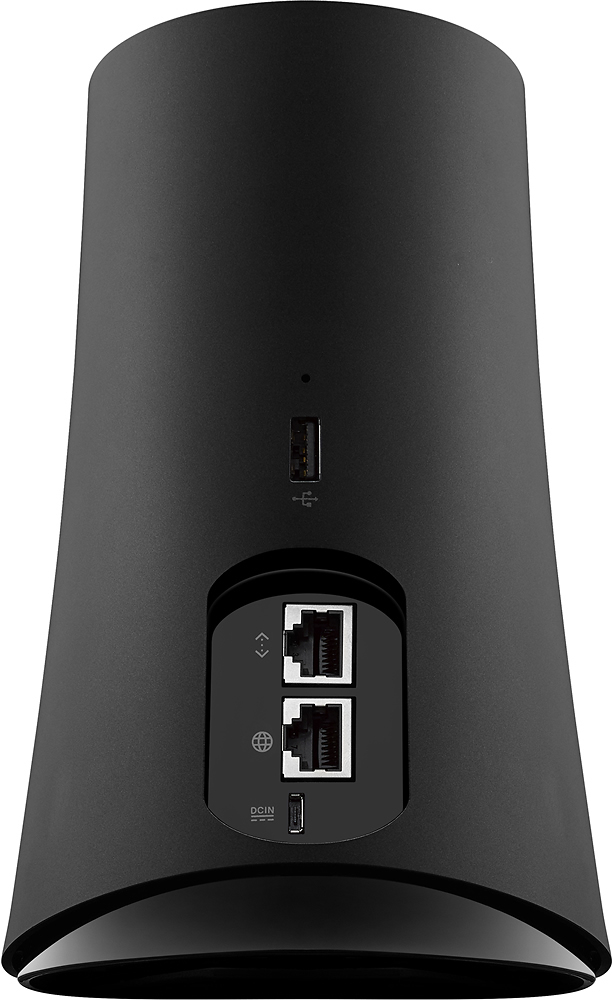
Posted .This reviewer received promo considerations or sweepstakes entry for writing a review.This seemed great at first. Boosted the amount of coverage area in my house for wifi. All my devices worked better and the signal was more reliable. Odd that you can only set this up using an Android or iOS app. But I later understood why. There is no direct access to the router. Only two Network ports are available where other routers allow up to 4 or 5. Doesn't support NAS. Doesn't support wireless printing where WPS is a common and easy way to configure printing. So if you're someone who likes to use advance settings for your router this isn't for you. Selling mine on eBay tomorrow after having it for 3 months.
No, I would not recommend this to a friend Rated 5 out of 5 stars
Fast Router, New Featues All The Time
Posted .This reviewer received promo considerations or sweepstakes entry for writing a review.Essentially the same as the TP-LINK version. The lack of ports is ok if you use a switch for anything wired. Which is what I do anyway. This is intended to focus on wireless. But even so it works great in a real setup. Hardware seems solid.
I would recommend this to a friend- Pros mentioned:Ease of use
Rated 5 out of 5 stars
Simple yet sophisticated wireless router
Posted .This reviewer received promo considerations or sweepstakes entry for writing a review.Don't let the ease of setup like you into thinking this is a wimpy product. It is a highly sophisticated router with the features most people want. Easy setup! Great management app! Add guest Network any time you need or want one! All from a simple app.
I would recommend this to a friend Rated 5 out of 5 stars
Works as Intended
Posted .This reviewer received promo considerations or sweepstakes entry for writing a review.This router is elegant in its simplicity and exceeded my performance expectations, particularly at long range. It is designed to be simple to setup without many of the configuration options built into other routers; so comparisons to other router designs and management features are of limited value. I have not had to reset it since installation, and its performance seems to improve with use. It is very stable and fast, requiring little to no technical know how.
I would recommend this to a friendRated 5 out of 5 stars
Rock solid stable with 45 connected devices
Posted .This reviewer received promo considerations or sweepstakes entry for writing a review.This is the most stable, easy to configure, robust and secure wireless router I've ever used. Before this I was running a tomatoUSB Asus router and a DD-WRT Linksys router. While they were great, this is better. Not to mention these Google routers receive security updates every week. Where they lose out compared to the custom ROM routers is in features. However, I have a custom router plugged in the Ethernet port for those special few connections on a couple of machines.
I would recommend this to a friendRated 5 out of 5 stars
Great Router Always Improving Google nailed it
Posted .This reviewer received promo considerations or sweepstakes entry for writing a review.This router has made some great improvements via updates since I purchased it. I have to say that I was underwhelmed when originally setting it up. A lot of things you cannot tweak as you are able to on other routers. For most people though they set it and forget it as they say. For those people and even techie people like myself this router has changed how I feel about consumer electronics. If you want to buy a router that just works Google has it nailed!
I would recommend this to a friendRated 1 out of 5 stars
Don't buy unless you have an android or ios device
Posted .This reviewer received promo considerations or sweepstakes entry for writing a review.This router cannot be setup with a Window or OS X device. The Google On app is required. Even though the instructions state this device can be used as a media bridge, it cannot once it has been setup as a router and you can only setup as a router initially. No other options are available. There is no access to change any settings (i.e. operational, security, mac-filtering, etc.) no access to the ASUSWRT GUI. This router is for those who want a simple setup and don't care about security.
No, I would not recommend this to a friendRated 5 out of 5 stars
Great router
Posted .This reviewer received promo considerations or sweepstakes entry for writing a review.I don't know why people complain about this router it delivers high speeds and the signal is strong and the setup is super easy
I would recommend this to a friendRated 1 out of 5 stars
Must have access to app store to set up
Posted .This reviewer received promo considerations or sweepstakes entry for writing a review.Requires set up on a smartphone with the GoogleOn app. So it's useless if you don't have internet access from your phone outside the wireless router (which I do not; I don't have cell service in my home). Had to return it; no laptop interface for set up is available.
No, I would not recommend this to a friend