Customer Ratings & Reviews
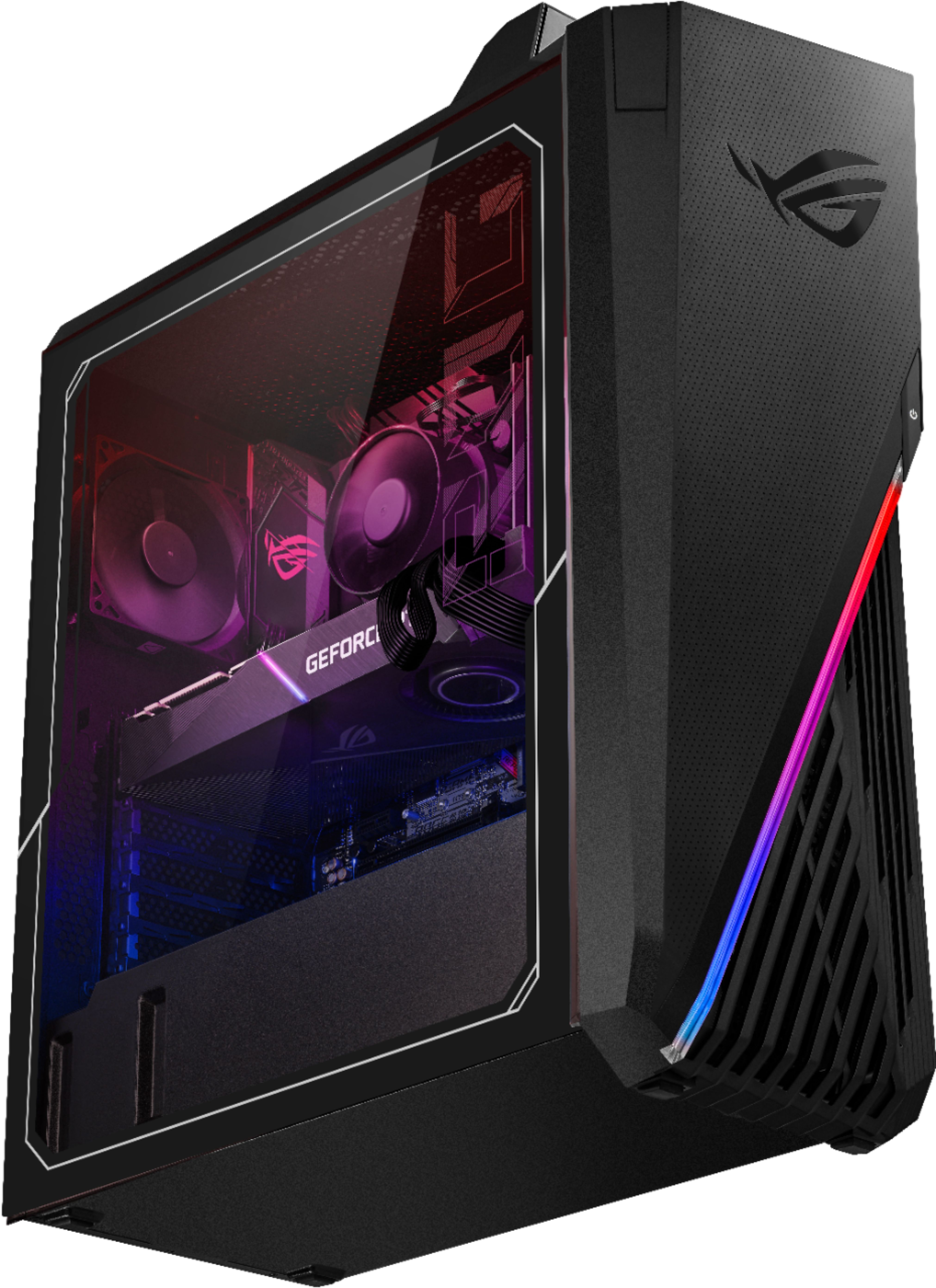
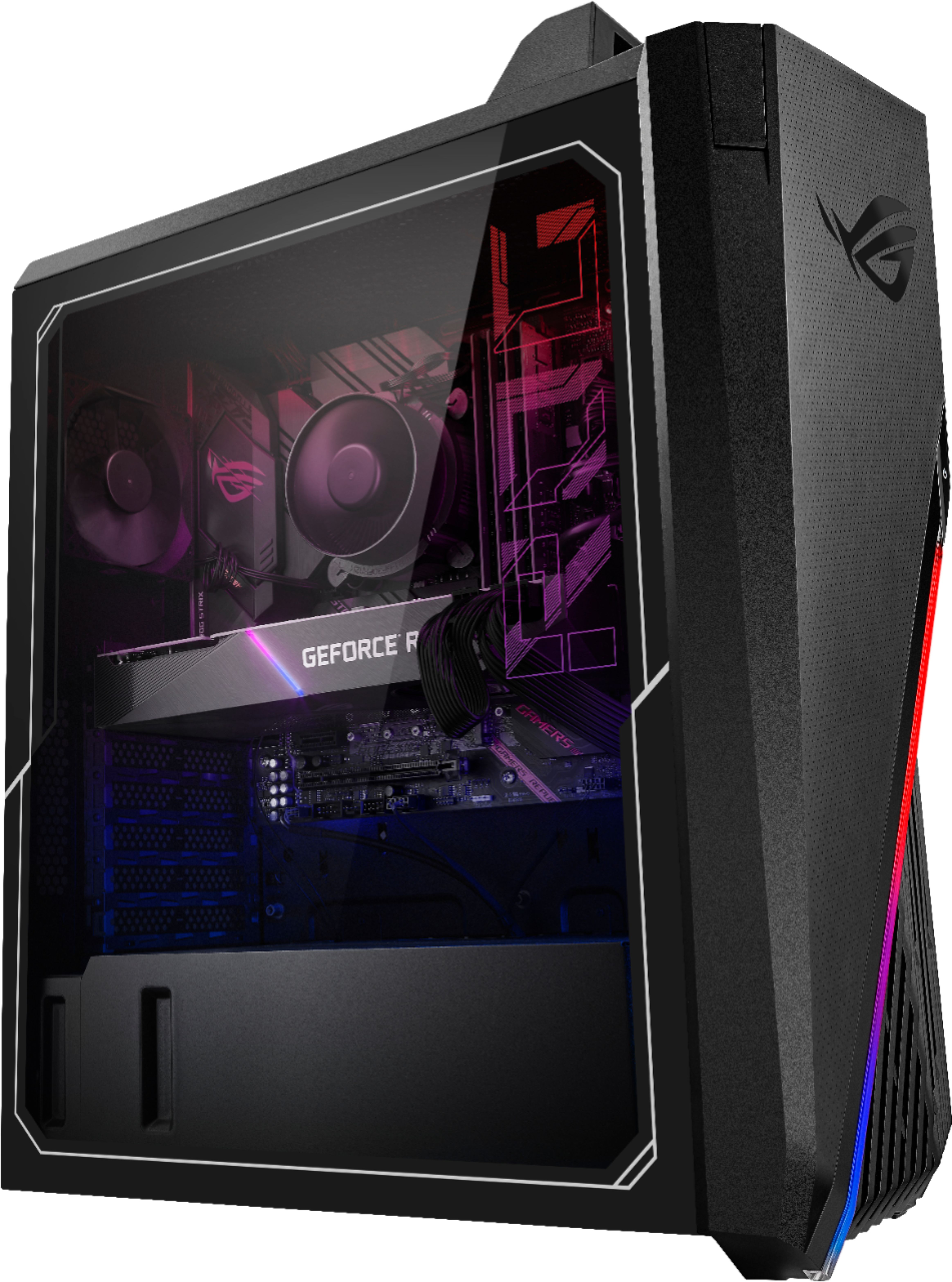
- Model:
- G15CE-B9
- SKU:
- 6455823
Rating by feature
- Value
Rating 4.0 out of 5 stars
- Quality
Rating 3.6 out of 5 stars
- Ease of Use
Rating 3.7 out of 5 stars
Customers are saying
Customers frequently mention the excellent performance and high-quality GPU of the ROG Gaming Desktop, along with its good value for the price and solid build quality. However, many customers also point out issues with the cooling system and some express dissatisfaction with the case design. Concerns regarding the RAM's specifications were also noted.
This summary was generated by AI based on customer reviews.
- Pros mentioned:Build quality, Gpu, PriceCons mentioned:Cooling, Ram
Great Overall Gaming PC
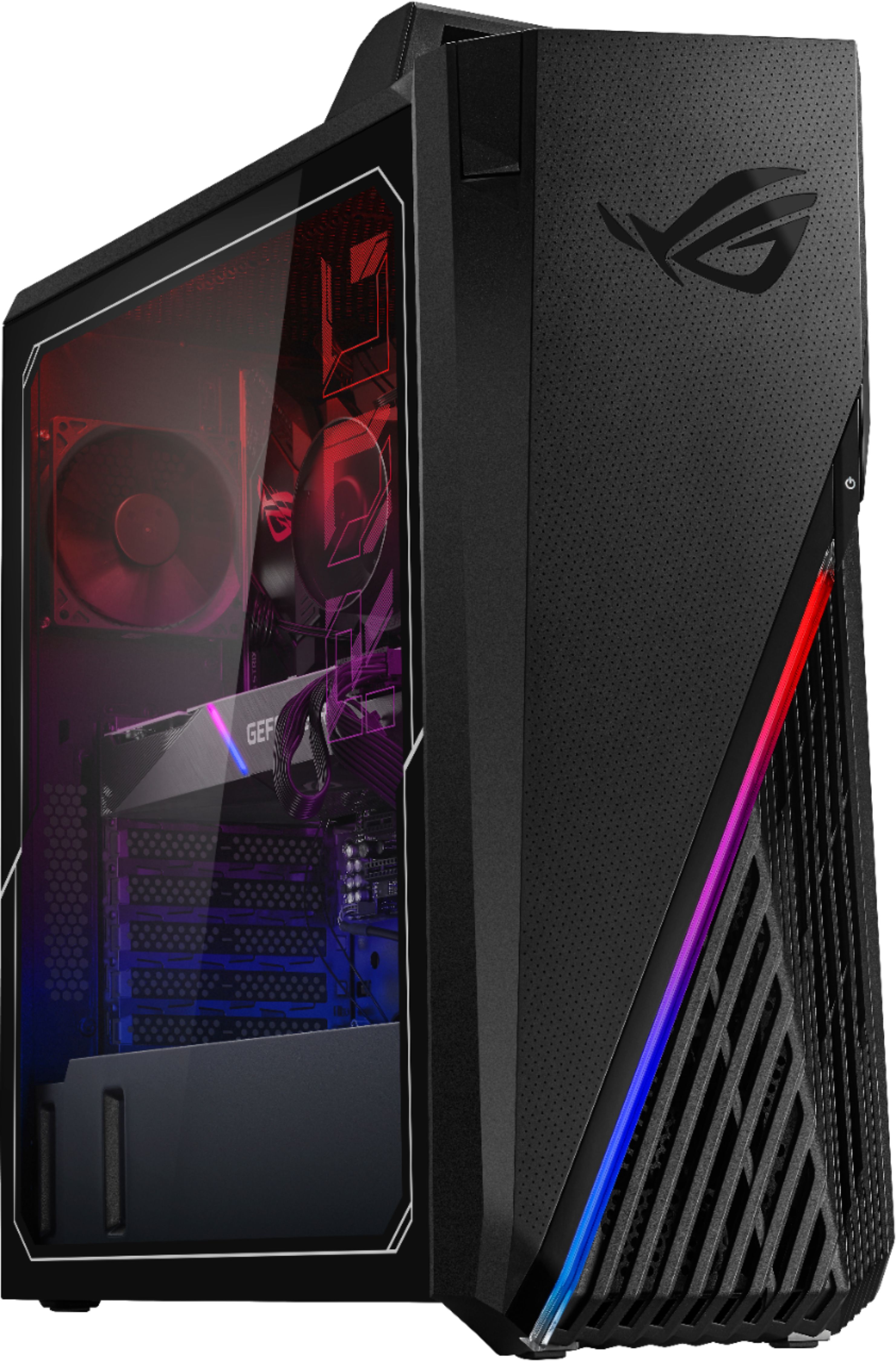
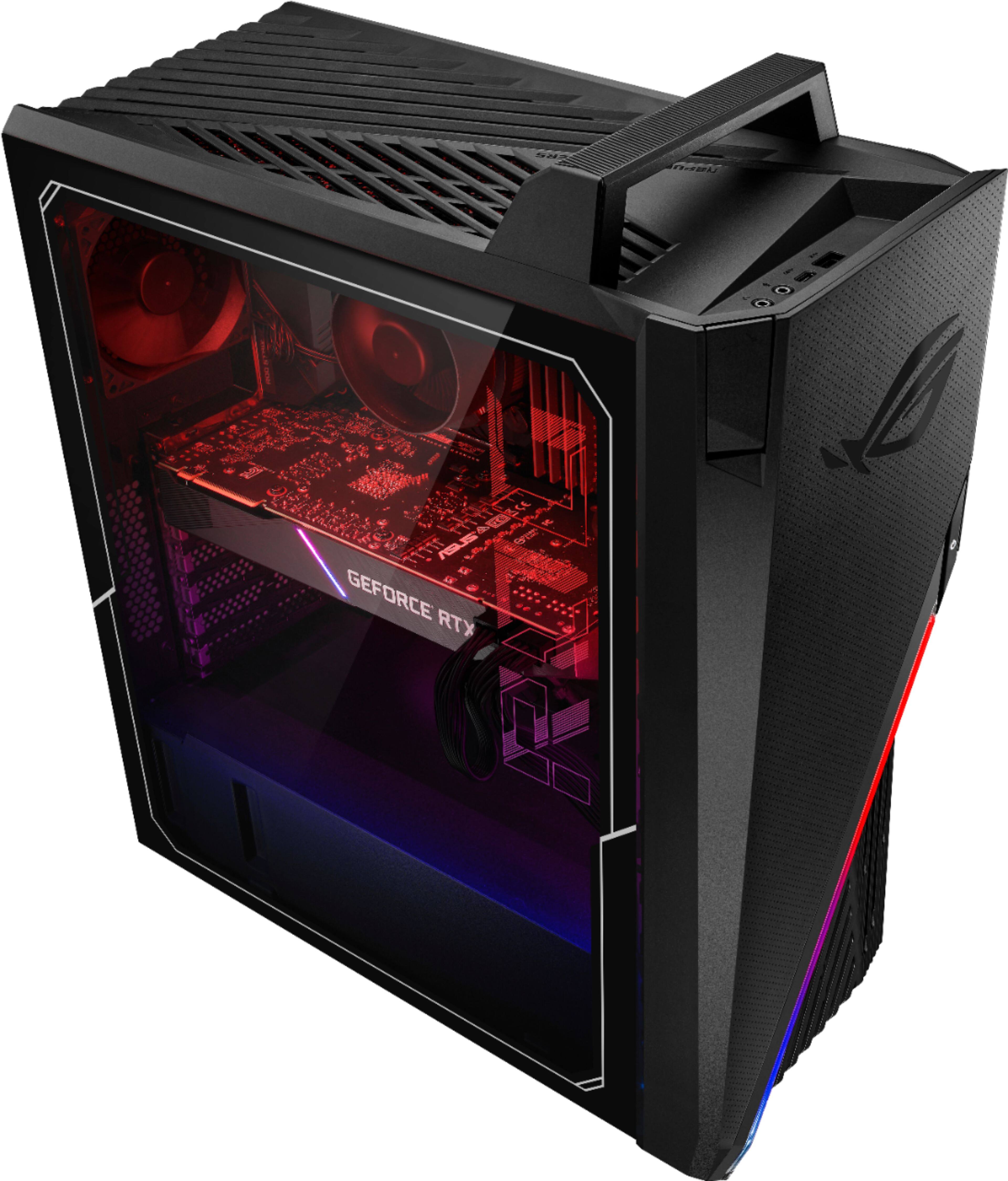
||Posted . Owned for less than 1 week when reviewed.This reviewer received promo considerations or sweepstakes entry for writing a review.After 4 days with this machine I can say that overall it is a great gaming computer. The build quality is excellent with all black cables and great cable management behind the back panel. There are two sticks of 3200 ram, an Asus dual 3070, an NVME with a heat sink and an Asus B560-G motherboard. I was really pleased to find the motherboard is high quality with large heat sinks, decent looks, built in wifi 6 and a good amount of i/o’s on the back. Playing games yields great frame rates even at 1440p. The GPU stays right around 70 C but the cpu is a little warm around 75 C. User benchmark shows “UFO” across the board with gaming at a 150% of their reference values. Things I would change would be to add an intake fan, there is room for a 120mm on the front, replace the plain, green ram with something a little nicer looking , and get a larger outlet fan. The 92mm outlet fan really has to work. Overall a great machine at a reasonable price given the strange GPU environment we are in.
I would recommend this to a friend - Pros mentioned:GpuCons mentioned:Case, Cooling, Ram
Best prebuilt for the price ive seen yet
||Posted . Owned for 3 weeks when reviewed.This reviewer received promo considerations or sweepstakes entry for writing a review.In my opinion this is currently the best purchase you can make if youre looking to build a PC from scratch but the gpu shortage is making it difficult. Most other prebuilts aeound the 15 to to 1600 price point only come with a 10th gen cpu and 3060... 3060 ti if youre lucky. Excellent motherboard l, good enough psu, case is kinda tacky looking but it geys the job done. The only thing wrong is the coing system. Id HIGHLY recommend getting a new cooler. There isnt much room but i managed to put an msi coreliquid 240 water cooler in it and it instantly dropped 40c on idle... this cpu runs hoooooooot. The cooler i bought was a bit in the higher price side at 110 bucks but there are certainly oprions under 70 that will do just as good of a job. Ill post pics to show my placement. Overall i could be happier with the system. How they managed this price point is beyond me. If you load all the components in this PC with the current ridiculously high prices of computer parts youll see that if you built this system yourself it would actually cosy about 100 to 200 dollars more which absolutely blows my mind. I cant possibly recommend any other prebuilt more than this one. Alao received it in 3 days which was just icing on the cake! If it isnt available when you're looking at this just be patient. They restock this PC multiple times a day so just keep refreshing every few hours.... if you bought this product and are now looking at this review well then congratulations!!! You just made and amazing purchase and beat out everyone else you know who paid the same amount for their prebuilt in terms of quality of parts and specs!
I would recommend this to a friend - Pros mentioned:PriceCons mentioned:Cooling
Great Parts and Price, but requires better cooling
||Posted . Owned for 2 weeks when reviewed.This reviewer received promo considerations or sweepstakes entry for writing a review.Parts and performance at this price are a good match, with one major drawback: The i7 11700F and its proximity on the board to the RTX 3070 generate a lot of heat and the fans provided on the CPU and case are not adequate to keep the CPU at acceptable temperatures and fan noise levels(vacuum cleaner) > Stock intel i7 11700F cooler and the single rear exhauster fan do not keep the > Temperatures reaching 100*C (its thermal limit) while installing windows updates Troubleshooting: And No this wasn't just a bad unit or a bad fan. I took it apart and cleaned and reapplied a better thermal paste to the stock cooler and verified it was securely seated on the motherboard. The fans work, VERY LOUD. Temps still hovered between 77*C - 100*C Solution: Easily fixed with an All-In-One liquid cooling solution for $80-100 or a better Air Cooler for $50-75 My Fix: **see pictures** Upgraded the CPU cooler: >Noctua NH-D15S Chromax ($99) **Note: it's wider than the original case can support and you won't be able to close the side panel requiring a new case. Upgraded High Airflow Case: > Lian Li LanCool II Mesh RGB ($129) CPU temps in new case are now significantly better: 30*C - 50*C and the whole system is barely audible and not picked up on my Mic during work from home Zoom meetings.
I would recommend this to a friendBrand response from ASUS Answers
Posted .Dear RandomITGuy,
We certainly value your feedback on this matter, and I will be letting the related department know about the issues you are experiencing for continuous improvements to the product line. If you need any assistance, feel free to contact me at [email protected], and I will help you to the best of my abilities. I am here to assist our customers with our products and dedicated in bringing a resolution to all issues that they may come across. Your case for reference is N2107043835-0008.
Thank you for choosing ASUS!
Best Regards,
Adrian
ASUS Customer Loyalty – US Support
- Cons mentioned:Case, Cooling, Ram
Start listing to your customers
||Posted . Owned for less than 1 week when reviewed.This reviewer received promo considerations or sweepstakes entry for writing a review.I bought this computer a few days ago. Like everyone else says the cooling in this system must be addressed immediately. I bought a Corsair AIO ICUE H100i Elite Capellix. This system runs extremely hot, legit makes my room hotter and I have a pretty big room. I feel like whoever manufactures these definitely knows that the one 94mm exhaust isn’t even moderately close to enough to cool these components. I mean why not throw a better cooling system and up charge a little. Instead you have a ton of unhappy customers and they obviously don’t care because they wouldn’t let them go out like this. This is extremely unacceptable when the final price is just under $1,750.00 after tax. Then you have to go buy a cooler $100-200 mine was $165.00 after tax. Now we’re pushing almost $2000.00. If I decide to keep I’d have to buy a case because this one is extremely tight and getting more case fans in will be a rigging challenge of its own. I highly recommend looking else where if you’re not comfortable modding it does take some work and time it’s not just “2 screws” like I read on another review. I got this build because finding a 3,000 series is a joke right now. I’m highly contemplating on returning this.I built another rig that had a 3900x AMD CPU and a 2070 Super that definitely out performs this rig easily. Gaming and other tasks. It’s a shame they’re letting this go out the door and into customer hands this way. You should want your customers to be happy and come back for seconds or more. There’s no way I’d ever buy a prebuilt from them again. One of the biggest sellers is word of mouth. What do you do when your customers are unsatisfied. Absolutely nothing and you keep sending them out that way, it’s honestly sad. I give it a 2 star because at-least it works and you can game on it. It is everything but a stellar experience though. Cable management is pretty good but if you throw a 240mm AIO you will have to take the wire cover off unless you strip and reroute the wires. This is definitely not my first rodeo and this wasn’t a fun experience. It’s not fair that I have to go spend all this extra money to get a decently functioning machine because the manufacturer just flat out doesn’t care about their customers happiness. The Ram is extremely cheap, the SSD is as well. The best components are the MOBO, CPU (LOCKED) and GPU. The other components were cheap. I’m not expecting to get a Thread ripper, and a 3090 for $1750 but I’m also not expecting to get something that should be around $1200. Please make your future customers happy since you could barley make your present customers happy. Please start listening to your customers we’re the ones who make your job and business possible.
No, I would not recommend this to a friendBrand response from ASUS Answers
Posted .Dear Valued Customer,
We appreciate your feedback on this model. Rest assured we will take a note of this review and have it passed on to our development team for a review. We do value our customers and take negative customer service experience very seriously. This is not the quality of service expected from ASUS. We do stand behind our product and we continuously strive to improve our approach and processes in order to achieve customer service excellence.
For more information, you can reach out to us at our Official ASUS North America Support twitter at AsusHelpUS. We’ll do our best to provide a quick resolution to your case. Your feedback is important as it helps with improvements to ASUS Support channels. Please copy a link to this post as a reference.
Thank you for choosing ASUS.
Best Regards,
Joan
ASUS Customer Loyalty US Support
- Cons mentioned:Case, Cooling
Your CPU probably doesn't have enough paste
||Posted . Owned for less than 1 week when reviewed.This reviewer received promo considerations or sweepstakes entry for writing a review.I wanted to give it more than 3, honestly, if only because the price and components make it the best prebuilt you can buy in the past several months. However, the case and cooling are abysmal, especially when it has to cool such strong parts like the i7 11700f and a RTX 3070 with a sweet little Strix mobo that has plenty of USB ports and WiFi. Other than the notorious Intel stock cooler, it only has the most petite exhaust fan, that has no chance to do its job with any success. THE REAL KICKER is what I discovered when I went to install a better CPU cooler. I'll attach the photo. Spoiler alert: It's the worst thermal paste job I've ever seen, ever. And this is prebuilt by professionals at Asus, I thought. Or maybe a robot in a factory is responsible, either way, this is sad. Especially when most people buy prebuilt so they can plug and play. Normal customers don't want to deal with why their CPU temp is rivaling the surface of the sun. My other complaints are minor: -My GPU is right up against the chunky mobo IO thing that Strix decided to use. It is barely able to be plugged into the top PCIe slot where it's supposed to be. I hope it doesn't scrape off GPU paint if I need to remove it. -The tiny Strix mobo does NOT have an optical cable hole. I never realized it until my $300 Astro A50 headset was the last thing to plugin, and I couldn't find the optical port. That sucks. Now my headset it sounds like crap and the surround might as well be turned off.
I would recommend this to a friendBrand response from ASUS Answers
Posted .Dear Valued Customer,
We appreciate you sharing your feedback on this model. We're sorry to hear about the unfortunate experience you're having with this model. Please allow us to make your experience with ASUS a better one. Rest assured we will have this information passed on to our team for a review.
We do value our customers and take negative customer service experience very seriously. This is not the quality of service expected from ASUS. We do stand behind our product and we continuously strive to improve our approach and processes in order to achieve customer service excellence.
For more information, you can reach out to us at our Official ASUS North America Support twitter at AsusHelpUS. We’ll do our best to provide a quick resolution to your case. Your feedback is important as it helps with improvements to ASUS Support channels. Please copy a link to this post as a reference.
Thank you for choosing ASUS.
Best Regards,
Joan
ASUS Customer Loyalty US Support
- Pros mentioned:GpuCons mentioned:Cooling
Good value, need to spend more for cooling
||Posted . Owned for less than 1 week when reviewed.This reviewer received promo considerations or sweepstakes entry for writing a review.First the price is good for this CPU+GPU combo. (I would love to build myself but GPU price is just...). However you need to be ready to spend another 70-150$~ for cooling so it won't sound like a jet in your room. I read about changing setting in Bios for fan... well it didn't work as I expected, the temperate still high (70-80 just from updating graphic card drivers), and it still so noisy. Trouble shoot. 1. Bought iCue H100i Elite Capellix SPU Cooler - $138.99+ taxes 2.XTM50 Consair- High performance thermal paste - $7.99+ taxes Temperature dropped right away (around 45-55) while playing diablo 2 and tab of YouTube/Facebook. Good process but the back fan still so noisy, that annoyed me. Next bought a Noctua NF-A9 PM , Premium Quiet Fan 4 pin 92mm. - $16.95 on Amazon. Result: 35- 40 C, and so quite while playing diablo 2 with few tabs on (same as above) I was thinking about transfer everything to bigger case, but for now it looks like problem was solved... well you know, with 2 sons (2,3 years old). I don't want to take this apart if I must not need to. Everything is toys to them -_- took me 3 hours just to replace the AIO cooling in with their "help"
I would recommend this to a friend - Pros mentioned:Build quality, GpuCons mentioned:Cooling
Decent system with great build quality
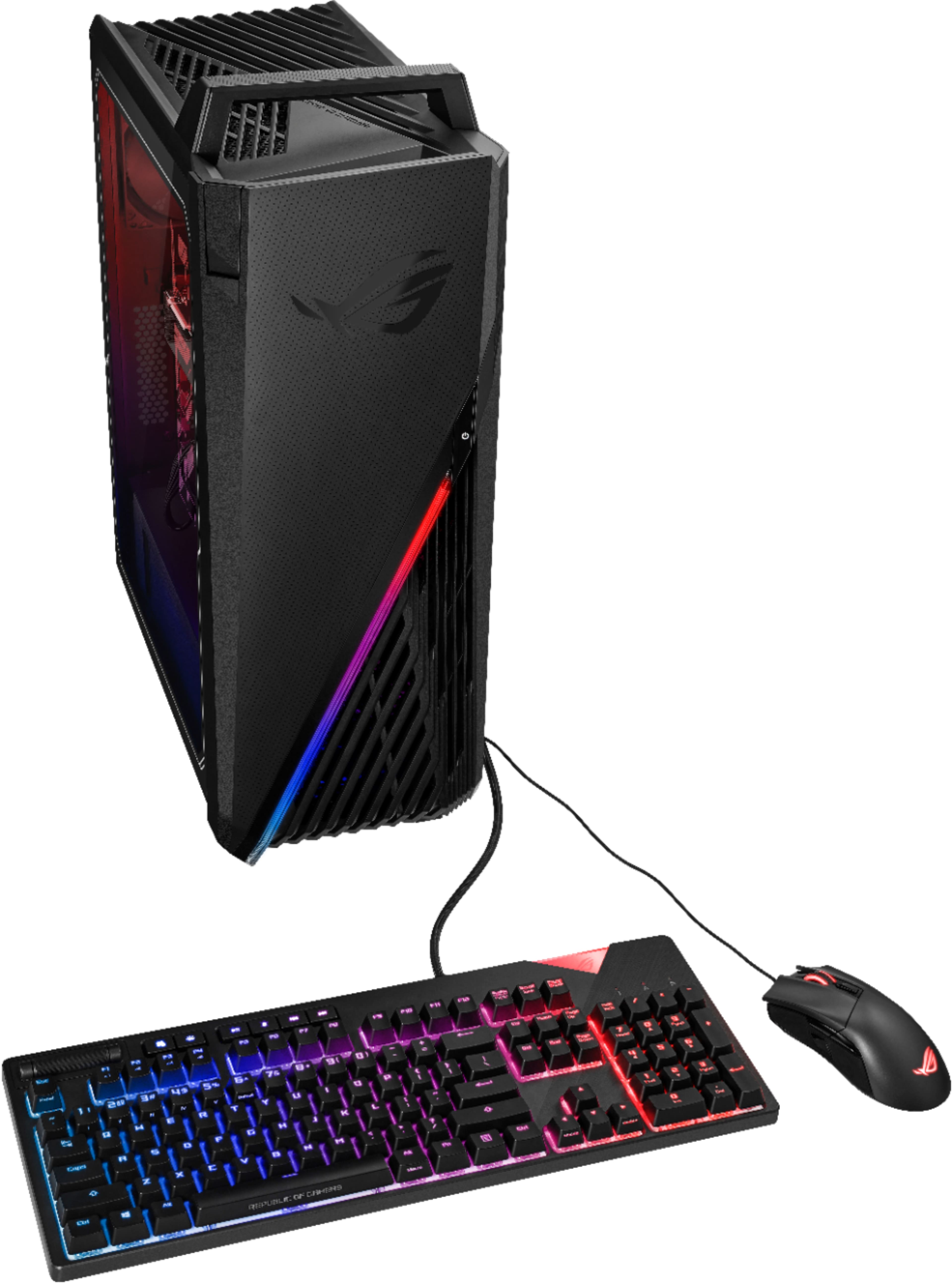
||Posted . Owned for less than 1 week when reviewed.This reviewer received promo considerations or sweepstakes entry for writing a review.This PC build is used for cards like 1660, 2060, 2070. They decide not to change anything and add the RTX 3070 and 3080 inside but still keep the system at 1 system fan only. This is not ideal for max performance. The CPU only use air cooling rather than liquid cooling. So need extra work when you get this if you need a cool and decent performance system. The build quality is really good and the GPU is ASUS RTX 3070 Dual with 2 fans. The CPU is a 11700F, need image output from the GPU. GPU only has HDMI and mini display port. If your display only has a USB-c port, then they don’t work. They will include a basic keyboard and mouse inside. Cords are also inside for expansion.
I would recommend this to a friend - Pros mentioned:Build quality, Gpu, PriceCons mentioned:Cooling
Great value after just a bit of work
||Posted . Owned for 1 week when reviewed.This reviewer received promo considerations or sweepstakes entry for writing a review.Great value so 5 stars from me. Nice MB, 3070, latest CPU and well built good looking package that matches my Asus ROG XG279Q monitor. Yes, stock cooling needs immediate work as it is loud and ineffective (CPU hitting past 90C and throttling) with a jet-like noise. The good news it is easily fixable on ~$100 budget ($70 Corsair hydro CPU cooler from Best Buys, a $10 120mm intake fan that I had laying around and a Noctua NF-A9 92mm exhaust). Took a little creativity mounting the radiator for hydro cooling at the top but otherwise no complications. Also needs BIOS tweak to let that CPU unleash its power beyond the 65W TDP when all is ready (don't do it with stock fan!).
I would recommend this to a friend - Pros mentioned:PriceCons mentioned:Cooling
Great value after updating the cooling system
||Posted . Owned for 1 month when reviewed.This reviewer received promo considerations or sweepstakes entry for writing a review.1. It is a great value to get a GTX3070 at this price. 2. Yes, the cooling system is REALLY bad. Besides, it's such a nightmare to upgrade. 1) Tried Corsair-iCUE H100i, but you must be very cautious cuz there's fairly no extra space inside the case. I had to return the PC and the cooler cuz the graphic card had some issues. ( I should check it before upgrading) 2) Then I bought this product again and added a Cooler Master Hyper 212RGB 120mm cooling fan, but it's too big to close the case. Cooler returned again. 3) Tried CORSAIR - Hydro Series 120mm ($70), finally it worked well. 4) The CPU temperature was almost 85C when I was playing games, and the fan, yes it was noisy. 5) Replace the back fan with a Cooler Master SickleFlow 92 and added another 120mm fan on the front case. ($10 for each) Finally, it worked now, after spending about $100 on it.
I would recommend this to a friend - Pros mentioned:Build quality, PriceCons mentioned:Case, Cooling
Good build with stupid airflow design
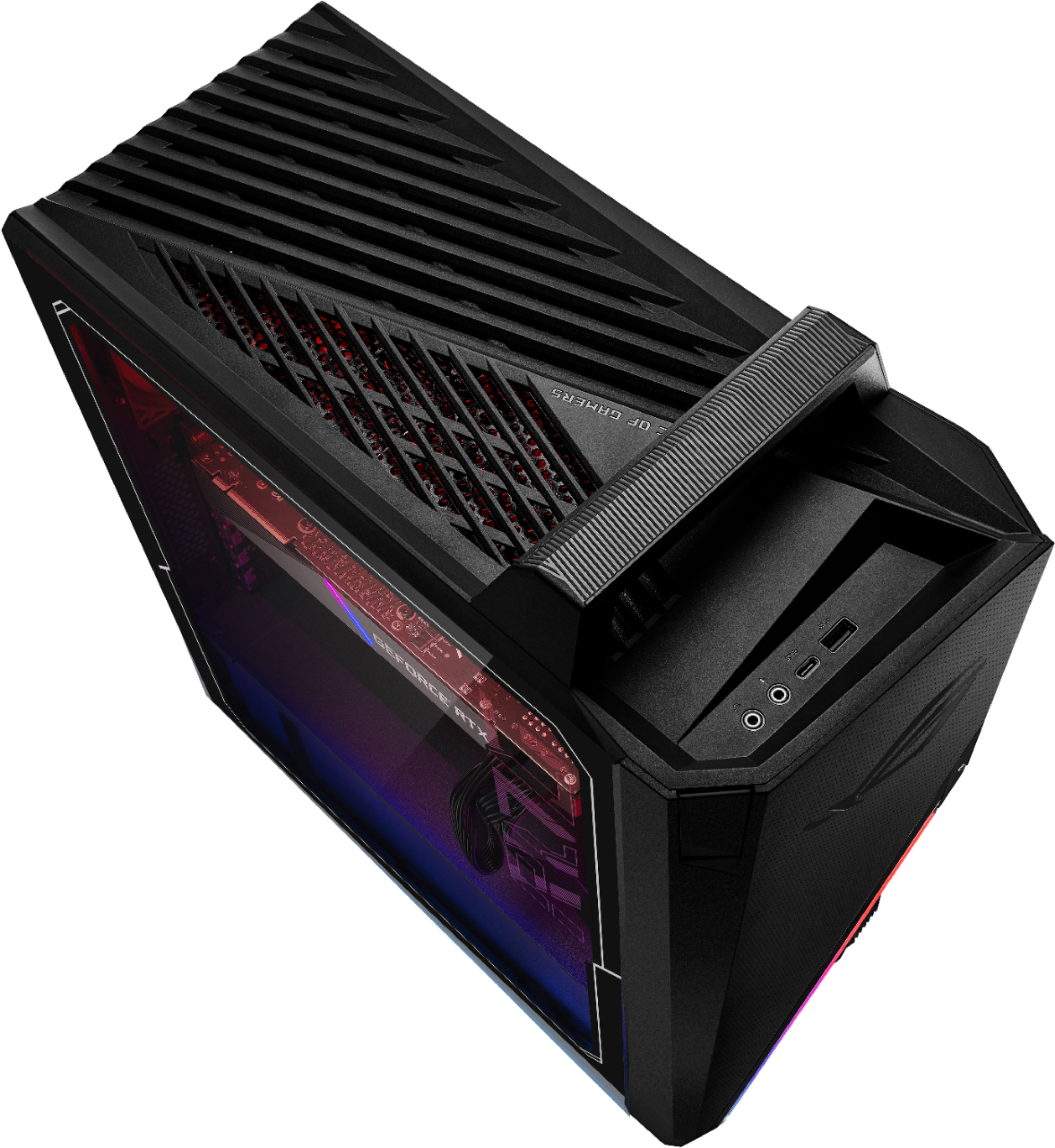
||Posted . Owned for 1 week when reviewed.This reviewer received promo considerations or sweepstakes entry for writing a review.Price is OK. Build quality is good. But case is terrible with only 1 small rear exhaust fan and stock CPU cooler fan. In order to make it work, replace CPU cooler, remove the PSU shroud cover and add 2 front 120mm fans + 1 120mm and 1 92mm on top.
No, I would not recommend this to a friendBrand response from ASUS Answers
Posted .Dear Valued Customer,
Certainly, we understand your disappointment with the case and the airflow design. I will be letting the related department know about this concern for continuous improvements to the product line. If you have any concerns, feel free to send us a tweet or direct message to our Official ASUS North America Support Twitter at AsusHelpUS. We’ll do our best to provide a quick resolution to your case. Your feedback is important as it helps with improvements to ASUS Support channels. Please copy a link
to this post for reference.
Thank you for choosing ASUS!
Best Regards,
Jamalie,
ASUS Customer Loyalty US Support
- Cons mentioned:Case, Cooling
Don't buy unless you're tech savvy
||Posted . Owned for 2 weeks when reviewed.This reviewer received promo considerations or sweepstakes entry for writing a review.Wow, compter sounds like a jet fan. Swapped out cpu cooler for a Vetroo V5 that fits perfectly. Also added two 120mm fans in front, but had to drill an extra hole to reroute the power wire. Wish there was a spare hole to run it. Also swapped out rear 92mm fan in back and added another 92mm fan up top to the left of the cpu cooler. It was tight, as there are pegs from the top cover to account for. To take off the top cover, there is a cover over the handle that is hiding two screws. Just pop it off to expose them. All the little pegs and clips are flimsy as well. A few of mine are broken now. I might get a new case if I see on I like and swap. If you're not comfortable doing a little computer work, then this pc is not for you.
I would recommend this to a friend - Cons mentioned:Case, Cooling
Good components/not so great case.
||Posted . Owned for less than 1 week when reviewed.This reviewer received promo considerations or sweepstakes entry for writing a review.The motherboard on my PC died and as I was looking to build or buy, this PC caught my eye. I believe it’s worth it due to the current GPU costs alone. The PC booted up fine and didn’t seem to have any issues, but the case is definitely small for the 3070 and the cooling is sub-optimal. After reading the reviews, I decided to by a new case, the Corsair 4000d airflow case, along with the Corsair - iCUE H100i Elite Capellix. Got everything installed and it’s running really well! Just be sure you know what your doing if you decide to go that route.
I would recommend this to a friend - Cons mentioned:Cooling, Ram
2* as is. Needs AIO cooling. 5* after easy mod.
||Posted . Owned for less than 1 week when reviewed.This reviewer received promo considerations or sweepstakes entry for writing a review.Agree with all the reviewers. Need to update cooling. Cpu was running 55c while transferring files from old computer to new computer. Shut down once from overheating. The CPU fan sounds like a small hurricane while downloading updates. 2* as is. If you are afraid to do any mods. I do NOT recommend this computer. It is super loud and runs super hot and will shut down on you. After a 150 dollar AIO (bestbuy had this in stock on the shelf so I grabbed it iCUE H100i Elite Capellux), some minor surgery (had to remove bottom plate that hid the power cords... It's easy, just a couple screws) it's a solid computer. At the end of the day I now have a super quiet, cool, lightning fast RTX 3070. 5* after my easy mods (complete noob. Package directions were all I needed). I think it's still worth it and would do it again.
I would recommend this to a friendBrand response from ASUS Answers
Posted .Dear Cuddlez,
We do understand your concern about the fan noise.
It is normal, just like any other brand with the same hardware configuration, for the fan to spin at full-throttle and generates noise louder than normal while the laptop is under heavy load like gaming, especially during the initial WINDOWS setup and WINDOWS Update installation. Please ensure the air ventilations are free from obstructions in order to have an efficient air flow for better heat dissipation. While gaming, please ensure no resource hungry applications are running in the background, this will definitely spike the temperature. Also, the fan noise will be louder while antivirus software or malware are running continuously in the background. Please make sure the system was not compromised by viruses or malware by doing a full system scan using an internet security software or application. When system resource utilization is high, this will generate more heat than normal and tends to trigger the fan to spin at full-throttle and noise will be louder than normal. It does decreases or normalizes once utilization goes down.
Should you need further assistance with the product, please email me at [email protected] and I would be more than happy to help. Or, you are always welcome to call Product Support Hotline at: 1(888) 678-3688. Also, you can chat with an ASUS live support agent at: http://bit.ly/AsusLiveChat.
Thank you for choosing an ASUS product.
Regards,
Rodel
ASUS Customer Loyalty
- Pros mentioned:Build qualityCons mentioned:Cooling
Great out of box gaming machine
||Posted . Owned for 1 week when reviewed.This reviewer received promo considerations or sweepstakes entry for writing a review.I purchased this system in June 2021 and received these components: Motherboard: ROG STRIX B560-G GAMING WIFI GPU: ASUS DUAL OC 3070 RTX Memory: 2x8gb 3200MHz SK hynix Power Supply: Great Wall E750 80 plus gold The cable management and general build quality are great. Windows started up on first boot without any problems. ASUS didn't install any malware/ads beyond their monitoring software. My ambient temperature is 23C and while running HL Alyx I get CPU temp around 80C and GPU temp around 55C. The case has a lot of mesh holes, which I think helps the cooling. As other reviews list, there is only one 92mm case fan. There aren't any clear mounting holes for additional top/front fans, though the motherboard has a second chassis fan header. I'll consider adding a fan near the CPU or upgrading the CPU cooler.
I would recommend this to a friend - Cons mentioned:Cooling
How to fix the cooling issue
||Posted . Owned for 2 weeks when reviewed.This reviewer received promo considerations or sweepstakes entry for writing a review.Like other comments, besides the cpu cooler, other parts are top at this price. It's not hard to fix the cooler issue by yourself. I replaced the orginal cpu fan cooler by the "Corsair iCUE H100i Elite Capellix". The space just fits and all tools are included. The cpu temperature under 50 degree all the time when playing games(resident evil 8).
I would recommend this to a friend - Cons mentioned:Cooling
Good with new cpu cooler and case fans
||Posted . Owned for less than 1 week when reviewed.This reviewer received promo considerations or sweepstakes entry for writing a review.Out of the box this thing was thermal throttling at 100c at idle, upon reseating heatsink with new thermal paste it was ok at idle and thermal throttled (100c) in any games i played. Ended up grabbing a noctua nh-u9s cooler and mounted a couple 120mm fans foe better airflow. I manually set noctua cpu fan to 100% in Armory crate and at 2k rpm it keeps cpu around low 40s idle and mid 60s on full load. Noctua fan is pretty quiet even at max. Careful if you plan on mounting case fans as there are delicate connectors between front panel and case.
I would recommend this to a friend - Pros mentioned:GpuCons mentioned:Cooling
Good prebuilt
||Posted . Owned for 3 weeks when reviewed.This reviewer received promo considerations or sweepstakes entry for writing a review.Had to add some stuff like the corsair h100i all in one cooler to get the temp right for games. Also added a new fan to the top for intake. Used the wire zipties all around as screws as theyre just the right size. Sadly i replaced the stock exaust like all the other did but imo the fans a little louder but had x2rpms as the notua and other ones you can get for it. If you plan on adding stuff to it id reccomned being handy and not being afraid of breaking some plastic clips. Also 3M tape can help with missing plastic pieces. I dremeled off two of the support clips for the top to mount the fan but it might be possible not too lol. You will also end up adjusting the wires inside if you add stuff bc its all tied down in there. All in all a great Pc and experience. GPU is well worth it.
I would recommend this to a friend - Pros mentioned:GpuCons mentioned:Cooling
Requires a bit of experience with PC's
||Posted . Owned for 1 month when reviewed.This reviewer received promo considerations or sweepstakes entry for writing a review.Pretty good components for todays market, especially for the GPU. This rig will run all games 60 fps. Like the other reviews however, cooling is an issue so make sure you have at least 100$ saved for an AIO cooler. 240mm can fit but its going to be tight. For reference, I bought the MSI Mag coreliquid 240r
I would recommend this to a friend Poor AirFlow, Great Video Card
||Posted . Owned for less than 1 week when reviewed.This reviewer received promo considerations or sweepstakes entry for writing a review.Purchased this for the video card and immediately encountered the heating / fans cycling / sudden shutdown problems. I recommend: 1. Temporarily remove the case panel. Any airflow is better than none. Try not to throw away in anger... 2. Permanently remove the 92mm Case Fan, ARX FD1290-S0153E. It is practically useless. I temporarily replaced with 120mm Antec fan. 3. Hit F2 key on first boot to modify BIOS Settings. 4. Run the Q-Fan Control Calibration. Default profiles will lead to loud noises and shutdowns. 5. Change in Advanced settings, AI Tweaker\Digi+ VRM -> CPU Load Line Calibration, from Default (Level 3) to Level 5. 6. Save & Exit. If you can get through Windows Home setup, Congrats. Run MyAsus and create Recovery Disc (USB thumbdrive). While you are waiting: 1. Read more about Intel 10700F and RTX 3070 at techpowerup dot com 'i7-10700 Review': way to overclock without the K. 2. Read more about Asus Motherboard settings to try at techpowerup 'bad performance issue.' I temporarily swapped out the 3070 (DUAL-RTX3070-8G-PD) with my existing RTX 1070. Just in case it is the PSU... I replaced the Western Digital Blue PCI 3.0 NVMe M.2 with the WDS100T1X0E. I ran the Recovery disc (USB 3.0 thumbdrive) to install Windows on the PCI 4.0 NVMe. It was fast. Now I patiently wait for the following to arrive: 1. One BE QUIET! Pure Wings 2 92mm PWMCooling Fan (BL038) to replace ARX fan. 2. Two ARCTIC P12 PWM PST - 120mm Case Fan with PWM Sharing Technology (PST). 3. One Noctua NF-S12B redux-1200 PWM, High Performance 120mm Cooling Fan, 4-Pin. 4. One Noctua NT-H2 3.5g, Pro-Grade Thermal Compound Paste. I will permanently replace: 1. Stock CPU fan with Vetroo V5 CPU Air Cooler w/ 5 Heat Pipes 120mm PWM Processor 150W TDP. 2. Stock two 8GB 3200 GHz CL22 DRAM with Crucial Ballistix 3600 MHz DRAM (8GBx2) CL16 BL2K8G36C16U4B.
I would recommend this to a friend- Pros mentioned:PerformanceCons mentioned:Cooling
Awesome!!
||Posted . Owned for 3 weeks when reviewed.This reviewer received promo considerations or sweepstakes entry for writing a review.Well like most of you mainly read i was recommended to upgrade the cooling from Best Buy. So I had them install a water cooler and they recommended a new case so I told them to transfer all the components into a new case. And o couldn’t be happier it runs modern titles great! At a good frame rate and resolution! I don’t know much about building PCs so I had Best Buy geek squad install everything and transfer everything for me they did such a great job!! Recommend if you buy this upgrade case and cooler and you’ll be set!! Best purchase I’ve made
I would recommend this to a friend