Customer Ratings & Reviews





- Model:
- G16CH-I73060VR
- SKU:
- 6537024
Rating by feature
- Value
Rating 4.7 out of 5 stars
- Quality
Rating 4.7 out of 5 stars
- Ease of Use
Rating 4.8 out of 5 stars
Customers are saying
Customers are positive about the ROG Gaming Desktop's performance, graphics capabilities, and ease of setup. Many appreciate its affordability and the included processor and RAM. However, customers are negative about the limited storage space and some have expressed concerns regarding the cooling system. The power supply's capacity is also a point of discussion among some users.
This summary was generated by AI based on customer reviews.
- Pros mentioned:Performance
Great pc
||Posted . Owned for 1 month when reviewed.This reviewer received promo considerations or sweepstakes entry for writing a review.I absolutely love this PC! As my first gaming computer, it has completely exceeded my expectations. The build quality is outstanding, and it’s clear the company put a lot of care and attention into every detail. It runs games flawlessly and handles business tasks with ease, delivering top-notch performance. The cable management is clean, and everything feels solid and well-assembled. The only thing I would improve is the SSD capacity, but even that’s a minor issue considering how well this machine performs. A truly impressive 10/10 build!
I would recommend this to a friend - Pros mentioned:PerformanceCons mentioned:Storage
Prebuilt PC
||Posted . Owned for 1 month when reviewed.This reviewer received promo considerations or sweepstakes entry for writing a review.This prebuilt PC really gets the job done! Hardly any issues at all besides if you get a HDD there is not any room to install it on the bottom of the case. Besides that it is amazing and I would highly recommend!
I would recommend this to a friend - Pros mentioned:Performance, Price
Doesn’t get much better than this!
||Posted . Owned for 1 month when reviewed.This reviewer received promo considerations or sweepstakes entry for writing a review.This is a great gaming PC. Excellent price for what you get, runs everything smoothly and is very fast. Highly recommend!
I would recommend this to a friend - Pros mentioned:Graphics
Beast of a gaming pc
||Posted . Owned for 3 weeks when reviewed.This reviewer received promo considerations or sweepstakes entry for writing a review.A really amazing pc when it comes to switching from console to pc. With an amazing i7 and a rtx 3060, you couldnt say no to a deal like this one.
I would recommend this to a friend - Pros mentioned:Performance
Great Machine and Great Value
||Posted . Owned for 1 month when reviewed.This reviewer received promo considerations or sweepstakes entry for writing a review.I'm not a gamer but I for some demanding video editing. So far it can take everything I throw at it, editing while multitasking with other software running. This is my 3rd Asus PC including one 2in1 and I have been more than pleased with all of them. My next purchase will be another Asus gaming laptop, also to be able to edit in the field. Also it didn't come loaded with tons of useless software you need to go through and uninstall like every other PC I've purchased.
I would recommend this to a friend - Pros mentioned:Performance
Powerhouse that has never failed me
||Posted . Owned for 1 month when reviewed.This reviewer received promo considerations or sweepstakes entry for writing a review.I first bought an HP Omen at the same price. The sound failed right out of the box. Apparently there's an issue with those sound cards going to sleep and if idle, after 3 minutes the sound crackles in. There is no way to fix this. Trust me I work in IT. I up the price just a little and bought this Asus. Way smarter move. It's a powerhouse that has never failed me
I would recommend this to a friend - Pros mentioned:Performance
Great gaming PC
||Posted . Owned for 5 months when reviewed.This reviewer received promo considerations or sweepstakes entry for writing a review.This PC has worked perfectly for my gaming needs. I have downloaded several full size games with no performance issues I love the overall look as well a customization for lighting options. Overall, I am very pleased with this purchase!
I would recommend this to a friend - Pros mentioned:Ram
GREAT GAMING PC
||Posted . Owned for 1 month when reviewed.This reviewer received promo considerations or sweepstakes entry for writing a review.Great gaming PC or Muti-Tasking Desktop, whatever you use it for you'll be happy..... I upgraded to 64GB of RAM and this machine is awesome. Also, I did buy it on sale at $999 so, I feel it's a great buy.
I would recommend this to a friend - Cons mentioned:Storage
Husband loves it
||Posted . Owned for 5 months when reviewed.This reviewer received promo considerations or sweepstakes entry for writing a review.I bought it as a Christmas present for my husband. He loves it, it runs all his games he likes to play great. It has quite a bit of storage, it would be nice if it had a little bit more.
I would recommend this to a friend I want a chance to win!
||Posted . Owned for 2 weeks when reviewed.This reviewer received promo considerations or sweepstakes entry for writing a review.I loved the PC, it was very functional and it operated very well. The only issue I had is that might be of my own issues is that the headphone jack plug could not detect my the microphone connected to the headphone when using the wired version of the headphones. I heard audio but no one could hear me when I spoke into the microphone. But I used the bluetooth headphones and it works now. It’s a good purchase if you’re looking to be casual and run with no issues compared to a laptop.
I would recommend this to a friend- Pros mentioned:Price
Great computer!
||Posted . Owned for 7 months when reviewed.This reviewer received promo considerations or sweepstakes entry for writing a review.Good computer! Great value for the price. I haven't had any problems with this PC. It works great!
I would recommend this to a friend - Pros mentioned:Speed
Asus
||Posted . Owned for 3 weeks when reviewed.This reviewer received promo considerations or sweepstakes entry for writing a review.It turns on and is ready to go faster than my phone starts up. So far zero issues. Will need to add more storage space though
I would recommend this to a friend - Pros mentioned:Graphics
Best on this price
||Posted . Owned for less than 1 week when reviewed.This reviewer received promo considerations or sweepstakes entry for writing a review.Love the product. Specially with GPU, awesome. Love to play all kinds of games smoothly
I would recommend this to a friend - Pros mentioned:Graphics, RamCons mentioned:Cooling, Power supply

If You Only Read One Review, This Should Be It.
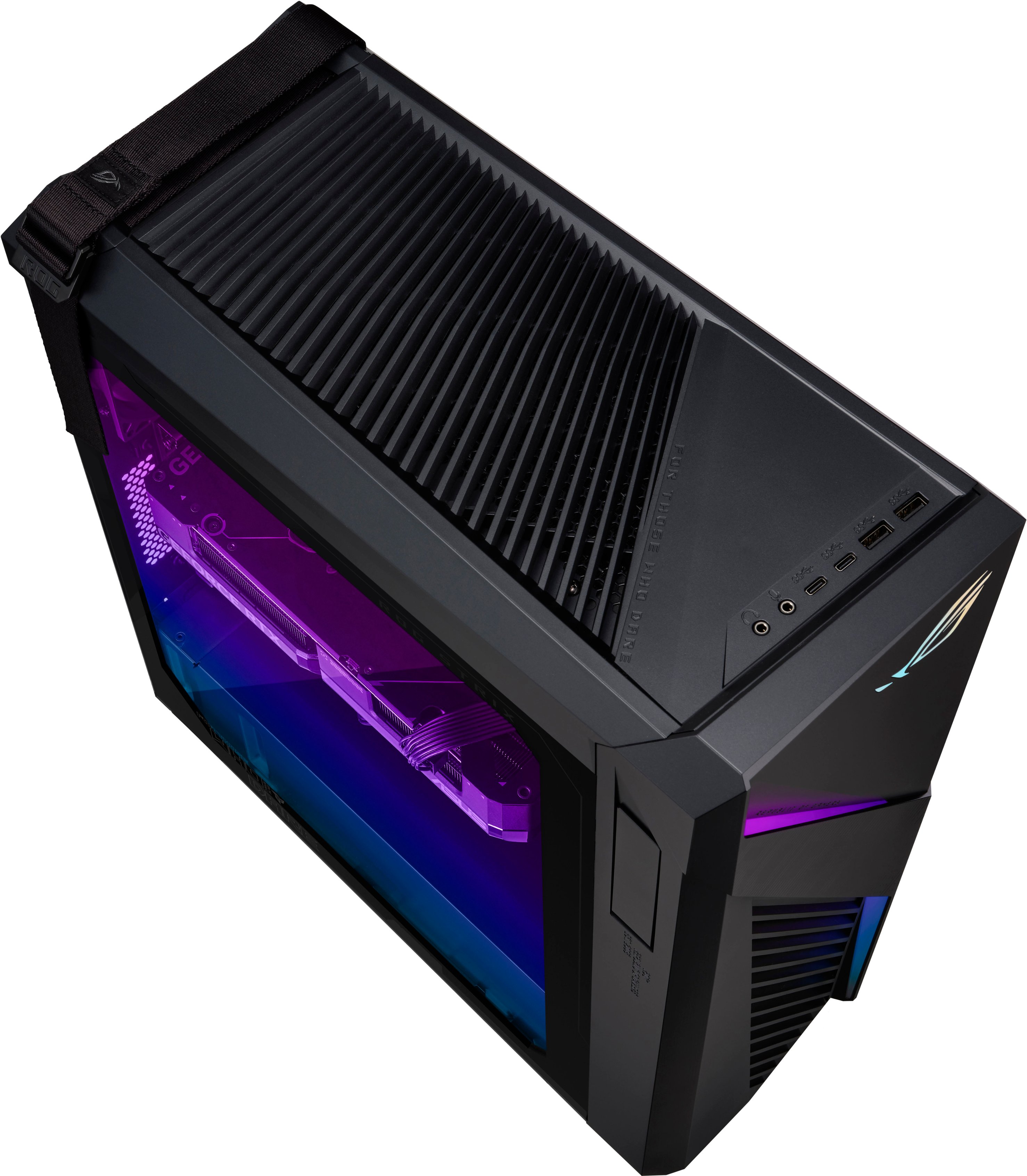
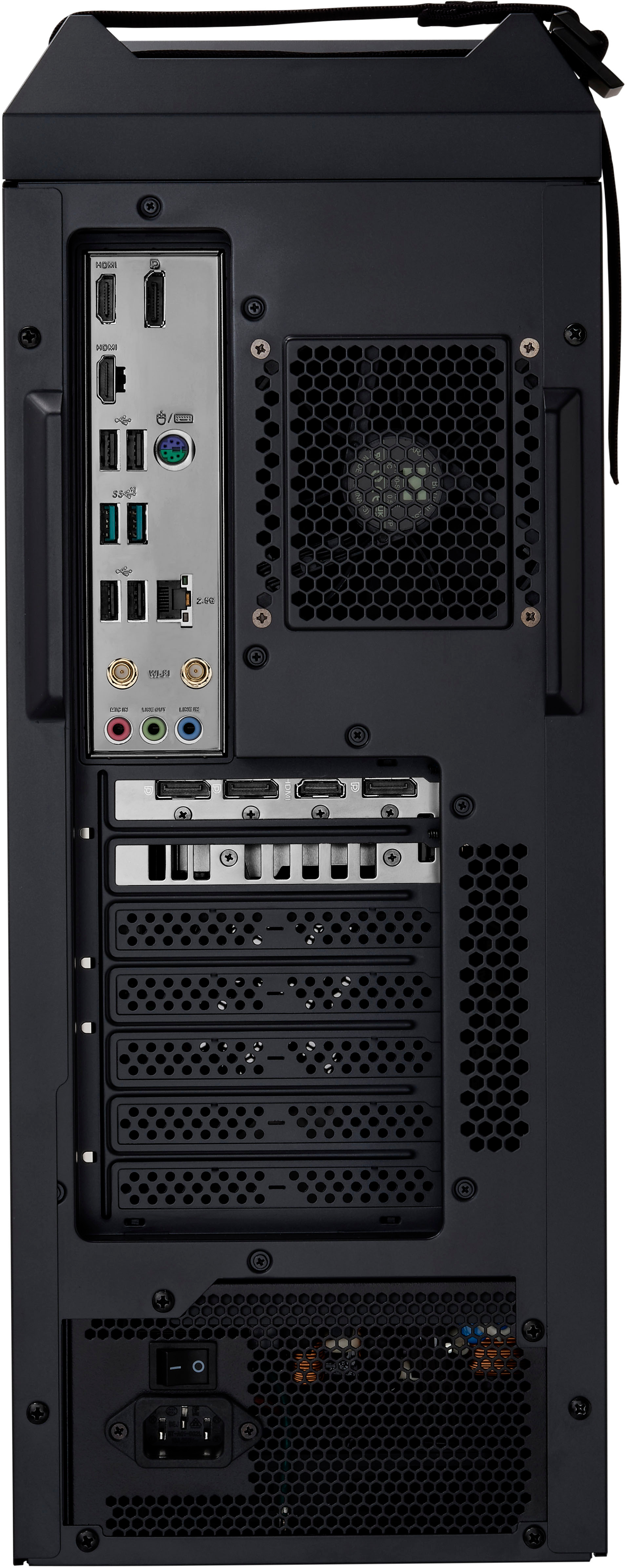
|Posted .This reviewer received promo considerations or sweepstakes entry for writing a review.If you’re going to read one review. I highly recommend this one. Its long but worth it. TLDR: It is ready to go off the bat and performs admirably. But falls short in several areas. And if you plan on upgrading down the line this is not the PC to get as you’ll essentially have to replace everything other than the GPU/CPU. CONCERNS WITH PRE-BUILT: I usually build my own PC’s and still think that is the best option as you get higher quality components with better upgradability for similar if not better pricing. But I had the opportunity to check out this pre-built and despite my concerns and the bad things I’ve heard I have no significant complaints and this pre-built is fully acceptable and ready to go as is. But they could improve on some things. As you are getting budget/low end components here outside of the CPU and GPU. The CPU will do anything you want and the GPU is solid for high/ultra 1080p gaming. But can get away with adjusted settings depending on game at 1440p. If they were to give you a normal mid-range gaming motherboard and a better case this PC would be stellar. As it would get you in the door while providing you the room to easily upgrade if/when needed for a lot less out of your pocket book and likely not impact theirs all that much. Packaging is good. It comes with high quality foam. The Graphics card is mounted to the chassis giving me zero concerns of it breaking during transit. But it doesn’t have extra protection around the PCIe port itself like most gaming motherboards do which is unfortunate if you choose to upgrade your GPU down the line. As cards are huge these days and sag and without reinforcement provides extra risk to your motherboard and GPU. But not a concern with this GPU/mount. The case itself was what I was most hesitant about. I still think this is the worst part of this PC as there is limited upgradability and some very odd choices. Getting a good cheap case these days is not difficult and Asus should step up their game. This is a simple basic metal chassis with attached plastic parts to give the Asus branding at the cost of upgradability and better airflow. Cable management was good, and everything was correctly connected. The side panels require a screwdriver to remove. I would have preferred thumb screws. The only RGB you get is from an LED strip on the front of the case, top of the case, and front panels. As the GPU and fans have NO RGB. I didn’t see any additional RGB headers on the motherboard for expansion. On the top of the case you have two USB 3.2 Gen 1 USB-A and two USB 3.2 Gen 1 USB-C ports 5 gbps (current standard is USB-A and USB-C is 3.2 gen 2 10 gbps and ideally Thunderbolt 4 for USB-C which is not supported). I was unable to get my Thunderbolt 3 external NVMe drive to work on the USB-C Ports. Last, it has separated microphone and audio 3.5 mm aux ports. Which is more user friendly and the correct choice. Airflow is adequate. It has vents on the front, top, and back. But has three fans, one 80 mm on the back a pithy 60 mm for the CPU and a single 120 mm on the top. They are budget fans which perform their duty just well enough. But under load are usually around 55 - 60 dB up close and about 45 dB at 3 feet (Turbo Mode which is recommended). Which is loud. Quality fans are usually 32 – 40 dB. Upgradability is almost non-existent. As the back fan is limited to 80 mm (which is silly), the front only has room for a single 120 mm (which is also silly as there is enough room for at least a 240mm AIO but no mounts), and you can fit a 240 mm AIO on the top as there are mounts, but I didn’t see a dedicated AIO header on the motherboard. But was able to get mine working via the CPU fan and USB on the bottom. If you add more fans the only open fan header on the motherboard is for the optional CPU fan. Trying to install my own third party fan cooler was difficult as the motherboard standoffs are non-standard so make sure the cooler you get has the correct ones. Plus the case is thinner than usual making it so I couldn’t close the case. All of which is frustrating, ridiculous, and makes it so you’ll have to buy a new case and/or motherboard for an upgrade. Which will likely add around $300 if going budget but a lot higher if not. However, the thermal paste on the CPU was good and covered correctly. Temps under load and stress tests average 72 - 74c for the GPU and 58 - 62c for CPU. Which are solid temps and give me no concerns. It comes with a Great Wall Gold Plus E500 Power supply (which is a perfectly adequate brand) which provides a max of 550 watts. But the Intel 13700F and 3060 both recommend a minimum of 650 watts. I can’t imagine them providing a 650 watts power supply would be that much more expensive so is disappointing to see. But from my testing I never had any stability issues. The max draw I saw combo with CPU/GPU was 250 watts (approximately 150 watts being GPU and 100 watts being CPU.) But there isn’t really anything connected to the system which keeps power draw low. But I’d be worried that if you add a bunch of drives, fans, AIO, different GPU you may run into some issues. The 13700F can pull a max of 240 watts. But I think the motherboard doesn’t support the full TDP and keeps it around the 105 watt range, again making this a non-issue. It is semi-modular, but an absolute pain to get to and remove due to the case. It comes with two sticks of 8GB DDR4 RAM at 3200 Mhz without any heatsinks. Model MTA4ATF1G64AZ-3G2F1. Which gives you better performance over a single stick. It automatically is set to 3200 MHz so you don’t have to activate in BIOS. If you upgrade you can access XMP, timings, and voltage. Which is good. I do recommend upgrading to 32 GB of RAM ASAP. As 16 GB is the minimum a gaming machine should have. As games such as The Last of Us Part 1 and Star Wars Jedi Survivor are easily pushing past the 16 GB mark which gives you worse performance and makes things feel less smooth and more jittery. Plus gives you better multitasking ability when gaming. There are two gen4x4 NVMe SSD slots and I was getting full speeds out of them with my WD SN850x, which was nice to see. It comes with a Gen4x4 512 GB drive (MTFDKBA512QFM) which has a heatsink attached and appears glued on but instead it is just the heatspreader they have installed, making it extremely hard to remove without feeling like you’re going to break the drive. Speeds are fine but moderate end for Gen 4. Thankfully, there are 6 ports for SATA drives but no storage bays so you’ll have to get creative. It does come with a SATA Power Connector but no SATA Hard Drive Cables. This will be another upgrade point you’ll want sooner rather than later. As 512 GB fills up fast with modern games usually taking 50 – 100 GB a pop. Especially, when Windows and Personal Effects are installed. It comes with an Asus 3060 that utilizes a single fan for cooling. Model number ASUS PN 90PF02Y0-P00060 VG. Thankfully, it is the 12 GB VRAM variant which is what you want over the 8 GB VRAM model. With my testing temps were good at 72c. Also, never ran into VRAM issues since 12 is the ideal sweet spot. With 8 GB I constantly run into VRAM limits which harms overall performance. Can play any game you want at 1080p high/ultra. Can get away with 1440p depending on game and settings. It can also do video editing and other creative flow work just fine. But the RAM and SSD will limit that a bit depending on how hardcore you get. The motherboard is an Asus PN 90PF03W0-P00070 MB1. It is a budget board that has everything you need but not everything you’d want. Such as limited shielding, ports, headers. Thankfully, you can get into bios and change a lot of settings. I can’t tell what is limiting the 13700F (which is an excellent processor but would have preferred the 13700KF). But added an 850 watt power supply, 280 mm AIO (in a different case), temps were peachy, and didn’t see an improvement making me think it is the motherboard limiting max sustained TDP. During benchmarking I would see it boost past ~4.5 all cores (207 watts) and then drop to 3.62 GHz (100 watts) after about 3 seconds and depending on stress test as low as 3.26 GHz. On the normal fan mode I was seeing ~2.5 Ghz. My Cinebench scores were low at Single Thread 1940, Multithread 17539 at stock fan settings and 1910 and 21552 with Turbo. Where online I'm seeing about 1900 - 2100 and 24,500 - 29,000 with the same CPU. Regardless, the CPU is not the bottleneck in this system the GPU is. Making this a non-issue for gaming but leaves some performance on the table for other CPU intensive tasks or if you plan to upgrade your GPU down the line. PERFORMANCE: GPU: Will give you ultra settings at 60 FPS at 1080p on pretty much any game. With most of them being between the 60 – 100 FPS mark with slight changes such as High instead of Ultra and some tweaking. 1440p is viable with setting changes. 4k is a no go. The 12 GB of VRAM is much appreciated. As 8 GB these days is just not enough for newer games. I never ran into problems at 12 GB. But on my 8 GB 2070 testing the same games I constantly run into VRAM issues. Cooling was good as well. Never saw it go past 74c and usually was around 68 – 72c. CPU: The 13700F is a monster. Able to take on whatever task you want. As the rest of the system will be limiting you. As mentioned, I did see some reduced performance. I’m thinking from the base level motherboard as I tried a different power supply and better cooling without improvement. Could be bad bin lottery as well. As some benchmarks I’ve seen show this pulling 260 watts by itself where mine never went past 105 watts (207 watts for quick burst). 16 GB of 3200 MHz RAM is solid. It performed well and will be fine. Didn’t have to change it in the BIOS as it is automatically applied. I did try 32 GB 3200 MHz (cmw32gx4m2e3200c16) and it worked. But for my 64 GB RAM 3600 MHz (CMK64GX4M2D3600C18) it only showed one stick an wasn’t at full speeds.
No, I would not recommend this to a friend - Pros mentioned:Graphics
Amazing
||Posted . Owned for less than 1 week when reviewed.This reviewer received promo considerations or sweepstakes entry for writing a review.Runs games smooth has great graphics for the price is a great purchase
I would recommend this to a friend - Pros mentioned:Performance
Nice Gaming Desktop
||Posted . Owned for 1 week when reviewed.This reviewer received promo considerations or sweepstakes entry for writing a review.Runs so fast and powerfull, nice rtx and awesome tower with leds!
I would recommend this to a friend - Cons mentioned:Cooling
unexpected and mislead advertisement by BestBuy
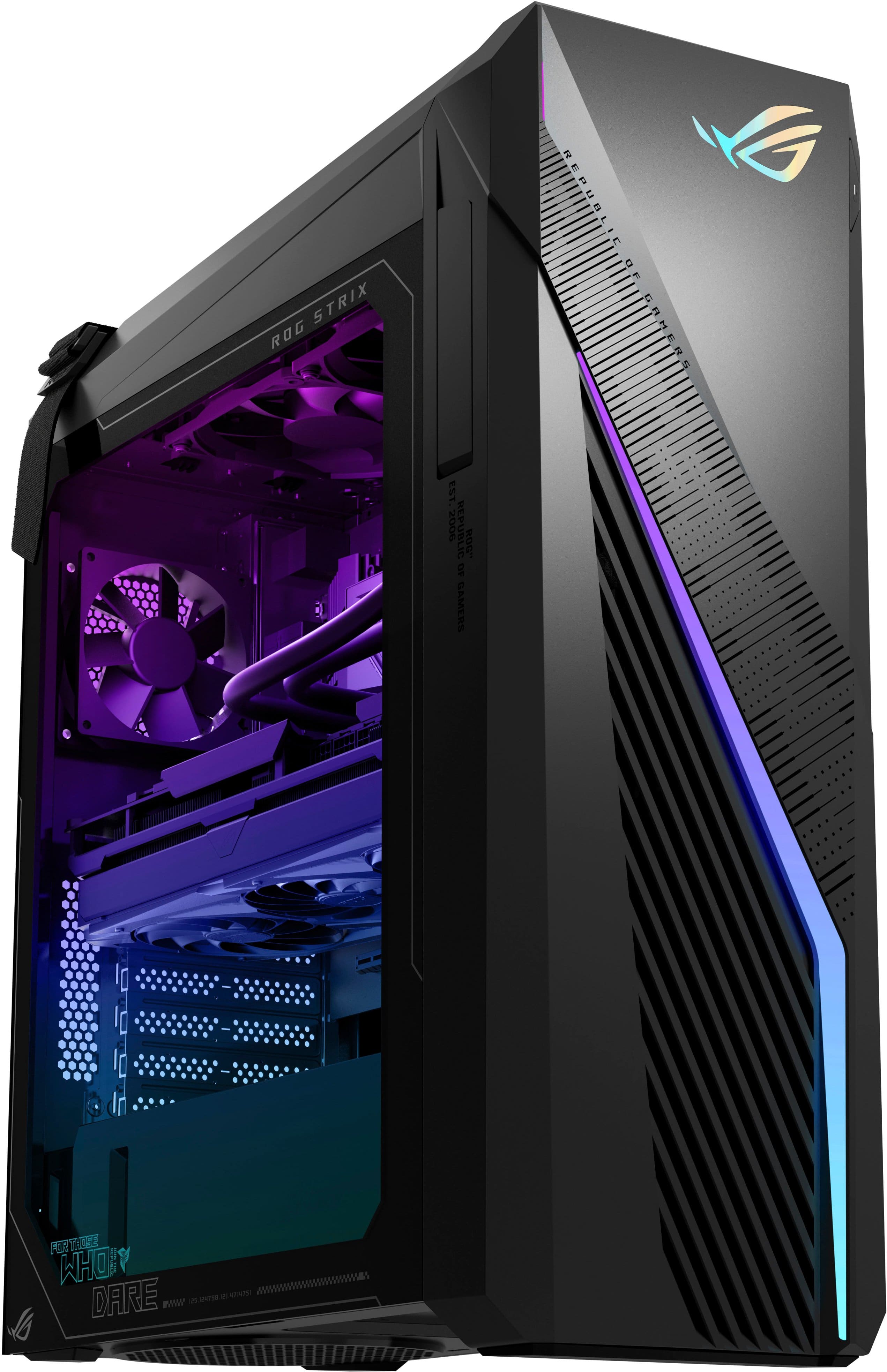
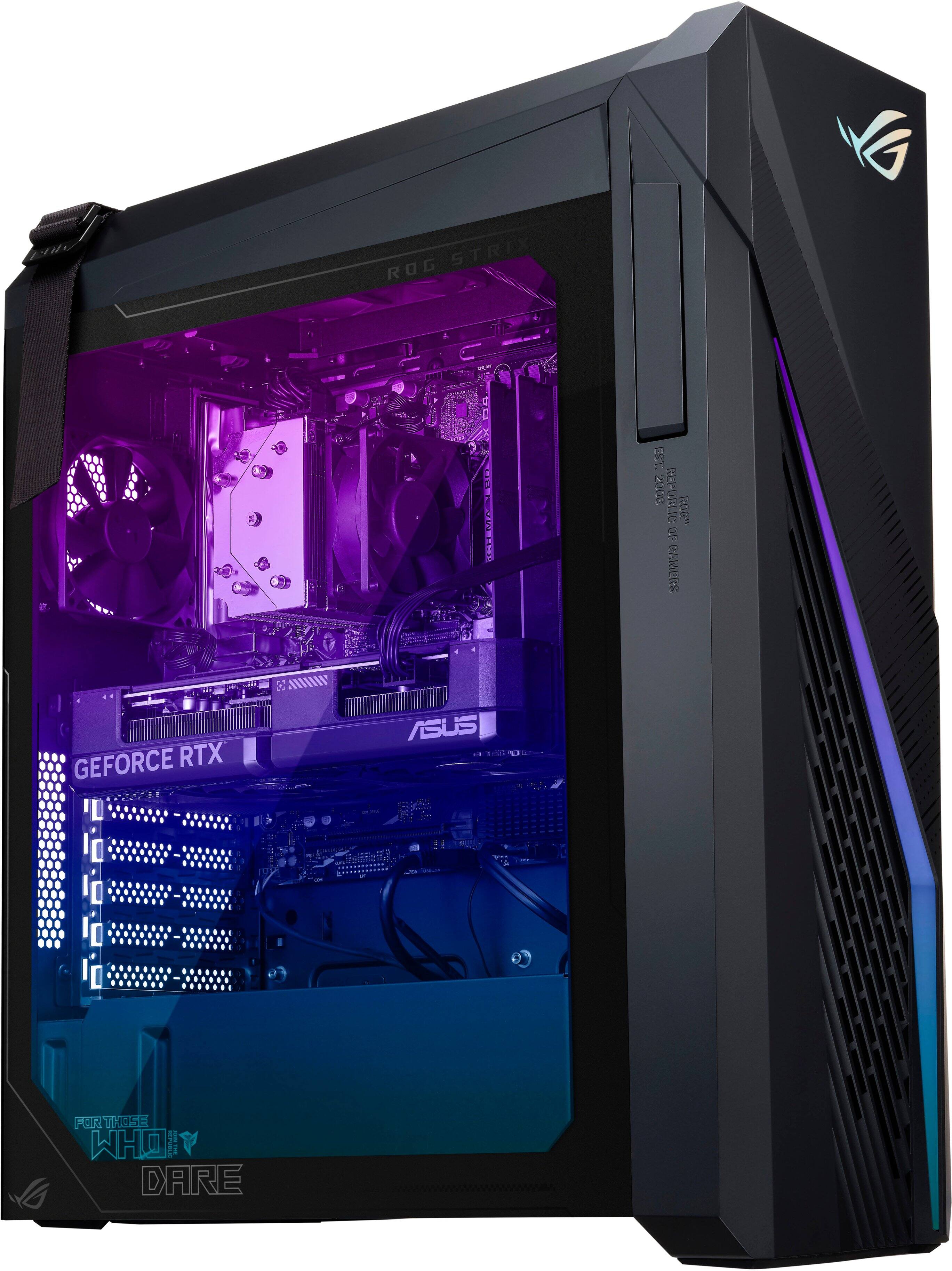
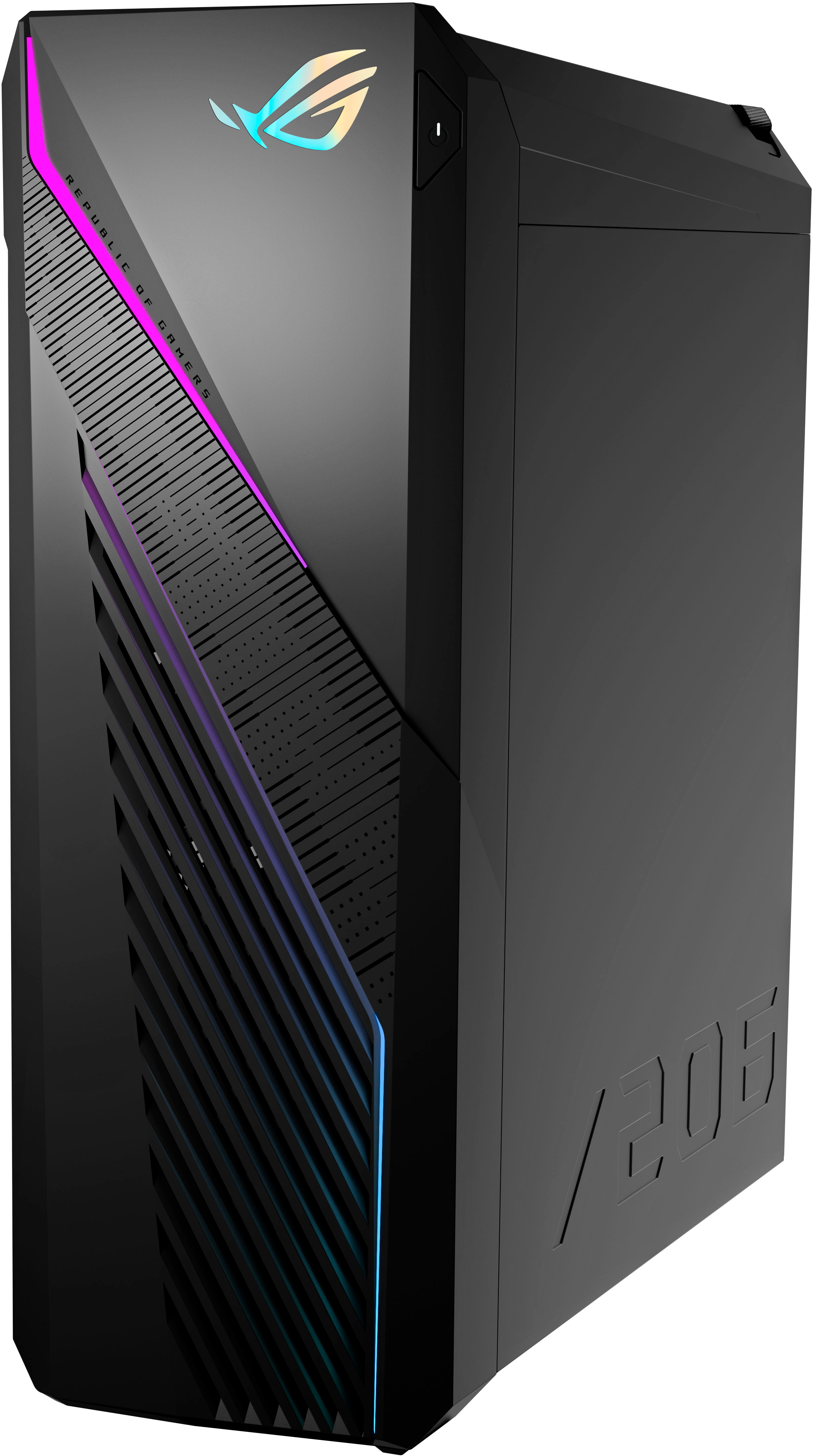
||Posted . Owned for less than 1 week when reviewed.This reviewer received promo considerations or sweepstakes entry for writing a review.First off i would not recommend anyone buy this pc in its current state. When i purchased it this week the picture listed on the website shows it comes with an aio cooler. That totally mislead me into thinking that the pc was ready to go and would be better protected against high temps. Instead what comes with the pc is 2 fans an internal and external fan for air flow. no aio cooler. What the picture shows and what you get are two different things and i'm not sure why Best Buy shows it at a better state than what you will get. In its current state for an i7 gaming pc i wouldn't expect it to last that long before over heating occurs and wouldn't recommend anyone buying it without the intention of spending more money to add better heat protection- more fans to keep it from over heating. The setup that comes with the pc out of the box is just not sustainable for long term gaming and has me concerned mine is not going last very long. I've got a couple days to think about if i'm going spend the extra money to add more fans and the aio or simply return it. You can clearly see on the Best Buy web page and by the pictures i added the pc that is presented is not the pc you well receive.
No, I would not recommend this to a friendBrand response from ASUS Answers
Posted .Dear GrandpaMinion,
We certainly understand your disappointment with the quality of the product and the inconvenience this may have caused you.
This specific desktop PC doesn't come with an AIO cooler. Should you need further assistance with the product, please email me at [email protected] and I would be more than happy to help. Or, you are most welcome to call Product Support Hotline at: 1(888) 678-3688. Also, you can chat with an ASUS live support agent from the link: https://www.asus.com/us/support/article/1135/.
Thank you for choosing an ASUS product.
Regards,
Rodel
ASUS Customer Loyalty
Is good pc
||Posted . Owned for 1 year when reviewed.This reviewer received promo considerations or sweepstakes entry for writing a review.Excelente I need more space. Es una execelete comoutadora
I would recommend this to a friendBest purchase
||Posted . Owned for 8 months when reviewed.This reviewer received promo considerations or sweepstakes entry for writing a review.Have had 0 problems with the PC. It’s my first gaming PC and couldn’t be happier
I would recommend this to a friend- Cons mentioned:Cooling
Not liquid cooled
||Posted . Owned for less than 1 week when reviewed.This reviewer received promo considerations or sweepstakes entry for writing a review.Photo shows liquid cooling with an asus heatsync. It is air cooled. Neither are specified. I do recommend this pc to anyone, but be aware that the image is not correct.
I would recommend this to a friend