Customer Ratings & Reviews


- Model:
- GU501GM-BI7N8
- SKU:
- 6207900
Rating by feature
- Battery Life
Rating 3.3 out of 5 stars
- Speed
Rating 4.2 out of 5 stars
- Display
Rating 4.3 out of 5 stars
Customers are saying
Customers are enthusiastic about the ROG GU501GM's performance, graphics capabilities, and build quality. Many appreciate its SSD drive and RGB keyboard, while some find the size convenient. However, concerns exist regarding battery life, fan noise, and heat generation during use. The price point and lack of an Ethernet port were also mentioned as drawbacks by some customers.
This summary was generated by AI based on customer reviews.
- Pros mentioned:Build quality, Performance, WeightCons mentioned:Fan noise

Awesome Gaming Laptop
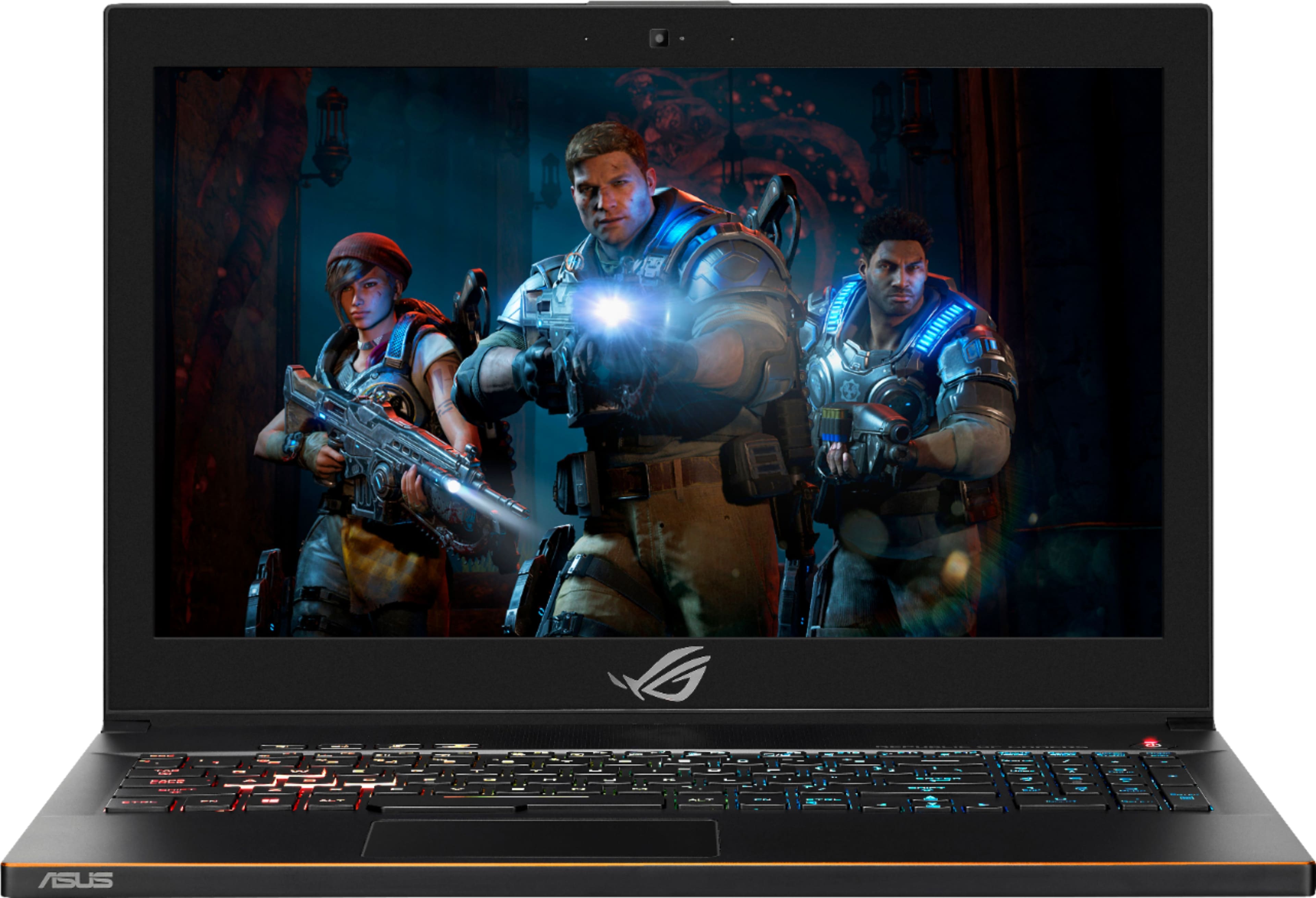
|Posted .This reviewer received promo considerations or sweepstakes entry for writing a review.The first thing you notice is the impressive build quality. The casing is made of brushed black aluminum that allows it to be light yet also strong. The laptop felt sturdy with no flex. The screen is bright, vibrant and has a matte finish so you won’t be bothered by glare. The keyboard is responsive and has a good feel. I’m a software programmer and the layout of the keyboard seems good for both programming and for games. One problem I’ve encountered with the layout is that I keep hitting the F12 key instead of the Delete key. According to the utility CPU-Z, it comes with 16 GBytes of Hyundai DDR4-2666 in a single channel configuration. The utility CrystalDiskInfo indicates that the main OS drive is a 128 GB Kingston RBUSNS8154P3128GJ SSD and communicates using the NVM Express 1.2 interface with a PCIe 3.0 x2 transfer mode. According to the specs, it’s supposed to be using the slower M.2 SATA mode so this is an unexpected and nice surprise if true. Results from CrystalMark indicate a read speed of 1499.9 MB/s for the Seq Q32T1 test which seem to confirm it is indeed using the faster M.2 MVM Express 1.2 protocol since the M.2 SATA protocol’s maximum is about 550 MB/s. There is also a 1 TB Seagate FireCuda Gaming SSHD that helps offset the relatively small size of the main drive. This drive can be used to store most programs, games, and data. This is my first gaming laptop and it is actually more powerful than my desktop computer. I was surprised by how light and thin it was. Some reviewers have mentioned that they felt it was a bit on the heavy side, but my previous laptops were bulkier and about the same weight but much less powerful. So, for me, this is actually a pretty light laptop considering the beastly hardware inside that can play all my games better than my current desktop. The first thing I did was to install some of my games like Witcher 3 and Mass Effect Andromeda. In Witcher 3, the framerate was locked at 60 fps and Mass Effect had framerates that ranged from 150 to 80 fps. Very impressive. The built-in speakers was loud and very good from such a thin laptop. During gameplay, I could hear the fans rev up fairly loud but it wasn’t too distracting for me. When performing non-gaming activities such as web browsing, the laptop was very quiet with the occasional light whisper of turning on and off of the fans. It supports the newest wireless-AC standard which was able to maintain a strong 780.0 to 866.7 Mbps connection to my Linksys Velop WiFi Mesh router. Transferring files wirelessly from my NAS showed a solid transfer rate from 35 to 40 MB/seconds. Bluetooth comes standard and I was able to use my HP Touch Bluetooth mouse with no problems. This is really a great laptop. It’s more powerful than many desktops so it offers first rate portable gaming and can be used as a main desktop replacement. The only criticism I have is the relatively small 128 GB SSD for the main OS drive. The inclusion of a secondary 1TB 5400 spinning HD helps elevate this but some programs like Visual Studio will take up a lot of space on the C: drive even if you instruct it to be installed on the D: drive. For this use case, the 128 GB SSD is a little too small. Luckily, another reviewer has shown that it is possible to upgrade the internals of the laptop with a larger SSD and adding more memory (pictures show that there is another slot for adding memory). This upgrade might be too intimidating for a lot of users (you need a Torx screwdriver and you need to carefully pop the lid) and this includes me for the initial time. This laptop is just so beautiful that I probably won’t try upgrading memory or the SSD until I’ve had it for awhile for fear of damaging it while trying to remove the lid. But it’s nice to know that it will be possible to upgrade memory and replace the SSD with something larger if the need arises.
I would recommend this to a friend - Pros mentioned:Build quality, SpeedCons mentioned:Battery life, Fan noise
Almost Perfect Mid-Level Gaming Laptop
|Posted .This reviewer received promo considerations or sweepstakes entry for writing a review.This Asus GU501 ROG Laptop is the one you want. It's got everything a gamer needs, and then some. It strikes a nice balance between elegance and gaming oriented, where style is concerned. It's got enough power to push through for the next couple of years. It's thin, and doesn't weigh much.The only overall drawbacks here are battery life, no G-SYNC tech, and big bezel. Like I said, almost perfect, but still five stars. For starters, this laptop is honestly a looker. Featuring only one big chrome logo (that lights up red) on top of a brushed aluminum case, it looks good. Like, really good. The full laptop is aluminum, save for the bottom of the case (for cooling reasons), and features a nice gold accent trip along the outer shell. The keyboard features four zone lighting areas, and all are RGB, meaning colors can be changed or turned off. It houses a full sized keyboard, that feel pretty good for the most part. Actuation is good, and typing was better than on my wife's chiclet MacBook Pro 2015. The only real non-looker areas here are the screen's bezel. On the sizes, it's about 3/4 inch thick, while on top measures in around a full inch. I understand why it's there (just due to the full size keyboard), but still could be distracting for some. The screen itself is a solid, 120hz IPS anti-glare, which I really like. It loses some of the shine that glossy screens provide with color content, but overall is better for strictly gaming. I found the screen to be goo Moving on, let's talk internals, because this is a gaming laptop. Featuring Intel's 8th gen hex (6) Core i7 processor, this thing is a beast. That's all that needs to be mentioned there. The RAM is adequate at 16 GB, but can easily be upgraded within the second DIMM slot. The SSD and 1TB HDD were sufficient enough, although my sleep boot times were a little wonky-every time I would open my laptop, the booting would take longer than expected to happen. Of course, the backbone of this system is the full-size NVIDIA GEFORCE GTX 1060 6GB. It handles games great, and can play pretty much any games at 1080p 60FPS+. Realistically, this can do it all, and you won't have issues with games. Older games like BF4 can easily do 100+FPS. and that's perfect performance here. You know what you're getting with a 1080p screen and a GTX 1060. All this said, the only things that really drag the system down are the overall battery life, fan speed and noise, and the lack of G-SYNC tech in the screen. The battery life, for me after 6 days of use, hovered around 3 hours, not gaming, unplugged. When gaming, I could hit around 1hr50min unplugged. This isn't terrible, but man it can be a drag. The power brick is bigger, and weighs about 1 lb itself, making it hard to cut the cord, so to speak. When under any heavy loads (or even just random times) the fans really crank the speed and noise up. This isn't an issue for me, especially when using headphones, but it could be for some. Knowing that going in is essential. Lastly, no G-SYNC (as the higher end models of this computer have) is a minus, but not a killer downgrade. There are far more expensive machines that don't have the same tech, so no biggie. All in all, I was truly impressed with this laptop. Asus did a very nice job of bringing sophistication and sharp, gaming roots into one computer. Everything works like it should, wrapped up in a lighter (5.5 lbs) and thinner (.78in thick) package than a 15.6" system could do. This has my approval, and is almost on par with my desktop at home now. Would definitely recommend.
I would recommend this to a friend - Pros mentioned:Graphics, Speed
Great at tough high data jobs
||Posted . Owned for 5 months when reviewed.This reviewer received promo considerations or sweepstakes entry for writing a review.Bought this to be able to edit large video files and for live stream video processing. It handles it all effortlessly. Sleek design and mobile. I see why people play games on this. Faster at everything and unbelievable.
I would recommend this to a friend Solid hardware with stupid software
||Posted .This reviewer received promo considerations or sweepstakes entry for writing a review.I got y520 and went to best buy for G7 but picked up this gu501.y520 ran hot hovering at 90 plus so saw this baby added 650 and now its on my lap.I have always been lucky with Asus hardware but their software is nightmare. It took 3 days to upgrade to nvme ssd coz the drivers won't work at all. Finally epackage folder worked for me. Now my touchpad is iffy so maybe its software problem not the hardware. Thus runs while gaming at 70 after repaste which is way better than any gaming laptop right now unless you go above 2k.
I would recommend this to a friend- Pros mentioned:Performance
It's simply light speed!
||Posted .This reviewer received promo considerations or sweepstakes entry for writing a review.I upgraded the SSD drive from 128 GB to 500 GB and anyone notices the difference. Any game flies! And my renders are quick and sharp. Excellent laptop for a great price!
I would recommend this to a friend - Pros mentioned:Build quality, Graphics, Speed
Super Performance Laptop
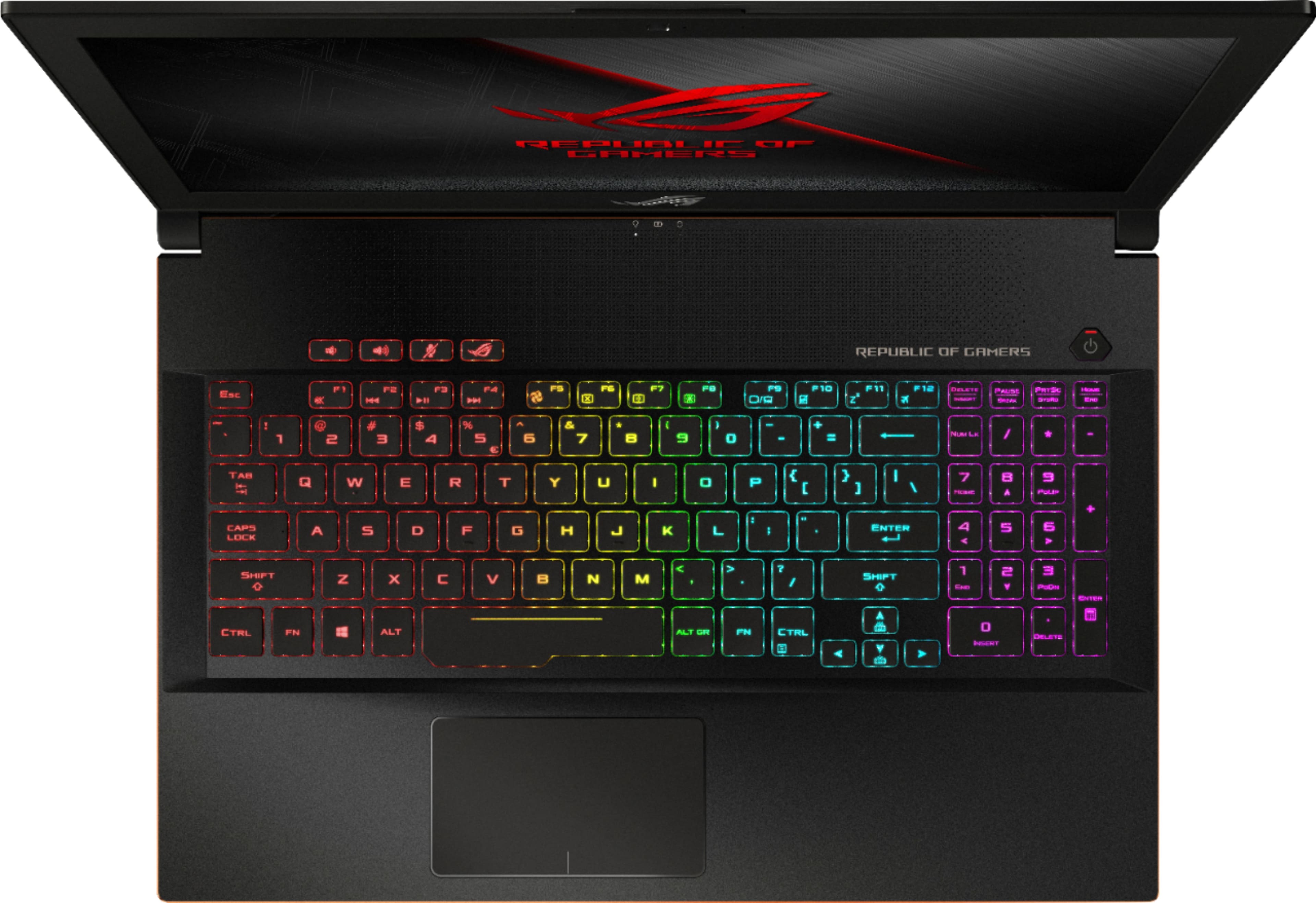
|Posted .This reviewer received promo considerations or sweepstakes entry for writing a review.I had a lot of anticipation while I was waiting for my new Asus GU501GM gaming laptop but I was not disappointed when I opened the package and was welcomed with another box inside another box. My Asus was well protected and after handling it I know why. It feels great and you can instantly see the quality. It looks beautiful with some weight to it and I’ll point out some reasons in my opinions later. So what did I get in the package? I got the Asus laptop, AC power cord & Block, very simple instructions, Republic Gaming decal stickers for promo, and a cool key chain. Getting started: It is instructed to charge the Asus for at least 3 hours before the first use. I recommend keeping yourself occupied by deciding on which game you want to play first. Like I mentioned earlier I think this laptop is beautiful with a black brushed nickel finish and you can see the craftsmanship detail all around. Initially I thought it was heavy but it really is not bad at about 5 lbs. The longer I used it the more I got used to it. To me it feels like a premium device and I feel quality in the weight so that’s reassuring to me that it is built to last. True pc gamers will truly appreciate the power that this Asus laptop is packed with. The New Nvidia GTX 1060 graphics card can handle just about any game. Now that VR gaming is picking up I read that this gaming laptop is capable and VR ready. This laptop can handle any speed because of this advance Nvidia graphics card. You can also work on this laptop because it has windows 10 and runs the 8th generation intel core i7. It has plenty of system memory for multitasking so you can work hard and play hard. You get all this on the 15.6 inch HD LED screen. For those who do video chat this Asus laptop have a built in webcam. I’m not into that but it’s great to know that I have it handy just incase. The Asus has 4 usb ports, headphone jack and a hdmi which you can use to mirror your gaming in a bigger screen. So some big extras in this Asus laptop for me are: Massive 1 TB hard disk drive and 128 GB solid state drive. GTX 1060 graphics card which is top of the line for gaming. Cooling technology that is unmatched because there are cooling holes all over. GPU mode button lets you activate full gaming power or the power saving mode to let you do basic things like surf the web and doing office work. The screen gives you HD visuals at a high refresh rate. To conclude my review: I’m loving this Asus laptop more every time I use it. The color changing keyboard makes it fun to use but the performance will make this my go to for just about anything I’m doing.
I would recommend this to a friend - Cons mentioned:Battery life
Grate Laptop
||Posted .This reviewer received promo considerations or sweepstakes entry for writing a review.The ASUS ROG Zephyrus is an entirely new breed of gaming notebook. It packs the most powerful laptop graphics hardware available, NVIDIA's GTX 1080, into a chassis that's almost half the size of similar machines. Mostly that's due to being one of the first notebooks to feature NVIDIA's Max-Q design standard, which is laser-focused on slimming down gaming laptops with beefy GPUs. That does lead to some compromises, especially around battery life, but the Zephyrus is still a wonder to behold.
I would recommend this to a friend - Pros mentioned:Build quality, Performance, Weight
Sleek Gamer PC without a lot of bulk.
|Posted .This reviewer received promo considerations or sweepstakes entry for writing a review.If you're in the market for a solid entry level gamer PC that isn't too heavy and bulky, this unit is an excellent choice. It isn't the most powerful gaming laptop out there, but it does an excellent job rendering games at this price point. A major benefit is its size. At 0.7 inches tall with the lid closed, this laptop is easily portable. And many gaming laptops can weigh as much as 10 pounds; this unit is about half that. Also, this particular laptop exudes quality. The top and chassis is made from solid aluminum. And the gold trim and glowing red Republic of Gamers emblem on the lid adds to the sleekness of this laptop. Power-wise, this unit scored very well for an entry level gamer PC. The system didn't have any problem running Star Wars Battlefront in Ultra mode. It's not the most demanding first-person shooter, but it held its ground quite well. To really test the system, I ran a video game benchmark program called Superposition by Unigine 2. It renders real gameplay visuals and produces various measures such as frames per second, as well as a composite score. Overall, this system did very well. It was able to maintain a respectable 44 frames per second under the High setting, and a solid 62 frames per second under the Medium setting (see included image). The graphics on the 15-inch matte screen looked superb. ASUS includes a system customization software called ROG Gaming Center (see included image). Here you can customize most features on the laptop for gaming purposes, including fan speed preferences, visual preferences, sound settings, LED color backlit keyboard settings, among others. This software is easily accessible by pressing the dedicated button above the F4 key. As far as physical connections are concerned, it comes with all the standard ports most 15-inch laptops have, including a USB-C port. The next part of my review is a summary of my interactions with ASUS tech support when I encountered a problem with my laptop. The first system I received was having significant issues booting-up. I called ASUS tech support and they had me try a few different steps to troubleshoot the system. Within that same phone call, they determined the system was bad and they would fix it. I had the standard warranty, so I had to ship the unit (free of cost) to them. I was able to follow the progress of their testing and results using a link they provided. They tested and determined the issue within 2 weeks, but unfortunately, because the system was so new, they had to wait another week to get replacement parts. I finally got a fully functional system back after 4 weeks. The upside was that ASUS's customer service and tech support made the whole process easy and seamless; the downside was that it took about a month with the basic warranty to get my system back. It probably would have been sooner if they didn't have to wait for replacement parts. Also, if you decide to purchase any other kind of additional warranty, the replacement process would probably be a lot sooner. Overall, this laptop is a solid gaming system. I really like its size, it's made from quality materials, and ASUS's customer service was responsive and helpful.
I would recommend this to a friend - Pros mentioned:Performance
This is a beast
||Posted .This reviewer received promo considerations or sweepstakes entry for writing a review.I loved it. Never had a machine so powerful. Everything runs smoothly even with games that used to crash my previous laptop. Worth the price.
I would recommend this to a friend - Pros mentioned:Speed
Amazingly Fast
||Posted .This reviewer received promo considerations or sweepstakes entry for writing a review.I love this computer! It moves super fast and keeps up with me perfectly.
I would recommend this to a friend - Cons mentioned:Heat
Great in short bursts
||Posted .This reviewer received promo considerations or sweepstakes entry for writing a review.I’m not a gamer, needed power for running Lumion software. Did fine first trial, after 10 days of light non graphic intensive use saw performance issues. Geek squad protection concurred and swapped it out for the same. Been running the fan on high but I suspect this model just needs a cooling pad because it still has some flickering issues that go away if I let it cool down. I need one that will run 8+ hours a day without issues for Cad and Adobe products, and I have concerns, that’s why the low rating. Hoping the cooling pad will make a difference
No, I would not recommend this to a friend Good computer overall
||Posted .This reviewer received promo considerations or sweepstakes entry for writing a review.My only complaint is that while playing games it will randomly stop playing the game. Also it says mUSB charger plus is not offered on my computer and to download a different version but when I go to attached link it takes I to a blank page. Other than these two things the experience has been good.
I would recommend this to a friend- Cons mentioned:Battery life
Great gaming pc.
|Posted .This reviewer received promo considerations or sweepstakes entry for writing a review.I recieved this gaming laptop jn return for my honest reciew. Also, Ive been to get my hands on a good gaming laptop for awhile now. This 15.6 Asus Rog doesnt dissapoint! The built in 1060 gpu handles games perfectly. I play mostly racing/sports games, Forza, NBA 2018. The i7 also handles anything you throw at it with ease. My only complaints are the battery life and cooler noise. But a gaming pc with a gtx 1060 and i7 uses alot of battery as well as creating alot of heat. Both are to be expected and not a con. The built in ac wifi is blazing fast whether playing online games, or simply surfing the net. I love the rgb keyboard, wish it were mechanical, but being its a entry level I guess it cant have it all. I also like the red lit rog logo on the cover. Theres a thin 8 inch bar at the top of the cover, that looks like itd light up but doesnt, would be a cool touch. The 1080p led screen looks crystal clear, not 4k but its very clear. Youtube videos look great. I would of liked to see a gigabit ethernet port, but not a big deal. The included 16 gb of memory along with a Kingston 128 m.2 ssd, and a qtb barracuda sshd is a very nice addition. The 128gb m.2 is plenty big enough for win 10, paired with the seagate 1tb sshd for data and games. I do notice the sshd noise when vloume is down loading games and applications. For the money I would definitely say this rog gaming laptop is a beast of a buy. Would of liked to see the added raised underneath cooling option on this model as well. But its only on it two bigger brothers. All in all. This is a well thought out and put together gaming machine for those not want to spend $2k or more on a high end gaming laptop. Also the Auro Sync, for Asus compatible mice and headsets is a nice feature. Boot and load times are very fast on both the m.2 and sshd drives. I about jumped the 1st time I turned this machine on and the Rog logo appeared on the screen with a booming sound intro as well. The speakers are pretty nice for a thin laptop, especially bass. I can definitely see myself enjoying this nes laptop for years to come.
I would recommend this to a friend Worth every penny
||Posted .This reviewer received promo considerations or sweepstakes entry for writing a review.So far I really enjoy this laptop it is working perfectly with my video editing software, and it also works well with games like portal 2.
I would recommend this to a friend- Pros mentioned:Graphics, Performance, WeightCons mentioned:Ethernet port, Heat
Affordable Gaming Laptop With Excellent Performanc
Posted .This reviewer received promo considerations or sweepstakes entry for writing a review.If you are looking for a light weight, EXCELLENT performance gaming laptop. I highly recommend. It has the same specs and others without the big price tag. It runs any game I throw at it with high-ultra graphics. With a fan over boost option so you can game knowing your pc is staying cool. Like anything it has cons. No ethernet port was a big one for me but I did buy it for mobile use. It does tend to like to get just a tad hot if you aren't properly venting it. I absolutely love this laptop. And I would recommend it to anyone looking for a light affordable gaming laptop with great performance.
I would recommend this to a friend Looks cool but don’t be fooled...
||Posted . Owned for 3 weeks when reviewed.This reviewer received promo considerations or sweepstakes entry for writing a review.The 1st one I purchased the motherboard fried in just 2 months. So I called the company to ask about the one year warranty they refused to help me at ASUS in TX they told me to go to Geek Squad so I did but come to find out my 1 year warranty isn’t any good if you buy an open boxed computer. So they force you to buy a protection plan from Best Buy. Well good thing I did or both companies wouldn’t have helped me. According to them it’s like buying a car if it brakes your screwed. So Best Buy junked out my first 1 and took me 40 phone calls over a week of calling and waiting and 3 stores later to find the one store that would help me out. Best Buy in Attleboro did an outstanding job helping me. So this review is from the 2nd computer I got and so far so good but it’s not even been a month yet. I wish corporate headquarters would contact me not an area GM since he wasn’t helpful at all. The only other thing is know what your protection covers since it was junked out so was my protection plan and I had to spend yet another $149 for a second protection plan. Unbelievable I’m still not satisfied and I’ll never buy an ASUS again since their customer service was horrible and did nothing to honor their 1 year warranty. As you can clearly see in the photos the computer was Geek Squad approved even with the damage to the exterior case that I almost cut my finger on and they did not disclose to me when I bought it that, that was there. Buyer’s be ware!!!
No, I would not recommend this to a friendBrand response from Asus_Answers
Posted .Dear Valued Customer,
Thank you for taking the time out to post your review and also for being one of our valued customers. Firstly, We would like to offer our deepest apologies for the trouble you had with your ASUS laptop. Based on ASUS warranty policy once you purchase a refurbished unit/open box unit, the warranty is for three (3) months and not one year, As it is stated on our support page under warranty information, Here is a link you can read upon the information:https://www.asus.com/supportonly/GU501GM/HelpDesk_Warranty/. Once your unit is a Best Buy unit and you're within your manufacturer warranty we recommend having the unit sent in to Best Buy for servicing seeing that they are an authorized service provider of ASUS and it is more convenient for most customers because it is a faster turnaround time. We are terribly sorry that you were not advised that the unit exterior case is damage. You should have been notified of the damages to the unit seeing that you purchased an open box device. We are happy to know that no harm came to you while handling the device. We certainly understand your disappointment with the laptop and the inconvenience this may have caused you and the support that was provided. ASUS do apologize on behalf our support team for not properly advising you on your warranty information and the reason they referred you to Best Buy. Can you please let us know if you are requesting to speak with ASUS Corporate headquarters or Best Buy Corporate headquarters? We certainly value your feedback. For further assistance please feel free to reach out to us by email: customerloyalty@asus.com. Please use a link to this review as reference. Have an extraordinary day.
Thank you for choosing ASUS.
Best Regards,
Lamoya
ASUS Customer Loyalty US Support
- Pros mentioned:Graphics, Speed, WeightCons mentioned:Battery life
Great Laptop
||Posted .This reviewer received promo considerations or sweepstakes entry for writing a review.So I bought this laptop as a secondary PC for when I travel and overall I think it is great for a mobile device. I would recommend it if you plan on operating near a power outlet often. Pros: CPU has plenty of power with 6 cores (12 threads) to get work done, in some situations even too much power (read cons below) Keyboard feels nice to use. The buttons don't cause any strain to press and it has a full number pad on the right hand side. RGB lights are a bonus. Pretty lightweight because it doesn't have a DVD drive, so be prepared to save things to a USB or use cloud storage. The display goes up to 120Hz so that is nice if you are playing games that don't have frames per second limitations. The sound from the speakers in this laptop actually sound pretty nice, laptop built in speakers usually don't sound that great. The Sonic Studio software has some great speaker options for tweaking the sound quality. The 1TB hard drive is big enough to store all of my applications on the go and the 120GB SSD is fast for booting windows. The GTX 1060 plays majority of games on high settings with no problem. Cons: I have noticed is that the CPU stays pretty hot even when the system is idle. The i7 8750H has a standard speed of 2.1GHz but it can turbo boost up to 4.1GHz. I found that my CPU was constantly in turbo boost mode which made it run a bit hotter than I wanted it to. I had to install an application to limit the CPU speed in order to keep it cool, afterwards it was fine. Battery life isn't that great on this laptop. I could probably game at maximum capacity for about 1.5 hours before it dies. If you are just surfing the web or word processing you could probably get 3+ hours out of it, but I wouldn't expect too much more than that. I attribute the poor battery life to the turbo boosted CPU speed that I mentioned earlier, constantly running at 4.1GHz drains the battery quickly. The built in camera is honestly garbage. Any $30 usb camera will give you better quality than this will. I could record better video with my cell phone if I wanted to. I have little to no intention of actually using it so it wasn't really a big deal for me.
I would recommend this to a friend A Solid Build with Performance to Spare
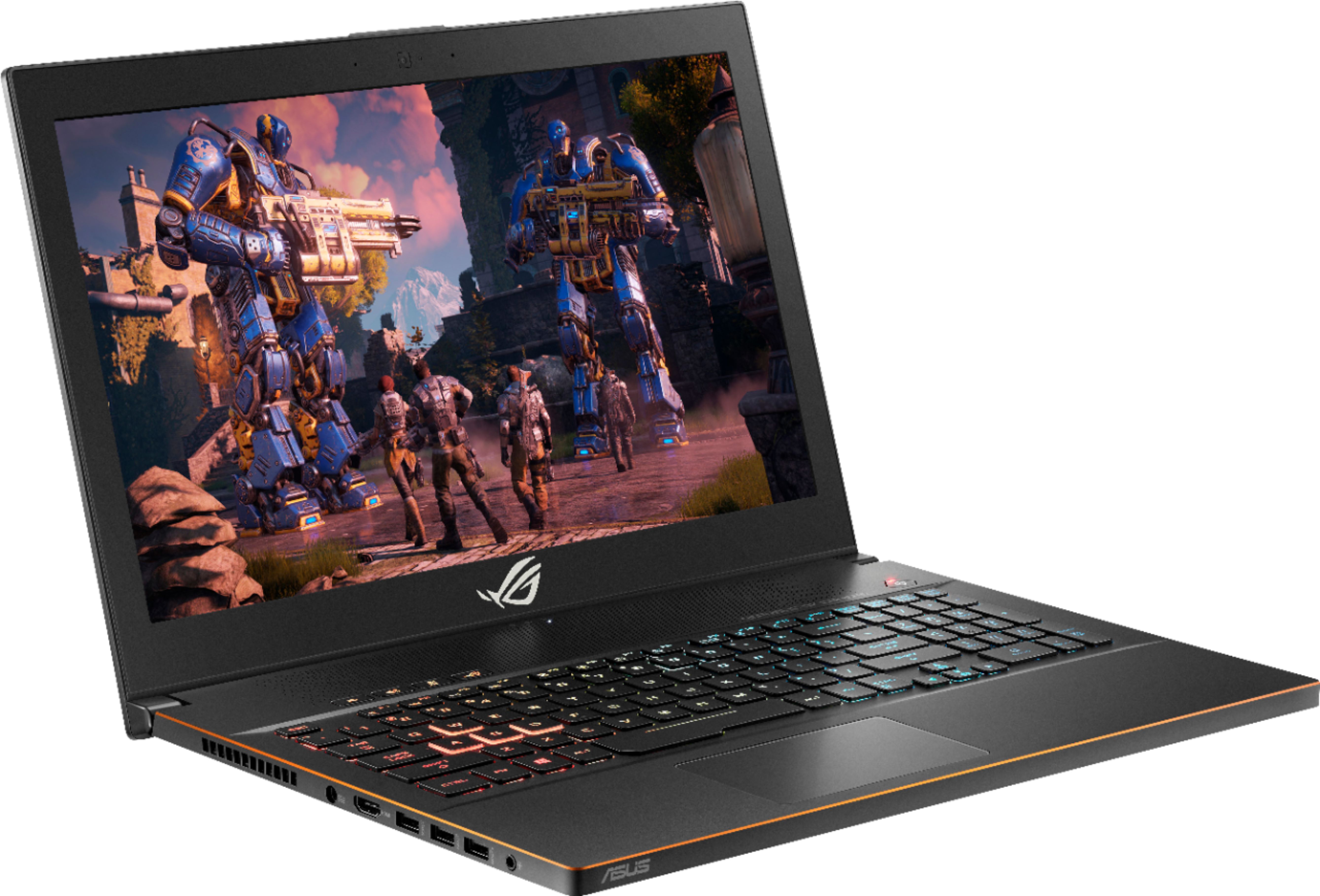
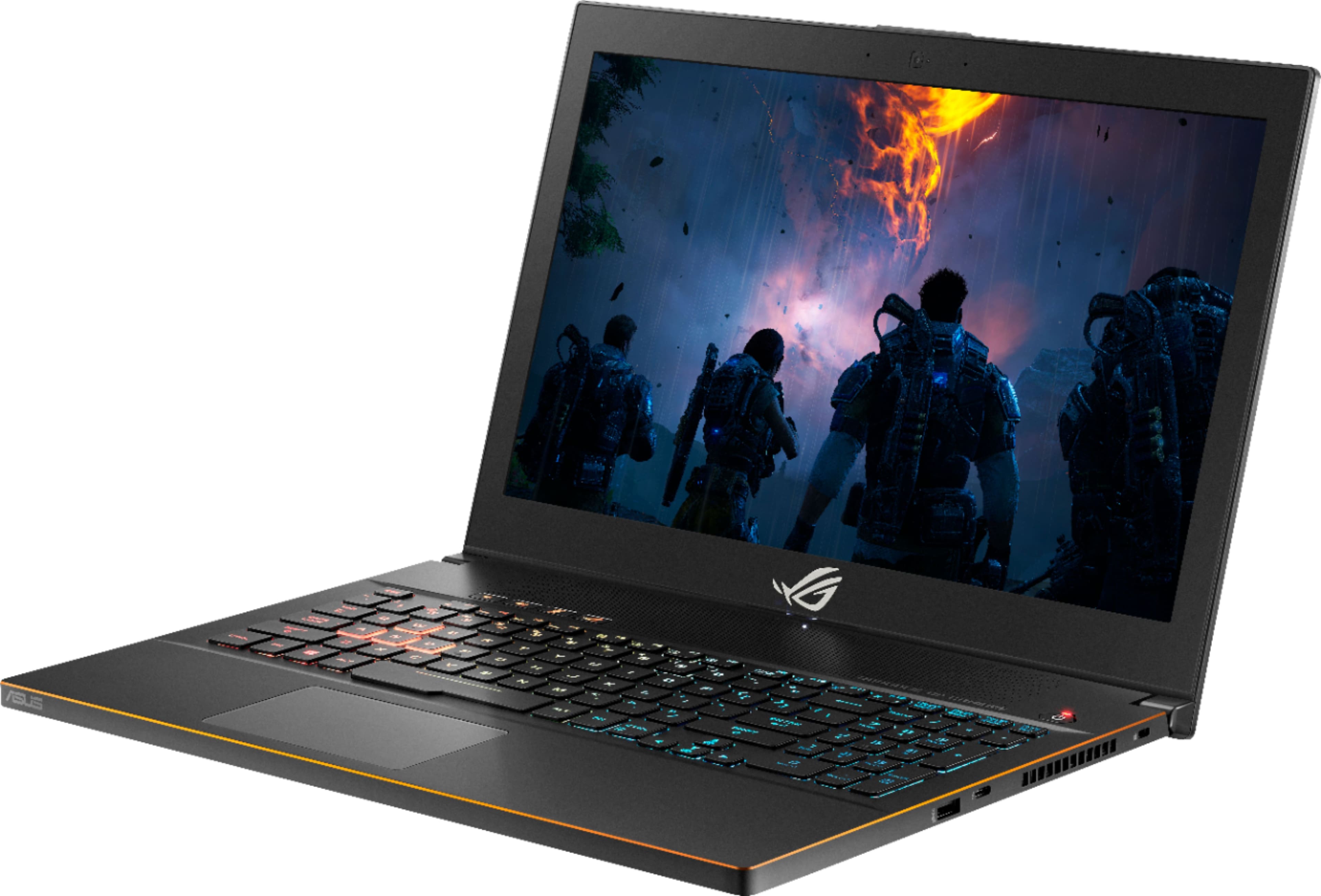
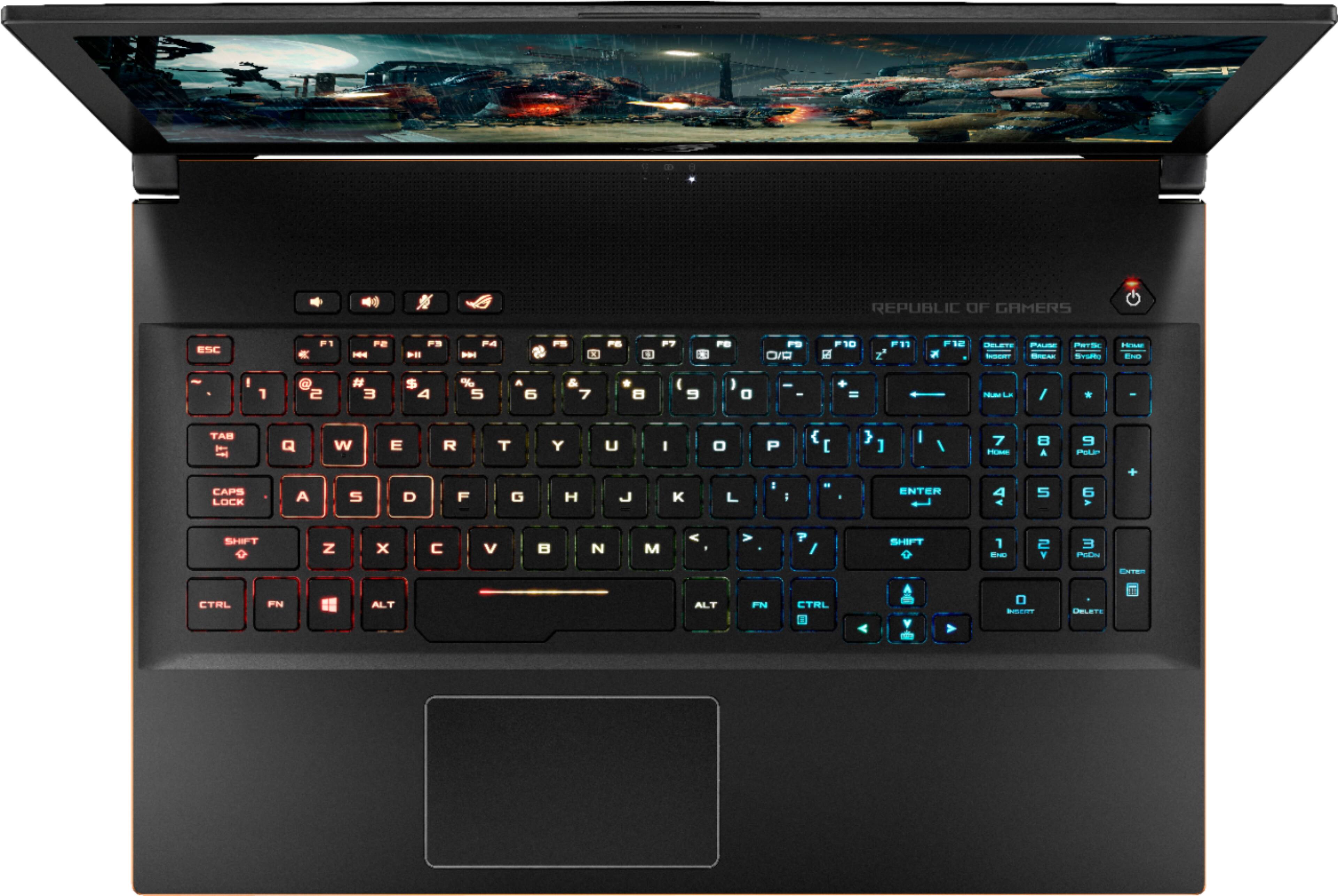
|Posted .This reviewer received promo considerations or sweepstakes entry for writing a review.Make no mistake, this is a gaming laptop. It’s big, heavy (5lb 8oz), has middling battery life, and compared to ultrabooks it’s thick. It has some garrish flares that might scare off the more conservative laptop buyer, and comes with a folder full of stickers with text like “Join the Republic”. But beyond all the gaming hubbub, this is a solid machine and solid value. Overall Build: The build overall is solid. The lid is nice asymmetrically brushed aluminum finish that while attracting fingerprints, does give a nice appearance. It’s broken up by Asus’s republic of gamers logo, which appears reflective until the screen is on, at which point it glows red. The top body is made from aluminum, which keeps it from flexing. Because the casing is aluminum it feels quite premium. The materials however, do make the laptop quite heavy, weighting in at 5.5lbs. Even in a 15.6” laptop, this weight is significant. The keyboard is quite nice. The keys have a decent amount of travel, but are quite quiet without feeling squishy. This translates into a very comfortable keyboard to both type and game on. I was able to easily hit 82 WPM without any adjustment period (high 80s is my best case scenario). Most keys are solid black all the way around with transparent letters for the backlight. The WASD keys are set-off from the rest with translucent sides. The W key as a little nib so as to allow you to easily orient yourself to the WASD quad. The space bar is slightly larger on the left side, as to allow more comfort for long FPS session (it did not interfere with day to day typing). The CTRL key on the left side is the leftmost bottom row key. The top row provides various extra functions, such as media control, fan control, screen brightness, etc. There are 4 dedicated keys above the left side of the keyboard that also control volume and launch the ROG gaming center. The power button is a key located above the number pad. It’s nice that the power button is placed as to avoid the laptop from accidentally turning on while in a bag. The keyboard area is slightly sunken in to avoid the keys touching the screen. There are 4 zones of LED backlighting, which can provide a rainbow effect. I set mine to solid color, but there are also 6 other effects, ranging from breathing to music strobing. The software even allows you to sync with other Aura compatible components to keep you color coordinated. The power connector is located on the left side (right handers rejoice!) along with an HDMI, 3 USB 3.1 ports and a headphone jack. The right side is much simpler with only a USB 3.1 and USB-C port (Gen 2). The edges of the aluminum unibody are chamfered and finished in a bronze color. The adds just a touch of color while avoiding any sharp edges that would otherwise dig into your wrists. Essentially the entire back third of the chassis is dedicated to cooling. Fans are adjustable in the ROG software. There are 3 fan profiles out of the box, quiet, standard, and overboost. Standard is a ok balance, but if you’re just browsing or other intermittent load you may as well just switch it to silent. Standard keeps the fans running at a decent speed keeping everything cool. Any profile ramps up in any mode if the CPU and GPU are too stressed. These profiles can affect performance on and off battery. Specifically I found the CPU would stay around its base frequency 2.2GHz on battery with all threads loaded unless you set the power profile to “Best Performance”. Plugged in the CPU would boost up to 3.8-4.2 GHz. Depending on your sensitivity to noise, you may want to default to the ‘silent’ setting and either use the hotkey or software to crank the fans up if gaming. Performance: The highlight of the GU501GM is the new 8th generation Coffee Lake CPU - the i7-8750H. It brings with it 6 cores, 12 threads of processing power that turbos up to 4.2GHz. On battery the default profiles will keep its turbos down, but plugged in this powerhouse CPU can tear through just about anything you throw at it. It eats my work laptop’s (a Surface Book 2 15”) lunch, besting it’s i7-8650u by nearly 50% in many benchmarks. Now the target TDP of 45w is a far cry from the 15w TDP of the ‘u’ series, so the performance difference is somewhat expected, but keep in mind,even compared to the i7-7700hq and i7-6700hq, this is a significant increase in performance. The GPU is the venerable Nvidia GTX 1060 6GB. While aging, it still represents the upper mid-range market for gaming laptops, and is on par with a desktop GTX 970 and performs quite close to its desktop brethren. I say aging, because the first GTX 1060 laptops came out late 2016, but with Nvidia Volta still off in the horizon, it’s the only option that blends a sleek chassis and great performance. And make no doubt, it does perform great. With the included 1080p screen, a workable framework will almost always be achievable even with most of the goodies turned up. The GTX 1060 pared with a 1080p screen will have many years of use in it. It should be said that the fan profiles can really affect performance here. Comparing the silent and overboost profiles, it’s clear that overboost allows the GPU much more headroom. A 3DMark run of Fire Strike yielded 8713 on stanard and a whopping 10353 on overboost. It’s very encouraging to see the cooling solution perform so well, allowing it to break 10k in Fire Strike. Display: So this is a Best Buy exclusive model, and one of the places that is cut compared to the GM501 model (found at other retailers) is the screen. This model is a AHVA IPS screen at 120Hz (panel is: AUO45ED). It’s only 72% NTSC color gamut, and it’s brightness is limited. It also lacks G-Sync capabilities and 144Hz that the GM501 models have. Now, this is still an upgrade from many a mid-range laptop, which only include 60Hz panels. Overall the screen does 120Hz quite well. If you’re into e-sports shooters, this will be a killer feature. Response time is seems adequate and I noticed no ghosting. One thing you may notice is that by default, the Intel GPU will switch refresh rates on battery down to 60Hz. This appears to be another battery optimization. Sound: In a word, the sound is nice. It’s not amazing, but it’s one of the more solid thin gaming laptop I’ve heard. Bass drops off quickly at a distance, but if you’re sitting close, the sound is pretty well balanced. It’s excellent for gaming session, but a bit more limited if you’re listening to music. The speakers are downward facing on each side and this arrangement works pretty well due to how the bottom is angled. Battery: The GU501 includes a 55 Wh battery. While nothing to sneeze at, it won’t keep the 45w CPU and 80w GPU fed for long. That said, due to the various battery optimizations, out of the box it can pull at least 3-4 hours of web browsing, perhaps more if you turned the screen brightness down. Given the laptop’s performance focus I believe this is a tradeoff the target market can live with. Gaming on battery can work, but I saw faster than 1% a minute drop - even w/ 30FPS/downclocked OOTB settings. Storage: The GU501 model only includes a 128GB SATA M.2 SSD. The model included was a Kingston RBUSNS8154p3128, and while only being SATA, it performed admirably. I’m not sure how, but the drive was able to sequentially read at 1400+ MB/s (limit should be around 550MB/s). Write speeds were definitely in line with SATA at around 400MB/s. The biggest limiting factor here is the size. At only 128GB, it’s probably best left as the OS drive. Also included is a 1TB Seagate Barracuda hybrid drive. The hybrid drive has 8GB of NAND to serve as cache, but performance is as you’d expect from a spinning drive. This setup is certainly workable, but with NAND prices finally falling, I’d probably consider an upgrade. Which leads me to… Upgrability: The GU501 has 13 Torx T-5 screws on the back plastic cover. Once the screws are removed, the back cover can be gently pried (I used a small flat head screwdriver) up around the plastic hinge. Once the initial ‘pop’ of the plastic clip by the hinge occurs, the backing comes off with almost no effort. Underneath the cover you’ll find access to all major replaceable components: WiFi card, RAM, SATA drive, M.2 2280 slot, and even easy access to CPU/GPU if the time comes for a repaste. It was encouraging to see warranty void stickers on certain components (like the CPU cooler), but nothing impeding you from upgrading RAM/Storage. In fact, the GU501GM has 1 RAM slot populated, and another open, ready to receive another 16GB stick to become a 32GB monster. The M.2 slot should accept PCIe NVMe, just like it’s GM501 brother. All in all, this makes this laptop quite future proof in my opinion. Conclusion: If you’re looking for a solid gaming laptop under $1500, then look no further. You get a great combination of performance, build quality, and customizability. What faults I can find, are rectifiable through later upgrades to storage.
I would recommend this to a friend- Pros mentioned:PerformanceCons mentioned:Fan noise
Awesome upgrade!
|Posted .This reviewer received promo considerations or sweepstakes entry for writing a review.Hi All! I'm completely stoked about the new Asus ROG GU501 gaming laptop! My overall impression is it is a fast capable machine that will handle nearly any game you play - there are a few notes on that I'll discuss later. See my attached pictures of performance stats and the ROG gaming center screen - the latter allowing you to create profiles and override certain features to make your gaming experience better! When playing either Fortnite or Witcher 3, this rig handled the games smoothly and easily. Project Cars however, when playing with 10+ other cars on the track struggled a bit and made it difficult to steer. I think games with this much realism require more memory and high end graphics cards to always operate smoothly. The 6 core, 3.9Ghz system with 16GB RAM is on par with Asus high end gaming laptops. They usually feature a higher end screen with G-Sync and or more SSD drive space (GM501GS or GM501GM) but have most other components exactly the same. The body of the laptop is sleek, black metal that may show scratches if you wear a metal watch or rings. The ASUS Aura SYNC backlit chiclet keyboard has all individually light rainbow LEDs that is fully programmable but the keys are a bit small for my preference for you full time. Most people will opt for a full size keyboard for a more natural feel. One of the first things I noticed was the large speaker on this laptop. It's a full 2" right near the screen - one thing that makes this such a big unit. Sounds great! Dual array microphones it a super feature as well! Overall again, this is a solid entry level gaming laptop for those wanna be gamers. It can be used as a full desktop replacement machine as well - and I'll likely use it as both. Aside from the occasional fan noise as references by others and a non-4k, non-touchscreen screen, this is an awesome unit and worthy of your consideration!
I would recommend this to a friend - Pros mentioned:Build quality, Graphics, PerformanceCons mentioned:Fan noise
GREAT LAPTOP FOR PC GAMING ON THE GO
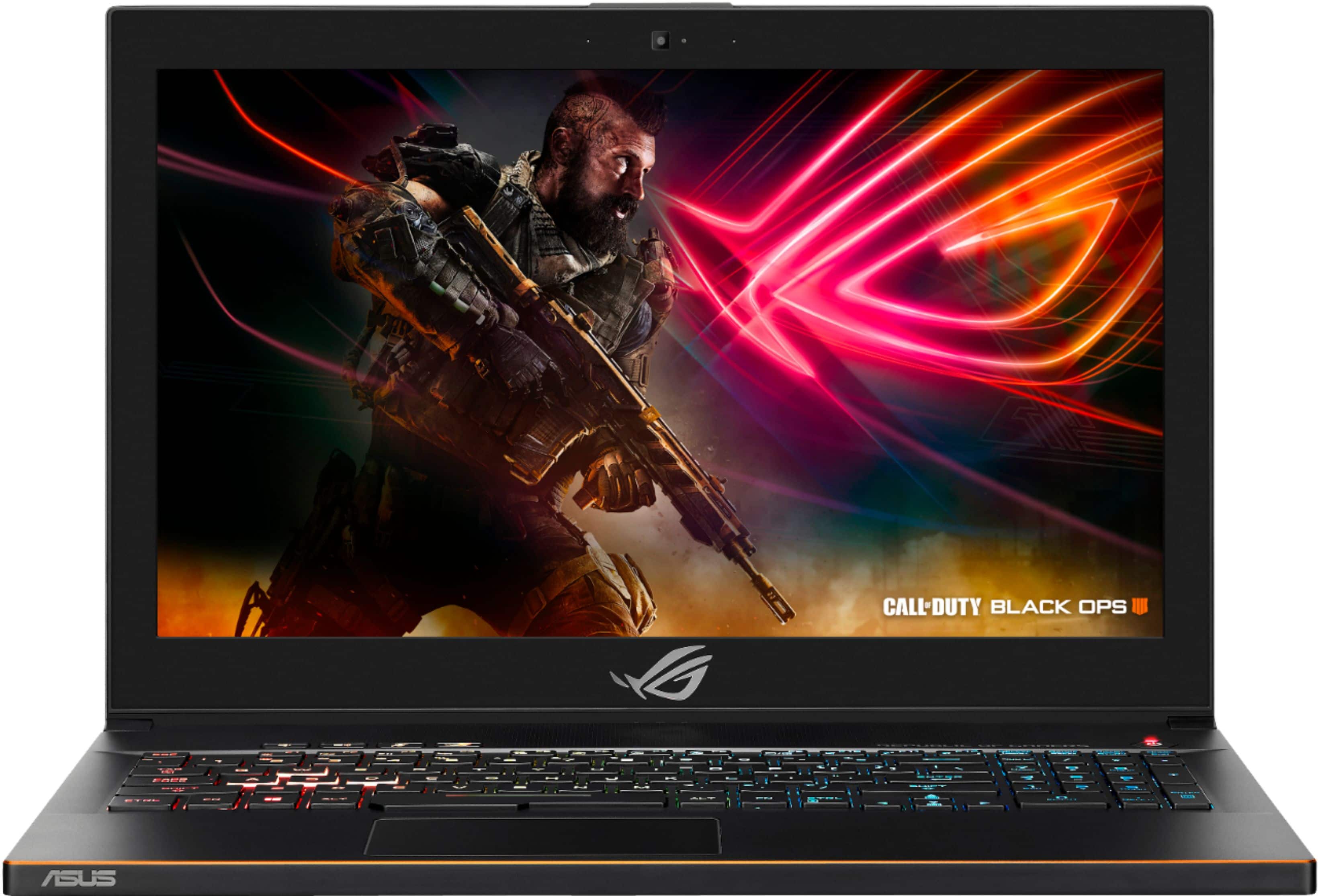
||Posted .This reviewer received promo considerations or sweepstakes entry for writing a review.I purchased this laptop to replace my previous 18in ASUS ROG ginormous brick of a gaming laptop. Although my previous ASUS was 7 years old and still in good working condition it was just too big and heavy for all the traveling I do. I wanted something with similar gaming power, so I purchased the ASUS GU501 which is by far superior in every aspect and meets all my needs. I have been using this laptop while on deployment for the past month and she is working like a champ, the desert sand seems to have no effect and the fans keep it very cool. Although the fans do get excessively loud when running a game like the one that came free with purchase (COD4 BLACK OPS), but she hardly bats an eye when running the game at top settings. Overall great laptop, ascetically pleasing, light weight, packed with top tier hardware, and doesn't feel cheaply made. I also use this Laptop for online college classes and noticed most laptop do not come with Microsoft Office but have no fear if you are a college student most colleges offer Microsoft Office 365 ProPlus for free, which includes Word, Excel, PowerPoint and other Office apps. You may download and install it on up to five compatible personal devices, including PCs, Macs, iPhones, iPads, and Android smartphones and tablets. Just google to find out if your college offers it.
I would recommend this to a friend