Customer Ratings & Reviews

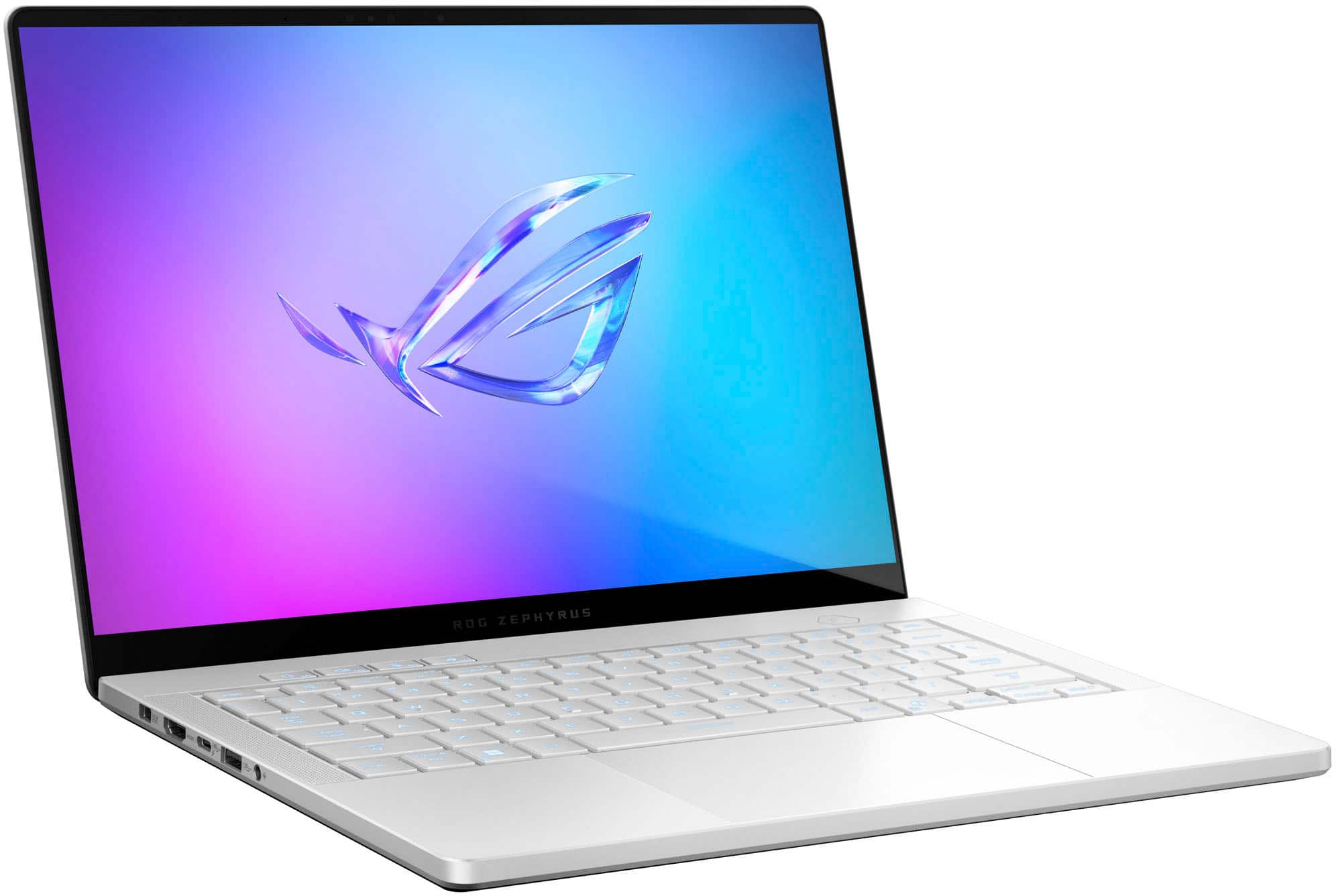
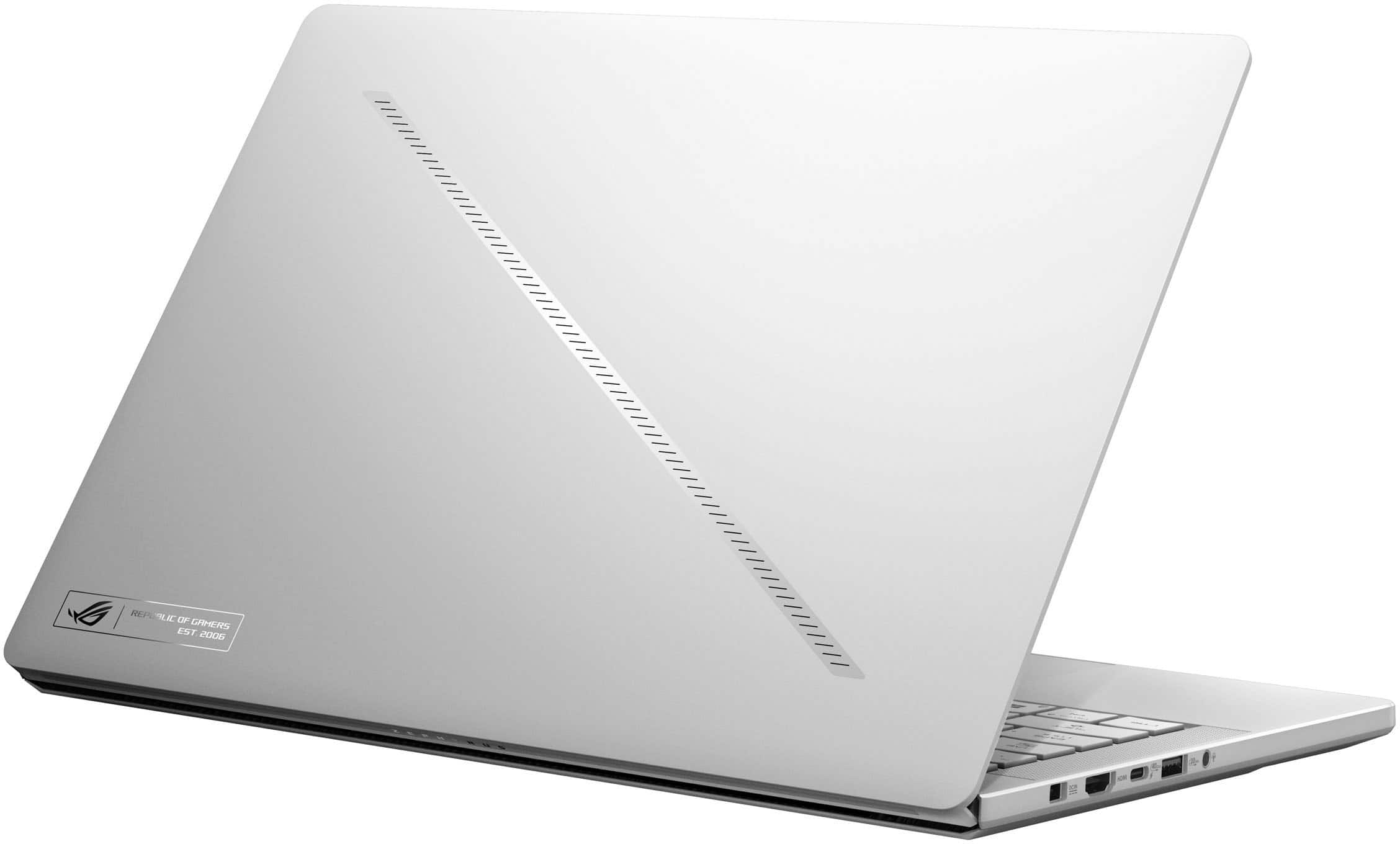




















- Model:
- GA403WR-G14.R95070TI
- SKU:
- 6613954
Rating by feature
- Battery Life
Rating 4.1 out of 5 stars
- Speed
Rating 4.8 out of 5 stars
- Display
Rating 4.8 out of 5 stars
Customers are saying
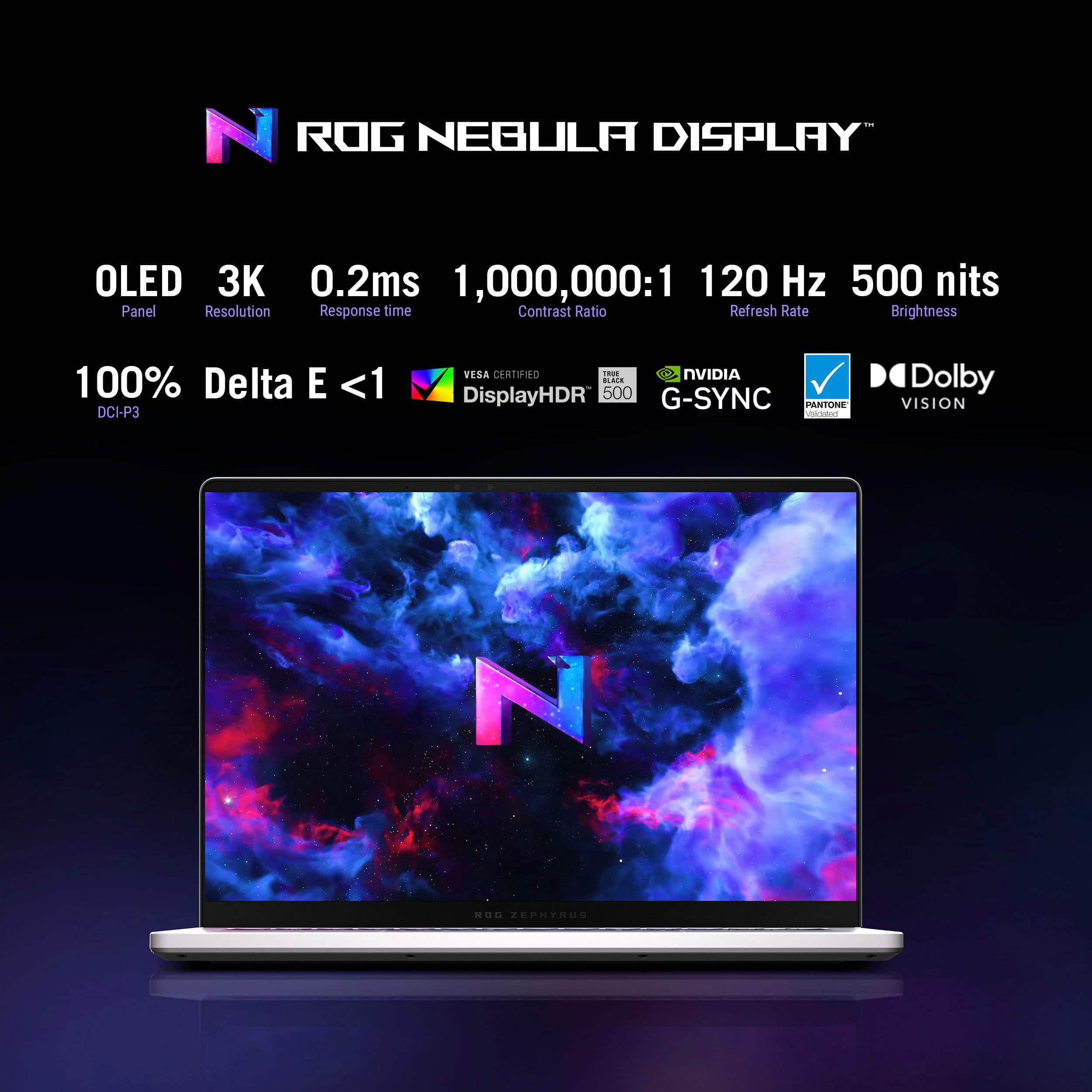
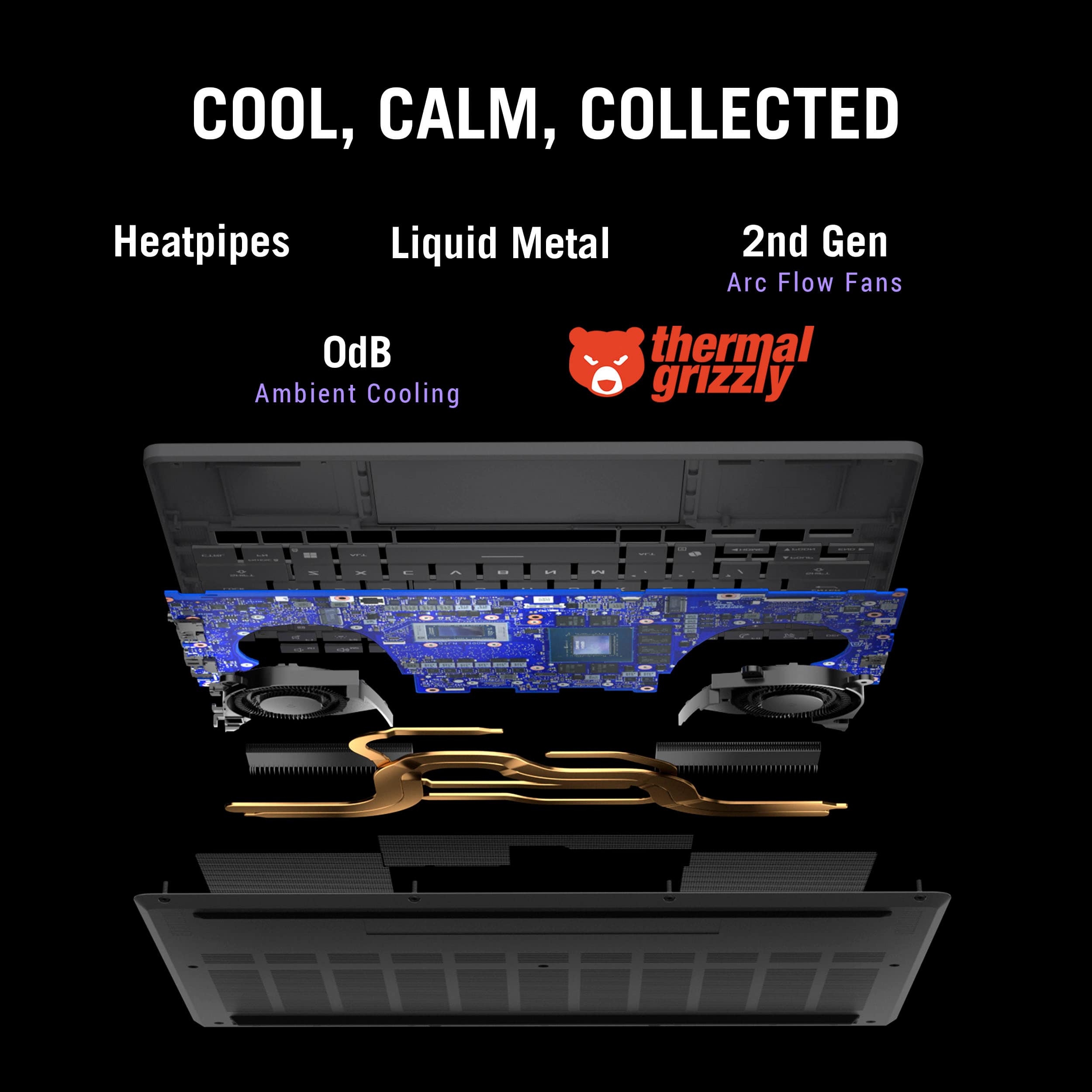
Customers love the ROG Zephyrus G14 for its phenomenal build quality and portability. Many are impressed with the battery life, gaming performance, processor speed, and OLED screen quality. However, some customers have expressed concerns about fan noise and heat dissipation. A few customers mentioned the screen size may be too small and the port count is limited.
This summary was generated by AI based on customer reviews.
- Pros mentioned:Battery life, Overall performance, PortabilityCons mentioned:Noise level
Powerfull and portable
||Posted .This reviewer received promo considerations or sweepstakes entry for writing a review.The G14 is an amazing balance of performance and portability. It handles heavy workloads and gaming smoothly, the display looks great, and the build feels solid yet lightweight. Battery life is decent for a machine this powerful. Fans get loud under load, but that’s expected. Overall, one of the best compact laptops I’ve ever used — highly recommend.
I would recommend this to a friend - Pros mentioned:Battery life, Overall performance
Great laptop when plugged in using an AC adapter!
||Posted .This reviewer received promo considerations or sweepstakes entry for writing a review.This laptop is definitely a beast when it comes to gaming. It definitely deserves the praise it's currently getting from the various YouTube influencers. When on battery and running in ECO mode, it's also very efficient. When I bought it, it was my intention to use it as a replacement for my 2023 Asus Strix Scar 16 with a 4080. Performance-wise, it was not that much different. Where it differed was in its overall weight and size. Significantly smaller and half the weight of my Scar 16, it felt like a good match. However, my new requirement was also to have something that could run off of a USB-C charger in a low-power mode when using on an international flight while plugged into a 100W power outlet. Unfortunately, testing using HWiNFO revealed that the laptop does not support PD Bypass; the USB-C charger charges the battery at the same time the laptop is being powered by the battery. This is regardless of whether Asus Battery Care is enabled or disabled as well as whether the battery is 100% charged (a trick mentioned on some Reddit forums). The end result is significant wear on the battery in this use case, potentially shortening the battery's overall life. In the end, as it didn't suit this use case, I opted to keep the Scar 16 and ended up returning the G14.
I would recommend this to a friend - Pros mentioned:Battery life, PortabilityCons mentioned:Noise level
Sleek and Mighty
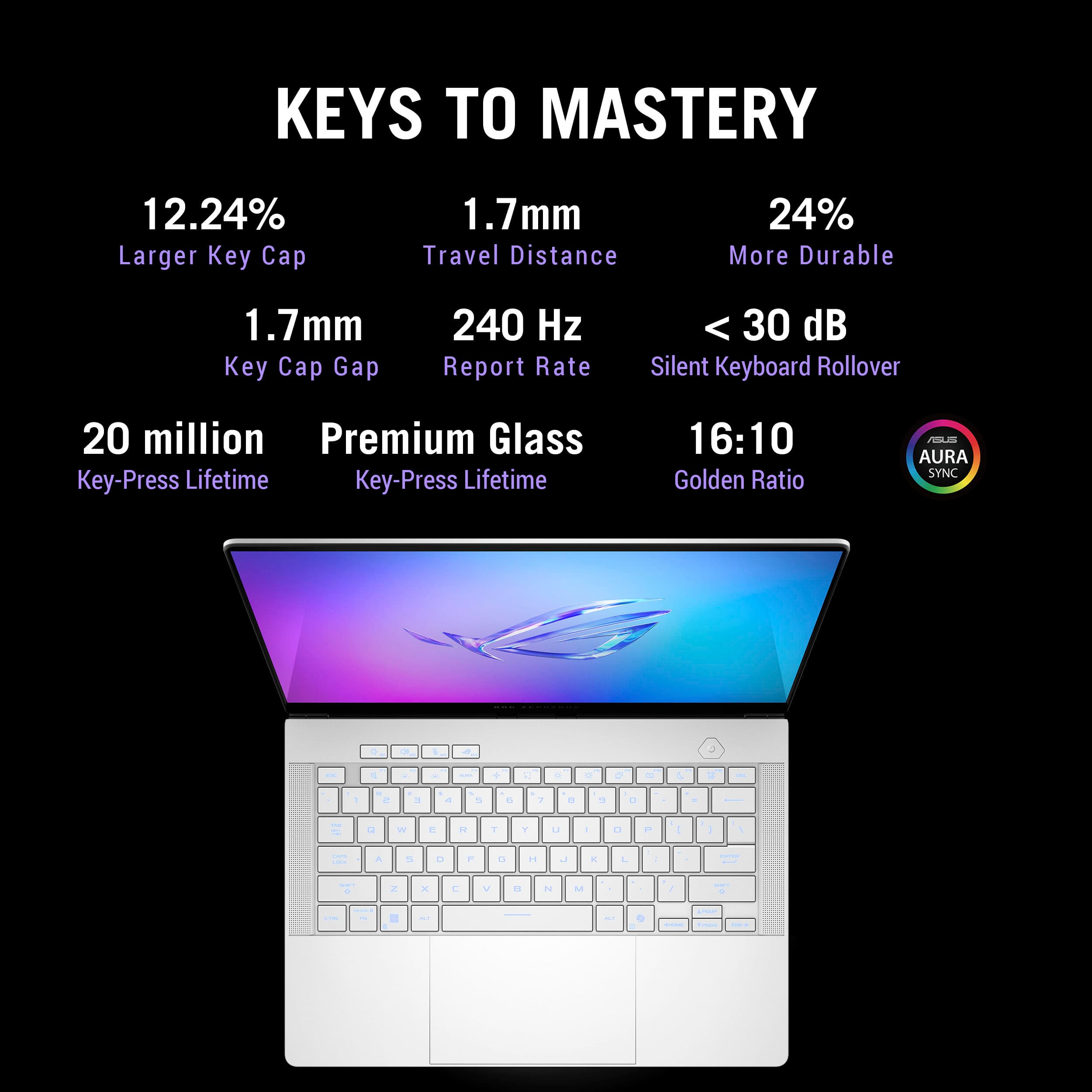
||Posted .This reviewer received promo considerations or sweepstakes entry for writing a review.I upgraded from a Mac book air. It's about the same size. It is mighty and compact. It gets LOUD when gaming though. Also I have it connect to an external monitor with HDMI. Oled is very, very nice. Sleepk design, Keyboard is better than MacBook Air. I do not think it is per key RGB but honestly I do not care much for per key RGB. Watch a youtube video on G-helper oh and change windows power setting from sleep to hibernate lasts like 5-6 hours on battery, regular use ( web, youtube)
I would recommend this to a friend - Pros mentioned:Overall performance, Processor speedCons mentioned:Heat dissipation, Noise level
My Experience with the 2025 ASUS ROG Zephyrus G14
||Posted . Owned for 1 week when reviewed.This reviewer received promo considerations or sweepstakes entry for writing a review.I’ve been using the 2025 ASUS ROG Zephyrus G14 in Platinum White, and it’s hands down the best mix of power and portability I’ve owned. The 3K OLED display is stunning, and the Ryzen AI 9 HX with the RTX 5070 Ti handles everything from gaming to creative work without breaking a sweat. It does get warm and the fans kick up during heavy use, but the performance and design easily make up for it.
I would recommend this to a friend - Pros mentioned:Overall performance, PortabilityCons mentioned:Noise level
Awesome performance on the go
||Posted . Owned for 3 weeks when reviewed.This reviewer received promo considerations or sweepstakes entry for writing a review.This laptop is amazing. I cant believe you can pack this perfomance into such a small frame. Gaming on the road or anywhere you want to take a laptop has never been easier. People who complain about the noise of the fans are rediculous. You cant expect to play the games this laptop can without trying to keep itself cooled off. The 3k display is crisp, clear and fantastic. You cant ask for much more out of the display quality. The laptop itself looks amazing as well. ASUS doesn’t slack in the quality department. The lighting on the keyboard and on the outside of the laptop works and looks flawless. You can accomplish a multitude of things on this laptop. From gaming with the 5070 has helped with the heating compared to the 40 series gpus and the cpu which runs amazing as well. You can do school projects and work projects as well as editing pictures or music. This laptops performance comes second to nobe. Worth the money and the commitment.
I would recommend this to a friend - Pros mentioned:Battery life, Oled quality, Overall performance
Crazy OLED screen g14
||Posted .This reviewer received promo considerations or sweepstakes entry for writing a review.This is one of the best laptops I've ever used. Went from a 2021 G15 to this and the OLED screen is insane, I've only seen such a pannel in a macbook pro. The battery life is also really good, easily lasts for the entire day of classes with general use. Performance is really good for a 14inch cuz of the 5070ti.
I would recommend this to a friend - Pros mentioned:Oled quality, Overall performance, Portability
Super powerful laptop!
||Posted . Owned for 1 month when reviewed.This reviewer received promo considerations or sweepstakes entry for writing a review.This laptop is an absolute powerhouse in a compact form. The OLED display is stunning, performance is smooth for gaming and creative work, and the build quality feels premium. Runs modern games and heavy workloads without slowing down.
I would recommend this to a friend - Pros mentioned:Oled qualityCons mentioned:Heat dissipation, Noise level
Amazing little hot machine.
||Posted .This reviewer received promo considerations or sweepstakes entry for writing a review.This machine is great for the most part. Build quality is solid with no flex. Screen is 3k OLED 120hz with excellent contrast and fast response time. Keyboard has excellent travel and wide key caps. Trackpad is glass and has smooth tracking and is very accurate. The issue is the heat and fan noise. In Performance and Turbo modes this thing will get toasty. It can handle and game you throw at it but the APU and dGPU will both reach the 90s. If you get a cooling pad this may help but I didn't so I returned it. Battery life in silent mode is average around 6 hours max...nothing exceptional.
I would recommend this to a friend - Pros mentioned:Oled quality, Overall performance, Portability
G14 5070ti review
||Posted .This reviewer received promo considerations or sweepstakes entry for writing a review.I got the g14 5070ti version, and am honestly very impressed. It runs all my games better than I thought it would, including modded Minecraft at 1440p 144fps. Oled screen is slick, and the laptop is nice and light. Only reason it’s not getting 5 stars is because it has been a little buggy with starting up and shutting down, I get the occasional freeze. But nothing power reboot can’t fix. I don’t use it without it being plugged in so I can’t speak to battery life, but I’m sure running it in eco mode using ghelper would make it last a long time.
I would recommend this to a friend - Pros mentioned:Overall performance, PortabilityCons mentioned:Heat dissipation
G14, awesome 3k display and portability
||Posted .This reviewer received promo considerations or sweepstakes entry for writing a review.Excellent and very powerful machine. I loved the portability of it but the only complaint is the screen is a little too small, but if you’re willing to sacrifice portability over display size then go with the G16. 3k is amazing. After all updates I will recommend uninstalling all Asus app and go with G-helper. It’s a more user friendly version to run all the bells and whistles of this little power house. I also recommend a cooling pad. This thing gets really hot and on too of keyboard is where the heat concentrates but GPU and CPU runs cool. Other than that everything is running absolutely smooth and cool.
I would recommend this to a friend - Pros mentioned:Oled quality
Who Expects Greatness from a 14-Inch Laptop?
||Posted . Owned for 1 week when reviewed.This reviewer received promo considerations or sweepstakes entry for writing a review.So I bought this laptop at $1,480+tax - a steal compared to the original price. Since then, I've been doing a lot of gaming and editing. Games played so far: Marvel's Spider-Man 2, Resident Evil 4 (2023), Indiana Jones and the Great Circle, and Marvel Rivals. Notably, I've had to do a little tinkering with settings; I've had a few GPU crashes on Rivals, Outer Worlds 2, and Spider-Man. However, that doesn't stop this from being a beast that can handle games at high settings at 1440p (with DLSS). The extra RAM and storage is very helpful with all of my tasks, the OLED screen is gorgeous, and most of all, the design is sleek yet professional enough for me to take it with me to work.
I would recommend this to a friend - Pros mentioned:Overall performance, PortabilityCons mentioned:Noise level
Best portable gaming laptop
||Posted . Owned for 1 week when reviewed.This reviewer received promo considerations or sweepstakes entry for writing a review.⭐️⭐️⭐️⭐️⭐️ – Small Laptop, Big Attitude This thing blew me away the second I opened it. It’s light, sleek, and feels like it was built by someone who actually games. The screen is gorgeous—colors jump out and everything looks super smooth. It starts up fast, loads games even faster, and hasn’t stuttered once on me. The fans do kick in when things get intense, but that’s just it letting you know it’s working hard. It’s easy to carry around, doesn’t feel bulky, and still makes every game look and run amazing. Honestly, it’s the first laptop I’ve owned that feels just as good for relaxing on the couch as it does for serious gaming sessions. If you want power without the backpack workout, this is the one.
I would recommend this to a friend - Pros mentioned:Overall performance, Portability
I’m impressed!
||Posted . Owned for 2 months when reviewed.This reviewer received promo considerations or sweepstakes entry for writing a review.I’ve been using this laptop daily for a variety of graphics/CPU intensive tasks and it has been performing excellent. The use of Ghelper and Max battery charge capped at 80% has prevented my battery health from dropping at all. Plays any game I have thrown at it at high/ultra setting Perfectly. Super portable, feels very well built, looks awesome, deters finger prints well. Nothing to complain about here.
I would recommend this to a friend - Pros mentioned:Portability
Great When they get it Right!
||Posted . Owned for 1 month when reviewed.This reviewer received promo considerations or sweepstakes entry for writing a review.I purchased this laptop to take with me to school. I was looking for something that I could play any game I wanted to and for it to still look not like a massive hunk of metal like many other gaming laptops that way if there was a day I needed to take it to class it would not be a problem. If you are looking at a computer in this price range I assume you have done your nitty gritty readership like its benchmarks and anything related to detailed performance. So now I would like to explain the hands on experience. The day the laptop arrived I was thrilled excited to have an experience that all the YouTube videos promised. Once it arrived I was dumb stuck by an incredibly unpleasant experience. The power button was not working, and when I would get it to turn on it would die almost immediately, Eventually I got so fed up I decided to contact Best Buy customer service where we scheduled an exchange date because they had come to the conclusion that I had already made of the laptop being defective. The process of the exchange was incredibly smooth and helpful but it is worth noting that I lived near a Best Buy. Once I had acquired the non defective laptop it was smooth sailing and I was thrilled with the results. Everything had felt fast and snappy and no more power button or battery life issues. Because of the 50 series cards this laptop is equipped with DLSS 4 which in single player games pretty much allows the laptop to outperform a real desktop with an amazing OLED display it makes up for the size. I would not recommend using DLSS in a multiplayer game. I would highly recommend this laptop and if any problems occur BEST BUY WILL HELP! If you are not satisfied then the return process seems easy.
I would recommend this to a friend - Pros mentioned:Battery life, Overall performance, Portability
Powerful Hybrid Work Laptop
||Posted . Owned for 3 months when reviewed.This reviewer received promo considerations or sweepstakes entry for writing a review.This G14 although hesitant at first surpassed my expectations. This laptop is powerful enough to run FPS games at more than 200 FPS and also slim and lightweight enough for travel and schoolwork. The battery life will ensure to last you throughout the day. Good for use on the go or at a desktop.
I would recommend this to a friend - Cons mentioned:Port count

Performance Doesn't Meet Expectations. OK Though!
|Posted .This reviewer received promo considerations or sweepstakes entry for writing a review.To be clear, I know what I am doing with tech like this, I went to school for it. Nothing I reference below is “user error” or ignorance. Calling tech support for me is the LAST Option on my list. I can usually fix all of my issues with mostly anything by myself, including removing soldered on chips and components from boards and replacing them on my own. Even with the impressive spec list on this machine it is "still just a laptop" and feels very "limited" compared to a desktop with "lesser specs and components." That said, I REALLY, REALLY wanted to like this one. I thought this was going to be an easy 5 star item based on my experience with my Asus TUF F15 from last year which I loved, and still do. Maybe I hyped it up too much in my own head while waiting for it to arrive. I was looking forward to getting my hands on it like a kid waiting for Xmas morning to arrive. I had last year's ASUS TUF F15 (FX507VI) 16GB, Intel I7, 15.6 inch, 144hz with the RTX 4070 but experienced semi frequent crashes while playing certain game titles. So, I was really looking forward to getting this G14 as an “upgrade” in my hands, especially with the access to more RAM. Truth be told, any graphics settings past 1080p WITH A MONITOR CONNECTED and this thing will shut itself down and “auto reboot” into windows like I just turned on the power, not just crash the game and make me relaunch it. When I had “crashes” with the same game(s) on the F15 TUF laptop, the game would shut down and leave the laptop running normally. This one boots me completely out of Windows into a fresh boot cycle. This G14 is really “software” quirky. I am even getting Windows Display Properties Errors now after weeks of dealing with it. For the first 3 days I could not get 3 different sets of gaming headsets to work….no microphone. No one could hear me. Then I randomly opened “copilot AI” software and talked to it….THEN my headsets magically started working in game. Very Odd! Also, to this very day, every time I turn on the laptop (stays connected to a monitor, Sony Invision M2 , 27 inch 160Hz) it ALWAYS switches my display settings back to “extend” instead of where I had it set to previously, “mirror.” Just a ton of quirky-ness that is super annoying to deal with, especially on a “premium gaming laptop.” Why Windows will not leave my Display Settings at “mirror” and constantly flips it back to “Extend” is beyond me. I found myself getting frustrated with this machine more than once and going back to my Asus TUF F15 not just for the bigger screen but because it didn't fight with me every step of the way to accomplish simple things and to play a game. I have run troubleshooters and all sorts of research and even contacted ASUS at one point about the microphone not working and I waited longer than I should have to write this review in hopes that I would discover that IT WAS ME that was causing the errors somehow or that I was overlooking something simple, but I can’t say that at all. This thing is just quirky and I have a suspicion it is one of the many software titles to control graphics and processing that are bouncing off of each other. This comes with Armory Crate, NVIDIA software as well as ASUS software and AMD software all meant to control the same settings and some of the settings inside all of these titles are also natively controlled by Windows, which just adds more confusion to the mix. I can’t prove it, it is just a hunch that there are too many software titles trying to fight for control of the same parts of the system at the same time. Since I am talking about “negatives” kind of….I am going to mention right here that there are not enough USB ports on the machine for a gaming machine and there is no physical Ethernet port either so everything must be connected via WIFI. If I want to run a hard line will need to get a separate USB to Ethernet Adaptor and then again…I am out of USB access ports on the machine and forced to use a USB Hub….Actually, multiple hubs just so I can have my Basics Connected when running an external monitor, a wired gaming controller and a Headset Dongle and that leaves no room for a wired mouse, external keyboard, hard drive or anything else, without running multiple USB hubs or unplugging other stuff to make room. This is very annoying and very anti-productive in my opinion. The machine comes with 2 USB A ports, and 2 USB C and they are stacked very close together so using adaptors is sometimes not an option because everything won’t fit side by side. That's only 4 I/O ports in total. The only other ports on the machine are the HDMI out, the proprietary power input and a headphone jack. Again…NO ETHERNET PORT! I get that this is a laptop and it is meant for “mobility” but no Ethernet Port on a GAMING PC is a huge miss in my book. I mention this because I have noticed some major Latency discrepancies between other WiFi Laptops I have and this one. For some reason this laptop is always marking 60-130ms when all my other machines are marking 20-40ms both with and without this machine connected to the same WiFi. I HAVE TO use the WiFi 6G that is included with this one to get a connection that I can use…but the latency is still an issue. WITHOUT A MONITOR CONNECTED: This laptop is BEAUTIFUL! Everything looks amazing on the 3K OLED Screen and the details are {Chef’s Kiss}. BUT processing is still jittery and gameplay is herky jerky. For Example I have NVIDIA “optimized” and the game settings “auto config to system” and even with being on the “performance” side of the scale I am still not getting smooth frames with movement whilst in-game. I mean this is a 5080 With “AI” and it still can’t handle a fairly normal game like Fortnite with the above mentioned settings??? The settings are not even close to being maxed out and it is still jerky. BTW, ALL TESTING WAS DONE IN “TURBO” MODE except for when I used it on battery and not plugged in. I guess my main complaint here is the graphics card and the capability of it. AND that this was my experience in Turbo Mode! Even with the extra RAM and the Ryzen 9HX with AI it is still a chore for the machine to handle Fornite on 3k with the NVIDIA graphics set to OPTIMIZED which is only bar 3 on a bar scale of 35!!! BUT for everything else, non-gaming related, this laptop is a MONSTER! Daily tasks are nothing for this thing. Video editing is not a struggle. Video playback is beautiful on the included 3K OLED. The OLED really is stunning when not struggling with jittery controller to in game translation. I would recommend this for any sort of content creator for an On The Go or primary machine. It has saved me time and frustration in that aspect. Calling on apps and multitasking are not an issue for this one. If you are a keyboard and Mouse gamer then I can see how this would be a great option for you. The “W” key has a bump on it to locate it without looking to aid in WASD movement and the F and J Keys are also bumped for standard productivity typing. Cant speak for battery life as I run this off the plug full time but the little I did have it on battery it seems to eat batter pretty quickly in “standard” mode. The Backlight on the keyboard and the programmable light pattern on the back of the screen are cool features and the backlight on the keyboard is completely necessary because white keys on Silver is REALLY hard to see and not the best idea…but it looks cool. I can see a ton of people being really happy with this machine but if you are like me and expected this to do what I explained already then you will be as disappointed as I am. This is not something I would tell someone to run out and get if they plan on running a monitor off of it for gaming and also it is not that great at 3K for Fortnite with Nvidia set at 3 of 35. Turing it down to 1080p alleviates it a little bit but again there is the WIFI lag that I do not have to deal with on my other machines. This one is very “hit and miss” for me, but to be fair, I am sure a ton of people will be happy with it. I just expected WAY more performance based on the hype, the specs, the RAM, The Ryzen 9HX AI, The RTX 5080 with AI and all that. Too much messing around and it still doesn’t “feel right.”
I would recommend this to a friend - Pros mentioned:Oled quality, Overall performanceCons mentioned:Noise level
Runs Everything I Throw At It
||Posted .This reviewer received promo considerations or sweepstakes entry for writing a review.Have not had any issues with anything I have asked it to do. It plays all the games I have tried flawlessly and at great settings, not top, but still very amazing. The OLED looks amazing. Even with the design change to have the venting on the bottom, have not had any issue with thermals. It has gotten a little loud at times, but not for long
I would recommend this to a friend Compact Powerhouse/Desktop Replacement with Issues
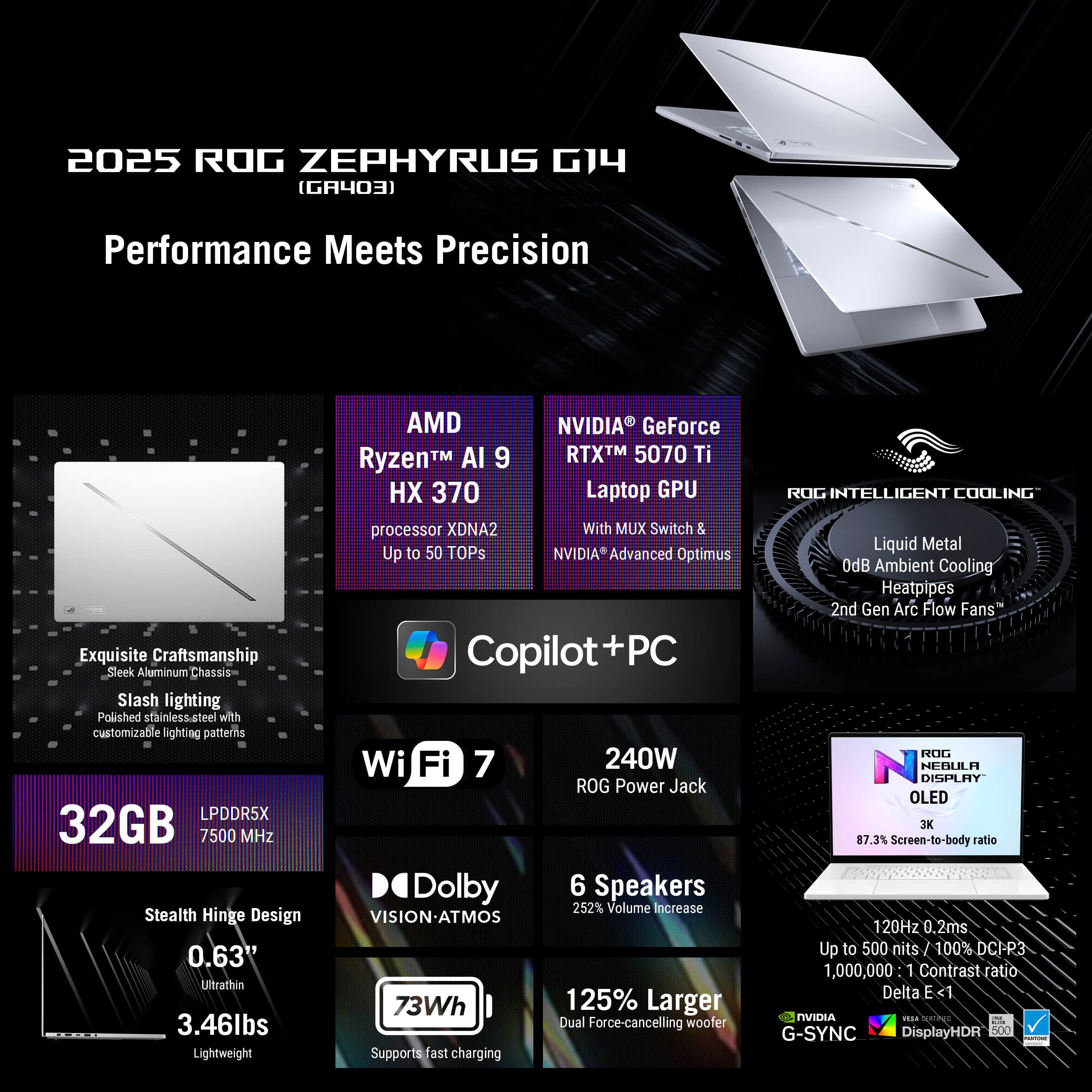
|Posted .This reviewer received promo considerations or sweepstakes entry for writing a review.The ASUS - ROG Zephyrus G14 14" 3K OLED 120Hz Gaming Laptop is clearly a compact, powerhouse that can be YOUR desktop replacement - when paired up with external peripherals & a gaming monitor. Setup and Initial Impressions: Initializing Windows 11 was as typical as it can be, from a Microsoft standpoint. I did experience a couple of incidents during portions of the unattended setup that resulted in the unit getting stuck in some kind of Modern Standby state (be it Sleep or something else...) where I was forced to do the proverbial 'hold down' the power button to force a hard reset. Having owned several different Asus/ROG models, this was a first. Once personalized & fully updated (software, drivers and BIOS), the unit did seem to stabilize and operated in full-Ryzen speedy form, but that was 5 days into my review period. Compared to my 4-year-old ROG Advantage Edition, this 2025 ROG Zephyrus G14 feels quick & responsive no matter what I threw at it or used it for. The OLED display is vivid & consistent, corner-to-corner. The weight of the unit screams quality as does the smooth action of the flip-up, screen hinges. I'm not a huge fan of the flat, chicklet key caps commonly found on 14-inch laptops, but these are good, surprisingly satisfying and easy to type on. The RGB backlighting of the keys works but nothing to write home about. That's admittedly a matter of personal taste - but I've seen better. There are no ports on the rear of this laptop but that's Ok. On something this compact, I've fine with it. The USB-4 and multiple USB 3 ports are plentiful and ALL meet their specified capabilities. I used a Sandisk Pro external SSD Pro and ATTO transfers speeds were top shelf. I would have preferred a full-sized SD card slot vs. the micro slot, but space in a 14-inch platform does naturally present constraints! The proprietary power port is great and much better than a barrel connection. The only real big complaint I have about this particular platform, in terms of design points, is the location of the Status LEDs located on the bottom edge of the display. What was Asus engineers thinking? What good is having a power state, AC power connection and storage indicators all in a position you cannot see from the front? Oops! The track pad is spacious, glass treated and something I really like. One of the best I've touched! The Platinum White aesthetic has nuanced contrasts to it, which I've grown to like. This machine doesn't scream Gamer vibe and would be fine for work environments. Gaming Experience: Although one can game "AAA" titles on this 14-inch display and they do render very nicely I might add, the real power of the ASUS - ROG Zephyrus G14 is the marriage between the Ryzen 9 Ai processor & the 5070 Ti GPU. This gets back to using this little beast as a desktop replacement rig. It can do it! The memory is up to the task, and you can add a 2nd internal SSD. Not much to dislike here. Sure, some will complain about soldered Dimms but IMHO, 32 GBs of high-speed memory is more than adequate for most consumers, and I didn't find it holding me back in any noticeable way. The stuff I'm not so happy or enthusiastic about: I'll mention the goofy position of the status LEDs again for completeness, but more importantly - this 2025 Zephyrus G14 suffers from the same old thing that plagues all Asus laptops - - their software immaturity. ROG Live, Asus Software Manager and A-Crate all generated multiple errors in the Windows Reliability History logs + those early incidents of "looked dead" situations that forced me to force Hard Resets with the power button. I've done nothing out of the ordinary, other than initializing my Microsoft accounts and updating all the typical Windows Store apps, Asus Apps and applying all Windows Updates, like anyone would do. I've installed no additional software that could bugger-up things or cause conflicts - and yet - here we go again Asus. Error Event & Reliability History logs are KEY areas of the entire Experience and that aspect of this laptop needs a bunch of fine tuning. The logs are peppered with "stop working" incidents. Moving on, I do wish to focus on the hard & fast specs of this machine that were important for me to test out. This includes Cinebench, ATTO speeds and WiFi connectivity. All of which were measured in Performance mode: Cinebench - This Zephyrus keeps a close pace with my 5950 X570 desktop and is the primary reason I can recommend this laptop as a desktop replacement candidate. 2300+ multi-core, 2000+ single core scores... consistently. No big swings or variance. Pretty rock solid in fact. ATTO - USB-4 speeds reached max speed transfer speeds for both reading & writing, on my Sandisk Pro external - pretty much in line with the performance I get on Thunderbolt ports; both for Mac and PC (Alienware M18). Thumbs up! USB 3 ports also achieve their specified maximums with the same external device. Nice job Asus! WiFi 7 - This is an area needing some immediate polish & fine tuning as I routinely experience throughput throttling for both download & upload - on the power brick. Not so good Asus! It's all over the place with this laptop, even when just 6 feet away from my Router. I could only hit the rated ISP speeds like once or twice out of 10 tests; most results came in at around 50 to 60 % of the speeds I pay for. Overall, I like how compact & powerful the ASUS - ROG Zephyrus G14 14" 3K OLED 120Hz Gaming Laptop presents itself and generally performs. It just needs more work. (updates & such) This is a machine I can look forward to traveling with... Pros: Compact, stylish, solid and dense. Nice aesthetic overall Undeniable OLED display goodness Electrical ports all meet their specifications The fans seem pretty tame to me, so I don't understand the complaints coming from others The ventilation arrangement also seems very good, and the keyboard area stays comfortable Excellent track pad! Capable keyboard even though I prefer what Lenovo does TBH and the backlighting is meh Fast little Ryzen/Nvidia machine and to me, the 5070 Ti is the sweet spot Ai features are powerful and there for those that rely upon them Cons: Hard resetting required during setup and early use - even after updating everything (It's worth noting that Ai didn't assist in this regard, which is kind of funny) Software and error logs, par for the course with Asus & ROG. Not a good look! Pretty much useless positioning of the status LEDs Inconsistent WiFi 7 performance with some hard throttling for no good reason The top-cover LED light strip is about as useful as the Status LEDs. Bling is whatever though... I was surprised to find the ProArt Control Panel missing from this machine if for no other reason that the OLED Care functionality is missing from what is provided and that it came with Nvidia Studio drivers on it - making the case that this could be both a gaming rig & a content creation platform (Asus Vivo machines come with that bit of important software) Micro SD slot Considering the price point and what you get in return, I can still recommend this laptop for many use cases, as long as one knows what they are getting into. The combination of this Ryzen 9 and 5070 Ti is something to behold! Come on Asus, finish the job on this one and make it shine! I'd give it 3.5 Stars if allowed ; )
I would recommend this to a friend- Pros mentioned:Overall performance, Processor speedCons mentioned:Heat dissipation
Great laptop, good quality
||Posted .This reviewer received promo considerations or sweepstakes entry for writing a review.This laptop has worked great for the games I've played on it so far. The boost that the 2.0ghz rated CPU gets runs most games quite smoothly. It does get very hot. A cooling pad/fan is suggested but overall. This is a great choice for gaming. A bit pricey.
I would recommend this to a friend - Cons mentioned:Heat dissipation, Noise level
Dead silent when needed, but hot/loud at 100%
||Posted .This reviewer received promo considerations or sweepstakes entry for writing a review.It's a absolutely great looking laptop. You will just want to take it out of the bag and enjoy the appearence everyday. It can go dead silent when just turning off the dGPU and use silent mode from ghelper. The iGPU can handle the 120hz screen with no issue. And you get 8+hours of battery If anything not 5 star is the noise and heat if you go with dGPU at 100% (I mean, that's why we pay the premium for a 5070TI right?). It can be very loud and kind of hot, while that's expected. I think it can be great if the 5070ti can be downvolted or limited below the min 80W on its power drain to keep the device cooler. But that defeats the purpose of such an expensive laptop anyway. After owning it, I do admit a 5070 or 5060 today can be a better pair with it. But I need the vram so bad. Maybe a 5070 super is the best match.
I would recommend this to a friend