Customer Ratings & Reviews

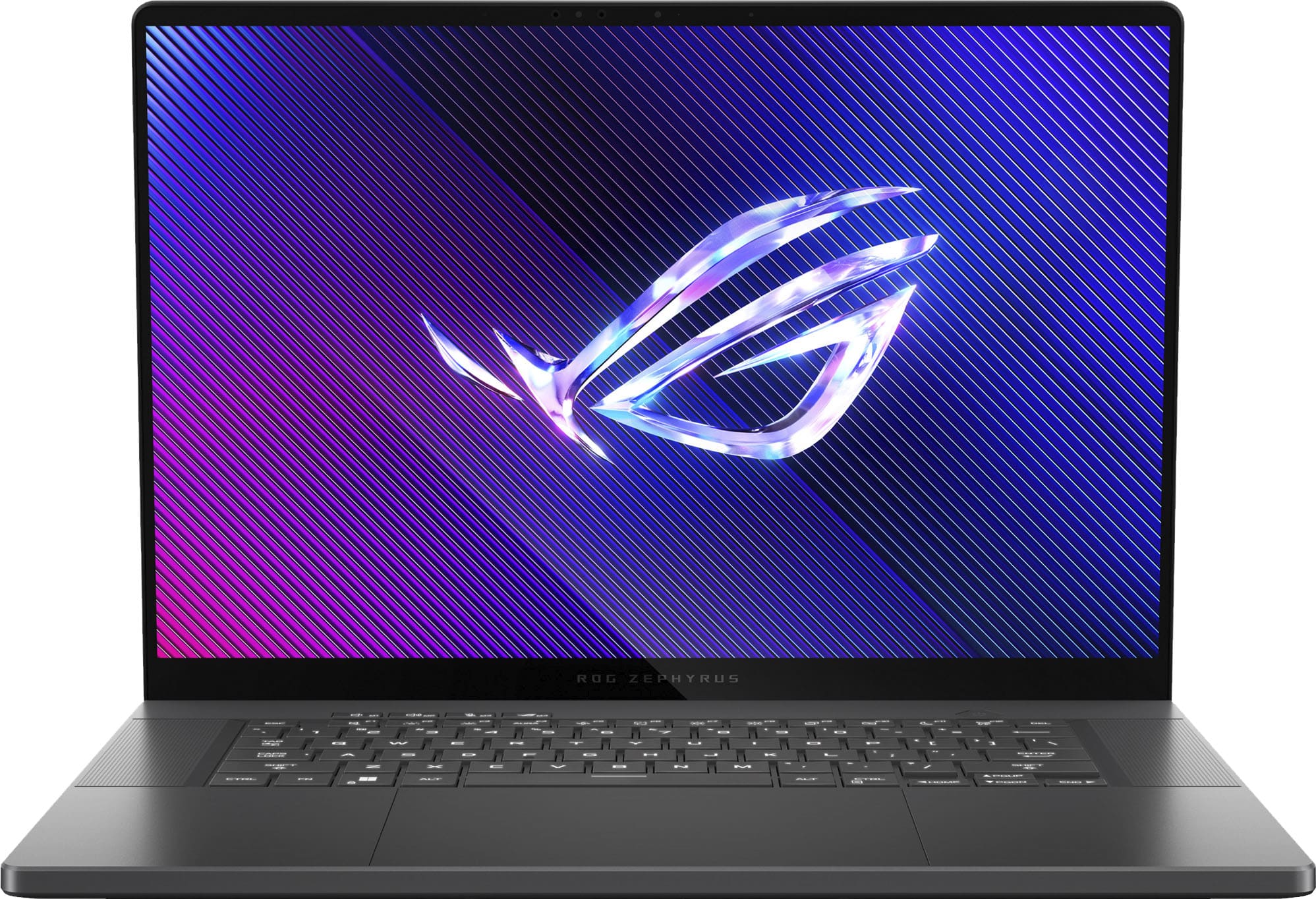
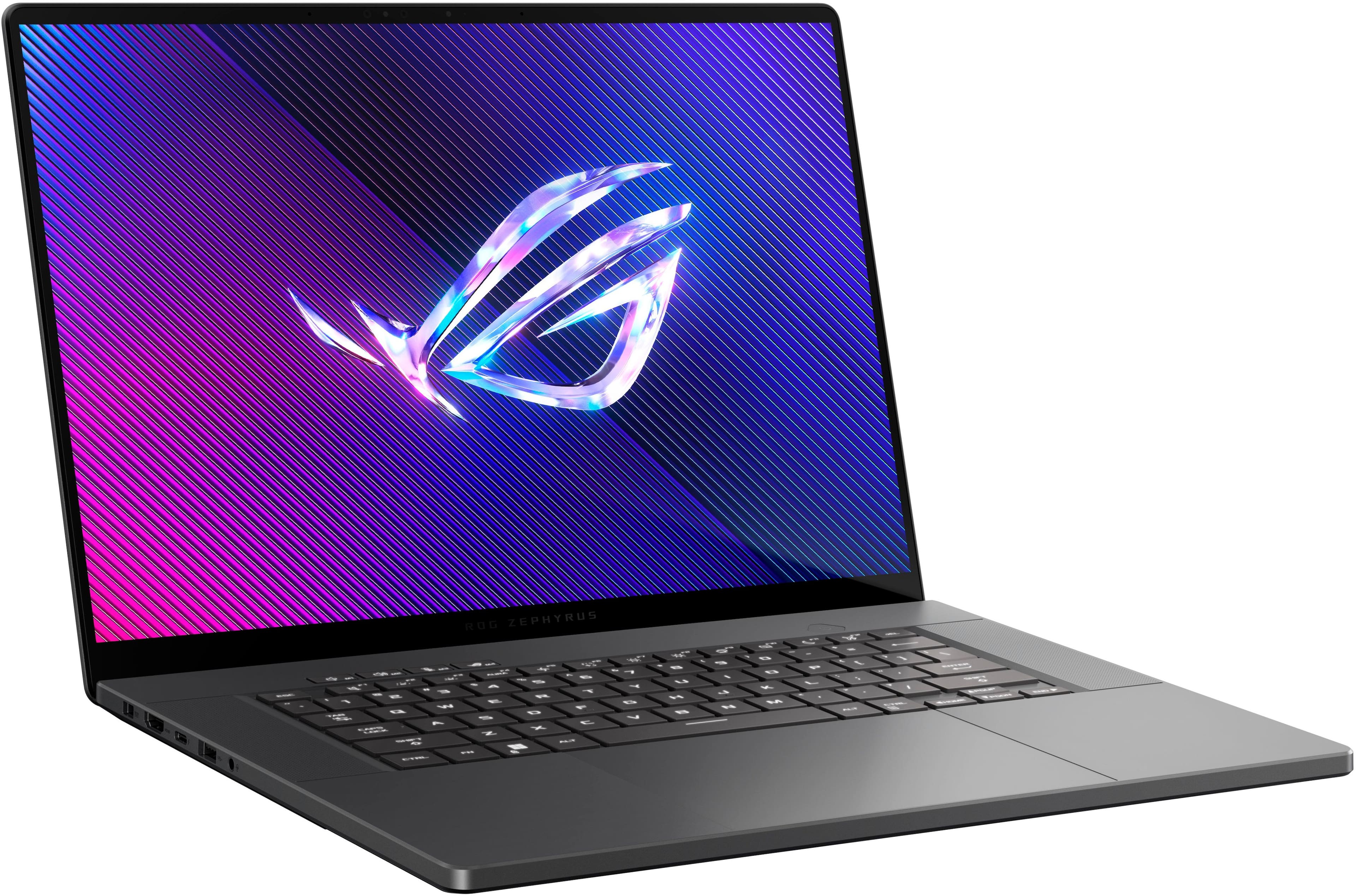
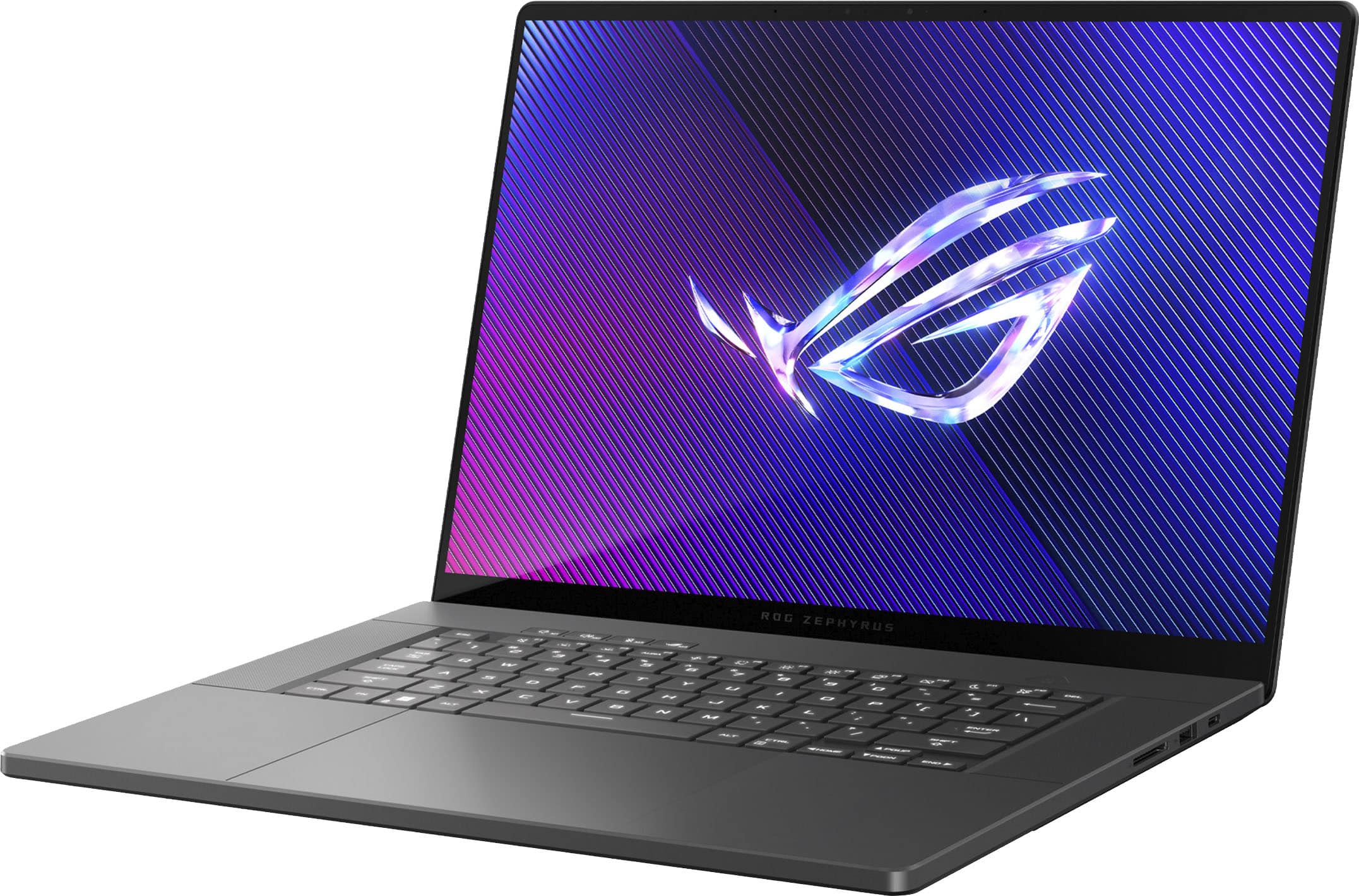
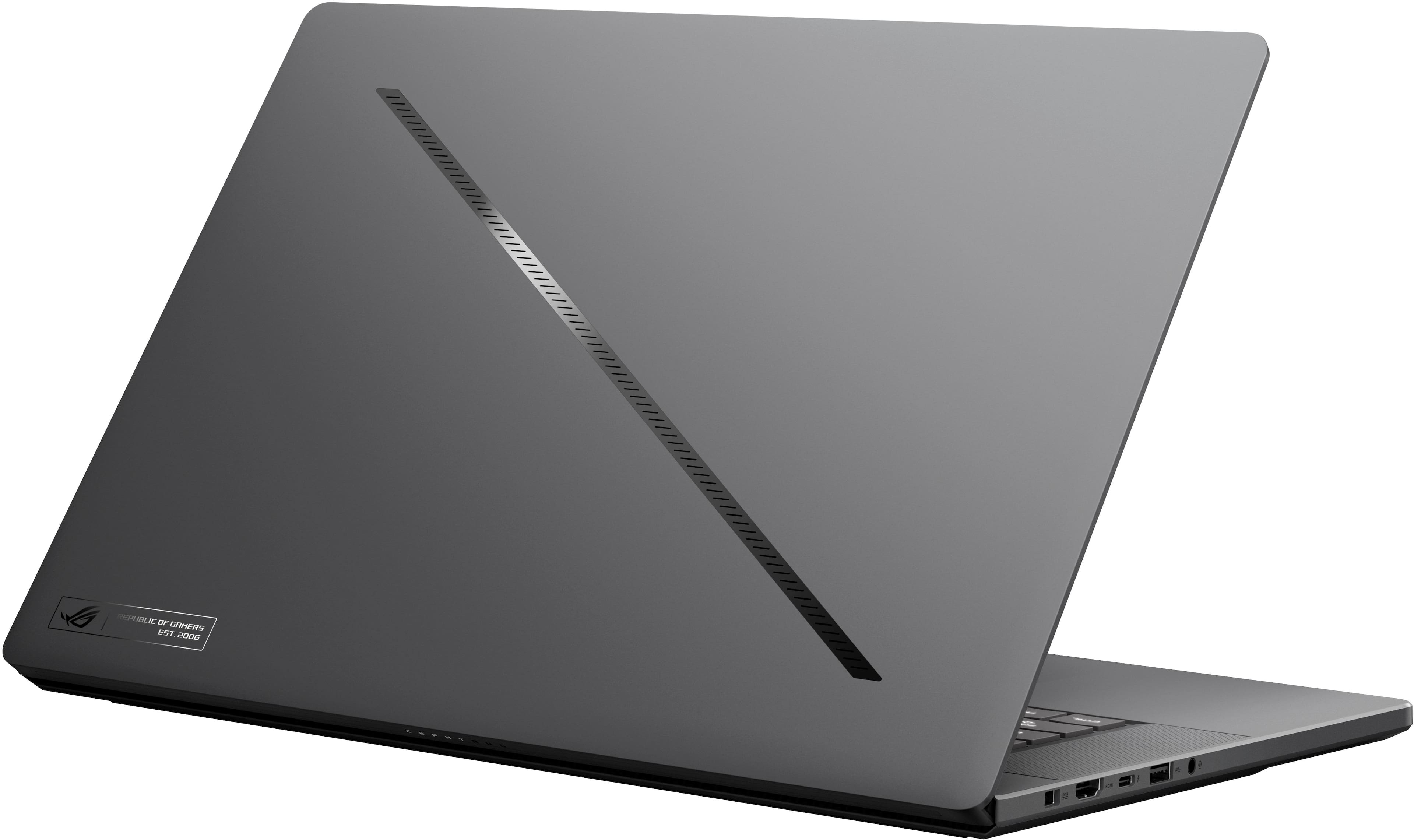





- Model:
- GU605MY-G16.U94090
- SKU:
- 6570220
Rating by feature
- Battery Life
Rating 4.1 out of 5 stars
- Speed
Rating 4.7 out of 5 stars
- Display
Rating 4.9 out of 5 stars
Customers are saying
Customers are delighted by the ROG Zephyrus G16's exceptional performance and impressive build quality, including its gorgeous display. Its portability, extended battery life, and quiet operation are also appreciated. However, some customers have noted that the laptop tends to get hot during use.
This summary was generated by AI based on customer reviews.
- Pros mentioned:Portability
Beautiful laptop with horrible quality control
||Posted .This reviewer received promo considerations or sweepstakes entry for writing a review.I’ve been using this laptop for a month. I love it being light and simple. But issues happen frequently. For the first week I got it, when I started games the screen would suddenly stop working but the laptop still run. It happened more than 5 times. I could do nothing but force restart the laptop. And today the laptop crashed while in sleep mode. When I tried to wake the laptop up I found the fan didn’t work but the body was extremely hot. I had to restart it manually. The quality control is terrible.
No, I would not recommend this to a friendBrand response from ASUS Answers
Posted .Dear Yigong H,
We sincerely apologize for the issues you've faced with the notebook and for the inconvenience caused. This is not the kind of quality to expect from ASUS products and it's not the norm. Please allow us to make your experience with ASUS a better one.
Based on the issues described, we recommend updating the BIOS. Please back up all valuable data before proceeding as this may result in the loss of any current settings, apps, and data. Ensure the unit is plugged in and do not close the lid. The following FAQ below provides the troubleshooting steps.
If you already have the latest BIOS version installed, we recommend contacting our support team at https://www.asus.com/us/support/CallUs to further investigate the problems you're experiencing or to assist with getting the device repaired.
We stand behind our products and we continuously strive to improve our products and processes to achieve customer service excellence. For more information, send us an email at [email protected] and provide the case number "N2407020984-0010" for reference. We’ll do our best to provide a quick resolution to your case. Your feedback is important as it helps with improvements to ASUS Support channels. Thank you for choosing ASUS.
Best Regards,
Chantae
ASUS Customer Loyalty US Support
How to update BIOS in Windows - https://www.asus.com/support/FAQ/1008276/
- Pros mentioned:Oled quality, PerformanceCons mentioned:Heat dissipation, Noise level

Stunning performer but with considerations
|Posted .This reviewer received promo considerations or sweepstakes entry for writing a review.The new ASUS ROG Zephyrus G16 has been much anticipated and I was watching the tech world with the first hands on during CES2024. I watched as many of those first glance videos as I could and it didn’t take long for me to decide that I had to get one. The form factor shaved off a bit of thickness and weight from previous year models and I was never a huge fan of all the LEDs on the top of the screen lid so the more subtle slash is much more appealing making this laptop something I would even take to a business meeting and after hours get my game on. The specs are outstanding. Sporting the newest Intel Ultra 9 CPU and a RTX4090 GPU gives it a ton of horsepower under the lid. Add 32GB of DDR5 ram and a 2TB NVME SSD you are tacking on some serious memory and storage. While the memory is soldered in as a compromise to get the thinner profile it does help offset that with an extra NVME slot so you can add additional storage for more gaming fun. The OLED screen is super crisp and the high refresh rate make for a super sharp display. I did run into a bit of tearing while watching Youtube videos at full screen but upgrading to the latest drivers corrected most of that. With HDR enabled the colors pop! While playing Tom Clancy’s Division 2, my favorite FPS game for years, with graphic settings at High and Ultra for most everything I got a wide variety of frame rates. They jumped all over the place but never below 60 frames per second while mostly running around 75-120 depending on the complexity of the graphics. I did notice a bit of performance throttling but all within expectations. When I connected to a 34” ultrawide monitor via HDMI while playing Division 2 I noticed that the frame rate held to only 60 frames per second, constantly. With same settings as before… High, Very High and Ultra High graphics. It wouldn’t budge above 61 FPS. Game play was smooth but somehow I expected more from a RTX4090. I’ll have to dig further to see if there are any settings I can make to the hardware to unleash the potential. I didn’t time battery life but gaming isn’t something I’d do on battery power. I’ll take the power brick with me for gaming but even my CAD workstation can’t go untethered for too long. Now for some of the not so good… fan noise during game play got pretty loud. It was noticeable and if not playing with a headset it my become annoying. The one thing that bothered me most was the temperatures. The fans were doing their best to keep the temps down and I can live with some of the fan noise but the thing that bothered me most was the skin temps. Either side of the keyboard and the space between the keyboard and the screen were too hot to touch with temps on that section between the keyboard and screen running at a high of 133 deg F, give or take a few decimals of degrees. Underneath the temps were pretty high too so it might be that the laptop isn’t really ready to be a laptop but a more like a very portable workstation. Once I exited the game temps dropped pretty quickly to around 100 deg F so just a tad over normal body temps. To help with the temps down I had to break out a tabletop laptop cooler which did help some but the cooler is not something I’d toss in my laptop bag. An observation of why temps might be so high with the lid open. As the lid comes up it partially blocks the heatpipe fan exhaust port that runs across the rear of the laptop. Maybe it just redirects it down more but it does seem to create an airflow restriction in my opinion. I did notice temps drop just a slight bit while playing with an external monitor and lid closed… but only slightly so this may not be as big of a deal as I would suspect. The price tag is a bit steep but you pay for the specs and performance and it’s actually competitively priced against similar spec’d units by the other guys. I’m a huge ASUS fan and always recommend laptops and components to my friends and family. Other than the temps and the somewhat disappointing frame rates (with acceptable game play) considering this is a 4090 I think ASUS is continuing to prove they are leaders of the pack. Hopefully new drivers will help with temps and frame rates.
I would recommend this to a friend - Pros mentioned:Battery life, Build quality, Oled qualityCons mentioned:Heat dissipation
BEST. LAPTOP. EVER. FULL STOP.
|Posted .This reviewer received promo considerations or sweepstakes entry for writing a review.I’m not prone to gush over everything but MAN if this isn’t the sweetest laptop to have ever hit the market, I don’t know what is. Notice I didn’t say best gaming laptop, but just laptop. This thing is the Holy Grail of laptops: light(ish), powerful, beautiful (both laptop and screen), and did I mention powerful? ASUS really did an outstanding job here in upgrading the Zephyrus G16. Let me run through some of the highlights for me: Screen: The 2.5k OLED screen is absolutely gorgeous for both games and photo editing, not to mention just watching streaming services. The colors are bright, vibrant, and the blacks are oh so inky. I’ve watched a few of the more technical reviews of the G16 and it would seem that ASUS has done quite a feat of screen engineering to get an OLED screen to have such a high refresh rate with VRR. I don’t completely understand the technical aspects but I can see the results with absolutely butter-smooth graphics. Trackpad: You could play a game of baseball on a field the size of this trackpad! Not really, but it is absolutely huge and super silky to use. Quick, responsive, and precise. Also doesn’t look like a fingerprint crime scene after use. Easily the nicest trackpad I’ve had the pleasure to use. Style: ASUS made some nice style and finish changes to the G16 that put it in the upper echelons of laptops. The solid aluminum chassis and the new hinge give the laptop a sharp, sophisticated, and sturdy design. I don’t particularly care about the lid light-up ‘slash’ but I think it looks sharp even turned off. While I appreciated the ‘lift’ effect of the previous Zephyrus, I did NOT like the blowing of the vents straight up the screen and into my face. When open this Zephyrus is a solidly rooted device that doesn’t budge when typing or gaming. It also looks good in business/school situations where you don’t want garish LEDs and such flashing. Powerful: The Intel Core Ultra 9, 32GB of DDR5 RAM, and 16GB of VRAM on the 4090 just make this thing SLAY at pretty much anything you throw at it. I know that some reviewers were slamming ASUS for throwing in the 4090 when G16 can’t supply it enough power to really max it out, but what that overhead does give you for non-gaming needs can’t be over-stated. I’m not a computer hardware engineer but to me it does not feel like ASUS just threw that in here to boost the price, it feels like it’s there to provide the processing power to match not just some of the best gaming PCs but also the best productivity ones as well. I’ve attached some Cinemark 2024 scores to show how the G16 holds up. Power Brick: A lot of times the power brick for a laptop is a necessary evil and on some recent gaming laptops, they have been absolutely MASSIVE. I was pleasantly surprised when I pulled the 240w brick out and it was as small as some power bricks were YEARS ago. I have to think that ASUS is using some of the GaN architecture to reduce the size and heat produced by this thing. Some may also dislike the proprietary plug, but it is nice in that it is easily flippable like a USB-C plug but can actually handle the throughput, unlike the USB-C cables. Sound: The Zephyrus G16 ROCKS! The six-speaker set up on this baby actually puts out not only LOUD but also GENUINELY GOOD sound. It can even kick some bass! Music, movies, and games all sound outstanding on the G16. Home theater quality, of course not, but I would not feel jilted at all curling up with this on the couch to watch the latest blockbuster movie. Also, while talking about sound, I would be remiss if I did not talk about the impact of the cooling system. While this thing can definitely ramp up the fan/air noise when the CPU/GPU are cranking, I was surprised at just how controlled and relatively ‘mellow’ that sound was. Armory Crate: Still my favorite ‘Command Center’ software of any gaming PC maker and the iteration here is top notch. Tons of information and controls at your fingertips. Battery Life: The 90 WH battery in this thing is very good and can keep you running for a while. I was unable to actually ‘stress test’ it because I was having some issues with booting up games and they were only opening up when on mains. Weird but I think it is a setting that I messed up, not ASUS. I have a few (remarkably very few) quibbles with the Zephyrus G16. Wish it had a bit more clearance underneath for air flow. Even though I haven’t had an issue yet, it kinda weirds me out having the bottom of the laptop so flush with the desk. Also, I don’t like that when I do try to power the laptop via high-powered USB-C, there is an annoying whine. I’m trying to track down the reason for that. It’s only an issue because I have an external battery specifically designed to power a beast like this when out and about and this will make using it a bit of a pain. But that’s really it. I have yet to run into a problem that wasn’t the software’s fault (looking at you Xbox GamePass Ultimate - which BTW you get three months of free with the laptop, but I have been unable to use it because it refuses to see me as logged in, not the fault of ASUS). For me, until the ‘Fruit’ Company can make a MB Pro a viable gaming rig (they are at least trying now), This is the best laptop on the market today for anyone who has the money. It slays both as a gaming rig AND as a productivity machine, and is sharp looking while doing it.
I would recommend this to a friend A Perfect Blend of Power, Portability
||Posted .This reviewer received promo considerations or sweepstakes entry for writing a review.I’ve been using the 2024 ROG Zephyrus G16 for a few weeks now, and I can confidently say it’s one of the best laptops I’ve ever owned. ASUS has truly nailed the balance between gaming performance and sleek portability
I would recommend this to a friend- Pros mentioned:Build quality, Oled qualityCons mentioned:Heat dissipation, Noise level
Beautiful Gaming/Creator Laptop but Big Tradeoffs
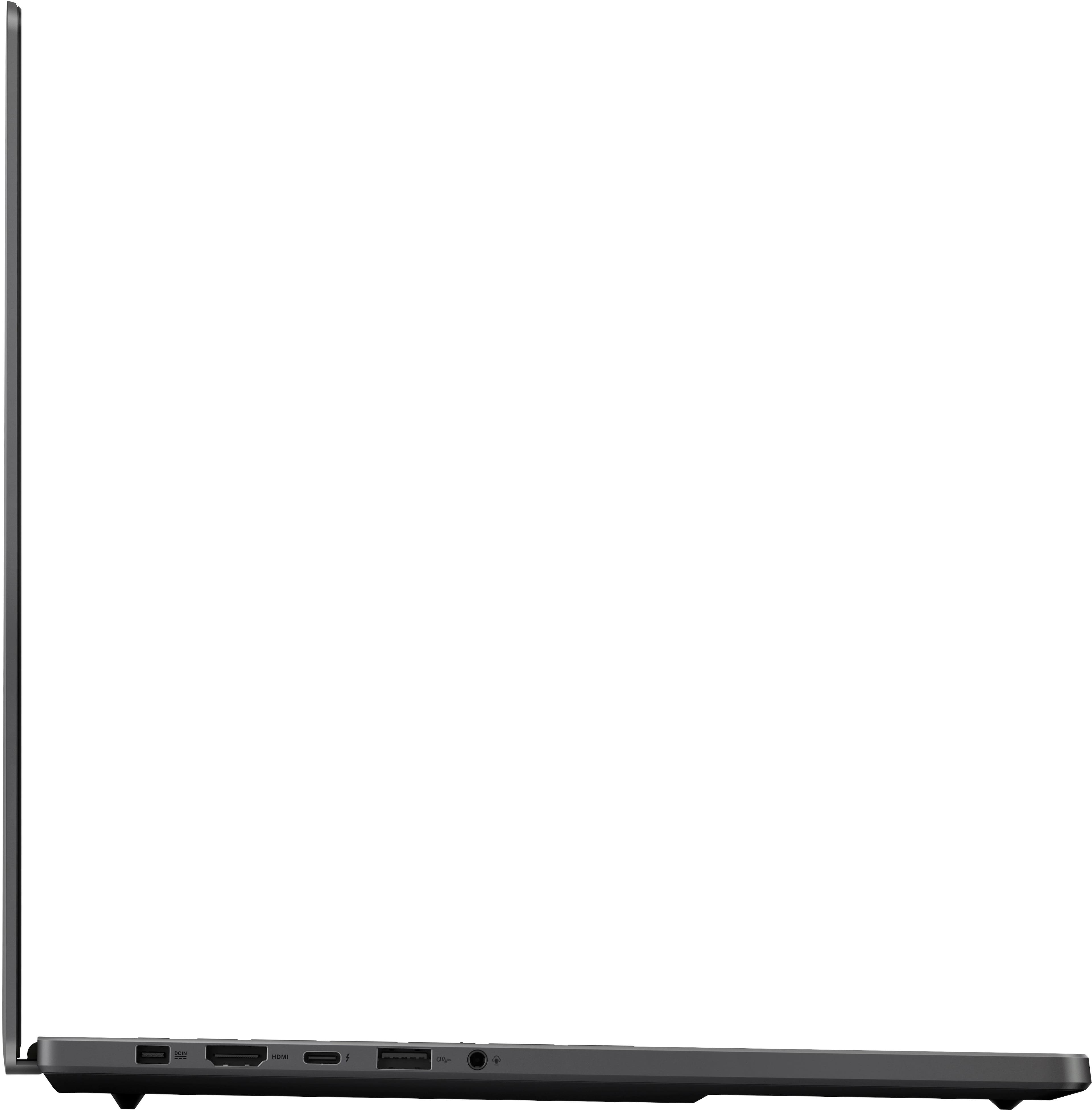
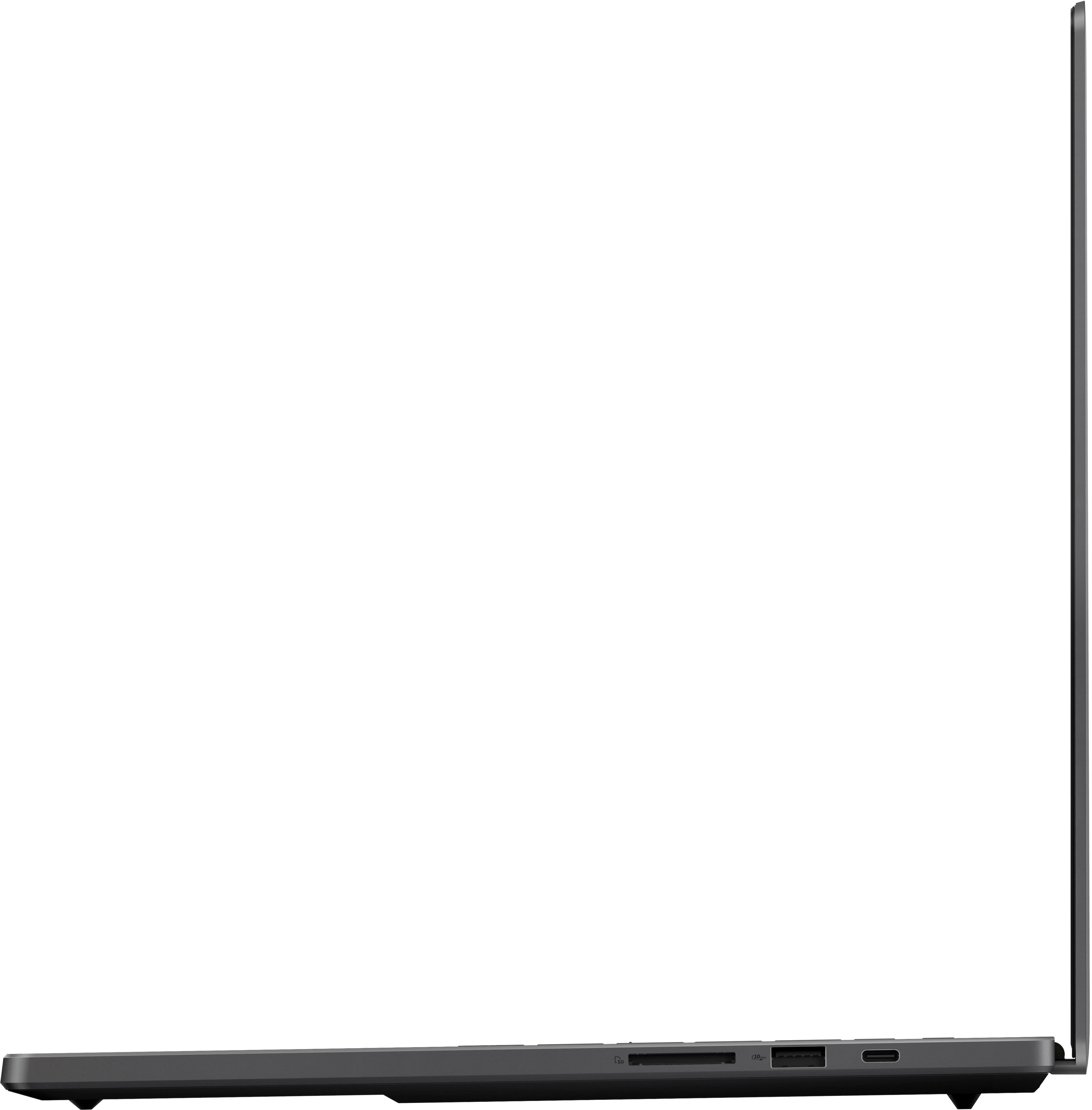
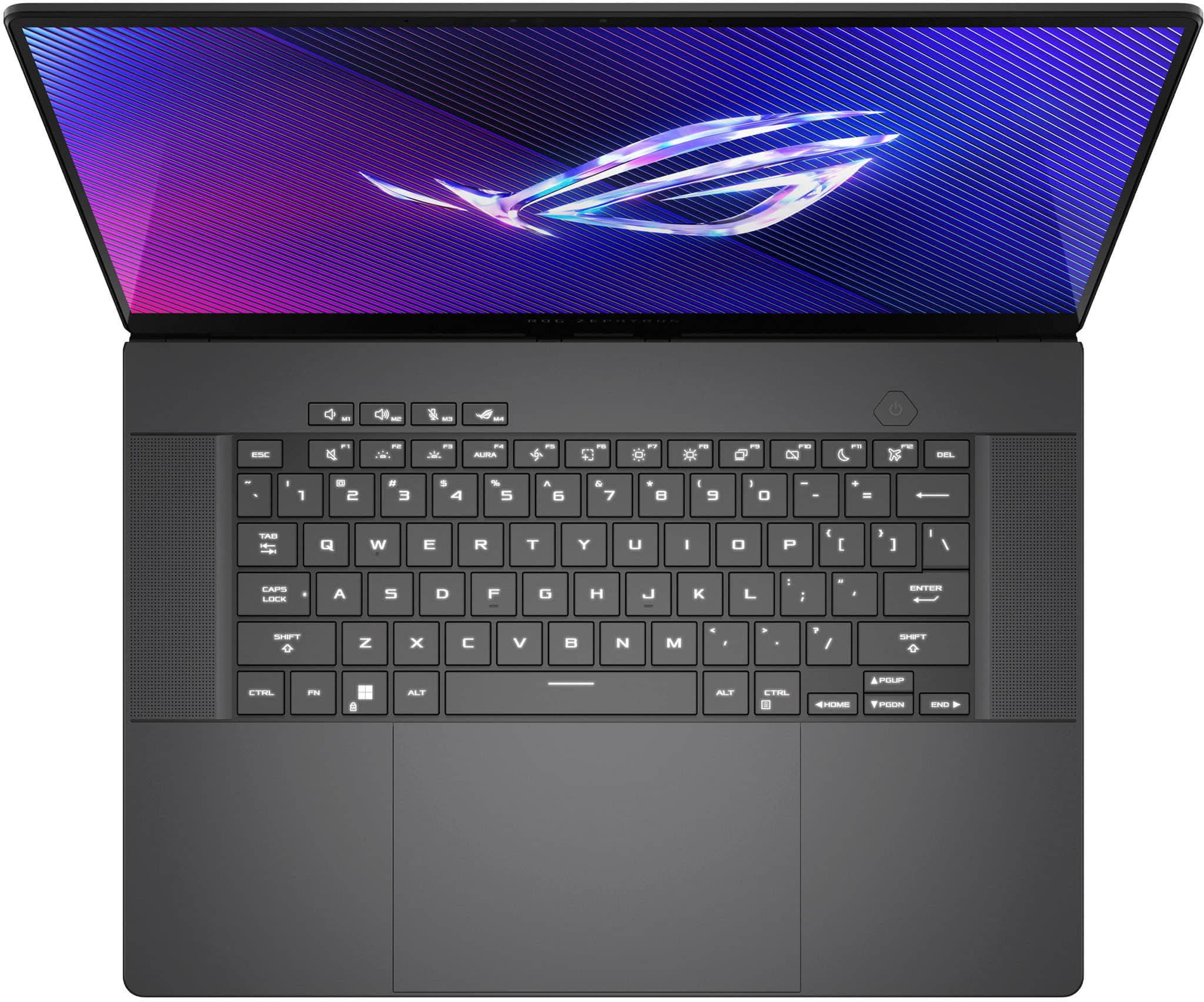
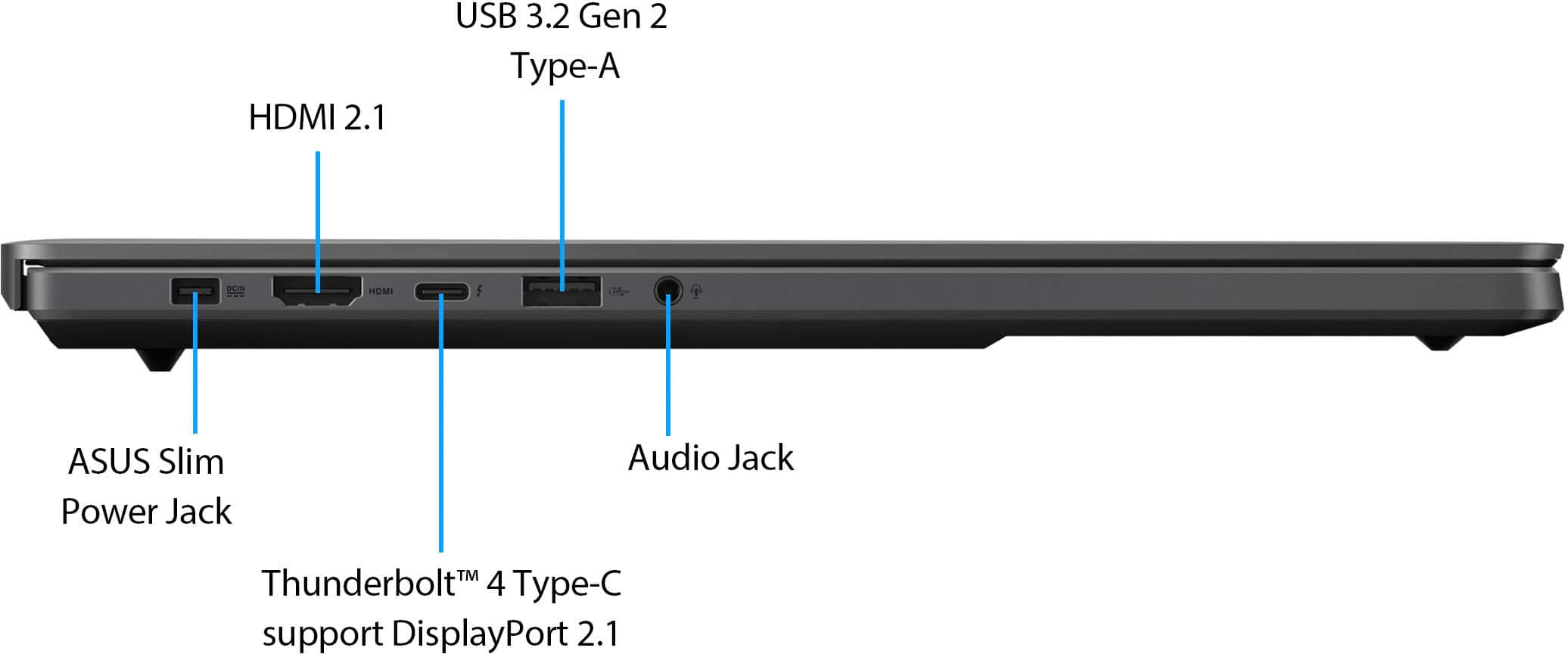
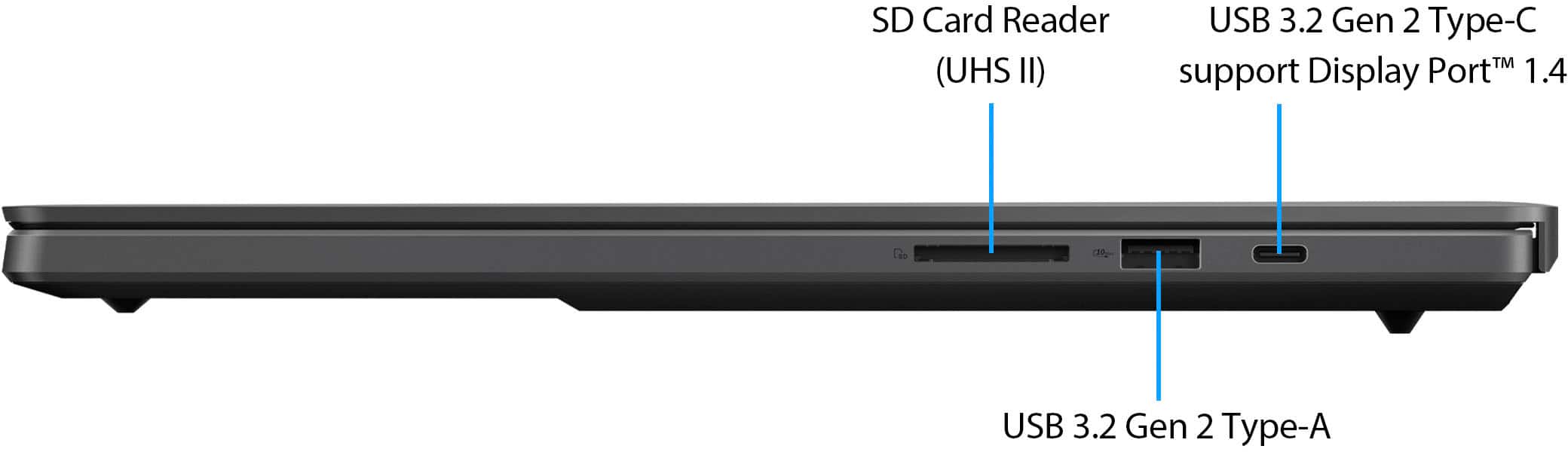
|Posted .This reviewer received promo considerations or sweepstakes entry for writing a review.I've been looking forward to the new Zephyrus G16 since it was announced at CES earlier this year. At first glance, it appears to be the equivalent of a MacBook Pro in the form of a Windows laptop. I also own a 16" MacBook Pro (M1 Pro model), so for the past week, I've been able to use them both side-by-side and see the good and bad of both machines. Bottom line: the Zephyrus G16 is a beautiful and powerful machine that will satisfy both creators and gamers, but it comes with some very notable tradeoffs including heat, fan noise, performance, and some areas of questionable build quality. === DESIGN & BUILD QUALITY (4 Stars) === - This G16 model is the "Eclipse Gray" color which I personally prefer over the other "Platinum White" color. The color is a bit darker than a Space Gray MacBook Pro. It does attract a few fingerprints, but they wipe away very easily. - Unlike every other ROG laptop I've used, this body of this new G16 is almost entirely aluminum, which gives it a very premium feeling. There is hardly any plastic to be found outside of the keyboard. Notably, the edge of the laptop near the trackpad is rounded, so there are no sharp edges that will cut into wrists while typing. - The laptop measures 13.9" wide by 9.7" deep, and just over a half inch thick. This model weighs about 4.3 pounds. If you've ever held or used a modern 16" MacBook Pro, you will know what to expect -- the dimensions of the G16 are almost identical. - There are a decent number of ports available. On the left, there's the new "ASUS Slim" power port, an HDMI 2.1 port, a Thunderbolt 4 Type-C port, a USB-A 3.2 port, and 3.5mm jack. On the right, there's a full size UHS II SD card reader, another USB-A 3.2 port, and a USB-C 3.2 port. There is no Ethernet port on this laptop. - For its 2024 models, ASUS introduced its new, proprietary "ASUS Slim" power port. I like that the plug is reversible similar to USB-C, but I was hoping that ASUS would also be able to reduce the size of the actual power brick. Unfortunately, that isn't the case. The included 240W power brick is still pretty bulky, and you'll need to find room for it in your bag if you want to get the most power out of this laptop while traveling. You can also power and charge the laptop via USB-C, but the laptop can only draw up to 100W of power via USB-C, which will limit performance. - The new “Slash Lighting” array on the cover is neat, but I’m indifferent towards it. You can select tons of different flashing patterns, but when you’re using the laptop, you can’t actually see the lights. But if you’re a fan of minimalist decorative lighting, you’ll like the new Slash light. - There are a couple of things about the G16's build quality that concern me. First, the hinge of the display does not feel very tight. As such, the display is a bit wobbly when it is touched. If you pick up the laptop while it is open, there is a very good chance that the display will fall further backwards due to the looseness of the hinge. Secondly, there are significant "creaking" and "popping" noises that come from the machine's bottom cover whenever there is any amount of pressure applied to the bottom of the laptop. In day-to-day use, the issue is most noticeable when using the laptop on my lap or picking it up to move it. The simple movements of my lap or changes in pressure to the bottom cover when moving the laptop are enough to cause very audible creaking/popping/flexing noises. I've tried tightening the screws on the bottom cover and I've made sure that the bottom cover is properly seated. But the noises persist, and it can definitely be annoying. I attempted to contact ASUS about these build quality issues before I posted this review, but I did not receive a response. === DISPLAY, KEYBOARD, TRACKPAD, & AUDIO (5 Stars) === - The star of this laptop is unquestionably the beautiful 16:10 2560x1600 OLED display. I thought the 16” MacBook Pro had reached the pinnacle of laptop displays, but I was wrong. The OLED panel in the G16 is a sight to behold with perfect black levels and rich, deep colors. Viewing angles are perfect from every direction. While only rated for 500 nits, the display gets eye-searingly bright. The 240Hz refresh rate and G-SYNC support mean that games look incredibly smooth with no tearing or choppiness. Creators and gamers alike will love this OLED panel, I’m sure. - The keyboard seems similar to past ROG Zephyrus laptops that I’ve used. Keys have 1.7mm of travel and the key caps are very large and nicely spaced. The keyboard is RGB-lit, though the entire keyboard can only display one color at a time (there are not multiple RGB zones to control). - The trackpad is among the best I’ve ever used on a Windows laptop. It is very large and made of smooth glass. It appears to be a 16:10 aspect ratio to match the laptop’s display. Gestures work perfectly. My only complaint is that the trackpad is not haptic like the one on a MacBook Pro. Rather, the G16 trackpad is a traditional “diving board” mechanism that is easily pressed at the bottom but can’t be pressed at the top. It would be nice if the entire surface was clickable like a MacBook. - Likewise, the speakers are probably the best I’ve used in any Windows laptop. They are just a small step below the quality of the 16” MacBook Pro speakers. Bass is rich and deep and there is practically no distortion at higher volumes. === PERFORMANCE, COOLING, & UPGRADES (4 Stars) === - The Intel Core Ultra 9 processor is powerful, but it’s a significant step down from the Core i9 processors offered in other ROG laptops. Intel’s Ultra processors are designed for thin and light laptops to minimize heat and maximize battery life. As such, there are some performance compromises. In TimeSpy, the highest CPU score I was able to achieve was 11,939, which is about 15% lower than a Core i9-13900H. - The following benchmarks were conducted with the “Turbo” setting selected in ASUS Armoury Crate: Time Spy benchmark: 16,424 (graphics score 17,874). The Last of Us Part1 (High preset, DLSS set to Quality): 70 fps average. God of War (Ultra preset; DLSS Quality): 87 fps average. Cyberpunk 2077 (Ray Tracing ultra, DLSS Quality & frame gen): 90 fps average. Dead Space (Ultra preset, DLSS Quality): 88 fps average. So yes, you run practically any game at high or ultra settings. - Compared to other laptops with the same specs, these benchmarks are a bit lower. This is mainly due to the lower-powered RTX 4090 in the G16, which can only draw a maximum of 115W. Other, thicker laptops with a 4080 or 4090 can draw more power and deliver better performance. I didn’t get a chance to test a 4080 model of the G16, but I have to imagine the performance difference between the 4080 and 4090 in these G16 models is minimal. - When under full load, this is probably the hottest laptop I’ve ever used. If you touch the bottom of the laptop or the area right above the keyboard while gaming, you might regret it. No joke: it’s like touching a hot stove top. I saw the CPU get as hot as 93 degrees Celsius, while the GPU seems to top out at a more reasonable 80 degrees. But the thin form factor and aluminum design of the G16 make for a VERY hot laptop. - Similarly, if you get annoyed by fan noise, this is NOT the laptop for you. The fans aren’t very noticeable when doing simple tasks such as web browsing or light photo editing. But once you set the laptop to “Turbo” mode and start gaming or doing more intense creative tasks, you’d better grab a pair of headphones: the fans get as loud as 49 to 50 dB, and the fan noise is relatively high-pitched. I am still playing around with the fan curves in the Armoury Crate “manual” mode to find a good balance of performance and fan noise. - Battery life is decent for such a thin and powerful machine, but it’s going to be LARGELY dependent on how you use this laptop. I was able to get about 6 hours of use with standard web browsing and day-to-day tasks (screen at half brightness). I decided to really test the battery’s limits by playing The Last of Us on Performance mode – and the battery was dead within 1 hour. So if you want to game while traveling, don’t forget the power adapter. - The included 2 TB SSD offers tons of space and is very fast, with read speeds upwards of 7,000 MB/s and write speeds of 6,500 MB/s. There is one extra M.2 slot if you want to add more storage. - 32GB of DDR5 RAM are soldered onto the board. As such, you can’t add or upgrade the RAM, so I’m glad ASUS decided to include 32GB rather than 16GB. The RAM clock speed is 7500 MHz. === SOFTWARE AND OTHER THOUGHTS === - There is a decent 1080p webcam (Windows Hello-capable) on the bezel above the screen. It’s not the best quality but gets the job done. This is a big improvement compared to the unreliable fingerprint readers in older ASUS models. - The included Wi-Fi card is capable of Wi-Fi 6E. I was hoping ASUS would include a Wi-Fi 7 card as that technology is is rolling out very rapidly. - The ASUS Armoury Crate and MyASUS apps are essential for tweaking the performance and cooling of this laptop and performing updates, but they just seem bloated and confusing, with basic options hidden behind layers of menus. === OVERALL === The Zephyrus G16 aims to please both creators and gamers with its sleek design, stunning OLED display, and powerful performance. However, it also has some major drawbacks, such as excessive heat, loud fan noise, and lower performance compared to other laptops with similar specs. Additionally, some aspects of the build quality, such as excessive heat, loud fan noise, and lower performance compared to other laptops with similar specs. Additionally, some aspects of the build quality, such as the loose hinge and the creaky bottom cover, may annoy some users and detract from the premium feeling of the laptop. Overall, the Zephyrus G16 is a beautiful and capable machine, but it comes with some tradeoffs that may not be worth it for everyone.
I would recommend this to a friend - Pros mentioned:Performance
Recommended
||Posted . Owned for 3 weeks when reviewed.This reviewer received promo considerations or sweepstakes entry for writing a review.The PC works very well, it is fast and the performance is excellent
I would recommend this to a friend Gaming Laptop
||Posted . Owned for 6 months when reviewed.This reviewer received promo considerations or sweepstakes entry for writing a review.I’m quite impressed with the performance of this beats
I would recommend this to a friend- Pros mentioned:Build quality, Oled quality, PerformanceCons mentioned:Heat dissipation
Powerful and small, with a display that is UNREAL
|Posted .This reviewer received promo considerations or sweepstakes entry for writing a review.I bought an Asus gaming laptop years ago and absolutely loved it, so I was excited to test this one. The first thing that stands out about this laptop is how thin and light it is; it doesn’t even look like a gaming machine. The aluminum frame gives the unit a solid, premium feel, but I believe the aluminum is primarily for heat dissipation (more on that later). For its size, the laptop has an adequate number of ports; 2 USB-C, 2 USB-A and HDMI, as well a headphone jack and SD slot. That number of ports in a laptop this size is very nice. The power adapter uses a rectangular connector which is a bit odd, but to be honest it might have been required because of how thin the machine is. Upon startup, it is apparent that the OLED display is one of the main selling points; it’s bright, crisp… basically gorgeous. The speakers are mounted on either side of the keyboard and do a good job of immersing you in the sounds of a game, although I’m sure most people will play with a headset. The touchpad is sandwiched between the bottom of the keyboard and the very edge of the frame. The keyboard itself is quite nice; the keys are very responsive and feel great, however, I have large hands, and although I don’t feel like my hands are cramped when using the keyboard, for some reason I find myself dragging a thumb across the touchpad quite often. The keyboard lighting can be controlled via the Armoury Crate app, but I usually just set this and forget it. Overall, the physical appearance and build of the laptop are impressive, especially when you realize what Asus has packed into the unit. Regarding actual game play on this laptop, I was really interested in seeing how long the battery lasted, and as I thought, even with moderately ‘excessive’ in-game graphics settings, the battery lasted around 1-1.5 hours, so prepare to have it plugged in and on a surface that will allow maximum heat dissipation, especially for longer gaming sessions, because it does get hot. The fans are noticeable while working to keep everything as cool as possible, especially under heavy load, but they’re not annoying, at least in my opinion. The unit has easily handled the games I regularly play, maintaining 70-100+ fps even on an external 4k display. However, you are not going to be placing this machine on your lap, or any other surface that doesn’t allow complete unobstructed airflow to the bottom intake vents. I used a tiltable wire mesh stand to elevate the laptop and I was still watching the CPU temp spike (2-3 secs) to 93-94 Celsius when playing certain games. The GPU temps stayed well under that, hovering around 60-70 Celsius under load, but the CPU temps do seem to cause some throttling at times. The case also becomes quite hot on the bottom and above the keyboard… I’m not sure I’d label it as ‘blistering’, but you’re going to feel it. I also noticed that when the lid is open, the display obstructs the exhaust ports. It doesn’t completely cover them, but the farther the lid is opened, the more it obstructs. I contacted Asus and received the following: “When the lid is in the open position it doesn’t obstruct the airflow of the exhaust on the rear. There's also ventilation on the bottom of the rear to support the rear exhaust. You can use the built-in application to measure the temperatures of the notebook. 120 Fahrenheit (48.8889 Celsius) is great when under load anything more than 212 Fahrenheit you may want to allow the system to cool down.” I reached out to Asus again to see if they were referring to the GPU or CPU temps, but as of yet, I haven’t heard back from them… I assume they are referring to GPU temps, which is not what I was concerned about. Maybe the obstruction isn’t considered a problem, but I’ve watched the CPU temp climb 1-2 Celsius (using the Armoury Crate app) by moving the lid from about 30 degrees to fully opened. Overall, I do believe this laptop is a solid gaming machine, although I’m concerned about the heat and its long term effects on the components over time. The cost is high, but it’s comparable to other brands with similar specs. This laptop is very light and compact, and the display is absolutely incredible, making it perfect for someone on-the-go. So if you’re in the market for a high-end ultra-portable gaming laptop, this machine might be a good fit for you… just know that it’s going to run hotter than what you’re used to (at least that was my experience).
I would recommend this to a friend Power and necessary for world domination
||Posted . Owned for 2 weeks when reviewed.This reviewer received promo considerations or sweepstakes entry for writing a review.Way way way more power than what's needed. If you wanna make moves, design doomsday viruses and nuke Narnia this is Your laptop.
I would recommend this to a friendG16
||Posted .This reviewer received promo considerations or sweepstakes entry for writing a review.Asus G16 has been great using it for school and gaming.
I would recommend this to a friendDefective item!
||Posted . Owned for 7 months when reviewed.This reviewer received promo considerations or sweepstakes entry for writing a review.I was excited to purchase the 2024 Asus ROG Zephyrus G16 GU605MY, but unfortunately, it hasn’t lived up to expectations. After about a month, the charging port, HDMI port, and one of the USB-C ports on the right side completely stopped working. On top of that, the laptop has randomly shut down on several occasions, which makes it difficult to rely on. The battery life is also disappointing, barely lasting a couple of hours under normal use. For the price, I expected much better reliability and performance.
No, I would not recommend this to a friendBrand response from ASUS Answers
Posted .Dear ClaudiaN,
Thank you for your comment.
We certainly understand your disappointment and the inconvenience this may have caused. ASUS is an ISO certified company, as a result, all products go into a strict manufacturing standard. All ASUS products undergo intensive quality control testing and inspections that ensure each one is trouble-free, and are built to last, this is a random problem. ASUS provides warranty coverage for the product. We recommend you send the laptop in for service to determine if this is a hardware issue so this may be resolved immediately. An RMA number is required to send it in for service. For RMA details, please go to: https://www.asus.com/us/support/article/818/. If you need more information or further assistance with the warranty for the product, please email me at [email protected] and I would be more than happy to help. Or, you are most welcome to call Product Support Hotline at: 1(888) 678-3688. Also, you can chat with an ASUS live support agent from the link: https://www.asus.com/us/support/article/1135/.
Thank you for choosing an ASUS product.
Regards,
Rodel
ASUS Customer Loyalty
- Pros mentioned:Battery life, Performance
Incredible Performance
|Posted .This reviewer received promo considerations or sweepstakes entry for writing a review.I think you would be hard pressed to find a better gaming laptop that is currently on the market. This laptop is absolutely stacked with features, including some that aren't readily available anywhere else, like the OLED screen. The screen is truly impressive. With its native resolution of 2560x1600, it's very sharp, but being an OLED screen, the contrast, color reproduction and viewing angles all benefit and far surpass its competition. Then, you add the ability to use up to 240Hz refresh rates, and you can see how special this laptop is already. Using the screen is an absolute pleasure. This combined with the performance and design, makes this laptop an equally good choice for creatives. As someone who's daily work uses Adobe's suite of products (Photoshop, Premiere, After Effects, Illustrator), along with 3D rendering software which includes Blender and other tools, gaming machines are often the best machines to use for my variety of work. It's refreshing to see a laptop that is clearly a gaming laptop in spec and capability, but its design makes it welcome for professional use too. The color reproduction also helps in this area, as the screen has very accurate color. The outer casing of the laptop looks sleek, the slash is a subtle, and nice touch. The lighting can be disabled if you find it distracting. It doesn't gather lots of fingerprints either. Its weight isn't overly heavy either. ASUS has managed to check nearly every possible box. Of course, I also do a lot of gaming, and the laptop does not disappoint here either. I have ran benchmarks in some of the more demanding games, or ones that have good benchmarking tools so I could share my results. Needless to say, this laptop handled everything I threw at it without much trouble. I'll start with probably one of the most demanding tests, Cyberpunk 2077. Using its Overdrive Ray Tracing mode will bring many machines to their knees. If you're playing using the OLED screen on the laptop at 2160x1600 resolution, you can easily get 60 FPS utilizing Nvidia's frame generation. As I often game on my TV or Monitor. I connected the laptop to those to push it harder at 4k for most of my testing. Cyberpunk, still using its overdrive ray tracing and ultra settings was able to run at 45-50 FPS, which is truly impressive. When using a VRR display, this makes for a very playable and incredible looking experience. This was by far the hardest test for this laptop, and I'd say it was a huge win. With minor tweaks, you could be running at 60 FPS easily. Or if you're using the laptop's OLED screen, you wouldn't have to do any tweaks and just play it maxed out. Other games were easily maxed out as well. Forza Horizon 5 is another game I like to use for testing, since its benchmark tool usually shows any weak points as well. Forza Horizon 5 was a locked 60 FPS at 4K. I imagine you could easily run at higher framerates on the laptop's screen as well. I also tested using Gears 5. It's a bit older game, but it has a great benchmarking tool, and it helps to show just how well this laptop performs. It easily pushed 60 FPS at 4k with every setting maxed. I'm positive it could push higher framerates too. I also wanted to mention that all these tests were utilizing ASUS's Armory Crate software to dial in the performance of the laptop. I used the "Ultimate" GPU setting and the "Performance" CPU setting. You could likely squeeze out even more performance by switching the CPU to use the "Turbo" setting. I liked to keep the laptop on the "Performance" setting, since the fan didn't have to work as hard while using the "Performance" setting. This laptop has the capability to be your gaming machine for quite some time. If you are in the market for a high-end gaming or creative laptop, this laptop easily handles both. Its performance combined with an incredible OLED screen make it an easy choice. It's clear a lot of thought has gone into the design of this laptop as well. While you can charge using a USB, that won't quite provide enough power if you're trying to game on it as well. Using the included charger will allow you fully utilize the machine, and while it may seem like a minor feature, it's one that I really like. The plug for the laptop is reversible, sort of a like a USB 3 cable. There's no fumbling trying to figure out which way to plug it in. My only minor complaint is that there is no ethernet port. Not a deal breaker, since you could use a USB hub to utilize one, but it would be nice to have on the laptop itself. Pros: Incredible Performance, Beautiful Screen, Well Designed, Good Battery Life, Compact and lightweight for a gaming laptop Cons: No built in ethernet port
I would recommend this to a friend Open Box only 1TB SSD
||Posted .This reviewer received promo considerations or sweepstakes entry for writing a review.Bought an open box, only has a 1TB drive, not 2TB. Did someone pull a fast one? Will return oh well…
I would recommend this to a friendBrand response from ASUS Answers
Posted .Dear Valued Customer,
We regret to hear that you received the device with the wrong SSD, as well as the inconvenience caused. This is not the quality of service we aim to provide and it's not the norm. Please accept our humble apologies on behalf of ASUS and the reseller. At ASUS, we take quality control, testing, and inspections seriously to ensure our products meet high standards. The decision to make a purchase can be important, and we want to ensure that our customers receive the best products and services. Customer satisfaction is our top priority and we will forward your feedback to our team for review.
We understand that you have returned the device, and we hope that you were able to obtain a replacement with the correct SSD and that you are enjoying using it. If you require any further assistance, please contact our support team at https://www.asus.com/us/support/CallUs.
We do stand behind our products and continuously strive to improve our products and processes to achieve customer service excellence. For more information, email us at [email protected] and include the case number "N2404017691-0001" as a reference. We will do our best to resolve your case quickly. Your feedback is very important to us and enables us to improve our support channels. Thank you for choosing ASUS.
Best Regards,
Chantae
ASUS Customer Loyalty US Support
- Pros mentioned:Build quality, PortabilityCons mentioned:Noise level
It's good, but know what you are getting in to
|Posted .This reviewer received promo considerations or sweepstakes entry for writing a review.This is an incredible machine and Asus has done an excellent job bringing this product to market. Initial impressions right after unboxing are that this will be a quality laptop, on par with MacBooks. The feel of the case, the responsiveness of the keys, and the sharpness of the display all satisfy the reason to buy this. However, it is the lasting effect that defines a product, and there are a few considerations to be made before pulling the trigger. Before we jump into the hardware, let's talk about the laptop itself. It is incredible how slim it is and yet still be able to house such powerful hardware. The design is essentially like a MacBook, and it's all aluminum chassis makes it super lightweight and rigid at the same time. There is no flex when typing nor will your arms get sore since the edges have been rounded off. Once again, the keys feel very responsive and bounces back with a lot of force. As far as I am concerned, this is the best laptop keyboard I have used. FN key choices are, well, not the best in my opinion. Why do we need a snipping key when there is already a windows default hotkey for it? At least you have four customizable buttons at the top so not a real big loss. I/O ports are fantastic, they give you everything you need. I am tired of having only usb-c ports and carrying dongles everywhere. Another nice to have is you can still charge through the usb-c, just don't expect to have full charging as with the adapter. The screen gets extremely bright and is especially useful for editing photos. Speakers have full sound and can be fine tuned through the Dolby Atmos app. Overall, there is not really anything bad to say, it's a joy to use when either gaming or working. That being said, the hardware seems to be a mismatch for this laptop. There are many complaints about fan noise and it holds true. Even on silent mode, the fan still kicks in a little. If you are bothered by fan noise in the slightest, this is not the laptop for you. The 4090, an incredible GPU, even after having it's voltage cut to fit this laptop it can still perform. The 185H processor, on paper looks like it can do it all. What is noticeable is this laptop will thermal throttle all the time. Any application that uses CPU and GPU together, you can basically say goodbye to your CPU. It seems all the power is given priority to the GPU and the CPU will dip below 40 watts. That being said, sometimes it feels as if the CPU just hasn't been configured correctly. I have tested trying to give the GPU little power and CPU more power, and yet it still drops below 40 watts when gaming. On the silent profile, it is wildly inconsistent where the speed will drop to 300 Mhz, making it impossible to game. Now that does not mean this laptop cannot game; it will still hand down beat the 4080 variant every time. But you may notice your frames dip every now and then because of the CPU. To wrap this up, I have mixed feelings about the laptop. If bought specifically for gaming on the go, this is a disappointment when the 4080 variant is a much better value. However for specific use cases where the 4090 is utilized more effectively, it is very nicely packaged in a slim profile. You can argue that this is the best you can get for the form it's in, and the form is nearly flawless.
No, I would not recommend this to a friend - Pros mentioned:Build quality, Oled quality, Performance
Beast
|Posted .This reviewer received promo considerations or sweepstakes entry for writing a review.A well built, compact, relatively lightweight laptop with a beautiful 16 inch OLED display, backlit keyboard, huge trackpad, and more. My first impression after unboxing it was 'how did they make it that compact for what is in this?!?' This thing was built to tackle anything with 32GB Ram, GeForce RTX 4090, Intel Core Ultra 9, and 2TB SS Drive. It's almost overkill for multitask, media editing, and gaming. But that is exactly what you are probably looking for! OLED display brings beautiful colors and contrasts to allow your self to be fully emersed in your game or creative content. Coupled with brilliant audio through multiple speakers. I'm not typically a trackpad user if I don't need to be, but I have to say that the size, responsiveness, and smooth surface is worth some spot light. This is definitely my favorite design and feel of any track pad I've used. Despite being concerned that with the vents being on the bottom of the laptop and not having much space between the base and the table, the laptop stays at a good temperature. The ASUS Armoury Crate allows you to monitor and adjust various settings for performance and even lighting. The ASUS ROG Zephyrus G16 (2024) features a unique lighting slash on the lid that is customizable along with the backlit keyboard. Overall this thing is a beast of a laptop, ready to tackle just about anything.
I would recommend this to a friend - Pros mentioned:Build quality, Oled quality, PerformanceCons mentioned:Heat dissipation
Slim powerhouse for all multimedia needs
||Posted . Owned for 2 weeks when reviewed.This reviewer received promo considerations or sweepstakes entry for writing a review.The G16 is a beast in disguise. Sleek, understated, and portable for a gaming laptop, it doesn’t scream "gamer," but under the hood, it delivers some of the most uncompromising performance on the market. The OLED display is a stunner—deep blacks, vibrant colors, and the 240Hz refresh rate make games look buttery smooth and alive. It’s hard to go back to anything less once you’ve experienced it. Whether you’re gaming, editing, or just soaking in media, this screen feels like an overachiever. Performance-wise, the RTX 4090 paired with the Intel Ultra 9 eats through anything you throw at it—no hiccups, no sweat. It’s not just raw power; the cooling system is impressively quiet for the hardware it’s taming. Yes, it gets warm (it’s a 4090, after all), but it doesn’t roast your hands or throttle like some laptops in its class. The 32GB LPDDR5X RAM and 2TB SSD are luxury-level specs that future-proof this machine for years, no question about it. Battery life? Not bad for the hardware, but don’t expect miracles—especially with an OLED and this kind of power draw. You’ll get a few hours out of it for light work, but gaming or heavy tasks will have you tethered to the charger. Speaking of power, the fast charging is solid, which makes quick juice-ups easy. Build quality is solid, though the chassis feels slightly more practical than premium. The Eclipse Gray finish hides fingerprints well, but it doesn’t feel particularly “special.” The keyboard and trackpad are excellent—good key travel, solid layout, and a trackpad that doesn’t feel like an afterthought. Ports are abundant and well-placed, covering almost all bases without forcing you into dongle hell. The downsides? The price is eye-watering, but that’s expected for this kind of hardware. Also, while portable for its power, it’s still a 16-inch gaming laptop, so don’t expect ultraportable vibes. The software suite—Armory Crate—feels a bit bloated but does its job.
I would recommend this to a friend - Pros mentioned:Build quality, Oled quality, PerformanceCons mentioned:Heat dissipation
Light, mobile powerhouse with incredible sound
||Posted . Owned for 1 week when reviewed.This reviewer received promo considerations or sweepstakes entry for writing a review.A slim, light mobile powerhouse that is aesthetically pleasing with a few (minor) tradeoffs. Those tradeoffs are that it isn't the most powerful 4090 implementation but when you look at the dimensions of this laptop, that should surprise no one. The fact that it's as good as it is, that's a minor miracle. Upsides: OLED display, speakers, weight, ports, performance. Downsides: soldered RAM, not as high powered to the GPU as others, gets hot to the touch where the GPU is while under load, white option is more expensive. This laptop, when on sale, represents a good value for the components inside, wish there was a 64GB version, wish there was a Ryzen 9 with the 4080 and 4090 models (I think there will be soon)!
I would recommend this to a friend - Pros mentioned:Battery life, Build quality, Oled quality
G16 4090 | A BEAST!
||Posted . Owned for 1 month when reviewed.This reviewer received promo considerations or sweepstakes entry for writing a review.The Asus ROG Zephyrus G16 (2024) is a premium gaming laptop that combines sleek design with high-end hardware, including an Intel Core Ultra 9 185H processor and an Nvidia GeForce RTX 4090 GPU. Its aluminum chassis and minimalist aesthetics make it stand out in the gaming laptop market. The Zephyrus G16 features a slim profile, measuring 13.9 x 9.7 x 0.7 inches and weighing approximately 4.1 pounds, making it relatively portable for a 16-inch gaming laptop. The design includes a diagonal strip of white LED lighting across the lid, adding a subtle gamer flair without being overly flashy. Equipped with a 16-inch, 2560 x 1600 OLED display boasting a 240Hz refresh rate, the G16 delivers vibrant colors and sharp visuals. The display covers 100% of the DCI-P3 color space, making it suitable for both gaming and color-sensitive work. While the combination of the Intel Core Ultra 9 185H CPU and Nvidia RTX 4090 GPU suggests top-tier performance, the G16's slim design imposes thermal constraints. As a result, the RTX 4090 operates at a maximum of 115W, which is lower than its potential in larger laptops with more robust cooling solutions. This limitation leads to gaming performance that, in some cases, is comparable to or slightly better than laptops equipped with RTX 4080 GPUs. The G16 manages heat effectively for its size, but during intensive gaming sessions, the CPU temperatures can become a concern. Battery life is reasonable, with the 90Wh battery providing sufficient runtime for general use; however, gaming on battery power significantly reduces playtime. The laptop features a six-speaker audio system that delivers impressive sound quality, enhancing the gaming and multimedia experience. The keyboard offers 1.5mm key travel, providing a comfortable typing experience, and includes customizable RGB lighting. The G16 offers a comprehensive selection of ports, including USB 3.2 Gen 2 Type-A and Type-C ports, a Thunderbolt 4 port, HDMI 2.1, an SD card reader, and a 3.5mm audio jack, ensuring compatibility with a wide range of peripherals. The Asus ROG Zephyrus G16 (2024) is a well-crafted gaming laptop that balances portability with high-end specifications. However, its slim design leads to performance limitations, particularly concerning the underutilization of the RTX 4090 GPU. For gamers seeking the utmost performance, larger laptops with more robust cooling systems may be more suitable. Nonetheless, for those prioritizing design, display quality, and portability, the G16 remains a compelling option.
I would recommend this to a friend - Pros mentioned:Build quality, Oled quality, PerformanceCons mentioned:Heat dissipation
It's a great laptop
||Posted . Owned for 3 weeks when reviewed.This reviewer received promo considerations or sweepstakes entry for writing a review.It's a great laptop. I also had an Asus laptop before this one, I decided to stick with the brand. At first I was a little nervous that it warms up a lot during games (not just warm, but hot enough that you can't hold your finger over the keys in the area of F5-F12 for longer than a second, but then I calmed down, realizing that this is how it should be with the 4090). Light, thin - it's amazing how they put all this power into it. The screen, the sound is great.
I would recommend this to a friend - Pros mentioned:Battery life, Build quality, Oled qualityCons mentioned:Heat dissipation, Noise level
Highly recommend
||Posted . Owned for 1 week when reviewed.This reviewer received promo considerations or sweepstakes entry for writing a review.It’s truly remarkable that this laptop is the size it is for the amount of power it contains. Yes it does get hot above the keyboard but you aren’t touching that area. And yes the fans can get loud if you go into turbo mode. Besides that they are normal sounding fans. Not overly annoying. The screen and speakers are phenomenal. Battery life is good in silent mode. Standardly bad on high graphics games when trying to game without it plugged. About a hour to a hour and a half. Couldn’t be happier that I got this for less than 2900$ with open box. Said on the box it was due to residue which I could only even find on the track pad and was able to clean it with a screen cleaner. Now if I didn’t get this open box and paid full price at 3300$ I would be more hesistant to give it 5 stars due to value ratio of the 4080 model having 1tb less ssd and being 700$ cheaper.
I would recommend this to a friend