Deals Worth GiftingShop now

Skip to content
Gift Ideas
Main Content

Customer Ratings & Reviews
Your price for this item is $235.99
Clearance
The comparable value price is $949.99

Customer reviews

Rating 4.5 out of 5 stars with 320 reviews

Rating Filter

Rating by feature

  • Battery Life

    Rating 4.7 out of 5 stars

  • Speed

    Rating 4.6 out of 5 stars

  • Display

    Rating 4.7 out of 5 stars

Pros mentioned filter

Cons mentioned filter

91%would recommend to a friend

Customers are saying

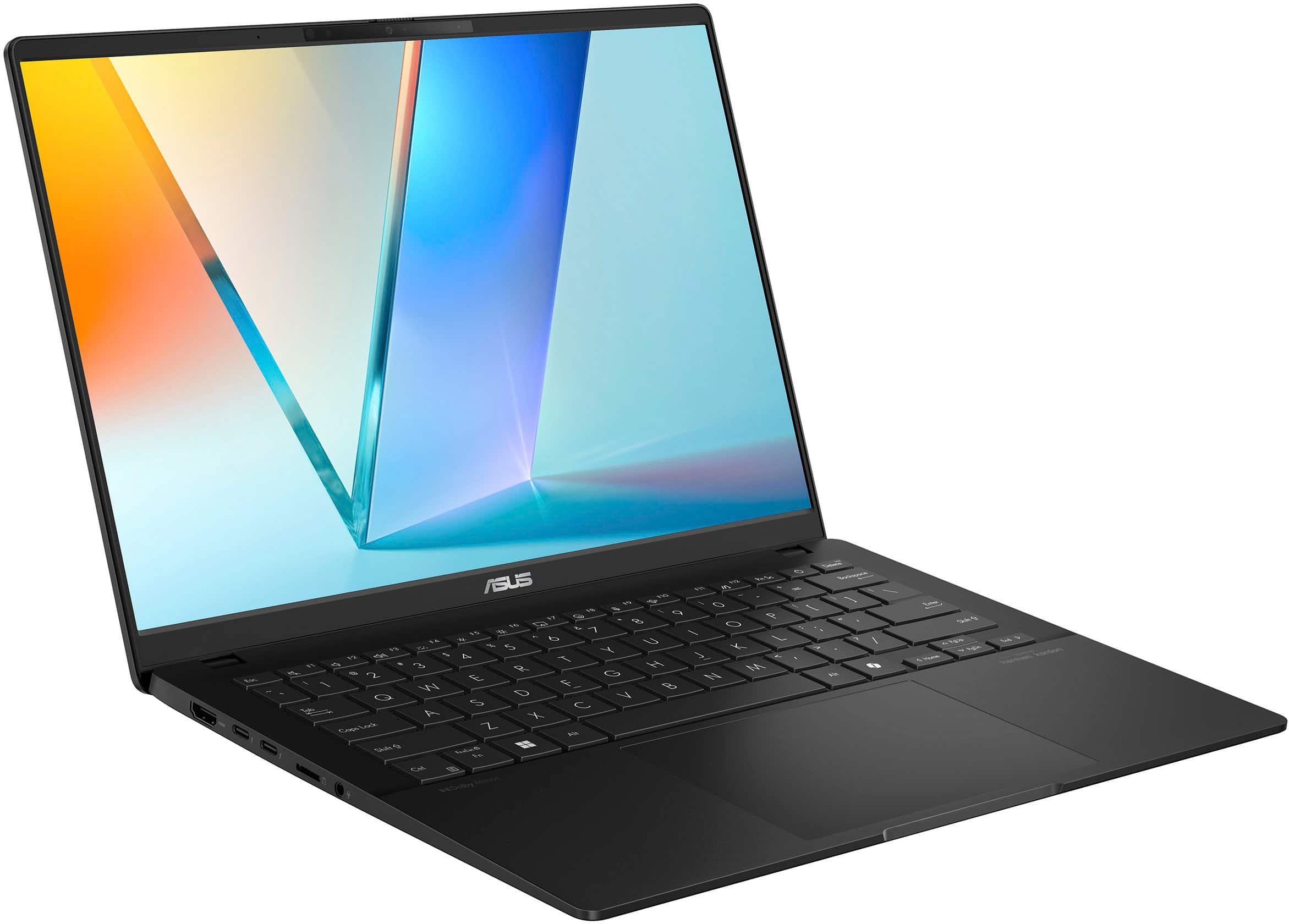
Customers frequently mention the Vivobook S 14's excellent screen quality, long battery life, and convenient portability. Positive feedback also highlights its strong performance and light weight, making it ideal for both work and travel. The ample RAM and selection of ports are also frequently praised. However, some users note that the laptop's finish is susceptible to fingerprints.

This summary was generated by AI based on customer reviews.

The vast majority of our reviews come from verified purchases. Reviews from customers may include My Best Buy members, employees, and Tech Insider Network members (as tagged). Select reviewers may receive discounted products, promotional considerations or entries into drawings for honest, helpful reviews.
Applied Filters:
Page 1 Showing 1-20 of 84 reviews
  • Pros mentioned:
    Battery life, Processor speed, Screen quality

    Rated 5 out of 5 stars

    Exceptional Performance & Value: ASUS VivoBook S14

    |
    |
    Posted . Owned for 5 months when reviewed.
    This reviewer received promo considerations or sweepstakes entry for writing a review.

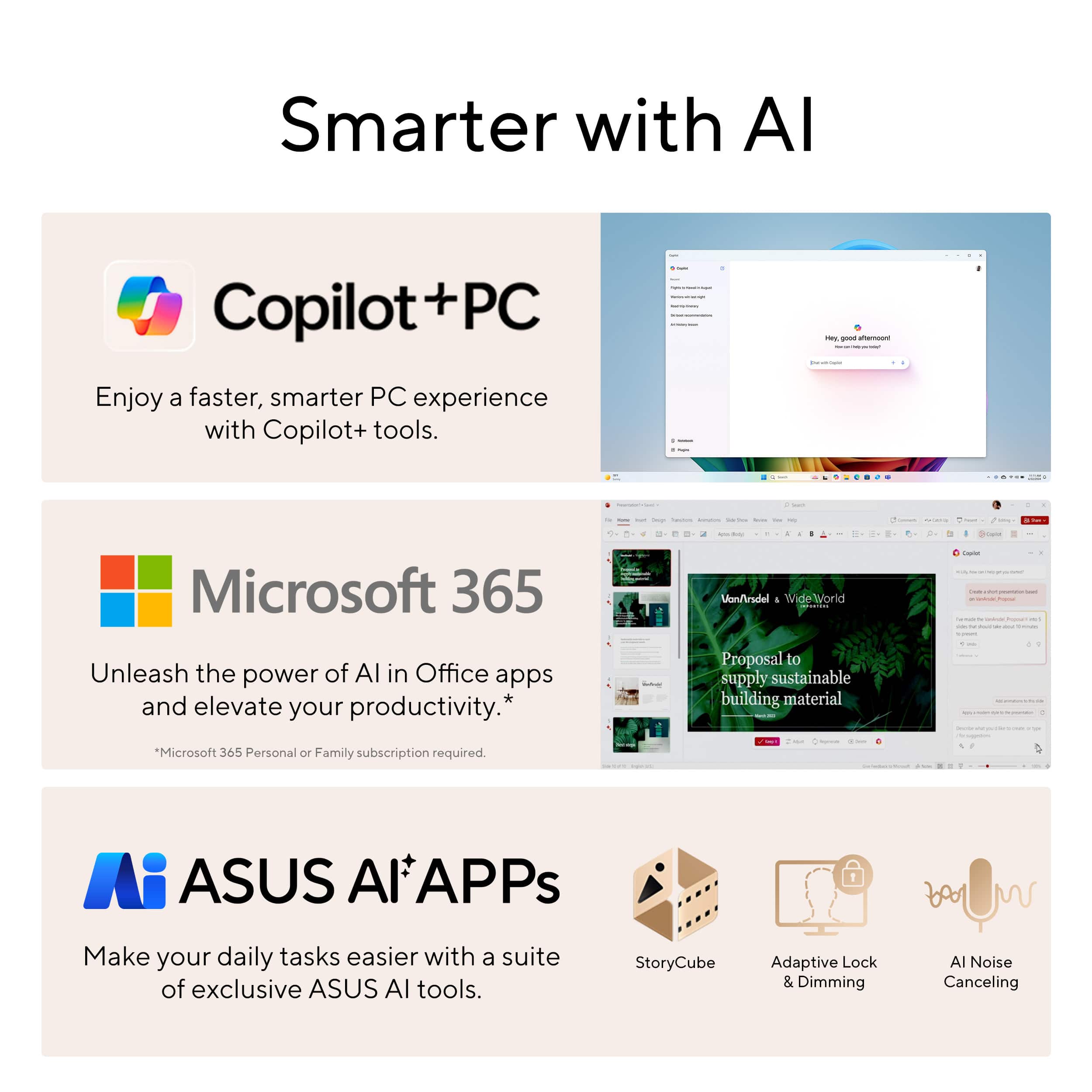
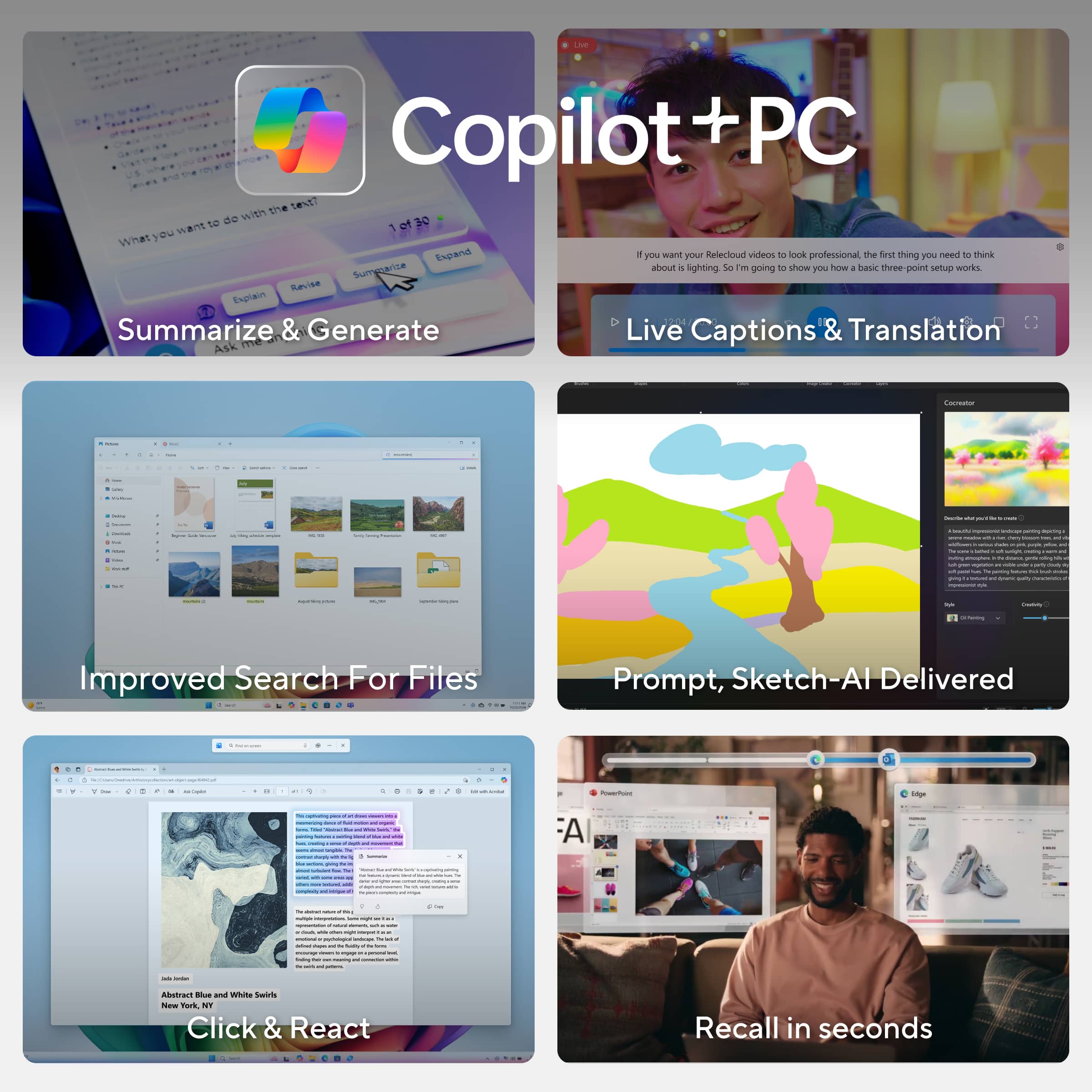
    I’ve been using the ASUS VivoBook S 14 for the past five months, averaging twelve hours of daily use—from web browsing and Python development to online courses, virtual meetings, and movie streaming—and it has consistently exceeded my expectations. Below, I highlight the key features that make this laptop an outstanding choice for a wide range of users: Powerful Performance: Equipped with an Intel Core Ultra‑5 processor and 16 GB of RAM, the VivoBook S 14 handles routine tasks—web surfing, document editing, and multimedia playback—with ease. It also tackles programming workloads smoothly, making it an excellent option for students, junior developers, and professionals alike. All‑Day Battery Life: Thoughtfully engineered for efficiency, the VivoBook S 14 easily lasts a full workday on a single charge. Whether you’re attending back‑to‑back meetings or working remotely, you won’t need to scramble for an outlet. AI‑Enhanced Productivity: As part of Microsoft’s Copilot+ PC lineup, this laptop offers built‑in AI features that streamline everyday tasks—like smart note taking, automated summaries, and content generation—at an accessible price point. Vibrant Display: The 14‑inch panel delivers crisp color and sharp detail, whether you’re reviewing spreadsheets, editing code, or unwinding with your favorite films and series.

    I would recommend this to a friend
  • Pros mentioned:
    Battery life, Screen quality

    Rated 5 out of 5 stars

    Long Lasting Portable Performer

    |
    |
    Posted . Owned for less than 1 week when reviewed.
    This reviewer received promo considerations or sweepstakes entry for writing a review.

    My old Surface Book finally died so I've been in the market for a general all-purpose laptop for light work and home use, and knew I wanted either Intel's Lunar Lake or AMD's Strix Point. The ASUS Vivobook came up on sale and without too many professional reviews out there, decided that it was too good to pass up and give it a try at $650 ($300 off). Overall, really really good and happy with this! Pros: -Battery Life. The battery is genuinely fantastic and as advertised, getting close to Snapdragon X levels. No formal benchmarking tools for me but taking it on a holiday trip and it lasted a whole day doing web browsing, streaming a basketball game, and testing out some games while visiting family. It handled it no problem over the entire day which is all I can ask for. -Performance. A lot of reviews talk about the Core Ultra Series 2 CPUs being weaker in multithreading from the last gen, but honestly for day to day use it's been fine for me. Web, Email, Office, Streaming are all perfectly fine which is what I'd expect at this price point. Andrew Marc David has a great review on YouTube showing that the Core Ultra 5 is not too far behind the Core Ultra 7 in performance, and on sale the price difference seemed worth the sacrifice for the lower end model. 16 GB of RAM is fine for general use as well. -Build. Really solid metal build. Zenbooks seem lauded for their chassis so I was worried that Vivobooks would feel much cheaper, but the metal construction is solid and the 14 inch laptop size is great and lightweight. -Features/Ports. OLED screen is great and beautiful, especially at this price point. Love having both USB-C and A, as I still have tons of USB A devices and charging cables. Full sized HDMI port is great to avoid needing adapters. -Light Gaming. There's no dedicated GPU, but using PC Game Pass I can play light games without an issue. Small games like Pentiment, Ori and the Blind Forest, and tried out the game Nine Sols and they all run just fine. Pretty nice for integrated graphics to play some older games or indies, which is great for me to pass the time. Cons: -Fingerprint Magnet. The metal chassis is nice, but definitely leaves fingerprints everywhere. Throw a micro fiber cloth in your bag if you're OCD about it looking clean. -Other Features. Hard to be picky at this price, but it would be nice to get a higher refresh rate screen since this is only 60hz, and there's also no touch screen. Not a huge deal for me, but people that are looking for those in a laptop and you'll need to look at higher end options. Overall, extremely happy with this laptop. It's already been on a plane with me and travels well because it's light weight, and performance is great for office use and light gaming. Power users will probably look elsewhere or want 32 GB RAM since the RAM isn't ugpradeable, and gamers will probably want AMD Strix Point or a dedicated Nvidia GPU, but I definitely recommended for anyone that just needs a portable machine for home and office work that doesn't break the bank.

    I would recommend this to a friend
  • Pros mentioned:
    Battery life, Processor speed, Screen quality

    Rated 5 out of 5 stars

    Impressive Performance and Sleek Design

    |
    |
    Posted . Owned for 3 weeks when reviewed.
    This reviewer received promo considerations or sweepstakes entry for writing a review.

    I recently purchased the Asus Zenbook 16" from Best Buy, and I’m thoroughly impressed. The performance is lightning-fast thanks to the powerful processor and ample RAM — perfect for multitasking, content creation, and even some light gaming. The 16” OLED display is absolutely stunning with vibrant colors and deep contrast, making movies and design work a pleasure. The build quality feels premium, with a sleek, lightweight design that’s easy to carry around. The keyboard is comfortable to type on, and the battery life has been surprisingly good for such a powerful machine. Overall, this Zenbook strikes a perfect balance between performance, portability, and style. Highly recommended for anyone looking for a high-end laptop that delivers on all fronts!

    I would recommend this to a friend
  • Pros mentioned:
    Battery life, Screen quality

    Rated 5 out of 5 stars

    The best balance of power and efficiency ever

    |
    |
    Posted . Owned for less than 1 week when reviewed.
    This reviewer received promo considerations or sweepstakes entry for writing a review.

    Absolutely blown away by what this computer gives you for the price. We are definitely entering a new era of computing. Full disclosure, I recently purchased and made a glowing review of this computer's cousin, the Vivobook S15 with the Snapdragon X Plus processor. Well, almost everything I said about that computer applies to this one because functionally and build-wise they're almost identical, except for the screen size and resolution (and the fact that screen is 120hz and this one is only 60hz, which is a slight disappointment but not a huge deal for me personally because I would always set that one at 60hz anyway for battery life), and that fact that this one doesn't include a numpad because of the change in body size. But unfortunately after about a week of use I started to see the cracks in app compatibility for my own personal usage, with one of my Canon printers not working (a modern one, too) and one of the very important applications I need for work not functioning properly, so I decided to revert back to Intel, HOPING that I wouldn't lose that much in the efficiency department that I loved so much about the Qualcomm processor. Well, the short answer is that I didn't, thankfully. So, let me share some things I wrote in that other review about the other PC that also apply here: "Typical of ASUS, the all-metal build quality is great, the battery life is INSANE at somewhere between 10 and 14 hours typically under a typical workload for me - at least coming off a 13th Generation i7 Zenbook that could barely muster 5.5 hours with battery saver on and my screen barely bright enough to see - ... The trackpad isn't haptic but it feels great is is very responsive and the keyboard has a wonderful feel to it, just the right amount of key travel. I like the customizable backlight as well." "I really have nothing substantial to complain about with this PC. I guess just to balance things out, if I had to mention some things, it's a major fingerprint magnet (doesn't bother me really), it has downward facing speakers (not a huge deal, but kind of annoying if you have the computer resting on your lap a lot. You will get horrible muffled sound)... With my personal workflow I don't need or want a touchscreen, so if you personally do need that or need pen support, that may be something that has you look elsewhere." ALSO: "I previously had a Zenbook Pro, which I actually mostly loved, but as I mentioned before, the battery life was atrocious when not plugged in, and it would often blow so much hot air out, it made the room I was in uncomfortable. It got really laggy and stuttery after waking from sleep sometimes, and I had to restart the whole device to get it working properly again. The trackpad at times also did weird stuff, and although the screen was also an OLED and gorgeous, it seemed to be an older technology that looked AWFUL in bright sunlight and had horrible color distortion and shimmering effect. I've got none of that with this screen, it seems like an improved quality OLED and its just so smooth and beautiful and accurate." I also want to mention something that I didn't mention in my prior review of the other device, I absolutely LOVE the very minimalist branding. I like that there aren't a ton of logos or designs or wording all over the chassis of this thing. I love the minimalist black design with the singular ASUS logo on the exterior shell and the singular ASUS logo under the screen. Very classy, very clean, and very undistracting. Again, the fingerprint issue is unfortunately present, but it doesn't really bother me much at all. It might bother you. I always carry a microfiber cloth with me, anyway. Just to summarize and finish, what impresses me so much about this computer is that with its Lunar Lake architecture for the Core Ultra Series 2, Intel is in a completely new category for battery life. I've already gotten TRUE all-day battery life from this thing at work, using it all day for nearly 10 hours and not even making any concessions for screen brightness or workload, AND on performance mode, and after a full day's use, I still had 52 percent battery remaining. That is just unbelievable. And even being a Core Ultra 5 model, and not an Ultra 7, I have not found this computer to lag or work slowly in any way. All of the video and photo editing tasks I've thrown at it have been pulled of effortlessly. What I've noticed is just a slightly increased delay at times in loading programs or when clicking something there's a couple of extra moments to wait until whatever you need to happen happens. But once the program or task begins, everything is smooth sailing and multitasking is effortless. I'm one of those 50 tabs open people and this computer doesn't skip a beat. I couldn't be happier with my purchase and switch back to Intel Lunar Lake Core Ultra 5 Series 2. If you're going to Intel, MAKE SURE you get one that is Series 2, not Series 1, as I have heard from reviews and also from some friends that the Series 1 chips are NOT as efficient and also don't perform as well. Hopefully they keep the Lunar Lake magic into their next series of efficient processors, which I'm hearing have the code name "Panther Lake". Good Intel-based laptop computers have long suffered from mediocre battery life, but honestly, it truly seems like that era is over.

    I would recommend this to a friend
  • Pros mentioned:
    Battery life, Performance, Screen quality

    Rated 5 out of 5 stars

    Great Value at a Discount

    |
    |
    Posted .
    This reviewer received promo considerations or sweepstakes entry for writing a review.

    Very good laptop when purchased on discount! The quality isnt a 5 star but its a good 4. The laptop is quick due to the specs. The battery life is between average and good. full charge gives about 12 hours. Display is super beautiful and amazing! If there’s a great deal on this laptop please don’t hesitate!

    I would recommend this to a friend
  • Pros mentioned:
    Battery life, Processor speed, Screen quality

    Rated 5 out of 5 stars

    Great Laptop

    |
    |
    Posted .
    This reviewer received promo considerations or sweepstakes entry for writing a review.

    Great laptop. Battery life is excellent. The screen is very clear and sharp. The speed is great. The only downside is that the lid doesn’t seem to close completely, leaving a very slight gap, and the color and finish show fingerprints very easily. Other than that, it’s a 10/10 laptop.

    I would recommend this to a friend
  • Pros mentioned:
    Battery life, Portability

    Rated 5 out of 5 stars

    The Do Everything Laptop: ASUS Vivobook S 14

    |
    |
    Posted . Owned for 5 months when reviewed.
    This reviewer received promo considerations or sweepstakes entry for writing a review.

    I bought the ASUS Vivobook S 14 to be my do-everything laptop, and it’s been exactly that. The OLED display is the star text is crisp, colors pop, and Netflix looks ridiculous (in a good way). Battery life easily gets me through a full day of classes/work without outlet anxiety. It’s light enough to throw in a backpack, the keyboard feels great for long writing sessions, and the port selection (USB-A, USB-C, HDMI, microSD, headphone jack) means I rarely reach for a dongle. Performance is snappy for docs, 20+ browser tabs, Zoom, and light photo edits. It’s quiet under normal use, too. Downsides? The glossy screen reflects bright lights, and this isn’t a gaming/workstation rig no dedicated GPU but that’s expected at this size and price. Bottom line: If you want a portable 14" with a gorgeous OLED and legit all-day battery, the Vivobook S 14 hits the sweet spot.

    I would recommend this to a friend
  • Pros mentioned:
    Battery life, Portability

    Rated 5 out of 5 stars

    Works as advertised!

    |
    |
    Posted . Owned for 3 weeks when reviewed.
    This reviewer received promo considerations or sweepstakes entry for writing a review.

    I got a great deal on this laptop! I got it on sale for $499. Retail price for this is $949. The laptop is small, light, and very portable. The battery life on this is really good so far. The OLED display is very clear and crisp. There is a little bit of bloat ASUS software. But all of it is useful and I recommend not removing it. The buying process was easy as I did an in-store pickup.

    I would recommend this to a friend
  • Pros mentioned:
    Battery life, Screen quality

    Rated 5 out of 5 stars

    Amazing

    |
    |
    Posted . Owned for 1 week when reviewed.
    This reviewer received promo considerations or sweepstakes entry for writing a review.

    Got it at a special discount price of $450. Laptop is great, good screen with good battery backup and lightweight.

    I would recommend this to a friend
  • Pros mentioned:
    Battery life

    Rated 5 out of 5 stars

    Nice Premium Thin and Light

    |
    |
    Posted . Owned for 1 week when reviewed.
    This reviewer received promo considerations or sweepstakes entry for writing a review.

    This is a very nice thin and light sporting notable features like an OLED screen, Intel's Lunar Lake processor for greater electrical efficiency and longer battery life, good I/O with 2 thunderbolt ports as well as 2 - 10 Gbps USB ports and Wifi 7. All of the components are very nice quality and have a good feel. The screen is gorgeous, though 1920x1200 and 60 Hz, which for me is perfectly good at the 14" size. Battery life and electrical efficiency appear to be as advertised, in other words, it's a step up for intel chips and makes it more competitive with Apple M chips. The machine supports 2 external monitors for a total of 3 screens at one time. It also comes with a micro SD slot which is nice. The performance is good and should meet most everyday type needs. You can do more intense compute tasks but they just take longer such as a video render. It is not meant to be workstation substitute. It has AI stuff in it. I don't know what to do with it, but if I ever do, I'm ready. Linux is almost there. I tried Ubuntu MATE 24.10 for a little bit by running it from an external drive and noticed that YouTube videos were skipping a few frames on a consistent basis and it wouldn't connect to the wifi network automatically after waking from suspension. I got it on sale with an extra discount for some BB membership at $550. At that price there's little competition if this meets your performance needs.

    I would recommend this to a friend
  • Pros mentioned:
    Battery life

    Rated 4 out of 5 stars

    Good deal for open box

    |
    |
    Posted .
    This reviewer received promo considerations or sweepstakes entry for writing a review.

    I ordered a open box version and there were some smudges on the laptop( I think this variant of the laptop is prone to smudging from other reviews), but that can be fixed by putting stickers or a laptop skin over it. Over all the laptop is fast with a nice screen and has great battery life for browsing. I don't think you can get a better deal on a lunar lake laptop than this when one sale and choosing an open box option. Attached below is picture of some smudges from ultrabookreviews because I gave the laptop away as a gift so I don't have pictures of it.

    I would recommend this to a friend
  • Pros mentioned:
    Battery life

    Rated 4 out of 5 stars

    Good laptop, excellent battery life

    |
    |
    Posted .
    This reviewer received promo considerations or sweepstakes entry for writing a review.

    Good product. The battery life is the best. Has a little noise of the operating system or something but overall it's good

    I would recommend this to a friend
  • Pros mentioned:
    Battery life, Screen quality
    Cons mentioned:
    Fingerprint resistance
    Tech Insider Network Member

    Rated 5 out of 5 stars

    Asus & Intel Magic

    |
    Tech Insider Network Member
    Posted .
    This reviewer received promo considerations or sweepstakes entry for writing a review.

    The laptop market has been all over the place since the introduction of AI and more efficient mobile cpu chips. Qualcomm threw their hat into the ring; Intel & AMD still are competing and Apple is doing their own thing. I am one of the early adopters of the Snapdragon laptops and while they are fantastic, they do have their quirks and limitations, I won’t go on complaining about that but it was enough to prevent me from completing certain tasks. I was looking forward to the latest that Asus has put out enter the updated Vivobook S 14 OLED. My initial impressions of the VBS I will refer to is phenomenal. This 14-inch device is slim, light and a beautiful device overall. I am surprised that it offers full sized USB Ports, full sized HDMI port, and a few other IO options but of course the internal differ depending upon what you select. I opted for the Core Ultra 5. I am somewhat biased towards Intel as they have been a preference for years even with the debacle with the 13th gen and 14th CPU series. I still was rooting for their comeback. Now I am comparing this specific Core 5 to the snapdragon laptops that are out and Windows 11 runs as it should with no errors or X86 emulation. That is a plus in my book, battery life is unlike the previous Intel laptops that I have previously owned I charged it once and used a couple hours a day for roughly four days without needing a charge. This is very comparable to what Mac & Qualcomm have to offer. The display is what I love about this device is OLED but it is not overly saturated like some manufacturers. You can change the display options for a better color profile if you require it and that is awesome. This is a 16:10 aspect ratio while it is not a dealbreaker in my opinion I would prefer standard resolutions but, in this case, it works and it works very well. The keyboard is great and like all Asus laptops that I have owned they are great with no complaints. There is plenty of travel, the keyboard is backlit and of course it would not be an Asus product without RGB. You can customize that using their software, I use settings that are optimized for a balance of performance and battery. :::Pros & Cons::: Pros: - Stellar battery life - Excellent thermal design - OLED display - Full sized ports - Excellent IO Cons: - Finger print magnet Overall, this is an excellent device, it meets and exceeds my needs. This device would be ideal for students, business professionals, and the everyday Joe like myself. This can handle game streaming but do not pick this up expecting RTX gaming performance this is not designed for that Asus does have something for that. :::TL;DR::: Need an Intel laptop with great battery and excellent display then look no further this will do whatever you need it do and then some.

    I would recommend this to a friend
  • Pros mentioned:
    Battery life, Processor speed
    Tech Insider Network Member

    Rated 4 out of 5 stars

    Nice practical notebook, but not without tradeoffs

    |
    Tech Insider Network Member
    Posted .
    This reviewer received promo considerations or sweepstakes entry for writing a review.

    My immediate reaction to having had this laptop for a week is that it’s very practical, no-nonsense machine - it gives you all the basics you need, plus a lot of what you’d want in a new machine (including a powerful CPU and good ram) - but still lacks a few extras I would have appreciated. First and foremost, this is an x86 machine (rather than ARM) that is still capable of achieving a great battery life. This is currently helpful in that, - even with the automatic conversion that Windows does for a lot of current programs, it’s still far more compatible with the software you may be using daily. Other machines have some great features, but this alone may be the reason to choose this machine over others. Software compatibility will improve with time, but at time of writing, it’s not fully sorted. As a slight downside, the lower resolution on the screen here isn’t quite as nice to look at if you’re coming from a 3k or 4k screen. It’s still HD, and certainly helps reduce power drain that helps ensure that battery life in not needing to push power to extra pixels, but I’m spoiled by other modern devices. This is largely subjective, and if you’ve only ever had general-use PCs in the past, you may even be upgrading here. On a 14 inch screen, it still provides a good experience. While the resolution isn’t my favorite, the fact that the screen is an OLED is a nice upgrade. Few screens can win against the true-blacks and range of colors these can achieve, and the one here is no different. It looks nice and will make media look fantastic! DESIGN: From a design standpoint, this Vivobook S follows through on most of its promises, as well as its overall theme of being practical, first and foremost. It feels thin and fairly light. It’s definitely portable. A thin ‘foot’ along the bottom near the back adds a bit more thickness, but the impression is good. Where this becomes a little less fancy is in its bezeled screen, which is glass-less. It's textured plastic mostly falls away in practice, but it feels like a tradeoff. The screen also lacks touch functionality, which is more standard at this price point. While thin and cleanly designed, the chassis is more standard as well. The top and bottom are a stamped metal, while the keyboard deck appears to be the only machined element. This may make these outer surfaces a little more prone to denting than other options out there. We own a gaming laptop by Asus with the same manufacturing technique and have a mysterious dent in it. I’d take the claim of military-grade robustness with a grain of salt. Included I/O provides much of what you’d want, including 2 thunderbolt 4 USB-C ports, HDMI, a micro SD card reader and USB-A ports. Sound is quite decent thanks to the Harman Kardon speakers. The webcam seems similarly good and also includes a true, physical shutter to close it off with a simple slider. POWER: As this machine is targeted at Copilot / AI users, it gains plenty of power from Intel’s Core Ultra 5, as well as the included 16gb DDR5 memory. It excels at most things, including multitasking, but is not designed for gaming. Its integrated graphics are only entry level. For most users, this is a fine trade-off, but I wouldn’t recommend it for designers or those who need more powerful graphics. Media playback still looks and plays great. OVERALL: This notebook provides most of what people would want from a new machine - plenty of great ports, a long-lasting battery, a powerful processor and gorgeous OLED screen… but lacks the higher resolution I would have preferred, as well as touch. The physical shutter on the webcam is a nice inclusion, as are the Harman Kardon speakers. While it lacks higher-end graphics capability, it is a nice package for most users. My biggest hesitation is the price. I think it should be closer to the $800 range, given the competition. Even so, I still see this as a quality machine.

    I would recommend this to a friend
  • Pros mentioned:
    Battery life, Portability, Processor speed

    Rated 5 out of 5 stars

    Fast, slim laptop

    |
    |
    Posted .
    This reviewer received promo considerations or sweepstakes entry for writing a review.

    After using this thing for a couple months, I have to say this laptop is amazing. I use it for school and for work. The specs can handle what you expect them to handle - multiple programs running, zoom meetings, entertainment, the whole package. The battery life is the main reason I bought this laptop, and it lives up to its expectations. Under lighter load it can easily last all day, maybe even leave you with 30-40% battery at the end of the day. Under continuous, heavier load it still lasts for 8+ hours. It charges really fast as well. The laptop also doesn't seem to overheat/get too hot. I have not tested any games, however. The screen is beautiful since it's OLED. It's only 60 Hz, but in reality if you're not playing games on it, I don't see an issue with it not being 144 Hz. A downside that it's OLED is the fact that burn-in can occur, so I set the screen to turn off after a couple minutes of no use to prevent this from happening. The keyboard has a top-notch feel. The touchpad is okay, nothing amazing. It's fast, just not as snippy/fast as a more premium touchpad but it gets the job done well. I'd give it an 8/10. The overall build quality is nice. It's lightweight and slim, great for taking to and from the office. Like other reviews say, it's a fingerprint magnet, which I don't personally care about - it's the hardware I'm buying. Speakers are great and use Dolby Access for equalizer and sound preferences. Built-in Copilot is nice to have - pulls up AI in the press of a button (there is a special Copilot key). I personally like Asus software , especially GlideX which lets you use your phone or tablet as a 2nd or 3rd monitor, among other features. In terms of specs, the Ultra V2 i5 is suuper fast (I may be biased since upgrading from a Gen7 i7 laptop) but nonetheless, very reliable. 16GB of RAM is just enough to juggle a ton of office/school work. It has both USB-A ports and USB-C ports, as well as HDMI - so great connectivity. No LAN port, but if you're using this outside of home on wifi, that doesn't really matter. Overall I think this is a great laptop, and at the price of $450 I got it at when on sale, I think it's an absolute steal.

    I would recommend this to a friend
  • Pros mentioned:
    Battery life, Processor speed
    Tech Insider Network Member

    Rated 5 out of 5 stars

    FLUID AI FUELED ASUS OLED LAPPY

    |
    Tech Insider Network Member
    Posted .
    This reviewer received promo considerations or sweepstakes entry for writing a review.

    Out of the box so far this laptop has been pretty good to use, it's fast (wifi/and cpu wise), it seems to have a pretty decent battery, and the unit has a really nice oled screen). While this isn't a 100% gamer laptop it does play most of my games pretty well. The units specs say it runs really cool, and so far this holds true, at least the benchmarking and things i ran on the laptop so far have not seemed to make this laptop too hot to handle. I do have a few gaming specific laptops and they generate more heat than the sun so it's nice to have this one, where it runs in reasonable temps. The laptop is pretty speedy for what it is, newer cpu intel ultra running at 5.1ghz. websites load quickly, videos play smooth, downloads are quick with the wifi 7 triband onboard. positives OLED screen looks fantastic (1920x1200) Intel Core Ultra 5 (series 2) CPU (5.1Ghz, 16 Cores) ASUS IceCool thermal technology (dual: heat pipes, vents & fans) 1 tb ssd 16 gb 'lp'ddr5x memory copilot ai defined keyboard key Intel AI Boost NPU super light (2.87lb) 2 40Gbps Thunderbolt 4 ports micro sd reader Wi-Fi 7(802.11be) (Tri-band)2*2 Bluetooth 5.4 US MIL-STD 810H military-grade standard HDR True Black 600, 1.07 billion colors, 70% less harmful blue light negatives theres some personal gripes i could put here, ...wish it had a higher res screen, perhaps a better gpu, but again this laptop isn't trying to sell itself as something its not. overall, this is a really decent laptop and wont break the bank. this unit has some good selling points about it, and does what it says it should.

    I would recommend this to a friend
  • Pros mentioned:
    Battery life, Processor speed, Screen quality
    Tech Insider Network Member

    Rated 5 out of 5 stars

    Serious, sensible portable + next gen performance

    |
    Tech Insider Network Member
    Posted .
    This reviewer received promo considerations or sweepstakes entry for writing a review.

    ASUS Vivobook S14 14" OLED: In my dream portable computer configuration, I have my deceptively simple looking and very comfortable-to-carry device. It’s fully enabled with every possible connection for handing off projects to storage devices, or presentations to a projector, or adding external tools via both newer and older USB ports.. My laptop hides its capabilities behind a screen with the color intensity and contrast of the best TVs, offering a speedy cloud connection that keeps my media library always accessible, and has the power to create a media presentation, do real graphics creation or manage videos and photos, and never slows down my imagining. This unassuming laptop from ASUS can get it all done while relying on a battery that lasts all day and into the night. SETUP: It’s during a Windows (WIN11 in this case) installation from my previous aging laptop that a new device shows its talents and aggravations. This very appealing ASUS has no bad habits. The process, from connecting to my Wi-Fi, to updating software, to making usability decisions, to installing from my previous device was flawless. Meanwhile I got to sample what my photographs, streaming Apps, and music media would look and sound like. It was all very encouraging. The follow days’ experiences were all similar. The ASUS Vivobook never disappoints. I usually hate trackpads, but this one is actually useful (he says while attaching a mouse.) This pad is predictable and it responds. ISSUES: Nothing important for me. Well, in fairness. I will advise fingerprint neurotics to be aware that this beautiful black case will show the after effects of handling by anyone not wearing white gloves. The surface always seems like it has grease spots wherever it’s handled. Or, maybe I’m very oily. Yikes. The keyboard is responsive and comfortable and also (single-zone RGB) backlit. Its colors, modes, and brightness are managed in Windows settings, and I need to dive in and play some more. Right now, depending on how I’m sitting and the resulting view angle, the lights peeking out under the keys and in my line of sight are distracting. With a a detailed and beautifully colorful OLED screen and decent graphics performance this is also a great entertainment portable computer. It will stream movies and serve up very high quality audio through its Harman Kardon audio system, making a boring hotel conference stay feel more like home, while also ensuring a professional video conferencing session. This is a very inviting laptop. NOTES: Intel’s newest Ultra processors add a specialized A.I. processing which, sometimes along with specific software or a subscription, dramatically improves performance, runs cooler with less battery demand, and can add security capacity. This ASUS is also CoPilot+ enabled, but currently limited to Windows Apps, with ongoing updates adding capabilities starting this month (November). You can look up the features for yourself, and you should, because you may prefer that it’s disabled. There are significant enhancements available such as translation capabilities. Copilot has its own dedicated key (located where that extra CTL key to the right of the space bar. Intel has improved on the typical and classic integrated graphic processor with its Arc graphics which provides better gaming than you might have predicted, although it will not match a graphic processor purpose-built of that purpose. Notable Features: Meets the ultra-demanding MIL-STD 810H military standard for reliability and durability, undergoing a punishing test regime that includes extended tests for operation in harsh environments. Copilot, Your AI Assistant With a dedicated Copilot key Screen 14” OLED, WUXGA 1920x1200 HD, 60Hz refresh, 600 Nits peak brightness and 100% DCI-P3 color gamut ASUS adds software, GlideX, which shares screens across several device. CPU Intel Core Ultra 5 Series 2, 16Gb Ram (LPDDR5X) is more powerful Storage 512GB SSD PCIe 4.0 Graphics INTEL ARC Ports: HDMI 2.1 (1), Thunderbolt 4 (2), USB-A 3.2 (2), USB-C (2), Headphone/Microphone, MicroSD Card reader. Wi-Fi 7, Bluetooth ( I was connected at Wi-Fi 7 942Gb/sec, the max of my router and access speed.) Front Facing Camera 1080p, Facial Recognition, AiSense Camera and AI Noise Cancelation, Built-in Mic. Both of these are nicely optimized for a great online meeting experience. The camera allows for password-free login. Backlit Keyboard: With a single-zone RGB backlit keyboard, personalize backlight colors, effects, and brightness levels, enlarged touchpad. Audio: Dolby Atmos/ Smart AMP/ Harman Kardon/noise cancelling 12.22”W x 8.74D x .55H; Weight 2.87lbs ASUS Vivobook S14 with Copilot+ is a very desirable laptop, ready for the AI revolution in both power and features, but not ignoring the needs of users who look for convenience, flexibility and portability. I can recommend this for any computer user.

    I would recommend this to a friend
  • Pros mentioned:
    Battery life, Screen quality
    Tech Insider Network Member

    Rated 5 out of 5 stars

    Great Little Laptop

    |
    Tech Insider Network Member
    Posted .
    This reviewer received promo considerations or sweepstakes entry for writing a review.

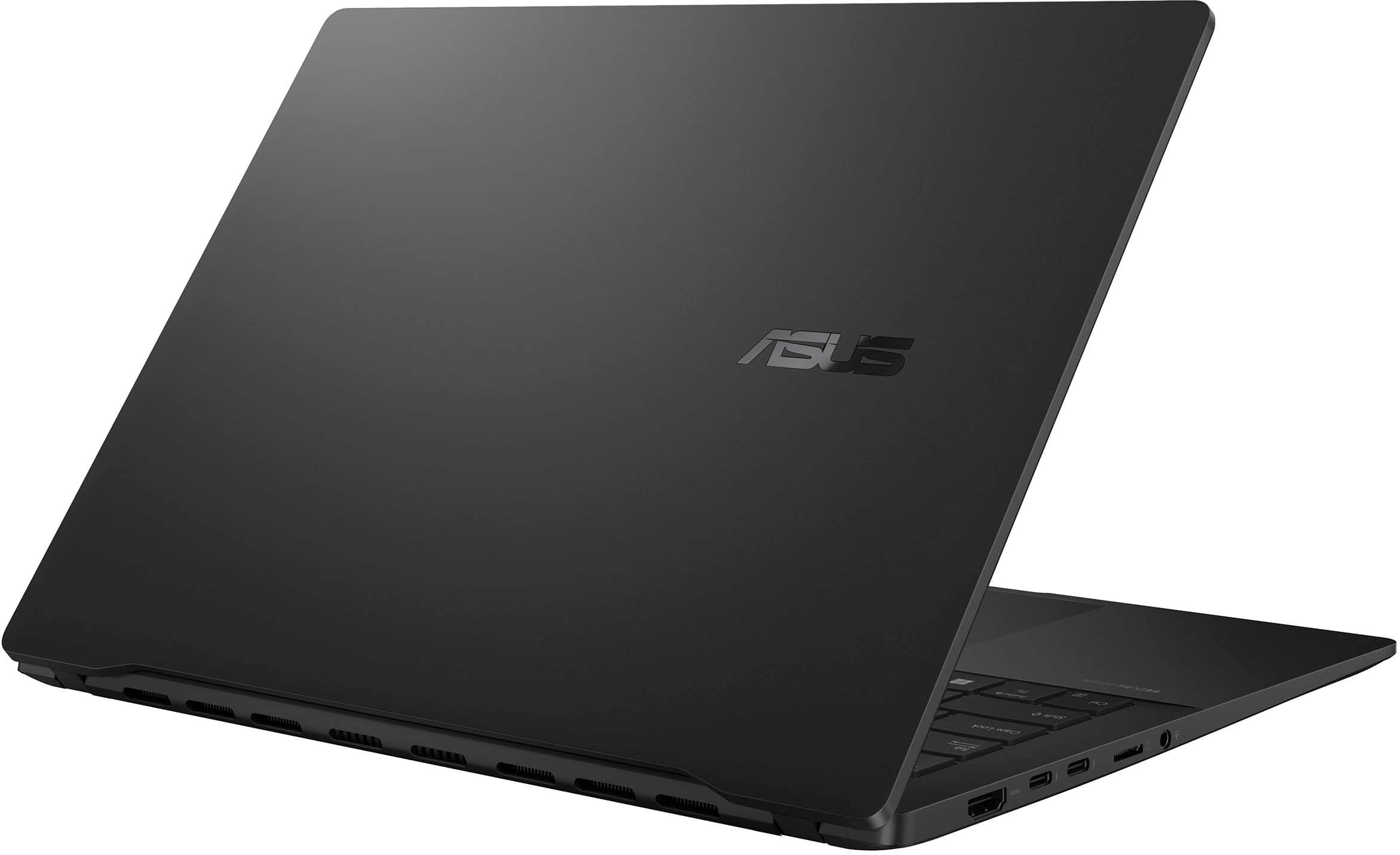
    Quick summary: This is a solid, well built, light weight laptop with quality components. It’s quick enough for any typical daily home or office task. It has decent storage and a good amount of memory. I wish it had a touchscreen but it doesn’t. There’s nothing to dislike about this laptop. It has Intel’s latest technology and hardware optimized for IA powered software. Everything feels solid and works as it is supposed to. It’s an especially great choice for someone that travels. Hardware: The Body: This laptop is lightweight at 2.87 lbs. It’s not the lightest I’ve used but it is more solid feeling than the lighters ones. There is no flex in the screen when opening. The hinges are stiff but not overly so. The matt black finish does attract fingerprints more than I’d like it to but that is a very minor issue. The Keyboard and Touchpad: The keyboard and touchpad work as expected. I didn’t have any odd glitches. The keyboard is illuminated with a blue backlight out of the box. It’s RGB so the color can be changed through Windows Dynamic Lighting. Super simple once you figure this out. The action is nice and it is very responsive. The keypad is quite large and also very responsive. It has 4 hotspots on it. Left side controls volume, right side - screen brightness, top is Forward/Rewind and swiping from the top right towards the center will open ASUS ScreenXpert. The Screen: The OLED screen is probably the best thing about this laptop. It’s bright and sharp with amazing contrast. It is high resolution (WUXGA - 1920 x 1200 - 60Hz) and has my preferred 16:10 ratio. This screen ratio is better for work software like MS Office because it is a little taller and a little less wide than the more typical 9:16 ratio. It’s not a touchscreen. I wish it was but it’s not designed that way. The Ports: On the left side, there is a full-size HDMI 2.1 port, 2 thunderbolt 4/USB Type-C ports, a Micro SD card reader and a combo Audio Jack. On the right side, there are 2 USB 3.2 Type-A ports. There are also the indicator lights for power, charging and power. It took me a little time to figure out how to charge the laptop. It charges thru the thunderbolt ports. I believe you can use either one but the directions specify the one closest to the HDMI port. The Battery: This laptop charges very quickly. Upon 1st charge, I plugged it in and it went from 30% to 70% in about 15-20 minutes and was fully charged in under an hour (I didn’t get an exact time). There is a battery saver setting in the MyASUS software that lets you limit charging to 80%. Based on my usage so far, battery life is over 10 hours when fully charged. I’m OK charging to only 80% to save battery life. Using the Laptop: Bootup is very quick. Somewhere around 10-12 seconds. Shut down takes 6-8 seconds. Programs open very quickly as expected with modern hardware. I honestly didn’t run into any hiccups in the week or so that I used this. I’m not really a gamer so I didn’t play any games other than solitaire. However, the video card didn’t have any glitches with the software I used. I was able to surf the web and watch videos smoothly. Software: There is some software included (and thankfully, not a lot of junk software). There is an IA powered Video Editor called CapCut and an AI powered organizer called StoryCube. The organizer can help you organize your photos by date, location and even use facial recognition so you can search by people. This looks like it could be very useful. The video editor can apply templates and automatically edit videos for you. Looks like this is aimed at content creators. There are trial versions of MS Office and Adobe Creative Cloud. Office is preinstalled. Adobe you need to claim through the MyASUS app. The MyASUS app is the place to go to see how your computer is performing and doing updates. It’s the software for more technical information. There are sections for settings, Diagnostics and updates. If you have other ASUS devices, like a router, you can access them through this software as well. I find this app to be one of the cleanest and easiest to use of all the PCs and Laptops I’ve set up. Final thoughts: As noted earlier, this is a very solid laptop. I didn’t have any issues with anything that was promised to me in the advertising. I’ve used several ASUS laptops over the past couple years and they have all been very good with some features that make them stand out from the others in the same class. If you are a gamer or someone with extreme hardware needs, look at something else. If you just need a light, quick laptop with some really nice features (AI and screen in this case) this Vivobook S 14 is an excellent choice.

    I would recommend this to a friend

  • Pros mentioned:
    Battery life, Screen quality
    Tech Insider Network Member

    Rated 5 out of 5 stars

    Solid, unassuming, well balanced PC

    |
    Tech Insider Network Member
    Posted .
    This reviewer received promo considerations or sweepstakes entry for writing a review.

    Asus has been on a roll with excellent hardware design when it comes to laptops. I’ve been a big fan of their gaming G14 and G15 series laptops, but sometimes, instead of a gaming computer, you just want a thin and light laptop. Asus has different tiers, and the Vivobook S 14 Q423SA is designed to hit the mid-tier of this generation. You get solid features, like a 1080p OLED HDR panel, Series 2 Lunar Lake Intel CPU and even a backlit keyboard. You sacrifice on memory and storage at 16GB and 512GB respectively, however, at least one of those problems is rectifiable if you fancy cracking open the back panel (more on that later). The out of the box experience is fairly standard. The box is designed to somewhat lift the product as it opens, a feature I’ve seen in several Asus cardboard boxes lately. The laptop itself is wrapped in a protective fabric with the screen and keyboard separated by the same fabric piece inside. The 65w power adapter is hiding in a flap, and underneath the laptop you’ll find some leaflets to ignore. On first boot you’ll run the standard gauntlet of Windows 11 setup. You’ll be prompted to select language, keyboard layout, connect to WiFi, sign in, and update Windows. Due to this being an AI PC, it comes pre-installed with Windows 24H2, which has all the copilot goodies and includes studio effects for the camera which can utilize the new NPU found in the Series 2 chips from Intel. Once into Windows, there were a couple rounds of Windows updates, including a firmware update from Asus. Once that was complete I was up and running. Luckily Asus has a minimal amount of bloat on the standard Windows 11 install, only bringing Story Book, and a few select Asus utilities. One strange thing I found, which I believe is related to my WiFi 7 router, is that 802.11be (WiFi 7) operation cause the WiFi card to disappear. If this happens to you, go to the WiFi Adapter in device manager and select the advanced tab and 802.11 n/ac/ax/be Wireless Mode and choose ‘ax’. I’m working with Asus on getting to the bottom of why the computer flips out when using a WiFi 7 network (behavior is freezing of windows modern apps, high ‘System’ process utilization, the WiFi adapter disappearing completely, and an inability to shutdown the laptop). I suspect this may be a driver issue from Intel for the particular revision of chip soldered into this board. When WiFi 7 works, I was able to see 200MB/s transfers. WiFi 6 still hits near gigabit speeds very consistently. Now, how does this perform? Well, Lunar Lake is an interesting beast. It is somewhat a byproduct of AI PC’s becoming a thing, and a specialized Intel chip that’s become more mainstream. For instance, Lunar lake has on-die high speed LPDDR5X, which clocks to 8533MT. In theory this should increase battery life and performance - but it is something that sounds like it will be a one off from Intel. Lunar lake eschews previous P-core/E-core asymmetry for a 4/4 setup with no hyperthreading present. This impacts performance, but in a way that is probably less detectable than some might suggest with a positive impact to battery life. The P cores are known as Lion Cove, and they’re fast. There’s a lot of power in this chip, but also it sips power in a way no Intel chip has in the past. Even in my semi-heavy mixed usage scenarios I am seeing all day battery life, which given my experience with similar laptops in the past, is about double what I expect. So does this mean we have a winner here? Well, if you’re expecting this to be faster than your previous Intel ultra portables, you’ll be disappointed. In almost every way, Series 2 is a regression to previous generation configurations from a workstation perspective. Yet, if what you want from an ultraportable is battery life and good enough performance, the Lion Cove P cores deliver and the Skymont E cores sip power and allow extreme power savings when the P cores are parked. Overall it’s a mixed bag. This is a lot of compute stuffed in a small, efficient package. Honestly a regression for the battery life is probably worth it, that is if the competition didn’t exist, but it does. However, if you want perfect x86 compatibility with Windows, Intel’s latest is definitely its greatest for ultra portability. Speaking of the chip, one huge update with this generation is GPU performance. I can attest, if you want to game e-sports titles, or really anything not brand new and triple A, this little powerhouse can meet your needs. Gaming Counter Strike 2 at 1080p was fairly fluid at medium settings, and the suggested High settings was actually pretty playable from a casual perspective - on battery. Dark Souls 3 on High 1080p played butter smooth, and many older games just ran solid. I played an hour of StarCraft 2 on High settings at 1080p and was getting approximately 40fps. Overall this little 2nd gen Arc Battlemage GPU is solid. Benchmarking it, I was able to draw a fairly close parallel with a 2014 GeForce 970 with 3DMark Firestrike, but you’re talking a heavy GPU that weighed more than this laptop (which slides just below 3lbs). Despite this being the mid-tier Arc 130V w/ 7 Xe cores, I got 3667 in 3DMark TimeSpy and 8061 in Firestrike. But this laptop is more than the chip inside. Coming back to what Asus has built around Intel’s Lunar Lake: you get a solid metal chassis, backlit keyboard, OLED 1080p HDR screen, giant multifunction trackpad, and a 75Ah battery pack (which outpaces the 14” MBP). Let’s unpack some of these highlights. The chassis is a strong feeling aluminium alloy anodized black. It shows fingerprints horribly, but does look nice when cleaned. There’s no real flex, and it gives the entire computer a solid feeling that you expect from machines much more expensive than this unit. Yet another surprise when it comes to value is the screen: at 600 nits, the OLED is plenty bright for inside use, and outpowers many LCD displays I’ve seen in similarly priced laptops while also providing those inky blacks. If you want to enjoy movies on this machine, it’s quite nice. I’d use headphones though, as the included speakers are just so so. The down firing speakers mean that if you use this in your lap, they’ll sound muddled. On a hard surface they’re not half bad for youtube or other basic listening. The backlit keyboard is a ‘single zone rgb’ meaning, no rainbows here, but you can pretty much have your backlight synced with your Windows theme using Windows Dynamic Lighting feature which is a nice touch. The trackpad has a bunch of shortcuts built in for volume and brightness - but this comes at the cost of custom trackpad drivers, which are not present in a Windows 11 clean install, which I found out while trying to debug the aforementioned WiFi problem. Battery life in practice I saw about 7% an hour with 60% backlight, keyboard backlight on and medium productivity usage. As with anything YMMV, but that would put 12-14h as a realistic runtime. Speaking of the keyboard, it’s not my favorite, but it’s more than competent, and has no flex at all. Port selection on this machine is nothing to scoff at. You get a full size HDMI, dual Thunderbolt 4 ports, a micro-sd slot, and headphone jack on the left side. Over on the right flank, you’ll find two full sized USB-A ports. This means this machine has lots of options that will come in handy to any road warrior. You get the sleek capability to run with one cable for power and ports making a docking scenario easy, but you also can plug in that thumb drive or deliver a presentation w/ a spare HDMI at a table. The webcam is ok. Nothing too special, but honestly it’s passable for your Zoom or Teams meetings. What’s really nice is the inclusion of Windows Hello IR camera for facial recognition. It’s one of the best things Windows brings to the table, and still isn’t as mainstream as it should be. Asus’s implementation is solid and I’ve had it work just as well as Surface devices I’ve owned in the past. Software wise, Asus doesn’t disappoint. You get battery management, performance management, and system diagnostics without much fuss. The MyAsus app stays out of your way, but does offer lots of settings you’d expect from a modern laptop. The system bios is pretty nice too, although I doubt many will need to use it. Cracking open the back you’ll find a need for a tiny torx bit. Inside, the battery and SSD are really your only user serviceable parts. It’s good the SSD is a standard NVMe m.2 2280 SSD, as the 512GB capacity might be small for some users. Luckily if you need to do an upgrade down the road, storage is easy enough. That said, the storage that comes with it is a Western Digital SN5000s, which is the OEM of the WD Blue SN5000. It’s not the fastest of drives, being QLC based, but does have a SLC dynamic cache to help buffer reads/writes on the slower QLC. This means for normal bursty loads, the SLC will be hiding this underlying slower flash. The drive is rated for 150TBW, which given its size shouldn’t be a concern for average users. It will burst to 6000MB/s read, which Crystal Disk Mark verified. Overall The Asus Vivobook S 14 Q423SA is a great vessel for the Intel Core Ultra 5 Series 2 chip inside. The solid construction, backlit keyboard, OLED screen choice, and generous port selection make this a great little machine. There are no gimmicks, just a great set of hardware for a fair price. Highly recommended.

    I would recommend this to a friend
  • Pros mentioned:
    Battery life, Screen quality
    Tech Insider Network Member

    Rated 5 out of 5 stars

    Solid ultrabook with nice OLED, good battery

    |
    Tech Insider Network Member
    Posted .
    This reviewer received promo considerations or sweepstakes entry for writing a review.

    TLDR - The Asus Zenbook S 14 (Q423SA) is a solid value ultrabook with stellar battery life and a gorgeous OLED display. Performance is just good, but it has more ports vs the average ultrabook. Its solid metal chassis is very nice, a bit of a fingerprint magnet, but otherwise, no other complaints! (don't buy into the Copilot+ hype, cute party tricks, nothing useful yet, should get better though!) Build/keyboard/touchpad - The all metal build of this Asus is super solid, like no flex. The touchpad is large and accurate, and has a few cool tricks on the edges, be sure to read the small included guide to see what does what. The keyboard is very nice, has a modifiable single RGB zone, which is usually a solid, non user selectable color on a non gaming PC. Just jump into Windows lighting options to change it! Ports/connections/Wifi - The Q423SA has a very solid selection of ports, they even squeezed on a full size HDMI 2.1 port! There’s also 2 x Thunderbolt 4 ports, a micro SD slot, and a headphone jack on the left side. There’s also 2 x full size USB-A ports (USB 3.2/5 gigabit) on the right side. I tested the thunderbolt ports, unfortunately I do not have anything full TB 4 speed, but I do have a USB4 (thunderbolt 3 speeds) external enclosure for an NVME drive. The drive ran at full USB4 speed, around 3.5GB/s and 3.2GB/s peaks which is pretty close to the max you’ll see. The Wifi on this thing BLOWS me away, has Intel Wifi 7 (BE201). I happen to have a ubiquiti U7 Pro, and I did not realize that they both allow for multi band aggregate connection! This laptop will report as being connected between 3-5.7 gigabit per second! Obviously real world speed isn’t near that, but when sitting close to the AP, I can saturate the 2.5gigabit wired connection to another PC on my network! (obviously your mileage WILL vary greatly on your network quality) Display - The OLED panel on this little Asus is gorgeous, only 60hz, but that's all you need in a work ultrabook. The resolution isn’t high at the 16:10 ratio, 1920x1200, but perfectly acceptable in a 14” laptop of this value class. The max brightness is a touch too high for me in a normally lit home, but otherwise the color and clarity of this display is stellar. Performance - CPU - Asus opted to go with the newest gen (mid/late 2024) Intel Lunar Lake Core Ultra 5 226V CPU. There isn’t a real performance increase from recent previous Intel generations, other than in the graphics department, but the power efficiency and heat has improved substantially. (all testing was done plugged in with the “full speed” option in the myASUS app) I never saw over low 80s after hitting the CPU with a longer 10min Cinebench looped run. It scored a 9923 multi thread in Cinebench R23, and a 2605 single and 9995 multi thread. GPU - The integrated Arc 130V graphics are not the top tier from this generation, but still run well. They’re able to pull a 3467 graphic score in 3DMark Time Spy, and should work for some basic gaming on the go, as I was able to pull an 83fps average in the Forza Horizon 5 benchmark at the lowest preset at 1200p with XeSS “Performance” mode enabled. Memory - Unfortunately these Lunar Lake CPUs have ram integrated, so the 16GB of LPDDR5X is what you have and cannot upgrade, luckily it's fast, running at 8533MT/s The included SSD is small for these days, but isn’t a deal breaker. It’s decently quick for a PCIE 4.0 drive on the reads, below average on the writes. I saw peaks of near 6.7GB/s reads and 3.3GB/s writes on Crystal Disk Mark. Everyday computing never hits the drive hard enough, and it always feels quite quick. (top PCIE 4.0 drives should be over 7GB/s peak reads and 6GB/s peak writes) Battery - I have no real way of doing a true battery test, but in my purely unscientific testing, I’m seeing an estimated 1hr of normal use (some web, some typing, 90% brightness, wifi/bluetooth on) per 8-14% of battery. If you allow for a range, between 7-13hrs of normal use straight, sounds completely doable, even more if you drop your brightness and run the lowest performance option in the myASUS app. Overall, this system rocks, with very few caveats! Asus has a current gen winner!

    I would recommend this to a friend