Customer Ratings & Reviews
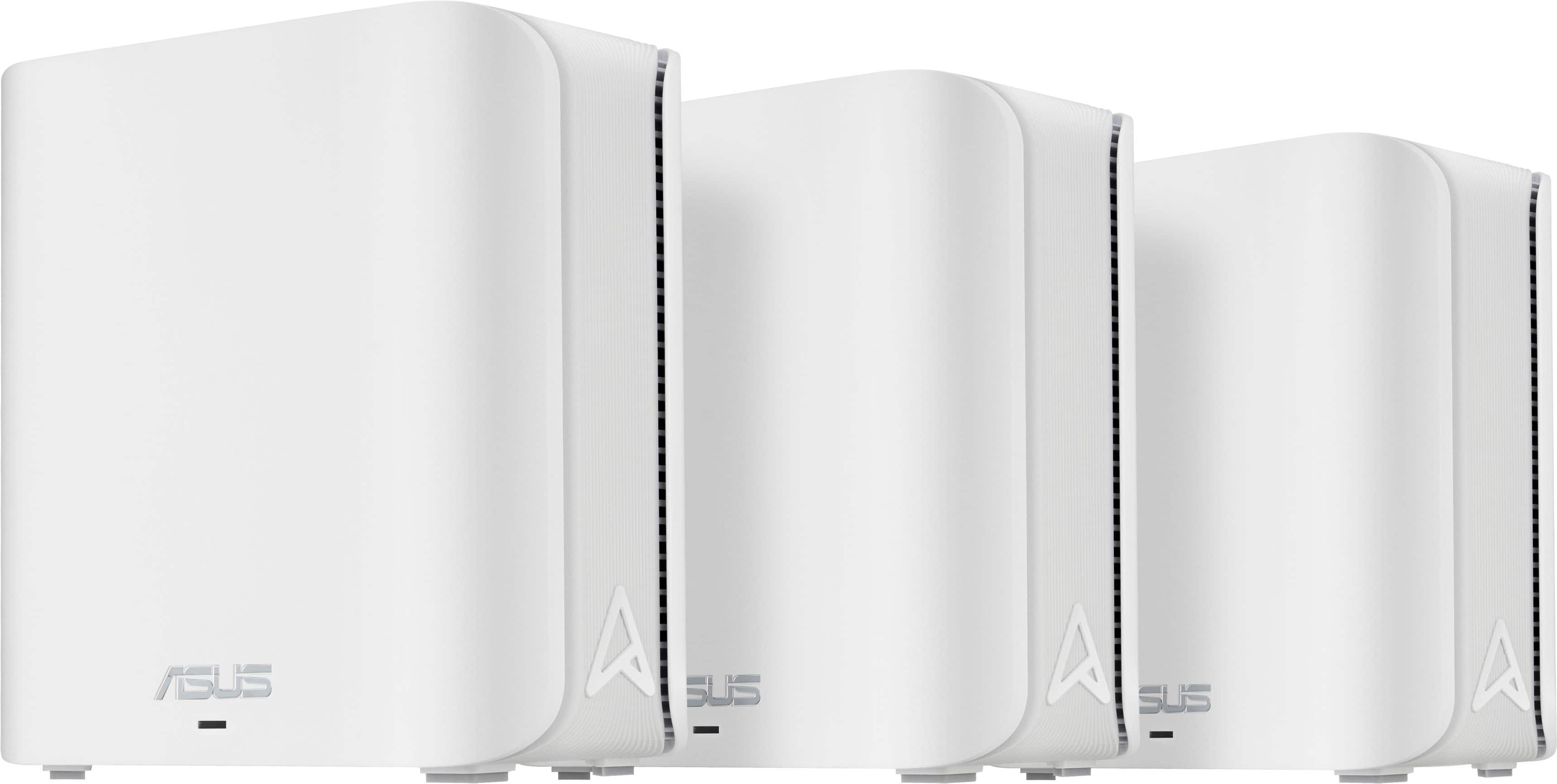


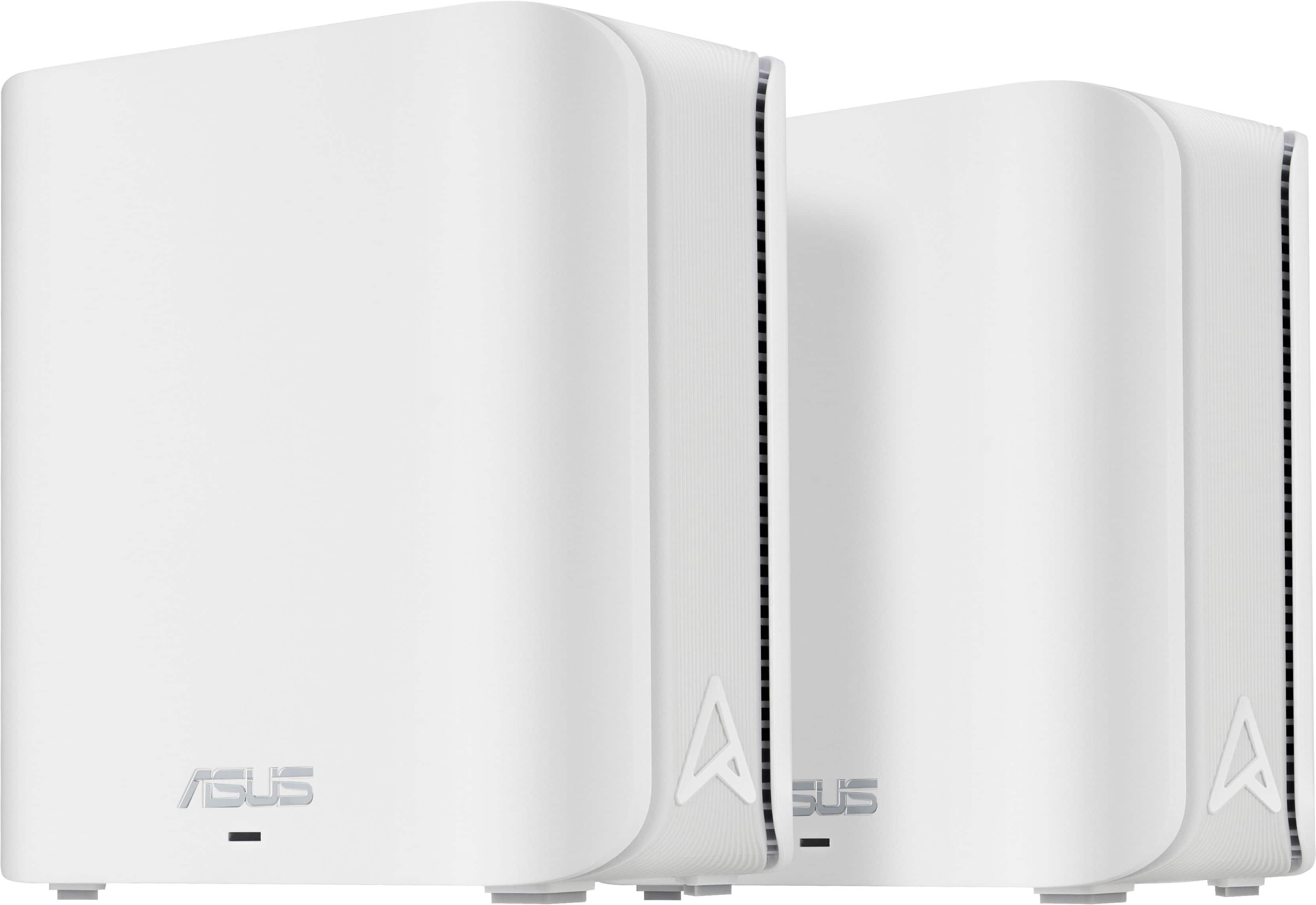
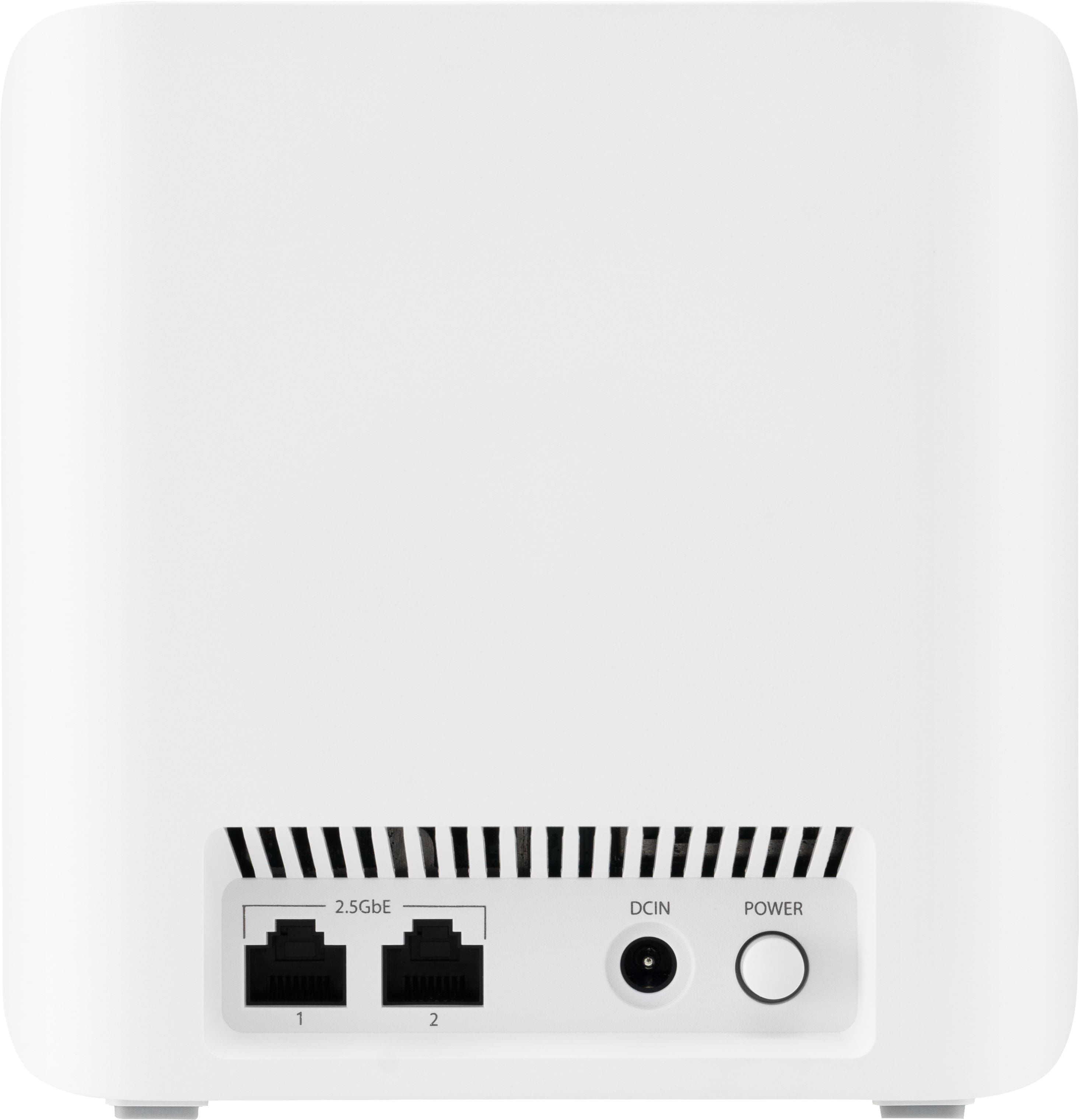
- Model:
- ZenWIfi BE5000 3-PK
- SKU:
- 10732650
Rating by feature
- Setup
Rating 3.5 out of 5 stars
- Range
Rating 3.8 out of 5 stars
- Signal Strength
Rating 3.8 out of 5 stars
Okay but not impressed
||Posted . Owned for 2 months when reviewed.This reviewer received promo considerations or sweepstakes entry for writing a review.Worked okay. The product itself seemed very light and low quality but it works.
No, I would not recommend this to a friendBrand response from ASUS Answers
Posted .Dear Joshua,
Thank you for sharing your comments regarding the ASUS ZenWiFi BE5000. We understand that it didn't meet your full expectations, and we sincerely apologize for that as we do understand your concerns. Your feedback is greatly appreciated and will be passed to our product team for review.
We stand behind our products and continuously strive to improve our products and processes to achieve customer service excellence. If you require any further assistance, please email us at [email protected] and include the case number "N2501026805-0005" as a reference. We will do our best to resolve your case quickly. Your feedback is very important to us and enables us to improve our support channels. Thank you for choosing ASUS.
Best Regards,
Chantae
ASUS Customer Loyalty US Support

Powerful Mesh Router, App Needs Some updates
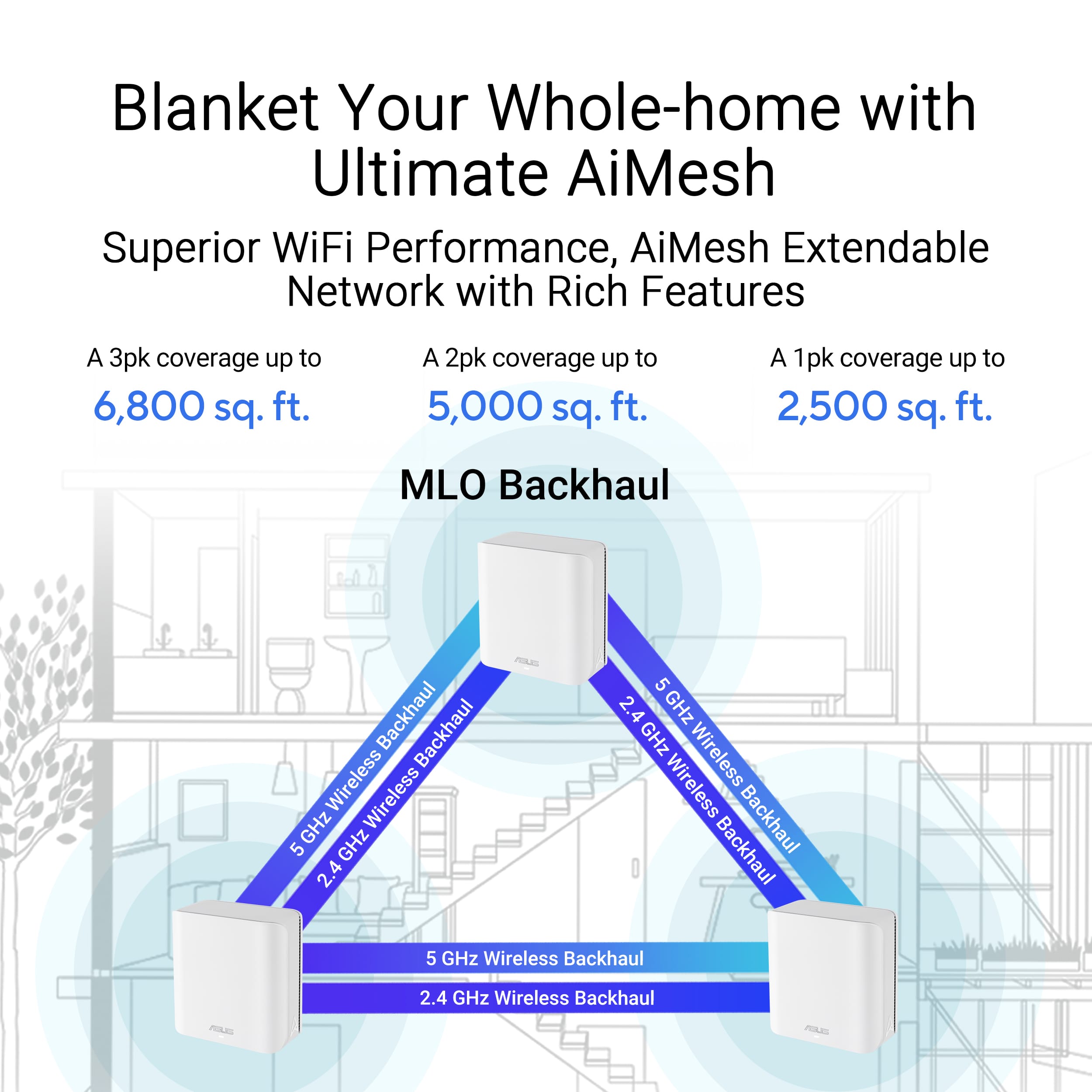
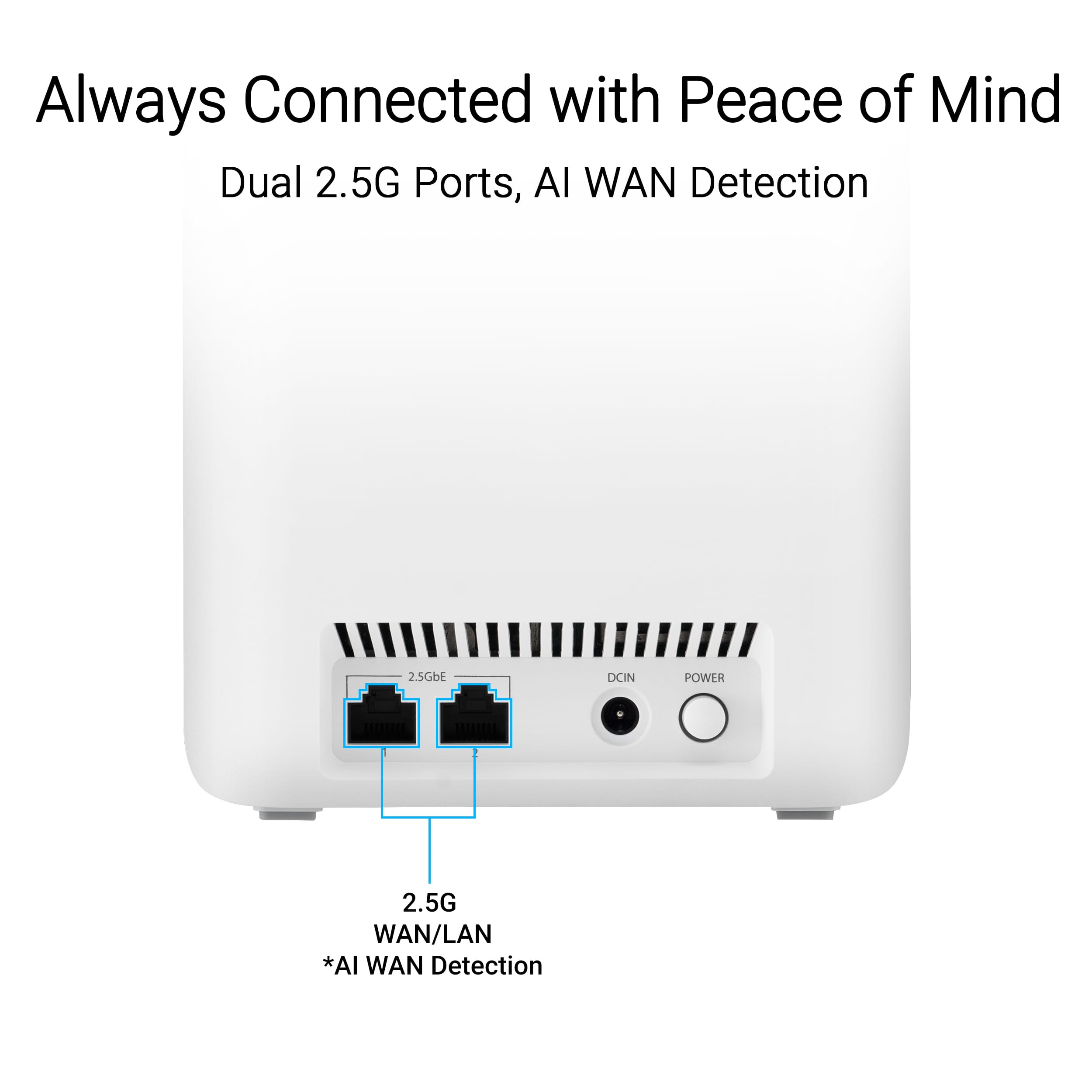
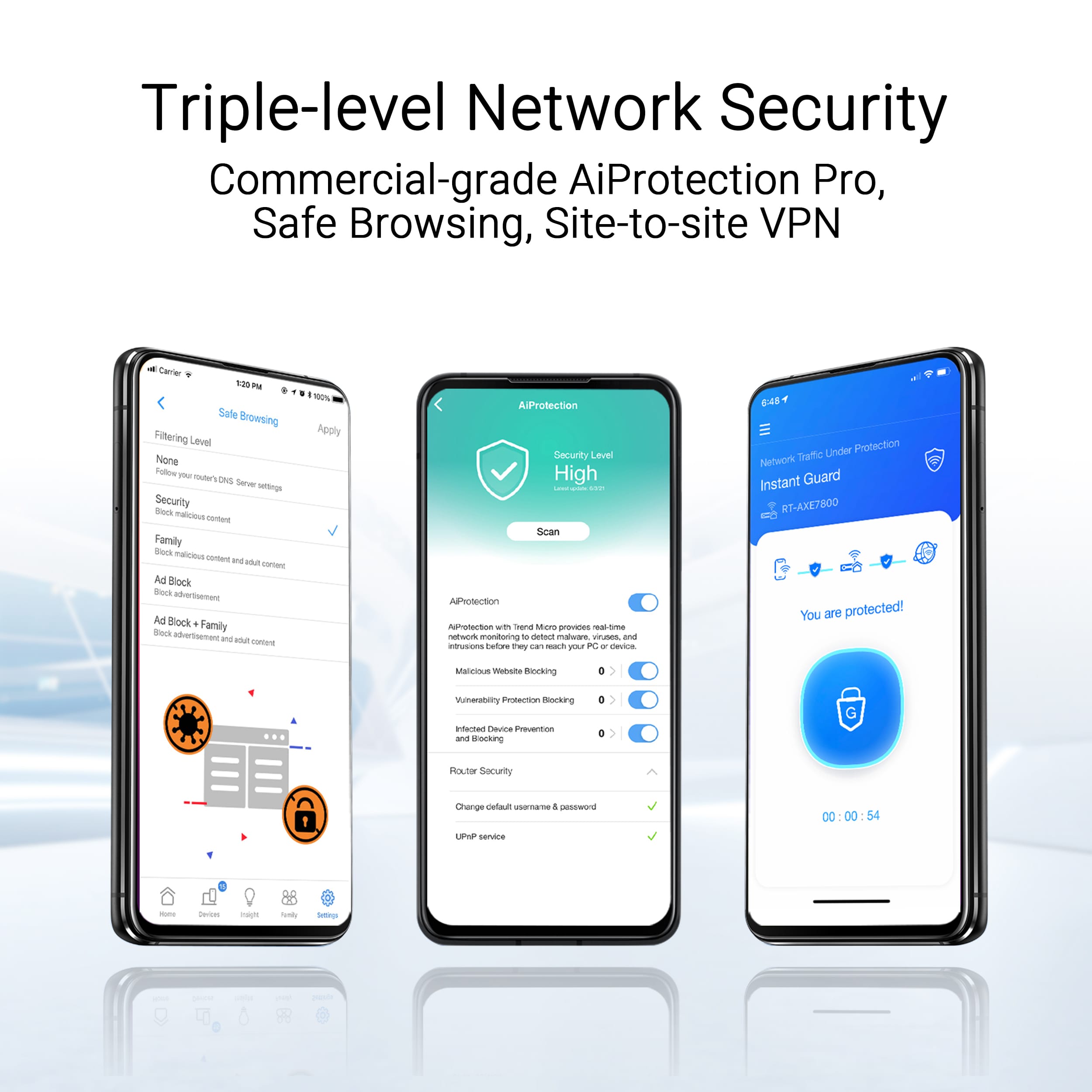
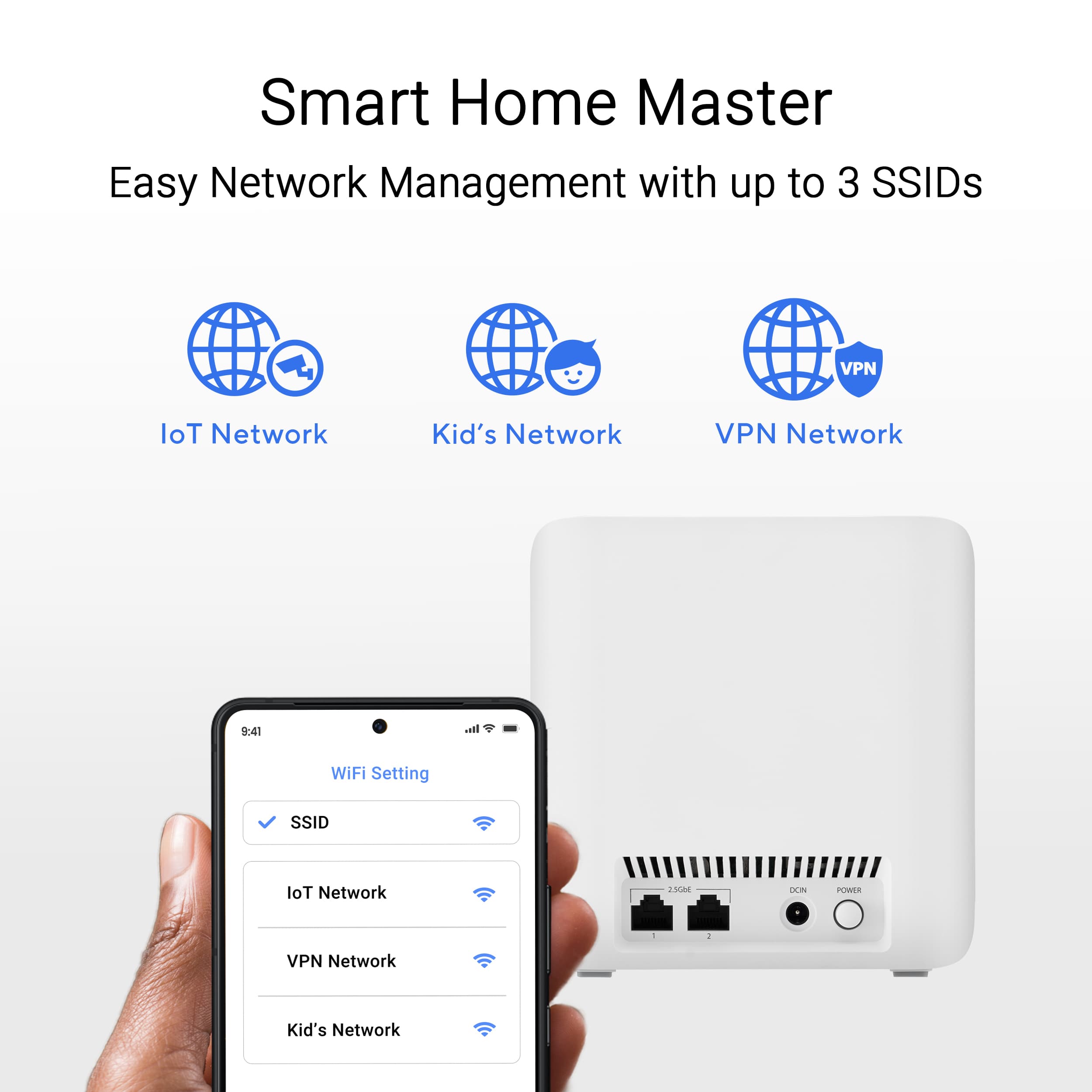
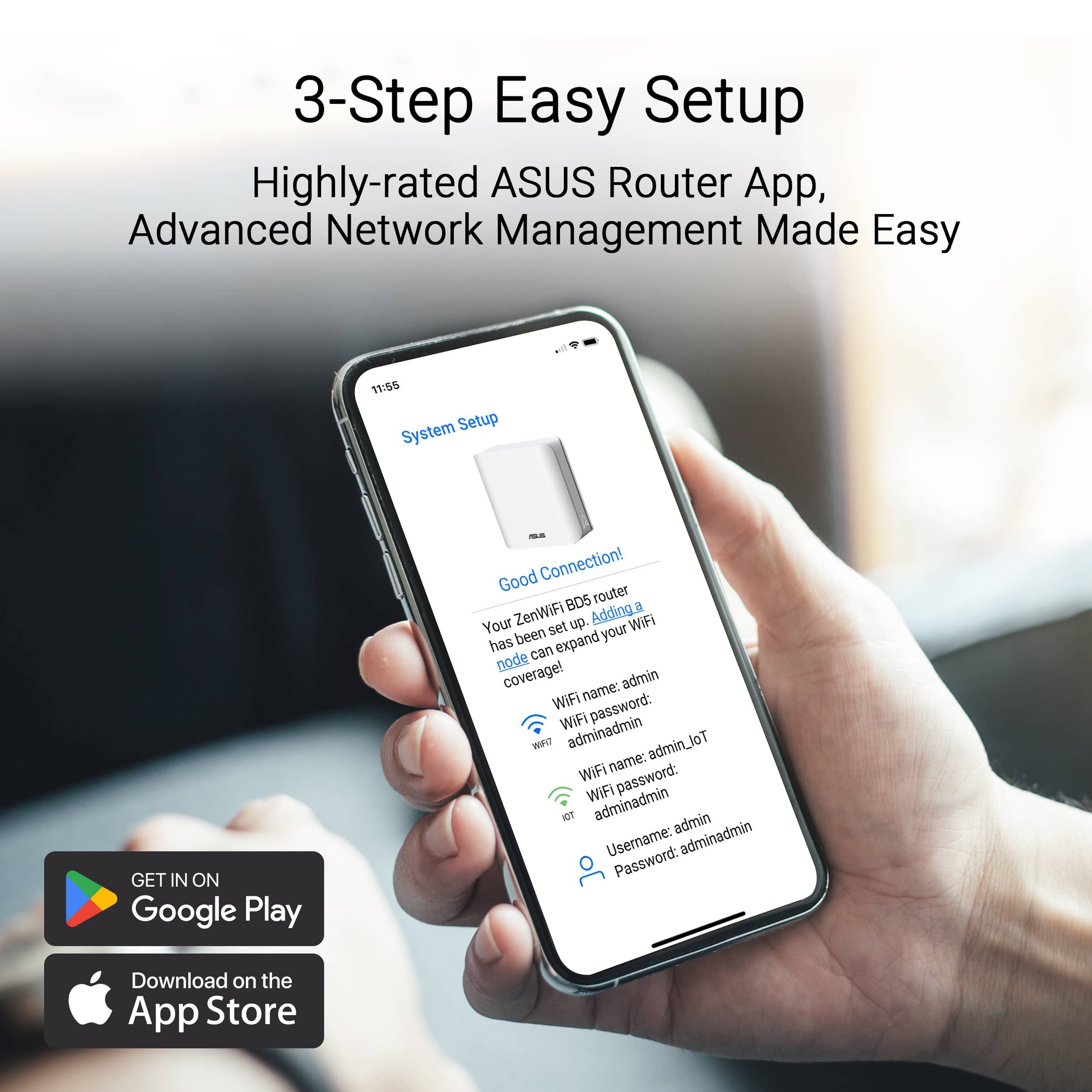
|Posted .This reviewer received promo considerations or sweepstakes entry for writing a review.The ASUS ZenWiFi BE5000 router turned out to be quite powerful with solid WiFi, but there are a few things the manufacturer needs to clean up to make the install better. Let me talk about the great stuff first. 3 This mesh system out performed my other two home networks. It was 30 to 40 Mbps faster than my ISP provided WiFi router. It was also 15-25 Mbps faster than my other mesh network provided by another brand. I spread the nodes out to the farthest corners of my house and all the nodes synced up nicely; but I did the initial setup with the nodes only a couple inches apart, then you move them. I checked the longest distance apart to be about 50 feet which was no problem for the ASUS BE5000 - great. The technology is the latest in speed and features. The MLO technology makes things visibly faster and I verified this via actual measurements several times. This mesh system also has the fastest WiFi 7 (802.11be) which ensures you will be able to take advantage of new devices that can support these speeds. Another really great feature is ASUS Protection Pro which this router provides with lifetime free support. This helps ensure the safety and security of your network; an example might be shutting you off from dangerous websites that your antivirus and other software might miss. It is very much plug and play and I do tip my cap to the engineers for taking a leap forward to simplify the install process. There is no documentation in the box, but it is not a problem since the ASUS Router App will take you through everything from power up to configuration. Some things in the app are not optimal yet. First of all there are two ethernet ports on each node. Neither is marked WAN, but you can assume that you can plug your base unit into either port to do the install, the app needs to be updated to tell you that you can use either port (instead it said the opposite). Also the BE5000 is not listed with other Zen routers, so again you have to assume that you make the selection of the Zen routers anyway. You connect an ethernet cable to one of the nodes and then power them all on. I like that there is an on/off switch on each node. You wait till all nodes show a solid blue LED; then follow the app instructions. A couple more missing things in the app: you scan the QR code on the ethernet-connected node but not the others. The app should show a note on this. Since many times things can go wrong during a setup, if the documentation is unclear it makes the process more tedious. After my initial setup, the system was totally unstable. The base node showed a white LED which is good, but the other two nodes alternated between green or blue flashing LED’s. Also two access points appeared. The one I named and another with the same name but “_IoT” added. I figured out this was a Guest access point, but it didn’t tell me that. I could connect to the “IoT” SSD but not to the one I named; it kept saying check your password, which was never wrong. I checked on some troubleshooting and was presented with some FAQ’s from ASUS that were pretty muddy and didn’t seem to apply specifically to this Zen WiFi unit. I turned off all the nodes, waited 30 seconds and turned them all back on. Now all the LEDs were white and everything was okay. I should note I had moved the nodes from 2 feet apart to 2 inches apart. Later I could move them anywhere and they worked fine. So the app should say two things more I think: the initial setup should have the nodes within a couple inches of each other, and a first troubleshooting step is to power off then power on all the boxes. Ultimately I would highly recommend this Zen WiFi mesh router. It has many advantages and speed is the most important feature and it clearly outperformed my other networks.
I would recommend this to a friendI do not recommend this.
||Posted . Owned for 1 month when reviewed.This reviewer received promo considerations or sweepstakes entry for writing a review.0/0. After days of trying to connect the system I finally gave up and returned this. Purchased another brand (triband mesh system) and it worked immediately. I do not recommend this product whatsoever.
No, I would not recommend this to a friendBrand response from ASUS Answers
Posted .Dear Pilary,
We sincerely apologize for the connectivity issue you've faced with the ASUS ZenWiFi BE5000 and for the inconvenience this has caused you. What you've experienced was not intentional or representative of our brand. Your feedback is greatly appreciated and will be passed to our Product Team for review.
Having returned the product, we hope that you were able to obtain a functional replacement.
We stand behind our products and continuously strive to improve our products and processes to achieve customer service excellence. If you require any further assistance, please email us at [email protected] and include the case number "N2412010246-0012" as a reference. We will do our best to resolve your case quickly. Your feedback is very important to us, and it enables us to improve our support channels. Thank you for choosing ASUS.
Best Regards,
Chantae
ASUS Customer Loyalty US Support
I'm surprised WORST Buy is still in business....
||Posted . Owned for less than 1 week when reviewed.This reviewer received promo considerations or sweepstakes entry for writing a review.The Disaster That Is Best Buy – A Complete Joke of a Company Let me break this down for everyone: First Mistake: We ordered a $600 microwave, and these geniuses shipped us a $200 model instead. Second Mistake: They sent us a refrigerator that looked like it had been in a demolition derby—scratched and gashed beyond belief. Third Mistake: Brace yourself... they shipped us an empty box. Yes, you read that right. We ordered an air purifier and got literally nothing but a box. How does this even happen? Fourth Mistake: The ASUS BE5000s they sold us didn’t even work straight out of the box. Not defective after use—completely dead on arrival. Honestly, "Best Buy" needs to rename itself to Worst Buy, because they’ve officially hit rock bottom. How can a company mess up this many times on one customer’s orders? It’s beyond incompetence—it’s laughable. Get your act together, Best Buy. You’ve just proven you're a joke.
No, I would not recommend this to a friendBrand response from ASUS Answers
Posted .Dear Valued Customer,
Thank you for your feedback.
We do understand your dissappointment with the router and your disssatisfation with the quality of your recent customer service experience, and the inconvenience this may have caused. All products undergo intensive quality control testing and inspections, and are built to last, issues you experienced with the laptop are random. If you need further assistance with the router, please email me at [email protected] and I will be more than happy to help. Or you are most welcome to call Product Support Hotline at: 1(888) 678-3688. Also, you can chat with an ASUS live support agent from the link: https://www.asus.com/us/support/article/1135/.
Thank you for choosing an ASUS product.
Regards,
Rodel
ASUS Customer Loyalty
ASUS ZenWiFi So far working great!
||Posted . Owned for 1 week when reviewed.This reviewer received promo considerations or sweepstakes entry for writing a review.I bought this to replace my slow and problematic mesh system. Setup was relatively easy. So far I have noticed much improved speeds and connectivity. I bought this on sale, along with a rewards certificate so it was a good value.
I would recommend this to a friendValue for the money
||Posted .This reviewer received promo considerations or sweepstakes entry for writing a review.Connectivity is Amazing and no issues in setting it up. Had no issues till this date. Bought it almost 10 months ago.
I would recommend this to a friendNot impressed with this wifi
||Posted . Owned for 1 week when reviewed.This reviewer received promo considerations or sweepstakes entry for writing a review.Thought would be a great upgrade. But wasn't! I had a 1 gig mesh system that was just as fast due to it offered more channels as this wifi 7 had. Returned and went with a different company.
No, I would not recommend this to a friendBrand response from ASUS Answers
Posted .Dear JustAlan,
Thank you for sharing your comments regarding the ZenWIfi BE5000. We understand that it didn't meet your full expectations, and we sincerely apologize for that as we do understand your concerns. Our top priority is providing our customers with high-quality products, and we'll forward your feedback to our team for review.
We stand behind our products and continuously strive to improve our products and processes to achieve customer service excellence. If you require any further assistance, please email us at [email protected] and include the case number "N2412010246-0007" as a reference. We will do our best to resolve your case quickly. Your feedback is very important to us and enables us to improve our support channels. Thank you for choosing ASUS.
Best Regards,
Chantae
ASUS Customer Loyalty US Support
Would recommend
||Posted . Owned for 1 month when reviewed.This reviewer received promo considerations or sweepstakes entry for writing a review.These work great to spread the wifi around my house. App is intuitive to use
I would recommend this to a friendDoesn’t work.
||Posted .This reviewer received promo considerations or sweepstakes entry for writing a review.Could not connect to the internet. I spent hours on the phone with ASUS and my ISP. No bueno.
No, I would not recommend this to a friendBrand response from ASUS Answers
Posted .Dear MarkL,
Thank you for reaching out.
We do understand your disappointment with the product and the inconvenience this may have caused if you cannot connect to the internet. To resolve this, check if the PC or device connecting to the router is working properly and within range to the router, the router is within 30 feet to the ISP's modem, if not wired with a network cable, and your ISP's internet service or connection is working properly or stable. Additionally, check if the Mesh routers security credentials matches with your ISP's modem/gateway security information. Furthermore, legacy devices may not work properly with WIFI-7, please check updates for these devices. Try connecting these legacy devices manually to either 2.4GHz or 5GHz. Also, we recommend updating the Mesh routers firmware if it is running with an older version. Firmware is available for download at: https://www.asus.com/us/networking-iot-servers/whole-home-mesh-wifi-system/zenwifi-wifi-systems/asus-zenwifi-bd5/helpdesk_bios?model2Name=ASUS-ZenWiFi-BD5. For helpful tips on how to setup these Mesh router properly, please visit our Product Support page at: chrome-extension://efaidnbmnnnibpcajpcglclefindmkaj/https://dlcdnets.asus.com/pub/ASUS/wireless/BE5000/E24190_ZenWiFi_BE5000_UM_WEB.pdf?model=ZenWiFi%20BE5000.
Should you need further assistance with the product, please email me at [email protected] and I would be more than happy to help. Or, you are most welcome to call Product Support Hotline at: 1(888) 678-3688. Also, you can chat with an ASUS live support agent from the link: https://www.asus.com/us/support/article/1135/.
Thank you for choosing an ASUS product.
Regards,
Rodel
ASUS Customer Loyalty
There's better, here's why...
||Posted . Owned for 1 month when reviewed.This reviewer received promo considerations or sweepstakes entry for writing a review.Very low tier router that suffers in comparison to routers like deco or orbi. The UI asus provides is horrific, seamless setup up just terrible UI and setup process. For a similiar price you can purchase the XE75 3 pack from Tp-Link which has more range and same price.
No, I would not recommend this to a friendBrand response from ASUS Answers
Posted .Dear ARUnder,
Thank you for your comment.
We do understand your disappointment and the inconvenience this may have caused if the ASUS Router App didn't meet your expectation. This ASUS ZenWiFi BE5000 was designed for easy setup using the ASUS Router Application. This application guides users through the a few simple steps, making it simple for those who not tech-savvy. For helpful tips on how to use the ASUS Router application, visit our Product Support page at: https://www.asus.com/us/content/asus-router-app/ .
Should you need further assistance with the product, please email me at [email protected] and I would be more than happy to help. Or, you are most welcome to call Product Support Hotline at: 1(888) 678-3688. Also, you can chat with an ASUS live support agent from the link: https://www.asus.com/us/support/article/1135/.
Thank you for choosing an ASUS product.
Regards,
Rodel
ASUS Customer Loyalty
Terrible
||Posted . Owned for 6 months when reviewed.This reviewer received promo considerations or sweepstakes entry for writing a review.This is the worst wifi system I have ever owned. Also the most expensive. The connection just randomly goes out all the time. Sometimes I have to reset them 3-4 times for everything to finally connect.
No, I would not recommend this to a friendBrand response from ASUS Answers
Posted .Dear Patrick,
We regret to learn that you are experiencing connectivity issues. To troubleshoot this issue, we recommend following the steps in the FAQ below. Should the issue persist, please contact our support team at https://www.asus.com/us/support/CallUs to further investigate the problem or assist with repairing the device.
We stand behind our products and continuously strive to improve our products and processes to achieve customer service excellence. For more information, email us at [email protected] and include the case number "N2412010246-0016" as a reference. We will do our best to resolve your case quickly. Your feedback is very important to us and enables us to improve our support channels. Thank you for choosing ASUS.
Best Regards,
Schottky
ASUS Customer Loyalty US Support
FAQ:[Wireless Router] How to improve Wi-Fi Connection https://www.asus.com/us/support/faq/1047919/
WiFi 7 done right
||Posted . Owned for 2 weeks when reviewed.This reviewer received promo considerations or sweepstakes entry for writing a review.Bought this to complete my mesh for my very large house. Now have WiFi 7 everywhere and no hassle setting up sign-in to each unit in the house
I would recommend this to a friendWaste of money
||Posted . Owned for 1 month when reviewed.This reviewer received promo considerations or sweepstakes entry for writing a review.Hard to set up. Stopped working after a month and is not returnable.
I would recommend this to a friendBrand response from ASUS Answers
Posted .Dear Robert D,
We're sorry to hear that the ZenWIfi BE5000 stopped working and we apologize for any inconvenience this may have caused you. This is not the kind of quality to expect from our products and it's not the norm. To troubleshoot the issue described, we recommend following the steps in the FAQ below. Should the issue persist, please contact our support team at https://www.asus.com/us/support/CallUs to further investigate the problem or assist with repairing the device.
We stand behind our products and continuously strive to improve our products and processes to achieve customer service excellence. For more information, email us at [email protected] and include the case number "N2412010246-0008" as a reference. We will do our best to resolve your case quickly. Your feedback is very important to us and enables us to improve our support channels. Thank you for choosing ASUS.
Best Regards,
Chantae
ASUS Customer Loyalty US Support
[Troubleshooting] ASUS router or adapter is No Power/No Boot/Power LED is not ON - https://www.asus.com/support/faq/1050634/
most affordable wifi7
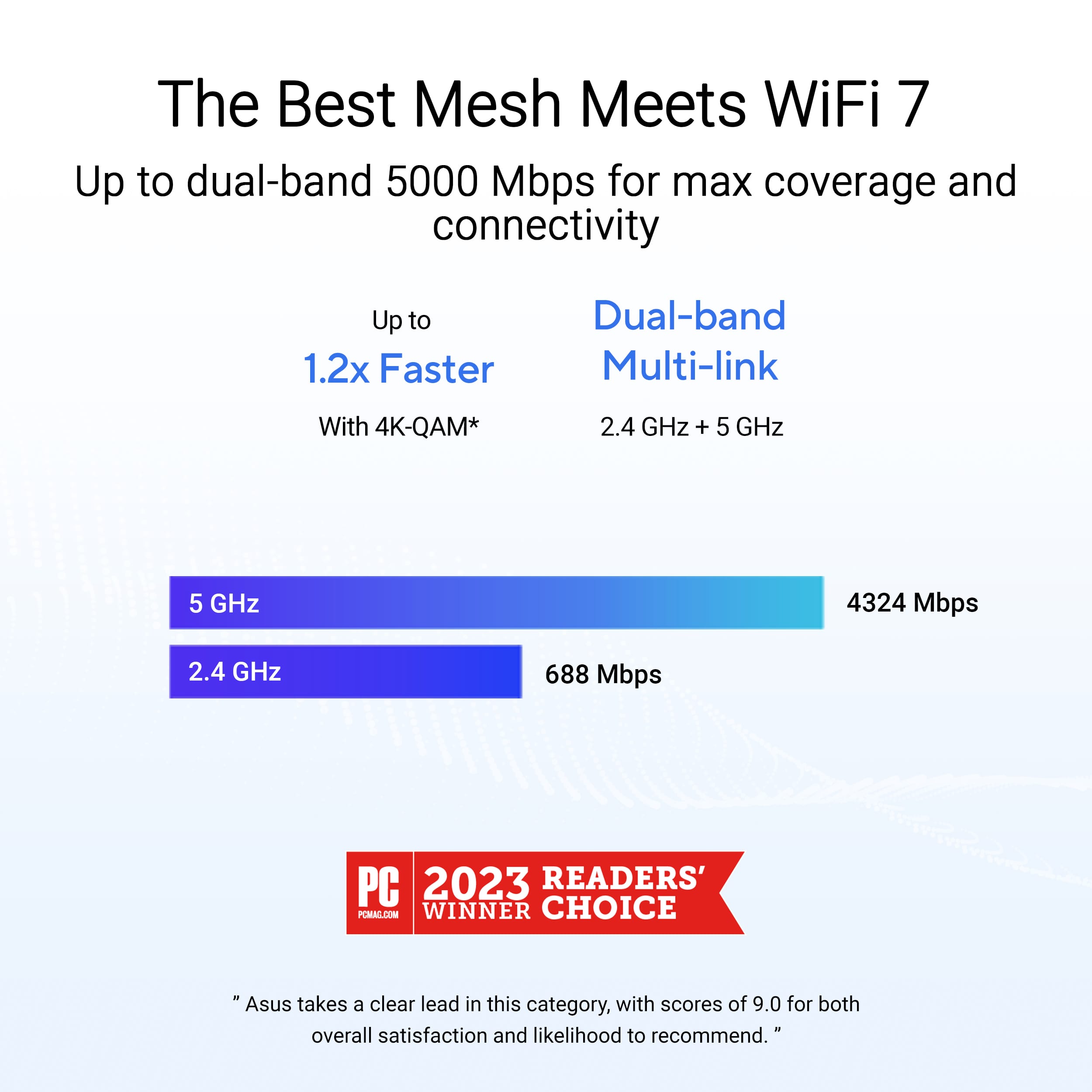
||Posted . Owned for 1 week when reviewed.This reviewer received promo considerations or sweepstakes entry for writing a review.one of the best mesh wifi with in built 2.4 and 5 ghz so that smart home system connectivity is very easy.
I would recommend this to a friendDo not purchase
||Posted . Owned for less than 1 week when reviewed.This reviewer received promo considerations or sweepstakes entry for writing a review.Do not buy.... Customer service is the worst experience ever. Called, and they walked through resting the router and still have the same issue on 2 different sets. Now theu wont help or even answer the phone. Placed on hold and hung up numerous times. Dont waste your time or money buy a diffent brand. Thankfully, Best Buy has great customer service and returned for a different brand.
No, I would not recommend this to a friendBrand response from ASUS Answers
Posted .Dear Whzzup,
Thank you for your feedback.
We do understand your dissatisfaction with the quality of your recent customer service experience and the inconvenience this may have caused. We do value our customers and take negative customer service experience very seriously. This is not the quality of service expected from ASUS. We continuously strive to improve our approach and processes in order to achieve customer service excellence. If you need further assistance with the warranty service for the product, please email me at [email protected] and I would be more than happy to help. Or you are most welcome to call Product Support Hotline at: 1(888) 678-3688. Also, you can chat with an ASUS live support agent from the link: https://www.asus.com/us/support/article/1135/.
Thank you for choosing an ASUS product.
Regards,
Rodel
ASUS Customer Loyalty
Poor quality wifi
||Posted . Owned for 1 month when reviewed.This reviewer received promo considerations or sweepstakes entry for writing a review.Connection drops between nodes even when nodes are close to each other.
No, I would not recommend this to a friendBrand response from ASUS Answers
Posted .Dear Jviz,
We're sorry to hear that the ZenWifi BE5000 Wi-Fi signal is often disconnected and we apologize for the inconvenience caused. To troubleshoot this issue, we recommend following the steps in the FAQ below. Should the issue persist, please contact our support team at https://www.asus.com/us/support/CallUs to investigate the problem further or assist with repairing the device.
We stand behind our products and continuously strive to improve our products and processes to achieve customer service excellence. For more information, email us at [email protected] and include the case number "N2412010246-0002" as a reference. We will do our best to resolve your case quickly. Your feedback is very important to us and enables us to improve our support channels. Thank you for choosing ASUS.
Best Regards,
Chantae
ASUS Customer Loyalty US Support
[Troubleshooting] WiFi signal is often disconnected - https://www.asus.com/support/faq/1030641/
Great Wi Fi!
||Posted . Owned for 1 week when reviewed.This reviewer received promo considerations or sweepstakes entry for writing a review.They have virtually eliminated all buffering on my wi fi connected devices!
I would recommend this to a friendGreat coverage & speeds, wonky registration though
|Posted .This reviewer received promo considerations or sweepstakes entry for writing a review.We had been renting our router from our ISP & it wasn't until about 2 months ago that I saw that we were actually paying for it. Silly me, having been in the ISP world and working for numerous ISPs where we just gave customers the router for free I figured that was the case with our ISP but alas it was not. So, in order to save ourselves $7/month (and we just found out a week ago that is going up to $10/month) I decided to get us the ASUS ZenWiFi BE5000 Mesh system. Unboxing & First Setup ASUS fit a lot into a relatively small packaging setup. You have 1 router & then 2 satellite APs. That said it is clearly marked that 1 is the router & the other 2 are satellite APs. However, I did not notice this at first. It just so happened that I selected the right one to be the router AP thankfully. That said it tells you to plug them in and set them X feet apart (it might have been 1 meter?). I didn't see that and had the two APs stacked on top of each other. Oh well, it didn't matter because they all set up mostly fine. I say mostly fine because when setting them up I had an issue with my ISP (Spectrum) where I could not get online no matter what I tried. So what I did was clone the MAC address of my prior router by inputting that router's MAC manually in the ASUS web wizard and then I was able to connect with no issues. This could be a Spectrum issue as I saw another reviewer said they could never get their system to go online, or it could be an ASUS issue. Once I did this though it was pretty smooth sailing past that. Unboxing & First Setup Rating: 4.5/5 Additional Configuration During setup I went ahead & segmented our network for IoT items to be on a different network than the rest of our network. This is now security 101 because we all know how absolutely abysmal IoT devices are when it comes to security maintenance. It is sad that is where we are today. Anyway, doing this was super simple because the guided setup asked me if I wanted to do that (yep! sure do!). Also, because of the WWE moving to Netflix totally in Canada (and other countries) but only moving RAW to Netflix in the USA I decided I wanted to get a VPN and set myself to Canada to be able to watch the Canadian Netflix. This router allowed me to do that with ease by using my NordVPN subscription. A particular NETworking device seller who is proud of their GEAR only wishes they were this user friendly. Seriously, ASUS slam dunked this for me. It allows me to do split-tunneling where only certain devices connect via the VPN. Phenomenal! There are a ton more features & functions that I am still playing around with but so far I really like how easily & safely this allows everything to be set up. It's not going to be pro-sumer grade, but it doesn't say it is, it is very high end consumer grade, and I love it so far! Additional Configuration Rating: 5/5 Registration We had another slight hiccup with registering these to my ASUS account. I was trying to enter the serial number of the router to register it (was going to do the router and then the two APs) but it kept saying it wasn't valid. I thought "OK, it's because they are so new" but I contacted support anyway. This is when I was told it was because I needed the serial number from the box as it is a set and that is the set's serial number. It should really say this in the box, and on the box, and even in the app, in my opinion. Luckily our recycling hadn't ran yet or I would have never been able to actually register these. Other than that small, and I mean very small, inconvenience, registration was smooth sailing just like most everything else. Registration Rating: 4/5 Speeds Now, for me, this is another area where the ZenWiFi BE5000 truly shines. It wasn't until I had installed these & been playing around in the web GUI that I found that we actually have symmetrical internet now (600 down/600 up) and have had it for a couple months now I guess. Even over WiFi I am able to pull 660Mbps down and 640Mbps up. That is on the Spectrum network and also off of it (using speed test servers on the Spectrum network and also servers owned by other ISPs in other locations). Spectrum must have really good connections both on & off network to facilitate this happening. Sahweeet! Speeds Rating: 5/5 Coverage With this system I am able to put the router right next to the modem, put 1 AP at the front of the house on the top left, and the 1 other AP at the back of the house in the basement. With this setup we have 360 degree coverage in our home, and I no longer drop out when in the driveway, front yard, back yard, side yard, heck even in the parking lot next to our home. It has truly upped our game here at our home. Coverage Rating: 5/5 Conclusion When it is all said & done the minor issues are just that: minor issues. They are not deal breakers for me, just things to be aware of if you have Spectrum & also what to do once you need to register the system. I have had much worse router systems before, but I don’t know that I have ever had one that was so easy to set up, had such great coverage, such great speeds, and so on. Sure, I’ve had some pro-sumer grade networking gear, and even had Enterprise gear before and they have a TON of features. But for a system that is set it & for get it I think the ASUS ZenWiFi BE5000 is the best I’ve tested so far. And with this being a dual band system I cannot even begin to imagine what the ASUS tri-band & quad-band ZenWiFi system performs like because this is a truly great system. I used to not like Mesh and would rather have the most powerful router money could buy, but with APs and Mesh having advanced so far it (the ZenWiFi BE5000) has converted me & made a true believer in the technology out of me. Bravo ASUS, Bravo. Conclusion Rating: 23.5/25 (I know the rating *should* mean I give it less than 5 stars, however, I can't do half stars here and so I am not going to dock it a full star and bring it down to 4 stars when it is obviously deserving of more than 4 stars; so 5 stars it is!)
I would recommend this to a friendStopped working out of the blue
||Posted . Owned for 1 month when reviewed.This reviewer received promo considerations or sweepstakes entry for writing a review.First time buying Asus for a router, worked great for about 2 weeks. One day it just stopped working. Nothing changed, nothing was moved around. No reason whatsoever, it just stopped working.
No, I would not recommend this to a friendBrand response from ASUS Answers
Posted .Dear Roberto,
We're sorry to hear that the WIfi BE5000 router stopped working and we apologize for the inconvenience caused. To troubleshoot this issue, we recommend following the steps in the FAQ below. Should the issue persist, please contact our support team at https://www.asus.com/us/support/CallUs to further investigate the problem or assist with repairing the device.
We stand behind our products and continuously strive to improve our products and processes to achieve customer service excellence. For more information, email us at [email protected] and include the case number "N2412010246-0003" as a reference. We will do our best to resolve your case quickly. Your feedback is very important to us and enables us to improve our support channels. Thank you for choosing ASUS.
Best Regards,
Chantae
ASUS Customer Loyalty US Support
[Troubleshooting] ASUS router or adapter is No Power/No Boot/Power LED is not ON - https://www.asus.com/support/faq/1050634/
Rubbish
||Posted . Owned for 4 months when reviewed.This reviewer received promo considerations or sweepstakes entry for writing a review.Absolute Garbage ... does not work as intended ....
No, I would not recommend this to a friendBrand response from ASUS Answers
Posted .Dear kiraandkengamer,
We regret to learn that you are experiencing connectivity issues. To troubleshoot this issue, we recommend following the steps in the FAQ below. Should the issue persist, please contact our support team at https://www.asus.com/us/support/CallUs to further investigate the problem or assist with repairing the device.
We stand behind our products and continuously strive to improve our products and processes to achieve customer service excellence. For more information, email us at [email protected] and include the case number "N2412010246-0020" as a reference. We will do our best to resolve your case quickly. Your feedback is very important to us and enables us to improve our support channels. Thank you for choosing ASUS.
Best Regards,
Schottky
ASUS Customer Loyalty US Support
FAQ-[Troubleshooting] Failed Internet access through router https://www.asus.com/us/support/faq/1030645/