Customer Ratings & Reviews
- Model:
- GRI070800G333
- SKU:
- 6076919
Rating by feature
- Value
Rating 4.0 out of 5 stars
- Quality
Rating 4.1 out of 5 stars
- Ease of Use
Rating 4.0 out of 5 stars
to a friend
Customers are saying
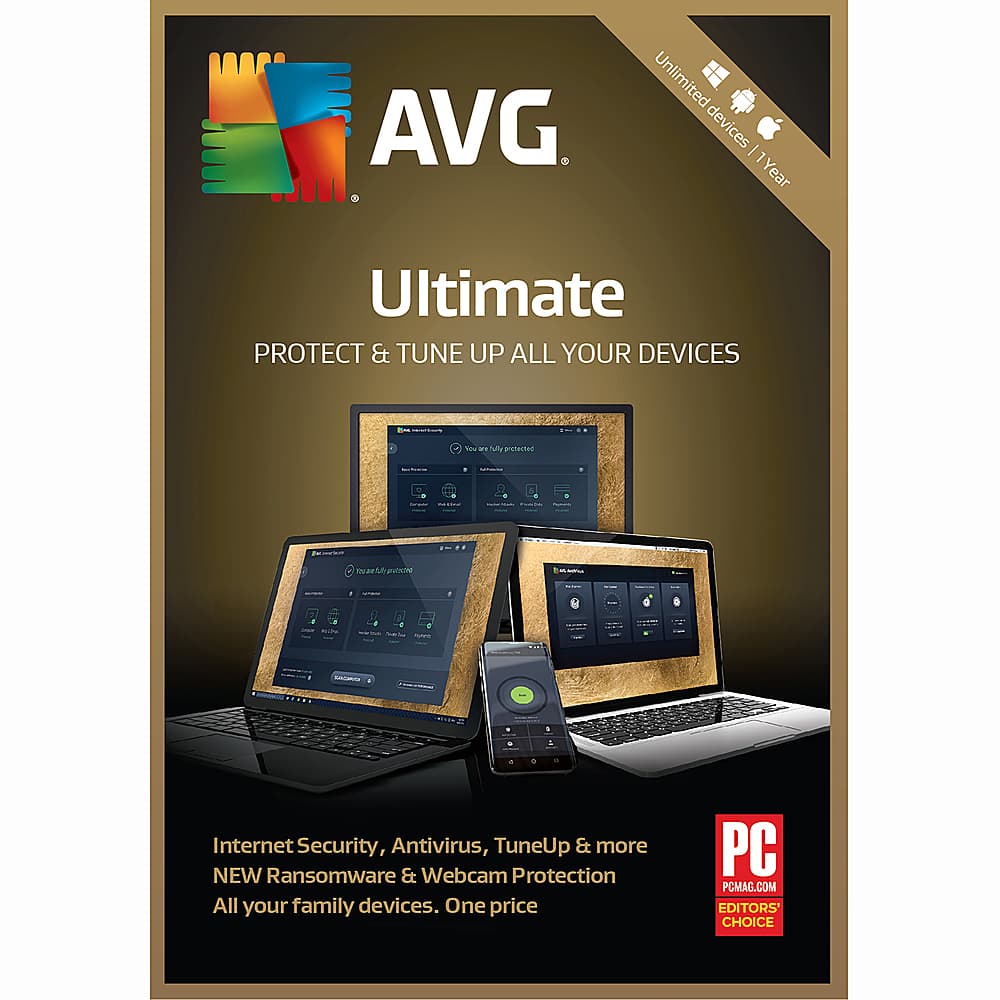
Customers appreciate the unlimited device coverage and easy installation process of AVG Ultimate. They also value the ransomware protection and automatic updates that keep their devices secure. While most customers are pleased with the performance, a few have encountered installation issues.
This summary was generated by AI based on customer reviews.
Don’t like
||Posted . Owned for 1 month when reviewed.This reviewer received promo considerations or sweepstakes entry for writing a review.Discribion on box does not cover all types of computers
No, I would not recommend this to a friendCrashed my computer
||Posted .This reviewer received promo considerations or sweepstakes entry for writing a review.Crashed my computer had to use system recovery to get my computer up
No, I would not recommend this to a friend
Complete coverage of unlimited devices.
|Posted .This reviewer received promo considerations or sweepstakes entry for writing a review.Like any premium anti-virus suite, AVG Ultimate security covers against viruses, spyware, email protection, web protection and more. Also included is PC tune up that has a multitude of features for system optimization. To be honest, most applications like this on the market at this level will do all that. So with that in mind, I will be looking at the installation, interface and performance ( non- scientific) and overall impression. The inst¬¬allation – The initial installation was fast and the download was not too large. The program was downloaded via AVG website. You have to register with AVG to install. The registration was as simple as an email address and password. I say the initial installation because not everything was installed on the first run ( this is by design.) There is an option for a Boot Time Scan. This option will scan your system at the initial boot before Windows starts. I like this option because it appears to be able to catch threats before they get any chance of impacting your system. I did run into an issue with the installation of the Boot Time Scan, my system froze up and I have force reboot. No issues after that. The interface – I am not thrilled with the way that AVG set up their dashboard. I did not find it very intuitive to access all the features and functions. At first , it tells you what you how you are protected . To view more you have to click on the cog next to scan, the menu, or my AVG drop down. It is not the end of the world, I just was not thrilled the way it was arranged. The performance – This program is fast. Every scan I did was finished in a short amount of time. It should be noted that I am using it on a very clean system but it still was very fast. During scans I noticed no performance lag in my system. Overall – I have mixed feelings on subscription based applications. It seems like you should pay once for something and be covered for a year. However, in looking closely at the AVG product, I do see a bit more value because it lets you install it on an unlimited number of devices across multi-platforms – Windows, Mac and Android. That is where the cost of this product makes it worth it – multiple devices across platforms. Overall I recommend the application .
I would recommend this to a friendGood program, but be careful with it
|Posted .This reviewer received promo considerations or sweepstakes entry for writing a review.I liked AVG anti-virus, but you have to be a little careful that you don’t end up breaking your system by putting programs to “sleep.” Installation was relatively straightforward. I went to their site, entered my product key, logged into my account (took me a little bit as I couldn’t remember my password from their free version), and downloaded the software. I was surprised that it didn’t prompt me to remove the free version that I already had installed. I honestly can’t tell if it upgraded the version I already had or installed this alongside it. I tend to think that it upgraded as I don’t have an overabundance of new icons in my start menu. Installing on a second computer proved a little trickier as I’d missed that I had to click a validation link in an email they’d sent me. I’m not sure why this was necessary for the second computer but not for the first. The user interface is . . . busy. It tries so hard to be feature rich that it makes it a little hard to navigate. This installed and ran on my desktop beautifully (3rd Gen Core i3 processor and 6GB RAM). It didn’t do so well on my Atom based tablet with 2GB of RAM. The performance hit was noticeable but it was still quite usable on the Atom based tablet. I’m not so keen on AVG’s whole “putting programs to sleep” function. It touts this as a way to free up system resources to boost performance. It claims that it just puts the program into a standby mode, but it won’t negatively impact any active tasks. This isn’t quite true. Shortly after putting a couple (seemingly) innocuous programs to sleep, I found that a lot of my games wouldn’t open (I’d put the background updater for one of the games to sleep and my graphics card program). I also experienced a system crash shortly after doing this. Waking the programs up appears to have fixed the issue. All in all, I’m fairly happy with AVG. I would caution users not to let it run amok with your system settings, but it does offer an extra level of protection against the threat of computer viruses and malware.
I would recommend this to a friendGood Scanner and Cleaner-many devices
|Posted .This reviewer received promo considerations or sweepstakes entry for writing a review.It is always hard to tell if a anti-virus, etc. software works well, because inherently if it's doing its job then you don't know about it. The other features are a little easier to see, device cleanup and speed up. One of the features I do like is the unlimited devices. You won't have to worry if you installed on this laptop already or this tablet etc. Also it works for PCs/Laptops and mobile devices like phones/tablets. I installed it on two laptops and my phone. I have not yet installed it on my iPad but plan to soon. The install was pretty easy on all these devices, however if you have another anti-virus software running you will need to disable it to use this one (they treat each other as threats). There was some login and setup required to use the 2nd device and so on to verify your account but it was not very time consuming. The phone was probably the most time consuming because it recommends additional apps to run with the AVG like the cleaner and some others that I did not use. There are also some pay apps that are also recommended but not required. I use the main AntiVirus and the AVG Cleaner apps only. I have had no issues of virus and I feel like it does a good job keeping my devices running more efficiently by closing unused apps and cleaning up old files. I would recommend this software, but I cannot speak to whether it is better than any other brands.
I would recommend this to a friendProtection for all you devices
|Posted .This reviewer received promo considerations or sweepstakes entry for writing a review.All the recent data breaches made me aware of how vulnerable my devices are. I bought a new laptop and the protection it came with lasted only 30 days. My cell phone didn’t have anything protecting it from the many apps it ran on a regular basis. Installation of AVG Ultimate on my laptop was as easy as typing in the website for the install download. I entered the activation code that was provided for me. (Word of advice – include the hyphens.) I created an account (second word of advice, mark down your password in a safe spot so you can access it for additional device downloads. (The username is your email address.) You will get an email that you need to confirm before your AVG account is completely activated. Once that is done, you will receive an email you will want to save with the PDF of the End User License Agreement along with download and install directions. I started my scan and the first thing that popped up was an offer to resolve 4 privacy issues…for an extra charge. Back to my scan, first my browser was secured. No threats were found. On the main menu, the protection covers my computer, web & email, hacker attacks, privacy and payments. It shows me my last computer scan and virus definitions. The Internet Security protections include: Computer – file shield (scans files on PC) and behavior shield (malicious application behavior) Web & email – web shield (against web attacks and unsafe downloads) and email shield (protects against unsafe email attachments) Hacker attacks – enhanced firewall and ransomware protection Privacy – webcam protection and data safe (hide private phots and files) Payments – anti-spam and fake website shield The PC TuneUp offers maintenance, speed up optimization, cleaning to free up space, fix problems, and all functions. There are toggle buttons to preserve your battery life by turning off certain features. My favorite is Rescue Center that allows you to undue any changes AVP has made. Another thing I really liked was searching duplicate files so you could delete them. That is something I have tried to do but never complete it as it is so time consuming. The yearlong subscription includes – antivirus, PC TuneUp (secure VPN and Password protection are available for an extra fee). You also have access to protect your family’s Windows, Mac, and Android devices. I downloaded the app to my cell phone. By signing in on Myaccount.avg.com, I was able to upgrade it to Pro. Now everything is a 1-tap process. I am informed of ways to save space, delete unused app, etc. At this point, I am happy with this product. You get a lot more than free Windows Defender so it seems worth the fee. The issues I encounter throughout the year will make or break it for me in the end.
I would recommend this to a friendA great experience so far
|Posted .This reviewer received promo considerations or sweepstakes entry for writing a review.It’s always hard to do a comment about the quality of your antivirus protection because it’s obvious that you only see evidently that is not the right one when is too late, and today after couple of weeks all my 4 devices seem to keep working well. I can comment about how easy has been registering my license and re-installing the software in other 3 devices with no problem at all. Once the first activation was done, the other 3 are as easy as reentering my email and password. Once installed running the scanning processes are always one easy intuitive step and up to know all the feedbacks received seem to be easy to understand. I personally like the app in my phone android device, functionalities to close unused apps, liberate ram or increase efficiency are notably working when I am using other more demanding apps (as the GPS). Couple of small items, I dislike some of the commercial messages that I receive to extend my protection to other areas (passwords) seems that I didn’t buy the “real” full protection. Some of the feedbacks in the phone such: you have old photos and proposing to delete them, are kind of too aggressive for my taste, while I see value in erase duplicate files, the possibility of erasing some of the family history by accident is a concern.
I would recommend this to a friendGives peace of mind though interrupts
|Posted .This reviewer received promo considerations or sweepstakes entry for writing a review.I usually have antiviruses in my PCs until the last two years when all it takes is an actual know-how of how things work so you don't put yourself at risk. The reason why I stopped was because of how these programs load into your computer memory and the interruptions it does. For AVG, I installed it in my PC and my tablet. For my tablet, it was a little interruptive-- it created an additional screen for me to swipe on on top of the usual password swiping screen. It does help with cache clean-up which is good for tablets since android apps tend to stay in your memory, but it does not make it considerably fast. Honestly, I don't think you need it for your tablets. For the PC though, it does give me a little more peace of mind. The program itself is not that heavy-- although I have an able machine (i7u with 16gb of memory). It scans fast and "protects"-- you know how these products are, you don't really appreciate them until something happens. So based on how intrusive it is-- which is not so much, how it may slowdown your PC, which it hardly did on my machine but with the peace-of-mind it gives me, even if I don't go into shady sites, it's not as bad as I initially thought it was.
I would recommend this to a friendSome Good, Mostly Meh
|Posted .This reviewer received promo considerations or sweepstakes entry for writing a review.AVG PC Tune Up seems to do a pretty good job cleaning up the registry and finding other issues with the system. That product I would give 4 stars to easily. The system security is an odd package. I have installed Tune Up on two computers. One, it installed only Tune-Up. The other forced the install of Internet Security, when I say forced it installed without prompting me to install it. You can really tell that AVG was bought by another antivirus company, search for it for details. AVG has morphed into something very similar, not in a good way, to that free offering even though this is paid for. I really hate the pop-up ads especially for a product that was a paid subscription. As I said about the install, portions were installed without prompting me, but both installs failed the initial installation. Only after a reboot did the install seem to work even though I received a error saying the install failed before I restarted the PCs. Navigation of the apps are also inconsistent, much like the company software that purchased AVGs. AVG was once a really dependable name, I am not getting that same warm and fuzzy with the latest release. The only reason I have rated as high as 3 stars is the PC Tune Up portion of the software package. I honestly like that software. But there is a driver update portion that AVG is expecting more $$$ for. Not a fan of advertising complete packages then having bolt on software advertised inside. I have not, nor will I, install this on my phones and tablets based on the inconsistencies of what I have seen on PCs.
No, I would not recommend this to a friendUnlimited Devices and great protection!
|Posted .This reviewer received promo considerations or sweepstakes entry for writing a review.Nowadays it’s very important to stay protected on all digital devices that you use, which is why the best selling point for the AVG Ultimate is that you can install it on as many devices as you own. The product comes as a card that includes an activation code that use online to download the software onto your devices. The software was quick and easy to install. Overall I think this works pretty great but I’m disappointed by all the upsell ad’s and charges for extra services, I would have expected more from the Ultimate package at this price point. I do like that I’m able to install this on as many devices as I would like and have done so on 3 devices so-far, 1 Android and 2 Windows. They are all performing very well and the PC TuneUP feature works great. This really did improve the overall performance of my Android phone with the recommended RAM boost and clean-up application. I would recommend the AVG Ultimate software to anyone with 3 or more devices, who wants an easy to use, trusted, internet security and tune-up/clean up program.
I would recommend this to a friendPerfect Security Software for PC, Phones
|Posted .This reviewer received promo considerations or sweepstakes entry for writing a review.Installation is very quick and easy for AVG Ultimate - Unlimited. I have registered with my email and installed in 2 desktops, 1 laptop and 2 android phones. There are lot of features embedded in this product to cover privacy, account information, settings and support. The interface is very user friendly and easy to navigate. It takes care of all software updates, scanning, firewall and privacy protection. Performance is great and PC startup is improved dramatically. It will Keep your essential and most popular software always up to date. It will protect personal photos and files from ransomware attacks. It will protect hackers from using your webcam to spy on you. The nice feature is that it isolates even the newest threats to analyze them in the cloud and push out cures to everyone It proactively stop malware with advanced, PC-based artificial intelligence and block unsafe links, downloads, and email attachments. It will encrypt and hide your most private photos and files to prevent family, friends, or thieves from seeing what's yours. It will provide security updates and new features are pushed to you automatically. It will block hackers from getting access into your PC and avoid fake websites and enable safer payments. It will speed up and clean unlimited Android mobiles and tablets. I am impressed with all features of this product and recommend to anyone without any hesitation.
I would recommend this to a friendNot just a standard security program
|Posted .This reviewer received promo considerations or sweepstakes entry for writing a review.Internet / PC security software is subject to a lot of criticism, and can be hard to shop for as a lot of people have brands they love and tend to be biased when reviewing ("This is better or worse than this other program I love"). I have owned many security software packages over the years and never had one that wasn't just like the other, until this. This has more features included than I have ever seen in other major security software packages (I.E. Norton, McAfee). There may be some that disagree but this is my personal experience. First, I love the fact that it covers unlimited devices. Many other programs usually cover 3-5 devices or so. Installation was very easy and even the sign up process. Once you enter your subscription to your account, all you have to do is sign in on AVG website and direct download the software to whatever device you are on and sign in after install. All out in the open and easy to find. The antivirus/internet security software is pretty basic as you would find in a lot of other programs but also includes some other cool features I've never seen in a security package like an encrypted Data Safe for your photo's and files, extra Webcam Protection to keep apps and programs from accessing your webcam unknowingly, and extra hacker protection against ransomware. The program interface is very user friendly and the categories change change color depending on the severity of the area. Most will be in yellow if there are updates or scans needed, and all green if category is all up to date. While it is "Ultimate", It does include extra features for an individual price each which includes extra Password Protection (For $1.67/month), and a VPN service (Which is at a very competitive price at $2.99/month and they offer a 60 day free trial) (Keeping in mind prices may vary after this review is written) . Just them offering a VPN is great compared to sending your money off to other unknown 3rd party VPN providers. It does seem to scan once or twice a day for new virus definitions, but updates vary depending on your personal settings. Of course, you can always scan for updates at any time. The PC tuneup software is nice, it found many errors with my registry's and corrupt files; So it does its job. It does include an optimization feature for battery saving, or minimizing background features to speed up processing; which is interfaced right on the main screen, so it's all very easy access. There are also some extra paid features on this portion of software as well, including a driver updater, which is fairly pricey and not a necessity. It also includes a "Rescue Center" to undo any changes AVG may have made to your system, in case you accidentally changed or erased something during the tune up. It also handles disk and registry defragmenting, registry fixes, disk checks and other clean ups. I find it very useful. Overall this is a great bundle package for the price and unlimited devices. It's has a super easy to use interface, is very user friendly, and does its job well. Would definitely recommend.
I would recommend this to a friendGood value
|Posted .This reviewer received promo considerations or sweepstakes entry for writing a review.As a disclosure, I have been using AVG Free for years. It has always worked as advertised and is by itself a good anti-virus program. As someone who works on computers on the side, particularly working on virus infected systems, the one thing I have noticed is most computers with the big name anti-virus programs are the most often infected units. This is because the programmers who design the viruses seek to disable the top flight anti-virus programs and then have their way with your systems. Without fail, when I get an infected unit in for "virus repair" the system has one of the top three well-known anti-virus programs. As a user of systems myself, having AVG installed has prevented virus infections and the system does work. I have intentionally wandered into "virus minefields" and the system detects suspect areas and informs me. It was thus that I welcomed the chance to subscribe to a paid version of this AVG software and it performed as I am used to it performing - well. This software does offer more than just anti-virus - it has computer tune-up software and other items that work well. PLEASE NOTE: If you are going to use this software on a phone, you will need to use as your MY AVG account email as the same as your google store email or you won't likely get this to show as activated to "pro"; if you do happen to install using a different email address (like I did on initial install), you can go back and change your MY AVG account email to reflect the Google Play account you have and all systems will be upgraded to the "pro" version. This is an annual subscription service so be aware that it will expire - but if you are using the other big name services, you are likely already used to an annual subscription service.
I would recommend this to a friendVery good suite
|Posted .This reviewer received promo considerations or sweepstakes entry for writing a review.I’ve installed this software suite on e devices, two laptops and one desktop. Installation was easy, once I activated it. Once activated I was able to sign in on my other devices and install. The first thing I did was scan my PC’S once completed I was able to go to PC Tune up which is part of the software suite, and optimize my devices performance. The virus scan did not find any viruses or problems, but the PC Tune up found several issues to resolve that would optimize my pc’s performance. After I finished the PC Tune up scan and made the recommended changes, my PC was a very different machine. It moved quickly and crisply from task to task, and performed like it was designed to do. So far I really like this software and highly recommend it. Time will tell if the performance remains, if anything changes I will update this review as needed.
I would recommend this to a friendGreat Suite of Utilities - But Not For a Mac
|Posted .This reviewer received promo considerations or sweepstakes entry for writing a review.I have been an enthusiastic user of AVG's free Windows antivirus software for years so the upgrade to their Ultimate edition was unsurprising there. The license covers unlimited devices (for a year) - and spans Windows, Mac, and Android devices. But the implementation for Mac is very disappointing - I was able to load the internet security software successfully but a full-disc scan of my small-ish solid state drive took nearly two hours and never got to 100% before crashing - that's very disappointing. The Mac tune-up utilities installation wouldn't recognize my password so I was only able to install a trial version of that. Mac aside, the real standouts from this Ultimate edition for me are the suites of tune-up utilities for Windows and for Android devices. I found the Windows interface easy to use and understand and the recommendations were sound - I liked that the default recommendations were conservative and were presented in a way that allowed me to choose more aggressive cleanup options without rescanning. The real surprise (for me), though, was the combined security and tune-up implementation for Android devices. I never thought that I could benefit from a suite of efficiency utilities on my phone - and I fully expected the installation to run like a Windows application that had been poorly Androidized - but the Android implementation feels like it was designed compactly and smartly to address a few Android-specific issues (space, too many applications running, actual charge, internet security, malicious files) - it even has a great internet speed test function. The application runs invisibly in the background and only greets me when it has a recommendation (delete files, close applications). I don't think the AVG Ultimate suite is perfect because I feel like it was a total failure on my Mac - but the internet security and tune-up utilities work beyond my expectations on Windows and Android devices so I think the suite deserves five starts for functionality with the caveat that I found the installation to be slow and buggy on my Mac - so boo on that. I feel like the Windows implementation and especially the Android implementation are stellar, though.
I would recommend this to a friendgreat price for all the devices I need protected
|Posted .This reviewer received promo considerations or sweepstakes entry for writing a review.With 4 phones, a desktop and 2 laptop computers, and 2 tablets, I have been looking for security software that would cover all my families devices. AVG Ultimate security software does just that. Downloading to the computers was super easy. Just go to the website and type in the activation code. Once installed I did a quick scan and found no threats. I feel safe now that AVG is protecting my computers from any virus or spyware threats. To protect all our android phones I just had to go to the play store and downloaded the app. From there you sign in and your devices are now protected with the AVG ultimate version. I like the fact that it scans wifi hot spots for safety as we use them frequently while traveling. You can't beat the price to keep all your devices secure.
I would recommend this to a friendProblems Across Devices
|Posted .This reviewer received promo considerations or sweepstakes entry for writing a review.One of the main selling points to AVG's product is availability across devices. While the Windows Program installed without flaws, I cannot say the same about the android install. You are given a serial number and instructions to download the software. You have to set up an AVG account, which I did. But in order to install for android devices, you are taken to Google Play where the free and paid versions of the AVG product are available. I downloaded the AVG product from the Google play, but when i tried to activate it, my registration was not picked up and I had to purchase a subscription for from Google play. I essentially paid for a service that was supposed to be included in the Ultimate one year subscription. I first installed the antivirus in my Pixelbook. Virus scanning seems to work fine, but the WiFi security feature cannot find my WiFi nodes through the Pixelbook. I attribute that issue to the fact that not all android apps are going be fully functional with the Pixelbook, and this is apparently one of them. The program thinks my Pixelbook is a cellphone, not a laptop. The android app works better on my Pixel 2 phone, and, in fact, appears to be fully featured, with everything working. I think that is because I am using the "Pro" subscription that I activated through the Play store and paid extra for, but I am not sure. The Windows 10 program is full featured, and was very easy to set up and carry out an initial scan. Upon install, it turned off Windows Defender, which I had hoped it would. Time will tell as to it's effectiveness and usability over the long run. Security software companies operate in a very competitive environment. Time may prove this product to be more usable across devices, but given the initial problems experienced, I would could not recommend the product to the general user, who I would have experienced the same confusing set up process that I did and would have to pay for an additional subscription to make the product fully functional.
No, I would not recommend this to a friendGreat Online Protection!
|Posted .This reviewer received promo considerations or sweepstakes entry for writing a review.The AVG Ultimate (Unlimited Devices) (1-Year Subscription) - Android|Mac|Windows was noticeably different right out of the box. There was no CD to insert into my computer’s CD Rom. There was only a piece of paper with a license key on it to use after opening www.avg.com/retail. I prefer to install directly from a CD, especially with a brand new computer. After activation, AVG Ultimate notified me that I already had McAfee Antivirus and Malwarebytes installed on my computer and that I need to uninstall them both in order to operate AVG Ultimate fully. Otherwise AVG Ultimate will operate in passive mode, with limited functions available. AVG Ultimate discovered performance issues, found browser data and outdated software that was resolved with AVG PC Tune Up. On the first initial maintenance run which consisted of fixing and cleaning files and/or folders: 581 Registry Issues found were fixed, 536 Broken Shortcuts issues found and deleted, 768.25MB System Cache & Logs found and then cleaned, 949.72 MB Browser Data cleaned, seven Startup & shutdown issues fixed, along with Disk Fragmentation. A deep scan found two threats and quarantined them for impending deletion. Two programs that were outdated were updated and there is the ability to turn on auto update.Also, there is AVG disk doctor to scan for disk errors. Three devices can have great protection from online threats with this software.
I would recommend this to a friendUnlimited Devices - Near Perfect
|Posted .This reviewer received promo considerations or sweepstakes entry for writing a review.We have multiple computers. A laptop for school (Mac), a shared home desktop/gaming rig (Windows), my work laptop (Windows) and my wife's work laptop (Mac). Then we have our Samsung phones. Getting an antivirus solution that gives protection across all of us without costing a fortune. This is the ONLY software where I can protect all devices and manage them centrally. It's worth the upgrade from the free version and the system cleanup has been good at speeding up our gaming rig. I'm only giving it 4 stars because on the Mac's it only provides antivirus.
I would recommend this to a friendAVG Ultimate
|Posted .This reviewer received promo considerations or sweepstakes entry for writing a review.Install was quick and easy. I did have to reboot a couple of times which was a bit inconvenient. I've used the free version of AVG for years and I liked it, but I hated the nagging ads. By upgrading, I've eliminated those ads and received a few bonuses. It upgraded right over the free version. I like the new PC TuneUp feature. It's great for cleaning up system cache and broken shortcuts as well as registry issues. Might want to create a restore point before making any changes to the registry. I'm also getting protection for Firewall, Malware, Ransomware and who doesn't love unlimited installs? With the name Unlimited, it makes it sound like there's more than there actually is. For example, Driver check is included in PC Tuneup, but wait! no, it costs extra. So does VPN and password manager. It's all separate. All in all I do like the overall protection that AVG gives me.
I would recommend this to a friend