Customer Ratings & Reviews


- Model:
- CH-9315411-NA
- SKU:
- 6394002
Rating by feature
- Value
Rating 4.3 out of 5 stars
- Quality
Rating 4.5 out of 5 stars
- Ease of Use
Rating 4.5 out of 5 stars
Customers are saying
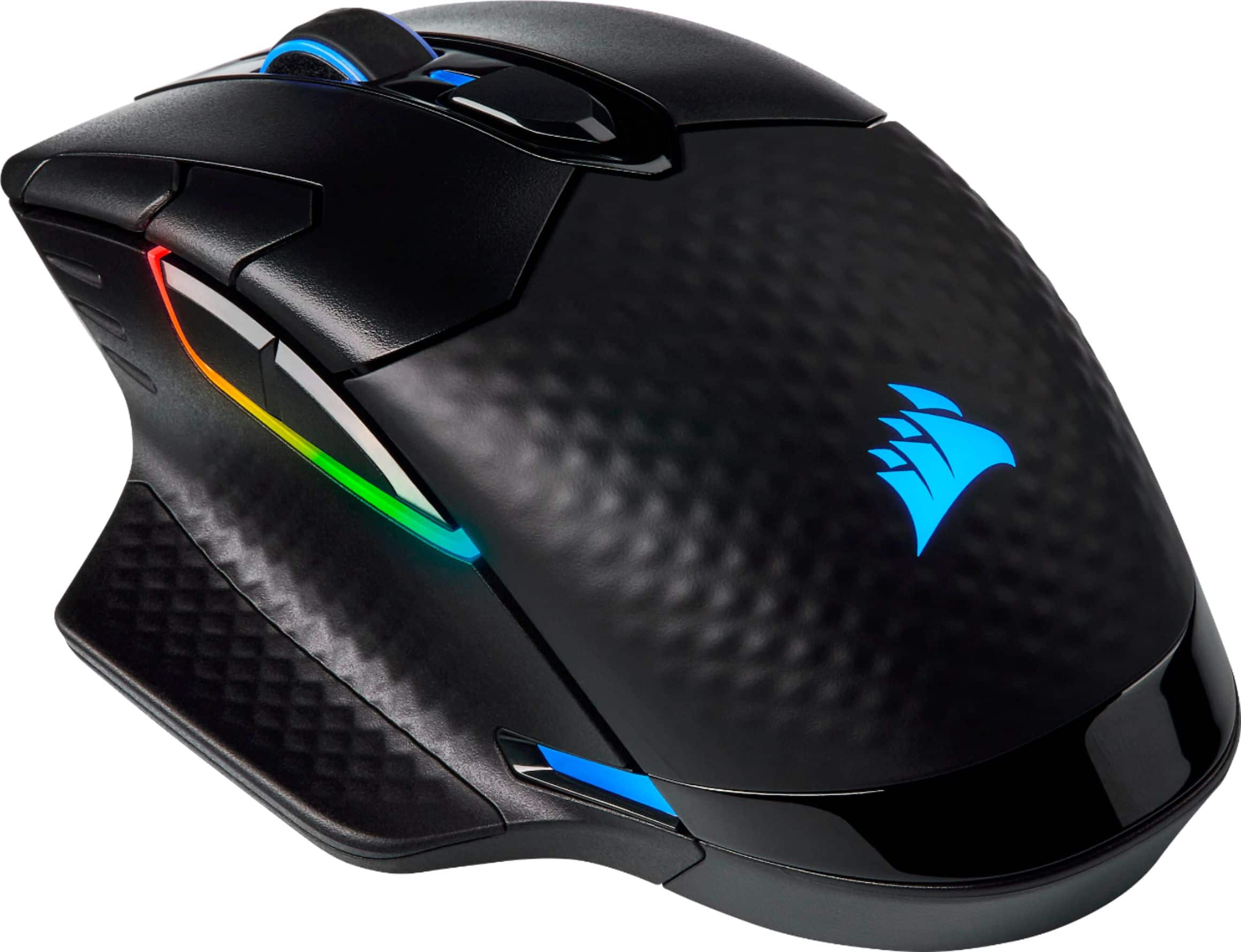
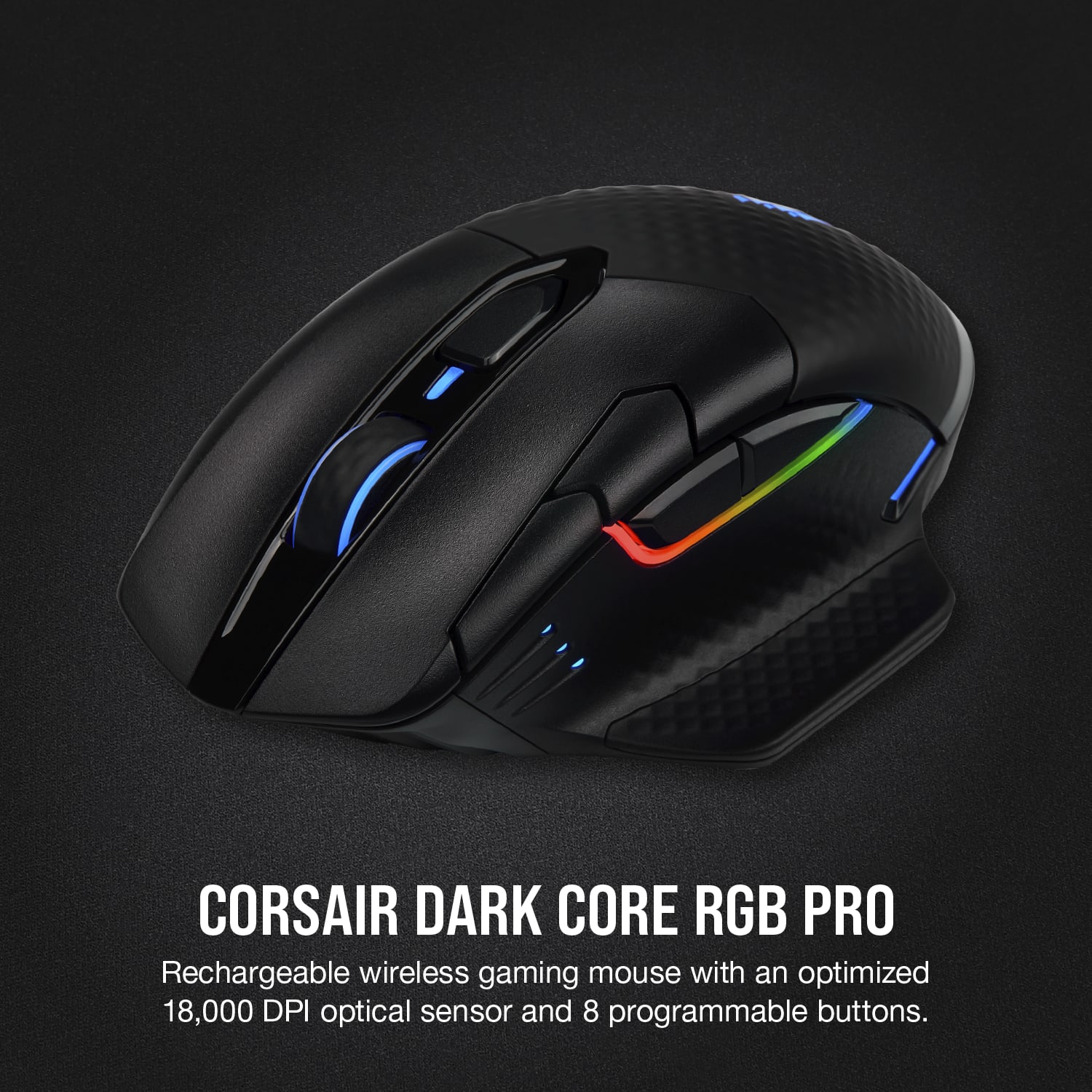
Customers recognize the DARK CORE RGB PRO Wireless Optical Gaming Mouse with Slipstream Technology for its comfortable feel, responsiveness, and customizable RGB lighting. Many appreciate its wireless capability, decent battery life, and adjustable DPI. Some users have reported issues with the software, scroll wheel, and occasional connection problems. However, the majority praise the mouse's build quality and suitable size for average hands.
This summary was generated by AI based on customer reviews.
- Pros mentioned:Battery life
Best mouse for the price
||Posted .This reviewer received promo considerations or sweepstakes entry for writing a review.I like it better then rocat and Logitech g2. It’s worth the money. Battery last quite a while before charging.
I would recommend this to a friend - Pros mentioned:Comfort
Great mouse
||Posted . Owned for 1 week when reviewed.This reviewer received promo considerations or sweepstakes entry for writing a review.I love this mouse. Great feel and functionality. The buttons are set up sorta weird to begin with but nothing a little tinkering won't fix.
I would recommend this to a friend Nice!
||Posted . Owned for 2 weeks when reviewed.This reviewer received promo considerations or sweepstakes entry for writing a review.Great Mouse for the price! Very happy with the product!
I would recommend this to a friendTOTALLY WORTH IT!
||Posted . Owned for 1 month when reviewed.This reviewer received promo considerations or sweepstakes entry for writing a review.Is not light weight but you get used to it, battery performace is amazing, and if you have other Corsair products you can sync with ICue for example, no lag and the pointer is extremely accurate! Plug and play, just connect it and turn the know to Wi-fi...
I would recommend this to a friendExcellent Mouse for my laptop!
||Posted . Owned for 2 weeks when reviewed.This reviewer received promo considerations or sweepstakes entry for writing a review.I love it a lot It works great and I love the LED Lights and finding the website for it was alright because I got friends who help me on that part
I would recommend this to a friend- Pros mentioned:Battery life, Rgb

More than met my expectations.
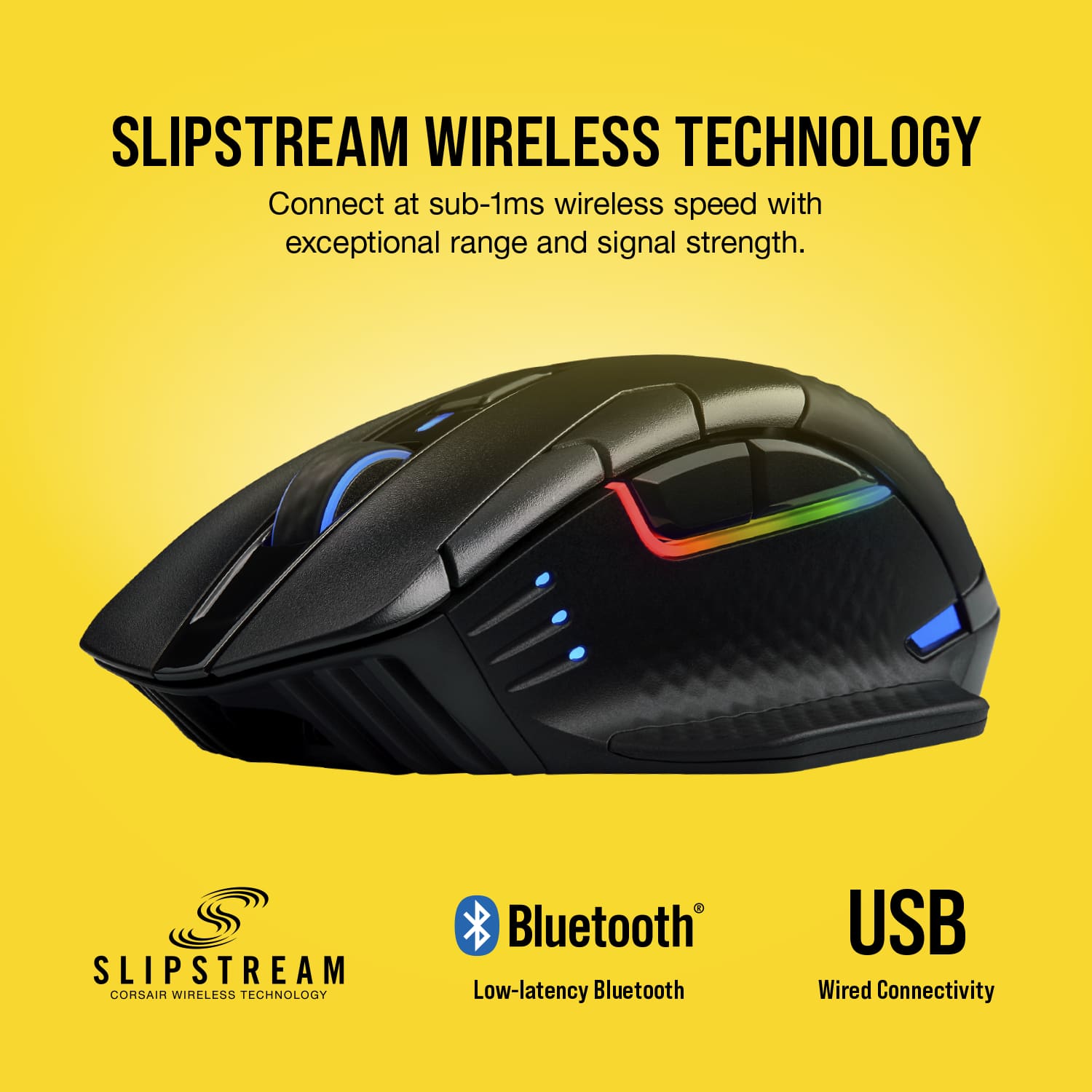
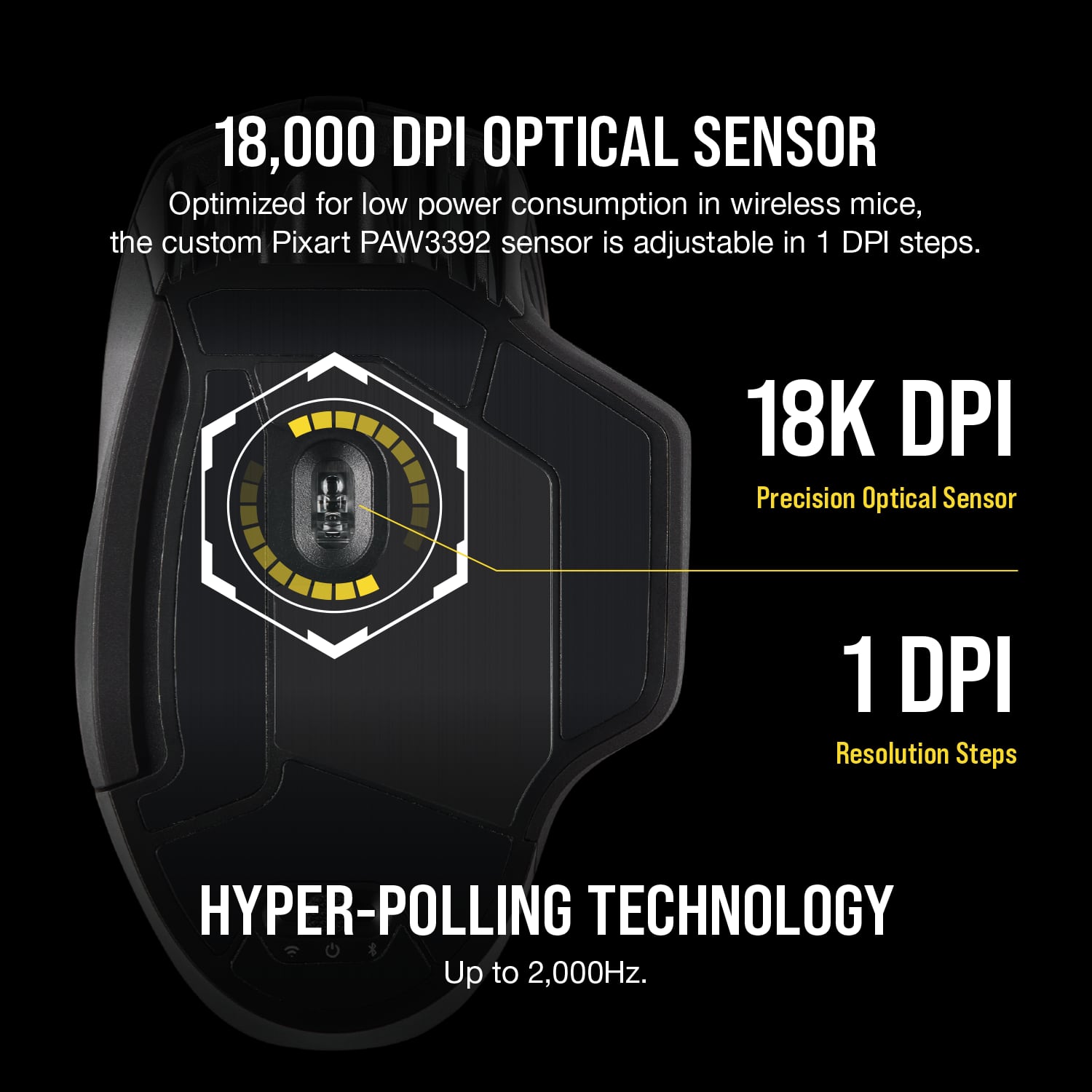
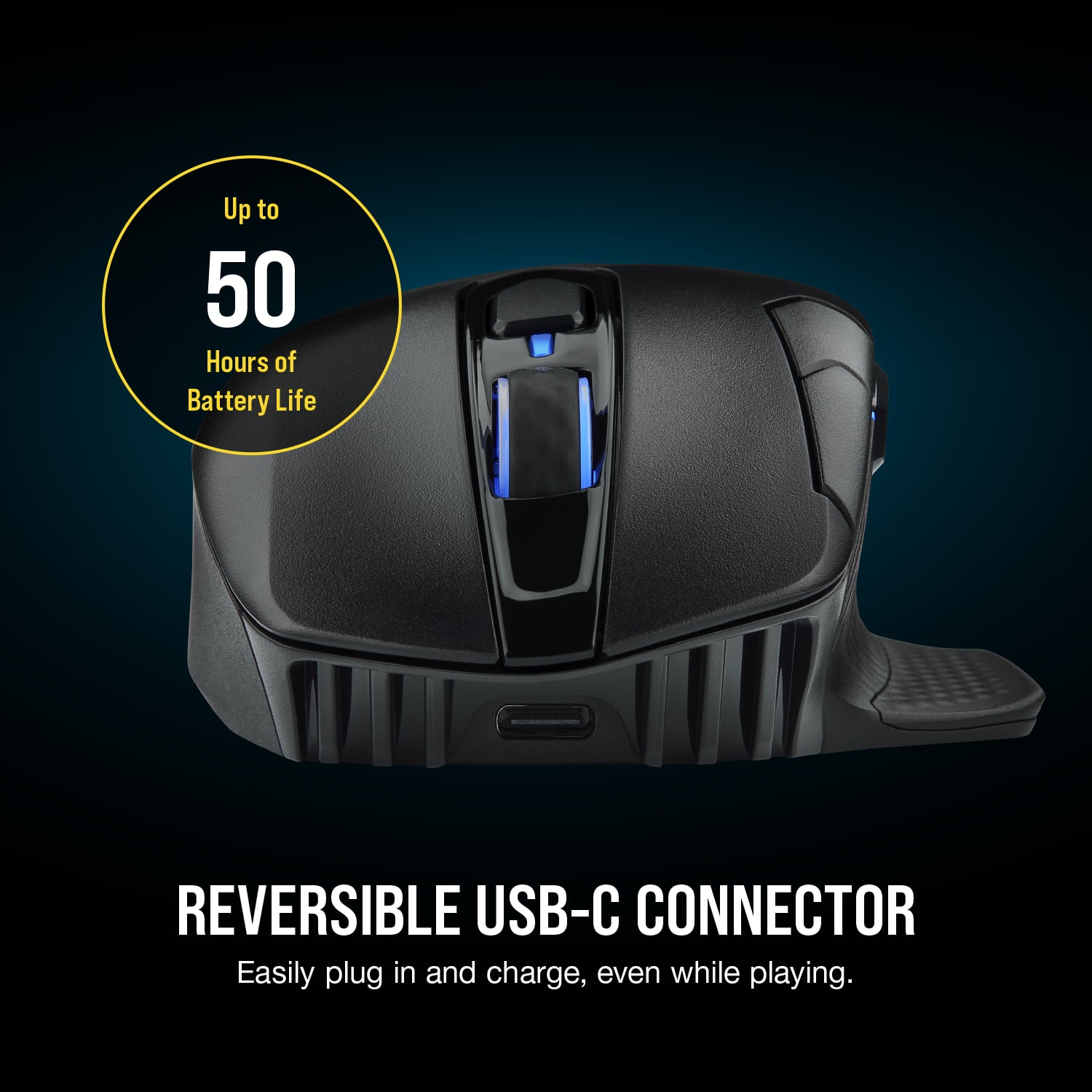
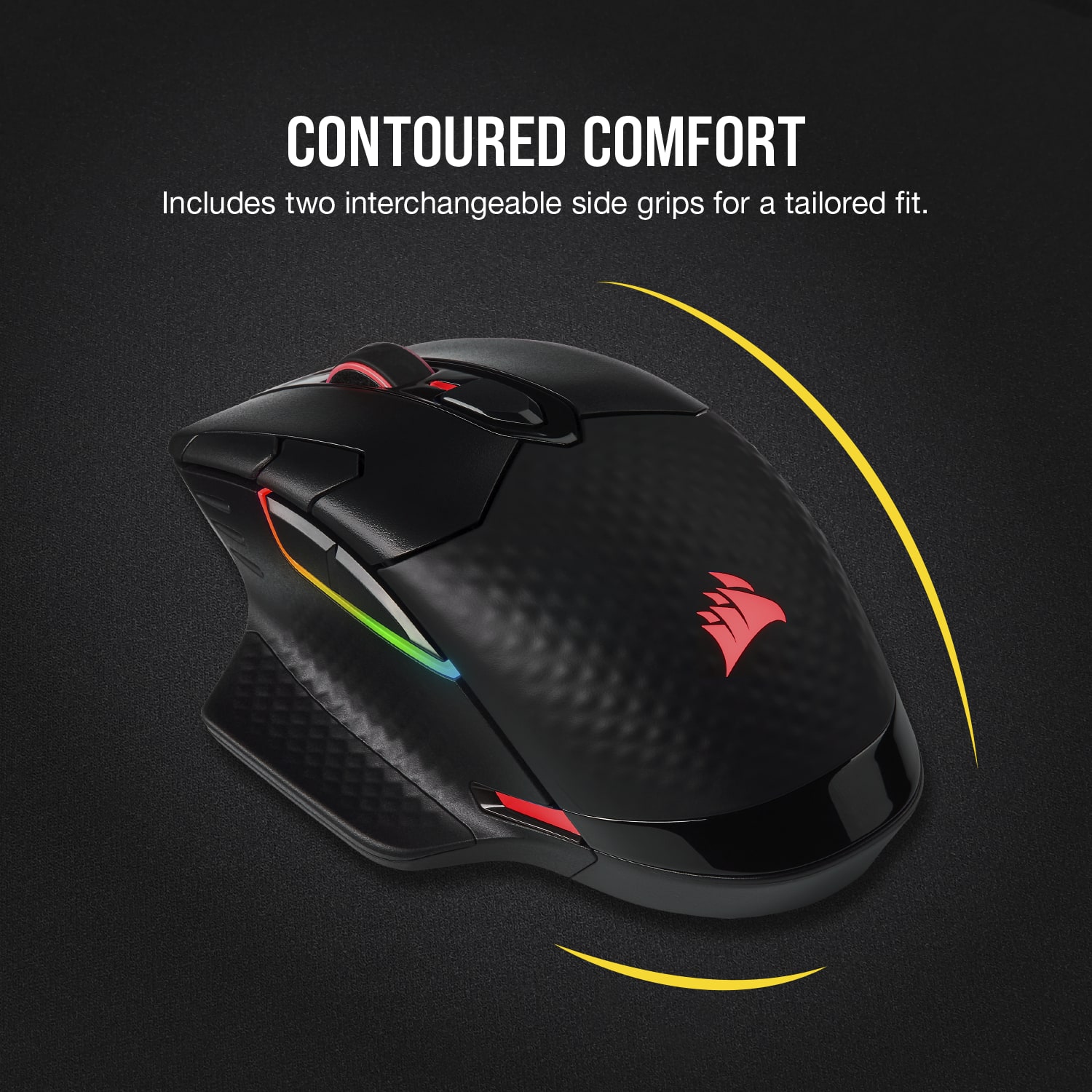
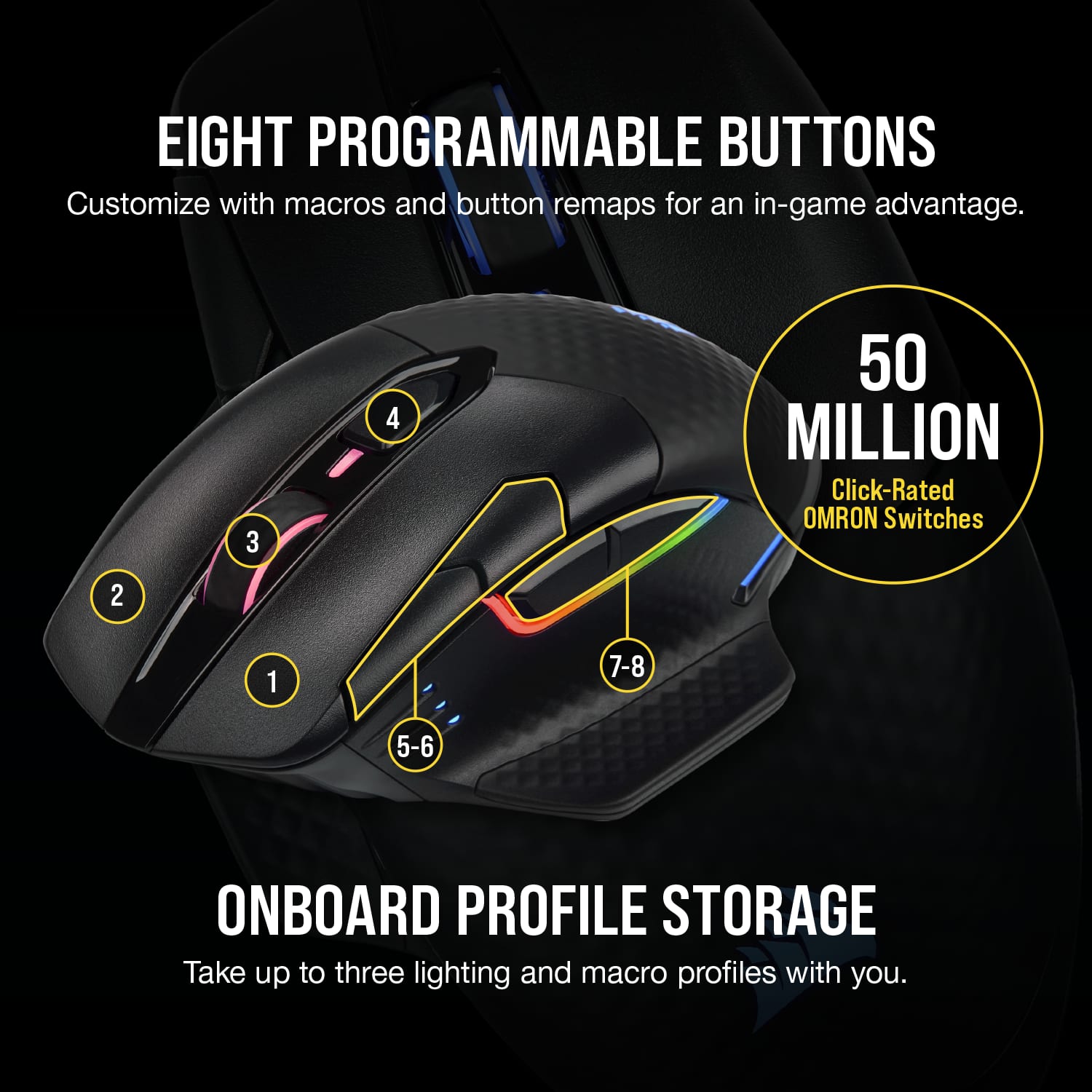
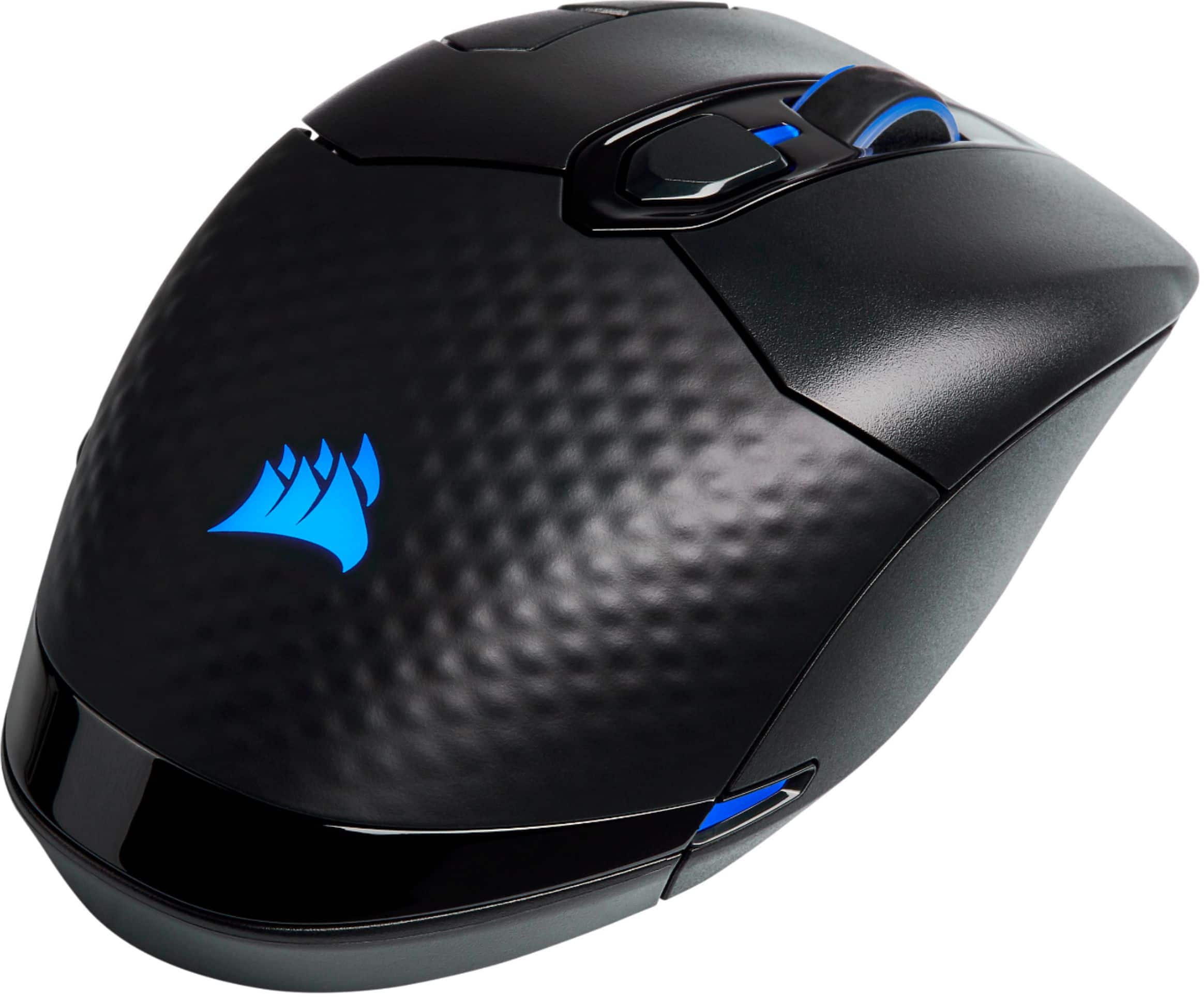
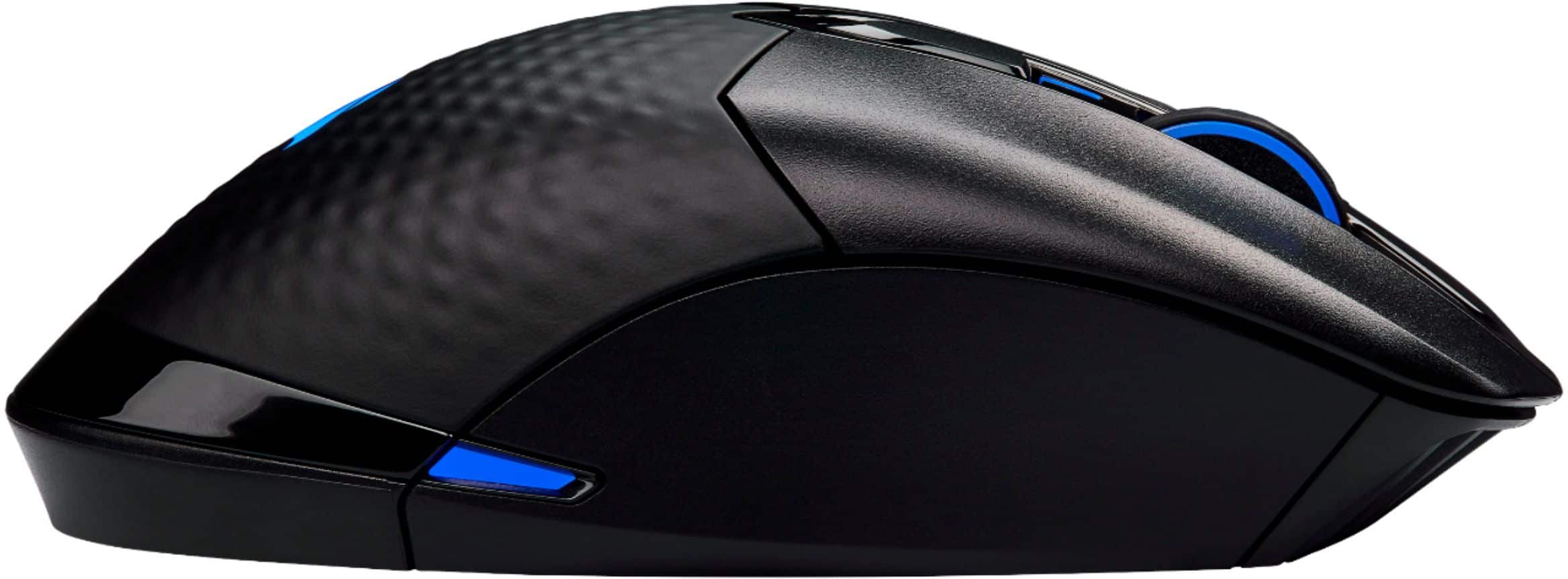
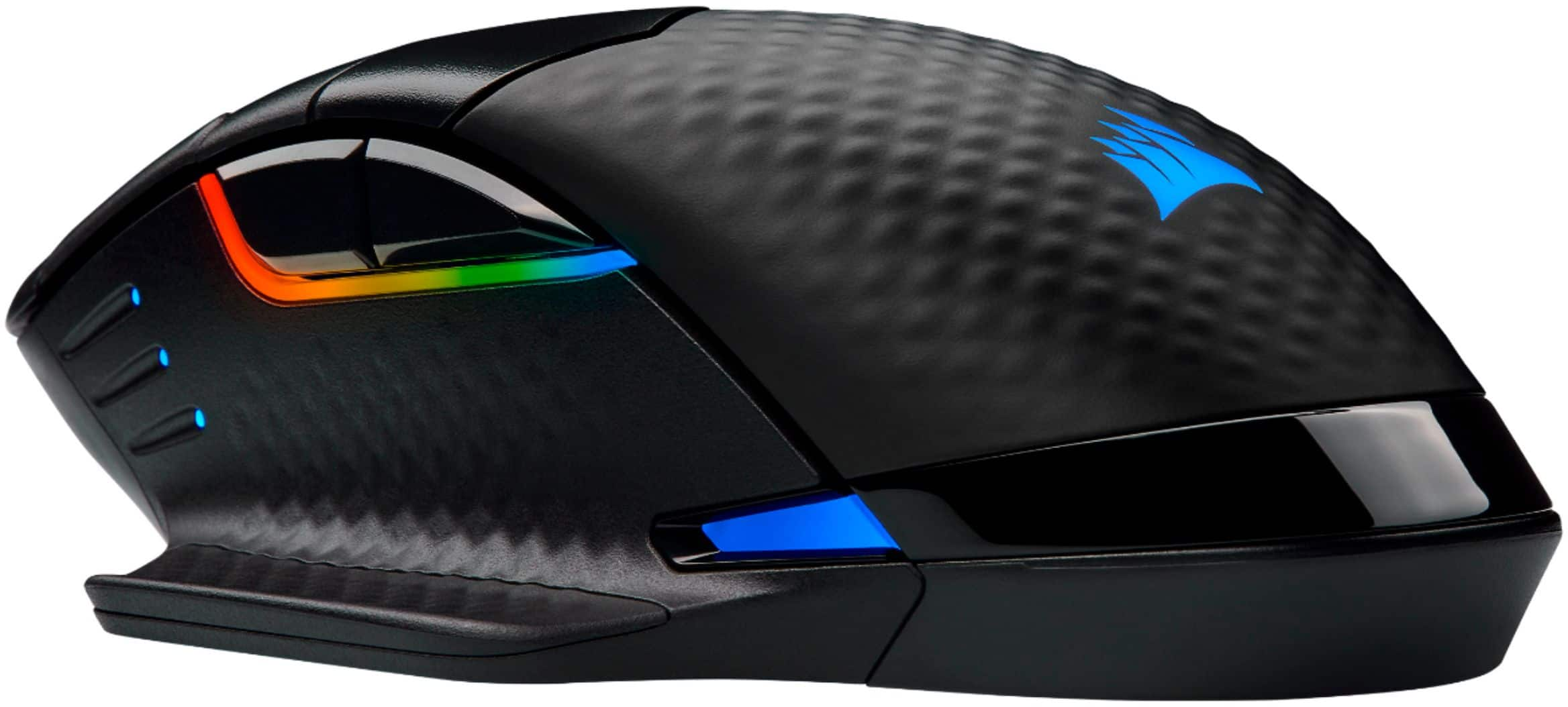
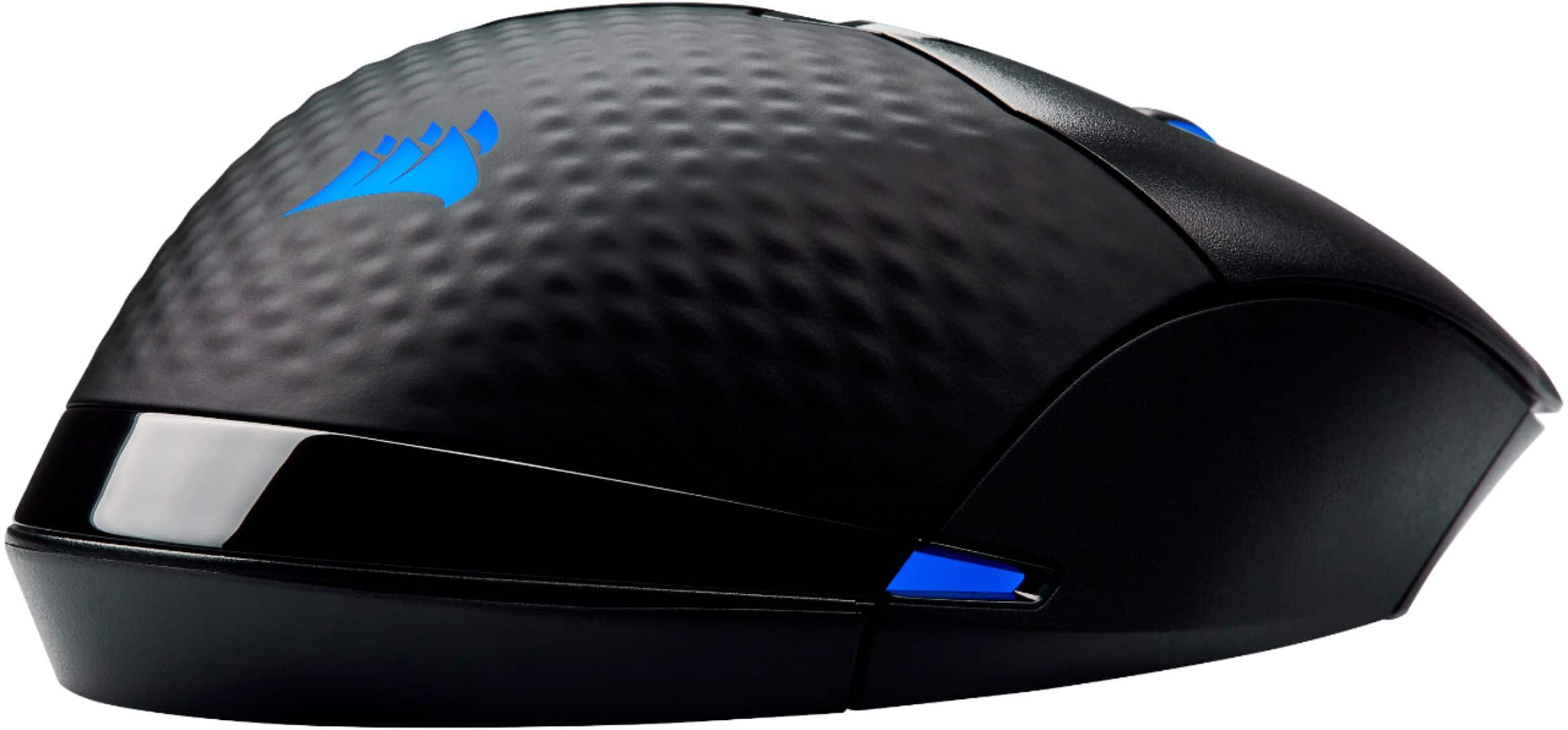
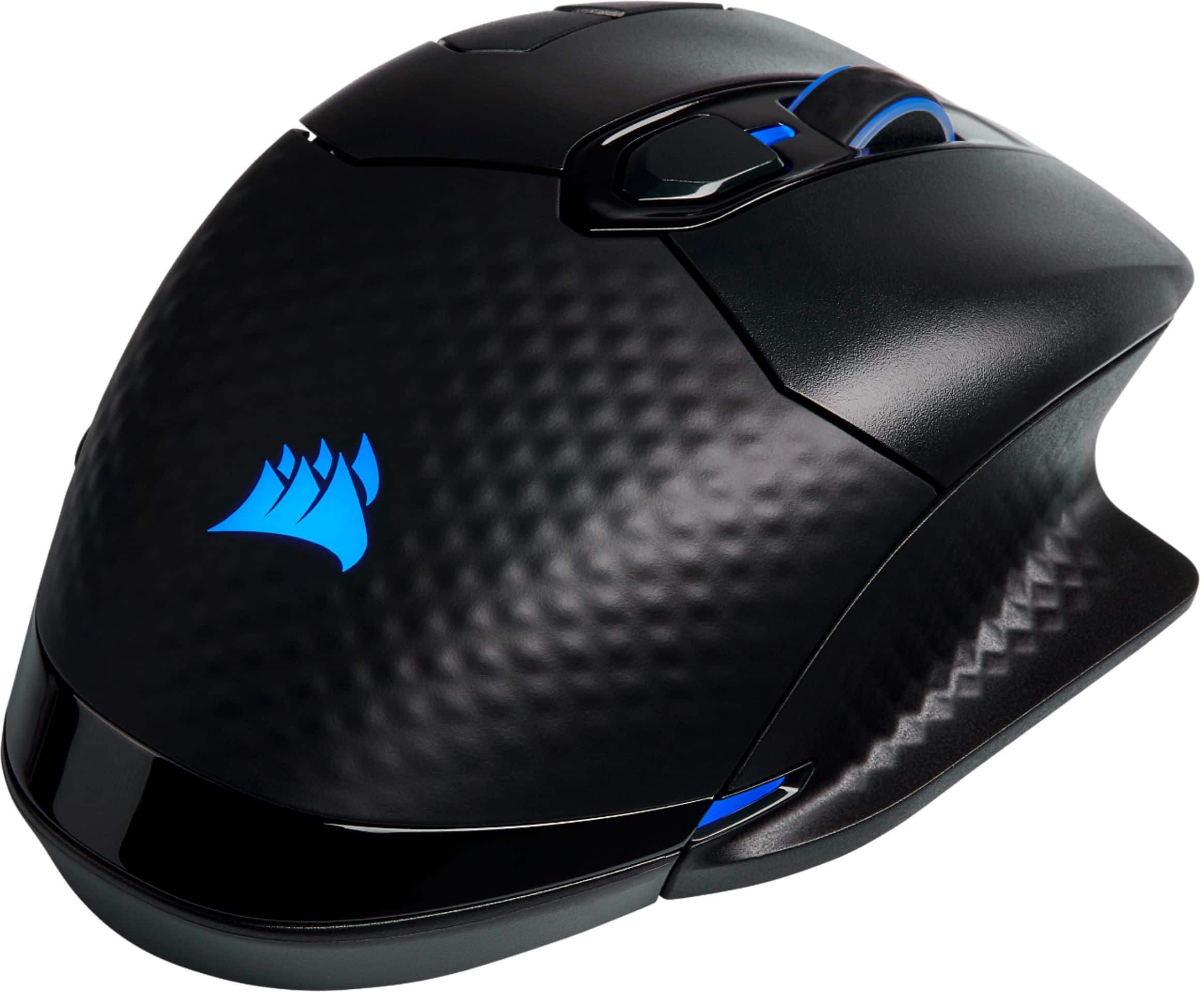
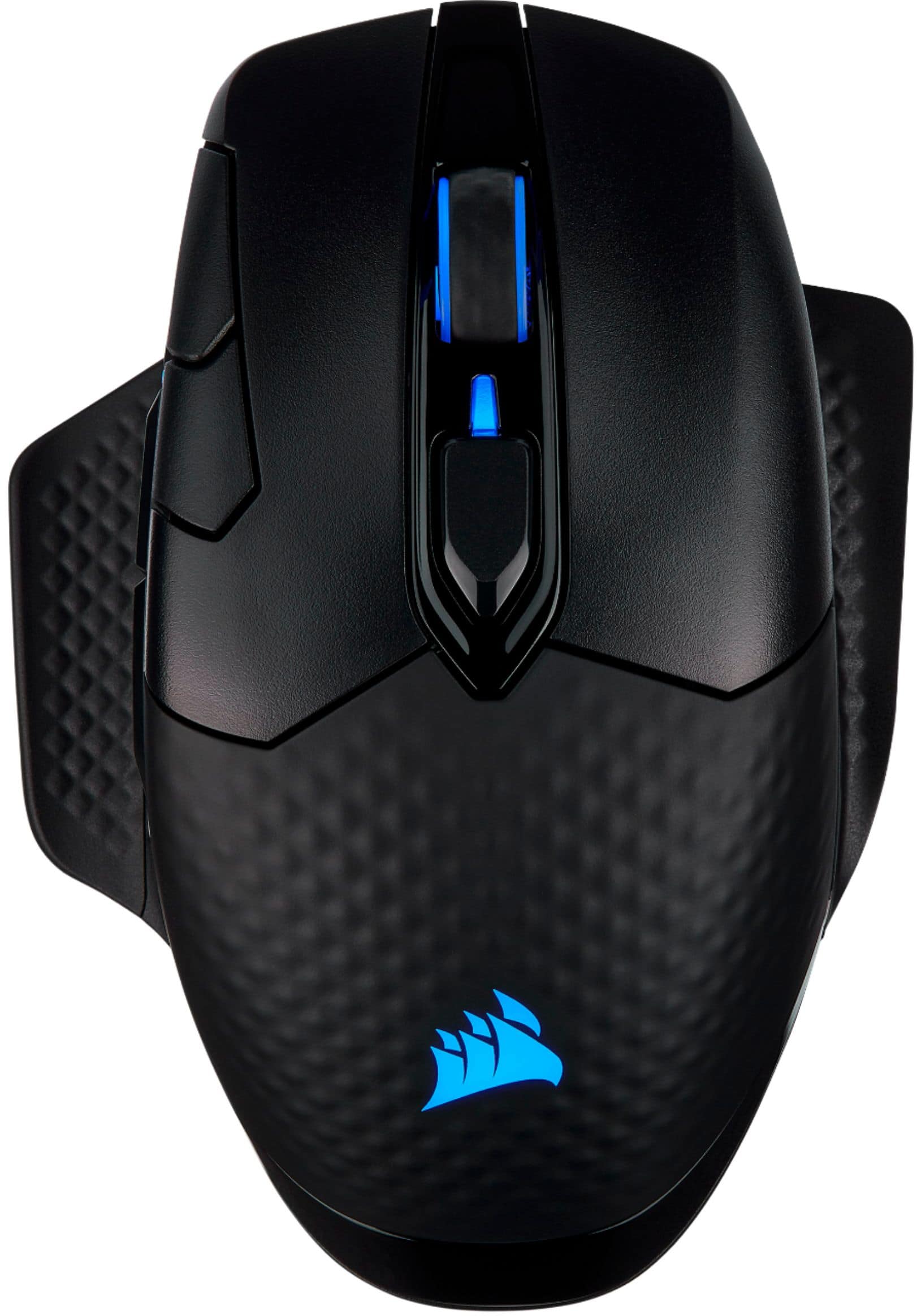
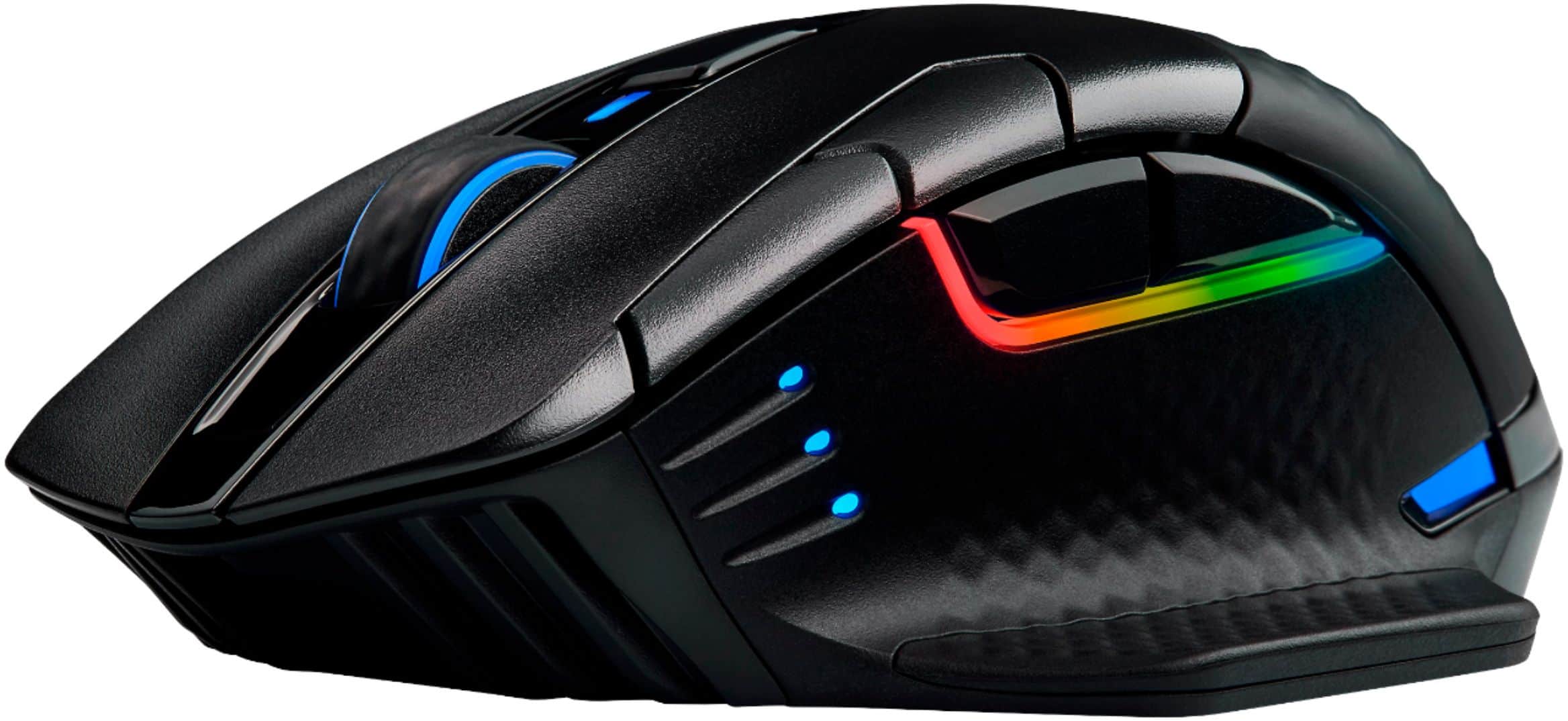
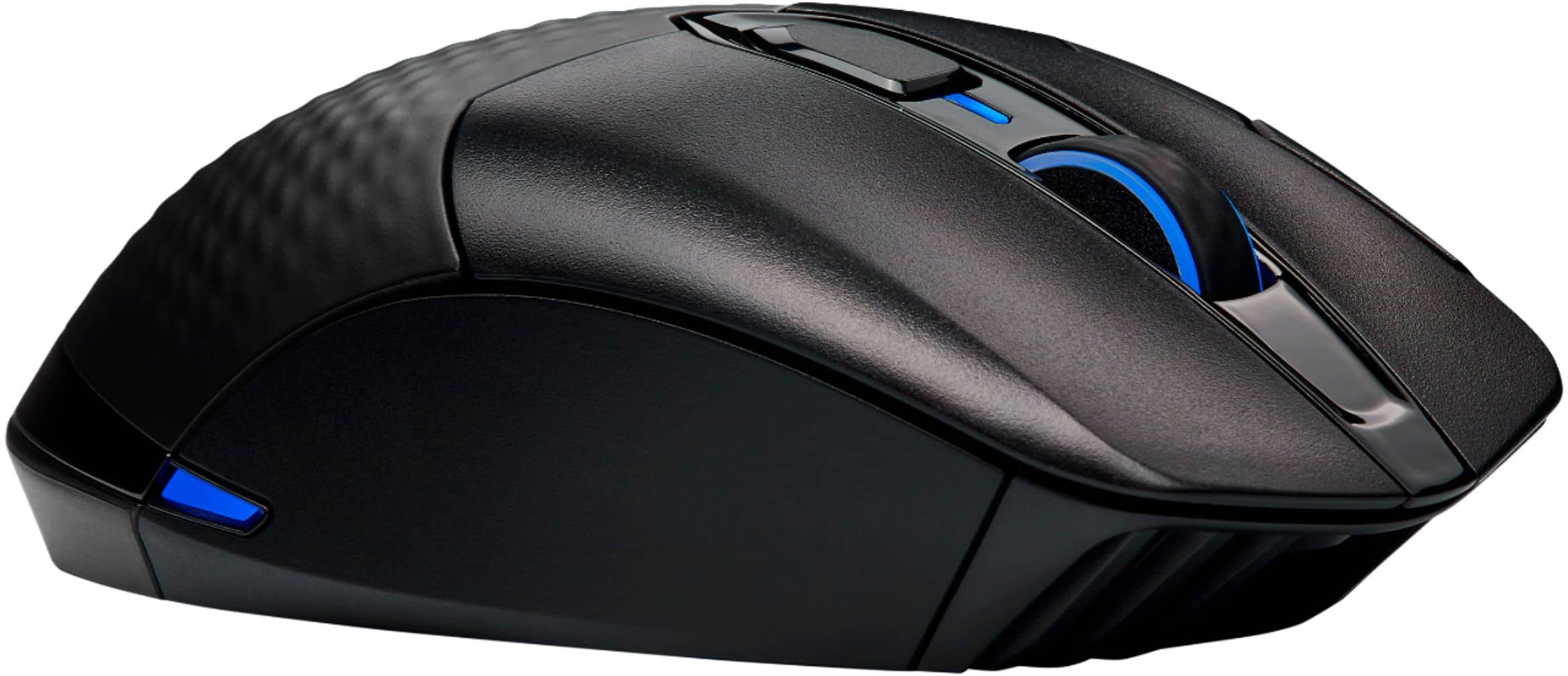
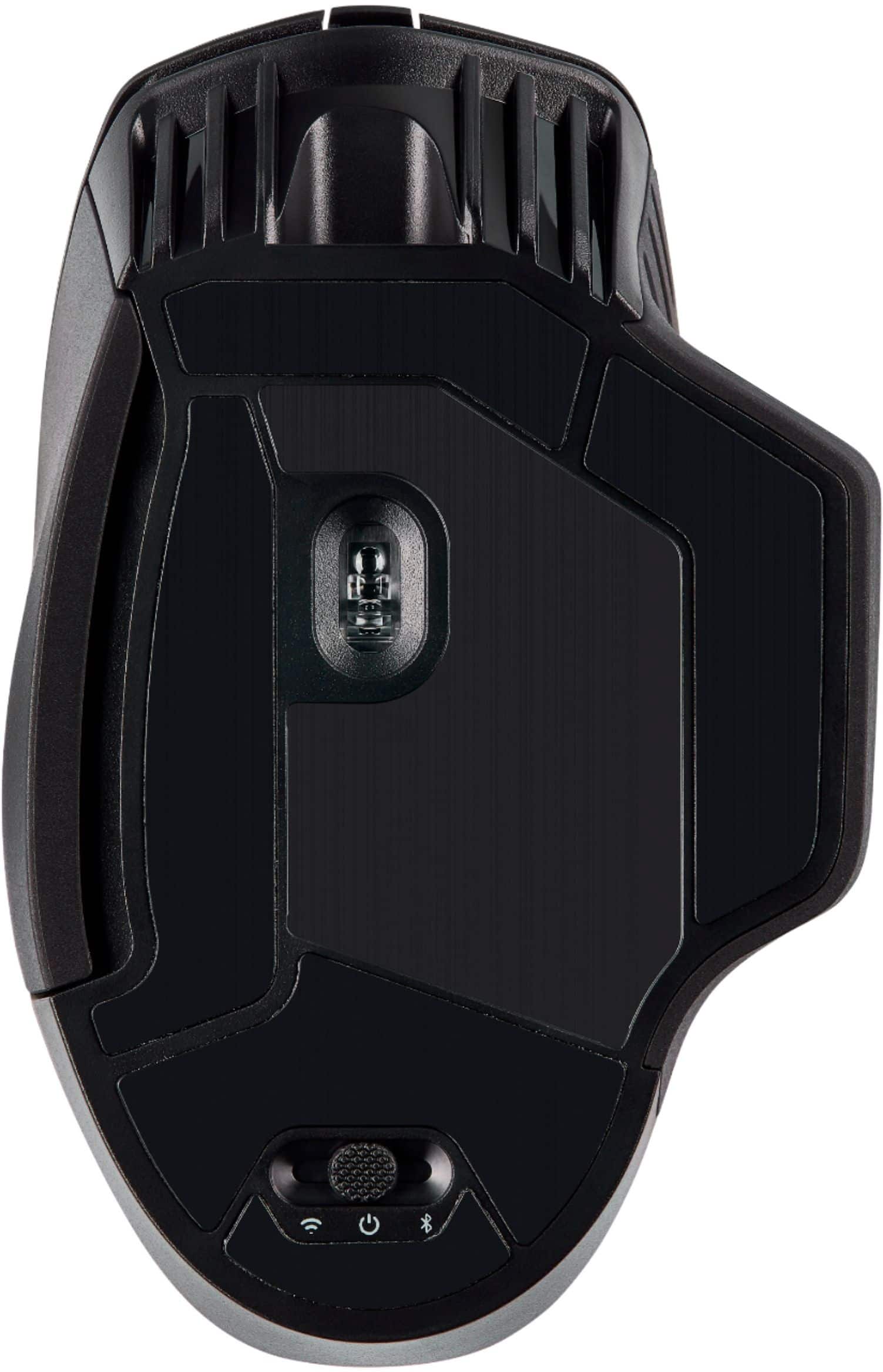
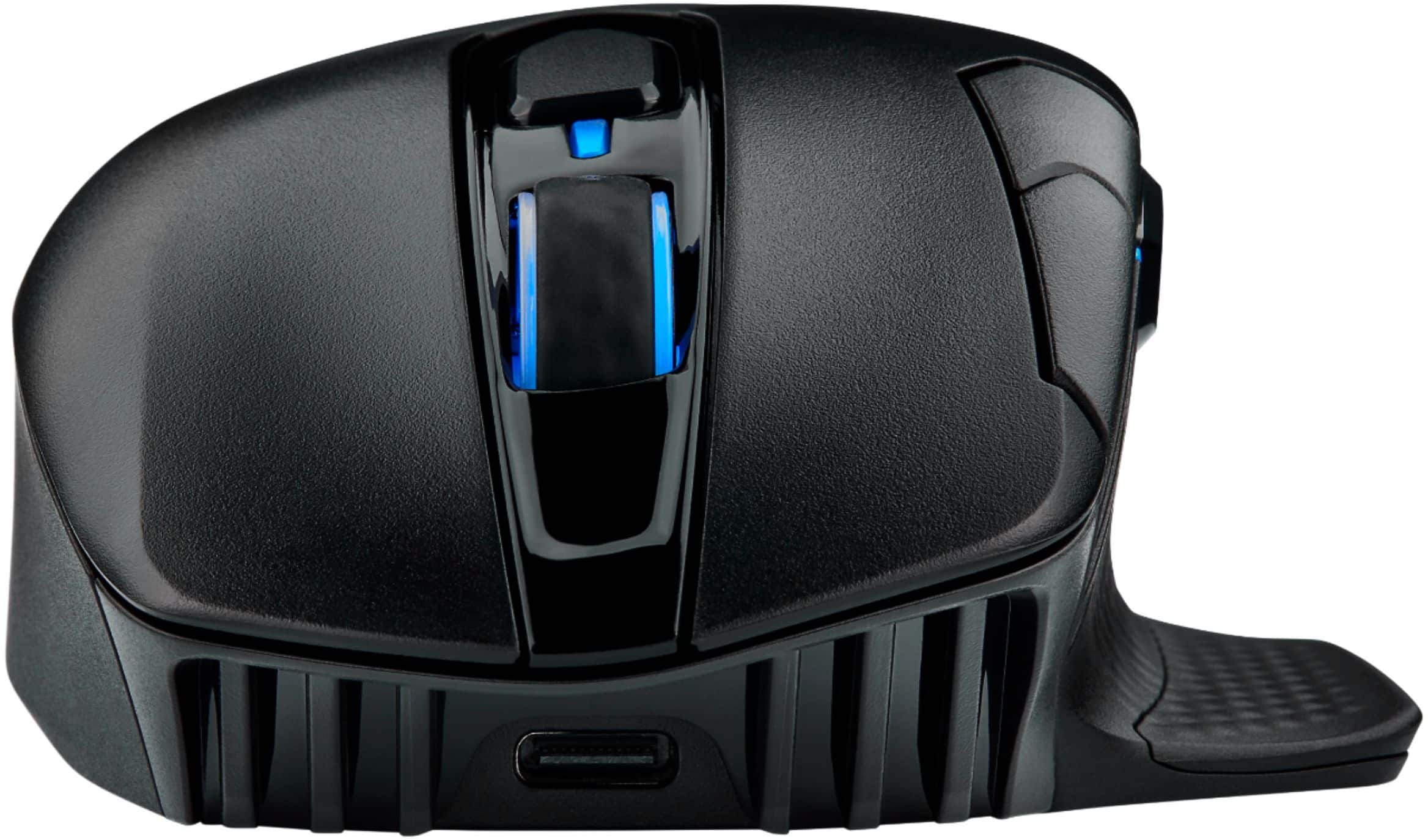
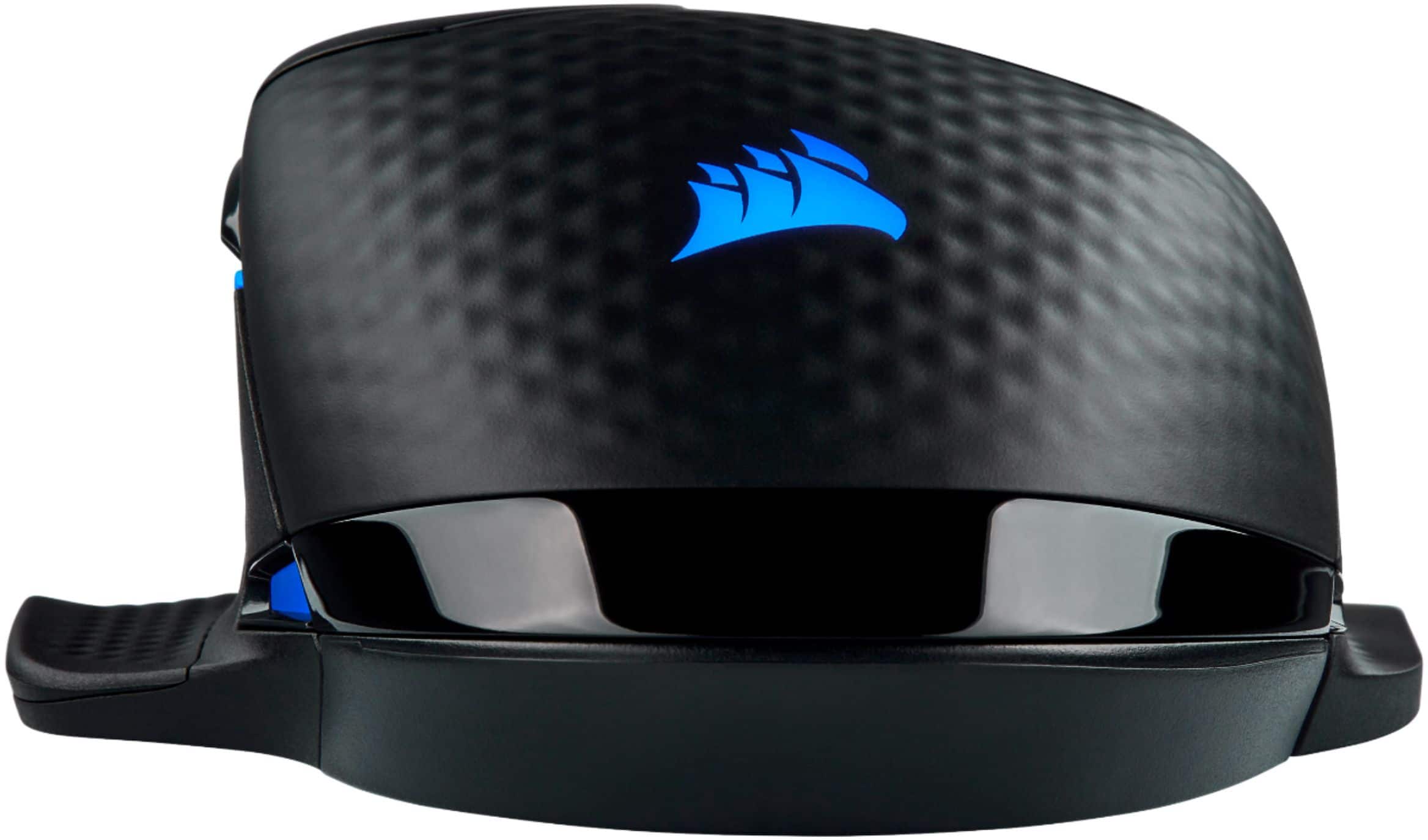
|Posted .This reviewer received promo considerations or sweepstakes entry for writing a review.The Corsair Dark Core RGB Pro (DCP) comes nicely packed with a wireless receiver dongle, documents, a USB-C to USB cable and 2 interchangeable side grips. The mouse is made of a black-matte finish plastic with a rubberized palm rest and textured thumb rest. As the description suggests, there is RGB backlighting in several areas such as the Corsair logo on the palm rest, sidelines, wheel scroll, and battery/DPI indicator. The RGB light is very clear and can get very bright on the default level. It truly does look cool, especially if you are into RGB lighting. The mouse is rather large, and it has some weight to it. I feel that it is best suited for large hands or if you are used to placing the entire hand on top. I found it comfortable to handle and lift with my medium-sized hands. The mouse is not slippery. You can also change the left side with an included side grip that allows the ring and pinky finger to rest on the mouse, rather than on the surface of the mousepad. I prefer not to use it as I like to glide my fingers on the surface. The RF dongle is stored under the replaceable grip cover. The DCP features eight buttons in total which are well placed. It has the usual left/right, forward/back on the left side grip, up/down DPI selectors on the top left, profile selector on center-top and the scrolling wheel button. While not a big deal, I did click on the DPI buttons accidentally a couple of times. Clicking feels very responsive and satisfying while being not too loud, and the rubberized scrolling wheel felt secure and moved effortlessly. The mouse’s “feet” move smoothly over hard, soft or cloth mousepads with very little friction. As far as performance, the Dark Core Pro delivers. Out of the box, the mouse’s optical sensor is set at 18000 DPI. Having a 17” laptop screen, this was a welcome benefit. This setting can be changed on the fly, in case you need different DPI depending on the game. The mouse offers three ways to connect -USB, Bluetooth, and RF Wireless. I tried all three and honesty, while Bluetooth had some lag, I could not tell the difference between wired and the wireless RF that uses a 1ms, 2400Mhz bandwidth with their new “SLIPSTREAM” technology, which Corsair claims more doubles accuracy and distance as well as reduces significantly input lag. I had no trouble at all play-testing it with C-S: GO, which requires lighting reflexes and accuracy in a high frame rate environment (I did mess around with the DPI a bit). While I suck at the game, I still enjoyed the experience. I downloaded Corsair’s iCUE software to see how much more I can get from this mouse. This software allows for controlling lighting effects, remap actions to each mouse button, create macros (useful in a MOBA) and create profiles. It’s useful, but I found that it is not a necessity in my opinion. Corsair claims that the DCP has a 50-hour battery life from fully charged. It uses a USB-C to USB cable for recharging, although I am not sure how long to fully charge an empty battery would take, or if it features quick charging. Until recently, I was never a fan of gaming wireless mice. However, with the latest advancements in wireless technology, now it is hard to look back. I would highly recommend taking a look at this mouse, especially if you are a competitive gamer to see how it stacks up to any other wired solution.
I would recommend this to a friend - Pros mentioned:Battery life, Rgb
Great "gaming" mouse ... Still needs refinement
|Posted .This reviewer received promo considerations or sweepstakes entry for writing a review.Bottom Line Upfront: The Solid overall “wireless” mouse – that excels in gaming ... and then some ===================================================================================== Detailed Thoughts and Observations: ===================================================================================== I happen to believe that there is no such thing as “the” perfect mouse. It goes without saying that the more you tend to spend on any piece of hardware (be it computer peripherals, cars, clothes, cell phones, etc) – the more you tend to get for your money in regards to features and performance. It is often seen that manufactures leave out certain features to justify charging “more” for a product that is essentially very similar to the ones they charge “less” for. I think the CORSAIR DARK CORE is no exception to that rule, I’m looking at you CORSAIR DARK CORE RGB PRO SE edition with wireless charging and minor improved navigation buttons for about $10 more…..That being said the regular CORSAIR DARK CORE RGB PRO (non SE edition we have here) is still an excellent value for what you get compared to other manufacture’s models at similar price points already out there. I used the CORSAIR DARK CORE RGB PRO as my daily driver on my main computer for about week to see how it stacked up to my normal mouse of choice (that I won’t bring up here since we are focusing on the DARK CORE) before I committed to writing this review. I do a solid mix of a various “work” stuff and “gaming” stuff so I think I am finally able put my thoughts together about what I liked…and didn’t like about this mouse. For reference, my “work stuff” consists of mild application (C++, Java, HTML, Pyhon) development and debugging in various IDE environments, text/manual/reference document reading and research, in addition to heavy web browser usage – and my “fun” stuff consisted of playing several hours of “The Division 2”, “Jedi Fallen Order”, “Battlefront II” and “Call of Duty MW”. In my opinion, if “gaming” were the only thing I used this mouse for…I would give it 5 stars…. when I factor in all the little “nit-picky” things I ran into using it as my daily driver for all the things I listed above … I have to revise it to 4 stars for the reasons I’ll outline below. ===================================================================================== Pro’s / What I liked: ===================================================================================== Wireless Connectivity / Connection quality – • I personally have had no issues with wireless connectivity. I am aware others may have had some issues with their unit, but based on my experiences – it was rock solid with no noticeable lag compared to my old “daily driver” – which happens to be wired Very accurate and "customizable" DPI settings – • Its great to have a button for on the fly DPI adjustments within fingers reach for fast transitions between work and play…but more importantly switching roles or play styles on the fly in my games. Pays dividends when swapping from a long rage rifle or scoped weapon to a “area of effect” weapon like am LMG or the like Tasteful and bright RGB lighting – • These days EVERYTHING is RGB-able. People tend to fall into one of two camps. Camp 1: MOAR RGB EVERRYTHING people and the Camp 2: RGB makes my eyes bleed and is so tacky and cheap types. Fortunately, this has just the right amount of lighting to not scream “LOOOK AT MEEEEE” while its sitting on your desktop, while retaining a fair amount of customizability using Corsair iCUE app (which if you’re a gaming there is a highly likely chance you have it installed for some other Corsair hardware in your system already anyways) – the software opens up various color effects that range from solid, rainbow, to pulsing RGB options ... plus you can just shut it off and save some extra battery power for even longer run time while in “wireless” mode if you so choose Battery Life – • One word: Excellent. In comparison to various wireless “gaming” mice I have used in the past – this thing has a gone a whole week so far – RGB BLING at max – with moderate to heavy usage in the tasks I outlined above… and is still on the initial charge. USB-C interface on the mouse – • Thank you – enough said. I am tired of cost cutting and inferior charging that manufactures cling to with Micro USB or proprietary connectors with their products. Nice little “gaming” touches and Corsair quality – • The little things that manufactures do to their products to make them “stand out” or feel more “Gamer” friendly pays off over time and Corsair usually delivers on this by adding some extra features that you don’t find in the “price” range of other competitors. The interchangeable pinky rests are nice touch, as is engineering a little hole to store the USB dongle while traveling or using it in wireless mode is much appreciated (as someone who has lost may a “dongle”). ===================================================================================== Cons / What I DIDN’T like so much: ===================================================================================== The mouse wheel – • I personally found the mouse wheel’s “clicky-ness” to be annoying in anything..literally anything…outside of gamming. There is a nice “weight” to the wheel so as to help not accidently activate it or hit while “gaming” – but that same virtue makes it highly ineffective in scrolling through large documents, photos, RFCs, manuals, web pages, etc (like I said literally everything else). This may not bother you at all. But my old “daily driver” mouse happened to have a physical toggle switch on it that let you toggle between the modes of 1. Clicky-ness and/or 2. Super Smooth hyper fast scrolling … on the fly. Why can’t they incorporate something like this here? Mouse “weight” / feel – • The mouse seems to have good build quality, but also feel very “light”… as in too light. At this price it is not uncommon to have actual “weighted” gaming mice at this price point – and the lack of customizable “weight” options is a bummer. Having a light touch mouse is blessing in some games/weapons ... while simultaneously being a curse in others… sniper rifle standoffs for instance. Good things on the fly DPI adjustments are easy to pull off here. The forward/back media button on the left side – • They felt a little off to me. It seems like they are more difficult to depress accurately than my old mouse. Maybe its more of a “I need to use the mouse more” to get used to it. Still, if I am nit-picking…I happened to think it could be designed better to make navigation better…which would also explain why the “SE” edition seems to get a “better” version of these buttons…might be worth the extra $10 in my book alone “Source” change button – • The button location is larger and more oversized than I would prefer and is also taking prime real-estate front and center in between the two main mouse buttons. Seems like this could 1. Be smaller and 2. Located somewhere else and replaced by another button or feature that would be more useful here. How often are people saying I wish I could switch sources ASAP .. in game ... I am honestly curious ... maybe I am missing something? Ergonomics for me – • I’ve always thought I had “normal” sized hands and have used the traditional “Palm grip” (read “lazy” grip) style…however unless I used a more hardcore “Claw” or “Tip” grip style ... I found myself having a harder time reaching the buttons or being more effective in games and especially in productivity applications. I think this is a huge pro for gamers with larger than average hands, just not me for personal reasons. Reliance on iCUE software – • Reliance on any propriety software to get all the features of a products is a necessary evil these days .. and while I had/have had no major issues with iCUE and this mouse … I have had issues with iCUE recognizing this mouse without having to update it first. Unfortunately, I ran into a bug where it would not update itself in through the iCUE software … nor could I update it by downloading it through Corsair’s website as well. I actually had to go to the Windows Registry, locate the actual H-KEY Local machine hardware entry, delete it, so that I could install the update. While this isn’t hard … this should have to happen either .. and may be beyond the general skill level of SOME gamers … in my case here, I would not have been able to get the mouse to be recognized in iCUE without updating it first… odd .. but it works flawlessly now. ===================================================================================== Summary: ===================================================================================== The CORSAIR DARK CORE RGB PRO Battery is an overall good mouse for the money that excels in gaming above/over productivity. The good far outweighs the bad, and for the most part … the issues I brought up were pretty subjective. I think there are better options for those of us that need better ergonomics for “work” stuff – but that will almost always cause an increase in price, especially if you want the same stellar gaming features that are offered here at the same time. I don’t think anyone who choses this mouse will be disappointed, especially at this price point….but there is definitely some room for improvement to make this a grand slam 5 star product.
I would recommend this to a friend Best Mouse
||Posted .This reviewer received promo considerations or sweepstakes entry for writing a review.Excellent mouse. If you love Corsair products its a must get.
I would recommend this to a friendBest mouse for gaming
||Posted . Owned for less than 1 week when reviewed.This reviewer received promo considerations or sweepstakes entry for writing a review.Best for gaming PC best buy i found everyting i looking
I would recommend this to a friend- Pros mentioned:Rgb
Great mouse with customization options
|Posted .This reviewer received promo considerations or sweepstakes entry for writing a review.I never understood why people were so keen on fancy mice, but I get it now. This mouse is the first luxury mouse I have owned and I cannot see myself ever going back to the wired mess I had before. The matte black finish doesn't pick up finger smudges and it makes color POP! The weight of this device is extremely light compared to other wireless mice I own and also to the wired one it has replaced. The DPI settings on this thing are crazy with up to 18,000! They are default set to 3 different levels that can be changed through the iCUE software from Corsair and it was super easy. The 3 modes/levels are easy to swap between with a "forward" and "backward" type button that increase or decrease to one of the 3 levels you set. There is also a button that lets you cycle through the color profiles, and back/forward buttons for web pages. Ever color zone is RBG customizable, including the level indicator for the DPI setting. There are different effects that you can choose from and they also sync with other Corsair products like the keyboard, which I do not own but saw it was mentioned on their software. In addition to the cool colors, there are physical customizations that you can do. The left of the mouse has a permanent thumb rest and on the right is a removable side that holds the dongle. This piece can be replaced with a pinky rest that is included in the box. I personally love this feature because I HATE my pinky rubbing against my mouse pad. The one con I have to mention is that on occasion the mouse pointer will slowly move on its own but will stop if I move the mouse again. It is a bit distracting but doesn't happen often. I am looking into seeing what the issue is, but I can deal with it because I don't sit and stare at it. Lastly, there are two ways you can connect this device: Bluetooth and wireless dongle. Both are self explanatory and are easy to connect and I had no issue with either. The coolest feature about this mouse besides the ones already mentioned is that it is rechargeable with both USB-C and a Qi wireless charging device. Overall, I highly recommend this mouse to someone who wants to finally own a nice mouse that is rechargeable, light, and customizable. Note: Not all the RGB lights are activated in these pictures, it is my personal preference.
I would recommend this to a friend - Pros mentioned:Comfort, Responsiveness, Rgb
Excellent mouse for all uses.
||Posted . Owned for 3 months when reviewed.This reviewer received promo considerations or sweepstakes entry for writing a review.Love this mouse! Very responsive. Great for gaming, works consistently well, RGB can be set to identify modes - regular use, gaming, etc. Has a thumb and pinky rest which is so comfortable compared to mice with just a thumb rest - the pinky rest is removable. Large enough to be comfortable, a mid-weight mouse. It has a switch on the bottom for wireless or corded operation. Like all mice I sampled, this one is on the skinny side which is why the thumb & pinky rest matter. For a smaller hand the mouse is high enough you can rest your hand on the mouse without dragging your palm across the mousepad.
I would recommend this to a friend - Pros mentioned:Battery life, Rgb, Wireless
Awesome mouse
||Posted . Owned for less than 1 week when reviewed.This reviewer received promo considerations or sweepstakes entry for writing a review.Bought this mouse to replace an older mouse , also needed a corsair mouse to match my corsair setup lol, but this mouse is pretty awesome, its not to heavy, not to big, i have med size hands and the mouse dose not feel to small or to huge. Works great with wireless feature with the usb dongle, haven't tried bluetooth yet, The rgb lighting is awesome, i love the buttons, just with there was a few more. So far battery life seems pretty decent i havent need to charge it yet since i got it on 9/28.
I would recommend this to a friend - Pros mentioned:Rgb
An Excellent Choice Through and Through
|Posted .This reviewer received promo considerations or sweepstakes entry for writing a review.I’m just going to come out and say it, I love this mouse. I have been using it for a week now with a wide variety of games and I wanted to share some of my thoughts after thorough testing. Starting with the design, it is primarily made of dark black and glossy black plastics, with a light-grey textured grip that stretches from the palm rest through to the left and right sides of the mouse. The textured grip feels good in the hand without being distracting and balances the look of the mouse well with the darker black colors surrounding it. The included USB-A to USB-C charging cable was one of the biggest surprises, as it is a thick braided cable that feels far more premium than what normally comes included with these types of peripherals. In terms of RGB, this is Corsair after all, and as expected it is excellent if you are a fan of RGB. The Corsair logo, scroll wheel, light bars above and behind the thumb rest, and light bar on the right-side of the mouse are all fully customizable RGB. While I do like RGB, I am not a fan of when it is overdone as I personally find it can get distracting when gaming. This being said, the mouse has no such issues. I found that my hand covers much of the lighting when gaming, yet the lighting looks great when the mouse is resting on the desk next to my RGB keyboard. All of this can be tuned within the Corsair iCUE software, which I must say is also very good. Peripheral software is usually the Achilles heel of many gaming products in my experience, with clunky interfaces and spotty performance. This being said, I have yet to have any issue with the Corsair iCUE software. It lets you customize RGB profiles for the mouse (or other Corsair products you might own), view your system information, customize the Dongle Polling Rate, update firmware, sleep settings, and more. But how about performance? Again, I have been nothing but pleased with how this mouse has performed. I typically don’t use a mouse pad, given that my desk is a smooth coated wood, and I have had no issues with mouse tracking or responsiveness. I have been playing a lot of Call of Duty lately and I have noticed no issues at all in terms of reflex time; in fact, my game performance has been better than ever as opposed to my much older non-gaming mouse. The three scalable DPI presets are a nice feature which lets you tune mouse sensitivity, and I found the default scaling presets to be perfect for my needs. I have my gaming PC wired to both my monitor in my office, and my TV in the living for when I want to play games on a bigger screen. I will bring the mouse with me to the living room when I want to play and I have had zero issues with wireless connectivity to the PC a few rooms over. Additionally, for those that want it, the mouse also supports Bluetooth connectivity. In terms of buttons the mouse has up/down buttons for scaling the DPI level, forward/backward buttons, a button to easily scroll your profiles from the iCUE software, left/middle/right clickers, and a power/wireless connectivity button. The right side of the mouse has a magnetic panel which is removable and is where you can store the included wireless USB-A adapter. You can also replace the magnetic panel with an alternative magnetic side grip that includes room to rest your pinky, which I prefer overall for gaming. Overall, I really have no complaints with this mouse. The RGB gives a very good aesthetic look to the mouse, it tracks and responds perfectly, has no connectivity issues, and is highly customizable. I highly recommend it for those in the market for a high-quality mouse.
I would recommend this to a friend - Pros mentioned:Responsiveness, RgbCons mentioned:Lag
Amazing gaming RGB mouse!
|Posted .This reviewer received promo considerations or sweepstakes entry for writing a review.Corsair is one of the leading companies that make PC/ Consoles peripherals. This gaming mouse grip is comfortable, grip side is interchangeable to keep the USB transmitter inside and also for better gripping. RGB lights are amazing glowing nicely. Profile button to switch profiles, DPI select button on the side, Splitstreeam tech by Corsair to cut latency down by using 2.4 GHz. the mouse can be connected vis three ways, BT, USB transmitter and USB-C cable. Very responsive and no latency issue so far.
I would recommend this to a friend - Pros mentioned:Battery life, Wireless
Wireless gaming mouse as good as wired
|Posted .This reviewer received promo considerations or sweepstakes entry for writing a review.I've always had my doubts about gaming mice. I have anxiety about lag, being disconnected, etc. The Corsair Darkcore Pro Wireless put those fears to rest. The Corsair Darkcore Pro Wireless is plug and play on Windows, which really impressed me vs other mice. Downloading the Corsair iQue software gives you more options like key binding, RGB color setting, and DPI adjustment. Worth it if you're into customization. Usage wise, the mouse scrolling is smooth and I love the stepped rubberized click wheel (but that might not be to everyone's taste). A few standouts to note, you can connect via the included USB dongle or bluetooth, but the USB dongle provides better refresh rates; the mouse runs on built in rechargeable batteries and the mouse is recharged via USB C (cable included). I LOVE that it's USB C rechargeable. I haven't been able to test the battery life conclusively but haven't experience any issues in a week of heavy use. An interesting feature of the Corsair Darkcore Pro is that you can swap the right hand side of the mouse (see picture) for flat or winged. I prefer winged. Not sure why Corsair offer this, but it's nice to see. The only negative with the Corsair mouse is that it's a little lighter than I would like, but that could also be a perceived lightness because I don't have the drag of a cable on my desk.
I would recommend this to a friend - Pros mentioned:WirelessCons mentioned:Lag
Dark Core Makes Gaming Fun
||Posted . Owned for 9 months when reviewed.This reviewer received promo considerations or sweepstakes entry for writing a review.First, this is one of the best mice I've ever used. I absolutely love it and I'll go immediately on record as stating that I'm not a fan of wireless mice because when the battery turns red, it usually involves putting them in a stand or some such contraption until they're fully charged again. But the Corsair Dark Core fixes that problem nicely: it uses a USB-C to USB cable to charge and connect the mouse to the host machine at the same time. It's completely usable at all times, even when plugged in. There are also three connectivity methods: the mouse comes equipped with Bluetooth, 2.4 GHz Wireless, and the USB-C port. The precision on this mouse is unbeatable and it feels nice in my hand. And because of the batteries, the mouse has a very hefty feel to it which might be a drawback for some, but I like a heavier mouse as it helps me to control slow twitch muscle reactions when I'm gaming. The Slipstream technology, which makes sub-millisecond response times possible on this mouse, is exceptionally well placed for gaming and with the adjustable optical sensor, my sniping skills are unbeatable. From the every day: the precision from every day use is also exceptional, it never lets me down and my mice are workhorse that are used every day from eight to eighteen hours depending on whether or not I'm gaming or working. There's never been jitter or lag and when I move the mouse, either wired or wireless, the pointer is precisely where I want it to be. It allows for fine line work in Photoshop and Illustrator even with just the mouse which is almost unheard of. If I had to pick a drawback, it would be the button placement and that's really not even so much as a drawback as it is a learning curve. The mouse buttons are positioned in such a way that if you're not adjusted to it, you'll hit certain of the buttons accidentally. I found myself going forward and backwards in browsers and changing the sensitivity profile a few times until I got fully used to the layout. And that's really all it takes is some getting used to the positioning of your hand on the mouse and learning where the buttons are. And that's truly the only drawback I could find; everything else was golden. If you're looking for a quality, wireless, gaming mouse that converts easily to a wired gaming mouse with incredible response times and precision, and you're not looking to foot the bill for a Razer, this is your toy. I wasn't disappointed and you won't be either.
I would recommend this to a friend - Pros mentioned:Rgb
Great mouse with a good feel in the hand
|Posted .This reviewer received promo considerations or sweepstakes entry for writing a review.I like the feel of this mouse as there is more to grip than most mice in this category. The customizable buttons are awesome and responsive. I most like the RGB lighting and the thumb rest keeps my hand from sliding around my mouse pad. The wireless adapter is small unlike some of Corsair's wireless headphones where they look like flash drives. I can move this to my laptop and it looks like any other adapter. Also you can go Bluetooth but that is not nearly as responsive as I would like. The mouse comes with a left handed option and a USB-C charging cable. I found the iCUE software pretty cool in that you can sync the lighting with the other accessories like my wireless headphone's and keyboard. There is much more to be tweaked in the software like responsiveness of my DPI and performance of my pointer to really dial it in to my needs.
I would recommend this to a friend - Pros mentioned:Responsiveness
Great mouse, with a swappable festure.
||Posted . Owned for 3 weeks when reviewed.This reviewer received promo considerations or sweepstakes entry for writing a review.I love this mouse. I enjoy the weight of it as well as the responsivness. One of my favorote parts about it is the swapable siding. I personally use the hand plate side that keeps you from brushing your hand on your mouse pad. It allows for a smoother gaming experience in my opinion. For anyone looking for a mouse i would say this would be an amazing buy or even a gift for someone else who is just starting to get into PC gaming. All in all this mouse is not just great for gaming but also school and work. If you have the cash for it, i would say buy it. Ive purchased these for my friends as well as myself.
I would recommend this to a friend - Pros mentioned:Battery life, Rgb, Wireless
Good battery life & functuality
||Posted . Owned for 5 months when reviewed.This reviewer received promo considerations or sweepstakes entry for writing a review.I have been using this mouse for about almost two months now and Corsair keeps proving how reliable their devices really are. The battery life on this wireless mouse on one charge may last upto 4 hours or longer depending on the settings of the mouse. I like the bluetooth function since I don't always have the USB Dongle with me all the time. The only downside is that iCue software cannot intergrate without the USB Dongle or being plugged in. So reprogramming the mouse without these types of connections could be better if Corsair would intergrate bluetooth connection via iCue software to allow some more programming fuctionality. The colors and lighting on this mouse is bright and can be adjusted to almost any color on the visible light spectrum. However, my only complaint is that there needs to be more animations for the lighting. Not many choices to choose from. Charging is a breeze and it is possible to charge this mouse with the already provided micro usb cable to your computer or usb charger. However, I don't really like the Qi Wireless Charging since it requires to be perfectly centered on a Qi Wireless Charger. I can fully charge the device within a given hour or less, but be careful on what type of charging method being used. This mouse is perfect for people who are left or right handed or like to have a pinky finger rest area. It comes with a removable magenetic siding that is interchangable on the right side of the mouse. Overall this is a great wireless mouse and can be used as a wired mouse. Great for people on the go who are using laptops or who just want to cut the cables for a nicer desk area. Highly recommend this mouse
I would recommend this to a friend - Pros mentioned:RgbCons mentioned:Lag
Wired or wireless play is a plus
|Posted .This reviewer received promo considerations or sweepstakes entry for writing a review.The ability to choose between being wired or going wireless has been hotly debated in the gaming world. At this point, with this mouse, I can honestly say there is little to no latency in wireless play. At least not detectable to me. I would much rather be gaming without a bothersome cable and this allows me to choose! It's great if you have a gaming rig at home but would like to take your gaming laptop with you on the go. The RGB built into this also is a cool highlight to this mouse. You can customize it to your liking. Love that it includes a customizable right grip also. Corsair built this premium product for a general gaming audience it seems with a good price point.
I would recommend this to a friend