Customer Ratings & Reviews
- Model:
- CH-9304211-NA
- SKU:
- 6393997
Rating by feature
- Value
Rating 4.4 out of 5 stars
- Quality
Rating 4.6 out of 5 stars
- Ease of Use
Rating 4.4 out of 5 stars
Customers are saying
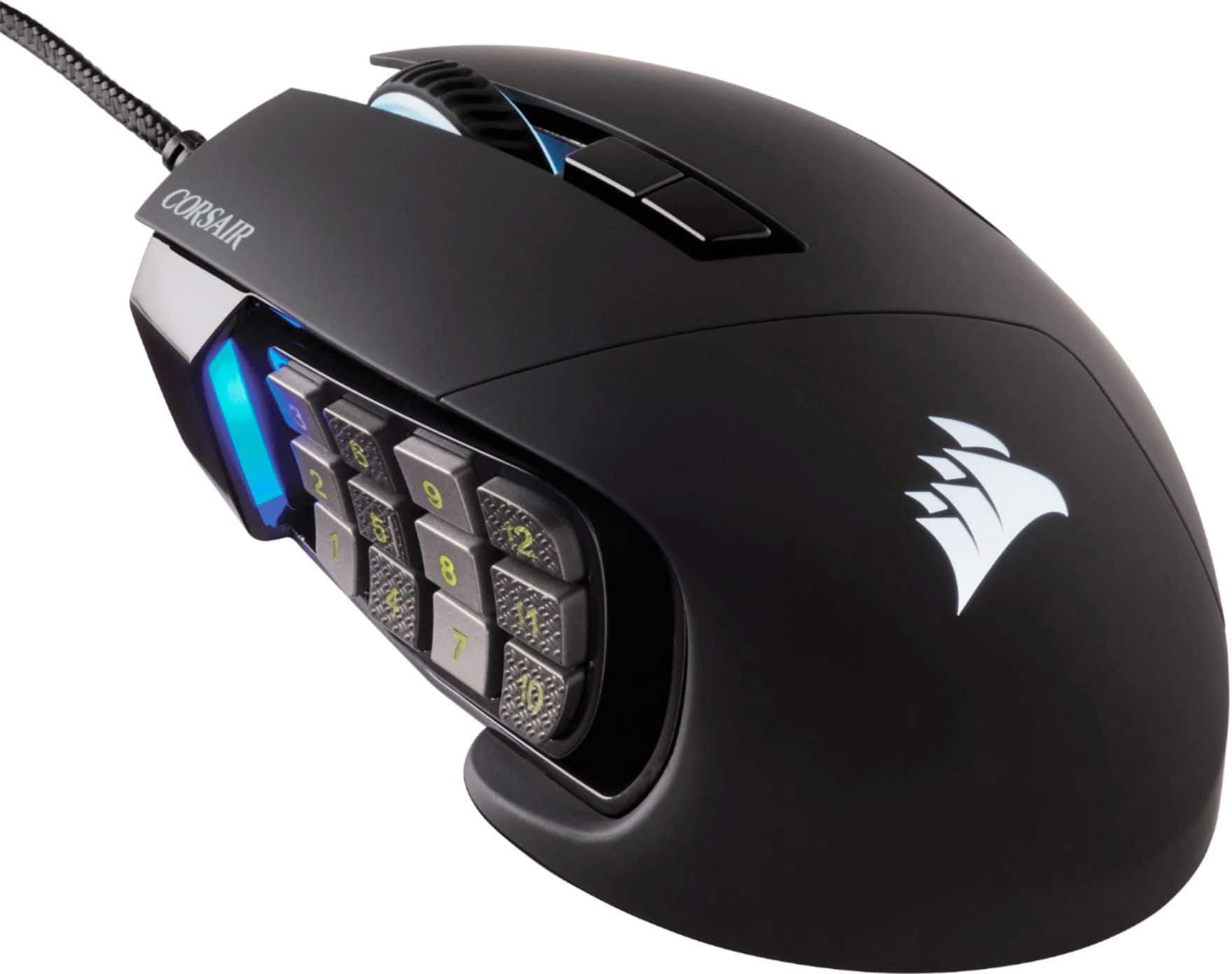
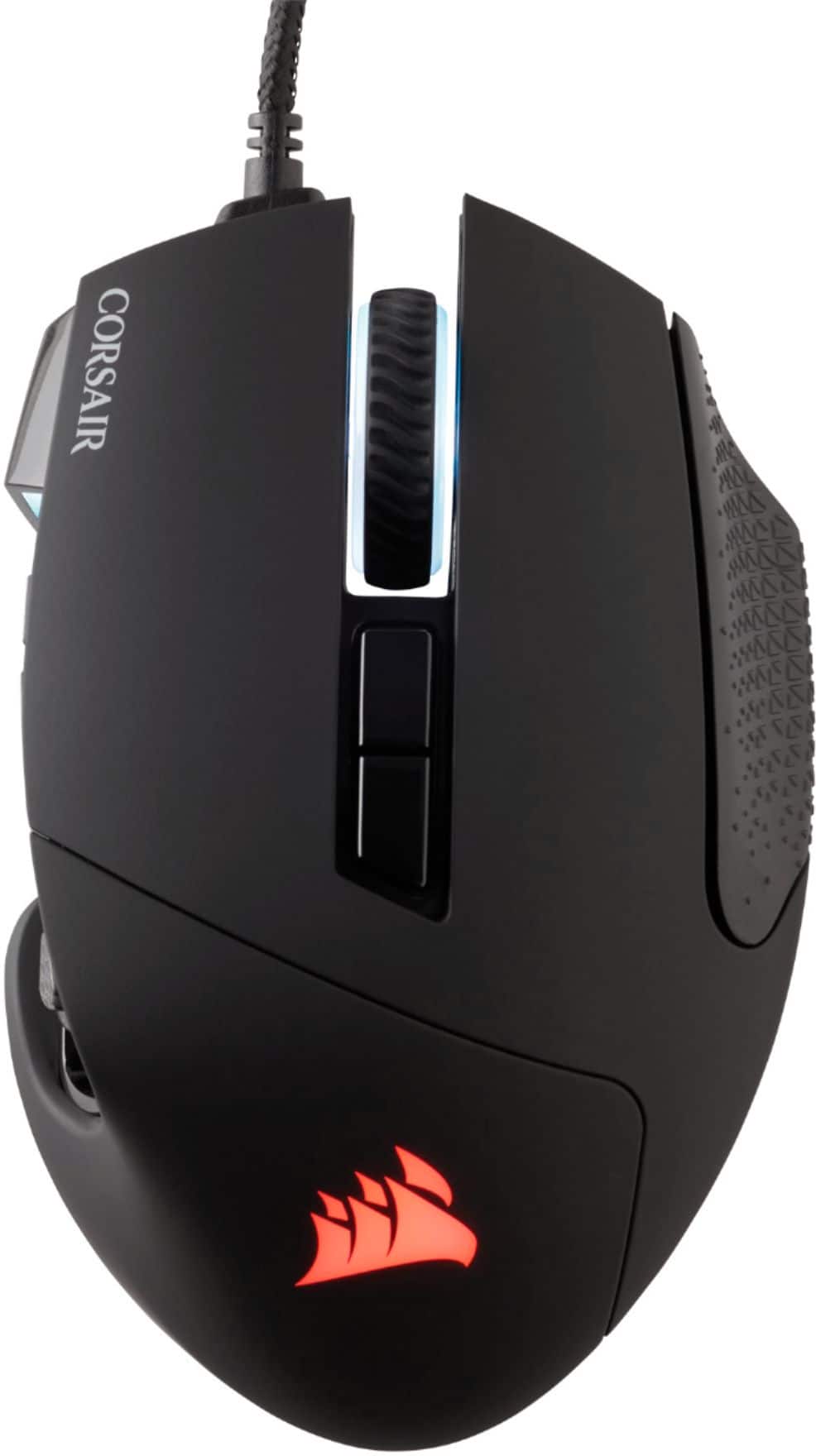
Customers are positive about the Scimitar RGB Elite Wired Optical Gaming Mouse, especially regarding its programmable buttons, comfortable design, and impressive build quality. Many appreciate the customizable DPI and the subtle RGB lighting. However, some customers have expressed concerns about the scroll wheel's reliability and the complexity of the software. Others find the size a bit large and the price somewhat high.
This summary was generated by AI based on customer reviews.
- Pros mentioned:Comfort
Love this mouse
||Posted . Owned for 1 month when reviewed.This reviewer received promo considerations or sweepstakes entry for writing a review.Extremely reliable. This is the second time i’ve bought this mouse after having my previous one for 5 years to play games such as World of Warcraft, Guild Wars 2 and FFXIV.
I would recommend this to a friend - Pros mentioned:Programmable buttons
Good mouse
||Posted . Owned for 7 months when reviewed.This reviewer received promo considerations or sweepstakes entry for writing a review.Good mouse nice to be able to map your keys out to the side buttons, been using for months now no complaints.
I would recommend this to a friend - Pros mentioned:Programmable buttons
Great mouse, somewhat annoying software
||Posted . Owned for 1 week when reviewed.This reviewer received promo considerations or sweepstakes entry for writing a review.I love the mouse itself, and the side buttons are wonderful. The iCUE software to set up RGB can be quite frustrating at times but once you upload your settings to the onboard mouse memory it's fine.
I would recommend this to a friend Perfect for small hands & extremely reliable!
||Posted . Owned for more than 2 years when reviewed.This reviewer received promo considerations or sweepstakes entry for writing a review.Perfect for small hands. Sleek design with adjustable 12 button macro. Extremely reliable & best bang for your buck. Have purchased 6 of these over past 12 years. 3 for myself & 3 for my brother. 1 for primary + couple backups because it's THAT RELIABLE! Even minimum 2 years averages out to $3.33 per day for 1 of the best in market. ($80 / 24 months). Customizable via iCue software: button inputs, DPI & RBG too. TAKE. MY. MONEY!
I would recommend this to a friend- Pros mentioned:Programmable buttons
Great for pc gaming
||Posted . Owned for 2 weeks when reviewed.This reviewer received promo considerations or sweepstakes entry for writing a review.I bought to play world of warcraft and its awesome, the 12 buttons are enough to manage all attacks and i have even more buttons for different uses
I would recommend this to a friend Last mouse you’ll ever need
||Posted . Owned for 1 week when reviewed.This reviewer received promo considerations or sweepstakes entry for writing a review.Probably the best mouse I have ever used. (Period). The thing that honestly caught my attention for this specific mouse was the programable buttons on the side. It’s best features are - Capable of making profiles for - lighting, Button configurations, DPI settings. I personally have them set per game. -Surface calibration in case you play on different surfaces like I do. Couch, bed, table, pad. You can almost get rid of a keyboard with just this mouse. I use a half keyboard (Excalibur) with this mouse. Perfect pair. The only con I would say is that I wish it could’ve been Wireless or at least optional like were you could recharge or use with a USB cable.
I would recommend this to a friend- Cons mentioned:Software
Would Recommend
||Posted . Owned for 3 weeks when reviewed.This reviewer received promo considerations or sweepstakes entry for writing a review.The mouse is great and has made me a believer in the corsair products. I do wish the software was a bit easier to navigate and use but you will soon become accustomed to it.
I would recommend this to a friend - Pros mentioned:Comfort
Awesome Mouse
||Posted . Owned for 11 months when reviewed.This reviewer received promo considerations or sweepstakes entry for writing a review.Great mouse for all my gaming needs i highly recommend def has lasted longer now compared to my old razer naga
I would recommend this to a friend - Pros mentioned:Build quality
Love it
||Posted . Owned for 1 week when reviewed.This reviewer received promo considerations or sweepstakes entry for writing a review.Loving it! Perfect for what I wanted to use it for.
I would recommend this to a friend Great unless you like long
||Posted . Owned for 6 months when reviewed.This reviewer received promo considerations or sweepstakes entry for writing a review.I love everything about this mouse except that you can't have long nails while using it for MMOs. I had to permanently shorten my nails because the little thing to the left is just... There, and having to choose between gaming and having pretty nails is silly. It would also be nice if they made a white one so it can be used in setups that aren't all black. I came from a Logitech G600 and while I love Corsair and have mostly Corsair components, I did choose this one because it was the only MMO option from a reputable brand aside from the Razer Naga... And I prefer Corsair over Razer.
I would recommend this to a friend- Pros mentioned:Programmable buttons
Excellent mouse
||Posted . Owned for 1 month when reviewed.This reviewer received promo considerations or sweepstakes entry for writing a review.Got this for MMO games and have not been displeased at all. Functions perfectly and very nice asset to be able to move the side buttons to fit my large hand.
I would recommend this to a friend Perfect mouse for the price.
||Posted . Owned for 3 weeks when reviewed.This reviewer received promo considerations or sweepstakes entry for writing a review.Works perfect, great for more than just MMO games. CoD, Assassin's Creed, etc. Had the same mouse given to me a couple years ago and loved it. The previous owner used it for over two years. So the life is amazing only reason I had to buy this one was sticking buttons and didnt want to take it apart. If you are in the market for a budget friendly gaming mouse with great settings this is a great go to
I would recommend this to a friend- Pros mentioned:Programmable buttons, WeightCons mentioned:Grip

This mouse is amazing.
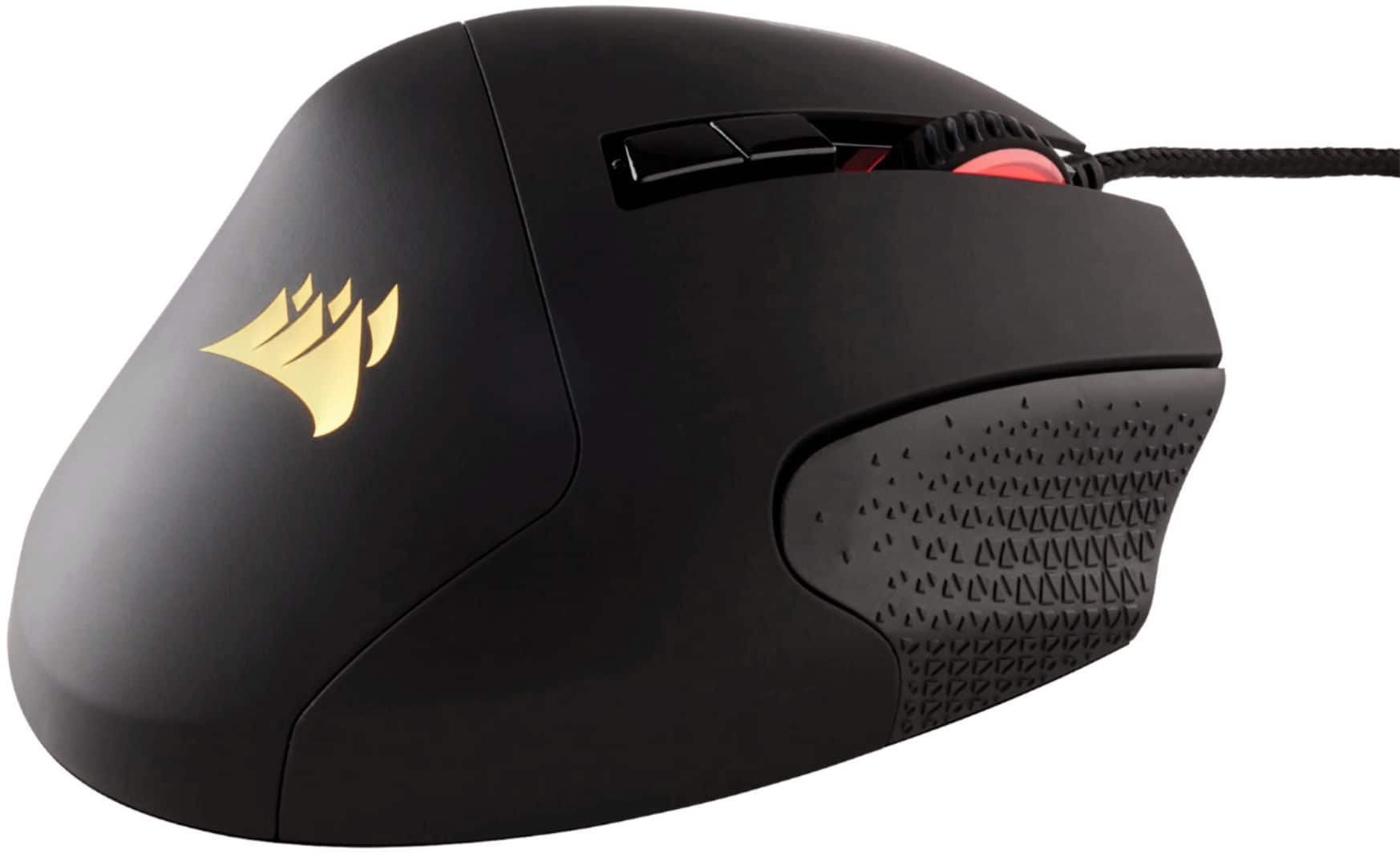
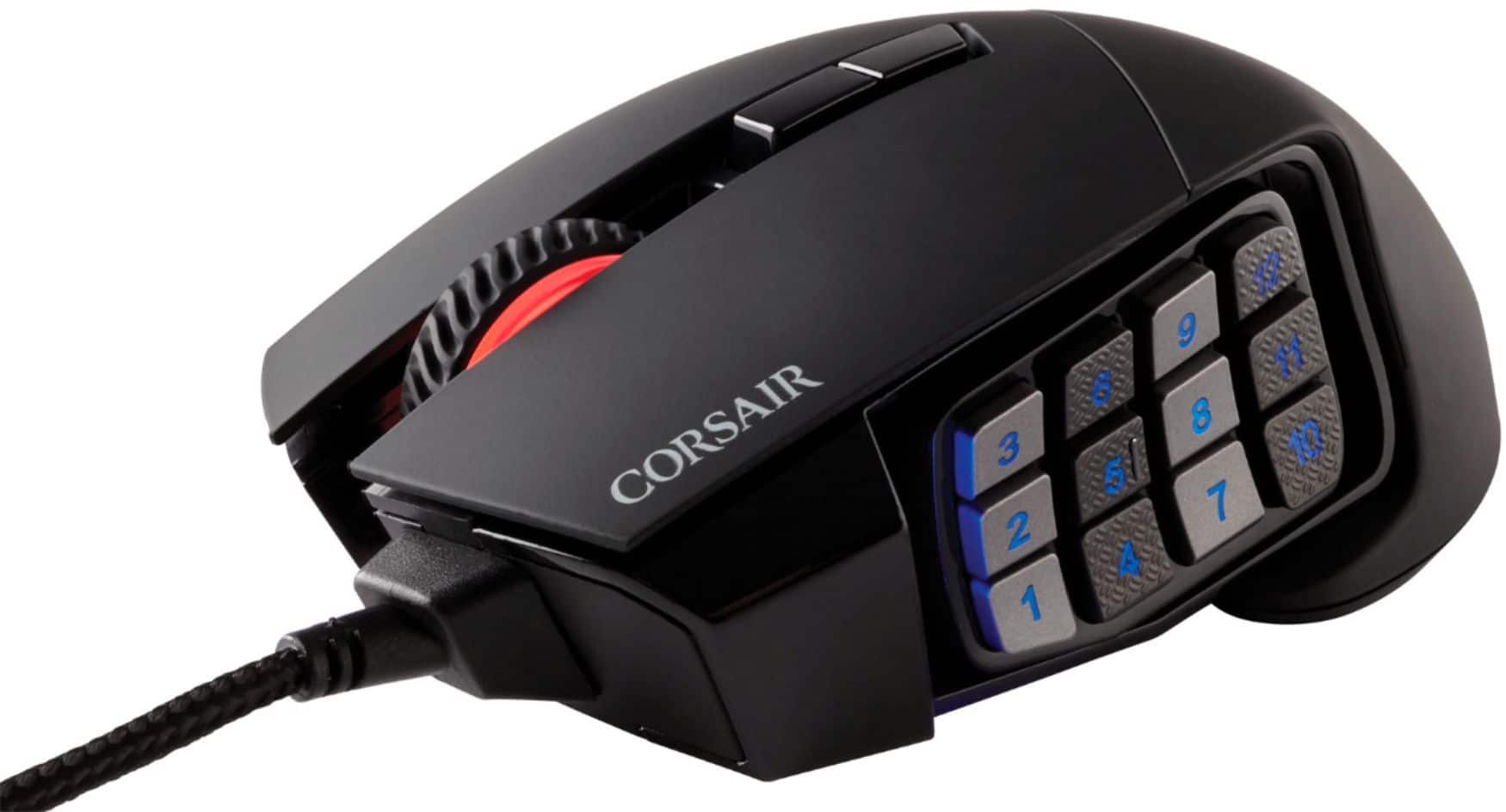
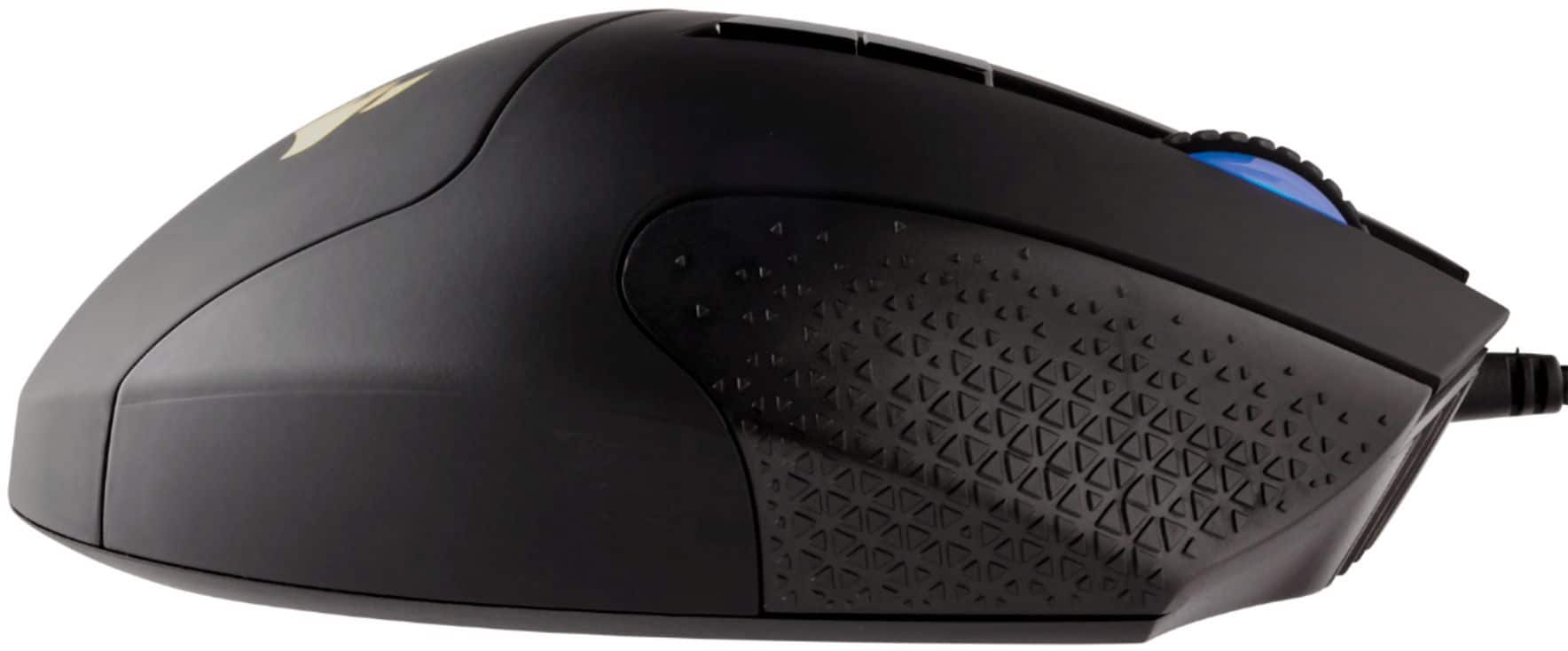
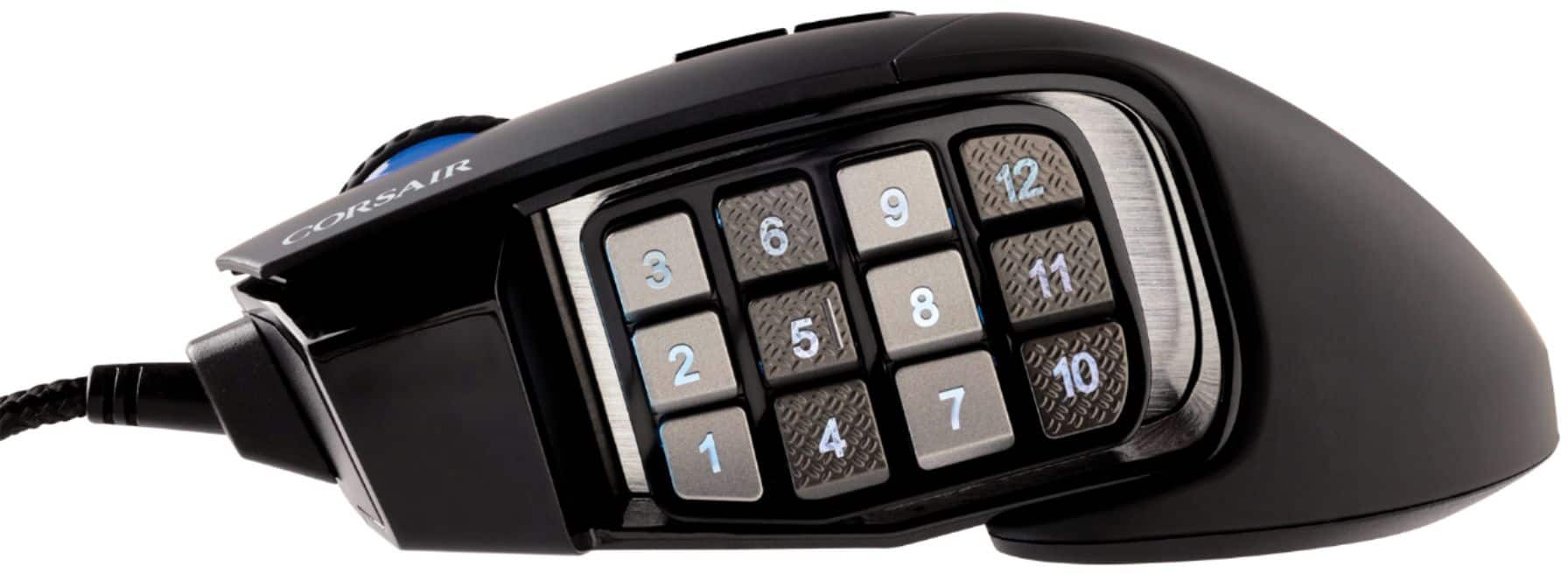
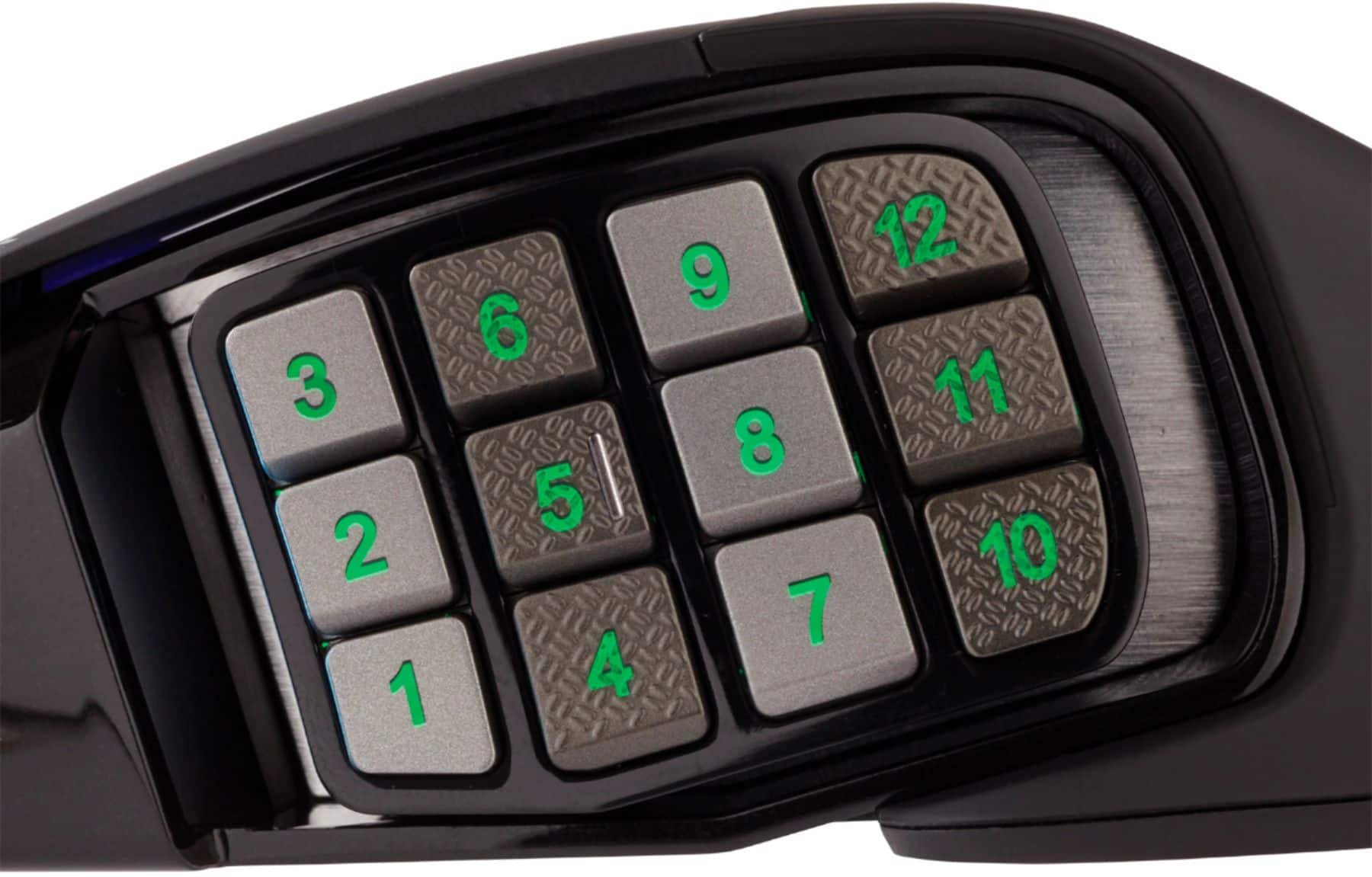
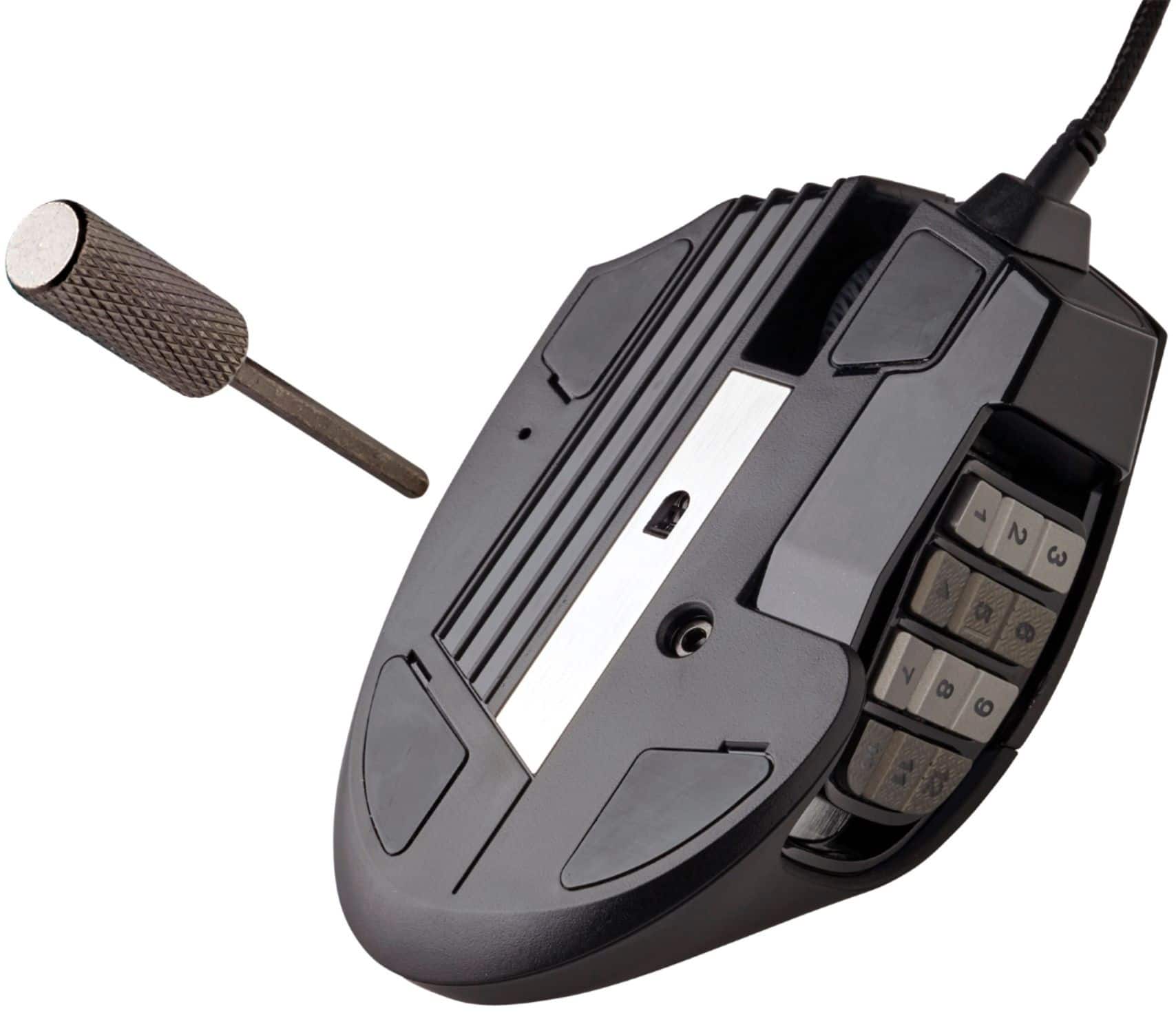
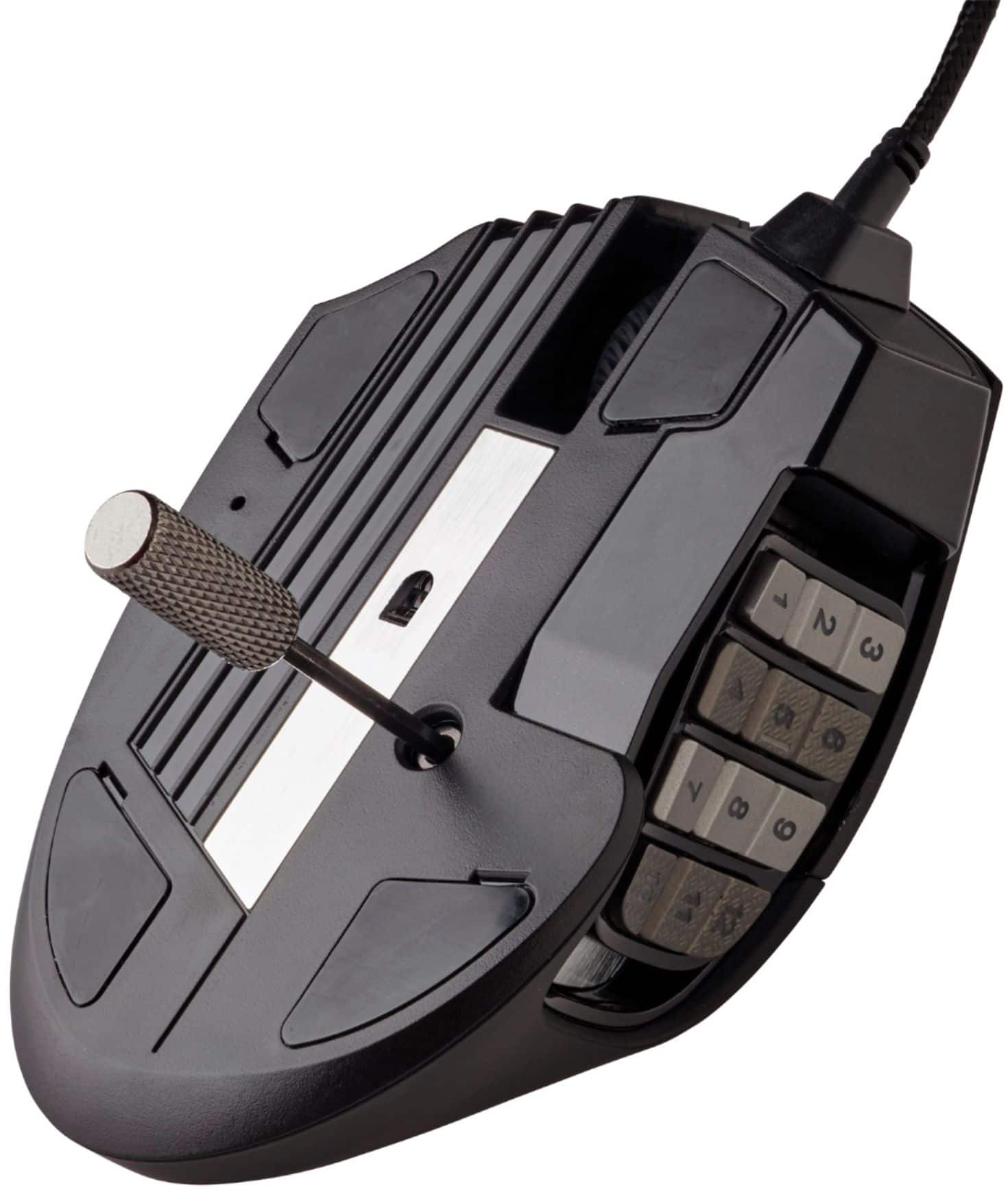
|Posted .This reviewer received promo considerations or sweepstakes entry for writing a review.I’ve used many mice over the years, all ironically Logitech, and the OG Microsoft Intellimouse 2.0 for a very long time before Logitech. I’ve not had much luck with those mice as I’ve already had 3 fail on me inside 2 years, so I thought I’d give Corsair a try as I love their Cherry Red/Blue keyboards and a few other Corsair components in my build. I was a bit cautious with this mouse because I wasn’t sure how it was going to work for me. I don’t have large hands and I wasn’t sure if I could adjust to all those buttons on the left side. Well I hooked it up to my computer, ICue prompted for 2 separate updates, one cause I was a version behind, the 2nd was for support for the Scimitar RGB Elite. Once it installed, which took about a minute or so, I was off and using the mouse. I mainly play Shooter based titles, CoD, Borderlands, Destiny 2, Apex Legends etc… along with RTS, MMO and RPG games. I’ve also accustomed myself to playing at low DPI settings. This mouse goes to 18000 DPI, I probably won’t ever use anything even ¼ that high. One quirk I found with ICue is that if you’re changing what the key does after you change the name of the Action/Macro, it will revert the name. A small inconvenience, but you just have to change the key first, then name it to what it does. One thing I strongly recommend is to wipe out all the profiles on the mouse, otherwise they will override your changes. I found this out when I hopped in to a game and noticed none of my keys were doing what I setup initially. I blew out the onboard profiles, then created new ones and it’s worked perfect since. ICue I will say works great, more so that Logitech’s GHub that I’ve had the opportunity to use and ICue just seems more friendly with creating Macro’s once you get the hang of it. To give it a workout, I got to configuring the buttons for my first venture out with it in Apex Legends. With the amount of different items you’re using during combat, it’s incredibly helpful to have everything within reach. Once I had everything going, I got acclimated to the mouse very quickly. I didn’t think I could handle so many buttons on the side, but it’s working fantastically and it’s quite easy to use. I really like the rubberized textured grip on the right side as it helps keep your hand in place. I do wish it was just slightly narrower as it does feel a bit large in my hands. It’s got a great weight to it that you don’t really notice in fast paced scenarios. The lighting is a great feature and it’s pretty cool that you adjust everything individually, so if you want rainbow puke RGB, you can do that lol. Or you can have everything synced. I have mine set to a cycle and my Profile selection set to the side lighting in front of the keys so I know what Game I’ve got going. I gave it a run in Destiny 2 and it worked flawlessly there as well. One of the nicest things is that you can map literally anything within ICue to any button. One of these that I have mapped is Push-To-Talk for my games and for Discord. It’s an inconvenience to have to reach across your keyboard to press the key. Being mapped to a button that only takes a fraction of the time to quickly press and hold without have to look away from the screen is a major convenience. I really can’t wait to give it a go in some of the other games I play. I’d really like to see how it works in something like No Man’s Sky. I think my only constructive point of improvement would be to offer a Wireless variant. I’ve gotten so accustomed to the G700/G900/G903 Wireless mice that having a cord seems a bit weird given I never saw any perceived latency. That said, this mouse is now my daily driver. I can’t see myself using anything else especially for gaming. It’s got a great feel, never feel’s overwhelming or confusing with the side buttons. I love that the keys alternate in texture. From front to back they got smooth, textured, smooth and textured and the 5 key has a dimple like the 5 key on your keyboard’s 10-Key so you know you’re thumb is in the right place. One other thing I absolutely love is that the side buttons can be moved fore and aft. Corsair includes a little Hex like tool with the mouse and there’s a Hex shaped screw in the base. Loosen that screw just a bit and you can shift the button’s to get the best fit for your hand. It seems like a small thing, but it’s something that makes a large mouse like this much more user friendly. If you’re looking for a wired mouse with plenty of buttons for your games, this is one of the best options out there, especially with the adjustability of the side buttons which no other mouse I’ve seen or tested offers.
I would recommend this to a friend - Cons mentioned:Software
Great MMO Mouse Once you figure out how to program
||Posted . Owned for less than 1 week when reviewed.This reviewer received promo considerations or sweepstakes entry for writing a review.Great form factor and awesome layout. You can move the key pad with the included Allen key to place it in the ideal spot for your thumb. This would be a 5 star if only the texture on the textured buttons was a little bit deeper. I sometimes find myself lost and searching for the textured buttons to know exactly what button I am hitting. Also the iCUE software is quite a pain to set up as you have to hit the + button under assignments to assign Each button. Then you have to pick what kind of keystroke you are doing. Not sure why they can’t just have you touch the button and hit the keystroke you want for that button. Just seems unnecessary. Other than that I would APPROVE this Mouse for anyone
I would recommend this to a friend - Pros mentioned:Programmable buttons, ResponsivenessCons mentioned:Scroll wheel
Nearly flawless multi-key MOBA/MMO gaming mouse!
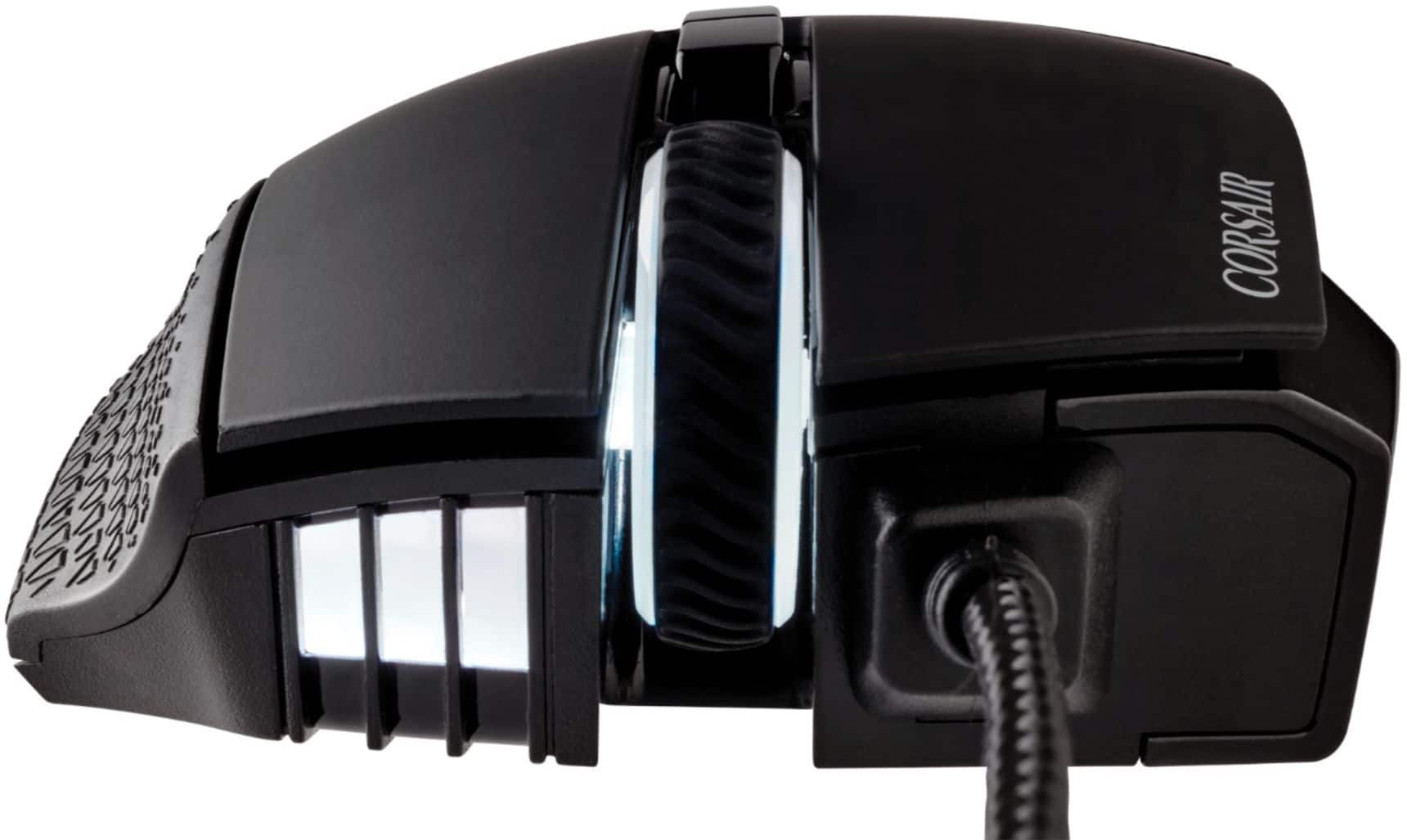
|Posted .This reviewer received promo considerations or sweepstakes entry for writing a review.So truth in advertising, I'm not a huge MOBA/MMO player, certainly not competitive or anything, but I deeply appreciate any new technology that can help make for a more enjoyable gaming experience, and double-plus good if that technology can make you more productive behind the keyboard as well. The Corsair Scimitar just about nails it on all fronts in the small but growing group of similarly featured multi-button mice from the likes of Logitech, Razer, or Redragon. To put this unit through its paces, both my wife and I tried out the Scimitar for gaming and home/office productivity. Unanimously, we agreed that all buttons were VERY easy push but authoritative in their registration...they did not feel mushy or like you needed extra force at the bottom of the stroke to register a button press. With my wife's smaller hands, she couldn't reach quite as far to the front of the mouse as I could--she sometimes felt like the left and right mouse buttons were maybe even a little too sensitive as she could exert the slightest pressure even BEHIND the scroll wheel and still register a left or right mouse-click. Anyone looking for a mouse that minimizes response time by eliminating wasted button travel will probably eat this one up. Even the middle click/scroll wheel had a very shallow return for a middle click button--something I believe was a complaint for some in the previous generation of this mouse. The scroll wheel is rubberized and knurled like an off-road tire for easy grip and very light detents/ratcheting action gives you that subtle, haptic feedback for each scroll movement. The side button cluster was an interesting feature, one we grew to appreciate very quickly. They too, are very responsive; and while you can hear the click as they actuate, "effort" was not an adjective that came to mind for getting them to register, either. Unlike the competition's use of slightly smaller, opposing inward slanted columns of 3 buttons each, the Scimitar has just slightly larger side buttons than the either the Logitech or Razer competitors, all of which are nearly the same shape. However, the Scimitar alternates the surface of the buttons in each column between smooth and raised textures to allow you better feel the difference between the keys. It's still taking a bit of time to get used to (I'm only up to using three of the four columns of buttons so far), but the difference in surface texture is unmistakable for keeping the different keys straight by feel alone--well done! The key slider system for further customization works tremendously well...a few turns at the bottom with the included hex driver and you can adjust the entire button cluster forward or rearward to put the side buttons in JUST the right spot for your thumb. If you were put off by a competitor's product that didn't quite fit right, here's your chance to get back in the game and tune the fit specifically for your hand. LEDs accents were actually kind of cool. You would expect the Corsair sails to light up, and the mouse wheel, as well as the numbers, of course, but the little hashes at the front and almost jet engine-like air scoop casting a glow on the number cluster (indicates DPI setting but also handy if you need just a sliver of light to glance down at the number pad in the dark!), made for an attractive LED display without being too over the top where every single seam or line would have an LED effect shining through. The braided cable was about 5 feet long with a good ½” of strain relief at the tail end to help with longevity and repeated connect/disconnects at the USB header. The quality PTFE glide pads at the bottom of the mouse meant, as expected out of the box, it was like the mouse was skating on ice. The ergonomically shaped depression on the right side of the mouse has a textured, rubberized finish that both my wife and I found VERY comfortable...despite the different in our hand sizes, we both felt our fingers were resting in the just the right place on the right side of the scroll wheel--very comfortable! I use mostly Corsair and Logitech products--a lot of them, so the GHub and iCUE clients are familiar territory for me. Customizing performance/sensitivity, lighting zones/patterns (to sync with my K95 keyboard--neat!), and of course button and macro mapping was pretty straight-forward...or at least I thought so. If you're enough into gaming that you're shopping for a mouse with practically a mini keyboard on the side of it, I HIGHLY doubt you're going to be challenged at all by the pretty straight-forward iCUE interface. The Scimitar includes some onboard profile storage which means you can take all that tweaking and customization you worked on within the iCUE engine with you when you move your mouse from place to place. Mousing performance was phenomenal and while most people probably aren't going to use the 18,000 DPI setting, the Scimitar bests my Logitech G Pro Wireless by 2000 DPI and I could tell the difference in use in certain cases. I have a 35" screen with a very small keyboard shelf at my desk--using the max DPI setting allowed me to manipulate objects on my desktop at the extremes of the screen without ever having to lift and reposition my hand...a breath of fresh air when I wasn't using the mouse for gaming. Overall, we had virtually no major complaints about the Scimitar, but that's not to say there weren't things we could still stand to see improved. Unlike competitor designs, the side key cluster is slightly concave in shape. While that means the button cluster actually "fits" the thumb a little more naturally, it also means you kind of have to train your hand to hold your thumb over the cluster, rather than just draping your thumb over the shell and letting it rest on the buttons that would otherwise bulge out to meet your hand. This was slightly exacerbated by the shape of the cutout that encircles the sliding key cluster. Specifically, near the rear of the mouse (down by the 12 key), the edge of the cutout sticks out ever so slightly relative to the rest of the cutout which tapers inward. My wife felt like sometimes it was pushing her thumb off the mouse if she didn't have it resting ON the keypad itself--however, this may simply be a matter of having to get used to the new feeling of all those buttons under her thumb. While I didn't personally have this problem, even after moving the button cluster to the rear to accommodate her shorter reach, my wife still found she was engaging an accidental left or right-click as she was gripping the mouse slightly to press one of the side keys. I suspect this would subside with more practice, too; but it is probably also a by-product of just how quick/sensitive those primary mouse buttons are. Similarly, she would sometimes accidentally hit the profile or DPI buttons right behind the scroll wheel (also very sensitive!) as she was pushing the mouse forward. Bottom line from her experience--those of you with very small hands might want to fit-test the Scimitar in the store lest you find yourself accidentally cycling to max DPI settings while trying to snipe an adversary way far away! Personally, I would have loved the option to disengage the scroll wheel ratchets for free-scrolling in windows and apps similar to the G903's wheel release, but this is a minor niggle, and the Scimitar is more clearly aimed at the gaming than productivity crowd anyway. The scroll wheel is also click-only; left-right titling would have been the icing on the cake for horizontal scrolling. Finally, and this is not a compliant, just another observation--while the color, performance, deep macro and key customization and sliding button cluster all allow for a great deal of customization and personalization, the mouse is not tunable for weight. I didn't find it too heavy myself, nor did my wife, but if you like to change things up based on your play-style, this is unfortunately the one place where the Scimitar is one size fits all. Still, those are all minor issues and observations that may not even apply to you depending on your anatomy and preferences--and what you're still left with is a fabulously responsive, seemingly well-built, amazingly powerful and customizable mouse that can probably help take your gaming that next little step further; definitely recommended if you're in the market!
I would recommend this to a friend Slideable thub pad! Better then I expected.
||Posted . Owned for 3 weeks when reviewed.This reviewer received promo considerations or sweepstakes entry for writing a review.Great product, however, no scroll tilt? Really? Well, boo. I would love to see more triple click mmo mice like a direct competitors mmo mouse. That said for having big hands it is now fav for thumb key usage thanks to the sliding pad.
I would recommend this to a friendExcellent!
||Posted . Owned for 11 months when reviewed.This reviewer received promo considerations or sweepstakes entry for writing a review.Absolutely LOVE this mouse!! It helps in every FPS game I play with all the available key bindings. Next purchase is the new wireless version
I would recommend this to a friendGreat mouse
||Posted . Owned for 7 months when reviewed.This reviewer received promo considerations or sweepstakes entry for writing a review.Love it for playing any of my mmo games when doing chill acivitys
I would recommend this to a friendVersatile and Comfy
||Posted . Owned for less than 1 week when reviewed.This reviewer received promo considerations or sweepstakes entry for writing a review.Great feel, sturdy and the grip on the left is perfect. The 12 programmable thumb buttons work well for MMORPGs skill bars and I even set a few for quick mele in FPS games. Easy to set up key functions, lighting, and effects with the Corsair program iCUE.
I would recommend this to a friendIcue learning curve but great mouse feel
||Posted . Owned for 1 week when reviewed.This reviewer received promo considerations or sweepstakes entry for writing a review.Love the mouse, after a YouTube video or 2 the software icue was pretty easy to figure out. Came from utech gaming mouse. The only thing I miss is utech had a bigger platform for my thumb, but easy to get used to especially with the stable, movable, thumb buttons.
I would recommend this to a friend