Customer Ratings & Reviews

- Model:
- CT1000P510SSD8
- SKU:
- 10732639
Rating by feature
- Value
Rating 4.8 out of 5 stars
- Quality
Rating 4.7 out of 5 stars
- Ease of Use
Rating 4.8 out of 5 stars
Fantastic ssd
||Posted .This reviewer received promo considerations or sweepstakes entry for writing a review.Fantastic drive. The gen 5 speeds are amazing and I quite enjoy my pc booting up fast.
I would recommend this to a friendAsus Motherboard Boot Drive AMD Expo Compatible
||Posted .This reviewer received promo considerations or sweepstakes entry for writing a review.I use the memory as my GDDR5 boot disk running Windows 11 Pro on my Asus Crosshair x870e Hero motherboard in slot M2.1. Crucial memory words perfect when I turn on AMD Expo and run the memory bus at 6GHz. Rock solid performance. I also use Crucial RAM modules (4 times 32 GB)
I would recommend this to a friend
A Mainstream Gen 5 NVME Hard Drive
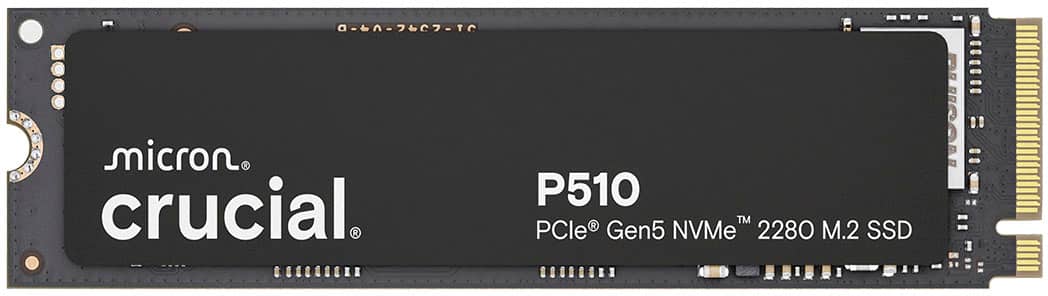
|Posted .This reviewer received promo considerations or sweepstakes entry for writing a review.The Crucial P510 Gen 5 NVME is great. The installation was easy. The speeds were impressive. I cannot think of a single negative about this drive. This drive is very easy to recommend for anyone seeking a Gen 5 drive and, at this price and with backwards compatibility, individuals with Gen 4 NVME motherboards should still give this drive a look. I have been very impressed and plan on picking up a few more P510 drives in the future. Installation: Installation of NVME drives depends a lot on the motherboard or computer manufacturer, but I found installation to be straight forward and simple. Once installed, my AMD Ryzen build recognized the hard drive instantly. After mounting the drive in Windows, I was good to go. Individuals should know that there is no mounting screw. I think most people expect mounting screws for NVME drives to be supplied by the laptop / motherboard manufacturer. But I remember a few years ago everyone expected mounting screws to come with the drives for some reason. So, if anyone is wondering, yeah, no mounting screw. Not a problem, just pointing that out in case anyone is wondering. Users should know there is a difference between NVME Gen 5, NVME Gen 4, and PCIe 5. You will need a motherboard that supports NVME Gen 5 to get the highest speeds from the drive. Experience: My benchmarks showed a Gen 5 drive that got speeds near Crucial’s advertised specs. I had no errors while using the drive. Everything worked as expected with no problems. That is truly all I could want in a drive. I did not notice heat problems, but, NVME drives can run hot and a lot about the temps will depend on your own machine’s passive and active cooling measures. I truly cannot think of a negative to this drive. I had no problems. There are faster Gen 5 drives, but those often come with heat dissipation issues and a higher price point. With the P510 you get a drive that has good speeds with manageable temps for laptop and gaming desktop users. Conclusion: I guess buyers should know there are faster drives, but the speeds of the P510 are good. I had no difficulties during my testing. I really like this drive and look forward to picking a few more up in the next few weeks. 4.5/5 Recommended
I would recommend this to a friendCrucial P510 Gen 5: No Speed Limit
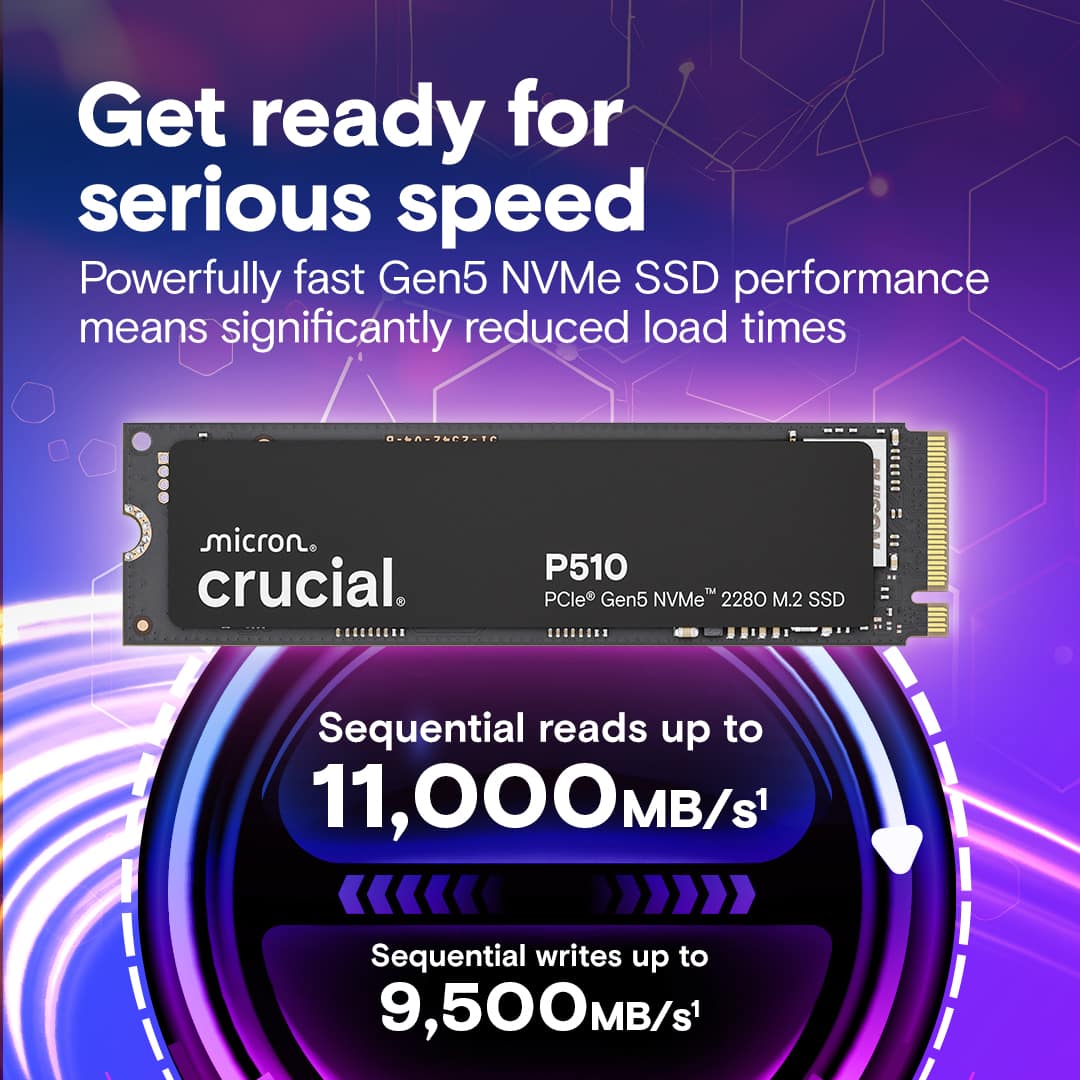
|Posted .This reviewer received promo considerations or sweepstakes entry for writing a review.I recently upgraded to the Crucial P510 1TB SSD because I wanted faster speeds for gaming, file transfers, and overall system performance. It uses the newer PCIe Gen 5 technology. After using it for about a week, I’ve had a chance to see how well it performs—and it didn’t disappoint. *Design and Build* The Crucial P510 is a standard M.2 2280 size, so it fits into desktops and laptops that support M.2 drives. For me, I've installed it into a full size gaming desktop. It doesn’t come with a heatsink, but I didn’t have any issues with overheating. I use my desktop system for work/productivity, gaming, and casual web browsing. It’s built as a single-sided drive, which helps keep it cooler and makes it easier to install in tight spots or smaller motherboards. *Specs and Features* The Crucial P510 is a 1TB M.2 2280 NVMe SSD that uses a PCIe Gen 5 x4 interface, which offers extremely fast connection speeds. It’s capable of reaching up to 11,000 MB/s read and 9,500 MB/s write speeds, making it one of the faster SSDs available in its class. It doesn’t include a DRAM cache, it relies on Host Memory Buffer (HMB) technology instead, which uses a small portion of your computer's RAM. The drive is rated for 600 terabytes written over its lifespan and comes with a 5 year warranty. One more thing to keep in mind is that the P510 doesn’t support hardware encryption, which may be a downside for users who need data security. *Performance* In everyday use, this SSD feels super quick. My PC boots up almost instantly, games load much faster, and moving big files takes just seconds. Even without a heatsink, the drive stayed fairly cool during use. *Testing* Speed Test (CrystalDiskMark): I got around 10,700 MB/s read and 9,100 MB/s write speeds on my Gen 5 system. File Transfers: Moving a 100GB folder took just over 10 seconds, much fast than my previous drives. Heat Levels: The drive got up to about 62 degrees celsius under heavy use. Everything ran smooth, even when I pushed the drive pretty hard. *Closing Thoughts* The Crucial P510 is one of the best Gen 5 SSDs you can get right now, and it delivers incredible speed. It doesn’t have fancy extras like hardware encryption or a DRAM chip, but for most people, especially gamers and everyday PC users, it’s more than enough. Just make sure your motherboard supports PCIe Gen 5, or else you won’t see the full speed. *Pros and Cons* Pros: Super fast read and write speeds Handles heat well, even without a heatsink Drive will last (600TB) 5-year warranty Reputable Brand Cons: No DRAM cache No hardware encryption *Would I Recommend It?* I would definitely recommend this drive if you're upgrading from an older SSD, need a little more space for gaming/productivity. The Crucial P510 is fast, dependable, and a good way to try out Gen 5 speeds without spending a ton. If your computer supports it, you’ll really notice the difference.
I would recommend this to a friendNext Level Gen 5 NVMe
|Posted .This reviewer received promo considerations or sweepstakes entry for writing a review.Micron Crucial is back with their latest lineup of SSD’s for 2025. The P510 is a Gen5 NVMe 2280 M.2 drive which can fit in both desktops and laptops. I opted installing mine in my Gaming PC to see if I noticed any difference between PCIe 4.0. The drive itself is single-sided and compact with a 2280 form factor. I already had a heatsink on my motherboard, so I didn’t need to purchase an additional one. The first thing I did was perform a disk benchmark test after install to see if the drive was getting the advertised speeds or not. I normally do not go out of my way to perform these synthetic tests. I like to measure by real world usage to gauge the items. I can say I was pleasantly surprised at the speeds of the P510. I didn’t experience any slow downs after long gaming sessions, or while browsing with multiple tabs open. Factors to consider Having the right hardware is a must to experience truly next level speeds. The drive stays cool under load which is surprising for a drive that’s so fast. DRAM-less – not a huge deal due to the speed of drive compensating for lack of DRAM cache. 600 terabytes endurance rating. I’ve been getting familiar with using Crucial’ s Storage Executive software. I was able to check the health of the drive and perform a firmware update once installed. I haven’t gone through all the menu options just yet, but I’m sure I’ll have time to check each option real soon. Overall, I think the 1tb version is a great buy. The speed, reliability and the value of the P510 makes this a great pickup for people who are budget conscious. I was pleasantly surprised with the P510 and plan on updating a few other devices with this drive.
I would recommend this to a friendMade for Speed
|Posted .This reviewer received promo considerations or sweepstakes entry for writing a review.I remember a couple of years ago when PCIe 4.0 was announced and what a difference it made with graphics cards, but also NVMe SSD drives which benefited a lot from the generation 4.0. Today, PCIe 5,0 is here and again, it pushes the speed limits of inter connectivity of the PC components, all while still being backwards compatible with previous generation of PCI express slots. The problem with Gen 5 was that until recently, there wasn't much hardware supporting it. As usual, the graphics cards got served first but soon after, PCIe 5.0 NVMe drives became available. And Crucial, who is a big, big company specializing in storage and memory products has just added a new option to the mix: The P510. The version I have on hand is a 1TB model, which is beginning to feel a little low considering that storage requirements for games (and software in general) is going up fast. So in my case, I used this SSD as the OS drive, on which I don't install much in order to keep the drive "clean". I could also see it as a dedicated drive for games with notoriously long loading times. Because this is where this drive crushes the competition: it's fast. Really fast. As you can see from the screen-shots I've provided, the speeds are consistent with the ones advertised by Crucial. And yes, again, it is very fast. But there's always a trade-off, and in this case, it's heat. As you might know, in terms of PC hardware, the smaller things get, the more heat they produce. The same is to be said about SSDs. I would strongly advise that you use a form of heat dissipation on the P510, passive is fine, active is better. This drive runs about 15-20% hotter than the PCIe Gen 4 next to it (on my mobo at least). But is this little caveat really an issue? The answer is a resounding "yes". I have not seen Windows run this smooth and fast in a long time. I did install a handful of games on it, and yet again, the loading times were incredibly short and it did cure a bit of stuttering on an older game. Crucial produced an excellent NVMe drive with the P510, it's lightning fast in read/write operations and seems to remain cool with only passive cooling. I can only recommend this drive to anyone who has a compatible Gen 5 port.
I would recommend this to a friendS-Tier Drive
|Posted .This reviewer received promo considerations or sweepstakes entry for writing a review.PROS: - I trust the crucial brand. Tried a lot of their products and they’ve always done well and compare nicely to the best of the best from the competition, usually for less. - Got around advertised speeds of 11 read and 9.5 write. Which are screaming fast. Transferring files will be limited to the lowest device (for example Gen 4 to Gen 5 in this case will limit speeds to Gen 4). - Did not produce a lot of heat. Temps were solid in my testing. But still recommend getting a heatsink for it just to help with overall longevity. But it is not needed. - Energy usage is great. Which probably helps keep temps low. - 5-year warranty. MEH: - 600 TB lifespan is average - Only available in 2280 design. No shorter options for those with handhelds (though I don’t think those support Gen 5 speeds yet). - Max of 2 TB size. CONS: - Lacks built-in DRAM cache - No hardware encryption * I’ve seen with a lot of new gen motherboards and Gen5 drives that this can take up space on your PCIe lane if you have too many SSD’s installed and/or based on slot you choose to use. Which may or may not slow down your graphics card if using in a standard PC. For most people I don’t think that is going to be a big problem as there is room to spare but worth knowing and researching before investing. * A lot of games and software has not evolved to fully maximizing the full speeds of this type of drive. Leaving a lot of performance on the table. The difference between a Gen 4 and Gen 5 SSD in most scenarios will not be noticeable. Most noticeable will be in downloading content if you have a super fast internet connection and the site allows it, or transferring files from a Gen 5 to a Gen 5. Not saying Gen 4 to Gen 5 will be slow. Just slower. * For fun I also tried it on a gen 4 only motherboard. The speeds were limited to the speed of that motherboard and slot. In this case (due to my laptop not the drive) it got a pathetic score of 3500 read/write. Which were dramatically under the rated speeds this drive is capable of compared to my gen 5 system. Therefore, check your computer first to ensure it will get you the full speeds. Otherwise, you’re wasting money. As this won’t all the sudden cause an increase in performance if the other components in your PC aren’t capable of more.
I would recommend this to a friendGeneration 5 storage for speed and efficieny!
|Posted .This reviewer received promo considerations or sweepstakes entry for writing a review.This is my first Generation 5 storage solution. I have been and still am impressed with Generation 4 SSD speeds, having them in most of my machines, including a game console. The read and write speeds have consistently been in the 6-7 GB/sec range and have been very reliable. My first PC that has the ability to use Generation 5 SSDs internally recently arrived. The open slot is for this Gen 5 storage, so I immediately upgraded my machine with this. Of course I had to install a speed benchmark application and test it out for myself. What I encountered was a greater than 60 percent increase in read speed and about a 30 percent increase in write speed from the Gen 4 SSD also installed in my machine. I am very satisfied with this! In fact, I've decided to make this storage the OS storage for my PC, expecting a pretty snappy increase in performance by Windows. I will use the Gen 4 storage for mass storage, as this is a gaming PC and I will be loading it with games. I'm super excited with this configuration and I am a firm believer in the Generation 5 storage that Crucial is providing here!
I would recommend this to a friendFast, cool, reliable GEN5 M.2 SSD
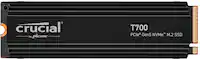
|Posted .This reviewer received promo considerations or sweepstakes entry for writing a review.Crucial - P510 1TB Internal SSD PCIe Gen 5 x4 NVMe M.2 The Crucial P510 is the company’s third PCIe Gen 5×4 solid-state drive (SSD), succeeding the T700 and T705. However, it is the first model intended for the mainstream market. True to its name, it extends the P series and, in this case, enhances the achievements of the Crucial P310, which is currently one of the fastest PCIe Gen 4×4 SSDs available. The Crucial P510 lacks a built-in DRAM cache and does not support hardware encryption. Its high endurance rating allows the drive to handle up to 600 terabytes written for each TB of capacity. This level of endurance is generally the standard for most NVMe SSDs. In real-world terms, we typically write less than 100GB daily on average. At that rate, it will take you 30 years to wear out a 1TB Crucial P510. Let that sink in for a moment. According to reliable tech sources, the new SSD proved to be one of the fastest NVMe drives on the market. I used this as the primary boot drive of my Desktop computer, and I noticed that it performed faster than the Gen 4 SSD I previously had installed for games and intense renderings. The Crucial P510 maintained a cool temperature even under prolonged and intense use. This ability to avoid excessive heat is an important feature of this drive, allowing it to be safely used in locations unsuitable for other hot drives, such as laptops or anywhere without a heat-dissipating solution. This was a Crucial version that did not include a heat sink, but my motherboard came with its own heat sink solution. I initially tried the drive without the motherboard heatsink installed and noticed that it didn’t get as roasty hot as many naked SSDs do. Still, for my long-term use, I’m continuing to use a heat sink. As with all Crucial SSDs, it comes with Crucial Storage Executive, which is an excellent dashboard software for managing your SSDs. It helps maintain firmware updates, has a SMART function, and assists with optimal setup. Additionally, it provides a functional bonus for having a Crucial SSD. Fast, cool, reliable, and at the lower end of the cost scale you couldn’t ask for more in a Gen 5x4 SSD.
I would recommend this to a friendGame-Changing Performance
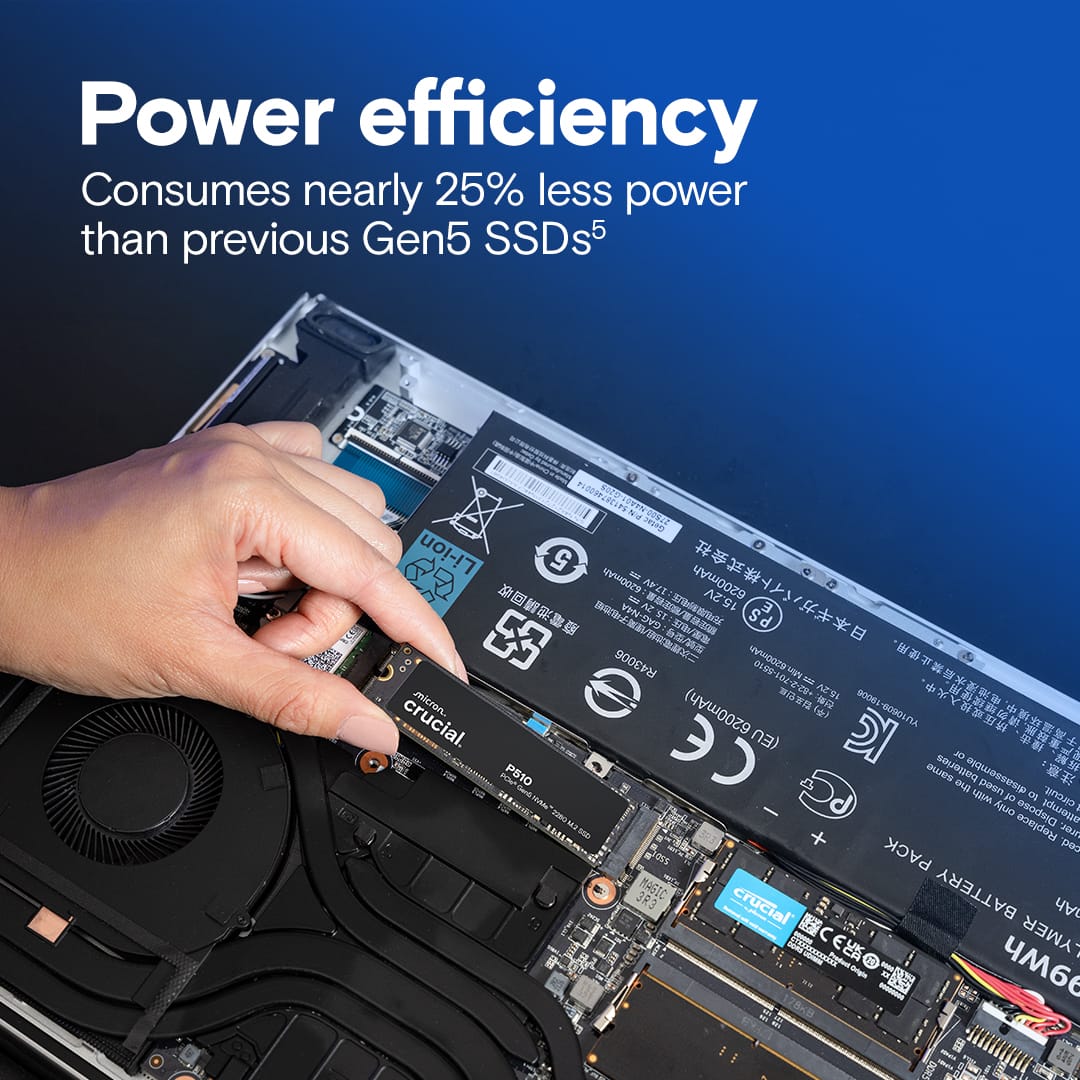
|Posted .This reviewer received promo considerations or sweepstakes entry for writing a review.Nine months ago, when I installed a Crucial T700 SSD into my computer I stated, “Next Gen has Arrived.” Today, I installed the Crucial P510 SSD PCIe Gen5 x4 NVMe M.2, the “New Next Gen5 has arrived.” What had arrived from Crucial – Smoking Hot New Gen5 Speed levels! Nine months ago, the T700 Gen5 was scoring Read speed 10000 MB/s, the fastest I had ever loaded into my computer. Then Crucial stepped up the game with the latest SSD entry, the Crucial P510 SSD PCIe Gen 5 x4 NVMe M.2 is pushing 11000MB/s Read speed. The jump in speed from high end Gen4 SSDs speeds topping out at 7000MB/s to the 11000MB/s of the Crucial P510 Pcie Gen5 NVMe are substantial – you’ll feel the difference. Additionally, with the new level of mind-blowing speed they engineered the Crucial P510 to “Consume nearly 25% less power than previous Gen5 SSDs.” Power efficiency that will play well with laptop and PC users on the gaming grid, also well suited for students, professionals and any power users seeking game-changing performance. Pros: - Micron G9 Nand – Solid engineering and fabrication. - Gen5 High Performance - Reliability you can count on - “Intelligent thermal design” - Does not require Heat Sink – plus for laptop users Micron Crucial engineered the Crucial P510 Pcie Gen5 NVMe to drive the speed to new heights while delivering performance under sustained workloads. When you put it all together, performance, reliability and great price point you have a winner.
I would recommend this to a friendFast!
|Posted .This reviewer received promo considerations or sweepstakes entry for writing a review.Pro: -Speed as advertised -Includes data transfer program Con: -Heat I have had many Crucial drives, and have never had an issue with them. They may not be the fastest, but they’ve always been reliable and at a good value. Installed it in my gaming pc and transferred the data from my old drive, and so far no issues. Installation was easy and you can download the Acronis cloning software from the Crucial site, making it quick and easy to transfer your data. Crucial has their own software to manage the drive, but it’s optional and I’ve never needed to use it. After benchmarking, the speeds were the advertised 11000 Read and 9500 Write. It can get hot, especially under load so it’s recommended that you have a heatsink, which a Gen 5 motherboard should already have. I paired it with a Gigabyte X870 motherboard, which has a two sided heatsink, and it was getting 36C idle and 55C underload. Coming from a Gen 4, this is much faster. Just be aware of the NVMe slot of your motherboard. Currently Gen 5 boards will have one dedicated slot while the others will share with the GPU PCIe slot.
I would recommend this to a friendSuper fast, large capacity SSD.
|Posted .This reviewer received promo considerations or sweepstakes entry for writing a review.This is an awesome SSD. It's lightning fast and has lots of space. Most of my more recent games average around 20GB in size once installed. This drive is large enough to install quite a few of them with some additional room to spare. The drive doesn't come with any thermal pads, thermal paste, heat spreaders, or even a screw. Installation was fairly painless, and it slotted into my motherboard without any issues. The drive comes unformatted, so you have to go into Windows disk management window to initialize it, format it, and assign it a drive letter. Once formatted, I had around 931 GB to use on this drive. The drive is VERY fast. My game installations went smoothly, and I didn't notice any lag when loading my games. I do worry about this drive potentially overheating without any type of heat spreader or thermal pad on it. Most of my other NVME drives that are 512GB or larger came with some type of thermal solution. I may pick up a third party heat spreader to prevent any issues in the future. All in all, I'm quite pleased with this drive.
I would recommend this to a friendTrustworthy brand delivers FAST drive
|Posted .This reviewer received promo considerations or sweepstakes entry for writing a review.Crucial has always been a go to brand for me. I trust their products, and have never experienced any issues with their drives. This is important because I put ALOT of data on my drives. Installation obviously depends on what you are installing this drive into. For me, I installed this in to a laptop and it was quite simple. Desktop systems are simple as well. It took me about 15 minutes, start to finish and the longest part of that was removing the screws from the laptop case. I do wish NVMe drives came with a screw, just in case the motherboard screw to secure the drive was missing. Maybe send several different sizes just in case. This is more of a future want and it has no impact on my review, just more of a hopeful mention. The speed on this drive is fantastic. I attached a screenshot of what I am getting in CrystalDiskMark as well as a benchmark on UserBenchmark. I think real world experience is on par. My games open fast and I have no issues copying large files over. This drive is FAST and is definitely a great addition to any gaming system.
I would recommend this to a friendAn ENTRY level Gen 5 SSD for the Masses
|Posted .This reviewer received promo considerations or sweepstakes entry for writing a review.The Crucial P510 is a Gen 5 NVMe SSD that bills itself as an everyday gaming and general use Gen 5 SSD that is faster than Gen 4 drives and cheaper than other Gen 5 drives. With a 2280 form factor and uses a Host Memory Buffer instead of a faster, dedicated DRAM cache. This is the thing that allows the P510 to consume 25% less power than its Gen 5 brethren, which this keeps it cool and usable in laptops, PS5’s, and in desktops without needing a dedicated heat sink like other Gen 5 SSD’s. The downside is this keeps it performing about the same as a previous Gen 4 SSD in real world scenarios. I installed this is my AMD Ryzen 7800x3D powered desktop, mated to a Gigabyte B650E Aorus Elite X AX ICE motherboard with a Gen 5×4 NVMe slot going directly to the CPU. I compared this with what is considered the best Gen 4 SSD: the Samsung 990 Pro in a Gen 4×2 slot also directly connected to the CPU. I used CrystalDiskMark for testing. While having the 990 PRO in a Gen 4x2 slot does affect Sustained Read and Write Speeds comparisons, that really isn’t what is important as the Crucial P510 will easily beat most any Gen 4 drive at that, including the 990 PRO. What we can still see is real world use is not much, if any better than a Gen 4 SSD like the 990 PRO, and in some instances it can be worse. Crucial says the P510 will get up to 11,000 Sustained Read and 9,500 Sustained Write speeds, which I got thru multiple repeated passes in CDM. These numbers are listed as SEQ1M Q8T1 in the photos. This represents how the drive is expected to perform with large files, such as downloading games and movies, large file transfers between drives, and massive workloads. In this category the P510 shines above anything Gen 4 can throw at it if you have a capable machine. That said, most consumers will struggle to see this in the real world as even most Gen 3 NVMe’s, like the popular Samsung 970 EVO and Crucial P3 Plus, have a faster Read and Write speeds than the persons internet connection and therefore can easily outpace how fast the internet can download game files for the drive to install. What consumers will notice in the real world is Windows boot times and how quickly your system responds to and launches applications from games to office programs. Here is the let down. This drive is NOT noticeably faster, and in some instances, slower than my 990 PRO. Listed as RND4K Q1T1 in the pictures, this is a measure of how fast the drive turns your wishes into reality. The Crucial P510 was slower in random Read speeds (76.36IOPs vs 82.62IOPs) and barely faster in random Write speeds(243.29IOPs vs 236.95IOPs). My BIOS boot times did not speed up at all, and in fact launching some games like Overwatch 2, Black Ops 6, and Battlefield 2042 actually SLOWED DOWN. Now, in the big picture, if it was not for me clocking this, I wouldn’t really notice. Load times changed a few seconds at most. This isn’t like going back to a mechanical spinning hard drive where I could launch and game and go make a cup of coffee. But still, This Gen 5 drive is not any better than a Gen 4 drive in real world usability. These let downs are caused by what makes this drive so power efficient and cool running: less power draw and no DRAM cache. This drive uses Host Memory Buffer uses the DRAM already floating around elsewhere in your PC to store at least a partial logical map of the drive. In this case, some of the DRAM in your system RAM is allocated and set aside to store the lookup table. This results in improved latency compared to older, SLC style SSD’s. This also reduces the amount of power draw, and therefore heat, produced by the drive. Unfortunately this tech is still catching up to the performance of DRAM drives even though the idea has been around for years. The P510 is one of the first drives to use it and its shows. As Crucial and others improve the tech, the need for DRAM and the power it requires for massive speeds will hopefully be a thing of the past. Until then, this is a valiant, if slightly underwhelming effort. This is in no means a bad drive. In fact, if your PC can make use of it, I would buy one over the Samsung 990 PRO for the simple fact at the time of this writing the Crucial P510 is $100 for 1TB and the Samsung 990 PRO is $130. What little speed it may or may not have in your system over the P510 is not worth that $30 premium. Just be aware this drive will NOT give you the insane performance of a top tier Gen 5 SSD like the Crucial T700, but you’re not paying $400 either. Temper your expectations in line with the price, and you will be satisfied.
I would recommend this to a friendGreat ssd
||Posted . Owned for 1 month when reviewed.This reviewer received promo considerations or sweepstakes entry for writing a review.Performed as expected and easy to install. For the price i paid i would highly recommend.
I would recommend this to a friendExcellent 1GB m.2 2280 SSD Drive
||Posted . Owned for 3 weeks when reviewed.This reviewer received promo considerations or sweepstakes entry for writing a review.Excellent 1GB m.2 2280 SSD Drive. Using this as operating system drive and the response and copy times are exactly as state. Very Fast! A bonus is the great price!
I would recommend this to a friendThe Complete Package
||Posted .This reviewer received promo considerations or sweepstakes entry for writing a review.Runs quick (as expected) and have had no problems cooling. Much needed upgrade to my half a terabyte drive. Great value as well!
I would recommend this to a friendGreat affordable gen 5 drive
||Posted .This reviewer received promo considerations or sweepstakes entry for writing a review.I bought this drive to use as a boot drive for my nephews new PC. & from install to setting up windows on it everything works perfectly & this drive is very fast. It’s hard to notice the speed but I know it’s there & working properly. It’s also working in tandem with a Samsung 980 pro 2TB as extra storage
I would recommend this to a friendBest speed available!
||Posted .This reviewer received promo considerations or sweepstakes entry for writing a review.I utilize this item for my OS boot drive, and now, my windows 10 boot time is just under 7 seconds, down from 15 when utilizing a gen 2 M.2 ssd. All of my system functions are faster and more responsive. Installation was easy, configuring the drive was also perfectly fine. Great item!
I would recommend this to a friendFastest SSD I ever had
||Posted . Owned for 1 week when reviewed.This reviewer received promo considerations or sweepstakes entry for writing a review.This SSD is fast, from reputable oem company and it's one of the fastest drives I ever had in m.2 form factor. My wot game now loads twice as fast on laptop. I love the fact that you can go to the store "Best Buy" and get this right away no offense Amazon. I also used my rewards and this came out less than $100 in price. Great deal and thank you Best Buy for staying in the business...
I would recommend this to a friend