Customer Ratings & Reviews





- Model:
- CT2000T710SSD8
- SKU:
- 6636632
to a friend
Customers are saying
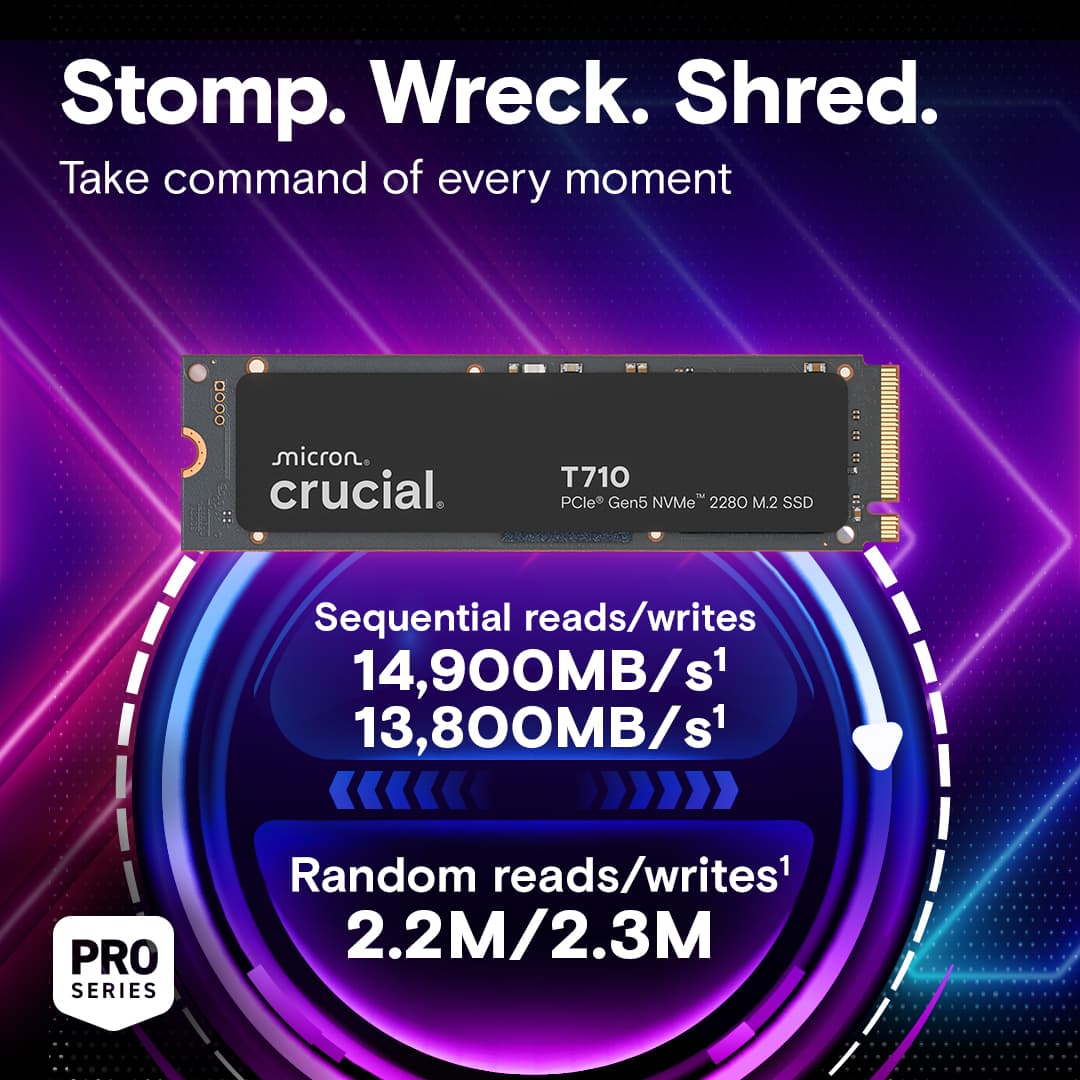
Customers love the T710 1TB Internal SSD, especially its speed, with users reporting impressive read speeds. The drive's heat dissipation is also a highlight, as it can function without a heatsink. Users also appreciate the easy installation process and the ample storage capacity.
This summary was generated by AI based on customer reviews.
- Pros mentioned:Heat dissipation, Installation, Speed

Worthy upgrade to existing internal SSD
|Posted .This reviewer received promo considerations or sweepstakes entry for writing a review.I recently got a new gaming laptop and was looking at upgrading the storage to allow for more game installs along with potentially speeding up load times. That’s when I came across the latest generation of the Crucial T710 2TB internal Gen 5 M.2 SSD. Immediately what caught my eye was the claim for sequential read/write speeds of over 50% faster than what I was currently using… a whopping read speed of 14,900MB per second and write speed of 13,800MB per second! After doing a little extra research, I also learned that one of the specs that set the T710 aside was its temperature management, which was also a selling point for me, especially in a high-end laptop build where heat can be an issue. I have previously upgraded some of my other build with Crucial products, including SSDs and RAM, and have never had any issues with their products therefore I was sold in going with their SSD in a crowded market. Installation of the SSD was better and faster than expected using their software you can download off their website. I simply placed the SSD in one of the extra storage slots under the chassis and rebooted the system. The Crucial software automatically recognized the drive, walked me through a few simple steps and took it from there. The cloning for my initial drive took less than 20 minutes to transfer a little less than 1TB. After powering the system down and installing the new Crucial T710 in the original SSD slot, I was back up and running in no time. Since I already owned software that manages performance, I immediately noticed faster boot times reflected on my system. Of note, I ran SSD benchmarks on my previous drive for comparison once I got the T710 up and running. After running several benchmarks to compare specs, the T710 clearly beat my previous Gen5 SSD in every aspect including read/write speed, gaming and temperature. It’s also designed to handle hardcore AI tasks which seem to be what everyone is focusing on nowadays along with gaming. After using the drive as my OS and also where my high-end AAA games are installed, I have been impressed overall and would recommend the T710 to anyone in the market for a new or upgraded storage option as, in my opinion and as the benchmark reflected, it’s worth the extra investment.
I would recommend this to a friend - Pros mentioned:Installation, Overall performance, Speed
Well performing drive
|Posted .This reviewer received promo considerations or sweepstakes entry for writing a review.This is a well performing drive that will work well in any high demand application such as gaming, photo editing, or video editing. I actually only have PCIe 4.0 slots on my computer, so I'm not even able to get the full performance out of this SSD, but it still is able to perform at the top end of the PCIe Gen4 spec. But this also means I'm future proofed for when I do upgrade my computer, I can get the blistering speeds of Gen5. However, in practicality, most people might not even notice the speed difference except in the most demanding applications. Like every new SSD, after installing you will need to initialize the disk. In Windows this means using the Disk Management utility. But installation and setup went off without a hitch and this SSD is ready to go with no hassle. Disk benchmarks show that this drive is among the best you can buy, even if it's just installed in a Gen4 slot. I got read speeds of about 7000mb/s and write speeds of about 5600mb/s which is about what I would expect in this configuration. Overall, I'm very happy with this drive.
I would recommend this to a friend - Pros mentioned:Speed
Super Fast Gen5
|Posted .This reviewer received promo considerations or sweepstakes entry for writing a review.The Crucial T710 Gen5 drive comes in black which goes perfect with my black PCB. It should go well with any color components you have since it is black. I also think 2TB is the perfect size for both your OS and a few space hungry AAA gaming titles. The manual tells you to use the included cloning software called Acronis True Image. It has 2 major drawbacks: 1. No option to change the partition size of the new drive. This is OK if your new drive is the same size or smaller than your old drive. If the new drive is larger, it will just make a partition with the size of your old drive and leave the rest of the drive unpartitioned. 2. Once I cloned my old drive to my new drive, the new drive wouldn't even boot into windows. YMMV on if this even works or not. I would not risk it and just use a different drive cloning tool. The performance of the NVMe is stellar. I was replacing an old drive that would get read speeds of around 1500-1900 MBS. The new Gen5 drive got real world read speeds of 6500-6700 MBS which is 3 to 4 times faster. Windows boots up noticeably faster. I played a couple games and loading speeds were also much faster. Both initially loading the game, and then loading new maps/areas was much improved from the old drive. I highly recommend this drive if you have a Gen3 or older drive. However, ditch the included cloning software if you are moving an old drive to the new one. Go online and find yourself better cloning software. There's plenty of good free options available.
I would recommend this to a friend - Pros mentioned:Overall performance, Speed
Backwards Compatible and Super Fast.
|Posted .This reviewer received promo considerations or sweepstakes entry for writing a review.For the last week, I've been testing the new Crucial T710 PCIe Gen 5 NVME SSD. Overall, it's a super fast drive, and as long as you have the hardware to support it, it's even faster. I decided to use it in my 2025 gaming laptop as a game drive. It worked well and delivered fast loading times. However, I took another look at the box and realized it was a PCIe Gen 5 SSD, which is twice as fast as a PCIe Gen 4 drive. So, even though it worked and performed well in my laptop, my hardware could only achieve Gen 4 performance. At the time of this writing, only a handful of expensive gaming laptops can fully use and support PCIe Gen 5 drive speeds. Because of this, I decided to switch the SSD to my 2025 gaming desktop, which has a motherboard that supports Gen 5 SSDs. Needless to say, it performed fantastically and achieves advertised speeds. That said, this SSD performs phenomenally, and you'll still see a performance boost whether you are using Gen 4 or Gen 5 hardware. I would highly recommend it.
I would recommend this to a friend - Pros mentioned:Heat dissipation
One of the fastest and coolest Gen5 SSDs!
|Posted .This reviewer received promo considerations or sweepstakes entry for writing a review.This is a 2TB - PCIe Gen5 drive. It is still backwards compatible with Gen4 m.2 slots, however because Gen5 is still relatively new, these are much more expensive than Gen4 SSD counterparts. If you do not have a Gen5 motherboard, you will not get the fastest reported speed, it will max out at Gen4 speeds. This is also a single sided SSD drive. Performance: If all you are doing is gaming with this drive, I don’t think most people will see much of a difference between this drive, and other gen4 SSDs. It is not worth the price jump. However, if you are doing video editing, or moving a lot of data between drives, I would say this drive is absolutely worth it. I work with both DaVinci Resolve and Adobe Premiere Pro and After Effects. Setting your scratch disk to be on this T710 and you will effectively feel those video editing apps respond much faster. Especially in DaVinci Resolve and Premiere Pro! Between those two apps alone and working with huge video files it is worth the bump up in price from Gen4 to a Gen5 drive for me. In gaming, you won’t feel much of a difference than any other higher end Gen4 SSD, especially if that SSD already has DRAM for managing file transfers. Speed will be so close between Gen4 and Gen5 it will not matter much for most gamers. While I didn’t find this drive to run very hot while monitoring in CrystalDiskInfo and Crucial’s own software, I would still recommend buying an aftermarket SSD heatsink, especially if installing into any laptop. If installing into a gaming laptop, just be sure to get a very low profile one. Cloning: Crucial comes with a free version of Acronis you can install for Windows. Just a couple tips here if you are cloning your Windows 11 operating drive. Make sure you go into the windows settings and turn off bitlocker encryption. If you do not do this, and attempt to clone your drive to the new one, your clone will not work without your encryption key, but it is just much easier to turn off Windows bitlocker encryption before cloning to this new drive. Once you start your cloning process and put your T710 into the same slot as your original OS drive (I recommend removing the OS drive completely until you are sure your new clone is working, you can add it in and format the drive later to use for storage). Overall: This is a great drive for those that are looking for the best performance and still run relatively cool.
I would recommend this to a friend - Pros mentioned:Heat dissipation
Speedy Gen 5 DRAM Drive with Crucial 5yr Warranty
|Posted .This reviewer received promo considerations or sweepstakes entry for writing a review.TLDR: A very fast Gen 5 drive that includes DRAM cache & can function without a heatsink. PROS Excellent Gen 5 speeds Heatsink not required DRAM Cache 5 Year Warranty CONS None to speak of PERFORMANCE & USE This will be one of my shortest reviews. There isn’t much not to like about Crucial’s new T710 NVMe drive. Over my many years of building and upgrading computers, Crucial Micron has become my primary supplier of choice for SSD’s and memory. Not that I haven’t had decent success with other suppliers, I have. But what the other suppliers have never been able to match is Crucial’s consistency and longevity. After dozens and dozens of upgrades and builds over the years, I’ve given up on chasing the lowest price alternatives and started using Crucial Micron nearly exclusively. Crucial has proven to me to be the most reliable, most consistent brand on the market. The T710 a spacious 2TB (1.81 after formatting) drive that sports Micron’s latest technology to achieve speeds up to 14500 MB/s. This 2TB model features a generous 2GB of DRAM cache to help speed throughput. For use, I decided to put the T710 in my newest, most powerful gaming laptop. It’s a Gigabyte X16 Aero. The X16 supports AMD’s latest Ryzen 7 AI 350 processor, 32GB of DDR5 RAM, and an nVidia 5070 graphics card. I use it heavily for gaming as it has the most powerful graphics processor I own. The T710 has maintained consistent performance through my most demanding tests. From hitting it with over 700GB of game installs to hours long gaming sessions, I have not witnessed any thermal throttling or drive slowdowns. Results in my photos are from my Gigabyte laptop set for maximum performance, with a clean Windows 11 install courtesy of the Windows Media Creation Tool. Unfortunately, as you can see from the test results, that the T710 is hampered by Gigabyte’s lack of a Gen 5 controller. Still no matter what I’ve asked of the laptop, the T710 has proved to be a consistent performer, never showing me any issues. The T710 has maintained its composure and never given me random heat related glitches that sometimes plagued my Gigabyte branded and installed factory NVMe drive. CONCLUSIONS I have no doubts the T710 will continue to serve a long life in the Gigabyte. Backed by one of the industry's best warranties, at 5 years. To me, the most impressive thing about Micron drives is you know what you are getting from the date of purchase. Micron manufactures their own memory and controllers and you know what is going to be on the drive. This has burnt me numerous times in the past where I chased the highest performance or the best prices from other brands. Manufacturers will make changes to drives and or controllers without announcement and that drive you thought was the latest and greatest gets hobbled by cost cutting. There is something to be said about consistency. Crucial has yet to fail me when it comes to consistency or performance. I have numerous Crucial SSD’s and DRAM sticks still in service that haven’t failed in years of continuous use. I have high hopes and expect the T710 to follow in this tradition. HIGHLY RECOMMENDED
I would recommend this to a friend - Pros mentioned:Speed
Super Fast SSD Memory for Gaming
|Posted .This reviewer received promo considerations or sweepstakes entry for writing a review.It’s pretty wild how fast this SSD is. Just during the initial setup to get my games transferred to this new drive, I saw peaks of nearly 3 GB/s transfer speeds. Depending on the file size, it ranged between 0.8-2.5 GB/s, and to transfer 1.3TB of data, took just under 15 minutes. One of the largest benefits you’ll see out of a super fast SSD such as this one is if you move large files around often such as a video or photo editor, or if you play games that have load times between matches or areas of the game. I was able to quickly copy a game file that was 126 GB in size in just a couple of minutes. I don’t really time loading screens in games I play, but I can tell you, I load into games very quickly. It’ll be night and day if you’re upgrading from an HDD, but SSDs are already very fast and while there will likely be a measurable difference between Gen4 and Gen5, my Gen4 SSD was already very fast in regards to gaming. No SSD review goes without a crystal diskmark synthetic benchmark. Using a 2025 ASUS Strix Scar 16 with an Intel 275HX and NVIDIA 5080, I scored 11,896 MB/s Reads and 8,463 MB/s writes. This means in some scenarios, you could read nearly 12 GB/s. That’s crazy fast. 3Dmark also comes with a storage benchmark, so I ran it too. The T710 scored above average at 2,585 with the average coming in closer to 2,271. Do with that data what you will, but the screenshot shows bandwidth and average access times which may be closer to real world, but you can compare with other scores to see if the speed difference is worth it to you. This SSD didn’t come with any type of heatsink or thermal padding. This makes it great for laptop installs or if you’re looking to put in an external NVME enclosure or if your motherboard comes with pre-installed heatsinks. There’s a limited 5 year warrant from Micron as well so you know they stand behind their product and it’s up there with other top SSD manufacturers. One buying tip I would have is to make sure your device can support Gen5 PCIE for SSD. This is fairly new technology at the time of this review so you won’t get the full benefit without your motherboard supporting the interface. I have read that Gen5 PCIE is backwards compatible, but I was not able to test this. If true, it’d be useful if Crucial put it on the box as some folks may be looking to upgrade their motherboards at a later date and would want to know if this works now.
I would recommend this to a friend - Pros mentioned:Speed
Produces Great Benchmark Results
|Posted .This reviewer received promo considerations or sweepstakes entry for writing a review.The Crucial T710 SSD is a top of the line drive the provides really fast read and write speeds thanks to utilizing PCI-E 5.0. Compared to most other drives, this drive can be up to 2x as fast in synthetic benchmarks. This drive is best suited for people that want the best performance possible. That said, with the way that bandwidth works, you probably won't even notice a difference between this drive and a PCI-E 4.0 drive simply because most things we do are not bandwidth limited. Installation of the drive is easy and straight forward. Slides right in to an NVME m2 slot, screw it down and place a heatsink on it. I do wish they included that tiny screw required to hold it in as I have lost mine in the past. Performance on my system as a little mediocre. This could be because of my system though so I can't hold it against the drive. That said, I can't say that it wasn't the drives fault either due to the lack of a controller temperature sensor. This drive comes equipped with 2 temperature sensors which measure the temperature of just the NAND memory modules. Other NVME drives from other companies sometimes include a controller temperature sensor so you can tell if its NAND throttling or the controller. In my situation, I would not be surprised to find out that the controller is throttling simply due to the mass amount of bandwidth this thing has. I'll need to get an external temperature probe to find out. That said, the performance was close to the claims from Crucial. I was never able to reach the 14.5Gbps, but I did get close to 14 (13.9). So not too far off from Crucials claims. Real world performance I have not noticed a difference in performance. Everything seems to load up the same, files transfer the same (though I only have 1 gen 5 drive so this is expected). Overall this is a great drive if you're looking for the absolute fastest speeds you can get at a decent price. If you're looking for more practical drives then a Gen 4 drive is probably a better option for you as you get more TBs for less money.
I would recommend this to a friend - Pros mentioned:Speed
How fast is too fast?
|Posted .This reviewer received promo considerations or sweepstakes entry for writing a review.I run Crucial P3 series SSDs in a few of my systems. If I was building a gaming system I'd usually go with a Crucial P3 boot drive and a P5 to install games on, and not always Crucial since some were budget builds. I did a recent Small Form Factor PC build with an ITX motherboard that supported Gen 5 SSDs however I only had a couple of Gen 4 SSDs on hand. With the build complete and operational the speeds of the SSDs are acceptable however more and more newer AAA games are requiring faster hardware to run at full spec. I grabbed the Crucial T710 2TB drive, installed it into an external SSD enclosure, downloaded Acronis True Image for Crucial from the Crucial website and let it clone in automatic mode. After cloning was done and system shutdown I removed the previously installed Crucial P510 1TB from the PC and installed the new T710. I transferred a couple of games from my Steam library over from a 4TB secondary SSD drive (Gen 4) to the new drive and a test run of Starfield. Load times were quicker and the game suffered no buffering lag. I did do a simple winsat disk test with decent results in comparison to a Gen 4 (from brand S) and got an impressive bump from what I thought to be a really good speed with a random read of 7327.45 MB/s and random write of 7055.97 MB/s versus 2956.76 read and 5295.11 write. Of course these numbers fluctuate with other tasks being performed by Windows 11 Pro. See photos. Drive D is the Gen 4, Drive C is the T710. Price wise, a bit on the high end and maybe cost prohibitive for some but if you want to get the best of the best I'd save a bit on the GPU (do I really need an RTX5090?) and spend a bit more on the T710. As a side note, I originally had Starfield loaded onto a physical 7200RPM disk drive (HDD) and the buffering lag was terrible, so choppy, so the quick fix was to move the game to a SSD and lag went away.
I would recommend this to a friend - Pros mentioned:Speed
Blazing fast speeds
|Posted .This reviewer received promo considerations or sweepstakes entry for writing a review.This is my first experience with a Crucial SSD, and it’s a much-needed upgrade after the recent string of issues I’ve had with my current 3 NVMe SSD and the Windows 11 24H2 update. I’ve spent months trying to get past that update with no luck, so I’m extremely happy to finally move forward. Speed-wise, it’s night and day compared to my old Gen 3 NVMe… easily double or even triple the speed. The difference really shows up in large file transfers and heavy sequential workloads. I manage large databases and often have 10+ Excel files open at once, and the performance jump here has been unbelievable. I’ll be honest, I was hesitant to fire this SSD up because of the recent news about Windows updates bricking NVMe drives on engineering firmware. Since the T710 is so new, I worried the production firmware might not be fully ready, but so far, it has handled Windows installs and updates without a single issue. Heatsink Note: This SSD doesn’t come with its own heatsink, and with Gen 5 speeds, you absolutely need one. My Asus Z790 motherboard has a built-in heatsink that works perfectly, but make sure your board has one, or buy the heatsink version of this drive, because it’s really not optional. As with most NVMe drives, installation is a breeze. If you’re not dealing with Windows issues, and you have at least two M.2 slots, you can even clone your old drive onto this one and swap this in as your primary. It’s fairly painless. Overall - If you’re moving from Gen 3 to Gen 5, you won’t be disappointed. I can’t personally compare Gen 4 to Gen 5 yet, but based on the numbers, the jump looks significant there too. So far, I've been extremely happy with this drive.
I would recommend this to a friend - Pros mentioned:Speed
Fast, Reliable and all without breaking the bank
|Posted .This reviewer received promo considerations or sweepstakes entry for writing a review.The Crucial is a perfect middle ground for those beginning a build or looking to upgrade current memory. With with so many options to choose from it can be difficult at times to navigate which direction to go when it comes to SSDs First off a few things to understand when purchasing this SSD. There are two things you are paying for, memory and speed. Does speed really matter and is it actually noticeable? Short answer yes. The crucial T710 comes in at a nice middle ground as far as performance and reliability go. Yes there are other units out there with higher sequential speeds, but this ssd is no light weight. I used the T710 to for two purposes on my build. One, i used it to load my operating systems, and second i used it as a storage point for my steam games. Right away i noticed computer start up was immediately quicker to get going. My PC was up and running in less than 1 minute, but where i really noticed this piece shine was when it came to game time. Download times on 50 gig and up files was achieved in less than 15 minutes while video game start up were immediate with little to almost no load times. Temps never exceeded 40°C which is something to note as well. Over all this is a solid buy period. Even at a higher tier i don't really think speeds are going to much more noticeable. If your looking to game or do 3d video editing then this is a easy buy at this price point.
I would recommend this to a friend - Pros mentioned:Heat dissipation
Crystaldiskmark says the disk is very fast
|Posted .This reviewer received promo considerations or sweepstakes entry for writing a review.I installed the 2TB T710 SSD on a B850 motherboard with a 9800X3D. As expected, it runs on four PCIe 5.0 lanes (see attached image). It’s not my OS drive; that role is handled by a Crucial T500; and I also have a Samsung 990 Pro (PCIe 4.0) installed in another dedicated PCIe 5.0 M.2 slot. The CrystalDiskMark results (attached) highlight the T710’s clear sequential performance lead over the 990 Pro; one of the best PCIe 4.0 drives available. Temperatures for both drives were very similar under load; which I found impressive given that testing was done on a hot 90+ °F day with an ~80 °F ambient room temperature. For real-world testing, I copied a ~22 GB folder between the 990 Pro and the T710 in both directions. Transfer rates started around 4 GB/s; averaged near 1 GB/s; and dropped as low as 15 MB/s by the end; likely due to the large number of small files. A single 10 GB file, however, held steady at ~4 GB/s throughout. Initially, I expected the T710 to sustain much higher sequential write speeds. Since it topped out at ~4 GB/s; the same as the 990 Pro; I suspected a bottleneck. Even copying within the T710 itself didn’t exceed 4 GB/s. Based on what I’ve found online; this may be related to Windows’ file copy implementation rather than the drive itself. In short: the benchmarks confirm the T710 is an extremely fast drive; especially in sequential workloads; but in day-to-day file transfers I haven’t yet found a scenario that showcases its full potential.
I would recommend this to a friend - Pros mentioned:Speed
Doubled my speed!
|Posted .This reviewer received promo considerations or sweepstakes entry for writing a review.This was the perfect upgrade to maximize my desktop setup. I was previously running another NVMe 2 TB drive, but it was only a Gen 5x2 instead 5x4. Those two extra lanes literally doubled my transfer speeds, reaching over 14000MB/s read speed as seen in my photo. This is one of the first drives where I actually reach the advertised speeds despite having ideal hardware. I even ran the speed test after cloning the drive. I will say the software that they offered on their site, Acronis, did not work well for cloning the drive. After installing it, it crippled my entire computer to a bare crawl trying to get through the settings…I couldn’t even use my computer for several minutes. I abandoned and uninstalled it and ended up using Disk Genius which is free and worked great. It really maximized the speed during the cloning process since its writing up to 8GB/s. I also added Bitlocker encryption to the drive after cloning it, which went exceptionally fast too. I also installed the Crucial Storage Executive, but my firmware was already updated. I can’t think of much else I personally would need that software for, but I’ll keep it installed for drive monitoring purposes. It monitors the health of all your drives, not just Crucial ones. Overall, Crucial has been a reputable brand for many years and this drive has been working great so far. The 5 year warranty gives a nice peace of mind on top of it.
I would recommend this to a friend - Pros mentioned:Heat dissipation, Overall performance, Storage capacity
Screaming fast and works great.
||Posted . Owned for 2 weeks when reviewed.This reviewer received promo considerations or sweepstakes entry for writing a review.Doubled my laptop storage. Faster, and works great. Got at best price I have seen. install was easy and do not notice it running any hotter than a 4th gen 1tb competitor brand. Very happy with my purchase.
I would recommend this to a friend - Pros mentioned:Speed
Gen 5 is here and im all here for it!
|Posted .This reviewer received promo considerations or sweepstakes entry for writing a review.For the past 2 years ive been using 2 Gen 4 NVME on my current PC that I have. its been working great, luckly my current motherboard Asus B650E-F ROG STRIX support 1 NVME slot for Gen 5. Now im adding a 3rd NVME and its Crucial latest Gen 5 T710. havent use Crucials drive in a while but this Gen 5 NVME offer with reads speed of 14,900 and write speed of 13,800MB! thats a huge jump from previous storage that I currently have. Crucial also advertising this drive as for gamers so seeing that definitely gets me even more interested. Also T710 comes with 5 year limited warranty not fully sure whats included but hopefully I wouldnt have to find out on the real world problem. EXPERIENCE: I have also made sure I made this Crucial T710 as my main storage for my windows. I did the cloning from previous storage to the latest T710. I use CrystalDiskMark for some testing of the speed Read speed was showing 13768.71 and Write speed of 12941.28. another run shows Read speed of 13688.17 and Write speed 12687.11. overall its not pushing the proper advertised speed of the drive. its faster than two of my other NVME drive for sure. CONCLUSION: overall real word performance it’s honestly hard to tell. ive load a ton of games on this including Alan wake 2, Final Fantasy 7, Dead Island 2 but I am encountering issue with horrible stuttering on Dead Island 2, and for some odd reason I was getting kicked out when loading Returnal and HellDivers 2. so until this day thats another issue im still trying to fix, but Its hard to honestly see a real word performance on this. I do feel the fan on my PC runs hotter after adding Crucial T710. hope another firmware for this NVME would improve its overall performance. its seems like a positive thing on the back end knowing you have a Gen 5 NVME running on your PC. just make sure you have the latest fimware for your motherboard as well before installing these. but im very happy that my PC has the latest Gen 5 NVME thanks to Crucial.
I would recommend this to a friend - Pros mentioned:Overall performance, Speed
Keeper
||Posted . Owned for 3 weeks when reviewed.This reviewer received promo considerations or sweepstakes entry for writing a review.Works great and fast passed test on diskmark. Gets nice and fast 14000+ speeds
I would recommend this to a friend - Pros mentioned:Overall performance, Speed
Amazing m.2
||Posted . Owned for 3 weeks when reviewed.This reviewer received promo considerations or sweepstakes entry for writing a review.Works great. Great price and is really fast. A must buy
I would recommend this to a friend - Pros mentioned:Speed, Storage capacity
It’s good
||Posted .This reviewer received promo considerations or sweepstakes entry for writing a review.It works, it seems to be just as fast as my prior SSD. I needed more internal storage space for this semester at college and for the money this seems to have worked good.
I would recommend this to a friend - Pros mentioned:Speed
Super fast
||Posted .This reviewer received promo considerations or sweepstakes entry for writing a review.Super fast great product. I purchased while on sale and I couldn't be more happy.
I would recommend this to a friend - Pros mentioned:Heat dissipation, Installation, Speed
Crucial T710: Gen 5 Speed & Efficiency!
|Posted .This reviewer received promo considerations or sweepstakes entry for writing a review.For many computer enthusiasts, local based storage solutions will always take precedence over an exceedingly prevalent push to adopt service based solutions; there simply isn’t enough vitriol in the world to eradicate such fictional ideas. In spite of this, storage capacity and speed improvements have expanded quite rapidly; along with it, refinements in efficiency certainly have paved the way to significant improvements in thermal management, NAND density, and controller speed. However, as with any new generation of technology, adopting drives based on the PCI Express Gen 5 have had some initial difficulty; specifically, there has not been enough justification for the significant price increase to warrant only marginal gain in non-sequential speed metrics. Fortunately, there has been some positive gains recently, especially with newly released SSD controllers. Thus, I was excited to test the newly launched Crucial T710 2 TB Gen SSD on my recently built desktop that features an X870E chipset! As with every other SSD in the past, setup and installation should be quick and easy. The Crucial T710 does not ship with any screws, but luckily this is largely not an issue as most motherboards come with various tool free latch solutions, along with heatsinks to supplement the install. As for the drive itself, the Crucial T710 is powered by a Silicon Motion 2508 Arm based controller, coupled with 2TB of 276-layer Micron sourced TLC flash. It also has 2 GB of LPDDR4 for DRAM. On paper, the T710 seems to have every indication of a high performance drive! For my benchmarks and data tests, I used CrystalMark 8.0.6 and a combination of HW Monitor 1.58 and HW Info 8.28 to monitor its temperature during all of my tests. Additionally, as a reminder, the performance data I have mentioned here are exactly what I observed; my results should at least provide some idea on how the drive performs! For my test system, I used a brand new AsRock X870E Nova motherboard, coupled with a Ryzen 9 9900X CPU; for RAM, I used a 64 GB kit of G-Skill Z5 Trident Royals. Lastly, the motherboard was updated to BIOS 3.30. Connectively, I also set the M2_1 slot specifically to Gen 5 (default was originally set to auto). Once I finished installing Windows 11 Pro, I immediately installed my chipset driver and ran CrystalMark 8.0.6 x64. The results were noted as below: Sequential Read Q8T1: 14,052.47 MB/s / Sequential Write Q8T1: 13,247.83 MB/s Sequential Read 4K Q1T1: 88.23 MB/s / Sequential Write 4K Q1T: 182.32 MB/s As you can see the results are slightly under what the T710 was rated for; while not ideal, it is nevertheless, still using the appropriate Gen 5 connection. In addition, several subsequent test runs after driver restarts were extremely consistent, usually off by a couple MB or so. Overall, the performance is still there; depending on your chipset, your results will likely differ. For my next test, I decided to manually copy and record the results of two different types of transfers to correspond with the results as outlined above. Using my Crucial X10 Pro 2 TB external SSD, I connected the drive via the USB 4 port on the back of the motherboard. My first test involved copying a 93.2 GB 4K ISO disc image from my external to the T710. As typical of sequential workloads, the transfer held consistently at 1.40-1.45 GB/s all the way across the board. The transfer finished at just over a minute or so. Next, I reversed the process and sent the image back to the X10, albeit slightly slower at just over a 1.0-1.1 GB/s. Additionally, there was a brief 20-30 MB/s dip about halfway through the transfer but it quickly rebounded. For my next test, I switched to a transfer more indicative of the 4K performance by moving my music folder. The folder is 44.2 GB in size and contains 7,176 files and 1,569 folders. I sent the transfer from the X10 Pro to the T710; immediately the transfer exponentially increased to about 1 GB/s. For something of this magnitude, I was pleasantly surprised at the performance here; just as with the ISO, the transfer remained consistent bouncing between 1.0-1.1 GB/s. The transfer finished in about 45 seconds. Next, reversing that same transfer, now copying the folder to the X10 Pro, the results were a bit more mixed. The transfer quickly shot up to around 480 MB/s, with various spikes up past 550MB/s. There was one brief spike past up to 750 MB/s, but it quickly decreased. Overall, the X10 Pro mainly stayed between 480-530 MB/s range. Nonetheless, the results here are quite stellar! As with all Gen 5 based drives, monitoring thermal levels are certainly recommended as we know they run much hotter than their Gen 4 based counterparts. Naturally, I wanted to set aside some time to monitor the T710 and its thermal behavior. To my surprise, the results have been nothing but extraordinary! For my first set of testing, I went ahead and installed the T710 with the supplied heatsink on my AsRock motherboard. Furthermore, I also left out my separate GTX 1080 so I could mention those differences later on. Upon my first initial boot into the OS after installation, I noted a temperature of 37 Celsius; eventually it worked its way up to about 40 degrees Celsius. After several Crystalmark runs, the highest temperature recorded was 64 degrees; majority of the time though it naturally fluctuated between 55-60 Celsius. After the tests were completed, the drive would eventually settle back down between 40-43 degrees! Certainly, these temperatures are impressive; even more so given that it seldom touched the past 50 degrees while I conducted my transfers. Lastly, and perhaps the biggest shock came the next day; as soon as I turned on the computer, I immediately opened HW Monitor and noted a temperature of 24 Celsius. Overall, the efficiency of the T710 is extremely impressive; certainly shocking at just how cool the T710 runs with the included heatsink! For my next test, I wanted to see how the T710 performs without the heatsink so I gave it roughly 12 hours to cool off. I removed the heatsink and booted the computer. My first initial recorded temp was 37 degrees, which was much better than I expected. However, the delta temperature change was noticeably quicker as instead of 40-44 degree idle temps, we were now at around 47-51 degrees. After running CyrstalMark, it quickly spiked to 84 Celsius; as before the drive quickly toggles back and forth, fluctuating between 70-77 degrees. In summary, removing the heatsink added about 7 degrees to idle temperature and about 15-20 degrees to full load. Overall, I was still thoroughly impressed, especially considering that even without the heatsink, the drive still runs much cooler than my older P5 Gen 3 drive! Lastly, I wanted to add my GTX 1080 back into the case so I could see if there were any noticeable thermal differences. As before, I waited until the computer had cooled for at least 12 hours prior to testing. Once the computer booted, I noted a temperature of 30 degrees Celsius. As I continued to browse for the next two hours, the T710 slowly climbed back to where idle temps were previously noted, though this time, there were small 1-2 degree spikes that fluctuated slightly warmer. I managed to touch 46-48 degrees at one point. Connectively, the T710 sometimes would drop back down to 43 or 44 degrees at some intervals. While removing the heatsink produced much more sharp contrasts in temperature, running a separate GPU, as most enthusiast do, seems to add around 3-4 degrees as opposed to running without one, though it must be pointed out that some of you may not even register a difference here as your ambient temperature and case airflow will certainly differ from mine. Nonetheless, I thought the results were certainly interesting. In conclusion, the Crucial T710 Gen SSD is an excellent performing drive that has some huge positives going for it, namely fast sequential speed and excellent efficiency. In addition, the T710 absolutely destroyed my manually transfers, while remaining cool and consistent throughout of all of my testing. In some ways, while the 4K performance I noted on my synthetic benchmark was a bit low, especially considering some of the top Gen 4 drives are essentially on par, there is still a lot to like here regarding the T710. While Gen 5 drives are still in their infancy, the good news is that they are steadily improving and now have some clear cut advantages that may prove beneficial to your specific case scenario. With that said, if the budget allows, the T710 comes recommended!
I would recommend this to a friend