Customer Ratings & Reviews
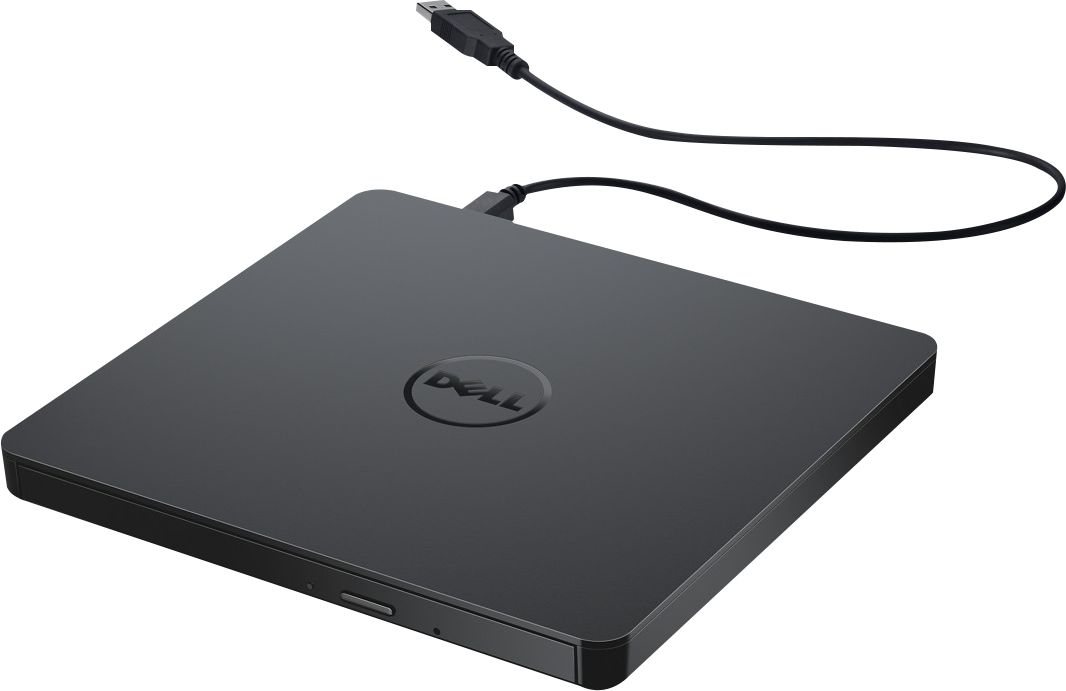
- Model:
- DW316
- SKU:
- 4697703
Rating by feature
- Value
Rating 4.7 out of 5 stars
- Quality
Rating 4.6 out of 5 stars
- Ease of Use
Rating 4.7 out of 5 stars
Customers are saying
Customers enjoy the DW316 8x Slim External USB DVD±RW/CD-RW Drive for its ease of use, overall performance, and convenient USB connectivity. Many appreciate its perfect size, good value, and broad compatibility. While some users have noted occasional noise, the drive is generally well-received for its functionality.
This summary was generated by AI based on customer reviews.
It’s okay
||Posted .This reviewer received promo considerations or sweepstakes entry for writing a review.It does the job, it’s semi cheap, I wouldn’t buy if it’s for in and out of a bag though. Wish it was usb3.
I would recommend this to a friendBrand response from YourDellTeam
Posted .Hello Taylornicks,
We're glad that your CD / DVD drive is working well for you. If you do have questions you can refer to our Product Page here: https://dell.to/2CpL3Sd.
Best,
Bryan
1-800-624-9896
- Pros mentioned:Price
loop
||Posted .This reviewer received promo considerations or sweepstakes entry for writing a review.Glad to have an external drive. This one was reasonably priced.
I would recommend this to a friend - Pros mentioned:Ease of use
Good External
||Posted .This reviewer received promo considerations or sweepstakes entry for writing a review.Very compact and easy to use. Worked great for what we needed.
I would recommend this to a friend - Pros mentioned:Ease of use
Great cd/dvd drive
||Posted .This reviewer received promo considerations or sweepstakes entry for writing a review.The cd/dvd drive work’s fine with my computer. It’s a plug and play. I was able to use it to watch movie.
I would recommend this to a friend Not what I expected.
||Posted .This reviewer received promo considerations or sweepstakes entry for writing a review.I had hoped to use this to play some DVDs I have, but I could not open them on my laptop. Since it is discontinued I can't return it. No big loss but annoying
No, I would not recommend this to a friendGood choice if you want copy to CD,s
||Posted . Owned for 3 weeks when reviewed.This reviewer received promo considerations or sweepstakes entry for writing a review.Not the best, satisfactory at best. I used it to download music from computer to CD's and it downloaded every other song.
No, I would not recommend this to a friendBrand response from YourDellTeam
Posted .DeeDee,
We're sorry that this external drive is not working the way that you hoped it would. We'd recommend checking out the quick start guide here: https://dell.to/2VKZfz2.
Best,
Bryan
1-800-624-9896
Didn’t work as intented
||Posted . Owned for 1.5 years when reviewed.This reviewer received promo considerations or sweepstakes entry for writing a review.Didn’t really work when connected with our laptop like we thought it would.
No, I would not recommend this to a friendBrand response from YourDellTeam
Posted .Hi Awesome,
Thank you very much for your valued feedback. We are sorry to hear that your Dell USB Slim DVD Drive is not working for you as you expected.
For your reference, I have included a link to the User’s Guide for your DVD drive. Please refer to the troubleshooting section, part 2 “Cannot read or play disc”.
User’s Guide: https://dell.to/3LHbMv9
If the issue with your DVD drive is still not resolved after utilizing the troubleshooting options above, please contact the Dell Support Team at 1-800-624-9896 for further guidance.
Best,
Katarina@Dell
Should you need further assistance, you can contact Dell directly with the information below.
Chat or call: https://bit.ly/DellSupportTeam
Phone number to Dell: 1-800-624-9896
Ho-Hum
||Posted .This reviewer received promo considerations or sweepstakes entry for writing a review.Not a great piece of equipment, but you get what you pay for. I prefer having a drive built-in, but pc companies are getting too cheap to do that anymore. This drive works when/if it wants to and has trouble keeping it's place. Can't plug it directly into smart TV like the LG units.
No, I would not recommend this to a friendBrand response from YourDellTeam
Posted .Hello,
Thank you for taking a moment to share your experience. We're sorry about the trouble you have encountered with the performance of your Optical Drive, and we greatly appreciate your feedback. It is incredibly valuable as we build current and future products.
To make sure we can help, here is a link that can be used to help run further steps and provide more in-depth information about using your Optical Drive DW316 with other devices: https://dell.to/2SygmFv.
We recommend following the steps from the link above to resolve your issue. If you require further assistance, please contact our support team here: https://bit.ly/DellSupportTeam.
Best,
Wendy C.
https://bit.ly/DellSupportTeam.
Phone number to Dell: 1-800-264-9896.
DvD player
||Posted . Owned for 1 month when reviewed.This reviewer received promo considerations or sweepstakes entry for writing a review.I would prefer something a bit heavier than this is. It gets the job done at a relative low cost.
I would recommend this to a friendBrand response from YourDellTeam
Posted .Babs12s,
Thanks for your review and we're glad that your external drive is working well for you. If you have any questions about your drive you can check our User Guide here: https://dell.to/3ccxrfI.
Best,
Bryan@Dell
If you require further assistance, you can contact Dell directly with the information below
Chat or Call:
https://bit.ly/DellSupportTeam
Phone number to Dell: 1-800-624-9896
inexpensive and works
||Posted . Owned for 1 year when reviewed.This reviewer received promo considerations or sweepstakes entry for writing a review.works, but seems slow. it reads faster than it rights but it does what it is supposed to.
I would recommend this to a friendBrand response from YourDellTeam
Posted .Hello Amberdog,
Thank you for taking the time to leave us your review. We are happy to hear you are satisfied with your Dell - USB Slim DVD+/- RW Drive, except for the writing speed. I have provided a couple of tips to troubleshoot this issue. You can find these tips found on Page 12 of the User's Guide for your device. I have provided a link to the User's Guide, should you need further information.
1. Make sure the disc is clean and free of scratches.
2. Media from different manufacturers or purchased at different times will record at different speeds. The drive will adjust the available recording speeds to achieve the highest write quality.
User's Guide: https://dell.to/3fyuqqp
After utilizing the troubleshooting options, if the issue is not resolved, please reach out to our support team here at your earlier convenience: https://bit.ly/DellSupportTeam.
Should you require further assistance, you can contact Dell directly with the information below.
Chat or call: https://bit.ly/DellSupportTeam
Phone number to Dell 1-800-624-9896
Best,
Ashley@Dell
Was a good try
||Posted . Owned for 3 weeks when reviewed.This reviewer received promo considerations or sweepstakes entry for writing a review.I was told this would work with my Sony car audio but it didn’t. It powered up but did not produce any sound
No, I would not recommend this to a friendBrand response from YourDellTeam
Posted .Hello Bestbuyer,
As mentioned within the specifications of the drive, the officially supported operating systems are Windows XP/Vista/7/8/ and 8.1. This allows the device to support 'plug-and-play' functionality across these systems. Your audio system may not be compatible with the optical drive. We hope this clarifies the issue.
Best Regards,
Anthony P.
- Pros mentioned:Ease of use
Easy to use
||Posted .This reviewer received promo considerations or sweepstakes entry for writing a review.Product is easy to store files to free space on my laptop
I would recommend this to a friend AVERAGE PRODUCT
||Posted . Owned for 1 month when reviewed.This reviewer received promo considerations or sweepstakes entry for writing a review.We bought this for my daughter's dell computer and the dell computer is horrible, but this external drive is average at best.
No, I would not recommend this to a friendBrand response from YourDellTeam
Posted .RxStallion,
Thanks for your feedback. We're sorry to hear that your Dell computer is not working as well as you hoped it would. We're happy to hear that the external hard drive is working well for you. If you have any questions about the external drive you can read our Product Support Page here: https://dell.to/2CpL3Sd.
Best,
Bryan
1-800-624-9896
It worked but...
||Posted .This reviewer received promo considerations or sweepstakes entry for writing a review.It plugged & played fine with my older non-Windows 10 laptop but a bit rough installing the software provided on my Windows 10 machine.
I would recommend this to a friendBrand response from YourDellTeam
Posted .Khamilton,
We're sorry to hear that you're having trouble using your External DVD / CD drive with Windows 10. Here's a link to the user guide which should help you: https://dell.to/2CpL3Sd.
Best,
Bryan
1-800-624-9896
- Pros mentioned:Ease of use
Good drive
||Posted .This reviewer received promo considerations or sweepstakes entry for writing a review.Works as intended no issues easy to install in seconds
I would recommend this to a friend Dell - USB Slim DVD+/- RW Drive - DW316
||Posted . Owned for 1 month when reviewed.This reviewer received promo considerations or sweepstakes entry for writing a review.I bought this to mainly watch DVDs on my PC. Playing my DVDs, there seems to be too many times the USB Slim DVD+/- RW Drive "freezes" the movie. The movie picture freezes, but the sound goes on playing. I go put the DVDs into my regular DVD player in the family room and the discs play fine.
No, I would not recommend this to a friendBrand response from YourDellTeam
Posted .Bylton,
Thanks for your review and we're sorry to hear about your external drive's performance so far. Here's a link to the User's Guide if you'd like to look for troubleshooting tips: https://dell.to/3ccxrfI.
Best,
Bryan
1-800-624-9896
Perfect for my laptop
||Posted .This reviewer received promo considerations or sweepstakes entry for writing a review.Works perfectly with my Dell laptop, just plug it in
I would recommend this to a friendWorks Fine!
||Posted . Owned for 1 month when reviewed.This reviewer received promo considerations or sweepstakes entry for writing a review.The only reason I never got a laptop was the new ones had no disc drives and I have an extensive collection of DVDs and CDs. For just a small price, I got this and now I can ditch that big old tower.
I would recommend this to a friendJust what I needed.
||Posted . Owned for 1 year when reviewed.This reviewer received promo considerations or sweepstakes entry for writing a review.I bought this for a particular purpose. That accomplished, I wish I had got one with more versatile features.
I would recommend this to a friendBrand response from YourDellTeam
Posted .Mandd,
We're glad that your external drive is working well for you. If you have any questions you can check our Product Guide here: https://dell.to/2VKZfz2.
Best,
Bryan
1-800-624-9896
External dvd burner
||Posted . Owned for 3 weeks when reviewed.This reviewer received promo considerations or sweepstakes entry for writing a review.Have not used it yet. Hoping it will be ok. And that it won’t take 2 hours to figure out how to use it
I would recommend this to a friendBrand response from YourDellTeam
Posted .Gift,
Thanks for your review and we hope that setting up your new external drive is an easy process. Here's a link to the Quick Start Guide for your drive to help get your started: https://dell.to/2VKZfz2.
Best,
Bryan
1-800-624-9896