Customer Ratings & Reviews
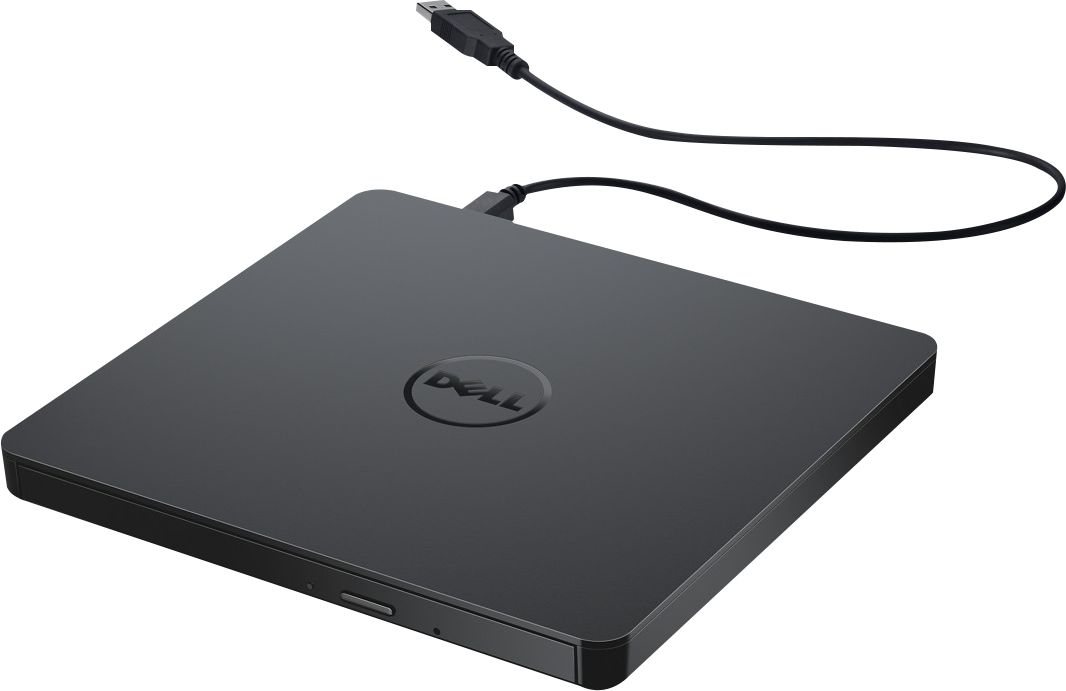
- Model:
- DW316
- SKU:
- 4697703
Rating by feature
- Value
Rating 4.7 out of 5 stars
- Quality
Rating 4.6 out of 5 stars
- Ease of Use
Rating 4.7 out of 5 stars
Customers are saying
Customers enjoy the DW316 8x Slim External USB DVD±RW/CD-RW Drive for its ease of use, overall performance, and convenient USB connectivity. Many appreciate its perfect size, good value, and broad compatibility. While some users have noted occasional noise, the drive is generally well-received for its functionality.
This summary was generated by AI based on customer reviews.
Not compatible
||Posted . Owned for 3 weeks when reviewed.This reviewer received promo considerations or sweepstakes entry for writing a review.During install, error message said it’s Not compatible with latest Microsoft Surface 3 Laptop. Had to return it.
No, I would not recommend this to a friend- Pros mentioned:Overall performance
DELL - DW316 EXTERNAL DRIVE
Posted .This reviewer received promo considerations or sweepstakes entry for writing a review.THIS DELL EXTERNAL DRIVE DW316 WAS A GREAT DEAL ON DEAL OF THE DAY AT $20. THIS DRIVE WORKS JUST AS DESCRIBED , SINCE MOST LAPTOPS HAVE DONE AWAY WITH A DRIVE BUILT IN.
I would recommend this to a friend Garbage
||Posted . Owned for 11 months when reviewed.This reviewer received promo considerations or sweepstakes entry for writing a review.I do not recommend this or bestbuy. This is Garbage
No, I would not recommend this to a friendBrand response from YourDellTeam
Posted .Hi Dominick,
We want to thank you for taking the time to leave us a review of your Dell USB slim dvd drive. We are sorry to hear that you are not completely satisfied with your device. That is not the type of feedback we like to hear from our customers, or the type of product Dell intends to deliver. We have noted the details of your statement and will use them to improve current and future products.
Should you need further assistance; we recommend that you contact Dell directly with the information below.
Chat or call: https://bit.ly/DellSupportTeam
Phone number to Dell: 1-800-624-9896.
Regards,
Summer@Dell
Irritated and unhappy
||Posted . Owned for 3 weeks when reviewed.This reviewer received promo considerations or sweepstakes entry for writing a review.Opened to use after not setting up my pin and now can’t open.
No, I would not recommend this to a friendBrand response from YourDellTeam
Posted .Hello Rachel,
Thank you for taking the time to leave us your review. We're sorry to hear that you experienced issues with your Dell XPS LaptopDell - USB Slim DVD+/- RW Drive. This is certainly not the experience we like to hear from our customers. We would like to help resolve this issue after obtaining a little more information. Please take a moment to call or chat with a Dell Support Representative at your earliest convenience so that they can help you with your concerns: https://bit.ly/DellSupportTeam.
Best,
Danielle@Dell
Product Dell DVD reader
||Posted .This reviewer received promo considerations or sweepstakes entry for writing a review.Does not work. Request refund or exchange. Thanks,
No, I would not recommend this to a friendBrand response from YourDellTeam
Posted .Dear JW1234,
Thank you for taking the time to leave us a review of your Dell USB Slim DVD Drive. We are sorry to hear that your device is not working. That is not the type of feedback we like to hear from our customers. We have noted the details of your statement and will use them to improve current and future products
Should you need further assistance; we recommend that you contact Dell directly with the information below.
Chat or call: https://bit.ly/DellSupportTeam
Phone number to Dell: 1-800-624-9896.
Best,
Summer@Dell
External dvd
||Posted .This reviewer received promo considerations or sweepstakes entry for writing a review.Doesn’t play... can’t get help from your website...
No, I would not recommend this to a friendBrand response from YourDellTeam
Posted .Hello Customer,
Thank you for your review. We're sorry about the trouble you have encountered with your product. We have provided steps that can be used to run a test and to help diagnose the issue.
1. If the disc is dirty (fingerprints, etc.), clean it with a non-abrasive
cloth from the disc center hole to the outside.
2. If the disc is scratched and warped, do not insert it into the drive.
3. If the disc is inserted upside-down, reinsert it in the proper
direction.
4. If the drive is not recognized, refer to section 1 above.
5. Check to see that the necessary software applications are installed correctly.
You can read the full article here - h https://dell.to/3mvaJ4x.
Best regards,
Wendy C.
For further assistance, you can contact Dell directly with the information below Chat or Call:
https://bit.ly/DellSupportTeam.
Phone number to Dell: 1-800-264-9896.
SADquality
||Posted . Owned for 2 weeks when reviewed.This reviewer received promo considerations or sweepstakes entry for writing a review.fail, eject button didn't work straight out of the box
No, I would not recommend this to a friendBrand response from YourDellTeam
Posted .Hi Valued Customer,
Thank you very much for your valuable feedback. We are sorry to hear that you are experiencing troubles with your Dell USB Slim drive. This is certainly not the experience that we like to hear from our customers. We appreciate your feedback and will use it to help improve our current and future products.
Below, I have provided troubleshooting steps and a link to the User’s Guide for your product, where troubleshooting tips can be found. Please refer to the section “Cannon Eject Disk”:
User’s Guide: https://dell.to/3HvSW7l
Cannot eject disc:
1. Check to see that the system is powered up. (The indicator LED light will blink on pressing the eject button on the drive.)
2. If a media is stuck in the drive, please turn off the drive (or PC) then and turn on it again. Under normal condition, it will reset and allows normal operation of the drive to resume.
3. Use Emergency Eject instructions to eject a disc. Please refer to the Using the Drive section.
4. If the system is capable of booting into an operating system, attempt to issue an eject command from within the operating system
If you are still experiencing issues with your DVD drive after applying the troubleshooting tips above, please contact the Dell Support Team for further guidance at 1-800-624-9896.
Best,
Katarina@Dell
Should you need further assistance, you can contact Dell directly with the information below.
Chat or call: https://bit.ly/DellSupportTeam
Phone number to Dell: 1-800-624-9896
External DVD drive
||Posted .This reviewer received promo considerations or sweepstakes entry for writing a review.I can't rate this yet as I haven't used it yet as I bought it to use with my embroidery machine and have not had time to use it yet
I would recommend this to a friendItem was never rec'd
||Posted . Owned for less than 1 week when reviewed.This reviewer received promo considerations or sweepstakes entry for writing a review.the item was never rev'd . ive been home all day checking and no one ever knock on my door
No, I would not recommend this to a friendBrand response from YourDellTeam
Posted .Robbie58,
We're sorry to hear that you haven't received your External Drive yet. Please reach out to Best Buy directly in order to find out about the delivery status of your order: http://bit.ly/2v2IVhI.
Best,
Bryan
1-800-624-9896
dell external dvd player
||Posted .This reviewer received promo considerations or sweepstakes entry for writing a review.doesn't work, or its not as simple as plug and play
No, I would not recommend this to a friendBrand response from YourDellTeam
Posted .Dear Kathy,
We want to thank you for taking the time to leave us your review. We apologize for the difficulties you are having getting your Dell - USB Slim DVD+/- RW Drive working. Below I have provided a link to the User's Guide for your device to help with setup.
User's Guide: https://dell.to/3ePyoue
If you still experience this problem after you have finished troubleshooting your device, please reach out to our support team here: 1-800-624-9896.
If you require further assistance, you can contact Dell directly with the information below.
Chat or call: https://bit.ly/DellSupportTeam
Phone number to Dell 1-800-624-9896
Best,
Ashley@Dell
no
||Posted . Owned for 7 months when reviewed.This reviewer received promo considerations or sweepstakes entry for writing a review.dont work good at all . tried everything still nothing
No, I would not recommend this to a friendBrand response from YourDellTeam
Posted .Hello Marie,
We want to thank you for your valued feedback. We sincerely apologize for the problems you have had with your Optical Drive DW316. We would love to assist you as soon as possible and we have provided the link to the Support Page of your Optical Drive DW316 for troubleshooting the issue - https://dell.to/2SygmFv.
If you require further assistance, you can contact Dell directly with the information below.
Chat or call: https://bit.ly/DellSupportTeam
Phone number to Dell 1-800-624-9896
Best regards,
Wendy C.
Dell - USB Slim DVD+/- RW Drive - Plug and Play -
||Posted . Owned for 3 weeks when reviewed.This reviewer received promo considerations or sweepstakes entry for writing a review.This item did not work at all, For this reason, I returned.
No, I would not recommend this to a friendBrand response from YourDellTeam
Posted .Hello Descartes1596,
Thank you for your review. We are sorry to hear your Optical Drive is not functioning properly. We would love to help in getting this resolved as soon as possible. We have provided this link that can be used to help run further steps and provide more in-depth information on your Optical Drive DW316 - https://dell.to/2SygmFv.
If the issue persists, you can contact Dell directly with the information below via Chat or Call.
Best regards,
Wendy C.
https://bit.ly/DellSupportTeam.
Phone number to Dell: 1-800-264-9896.
poor connection
||Posted . Owned for 3 weeks when reviewed.This reviewer received promo considerations or sweepstakes entry for writing a review.Not quite there yet with the screen picture. More work is needed on the technology.
No, I would not recommend this to a friendBrand response from YourDellTeam
Posted .kirbsview,
We're sorry that this item is not exactly what you were hoping it would be. If you have questions about your External Drive you can visit our Product Page here: https://dell.to/2CpL3Sd.
Best,
Bryan
1-800-624-9896
Not Impressed
||Posted .This reviewer received promo considerations or sweepstakes entry for writing a review.It should play a dvd without issue, but it kept skipping on a new dvd. It's true, you get what you pay for!
No, I would not recommend this to a friendIt works
||Posted .This reviewer received promo considerations or sweepstakes entry for writing a review.This works but I hate spending this money. I don’t like computers removing disk drives.
I would recommend this to a friendBrand response from YourDellTeam
Posted .Jrobbins,
Thanks for your review. We're glad that your disk drive is working well for you. If you have questions about it you can check our Product Support Page here: https://dell.to/2CpL3Sd.
Best,
Bryan
1-800-624-9896
Trash
||Posted . Owned for 1 month when reviewed.This reviewer received promo considerations or sweepstakes entry for writing a review.Horrible literally hard to use and annoying to be honest.
No, I would not recommend this to a friendBrand response from YourDellTeam
Posted .Hello Rose,
Thank you for your review. We are sorry about the trouble you have encountered with using the Drive. We would love to help right away. If needed in the future, here is a link to an attachment that can help with with using the Drive: https://dell.to/3bxP08A.
Best regards,
Wendy C.
For further assistance, you can contact Dell directly with the information below Chat or Call:
https://bit.ly/DellSupportTeam.
Phone number to Dell: 1-800-264-9896.
UNHAPPY CUSTOMER
||Posted . Owned for 1 month when reviewed.This reviewer received promo considerations or sweepstakes entry for writing a review.SAME AS THE COMPUTER!!!!! POOR CUSTOMER SERVICE!!!
No, I would not recommend this to a friendBrand response from YourDellTeam
Posted .Hello,
Thank you for taking the time to share your experience. We are sorry to hear that this Optical Drive has not met all of your expectations, and greatly appreciate your feedback. We would love to assist you with any troubleshooting needs but would need a little more information. Please feel free to reach out to Dell Support directly at 1-800-264-9896.
Best regards,
Wendy C.
https://bit.ly/DellSupportTeam.
Phone number to Dell: 1-800-264-9896.
- Pros mentioned:Ease of use, Price, Size
Simple and reliable external USB DVD Drive
Posted .This reviewer received promo considerations or sweepstakes entry for writing a review.Simple and reliable external USB DVD Drive which is lightweight and plug and play, ideal for new thin laptops which do not have a cd-rom drive built in. Decent read write speeds and Dell is always a reliable brand with great technical support. I bought an open box item, but it was in mint condition. It does not play bluray discs, but you can't have everything and especially at this low bargain of a price.
I would recommend this to a friend Cheap flimsy.
||Posted .This reviewer received promo considerations or sweepstakes entry for writing a review.This is cheap plastic. I dropped it and it broke. The slide will not work to close the CD.
No, I would not recommend this to a friendNot meant for Apple Products
||Posted . Owned for 2 weeks when reviewed.This reviewer received promo considerations or sweepstakes entry for writing a review.It didn't work well with my apple products. Don't recommend.
No, I would not recommend this to a friendBrand response from YourDellTeam
Posted .Angelcakes,
We're sorry that your external drive is not working well with your Apple products. We hope that you're able to find a use for it with other Dell or PC products.
If you'd like to check out the Quick Start Guide you can find it here: https://dell.to/2VKZfz2.
Best,
Bryan
1-800-624-9896